Complete reference guide to AI crawlers and bots. Identify GPTBot, ClaudeBot, Google-Extended, and 20+ other AI crawlers with user agents, crawl rates, and blocking strategies.
Published on Jan 3, 2026.Last modified on Jan 3, 2026 at 3:24 am
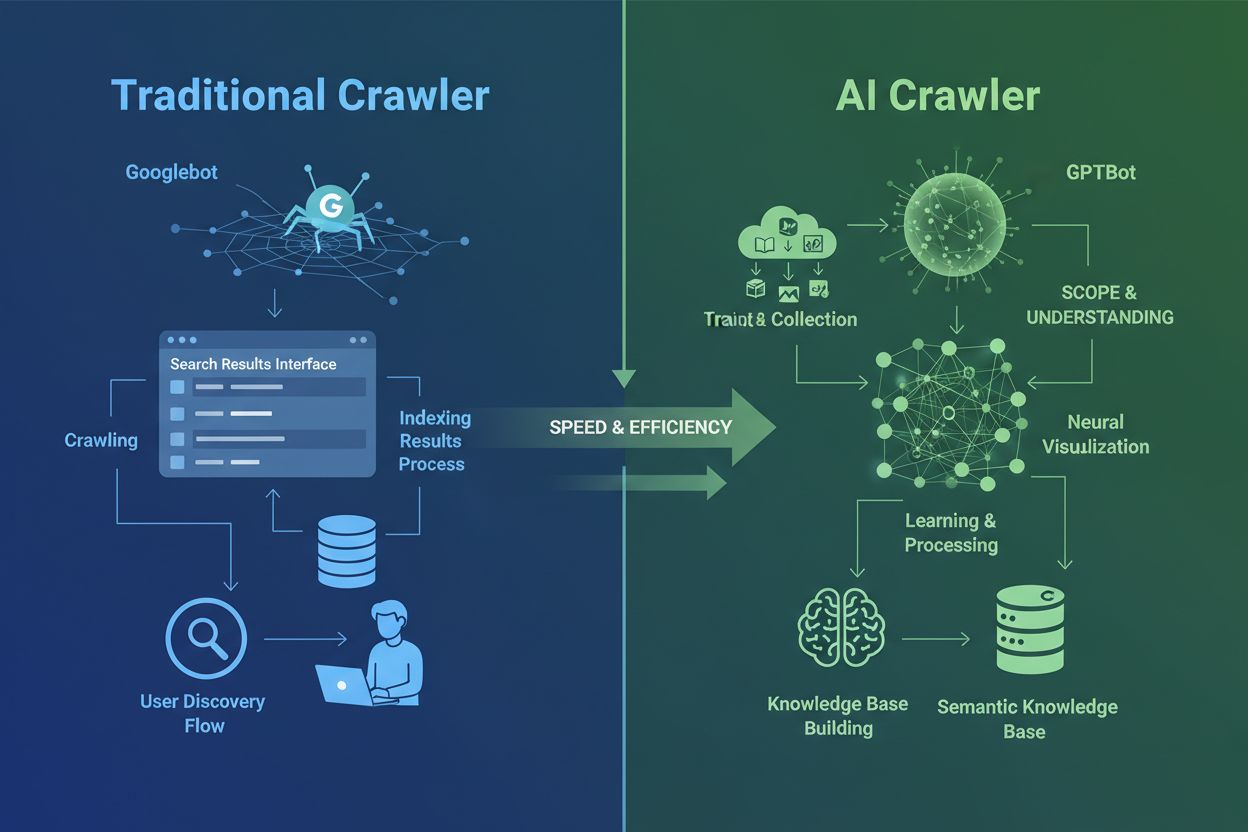
AI crawlers are fundamentally different from the traditional search engine crawlers you’ve known for decades. While Googlebot and Bingbot index content to help users find information through search results, AI crawlers like GPTBot and ClaudeBot collect data specifically to train large language models. This distinction is crucial: traditional crawlers create pathways for human discovery, while AI crawlers feed the knowledge bases of artificial intelligence systems. According to recent data, AI crawlers now account for nearly 80% of all bot traffic to websites, with training crawlers consuming vast amounts of content while sending minimal referral traffic back to publishers. Unlike traditional crawlers that struggle with dynamic JavaScript-heavy sites, AI crawlers use advanced machine learning to understand content contextually, much like a human reader would. They can interpret meaning, tone, and purpose without manual configuration updates. This represents a quantum leap in web indexing technology that requires website owners to rethink their crawler management strategies entirely.
The Major AI Crawler Ecosystem
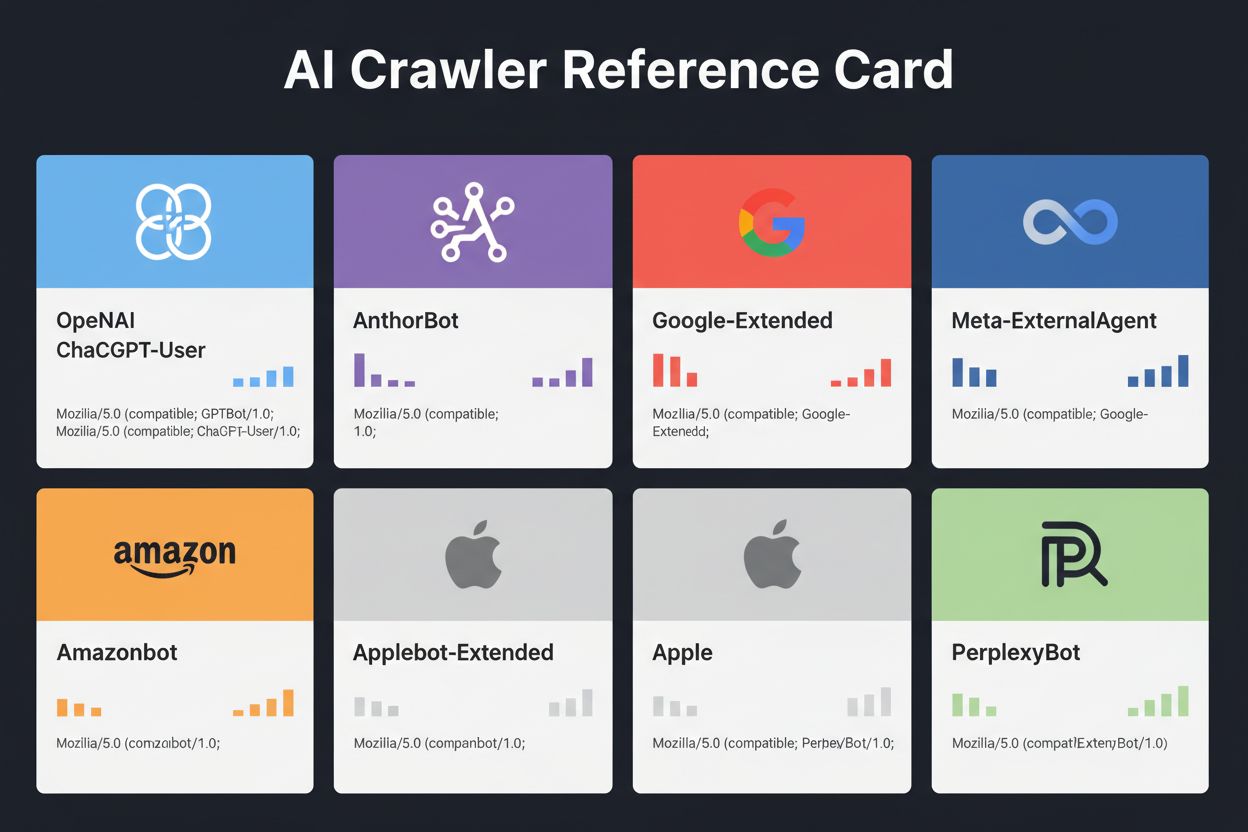
The landscape of AI crawlers has become increasingly crowded as major technology companies race to build their own large language models. OpenAI, Anthropic, Google, Meta, Amazon, Apple, and Perplexity each operate multiple specialized crawlers, each serving distinct functions within their respective AI ecosystems. Companies deploy multiple crawlers because different purposes require different behaviors: some crawlers focus on bulk training data collection, others handle real-time search indexing, and still others fetch content on-demand when users request it. Understanding this ecosystem requires recognizing three primary crawler categories: training crawlers that collect data for model improvement, search and citation crawlers that index content for AI-powered search experiences, and user-triggered fetchers that activate when users specifically request content through AI assistants. The following table provides a quick overview of the major players:
Company
Crawler Name
Primary Purpose
Crawl Rate
Training Data
OpenAI
GPTBot
Model training
100 pages/hour
Yes
OpenAI
ChatGPT-User
Real-time user requests
2400 pages/hour
No
OpenAI
OAI-SearchBot
Search indexing
150 pages/hour
No
Anthropic
ClaudeBot
Model training
500 pages/hour
Yes
Anthropic
Claude-User
Real-time web access
<10 pages/hour
No
Google
Google-Extended
Gemini AI training
Variable
Yes
Google
Gemini-Deep-Research
Research feature
<10 pages/hour
No
Meta
Meta-ExternalAgent
AI model training
1100 pages/hour
Yes
Amazon
Amazonbot
Service improvement
1050 pages/hour
Yes
Perplexity
PerplexityBot
Search indexing
150 pages/hour
No
Apple
Applebot-Extended
AI training
<10 pages/hour
Yes
Common Crawl
CCBot
Open dataset
<10 pages/hour
Yes
Ready to Monitor Your AI Visibility?
Track how AI chatbots mention your brand across ChatGPT, Perplexity, and other platforms.
OpenAI operates three distinct crawlers, each with specific roles in the ChatGPT ecosystem. Understanding these crawlers is essential because OpenAI’s GPTBot is one of the most aggressive and widely-deployed AI crawlers on the internet:
GPTBot - OpenAI’s primary training crawler that systematically collects publicly available data to train and improve GPT models including ChatGPT and GPT-4o. This crawler operates at approximately 100 pages per hour and respects robots.txt directives. OpenAI publishes official IP addresses at https://openai.com/gptbot.json for verification purposes.
ChatGPT-User - This crawler appears when a real user interacts with ChatGPT and requests it to browse a specific webpage. It operates at much higher rates (up to 2400 pages/hour) because it’s triggered by user actions rather than systematic crawling. Content accessed through ChatGPT-User is not used for model training, making it valuable for real-time visibility in ChatGPT search results.
OAI-SearchBot - Designed specifically for ChatGPT’s search functionality, this crawler indexes content for real-time search results without collecting training data. It operates at approximately 150 pages per hour and helps your content appear in ChatGPT search results when users ask relevant questions.
OpenAI’s crawlers respect robots.txt directives and operate from verified IP ranges, making them relatively straightforward to manage compared to less transparent competitors.
Anthropic’s Claude Crawlers
Anthropic, the company behind Claude AI, operates multiple crawlers with varying purposes and transparency levels. The company has been less forthcoming with documentation compared to OpenAI, but their crawler behavior is well-documented through server log analysis:
ClaudeBot - Anthropic’s main training crawler that collects web content to improve Claude’s knowledge base and capabilities. This crawler operates at approximately 500 pages per hour and is the primary target if you want to prevent your content from being used in Claude’s model training. The full user agent string is Mozilla/5.0 AppleWebKit/537.36 (KHTML, like Gecko; compatible; ClaudeBot/1.0; +claudebot@anthropic.com).
Claude-User - Activated when Claude users request real-time web access, this crawler fetches content on-demand with minimal volume. It respects authentication and doesn’t attempt to bypass access restrictions, making it relatively benign from a resource perspective.
Claude-SearchBot - Supports Claude’s internal search capabilities, helping your content appear in Claude’s search results when users ask questions. This crawler operates at very low volumes and primarily serves indexing purposes rather than training.
A critical concern with Anthropic’s crawlers is the crawl-to-refer ratio: Cloudflare data indicates that for every referral Anthropic sends back to a website, its crawlers have already visited approximately 38,000 to 70,000 pages. This massive imbalance means your content is being consumed far more aggressively than it’s being cited, raising important questions about fair compensation for content usage.
Stay Updated on AI Visibility Trends
Get the latest insights on AI mentions, brand monitoring, and optimization strategies.
Google’s AI Training Crawlers
Google’s approach to AI crawling differs significantly from competitors because the company maintains strict separation between search indexing and AI training. Google-Extended is the specific crawler responsible for collecting data to train Gemini (formerly Bard) and other Google AI products, completely separate from traditional Googlebot:
The user agent string for Google-Extended is: Mozilla/5.0 AppleWebKit/537.36 (KHTML, like Gecko; compatible; Google-Extended/1.0. This separation is intentional and beneficial for website owners because you can block Google-Extended through robots.txt without affecting your Google Search visibility whatsoever. Google officially states that blocking Google-Extended has zero impact on search rankings or inclusion in AI Overviews, though some webmasters have reported concerns worth monitoring. Gemini-Deep-Research is another Google crawler that supports Gemini’s research feature, operating at very low volumes with minimal impact on server resources. A significant technical advantage of Google’s crawlers is their ability to execute JavaScript and render dynamic content, unlike most competitors. This means Google-Extended can crawl React, Vue, and Angular applications effectively, while OpenAI’s GPTBot and Anthropic’s ClaudeBot cannot. For website owners running JavaScript-heavy applications, this distinction matters significantly for AI visibility.
Other Major AI Crawlers
Beyond the tech giants, numerous other organizations operate AI crawlers that warrant attention. Meta-ExternalAgent, quietly launched in July 2024, scrapes web content for training Meta’s AI models and improving products across Facebook, Instagram, and WhatsApp. This crawler operates at approximately 1100 pages per hour and has received less public attention than competitors despite its aggressive crawling behavior. Bytespider, operated by ByteDance (TikTok’s parent company), has emerged as one of the most aggressive crawlers on the internet since its April 2024 launch. Third-party monitoring suggests Bytespider crawls far more aggressively than GPTBot or ClaudeBot, though exact multipliers vary. Some reports indicate it may not consistently respect robots.txt directives, making IP-based blocking more reliable.
Perplexity’s crawlers include PerplexityBot for search indexing and Perplexity-User for real-time content fetching. Perplexity has faced anecdotal reports of ignoring robots.txt directives, though the company claims compliance. Amazonbot powers Alexa’s question-answering capabilities and respects robots.txt protocol, operating at approximately 1050 pages per hour. Applebot-Extended, introduced in June 2024, determines how content already indexed by Applebot will be used for Apple’s AI training, though it doesn’t directly crawl webpages. CCBot, operated by Common Crawl (a non-profit organization), builds open web archives used by multiple AI companies including OpenAI, Google, Meta, and Hugging Face. Emerging crawlers from companies like xAI (Grok), Mistral, and DeepSeek are beginning to appear in server logs, signaling continued expansion of the AI crawler ecosystem.
Complete AI Crawler Reference Table
Below is a comprehensive reference table of verified AI crawlers, their purposes, user agent strings, and robots.txt blocking syntax. This table is updated regularly based on server log analysis and official documentation. Each entry has been verified against official IP lists when available:
Crawler Name
Company
Purpose
User Agent
Crawl Rate
IP Verification
Robots.txt Syntax
GPTBot
OpenAI
Training data collection
Mozilla/5.0 AppleWebKit/537.36 (KHTML, like Gecko; compatible; GPTBot/1.3; +https://openai.com/gptbot)
100/hr
✓ Official
User-agent: GPTBot Disallow: /
ChatGPT-User
OpenAI
Real-time user requests
Mozilla/5.0 AppleWebKit/537.36 (KHTML, like Gecko); compatible; ChatGPT-User/1.0
2400/hr
✓ Official
User-agent: ChatGPT-User Disallow: /
OAI-SearchBot
OpenAI
Search indexing
Mozilla/5.0 (Macintosh; Intel Mac OS X 10_15_7) AppleWebKit/537.36; compatible; OAI-SearchBot/1.3
150/hr
✓ Official
User-agent: OAI-SearchBot Disallow: /
ClaudeBot
Anthropic
Training data collection
Mozilla/5.0 AppleWebKit/537.36 (KHTML, like Gecko; compatible; ClaudeBot/1.0; +claudebot@anthropic.com)
500/hr
✓ Official
User-agent: ClaudeBot Disallow: /
Claude-User
Anthropic
Real-time web access
Mozilla/5.0 AppleWebKit/537.36 (KHTML, like Gecko; compatible; Claude-User/1.0)
<10/hr
✗ Not available
User-agent: Claude-User Disallow: /
Claude-SearchBot
Anthropic
Search indexing
Mozilla/5.0 AppleWebKit/537.36 (KHTML, like Gecko; compatible; Claude-SearchBot/1.0)
<10/hr
✗ Not available
User-agent: Claude-SearchBot Disallow: /
Google-Extended
Google
Gemini AI training
Mozilla/5.0 AppleWebKit/537.36 (KHTML, like Gecko; compatible; Google-Extended/1.0)
Variable
✓ Official
User-agent: Google-Extended Disallow: /
Gemini-Deep-Research
Google
Research feature
Mozilla/5.0 AppleWebKit/537.36 (KHTML, like Gecko; compatible; Gemini-Deep-Research)
<10/hr
✓ Official
User-agent: Gemini-Deep-Research Disallow: /
Bingbot
Microsoft
Bing search & Copilot
Mozilla/5.0 AppleWebKit/537.36 (KHTML, like Gecko; compatible; bingbot/2.0)
Not all AI crawlers serve the same purpose, and understanding these distinctions is critical for making informed blocking decisions. Training crawlers represent approximately 80% of all AI bot traffic and collect content specifically to build datasets for large language model development. Once your content enters a training dataset, it becomes part of the model’s permanent knowledge base, potentially reducing users’ need to visit your site for answers. Training crawlers like GPTBot, ClaudeBot, and Meta-ExternalAgent operate with high volume and systematic crawling patterns, returning minimal to zero referral traffic back to publishers.
Search and citation crawlers index content for AI-powered search experiences and may actually send some traffic back to publishers through citations. When users ask questions in ChatGPT or Perplexity, these crawlers help surface relevant sources. Unlike training crawlers, search crawlers like OAI-SearchBot and PerplexityBot operate at moderate volume with retrieval-focused behavior and may include attribution and links. User-triggered fetchers activate only when users specifically request content through AI assistants. When someone pastes a URL into ChatGPT or asks Perplexity to analyze a specific page, these fetchers retrieve the content on-demand. User-triggered fetchers operate at very low volume with one-off requests rather than automated systematic crawling, and most AI companies confirm these are not used for model training. Understanding these categories helps you make strategic decisions about which crawlers to allow and which to block based on your business priorities.
How to Identify Crawlers on Your Site
The first step in managing AI crawlers is understanding which ones are actually visiting your website. Your server access logs contain detailed records of every request, including the user agent string that identifies the crawler. Most hosting control panels provide log analysis tools, but you can also access raw logs directly. For Apache servers, logs typically live at /var/log/apache2/access.log, while Nginx logs are usually at /var/log/nginx/access.log. You can filter these logs using grep to find crawler activity:
grep -i "gptbot\|claudebot\|google-extended\|bytespider" /var/log/apache2/access.log | head -20
This command shows the 20 most recent requests from major AI crawlers. Google Search Console provides crawler statistics for Google’s bots, though it only shows Google’s crawlers. Cloudflare Radar offers global insights into AI bot traffic patterns and can help identify which crawlers are most active. To verify whether a crawler is legitimate or spoofed, check the request IP address against official IP lists published by major companies. OpenAI publishes verified IPs at https://openai.com/gptbot.json, Amazon at https://developer.amazon.com/amazonbot/ip-addresses/, and others maintain similar lists. A fake crawler spoofing a legitimate user agent from an unverified IP address should be blocked immediately, as it likely represents malicious scraping activity.
Robots.txt Implementation Guide
The robots.txt file is your primary tool for controlling crawler access. This simple text file, placed in your website’s root directory, tells crawlers which parts of your site they can access. To block specific AI crawlers, add entries like this:
This tells GPTBot to wait 10 seconds between requests and stay out of your private directory. For a balanced approach that allows search crawlers while blocking training crawlers:
# Allow traditional search engines
User-agent: Googlebot
Allow: /

User-agent: Bingbot
Allow: /

# Block all AI training crawlers
User-agent: GPTBot
User-agent: ClaudeBot
User-agent: CCBot
User-agent: Google-Extended
User-agent: Bytespider
User-agent: Meta-ExternalAgent
Disallow: /

# Allow AI search crawlers
User-agent: OAI-SearchBot
Allow: /

User-agent: PerplexityBot
Allow: /
Most reputable AI crawlers respect robots.txt directives, though some aggressive crawlers ignore them entirely. This is why robots.txt alone is insufficient for complete protection.
Advanced Blocking Strategies
Robots.txt is advisory rather than enforceable, meaning crawlers can ignore your directives if they choose. For stronger protection against crawlers that don’t respect robots.txt, implement IP-based blocking at the server level. This approach is more reliable because it’s harder to spoof an IP address than a user agent string. You can allowlist verified IPs from official sources while blocking all other requests claiming to be AI crawlers.
For Apache servers, use .htaccess rules to block crawlers at the server level:
This returns a 403 Forbidden response to matching user agents, regardless of robots.txt settings. Firewall rules provide another layer of protection by allowlisting verified IP ranges from official sources. Most web application firewalls and hosting providers allow you to create rules that permit requests from verified IPs while blocking others claiming to be AI crawlers. HTML meta tags offer granular page-level control. Amazon and some other crawlers respect the noarchive directive:
<metaname="robots"content="noarchive">
This tells crawlers not to use the page for model training while potentially allowing other indexing activities. Choose your blocking method based on your technical capabilities and the specific crawlers you’re targeting. IP-based blocking is most reliable but requires more technical setup, while robots.txt is easiest to implement but less effective against non-compliant crawlers.
Monitoring and Verification
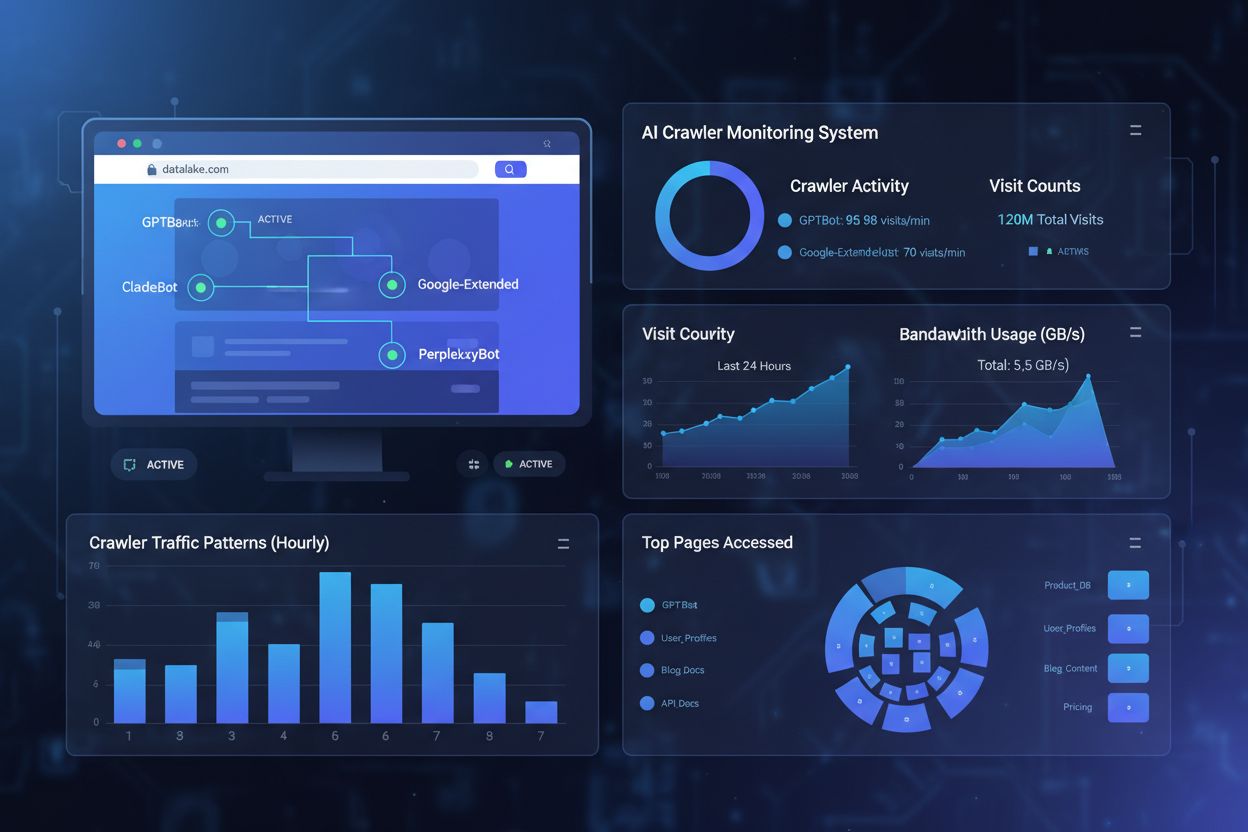
Implementing crawler blocks is only half the equation; you must verify they’re actually working. Regular monitoring helps you catch problems early and identify new crawlers you haven’t encountered before. Check your server logs weekly for unusual bot activity, looking for user agent strings containing “bot,” “crawler,” “spider,” or company names like “GPT,” “Claude,” or “Perplexity.” Set up alerts for sudden increases in bot traffic that might indicate new crawlers or aggressive behavior from existing ones. Google Search Console shows crawl statistics for Google’s bots, helping you monitor Googlebot and Google-Extended activity. Cloudflare Radar provides global insights into AI crawler traffic patterns and can help identify emerging crawlers hitting your site.
To verify your robots.txt blocks are working, access your robots.txt file directly at yoursite.com/robots.txt and confirm all user agents and directives appear correctly. For server-level blocks, monitor your access logs for requests from blocked crawlers. If you see requests from crawlers you’ve blocked, they’re either ignoring your directives or spoofing their user agents. Test your implementations by checking crawler access in your analytics and server logs. Quarterly reviews are essential because the AI crawler landscape evolves rapidly. New crawlers emerge regularly, existing crawlers update their user agents, and companies introduce new bots without notice. Schedule regular reviews of your blocklist to catch additions and ensure your implementation remains current.
Tracking AI Citations with AmICited.com
While managing crawler access is important, understanding how AI systems actually cite and reference your content is equally critical. AmICited.com provides comprehensive monitoring of how your brand and content appear in AI-generated answers across ChatGPT, Perplexity, Google Gemini, and other AI platforms. Rather than simply blocking crawlers, AmICited.com helps you understand the real impact of AI crawlers on your visibility and authority. The platform tracks which AI systems are citing your content, how frequently your brand appears in AI answers, and how this visibility translates to traffic and authority. By monitoring your AI citations, you can make informed decisions about which crawlers to allow based on actual visibility data rather than assumptions. AmICited.com integrates with your overall content strategy, showing you which topics and content types generate the most AI citations. This data-driven approach helps you optimize your content for AI discovery while protecting your most valuable intellectual property. Understanding your AI citation metrics empowers you to make strategic decisions about crawler access that align with your business goals.
Making the Block/Allow Decision
Deciding whether to allow or block AI crawlers depends entirely on your specific business situation and priorities. Allow AI crawlers if: you run a news site or blog where visibility in AI answers drives significant traffic, your business benefits from being cited as a source in AI-generated responses, you want to participate in AI training to influence how models understand your industry, or you’re comfortable with your content being used for AI development. News publishers, educational content creators, and thought leaders often benefit from AI visibility because citations drive traffic and establish authority.
Block AI crawlers if: you have proprietary content or trade secrets you want to protect, your server resources are limited and can’t handle aggressive crawling, you’re concerned about content being used without compensation, you want to maintain control over how your intellectual property is used, or you’ve experienced performance issues from bot traffic. E-commerce sites with product information, SaaS companies with proprietary documentation, and publishers with paywalled content often choose to block training crawlers. The key trade-off is between content protection and visibility in AI-powered discovery platforms. Blocking training crawlers protects your content but may reduce your visibility in AI answers. Blocking search crawlers may reduce your visibility in AI-powered search results. Many publishers take a selective blocking approach: allowing search and citation crawlers like OAI-SearchBot and PerplexityBot while blocking aggressive training crawlers like GPTBot and ClaudeBot. This strategy balances visibility in AI search results with protection from unlimited training data collection. Your decision should align with your business model, content strategy, and resource constraints.
Emerging Crawlers and Future Trends
The AI crawler ecosystem continues expanding rapidly as new companies enter the market and existing players launch additional bots. xAI’s Grok crawler has begun appearing in server logs as the company scales its AI platform. Mistral’s MistralAI-User crawler supports real-time content fetching for the Mistral AI assistant. DeepSeek’s DeepSeekBot represents emerging competition from Chinese AI companies. Browser-based AI agents like OpenAI’s Operator and similar products present a new challenge: they don’t use distinctive user agents and appear as standard Chrome traffic, making them impossible to block through traditional methods. These agentic browsers represent the frontier of AI crawler evolution, as they can interact with websites like human users, executing JavaScript and navigating complex interfaces.
The future of AI crawlers will likely involve increased sophistication, more granular control mechanisms, and potentially new standards for managing AI access to content. Staying informed about emerging crawlers is essential because new bots appear regularly and existing crawlers evolve their behavior. Monitor industry resources like the ai.robots.txt project on GitHub
, which maintains a community-updated list of known AI crawlers. Check your server logs regularly for unfamiliar user agent strings. Subscribe to updates from major AI companies about their crawler behavior and IP ranges. The AI crawler landscape will continue evolving, and your crawler management strategy should evolve with it. Regular monitoring, quarterly reviews, and staying informed about industry developments ensure you maintain control over how AI systems access and use your content.
Frequently asked questions
What's the difference between AI crawlers and search engine crawlers?
AI crawlers like GPTBot and ClaudeBot collect content specifically to train large language models, while search engine crawlers like Googlebot index content so people can find it through search results. AI crawlers feed the knowledge bases of AI systems, while search crawlers help users discover your content. The key difference is purpose: training versus retrieval.
Will blocking AI crawlers hurt my search engine rankings?
No, blocking AI crawlers won't hurt your traditional search rankings. AI crawlers like GPTBot and ClaudeBot are completely separate from search engine crawlers like Googlebot. You can block Google-Extended (for AI training) while still allowing Googlebot (for search). Each crawler serves a different purpose and blocking one doesn't affect the other.
How do I know which AI crawlers are visiting my website?
Check your server access logs to see which user agents are visiting your site. Look for bot names like GPTBot, ClaudeBot, CCBot, and Bytespider in the user agent strings. Most hosting control panels provide log analysis tools. You can also use Google Search Console to monitor crawl activity, though it only shows Google's crawlers.
Do all AI crawlers respect robots.txt directives?
Not all AI crawlers respect robots.txt equally. OpenAI's GPTBot, Anthropic's ClaudeBot, and Google-Extended generally follow robots.txt rules. Bytespider and PerplexityBot have faced reports suggesting they may not consistently respect robots.txt directives. For crawlers that don't respect robots.txt, you'll need to implement IP-based blocking at the server level through your firewall or .htaccess file.
Should I block all AI crawlers or just training crawlers?
The decision depends on your goals. Block training crawlers if you have proprietary content or limited server resources. Allow search crawlers if you want visibility in AI-powered search results and chatbots, which can drive traffic and establish authority. Many businesses take a selective approach by allowing specific crawlers while blocking aggressive ones like Bytespider.
How often should I update my AI crawler blocklist?
New AI crawlers emerge regularly, so review and update your blocklist quarterly at minimum. Track resources like the ai.robots.txt project on GitHub for community-maintained lists. Check server logs monthly to identify new crawlers hitting your site that aren't in your current configuration. The AI crawler landscape evolves rapidly and your strategy should evolve with it.
Can I verify if a crawler is legitimate or spoofed?
Yes, check the request IP address against official IP lists published by major companies. OpenAI publishes verified IPs at https://openai.com/gptbot.json, Amazon at https://developer.amazon.com/amazonbot/ip-addresses/, and others maintain similar lists. A crawler spoofing a legitimate user agent from an unverified IP address should be blocked immediately as it likely represents malicious scraping.
What's the impact of AI crawlers on my website performance?
AI crawlers can consume significant bandwidth and server resources. Bytespider and Meta-ExternalAgent are among the most aggressive crawlers. Some publishers report reducing bandwidth consumption from 800GB to 200GB daily by blocking AI crawlers, saving approximately $1,500 per month. Monitor your server resources during peak crawling times and implement rate limiting for aggressive bots if needed.
Take Control of Your AI Visibility
Track which AI crawlers are citing your content and optimize your visibility across ChatGPT, Perplexity, Google Gemini, and more.
How to Allow AI Bots to Crawl Your Website: Complete robots.txt & llms.txt Guide
Learn how to allow AI bots like GPTBot, PerplexityBot, and ClaudeBot to crawl your site. Configure robots.txt, set up llms.txt, and optimize for AI visibility.
What AI Crawlers Should I Allow Access? Complete Guide for 2025
Learn which AI crawlers to allow or block in your robots.txt. Comprehensive guide covering GPTBot, ClaudeBot, PerplexityBot, and 25+ AI crawlers with configurat...
Learn how to optimize XML sitemaps for AI crawlers like GPTBot and ClaudeBot. Master sitemap best practices to improve visibility in AI-generated answers and LL...
11 min read
Cookie Consent We use cookies to enhance your browsing experience and analyze our traffic. See our privacy policy.