Complete List of AI Crawlers in 2025: Every Bot You Should Know
Comprehensive guide to AI crawlers in 2025. Identify GPTBot, ClaudeBot, PerplexityBot and 20+ other AI bots. Learn how to block, allow, or monitor crawlers with robots.txt and advanced techniques.
Published on Jan 3, 2026.Last modified on Jan 3, 2026 at 3:24 am
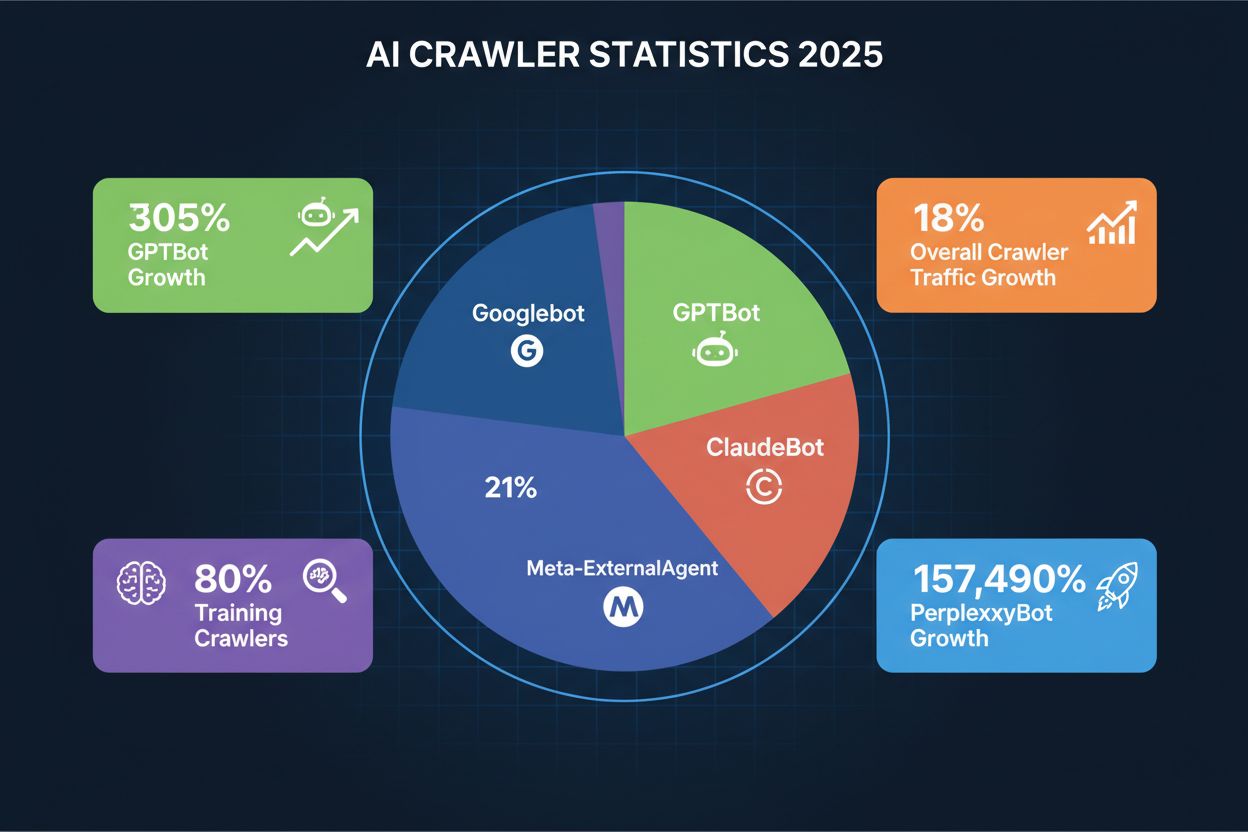
AI crawlers are automated bots designed to systematically browse and collect data from websites, but their purpose has fundamentally shifted in recent years. While traditional search engine crawlers like Googlebot focus on indexing content for search results, modern AI crawlers prioritize gathering training data for large language models and generative AI systems. According to recent data from Playwire, AI crawlers now account for approximately 80% of all AI bot traffic, representing a dramatic increase in the volume and diversity of automated visitors to websites. This shift reflects the broader transformation in how artificial intelligence systems are developed and trained, moving away from publicly available datasets toward real-time web content collection. Understanding these crawlers has become essential for website owners, publishers, and content creators who need to make informed decisions about their digital presence.
Three Categories of AI Crawlers
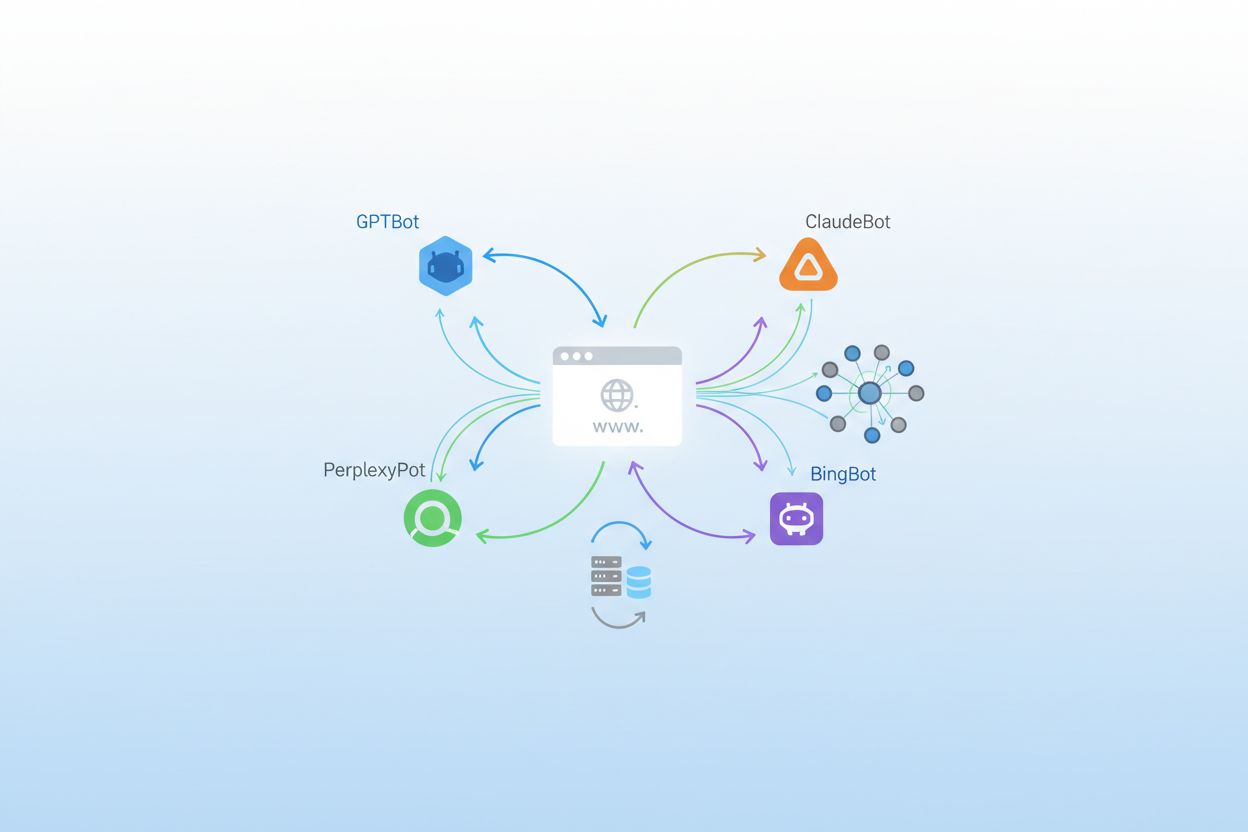
AI crawlers can be classified into three distinct categories based on their function, behavior, and impact on your website. Training Crawlers represent the largest segment, accounting for approximately 80% of AI bot traffic, and are designed to collect content for training machine learning models; these crawlers typically operate with high volume and minimal referral traffic, making them bandwidth-intensive but unlikely to drive visitors back to your site. Search and Citation Crawlers operate at moderate volumes and are specifically designed to find and reference content in AI-powered search results and applications; unlike training crawlers, these bots may actually send traffic to your website when users click through from AI-generated responses. User-Triggered Fetchers represent the smallest category and operate on-demand when users explicitly request content retrieval through AI applications like ChatGPT’s browsing feature; these crawlers have low volume but high relevance to individual user queries.
OpenAI operates the most diverse and aggressive crawler ecosystem in the AI landscape, with multiple bots serving different purposes across their product suite. GPTBot is their primary training crawler, responsible for collecting content to improve GPT-4 and future models, and has experienced a staggering 305% growth in crawler traffic according to Cloudflare data; this bot operates with a 400:1 crawl-to-referral ratio, meaning it downloads content 400 times for every visitor it sends back to your site. OAI-SearchBot serves a different function entirely, focusing on finding and citing content for ChatGPT’s search feature without using the content for model training. ChatGPT-User represents the most explosive growth category, with a remarkable 2,825% increase in traffic, and operates whenever users enable the “Browse with Bing” feature to fetch real-time content on demand. You can identify these crawlers by their user agent strings: GPTBot/1.0, OAI-SearchBot/1.0, and ChatGPT-User/1.0, and OpenAI provides IP verification methods to confirm legitimate crawler traffic from their infrastructure.
Anthropic and Google’s AI Crawlers
Anthropic, the company behind Claude, operates one of the most selective but intensive crawler operations in the industry. ClaudeBot is their primary training crawler and operates with an extraordinary 38,000:1 crawl-to-referral ratio, meaning it downloads content far more aggressively than OpenAI’s bots relative to traffic sent back; this extreme ratio reflects Anthropic’s focus on comprehensive data collection for model training. Claude-Web and Claude-SearchBot serve different purposes, with the former handling user-triggered content fetching and the latter focusing on search and citation functionality. Google has adapted its crawler strategy for the AI era by introducing Google-Extended, a special token that allows websites to opt-in to AI training while blocking traditional Googlebot indexing, and Gemini-Deep-Research, which performs in-depth research queries for users of Google’s AI products. Many website owners debate whether to block Google-Extended since it comes from the same company that controls search traffic, making the decision more complex than with third-party AI crawlers.
Stay Updated on AI Visibility Trends
Get the latest insights on AI mentions, brand monitoring, and optimization strategies.
Meta, Apple, Amazon and Perplexity
Meta has become a significant player in the AI crawler space with Meta-ExternalAgent, which accounts for approximately 19% of AI crawler traffic and is used to train their AI models and power features across Facebook, Instagram, and WhatsApp. Meta-WebIndexer serves a complementary function, focusing on web indexing for their AI-powered features and recommendations. Apple introduced Applebot-Extended to support Apple Intelligence, their on-device AI features, and this crawler has grown steadily as the company expands its AI capabilities across iPhone, iPad, and Mac devices. Amazon operates Amazonbot to power Alexa and Rufus, their AI shopping assistant, making it relevant for e-commerce sites and product-focused content. PerplexityBot represents one of the most dramatic growth stories in the crawler landscape, with an astonishing 157,490% increase in traffic, reflecting the explosive growth of Perplexity AI as a search alternative; despite this massive growth, Perplexity still represents a smaller absolute volume compared to OpenAI and Google, but the trajectory indicates rapidly increasing importance.
Emerging and Specialized Crawlers
Beyond the major players, numerous emerging and specialized AI crawlers are actively collecting data from websites across the internet. Bytespider, operated by ByteDance (the parent company of TikTok), experienced a dramatic 85% drop in crawler traffic, suggesting either a shift in strategy or reduced training data collection needs. Cohere, Diffbot, and Common Crawl’s CCBot represent specialized crawlers focused on specific use cases, from language model training to structured data extraction. You.com, Mistral, and DuckDuckGo each operate their own crawlers to support their AI-powered search and assistant features, adding to the growing complexity of the crawler landscape. The emergence of new crawlers happens regularly, with startups and established companies continuously launching AI products that require web data collection. Staying informed about these emerging crawlers is crucial because blocking or allowing them can significantly impact your visibility in new AI-powered discovery platforms and applications.
How to Identify AI Crawlers
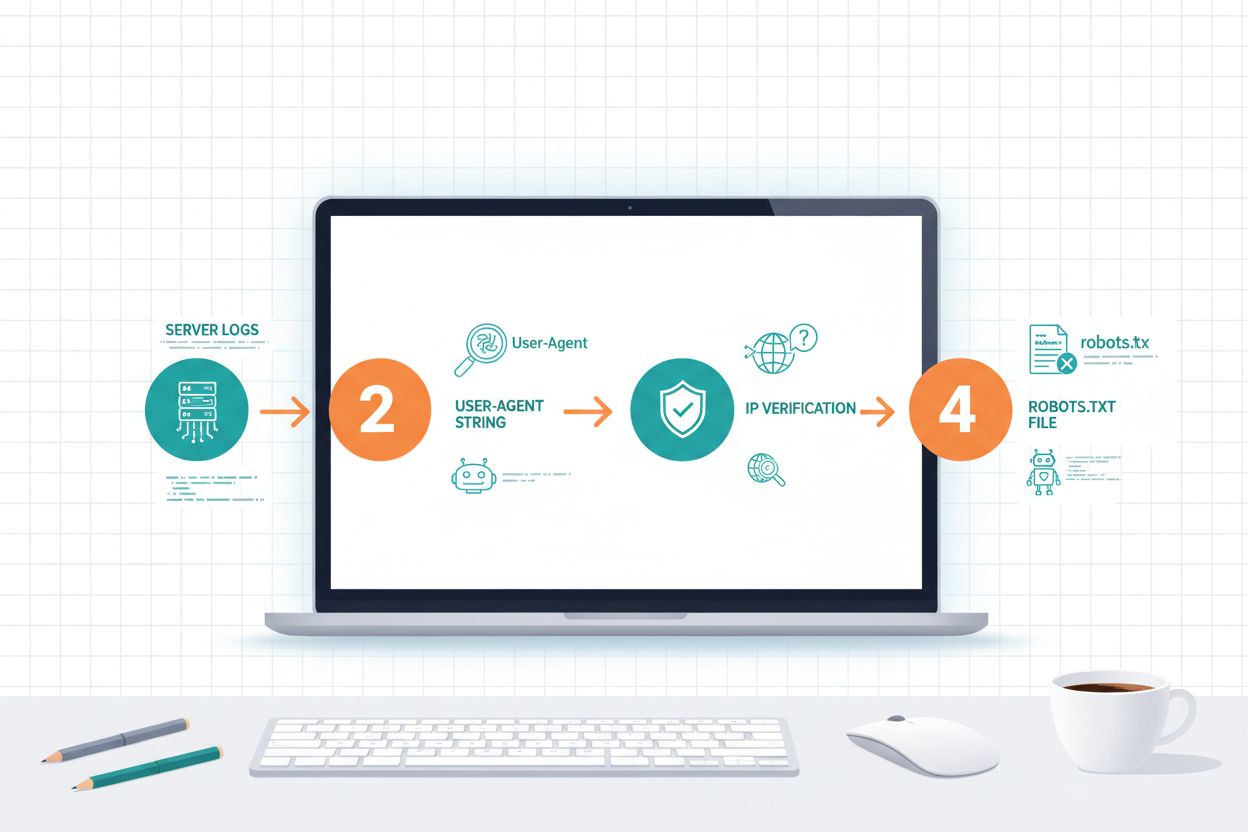
Identifying AI crawlers requires understanding how they identify themselves and analyzing your server traffic patterns. User-agent strings are the primary identification method, as each crawler announces itself with a specific identifier in HTTP requests; for example, GPTBot uses GPTBot/1.0, ClaudeBot uses Claude-Web/1.0, and PerplexityBot uses PerplexityBot/1.0. Analyzing your server logs (typically found in /var/log/apache2/access.log on Linux servers or IIS logs on Windows) allows you to see which crawlers are accessing your site and how frequently. IP verification is another critical technique, where you can verify that a crawler claiming to be from OpenAI or Anthropic is actually coming from their legitimate IP ranges, which these companies publish for security purposes. Examining your robots.txt file reveals which crawlers you’ve explicitly allowed or blocked, and comparing this to your actual traffic shows whether crawlers are respecting your directives. Tools like Cloudflare Radar provide real-time visibility into crawler traffic patterns and can help you identify which bots are most active on your site. Practical identification steps include: checking your analytics platform for bot traffic, reviewing raw server logs for user-agent patterns, cross-referencing IP addresses with published crawler IP ranges, and using online crawler verification tools to confirm suspicious traffic sources.
The Trade-offs: Blocking vs. Allowing
Deciding whether to allow or block AI crawlers involves weighing several competing business considerations that don’t have a one-size-fits-all answer. The primary trade-offs include:
Visibility in AI Applications: Allowing crawlers ensures your content appears in AI-powered search results, discovery platforms, and AI assistant responses, potentially driving traffic from new sources
Bandwidth and Server Load: Training crawlers consume significant bandwidth and server resources, with some sites reporting 10-30% increases in traffic from AI bots alone, potentially increasing hosting costs
Content Protection vs. Traffic: Blocking crawlers protects your content from being used in AI training but eliminates the possibility of traffic referrals from AI-powered discovery platforms
Referral Traffic Potential: Search and citation crawlers like PerplexityBot and OAI-SearchBot may send traffic back to your site, while training crawlers like GPTBot and ClaudeBot typically do not
Competitive Positioning: Competitors who allow crawlers may gain visibility in AI applications while you remain invisible, affecting your market position in AI-powered discovery
Since 80% of AI bot traffic comes from training crawlers with minimal referral potential, many publishers choose to block training crawlers while allowing search and citation crawlers. This decision ultimately depends on your business model, content type, and strategic priorities regarding AI visibility versus resource consumption.
Configuring Robots.txt for AI Crawlers
The robots.txt file is your primary tool for communicating crawler policies to AI bots, though it’s important to understand that compliance is voluntary and not technically enforceable. Robots.txt uses user-agent matching to target specific crawlers, allowing you to create different rules for different bots; for example, you can block GPTBot while allowing OAI-SearchBot, or block all training crawlers while permitting search crawlers. According to recent research, only 14% of the top 10,000 domains have implemented AI-specific robots.txt rules, indicating that most websites haven’t yet optimized their crawler policies for the AI era. The file uses simple syntax where you specify a user-agent name followed by disallow or allow directives, and you can use wildcards to match multiple crawlers with similar naming patterns.
Here are three practical robots.txt configuration scenarios:
Remember that robots.txt is advisory only, and malicious or non-compliant crawlers may ignore your directives entirely. User-agent matching is case-insensitive, so gptbot, GPTBot, and GPTBOT all refer to the same crawler, and you can use User-agent: * to create rules that apply to all crawlers.
Advanced Protection Methods
Beyond robots.txt, several advanced methods provide stronger protection against unwanted AI crawlers, though each has different levels of effectiveness and implementation complexity. IP verification and firewall rules allow you to block traffic from specific IP ranges associated with AI crawlers; you can obtain these ranges from the crawler operators’ documentation and configure your firewall or Web Application Firewall (WAF) to reject requests from those IPs, though this requires ongoing maintenance as IP ranges change. .htaccess server-level blocking provides Apache server protection by checking user-agent strings and IP addresses before serving content, offering more reliable enforcement than robots.txt since it operates at the server level rather than relying on crawler compliance.
Here’s a practical .htaccess example for advanced crawler blocking:
# Block AI training crawlers at server level<IfModulemod_rewrite.c> RewriteEngine On# Block by user-agent string RewriteCond %{HTTP_USER_AGENT} (GPTBot|ClaudeBot|Meta-ExternalAgent|Amazonbot|Bytespider) [NC]
RewriteRule ^.*$ - [F,L]
# Block by IP address (example IPs - replace with actual crawler IPs) RewriteCond %{REMOTE_ADDR} ^192\.0\.2\.0$ [OR]
RewriteCond %{REMOTE_ADDR} ^198\.51\.100\.0$
RewriteRule ^.*$ - [F,L]
# Allow specific crawlers while blocking others RewriteCond %{HTTP_USER_AGENT} !OAI-SearchBot [NC]
RewriteCond %{HTTP_USER_AGENT} (GPTBot|ClaudeBot) [NC]
RewriteRule ^.*$ - [F,L]
</IfModule># HTML meta tag approach (add to page headers)# <meta name="robots" content="noarchive, noimageindex"># <meta name="googlebot" content="noindex, nofollow">
HTML meta tags like <meta name="robots" content="noarchive"> and <meta name="googlebot" content="noindex"> provide page-level control, though they’re less reliable than server-level blocking since crawlers must parse the HTML to see them. It’s important to note that IP spoofing is technically possible, meaning sophisticated actors could impersonate legitimate crawler IPs, so combining multiple methods provides better protection than relying on any single approach. Each method has different advantages: robots.txt is easy to implement but not enforced, IP blocking is reliable but requires maintenance, .htaccess provides server-level enforcement, and meta tags offer page-level granularity.
Monitoring and Verification
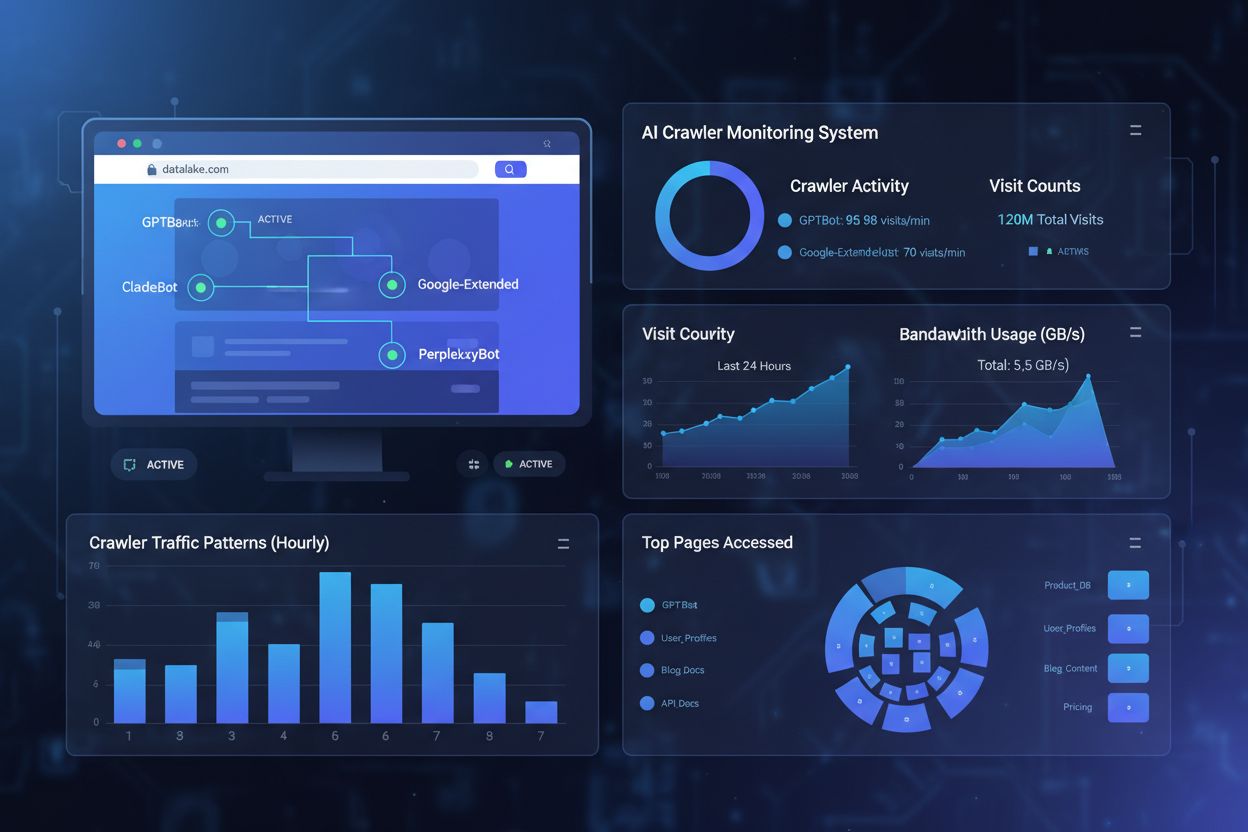
Implementing crawler policies is only half the battle; you must actively monitor whether crawlers are respecting your directives and adjust your strategy based on actual traffic patterns. Server logs are your primary data source, typically located at /var/log/apache2/access.log on Linux servers or in the IIS logs directory on Windows servers, where you can search for specific user-agent strings to see which crawlers are accessing your site and how frequently. Analytics platforms like Google Analytics, Matomo, or Plausible can be configured to track bot traffic separately from human visitors, allowing you to see the volume and behavior of different crawlers over time. Cloudflare Radar provides real-time visibility into crawler traffic patterns across the internet and can show you how your site’s crawler traffic compares to industry averages. To verify that crawlers are respecting your blocks, you can use online tools to check your robots.txt file, review your server logs for blocked user-agents, and cross-reference IP addresses with published crawler IP ranges to confirm that traffic is actually coming from legitimate sources. Practical monitoring steps include: setting up weekly log analysis to track crawler volume, configuring alerts for unusual crawler activity, reviewing your analytics dashboard monthly for bot traffic trends, and conducting quarterly reviews of your crawler policies to ensure they still align with your business goals. Regular monitoring helps you identify new crawlers, detect policy violations, and make data-driven decisions about which crawlers to allow or block.
The Future of AI Crawlers
The AI crawler landscape continues to evolve rapidly, with new players entering the market and existing crawlers expanding their capabilities in unexpected directions. Emerging crawlers from companies like xAI (Grok), Mistral, and DeepSeek are beginning to collect web data at scale, and each new AI startup that launches will likely introduce its own crawler to support model training and product features. Agentic browsers represent a new frontier in crawler technology, with systems like ChatGPT Operator and Comet that can interact with websites like human users, clicking buttons, filling forms, and navigating complex interfaces; these browser-based agents present unique challenges because they’re harder to identify and block using traditional methods. The challenge with browser-based agents is that they may not identify themselves clearly in user-agent strings and could potentially circumvent IP-based blocking by using residential proxies or distributed infrastructure. New crawlers appear regularly, sometimes with little warning, making it essential to stay informed about developments in the AI space and adjust your policies accordingly. The trajectory suggests that crawler traffic will continue to grow, with Cloudflare reporting an 18% overall increase in crawler traffic from May 2024 to May 2025, and this growth will likely accelerate as more AI applications reach mainstream adoption. Website owners and publishers must remain vigilant and adaptable, regularly reviewing their crawler policies and monitoring new developments to ensure their strategies remain effective in this rapidly evolving landscape.
Monitoring Your Brand in AI Responses
While managing crawler access to your website is important, equally critical is understanding how your content is being used and cited within AI-generated responses. AmICited.com is a specialized platform designed to solve this problem by tracking how AI crawlers are collecting your content and monitoring whether your brand and content are being properly cited in AI-powered applications. The platform helps you understand which AI systems are using your content, how frequently your information appears in AI responses, and whether proper attribution is being provided to your original sources. For publishers and content creators, AmICited.com provides valuable insights into your visibility within the AI ecosystem, helping you measure the impact of your decision to allow or block crawlers and understand the actual value you’re receiving from AI-powered discovery. By monitoring your citations across multiple AI platforms, you can make more informed decisions about your crawler policies, identify opportunities to improve your content’s visibility in AI responses, and ensure that your intellectual property is being properly attributed. If you’re serious about understanding your brand’s presence in the AI-powered web, AmICited.com offers the transparency and monitoring capabilities you need to stay informed and protect your content’s value in this new era of AI-driven discovery.
Frequently asked questions
What is the difference between training crawlers and search crawlers?
Training crawlers like GPTBot and ClaudeBot collect content to build datasets for large language model development, becoming part of the AI's knowledge base. Search crawlers like OAI-SearchBot and PerplexityBot index content for AI-powered search experiences and may send referral traffic back to publishers through citations.
Should I block all AI crawlers or just training crawlers?
This depends on your business priorities. Blocking training crawlers protects your content from being incorporated into AI models. Blocking search crawlers may reduce your visibility in AI-powered discovery platforms like ChatGPT search or Perplexity. Many publishers opt for selective blocking that targets training crawlers while allowing search and citation crawlers.
How do I verify if a crawler is legitimate vs. spoofed?
The most reliable verification method is checking the request IP against officially published IP ranges from crawler operators. Major companies like OpenAI, Anthropic, and Amazon publish their crawler IP addresses. You can also use firewall rules to allowlist verified IPs and block requests from unverified sources claiming to be AI crawlers.
Will blocking Google-Extended affect my search rankings?
Google officially states that blocking Google-Extended does not impact search rankings or inclusion in AI Overviews. However, some webmasters have reported concerns, so monitor your search performance after implementing blocks. AI Overviews in Google Search follow standard Googlebot rules, not Google-Extended.
How often should I update my AI crawler blocklist?
New AI crawlers emerge regularly, so review and update your blocklist quarterly at minimum. Track resources like the ai.robots.txt project on GitHub for community-maintained lists. Check server logs monthly to identify new crawlers hitting your site that aren't in your current configuration.
Can AI crawlers ignore robots.txt directives?
Yes, robots.txt is advisory rather than enforceable. Well-behaved crawlers from major companies generally respect robots.txt directives, but some crawlers ignore them. For stronger protection, implement server-level blocking via .htaccess or firewall rules, and verify legitimate crawlers using published IP address ranges.
What is the impact of AI crawlers on my website's bandwidth?
AI crawlers can generate significant server load and bandwidth consumption. Some infrastructure projects reported that blocking AI crawlers reduced bandwidth consumption from 800GB to 200GB daily, saving approximately $1,500 per month. High-traffic publishers may see meaningful cost reductions from selective blocking.
How can I monitor which AI crawlers are accessing my site?
Check your server logs (typically at /var/log/apache2/access.log on Linux) for user-agent strings matching known crawlers. Use analytics platforms like Google Analytics or Cloudflare Radar to track bot traffic separately. Set up alerts for unusual crawler activity and conduct quarterly reviews of your crawler policies.
Monitor Your Brand in AI Responses
Track how AI platforms like ChatGPT, Perplexity, and Google AI Overviews reference your content. Get real-time alerts when your brand is mentioned in AI-generated answers.
How to Allow AI Bots to Crawl Your Website: Complete robots.txt & llms.txt Guide
Learn how to allow AI bots like GPTBot, PerplexityBot, and ClaudeBot to crawl your site. Configure robots.txt, set up llms.txt, and optimize for AI visibility.
What AI Crawlers Should I Allow Access? Complete Guide for 2025
Learn which AI crawlers to allow or block in your robots.txt. Comprehensive guide covering GPTBot, ClaudeBot, PerplexityBot, and 25+ AI crawlers with configurat...
Complete reference guide to AI crawlers and bots. Identify GPTBot, ClaudeBot, Google-Extended, and 20+ other AI crawlers with user agents, crawl rates, and bloc...
17 min read
Cookie Consent We use cookies to enhance your browsing experience and analyze our traffic. See our privacy policy.