
The Truth About LLMs.txt: Overhyped or Essential?
Critical analysis of LLMs.txt effectiveness. Discover whether this AI content standard is essential for your site or just hype. Real data on adoption, platform ...
9 min read
Learn how to implement LLMs.txt on your website to help AI systems understand your content better. Complete step-by-step guide for all platforms including WordPress, Shopify, and static sites.
LLMs.txt is a standardized text file that helps large language models and AI systems understand your website’s content more effectively. Similar to how robots.txt guides search engine crawlers, llms.txt provides structured information to AI systems like ChatGPT, Claude, Perplexity, and Google Gemini about your site’s purpose, content organization, and key resources. The primary difference is that while robots.txt controls crawling and indexing for search engines, LLMs.txt is designed specifically for inference time—when users explicitly ask AI systems for information about your content. This file helps AI systems prioritize authoritative, up-to-date sources and reduces the risk of outdated or duplicate information being used in AI responses.
The llms.txt file follows a specific markdown-based structure that is both human-readable and machine-parseable. The file must be located at the root of your domain (e.g., yoursite.com/llms.txt) and contains several key components in a precise order. Understanding this structure is essential for proper implementation and ensuring AI systems can correctly interpret your file.
| Element | Required | Format | Example |
|---|---|---|---|
| H1 Title | Yes | Single # | # Your Website Name |
| Blockquote Summary | Yes | > symbol | > Brief description of your site |
| Detailed Information | No | Paragraphs/lists | Additional context about your site |
| H2 Sections | Recommended | ## headers | ## Documentation |
| Link Lists | Recommended | Markdown links | - [Page Title](url): Description |
| Optional Section | No | ## Optional | Secondary/less critical content |
The H1 title is the only strictly required element and should clearly identify your project or organization. Following this, a blockquote summary (using the > symbol) provides a concise overview containing key information necessary for understanding the rest of the file. After these required elements, you can add zero or more markdown sections with detailed information about your project, followed by H2-delimited sections containing “file lists”—markdown lists with hyperlinks and optional descriptions. The Optional section has special meaning: URLs listed there can be skipped if an LLM needs shorter context, making it ideal for secondary information.
For static site generators like Hugo, Jekyll, and Gatsby, implementing llms.txt is straightforward since you control the file structure directly. Follow these steps to add llms.txt to your static site:
public/ or static/ folder (depending on your generator), create a new file named llms.txtllms.txt content following the markdown structure outlined abovehugo, jekyll build, gatsby build) to generate your static filesyoursite.com/llms.txt in your browser to confirm the file is publicly accessible and displays as plain textFor Hugo specifically, place the llms.txt file in your static/ directory, and it will be copied to the root of your generated site. For Jekyll, use the _site/ directory or configure it in your _config.yml. Gatsby users should place it in the static/ folder at the project root. Always verify that the file is served with the correct MIME type (text/plain) and returns an HTTP 200 status code.
WordPress sites require a different approach since you’re not directly managing the file structure. You have several options depending on your hosting setup and technical comfort level:
File Manager Method (Easiest)
public_html)llms.txtFTP/SFTP Method (More Control)
llms.txt fileWordPress Plugin Method (Most Convenient)
llms.txtRegardless of which method you choose, always verify that the file is accessible at yoursite.com/llms.txt and that it displays as plain text in your browser, not as HTML.
Shopify stores have limited direct file access, but you can still implement llms.txt through theme customization:
Via Theme Code Editor
llms.txtyourstore.myshopify.com/cdn/shop/t/[id]/assets/llms.txtVia Custom App (Advanced)
/llms.txtFor custom applications and CMS platforms, you have two primary approaches:
Route-Based Approach
/llms.txt route in your applicationContent-Type: text/plainFile-Based Approach
llms.txt file in your public/static directoryAlways ensure the file is served over HTTPS and is publicly accessible without authentication requirements.
Creating effective llms.txt content requires careful consideration of what information AI systems need to understand your site. Your content should be clear, concise, and accurate, written for both human readers and AI systems. Avoid marketing jargon, overly technical explanations, and outdated information that could confuse language models. Instead, focus on providing specific details about your content, using consistent formatting throughout the file.
Do’s for Content Creation:
Don’ts to Avoid:
robots.txt directivesURL Guidelines: Use clean, descriptive URLs like https://example.com/about, https://example.com/products/seo-tool, and https://example.com/blog/guide-name. Avoid dynamic URLs with parameters like https://example.com/page.php?id=123 or staging URLs like https://staging.example.com/content.
Many websites make preventable mistakes when implementing llms.txt that can reduce its effectiveness or cause AI systems to ignore the file entirely. Understanding these common errors helps you avoid them and ensure your implementation works correctly.
Technical Mistakes:
llms.txt in subdirectories (e.g., /seo/llms.txt) instead of the root domain. AI systems expect it at yoursite.com/llms.txttext/html instead of text/plain. Configure your server to return the correct content type headerContent Mistakes:
Maintenance Mistakes:
llms.txt when your site changes significantlyBefore considering your llms.txt implementation complete, you must thoroughly test that the file is accessible and properly formatted. Start with basic browser testing: visit yoursite.com/llms.txt directly and verify that the content displays as plain text, not as HTML. The page should show your markdown content without any HTML rendering or styling.
Command-line testing provides more detailed information about how your server is responding:
curl -I https://yoursite.com/llms.txt
This command shows HTTP headers and response codes. Look for:
HTTP/1.1 200 OK (successful response)Content-Type: text/plain (correct MIME type)Content-Length: [size] (file size information)Validation checklist:
yoursite.com/llms.txt ✓text/plain MIME type ✓After initial testing, implement ongoing monitoring by checking file accessibility monthly, validating all linked URLs, and reviewing content accuracy quarterly. This ensures your llms.txt remains effective as your website evolves.
Implementing llms.txt is not a one-time task—it requires regular maintenance to remain effective as your website changes. Establish a maintenance schedule to keep your file current and ensure AI systems always have accurate information about your site.
Recommended Maintenance Schedule:
Update triggers that require immediate attention include:
Keep a change log documenting when you update llms.txt, what changed, and why. This helps you track the file’s evolution and makes it easier to revert changes if needed. Consider using version control (Git) to manage your llms.txt file alongside your website code, allowing you to track all modifications and maintain historical versions.
Beyond basic implementation, llms.txt offers several advanced features that can enhance how AI systems interact with your content. Multi-language support allows you to serve different content to AI systems based on language preferences. You can create language-specific sections within a single llms.txt file or maintain separate files for each language at paths like /llms.txt (English) and /es/llms.txt (Spanish).
Usage permissions and attribution guidelines can be included to specify how AI systems should reference your content. For example, you might request that AI systems attribute content to your organization or link back to original sources. These guidelines help maintain proper attribution and control over how your content is used in AI responses. Dynamic content generation is particularly useful for large websites with frequently changing content. Instead of manually updating llms.txt, you can generate it automatically from your CMS or database, ensuring it always reflects your current content structure. This approach reduces maintenance overhead and keeps your file consistently formatted.
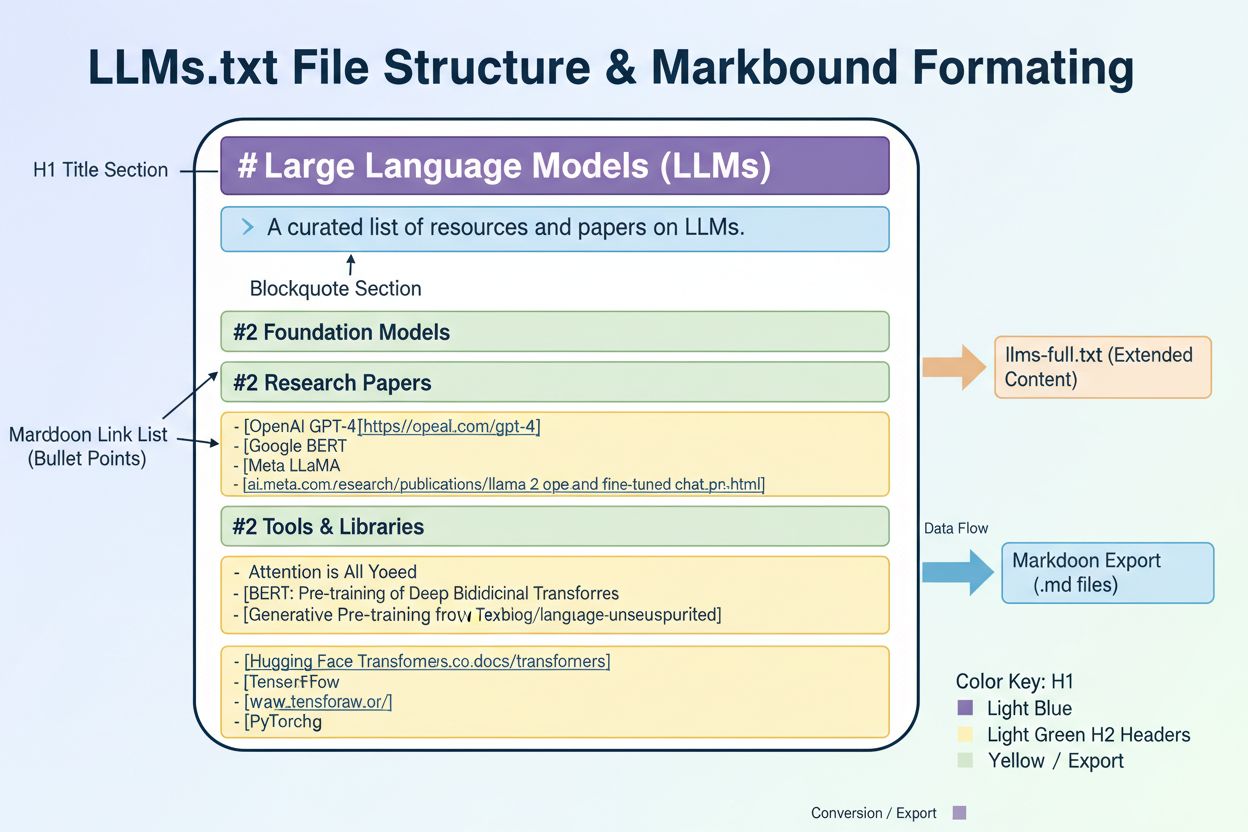
The llms-full.txt variant expands on the basic llms.txt by including the complete content of your documentation in a single markdown file, functioning as a comprehensive ingestion point for all your content. Some platforms also generate .md markdown versions of every page, making it easier for AI systems to parse content without dealing with complex HTML structures. Tools like GitBook automatically generate both llms.txt and llms-full.txt for published documentation, eliminating manual maintenance while keeping signals consistent as your docs evolve. By leveraging these advanced features, you can create a more sophisticated AI-optimization strategy that goes beyond basic file implementation.
While robots.txt controls how search engine crawlers access and index your site, LLMs.txt is specifically designed for large language models and AI systems. LLMs.txt helps AI systems understand your content structure and find authoritative sources at inference time (when users ask AI for information), whereas robots.txt manages crawling permissions for search engines.
LLMs.txt is not mandatory, but it's highly recommended as a best practice. Implementing it gives you control over how AI systems understand and reference your content, improves visibility in AI-powered search results, and helps ensure accurate attribution. The implementation effort is minimal compared to the potential benefits.
The llms.txt file must be placed at the root of your domain, accessible at yoursite.com/llms.txt. For subdomains or documentation sites, you can place it at docs.yoursite.com/llms.txt. The file must be publicly accessible without authentication and served as plain text (text/plain MIME type).
LLMs.txt files must be served with the MIME type text/plain. This ensures that AI systems and browsers correctly interpret the file as plain text rather than HTML. You can verify this by checking the HTTP headers when accessing your file with curl or browser developer tools.
Review your llms.txt file monthly and update it whenever significant changes occur to your website. Update triggers include new product launches, website restructuring, URL changes, company information updates, or new content categories. Quarterly comprehensive reviews help ensure the file remains accurate and relevant.
Yes, you can support multiple languages in LLMs.txt by creating language-specific sections within a single file or maintaining separate files for each language. For example, you could have /llms.txt for English and /es/llms.txt for Spanish content, with each file pointing to language-appropriate resources.
If your llms.txt file has errors, AI systems may struggle to parse it correctly or ignore it entirely. Common errors include wrong file location, incorrect MIME type, broken URLs, or missing required elements. Always validate your file using browser testing and command-line tools like curl to ensure it's properly formatted and accessible.
You can monitor AI system access to your llms.txt file through server logs and tools like AmICited, which tracks how AI systems reference your brand across platforms like ChatGPT, Claude, and Perplexity. Additionally, you can test by asking AI systems questions about your content and observing whether they provide accurate, properly attributed responses.
After implementing LLMs.txt, use AmICited to track how AI systems like ChatGPT, Claude, and Perplexity cite and reference your content across AI platforms and search engines.
Critical analysis of LLMs.txt effectiveness. Discover whether this AI content standard is essential for your site or just hype. Real data on adoption, platform ...
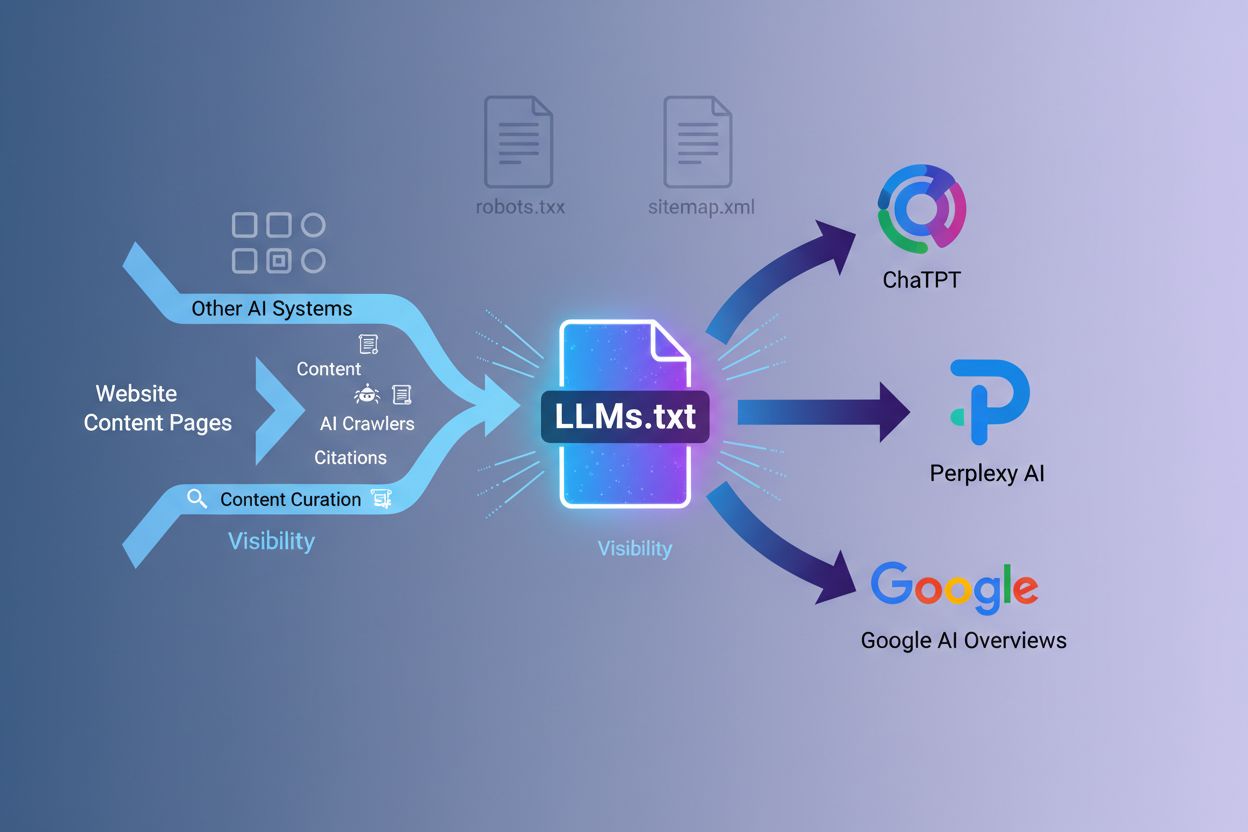
Learn what LLMs.txt files are, how they differ from robots.txt, and why they're essential for AI visibility and citations in ChatGPT, Perplexity, and Google AI ...

Learn what LLMs.txt is, whether it actually works, and if you should implement it on your website. Honest analysis of this emerging AI SEO standard.