



What is the noai meta tag and how does it protect your content from AI?
Learn about the noai meta tag, how it works to prevent AI training data collection, its limitations, and how to implement it on your website to protect your con...
7 min read

Learn how to implement noai and noimageai meta tags to control AI crawler access to your website content. Complete guide to AI access control headers and implementation methods.
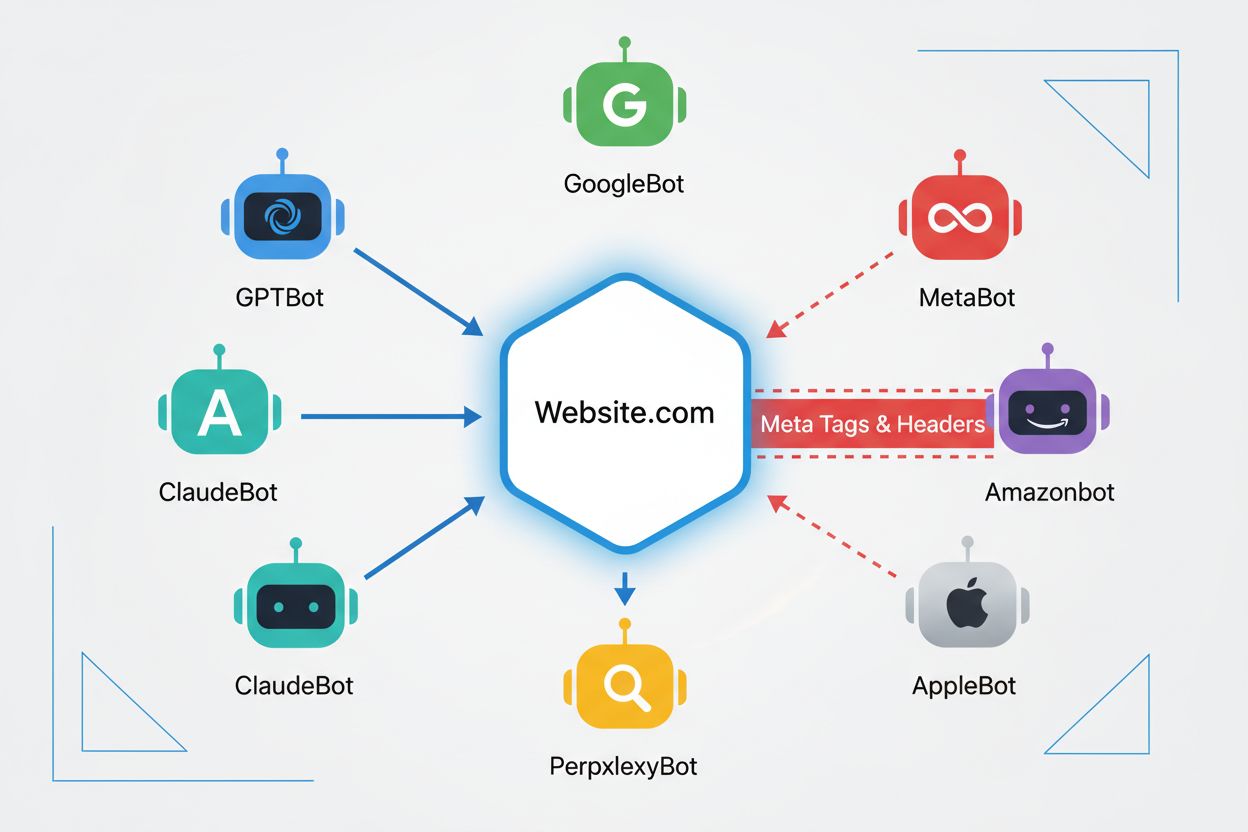
Web crawlers are automated programs that systematically browse the internet, collecting information from websites. Historically, these bots were primarily operated by search engines like Google, whose Googlebot would crawl pages, index content, and send users back to websites through search results—creating a mutually beneficial relationship. However, the emergence of AI crawlers has fundamentally changed this dynamic. Unlike traditional search engine bots that provide referral traffic in exchange for content access, AI training crawlers consume vast amounts of web content to build datasets for large language models, often returning minimal to zero traffic back to publishers. This shift has made meta tags—small HTML directives that communicate instructions to crawlers—increasingly important for content creators who want to maintain control over how their work is used by artificial intelligence systems. This guide is narrowly focused on that access-control question; for the broader set of meta tags that still shape indexing, click-through rate, and AI Overview visibility, see meta tags for AI: what still matters .
The noai and noimageai meta tags are directives created by DeviantArt in 2022 to help content creators prevent their work from being used to train AI image generators. These tags work similarly to the long-established noindex directive that tells search engines not to index a page. The noai directive signals that no content on the page should be used for AI training, while noimageai specifically prevents images from being used for AI model training. You can implement these tags in your HTML head section using the following syntax:
<!-- Block all content from AI training -->
<meta name="robots" content="noai">

<!-- Block only images from AI training -->
<meta name="robots" content="noimageai">

<!-- Block both content and images -->
<meta name="robots" content="noai, noimageai">
Here’s a comparison table of different meta tag directives and their purposes:
| Directive | Purpose | Syntax | Scope |
|---|---|---|---|
| noai | Prevents all content from AI training | content="noai" | Entire page content |
| noimageai | Prevents images from AI training | content="noimageai" | Images only |
| noindex | Prevents search engine indexing | content="noindex" | Search results |
| nofollow | Prevents link following | content="nofollow" | Outbound links |

Track how AI chatbots mention your brand across ChatGPT, Perplexity, and other platforms.
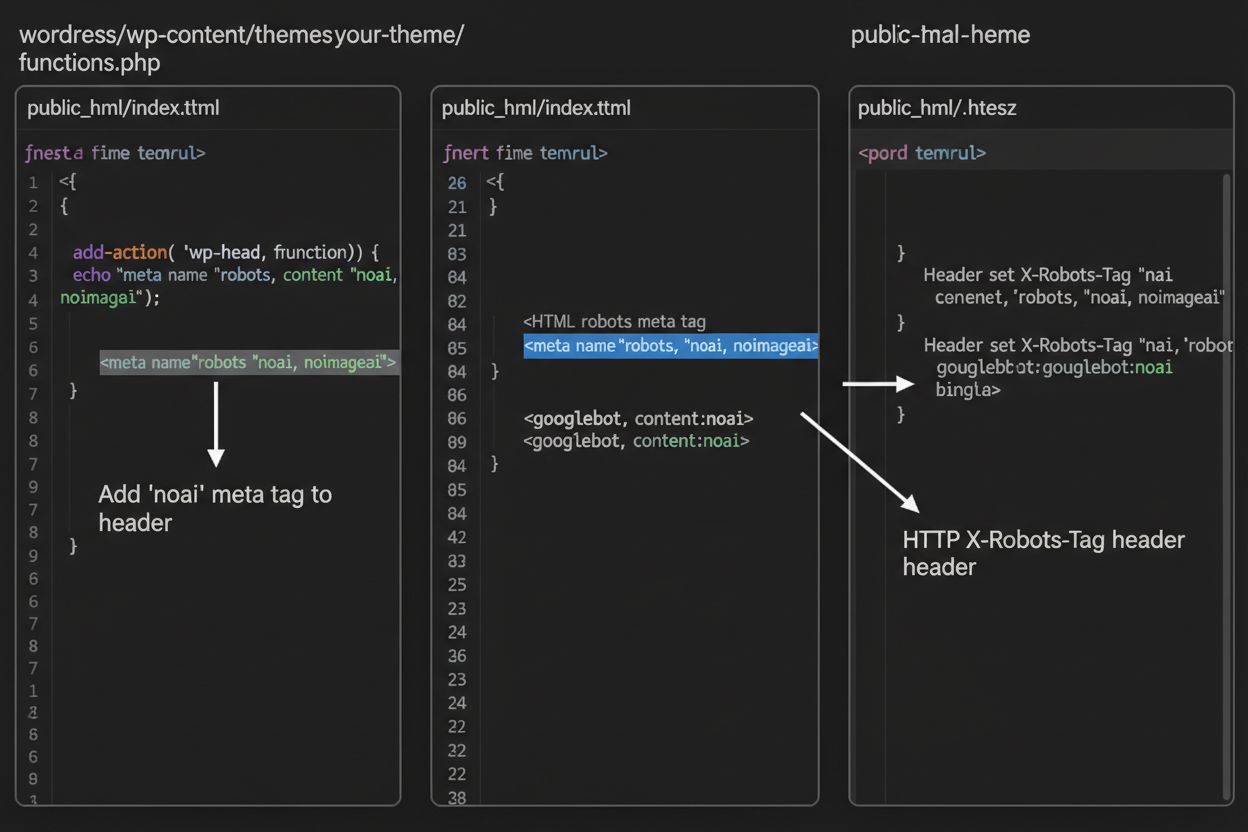
While meta tags are placed directly in your HTML, HTTP headers provide an alternative method for communicating crawler directives at the server level. The X-Robots-Tag header can include the same directives as meta tags but operates differently—it’s sent in the HTTP response before the page content is delivered. This approach is particularly valuable for controlling access to non-HTML files like PDFs, images, and videos, where you cannot embed HTML meta tags.
For Apache servers, you can set X-Robots-Tag headers in your .htaccess file:
<IfModule mod_headers.c>
    Header set X-Robots-Tag "noai, noimageai"
</IfModule>
For NGINX servers, add the header in your server configuration:
location / {
    add_header X-Robots-Tag "noai, noimageai";
}
Headers provide global protection across your entire site or specific directories, making them ideal for comprehensive AI access control strategies.
The effectiveness of noai and noimageai tags depends entirely on whether crawlers choose to respect them. Well-behaved crawlers from major AI companies generally honor these directives:
However, poorly-behaved bots and malicious crawlers can deliberately ignore these directives because there is no enforcement mechanism. Unlike robots.txt, which search engines have agreed to respect as an industry standard, noai is not an official web standard, meaning crawlers have no obligation to comply. This is why security experts recommend a layered approach that combines multiple protection methods rather than relying solely on meta tags.
Get the latest insights on AI mentions, brand monitoring, and optimization strategies.
Implementing noai and noimageai tags varies depending on your website platform. Here are step-by-step instructions for the most common platforms:
1. WordPress (via functions.php) Add this code to your child theme’s functions.php file:
function add_noai_meta_tag() {
    echo '<meta name="robots" content="noai, noimageai">' . "\n";
}
add_action('wp_head', 'add_noai_meta_tag');
2. Static HTML Sites
Add directly to the <head> section of your HTML:
<head>
    <meta name="robots" content="noai, noimageai">
</head>
3. Squarespace Navigate to Settings > Advanced > Code Injection, then add to the Header section:
<meta name="robots" content="noai, noimageai">
4. Wix Go to Settings > Custom Code, click “Add Custom Code,” paste the meta tag, select “Head,” and apply to all pages.
Each platform offers different levels of control—WordPress allows page-specific implementation through plugins, while Squarespace and Wix provide global site-wide options. Choose the method that best fits your technical comfort level and specific needs.
While noai and noimageai tags represent an important step toward content creator protection, they have significant limitations. First, these are not official web standards—DeviantArt created them as a community initiative, meaning there is no formal specification or enforcement mechanism. Second, compliance is entirely voluntary. Well-behaved crawlers from major companies respect these directives, but poorly-behaved bots and scrapers can ignore them without consequence. Third, the lack of standardization means adoption varies. Some smaller AI companies and research organizations may not even be aware of these directives, let alone implement support for them. Finally, meta tags alone cannot prevent determined bad actors from scraping your content. A malicious crawler can ignore your directives entirely, making additional protection layers essential for comprehensive content security.
The most effective AI access control strategy uses multiple layers of protection rather than relying on any single method. Here’s a comparison of different protection approaches:
| Method | Scope | Effectiveness | Difficulty |
|---|---|---|---|
| Meta Tags (noai) | Page-level | Medium (voluntary compliance) | Easy |
| robots.txt | Site-wide | Medium (advisory only) | Easy |
| X-Robots-Tag Headers | Server-level | Medium-High (covers all file types) | Medium |
| Firewall Rules | Network-level | High (blocks at infrastructure) | Hard |
| IP Allowlisting | Network-level | Very High (verified sources only) | Hard |
A comprehensive strategy might include: (1) implementing noai meta tags on all pages, (2) adding robots.txt rules blocking known AI training crawlers, (3) setting X-Robots-Tag headers at the server level for non-HTML files, and (4) monitoring server logs to identify crawlers that ignore your directives. This layered approach significantly increases the difficulty for bad actors while maintaining compatibility with well-behaved crawlers that respect your preferences.
After implementing noai tags and other directives, you should verify that crawlers are actually respecting your rules. The most direct method is checking your server access logs for crawler activity. On Apache servers, you can search for specific crawlers:
grep "GPTBot\|ClaudeBot\|PerplexityBot" /var/log/apache2/access.log
If you see requests from crawlers you’ve blocked, they’re ignoring your directives. For NGINX servers, check /var/log/nginx/access.log using the same grep command. Additionally, tools like Cloudflare Radar provide visibility into AI crawler traffic patterns across your site, showing which bots are most active and how their behavior changes over time. Regular log monitoring—at least monthly—helps you identify new crawlers and verify that your protection measures are working as intended.
Currently, noai and noimageai exist in a gray area: they’re widely recognized and respected by major AI companies, yet they remain unofficial and non-standardized. However, there’s growing momentum toward formal standardization. The W3C (World Wide Web Consortium) and various industry groups are discussing how to create official standards for AI access control that would give these directives the same weight as established standards like robots.txt. If noai becomes an official web standard, compliance would become expected industry practice rather than voluntary, significantly increasing its effectiveness. This standardization effort reflects a broader shift in how the tech industry views content creator rights and the balance between AI development and publisher protection. As more publishers adopt these tags and demand stronger protections, the likelihood of official standardization increases, potentially making AI access control as fundamental to web governance as search engine indexing rules.
Yasha is a talented software developer specializing in Python, Java, and machine learning. Yasha writes technical articles on AI, prompt engineering, and chatbot development.

Use AmICited to track how AI systems like ChatGPT, Perplexity, and Google AI Overviews cite and reference your content across different AI platforms.
Learn about the noai meta tag, how it works to prevent AI training data collection, its limitations, and how to implement it on your website to protect your con...

Learn what NoAI meta tags are, how they work to prevent AI scraping, implementation methods, and their effectiveness in protecting your content from unauthorize...
Community discussion on the noai meta tag and whether it effectively protects content from AI training. Users share experiences and limitations of this approach...
Cookie Consent
We use cookies to enhance your browsing experience and analyze our traffic. See our privacy policy.