
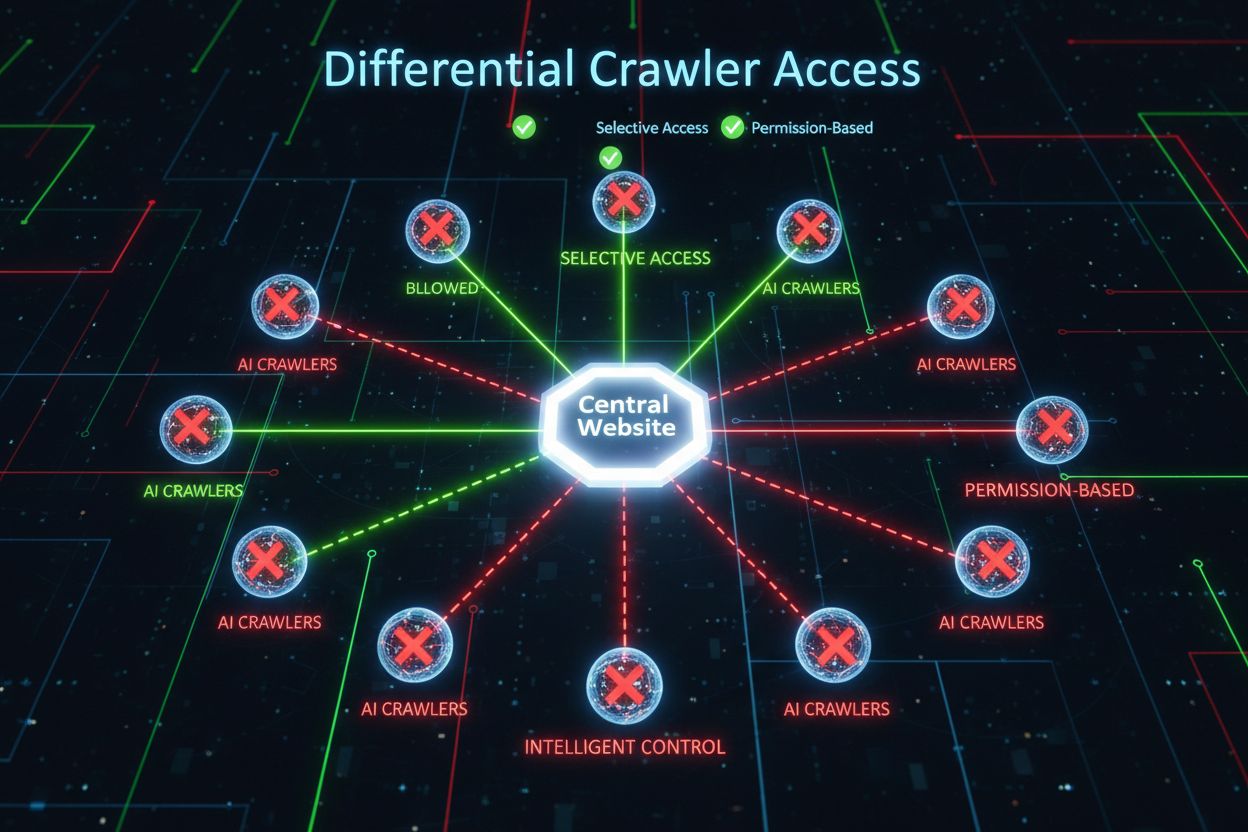
Differential Crawler Access
Learn how to selectively allow or block AI crawlers based on business objectives. Implement differential crawler access to protect content while maintaining vis...
8 min read

Learn how to use robots.txt to control which AI bots access your content. Complete guide to blocking GPTBot, ClaudeBot, and other AI crawlers with practical examples and configuration strategies.
The landscape of web crawling has fundamentally shifted over the past two years, moving beyond the familiar territory of search engine indexing into the complex world of AI model training. While Google’s Googlebot has long been a predictable visitor to publisher sites, a new generation of crawlers now arrives with dramatically different intentions and consumption patterns. OpenAI’s GPTBot exhibits a crawl-to-refer ratio of approximately 1,700:1, meaning it crawls 1,700 pages to generate just one referral back to your site, while Anthropic’s ClaudeBot operates at an even more extreme 73,000:1 ratio—starkly different from Google’s 14:1 ratio where crawling activity translates to meaningful traffic. This fundamental difference creates an urgent business decision for content creators: allowing these bots unfettered access means your content trains AI models that compete with your traffic and revenue streams, while your site receives minimal compensation or traffic in return. Publishers must now actively decide whether the value proposition of AI bot access aligns with their business model, making robots.txt configuration not merely a technical consideration but a strategic business imperative.
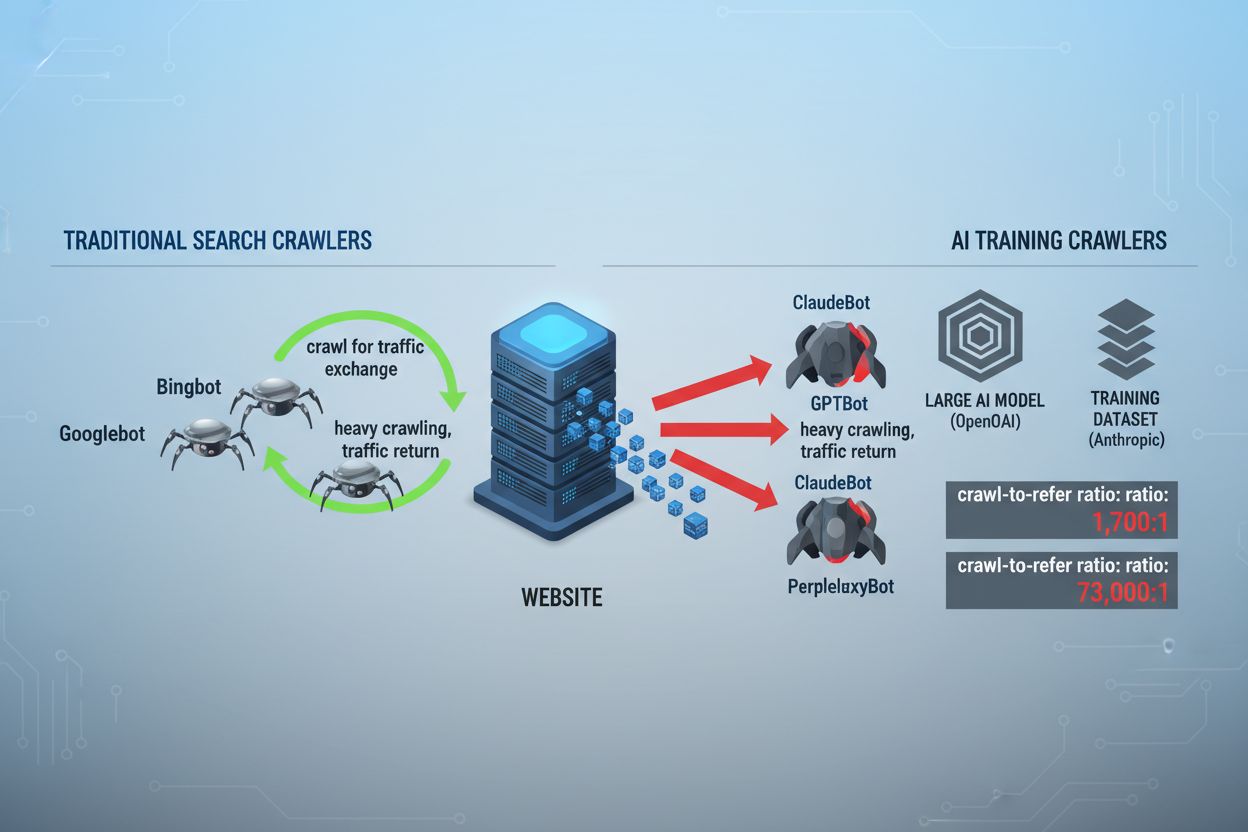
AI crawlers operate across three distinct categories, each serving different purposes and requiring different blocking strategies. Training crawlers are designed to ingest large volumes of content to train foundational AI models—these include OpenAI’s GPTBot, Anthropic’s ClaudeBot, Google’s Google-Extended, Perplexity’s PerplexityBot, Meta’s Meta-ExternalAgent, Apple’s Applebot-Extended, and emerging players like Amazonbot, Bytespider, and cohere-ai. Search crawlers, by contrast, are designed to power AI-driven search experiences and typically return traffic to publishers; these include OpenAI’s OAI-SearchBot, Anthropic’s Claude-Web, and Perplexity’s search functionality. User-triggered agents represent a third category where content is accessed on-demand when a user explicitly requests information, such as ChatGPT-User or Claude-Web interactions initiated directly by end users. Understanding this taxonomy is critical because your blocking strategy should reflect your business priorities—you might welcome search crawlers that drive referral traffic while blocking training crawlers that consume content without compensation. Each major AI company maintains its own fleet of specialized crawlers, and the distinction between them often comes down to the specific user agent string they employ, making accurate identification and targeted blocking essential for effective robots.txt configuration.
| Company | Training Crawler | Search Crawler | User-Triggered Agent |
|---|---|---|---|
| OpenAI | GPTBot | OAI-SearchBot | ChatGPT-User |
| Anthropic | ClaudeBot, anthropic-ai | Claude-Web | claude-web |
| Google-Extended | — | (Uses standard Googlebot) | |
| Perplexity | PerplexityBot | PerplexityBot | Perplexity-User |
| Meta | Meta-ExternalAgent | — | Meta-ExternalFetcher |
| Apple | Applebot-Extended | — | Applebot |
Maintaining an accurate, current list of AI bot user agents is essential for effective robots.txt configuration, yet this landscape evolves rapidly as new models launch and companies adjust their crawling strategies. The major training crawlers you should be aware of include GPTBot (OpenAI’s primary training crawler), ClaudeBot (Anthropic’s training crawler), anthropic-ai (Anthropic’s alternative identifier), Google-Extended (Google’s AI training token), PerplexityBot (Perplexity’s crawler), Meta-ExternalAgent (Meta’s training crawler), Applebot-Extended (Apple’s AI training variant), CCBot (Common Crawl’s bot), Amazonbot (Amazon’s crawler), Bytespider (ByteDance’s crawler), cohere-ai (Cohere’s training bot), DuckAssistBot (DuckDuckGo’s AI assistant crawler), and YouBot (You.com’s crawler). Search-focused crawlers that typically return traffic include OAI-SearchBot, Claude-Web, and PerplexityBot when operating in search mode. The critical challenge is that this list is not static—new AI companies emerge regularly, existing companies launch new crawlers for new products, and user agent strings occasionally change or expand. Publishers should treat their robots.txt configuration as a living document that requires quarterly review and updates, potentially subscribing to industry tracking resources or monitoring your server logs for unfamiliar user agents that may indicate new AI crawlers arriving at your site. Failing to keep your user agent list current means either accidentally allowing new training crawlers you intended to block, or unnecessarily blocking legitimate search crawlers that could drive valuable referral traffic.
The robots.txt file, located at the root of your domain (yourdomain.com/robots.txt), uses a straightforward syntax to communicate crawling preferences to bots that respect the protocol. Each rule begins with a User-Agent directive specifying which bot the rule applies to, followed by one or more Disallow directives indicating which paths the bot cannot access. To block all major AI training crawlers while preserving access for traditional search engines, you would create separate User-Agent blocks for each training crawler you wish to exclude: GPTBot, ClaudeBot, anthropic-ai, Google-Extended, PerplexityBot, Meta-ExternalAgent, Applebot-Extended, and others, each with a “Disallow: /” directive that prevents them from crawling any content on your site. Simultaneously, you would ensure that legitimate search crawlers like Googlebot, Bingbot, and search-focused variants like OAI-SearchBot remain unblocked, allowing them to continue indexing your content and driving traffic. A properly configured robots.txt file should also include a Sitemap reference pointing to your XML sitemap, which helps search engines discover and index your content efficiently. The importance of correct configuration cannot be overstated—a single syntax error, misplaced character, or incorrect user agent string can render your entire blocking strategy ineffective, allowing unwanted crawlers to access your content while potentially blocking legitimate traffic sources. Testing your configuration before deployment is therefore not optional but essential to ensure your robots.txt achieves its intended effect.
# Block AI Training Crawlers
User-agent: GPTBot
Disallow: /

User-agent: ClaudeBot
Disallow: /

User-agent: anthropic-ai
Disallow: /

User-agent: Google-Extended
Disallow: /

User-agent: PerplexityBot
Disallow: /

User-agent: Meta-ExternalAgent
Disallow: /

User-agent: Applebot-Extended
Disallow: /

User-agent: CCBot
Disallow: /

User-agent: Amazonbot
Disallow: /

User-agent: Bytespider
Disallow: /

User-agent: cohere-ai
Disallow: /

User-agent: DuckAssistBot
Disallow: /

User-agent: YouBot
Disallow: /

# Allow traditional search engines
User-agent: Googlebot
Allow: /

User-agent: Bingbot
Allow: /

# Sitemap reference
Sitemap: https://yoursite.com/sitemap.xml
Many publishers face a nuanced decision: they want to maintain visibility in AI-powered search results and receive the referral traffic those platforms generate, but they want to prevent their content from being used to train foundational AI models that compete with their business. This selective blocking strategy requires distinguishing between search crawlers and training crawlers from the same company—for example, allowing OpenAI’s OAI-SearchBot (which powers ChatGPT’s search feature and returns traffic) while blocking GPTBot (which trains the underlying model). Similarly, you might allow PerplexityBot’s search crawler while blocking its training operations, or allow Claude-Web for user-triggered searches while blocking ClaudeBot’s training activities. The business rationale is compelling: search crawlers typically operate at much lower crawl-to-refer ratios because they’re designed to drive traffic back to your site, whereas training crawlers consume content at massive scale with minimal reciprocal benefit. This approach requires careful configuration and ongoing monitoring, as companies occasionally change their crawler strategies or introduce new user agents that blur the line between search and training. Publishers pursuing this strategy should regularly audit their server logs to verify that the intended crawlers are accessing their content while blocked crawlers are being successfully excluded, adjusting their robots.txt configuration as the AI landscape evolves and new players enter the market.
# Allow AI Search Crawlers
User-agent: OAI-SearchBot
Allow: /

User-agent: Perplexity-User
Allow: /

User-agent: ChatGPT-User
Allow: /

# Block Training Crawlers
User-agent: GPTBot
Disallow: /

User-agent: ClaudeBot
Disallow: /

User-agent: anthropic-ai
Disallow: /

User-agent: Google-Extended
Disallow: /

User-agent: CCBot
Disallow: /

User-agent: Meta-ExternalAgent
Disallow: /
Even experienced webmasters frequently make configuration errors that completely undermine their robots.txt strategy, leaving their content vulnerable to the very crawlers they intended to block. The first common mistake is creating standalone User-Agent lines without corresponding Disallow directives—for example, writing “User-Agent: GPTBot” on one line and then immediately starting a new rule without specifying what GPTBot should be disallowed from accessing, which leaves the bot completely unblocked. The second mistake involves incorrect file location, naming, or case sensitivity; the file must be named exactly “robots.txt” (lowercase), located at the root of your domain, and served with a 200 HTTP status code—placing it in a subdirectory or naming it “Robots.txt” or “robots.TXT” renders it invisible to crawlers. The third mistake is inserting blank lines within a rule block, which many robots.txt parsers interpret as the end of that rule, causing subsequent directives to be ignored or misapplied. The fourth mistake involves case sensitivity in URL paths; while user agent names are case-insensitive, the paths in Disallow directives are case-sensitive, so “Disallow: /Admin” will not block “/admin” or “/ADMIN”. The fifth mistake is incorrect wildcard usage—the asterisk (*) wildcard matches any sequence of characters, but many publishers misuse it by writing patterns like “Disallow: .pdf” when they should write “Disallow: /.pdf” or “Disallow: /*pdf” to properly match file extensions. Additionally, some publishers create overly complex rules with multiple Disallow directives that contradict each other, or they fail to account for URL parameters and query strings, which can cause legitimate content to be blocked or unintended content to remain accessible. Testing your configuration with dedicated robots.txt validators before deployment can catch these errors before they impact your site’s crawlability.
Common Mistakes to Avoid:
Google-Extended represents a unique case in robots.txt configuration because it functions as a control token rather than a traditional crawler, and understanding this distinction is critical for making informed blocking decisions. Unlike Googlebot, which crawls your site to index content for Google Search, Google-Extended is a signal that controls whether your content can be used to train Google’s Gemini AI models and power Google’s AI Overviews feature in search results. Blocking Google-Extended prevents your content from being used in Gemini training and AI Overview generation, but it does not affect your visibility in traditional Google Search results—Googlebot will continue indexing your content normally. The trade-off is significant: blocking Google-Extended means your content won’t appear in AI Overviews, which are increasingly prominent in Google Search results and can drive substantial traffic, but it protects your content from being used to train a competing AI model. Conversely, allowing Google-Extended means your content may appear in AI Overviews (potentially driving traffic) but also contributes to Gemini’s training data, which could eventually compete with your own content or business model. Publishers should carefully consider their specific situation—news organizations and content creators whose business model depends on direct traffic may benefit from blocking Google-Extended, while others might welcome the visibility and traffic potential of AI Overviews. This decision should be made intentionally rather than by default, as it has significant implications for your long-term visibility and traffic patterns in Google’s search ecosystem.
Testing your robots.txt configuration before deploying it to production is absolutely critical, as errors can have far-reaching consequences for both your search visibility and your content protection strategy. Google Search Console provides a built-in robots.txt tester that allows you to verify whether specific user agents can access specific URLs on your site—you can input a user agent string like “GPTBot” and a URL path, and Google will tell you whether that bot would be allowed or blocked according to your current configuration. The Merkle Robots.txt Tester offers similar functionality with a user-friendly interface and detailed explanations of how your rules are being interpreted. TechnicalSEO.com provides another free testing tool that validates your robots.txt syntax and shows you exactly how different bots would be treated. For more comprehensive monitoring, Knowatoa AI Search Console offers specialized tools for tracking AI crawler activity and validating your configuration against the specific bots you’re trying to block. Your validation workflow should include uploading your robots.txt to a staging environment first, then verifying that critical pages you want to remain accessible are not accidentally blocked, confirming that the AI bots you intended to block are indeed being excluded, and monitoring your server logs for any unexpected crawler activity. This testing phase should also include checking that your Sitemap reference is correct and that search engines can still access your content normally—you want to block AI training crawlers without inadvertently blocking legitimate search traffic. Only after thorough testing should you deploy your configuration to production, and even then, you should continue monitoring your logs for the first week to catch any unexpected issues.
Testing Tools:
While robots.txt is a useful first line of defense, it’s important to understand that it operates on an honor system—bots that respect the protocol will follow your directives, but malicious or poorly-designed crawlers may ignore robots.txt entirely and access your content anyway. Industry data suggests that robots.txt successfully stops approximately 40-60% of unwanted crawler traffic, meaning that 40-60% of bots either ignore the protocol or are designed to circumvent it. For publishers requiring more robust protection, additional layers of defense become necessary. Cloudflare’s Web Application Firewall (WAF) allows you to create rules that block traffic based on user agent strings, IP addresses, or behavioral patterns, providing protection against bots that ignore robots.txt. Server-level tools like .htaccess (on Apache servers) or equivalent configuration on Nginx can block specific user agents or IP ranges before requests even reach your application. IP blocking can be effective if you identify the IP ranges used by specific crawlers, though this requires ongoing maintenance as crawler infrastructure changes. Fail2ban and similar tools can automatically block IPs that exhibit suspicious behavior patterns, such as making requests at inhuman speeds or accessing sensitive paths. However, implementing these additional protections requires careful configuration—overly aggressive blocking can accidentally exclude legitimate traffic, including real users accessing your site through VPNs or corporate proxies that share IP ranges with known crawlers. The most effective approach combines robots.txt as a polite first request, user-agent blocking at the server level for bots that ignore robots.txt, and behavioral monitoring to catch sophisticated crawlers that spoof user agents or use distributed IP addresses. Publishers should implement these layers incrementally, testing each one to ensure they don’t inadvertently block legitimate traffic while achieving their content protection goals.
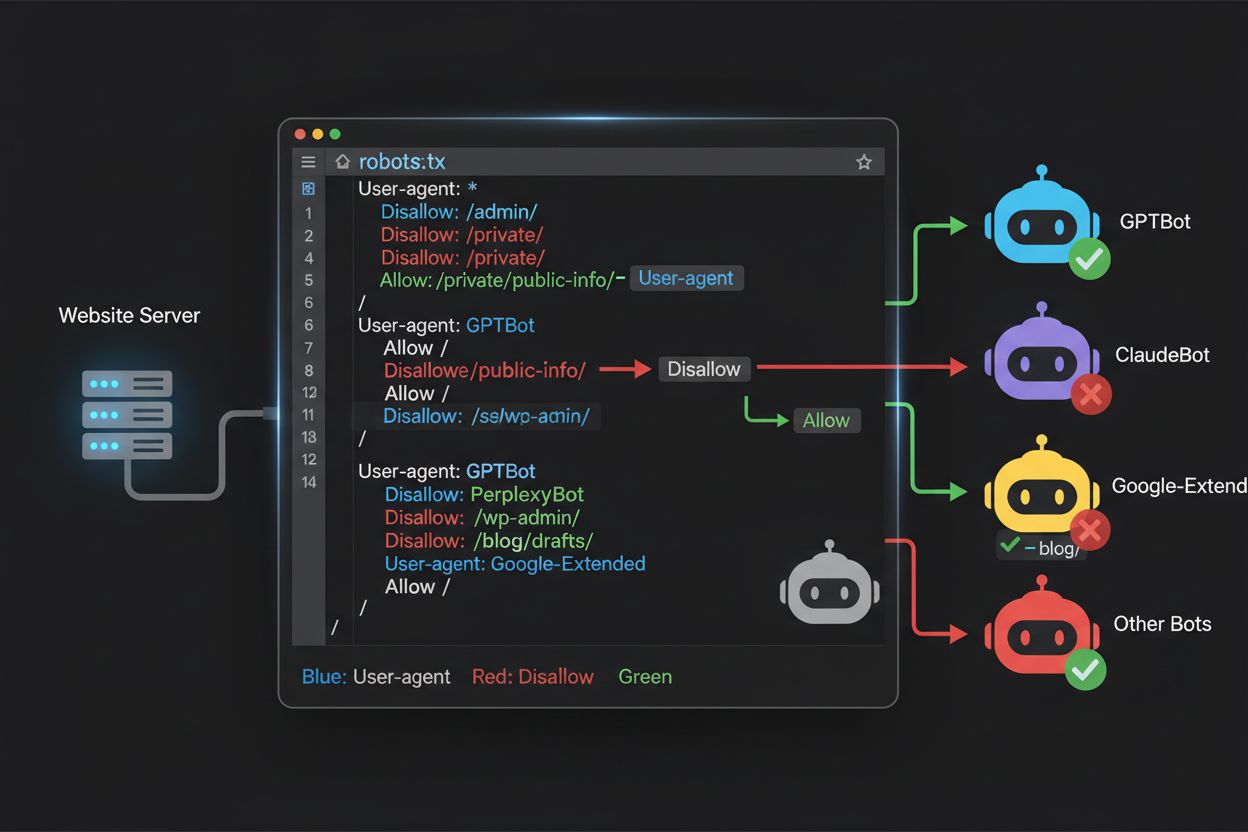
Understanding what’s actually accessing your site is essential for validating that your robots.txt configuration is working as intended and for identifying new crawlers that may require blocking. Server log analysis is the primary method for this monitoring—your web server logs (Apache access logs, Nginx logs, or equivalent) contain detailed records of every request to your site, including the user agent string, IP address, timestamp, and requested resource. You can use command-line tools like grep to search your logs for specific user agents; for example, “grep ‘GPTBot’ /var/log/apache2/access.log” will show you every request from GPTBot, allowing you to verify whether your blocking rules are working. More sophisticated analysis might involve parsing logs to identify the crawl rate of different bots, the specific pages they’re accessing, and whether they’re respecting your robots.txt directives. Automated monitoring solutions can continuously analyze your logs and alert you when new or unexpected crawlers appear, which is particularly valuable given how rapidly the AI crawler landscape is evolving. Some publishers use log aggregation platforms like ELK Stack, Splunk, or cloud-based solutions to centralize and analyze crawler activity across multiple servers. The rapidly changing landscape of AI crawlers means that monitoring is not a one-time task but an ongoing responsibility—new bots emerge regularly, existing bots change their user agent strings, and crawler behavior evolves as companies adjust their strategies. Establishing a regular monitoring routine (weekly or monthly log reviews) helps you stay ahead of changes and adjust your robots.txt configuration proactively rather than reactively discovering problems after they’ve impacted your site.
Your robots.txt configuration for AI crawlers is fundamentally a revenue decision, and it deserves the same strategic consideration you would apply to any business choice with significant financial implications. Allowing training crawlers unfettered access to your content means that AI models trained on your data may eventually compete with your traffic and revenue streams—if your business model depends on direct traffic, search visibility, or advertising revenue, you’re essentially providing free training data to companies building competing products. Conversely, blocking all AI crawlers means you lose potential visibility in AI-powered search results and referral traffic from AI assistants, which represents a growing portion of how users discover content. The optimal strategy depends on your specific business model: ad-supported publishers might benefit from allowing search crawlers (which drive traffic and ad impressions) while blocking training crawlers (which don’t drive traffic). Subscription-based publishers might take a more aggressive stance, blocking most AI crawlers to protect their content from being summarized or replicated by AI systems. Publishers focused on brand visibility and thought leadership might welcome AI search visibility as a form of distribution. The key is making this decision intentionally rather than by default—many publishers have never configured their robots.txt for AI crawlers, essentially allowing all bots by default, which means they’ve made a passive decision to contribute their content to AI training without actively choosing to do so. Additionally, consider implementing schema markup that provides proper attribution when your content is used by AI systems, which can help ensure that traffic and credit flow back to your site even when content is referenced by AI assistants. Your robots.txt configuration should reflect your deliberate business strategy, reviewed and updated regularly as the AI landscape evolves and as your own business priorities change.
The AI crawler landscape is evolving at an unprecedented pace, with new companies launching AI products, existing companies introducing new crawlers, and user agent strings changing or expanding regularly. Your robots.txt configuration should not be a set-it-and-forget-it file but rather a living document that you review and update quarterly at minimum. Establish a process for monitoring industry announcements about new AI crawlers, subscribe to relevant industry newsletters or blogs that track these developments, and regularly audit your server logs to identify unfamiliar user agents that may indicate new crawlers arriving at your site. When you discover new crawlers, research their purpose and business model to determine whether they align with your content protection strategy, then update your robots.txt accordingly. Additionally, monitor the effectiveness of your configuration by tracking metrics like crawler traffic volume, the ratio of crawler requests to user traffic, and any changes in your organic search visibility or referral traffic from AI-powered search results. Some publishers find that their initial blocking strategy needs adjustment after a few months of real-world data—perhaps they discover that blocking a particular crawler had unintended consequences, or that allowing certain crawlers drives more valuable traffic than expected. Be prepared to iterate on your strategy based on actual results rather than assumptions. Finally, communicate your robots.txt strategy to relevant stakeholders in your organization—your SEO team, content team, and business leadership should all understand why certain crawlers are blocked or allowed, so that decisions remain consistent and intentional as your organization evolves. This ongoing attention to crawler management ensures that your content protection strategy remains effective and aligned with your business objectives as the AI landscape continues to transform.
No. Blocking AI training crawlers like GPTBot, ClaudeBot, and CCBot does not affect your Google or Bing search rankings. Traditional search engines use different crawlers (Googlebot, Bingbot) that operate independently. Only block those if you want to disappear from search results entirely.
Major crawlers from OpenAI (GPTBot), Anthropic (ClaudeBot), Google (Google-Extended), and Perplexity (PerplexityBot) officially state they respect robots.txt directives. However, smaller or less transparent bots may ignore your configuration, which is why layered protection strategies exist.
It depends on your strategy. Blocking only training crawlers (GPTBot, ClaudeBot, CCBot) protects your content from model training while allowing search-focused crawlers to help you appear in AI search results. Complete blocking removes you from AI ecosystems entirely.
Review your configuration quarterly at minimum. AI companies regularly introduce new crawlers. Anthropic merged their 'anthropic-ai' and 'Claude-Web' bots into 'ClaudeBot,' giving the new bot temporary unrestricted access to sites that hadn't updated their rules.
Robots.txt is a file at your domain root that applies to all pages, while meta robots tags are HTML directives on individual pages. Robots.txt is checked first and can prevent crawlers from even accessing a page, while meta tags are only read if the page is accessed. Use both for comprehensive control.
Yes. You can use path-specific Disallow rules in robots.txt (e.g., 'Disallow: /premium/' to block only premium content) or use meta robots tags on individual pages. This allows you to protect sensitive content while allowing crawlers access to other areas.
If a bot ignores robots.txt, you'll need additional protection methods like server-level blocking (.htaccess), IP blocking, or WAF rules. Robots.txt stops approximately 40-60% of unwanted crawlers, so layered protection is important for comprehensive defense.
Use testing tools like Google Search Console's robots.txt tester, Merkle Robots.txt Tester, or TechnicalSEO.com to validate your configuration. Monitor your server logs for crawler activity to verify that blocked bots are being excluded and allowed bots are accessing your content.
Robots.txt is just the first step. Use AmICited to track which AI systems are citing your content, how often they reference you, and ensure proper attribution across GPTs, Perplexity, Google AI Overviews, and more.
Learn how to selectively allow or block AI crawlers based on business objectives. Implement differential crawler access to protect content while maintaining vis...

Learn how Web Application Firewalls provide advanced control over AI crawlers beyond robots.txt. Implement WAF rules to protect your content from unauthorized A...

Crawl frequency is how often search engines and AI crawlers visit your site. Learn what affects crawl rates, why it matters for SEO and AI visibility, and how t...