
How to Identify AI Crawlers in Your Server Logs
Learn to identify and monitor AI crawlers like GPTBot, ClaudeBot, and PerplexityBot in your server logs. Complete guide with user-agent strings, IP verification...
8 min read
Learn how to track and monitor AI crawler activity on your website using server logs, tools, and best practices. Identify GPTBot, ClaudeBot, and other AI bots.
Artificial intelligence bots now account for over 51% of global internet traffic, yet most website owners have no idea they’re accessing their content. Traditional analytics tools like Google Analytics completely miss these visitors because AI crawlers deliberately avoid triggering JavaScript-based tracking code. Server logs capture 100% of bot requests, making them the only reliable source for understanding how AI systems interact with your site. Understanding bot behavior is critical for AI visibility because if AI crawlers can’t access your content properly, it won’t appear in AI-generated answers when potential customers ask relevant questions.
AI crawlers behave fundamentally differently from traditional search engine bots. While Googlebot follows your XML sitemap, respects robots.txt rules, and crawls regularly to update search indexes, AI bots may ignore standard protocols, visit pages to train language models, and use custom identifiers. Major AI crawlers include GPTBot (OpenAI), ClaudeBot (Anthropic), PerplexityBot (Perplexity AI), Google-Extended (Google’s AI training bot), Bingbot-AI (Microsoft), and Applebot-Extended (Apple). These bots focus on content that helps answer user questions rather than just ranking signals, making their crawl patterns unpredictable and often aggressive. Understanding which bots visit your site and how they behave is essential for optimizing your content strategy for the AI era.
| Crawler Type | Typical RPS | Behavior | Purpose |
|---|---|---|---|
| Googlebot | 1-5 | Steady, respects crawl-delay | Search indexing |
| GPTBot | 5-50 | Burst patterns, high volume | AI model training |
| ClaudeBot | 3-30 | Targeted content access | AI training |
| PerplexityBot | 2-20 | Selective crawling | AI search |
| Google-Extended | 5-40 | Aggressive, AI-focused | Google AI training |
Your web server (Apache, Nginx, or IIS) automatically generates logs that record every request to your website, including those from AI bots. These logs contain crucial information: IP addresses showing request origins, user agents identifying the software making requests, timestamps recording when requests occurred, requested URLs showing accessed content, and response codes indicating server responses. You can access logs via FTP or SSH by connecting to your hosting server and navigating to the logs directory (typically /var/log/apache2/ for Apache or /var/log/nginx/ for Nginx). Each log entry follows a standard format that reveals exactly what happened during each request.
Here’s an example log entry with field explanations:
192.168.1.100 - - [01/Jan/2025:12:00:00 +0000] "GET /blog/ai-crawlers HTTP/1.1" 200 5432 "-" "Mozilla/5.0 (compatible; GPTBot/1.0; +https://openai.com/gptbot)"

IP Address: 192.168.1.100
User Agent: GPTBot/1.0 (identifies the bot)
Timestamp: 01/Jan/2025:12:00:00
Request: GET /blog/ai-crawlers (the page accessed)
Status Code: 200 (successful request)
Response Size: 5432 bytes
The most straightforward way to identify AI bots is by searching for known user agent strings in your logs. Common AI bot user agent signatures include “GPTBot” for OpenAI’s crawler, “ClaudeBot” for Anthropic’s crawler, “PerplexityBot” for Perplexity AI, “Google-Extended” for Google’s AI training bot, and “Bingbot-AI” for Microsoft’s AI crawler. However, some AI bots don’t clearly identify themselves, making them harder to detect using simple user agent searches. You can use command-line tools like grep to quickly find specific bots: grep "GPTBot" access.log | wc -l counts all GPTBot requests, while grep "GPTBot" access.log > gptbot_requests.log creates a dedicated file for analysis.
Known AI bot user agents to monitor:
Mozilla/5.0 (compatible; GPTBot/1.0; +https://openai.com/gptbot)Mozilla/5.0 (compatible; PerplexityBot/1.0; +https://www.perplexity.ai/bot)Mozilla/5.0 (compatible; Google-Extended; +https://www.google.com/bot.html)Mozilla/5.0 (compatible; Bingbot-AI/1.0)For bots that don’t identify themselves clearly, use IP reputation checking by cross-referencing IP addresses against published ranges from major AI companies.
Monitoring the right metrics reveals bot intentions and helps you optimize your site accordingly. Request rate (measured in requests per second or RPS) shows how aggressively a bot crawls your site—healthy crawlers maintain 1-5 RPS while aggressive AI bots might hit 50+ RPS. Resource consumption matters because a single AI bot can consume more bandwidth in a day than your entire human user base combined. HTTP status code distribution reveals how your server responds to bot requests: high percentages of 200 (OK) responses indicate successful crawling, while frequent 404s suggest the bot is following broken links or probing for hidden resources. Crawl frequency and patterns show whether bots are steady visitors or burst-and-pause types, while geographic origin tracking reveals whether requests come from legitimate company infrastructure or suspicious locations.
| Metric | What It Means | Healthy Range | Red Flags |
|---|---|---|---|
| Requests/Hour | Bot activity intensity | 100-1000 | 5000+ |
| Bandwidth (MB/hour) | Resource consumption | 50-500 | 5000+ |
| 200 Status Codes | Successful requests | 70-90% | <50% |
| 404 Status Codes | Broken links accessed | <10% | >30% |
| Crawl Frequency | How often bot visits | Daily-Weekly | Multiple times/hour |
| Geographic Concentration | Request origin | Known data centers | Residential ISPs |
You have multiple options for monitoring AI crawler activity, ranging from free command-line tools to enterprise platforms. Command-line tools like grep, awk, and sed are free and powerful for small to medium sites, allowing you to extract patterns from logs in seconds. Commercial platforms like Botify, Conductor, and seoClarity offer sophisticated features including automated bot identification, visual dashboards, and correlation with rankings and traffic data. Log analysis tools like Screaming Frog Log File Analyser and OnCrawl provide specialized features for processing large log files and identifying crawl patterns. AI-powered analysis platforms use machine learning to automatically identify new bot types, predict behavior, and detect anomalies without manual configuration.
| Tool | Cost | Features | Best For |
|---|---|---|---|
| grep/awk/sed | Free | Command-line pattern matching | Technical users, small sites |
| Botify | Enterprise | AI bot tracking, performance correlation | Large sites, detailed analysis |
| Conductor | Enterprise | Real-time monitoring, AI crawler activity | Enterprise SEO teams |
| seoClarity | Enterprise | Log file analysis, AI bot tracking | Comprehensive SEO platforms |
| Screaming Frog | $199/year | Log file analysis, crawl simulation | Technical SEO specialists |
| OnCrawl | Enterprise | Cloud-based analysis, performance data | Mid-market to enterprise |
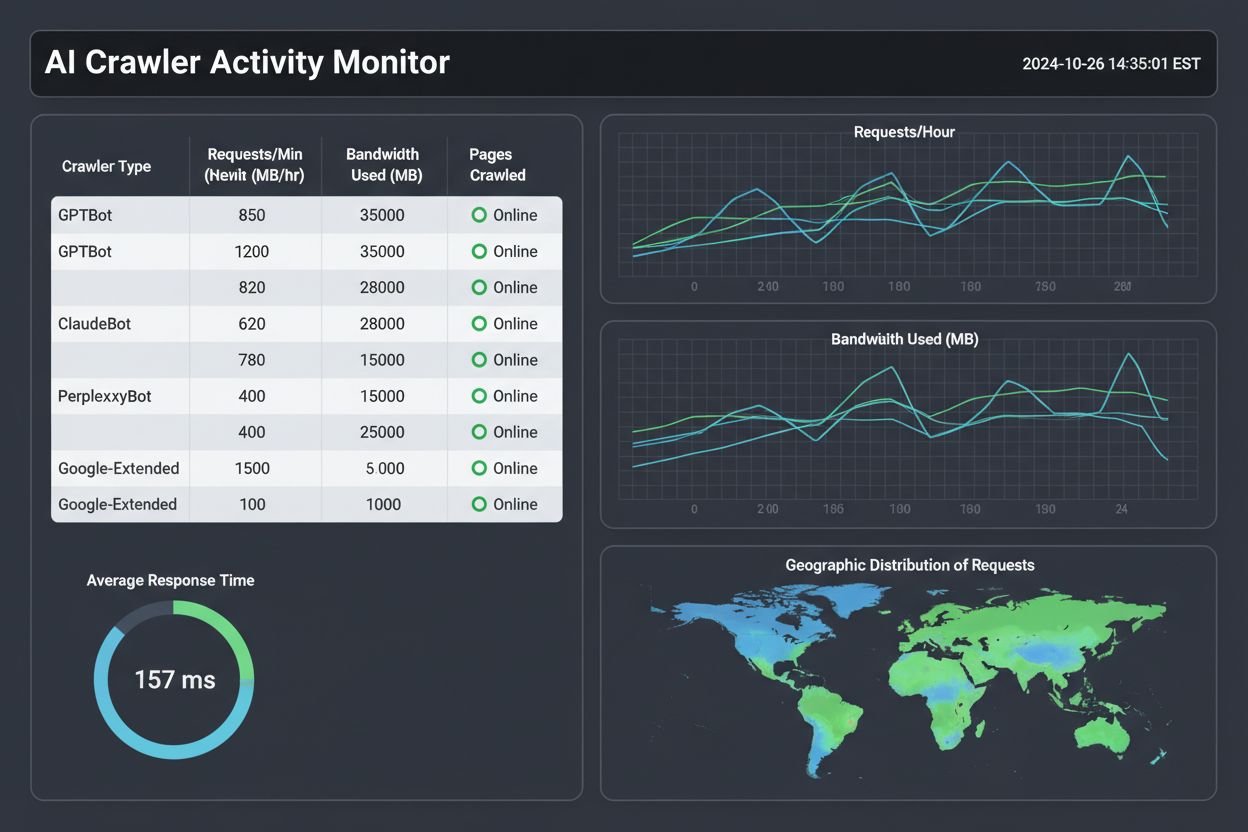
Establishing baseline crawl patterns is your first step toward effective monitoring. Collect at least two weeks of log data (ideally a month) to understand normal bot behavior before drawing conclusions about anomalies. Set up automated monitoring by creating scripts that run daily to analyze logs and generate reports, using tools like Python with pandas library or simple bash scripts. Create alerts for unusual activity such as sudden spikes in request rates, new bot types appearing, or bots accessing restricted resources. Schedule regular log reviews—weekly for high-traffic sites to catch issues early, monthly for smaller sites to establish trends.
Here’s a simple bash script for continuous monitoring:
#!/bin/bash
# Daily AI bot activity report
LOG_FILE="/var/log/nginx/access.log"
REPORT_FILE="/reports/bot_activity_$(date +%Y%m%d).txt"

echo "=== AI Bot Activity Report ===" > $REPORT_FILE
echo "Date: $(date)" >> $REPORT_FILE
echo "" >> $REPORT_FILE

echo "GPTBot Requests:" >> $REPORT_FILE
grep "GPTBot" $LOG_FILE | wc -l >> $REPORT_FILE

echo "ClaudeBot Requests:" >> $REPORT_FILE
grep "ClaudeBot" $LOG_FILE | wc -l >> $REPORT_FILE

echo "PerplexityBot Requests:" >> $REPORT_FILE
grep "PerplexityBot" $LOG_FILE | wc -l >> $REPORT_FILE

# Send alert if unusual activity detected
GPTBOT_COUNT=$(grep "GPTBot" $LOG_FILE | wc -l)
if [ $GPTBOT_COUNT -gt 10000 ]; then
  echo "ALERT: Unusual GPTBot activity detected!" | mail -s "Bot Alert" admin@example.com
fi
Your robots.txt file is the first line of defense for controlling AI bot access, and major AI companies respect specific directives for their training bots. You can create separate rules for different bot types—allowing Googlebot full access while restricting GPTBot to specific sections, or setting crawl-delay values to limit request rates. Rate limiting ensures bots don’t overwhelm your infrastructure by implementing limits at multiple levels: per IP address, per user agent, and per resource type. When a bot exceeds limits, return a 429 (Too Many Requests) response with a Retry-After header; well-behaved bots will respect this and slow down, while scrapers will ignore it and warrant IP blocking.
Here are robots.txt examples for managing AI crawler access:
# Allow search engines, limit AI training bots
User-agent: Googlebot
Allow: /

User-agent: GPTBot
Disallow: /private/
Disallow: /proprietary-content/
Crawl-delay: 1

User-agent: ClaudeBot
Disallow: /admin/
Crawl-delay: 2

User-agent: *
Disallow: /
The emerging LLMs.txt standard provides additional control by allowing you to communicate preferences to AI crawlers in a structured format, similar to robots.txt but specifically designed for AI applications.
Making your site AI-crawler-friendly improves how your content appears in AI-generated answers and ensures bots can access your most valuable pages. Clear site structure with consistent navigation, strong internal linking, and logical content organization helps AI bots understand and navigate your content efficiently. Implement schema markup using JSON-LD format to clarify content type, key information, relationships between content pieces, and business details—this helps AI systems accurately interpret and reference your content. Ensure fast page load times to prevent bot timeouts, maintain mobile-responsive design that works across all bot types, and create high-quality, original content that AI systems can accurately cite.
Best practices for AI crawler optimization:
Many site owners make critical mistakes when managing AI crawler access that undermine their AI visibility strategy. Misidentifying bot traffic by relying solely on user agent strings misses sophisticated bots that masquerade as browsers—use behavioral analysis including request frequency, content preferences, and geographic distribution for accurate identification. Incomplete log analysis that focuses only on user agents without considering other data points misses important bot activity; comprehensive tracking should include request frequency, content preferences, geographic distribution, and performance metrics. Blocking too much access through overly restrictive robots.txt files prevents legitimate AI bots from accessing valuable content that could drive visibility in AI-generated answers.
Common mistakes to avoid:
The AI bot ecosystem is evolving rapidly, and your monitoring practices need to evolve accordingly. AI bots are becoming more sophisticated, executing JavaScript, interacting with forms, and navigating complex site architectures—making traditional bot detection methods less reliable. Expect emerging standards to provide structured ways to communicate your preferences to AI bots, similar to how robots.txt works but with more granular control. Regulatory changes are coming as jurisdictions consider laws requiring AI companies to disclose training data sources and compensate content creators, making your log files potential legal evidence of bot activity. Bot broker services will likely emerge to negotiate access between content creators and AI companies, handling permissions, compensation, and technical implementation automatically.
The industry is moving toward standardization with new protocols and extensions to robots.txt that provide structured communication with AI bots. Machine learning will increasingly power log analysis tools, automatically identifying new bot patterns and recommending policy changes without manual intervention. Sites that master AI crawler monitoring now will have significant advantages in controlling their content, infrastructure, and business model as AI systems become more integral to how information flows on the web.
Ready to monitor how AI systems cite and reference your brand? AmICited.com complements server log analysis by tracking actual brand mentions and citations in AI-generated answers across ChatGPT, Perplexity, Google AI Overviews, and other AI platforms. While server logs show you which bots are crawling your site, AmICited shows you the real impact—how your content is being used and cited in AI responses. Start tracking your AI visibility today.
AI crawlers are bots used by AI companies to train language models and power AI applications. Unlike search engine bots that build indexes for ranking, AI crawlers focus on collecting diverse content to train AI models. They often crawl more aggressively and may ignore traditional robots.txt rules.
Check your server logs for known AI bot user agent strings like 'GPTBot', 'ClaudeBot', or 'PerplexityBot'. Use command-line tools like grep to search for these identifiers. You can also use log analysis tools like Botify or Conductor that automatically identify and categorize AI crawler activity.
It depends on your business goals. Blocking AI crawlers prevents your content from appearing in AI-generated answers, which could reduce visibility. However, if you're concerned about content theft or resource consumption, you can use robots.txt to limit access. Consider allowing access to public content while restricting proprietary information.
Track request rate (requests per second), bandwidth consumption, HTTP status codes, crawl frequency, and geographic origin of requests. Monitor which pages bots access most frequently and how long they spend on your site. These metrics reveal bot intentions and help you optimize your site accordingly.
Free options include command-line tools (grep, awk) and open-source log analyzers. Commercial platforms like Botify, Conductor, and seoClarity offer advanced features including automated bot identification and performance correlation. Choose based on your technical skills and budget.
Ensure fast page load times, use structured data (schema markup), maintain clear site architecture, and make content easily accessible. Implement proper HTTP headers and robots.txt rules. Create high-quality, original content that AI systems can accurately reference and cite.
Yes, aggressive AI crawlers can consume significant bandwidth and server resources, potentially causing slowdowns or increased hosting costs. Monitor crawler activity and implement rate limiting to prevent resource exhaustion. Use robots.txt and HTTP headers to control access if needed.
LLMs.txt is an emerging standard that allows websites to communicate preferences to AI crawlers in a structured format. While not all bots support it yet, implementing it provides additional control over how AI systems access your content. It's similar to robots.txt but specifically designed for AI applications.
Track how AI systems cite and reference your content across ChatGPT, Perplexity, Google AI Overviews, and other AI platforms. Understand your AI visibility and optimize your content strategy.
Learn to identify and monitor AI crawlers like GPTBot, ClaudeBot, and PerplexityBot in your server logs. Complete guide with user-agent strings, IP verification...

Learn how to track and monitor AI traffic from ChatGPT, Perplexity, Gemini and other AI platforms in Google Analytics 4. Discover 4 proven methods to identify A...
Learn how to audit AI crawler access to your website. Discover which bots can see your content and fix blockers preventing AI visibility in ChatGPT, Perplexity,...