

What Affects AI Indexing Speed? Key Factors for Faster AI Discovery
Discover the critical factors affecting AI indexing speed including site performance, crawl budget, content structure, and technical optimization. Learn how to ...
8 min read

Learn how page speed impacts your visibility in AI search engines like ChatGPT, Perplexity, and Gemini. Discover optimization strategies and metrics that matter for AI answer engine optimization.
Yes, page speed significantly affects AI search visibility. AI-powered search engines like ChatGPT, Perplexity, and Gemini prioritize fast-loading content because they need immediate access to information for real-time answer generation. Slow pages consume crawl budget inefficiently and are often deprioritized or skipped entirely, making speed a critical ranking factor for AI search visibility.
Page speed has become a critical factor in AI search visibility, fundamentally changing how content gets discovered and featured in AI-powered answer engines. Unlike traditional search engines that rank pages in a list, AI search tools like ChatGPT, Perplexity, and Google’s Gemini generate answers by synthesizing content from multiple sources in real time. This process demands immediate access to information, making speed not just a preference but a requirement for inclusion. When your page loads slowly, AI crawlers cannot wait—they simply move to faster competitors, even if your content is technically superior.
The relationship between page speed and AI search visibility operates on three distinct levels. First, AI engines need instant access to parse and extract content for answer generation. Second, crawl budget efficiency determines which pages get processed and indexed. Third, speed influences relevance scoring when multiple sources contain similar information. Understanding these mechanisms helps you optimize effectively for the AI-first search landscape.
AI-powered answer engines operate under fundamentally different constraints than traditional search engines. While Google indexes pages for later retrieval, AI tools scan and synthesize content in real time, often fetching only the snippets they anticipate needing. This real-time processing means that slow-loading pages create a bottleneck in the answer generation pipeline. If your site doesn’t serve content within milliseconds, the AI crawler moves on to the next source without hesitation.
Crawl budget allocation works differently for AI engines compared to traditional search. Google and Bing apply a crawl budget—a limit to how much time and bandwidth they’ll spend accessing your content. Slow-loading pages consume this budget faster, resulting in sections of your site being skipped entirely. For AI search optimization, this budget waste means your best answers, FAQs, and structured content may never get processed. A SaaS company with strong SEO fundamentals but a 5.8-second load time saw their content consistently overlooked by AI answer engines, while a competitor with slightly less polished content but 1.6-second load speed appeared repeatedly in AI-generated responses.
The synthesis speed advantage creates a tiebreaker effect in AI search results. When two pages contain equally relevant information with similar authority signals, the faster-loading source often wins. This means that page speed has evolved from a user experience metric into a direct ranking factor for AI visibility. The difference between a 1.2-second load time and a 3-second load time can determine whether your content gets cited in AI answers or completely ignored.
| Metric | Target | Why It Matters for AI Search |
|---|---|---|
| First Contentful Paint (FCP) | Under 1.8 seconds | Marks when first visual element appears; signals to AI crawlers that content is loading |
| Time to First Byte (TTFB) | Under 500ms | Measures server response delay; crucial for crawlability and indexing depth |
| Largest Contentful Paint (LCP) | Under 2.5 seconds | Tracks main content load completion; essential for AI scanning and extraction |
| Total Page Size | Under 2MB | Bloated pages slow everything down and waste crawl budget |
| Cumulative Layout Shift (CLS) | Under 0.1 | Ensures stable content for accurate extraction by AI parsers |
First Contentful Paint (FCP) represents the moment when the first visual element appears on screen, and it’s also when many AI crawlers begin evaluating whether content is worth processing. If your FCP exceeds 1.8 seconds, AI engines may deprioritize your page before the main content even loads. Time to First Byte (TTFB) measures the delay between the server receiving a request and sending back the first byte of data—a metric that directly impacts both crawlability and how quickly AI systems can begin parsing your content.
Largest Contentful Paint (LCP) tracks how quickly the main block of content finishes loading, making it crucial for both user experience and AI scanning. When your LCP exceeds 2.5 seconds, AI crawlers may timeout or move to faster alternatives. Total page size affects all other metrics; pages exceeding 2MB load significantly slower and waste precious crawl budget. Heavy graphics, unused JavaScript, and third-party plugins are common culprits that bloat pages and reduce AI visibility.
First, AI needs immediate access to your content. Generative AI engines crawl differently than traditional bots because they’re scanning and synthesizing content in real time. They don’t have the luxury of waiting for JavaScript to render or images to load. If your site relies on JavaScript-first architecture or lazy-loads critical content, AI crawlers may miss your best answers entirely. A fast-loading, HTML-first approach ensures that AI systems can instantly access and extract your content for answer generation.
Second, crawl budget is finite and AI engines respect it. Every second your page takes to load consumes more of your allocated crawl budget. When you waste budget on slow pages, search engines skip the high-value content that should be indexed. For AI search optimization, this means your FAQ pages, glossary entries, and structured Q&A content—the exact content AI engines want to extract—may never get processed. Reducing non-indexed pages and optimizing your sitemap to include only canonical URLs improves crawl efficiency and ensures AI engines focus on your best content.
Third, speed influences relevance scoring in AI answers. When multiple sources contain similar information, AI algorithms factor in how quickly that content can be recalled and processed. Two competing pages with equal authority and structure may see very different outcomes based entirely on milliseconds of load time. This creates a speed-based tiebreaker effect where faster pages win visibility, even when content quality is comparable.
A childcare company with 2,000 indexed pages and approximately 45,000 non-indexed pages experienced significant crawl waste. Their sitemap incorrectly included 4,000 duplicate and redirected URLs, forcing search engines to waste resources on pages that shouldn’t be indexed. After optimizing their sitemap to include only canonical URLs and reducing duplicates from 4,000 to fewer than 200, the company saw AI search visibility increase by up to 10% across platforms like Perplexity, Google AI Mode, and Gemini. This cleanup improved crawl efficiency, allowing AI systems to focus on high-quality, intent-aligned content.
A SaaS marketing automation company faced a different challenge: great content but poor AI visibility. Their site loaded in 5.8 seconds due to heavy hero images, bloated scripts, and inadequate caching. A direct competitor with slightly less polished content but 1.6-second load speed consistently appeared in AI-generated responses. After addressing performance bottlenecks—reducing page load to 1.2 seconds, deferring non-critical scripts, and prioritizing structured data—the company’s content landed in AI-powered answers for 12 competitive queries where they hadn’t previously appeared. Within two weeks of optimization, their visibility improved dramatically.
These examples demonstrate that speed isn’t just a ranking factor—it’s an entry ticket to AI search results. Without sufficient speed, even excellent content remains invisible to AI answer engines.
Implement server-side caching and pre-rendering to deliver content instantly to AI crawlers. AI tools dislike JavaScript-first experiences because they require additional processing time. Instead, deliver HTML and static assets that are ready to scan immediately. Tools like Cloudflare with optimized caching rules, Vercel for server-side rendering, and NitroPack for WordPress acceleration all lower page load times while improving how quickly content appears to crawlers. Each approach prioritizes delivering your main content before anything else.
Prioritize the critical rendering path by serving what matters most first. You don’t need to load everything immediately—you just need to load what AI and users should see first. Your main question-answer section should appear before popups, slideshows, or other non-essentials. Inline only the CSS needed for the first screen, lazy-load media below the fold, and defer tracking scripts and non-critical third-party code until after the page loads. This approach ensures that AI crawlers can immediately access your primary content without waiting for secondary elements.
Use a speed-optimized CMS and hosting stack as your foundation. If you’re on WordPress, pair it with high-performance hosts like Kinsta or WP Engine that prioritize speed. Platforms like Shopify and Webflow offer inherent speed benefits, but you can enhance them further with caching layers. Consider moving resource-heavy content like guides or glossaries to a subdomain hosted on a content-delivery stack, giving answer engines quicker access to your most crawlable answers. This architectural approach ensures that your most important content loads fastest.
Use Google PageSpeed Insights to get a baseline understanding of your page performance and receive specific recommendations for improvement. GTmetrix provides detailed waterfall charts showing exactly where your page is spending time during load. WebPageTest allows you to simulate real-world conditions and test performance on different connection speeds and devices. Lighthouse offers comprehensive audits built into Chrome DevTools, making it easy to run monthly assessments.
Run monthly audits using these tools to track progress and identify new bottlenecks. Focus on the metrics that matter most for AI search: FCP, TTFB, LCP, and total page size. Create a prioritized fix list based on impact—addressing TTFB issues often yields the fastest improvements, while optimizing images typically provides the biggest file size reductions. Track these metrics over time to ensure your optimizations are working and to catch performance regressions before they impact AI visibility.
Answer engines don’t care how your site looks on your desktop—they audit mobile performance first. AI crawlers prioritize mobile-first indexing, meaning your mobile experience directly impacts AI visibility. Test how your site handles actual mobile conditions: avoid oversized fonts or buttons that don’t scale down, eliminate popups or banners that block content, and simulate 3G speeds to see if answers still load quickly. Your blog might load cleanly on a local test, but if it stutters on mobile, AI will downgrade or ignore it.
Optimize for the slowest experience, not the fastest. If your site performs well on desktop but struggles on mobile, AI engines will see the mobile version and deprioritize your content accordingly. This means testing on real devices with real network conditions, not just desktop browsers. Mobile optimization isn’t optional for AI search visibility—it’s essential.
Fast loading alone isn’t enough—you need fast loading combined with clear structure. Structured data (schema markup) tells AI how to interpret your content, but it only helps if your page loads fast enough for the crawler to reach it. FAQ schema, HowTo schema, Article schema, and Breadcrumb schema all improve your chances of being selected by answer engines, but only when paired with fast page load times. A fast page with poor structure gets indexed but may not be selected for answers. A slow page with perfect structure may never get indexed at all.
The optimal approach combines speed with semantic clarity. Apply schema markup that clearly defines what your page contains, ensure your page loads in under 2.5 seconds, and structure your content with clear headings and summary sections. This combination makes your content both discoverable and extractable by AI systems, maximizing your visibility in AI-generated answers.
Track how your content appears across ChatGPT, Perplexity, Gemini, and other AI answer engines. Get real-time insights into your AI search performance and optimize your visibility.
Discover the critical factors affecting AI indexing speed including site performance, crawl budget, content structure, and technical optimization. Learn how to ...
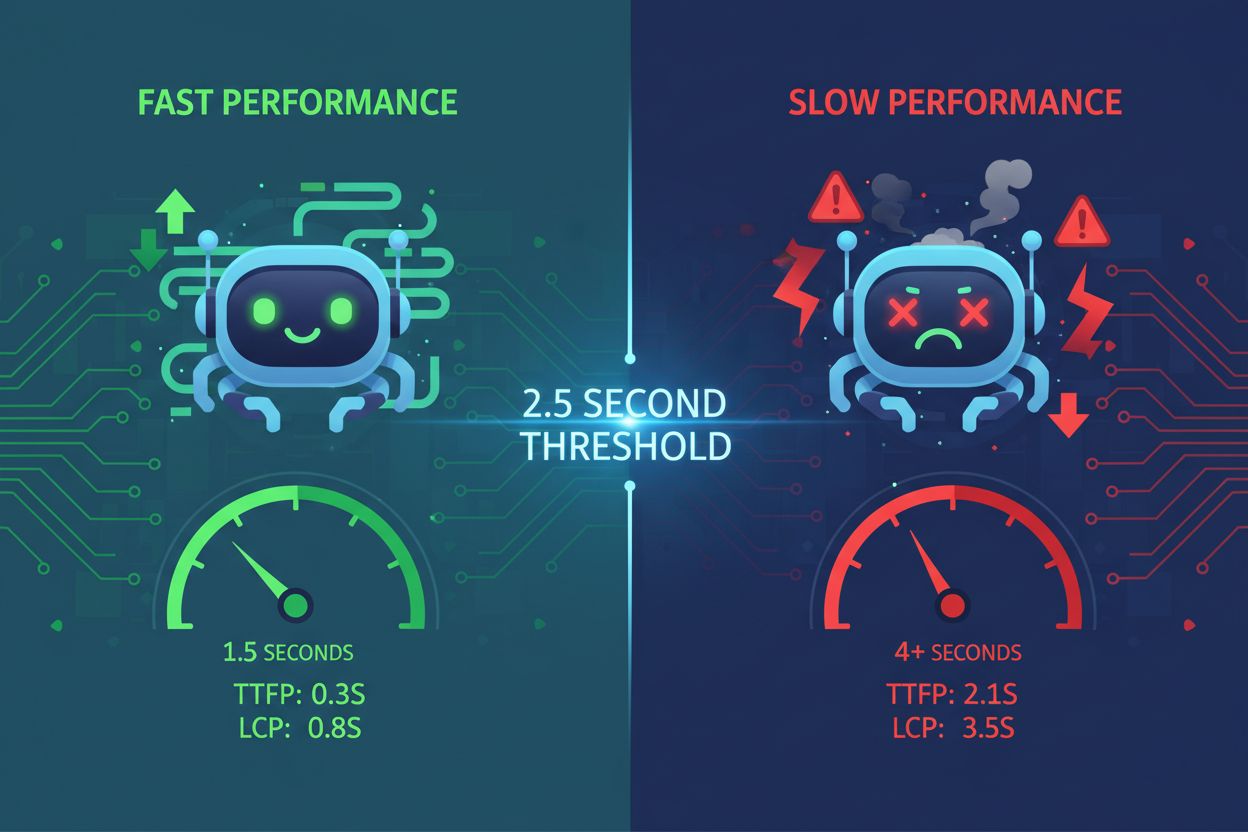
Discover how site speed directly impacts AI visibility and citations in ChatGPT, Gemini, and Perplexity. Learn the 2.5-second threshold and optimization strateg...
Learn proven strategies to maintain and improve your content's visibility in AI-generated answers across ChatGPT, Perplexity, and Google AI Overviews. Discover ...