

Does JavaScript Affect AI Crawling? Impact on AI Search Visibility
Learn how JavaScript impacts AI crawler visibility. Discover why AI bots can't render JavaScript, what content gets hidden, and how to optimize your site for bo...
7 min read

Learn how to make your content visible to AI crawlers like ChatGPT, Perplexity, and Google’s AI. Discover technical requirements, best practices, and monitoring strategies for AI search visibility.
Ensure AI crawlers see all content by serving critical content in HTML instead of JavaScript, adding schema markup, optimizing robots.txt to allow AI bots, monitoring Core Web Vitals, and implementing real-time crawlability tracking to catch technical issues before they impact visibility.
AI crawlers operate fundamentally differently from traditional search engine bots like Googlebot. The most critical distinction is that AI crawlers do not render JavaScript, meaning they only see the raw HTML served directly from your server in the initial response. This is a major departure from Google’s approach, which includes a web rendering service that processes JavaScript and returns rendered HTML. When your website relies heavily on JavaScript frameworks to load product information, pricing tables, navigation elements, or other key content, AI crawlers from OpenAI, Perplexity, Anthropic, and other AI companies will be unable to access that content. This creates a significant visibility gap that can prevent your brand from being cited, mentioned, or recommended in AI-generated answers.
The implications are substantial. If your site uses client-side rendering (CSR) or JavaScript-dependent frameworks, critical content that appears perfectly fine to human visitors becomes invisible to AI systems. This means your content won’t be included in the training datasets or live-web retrieval processes that power ChatGPT, Perplexity, Google’s Gemini, and similar platforms. Additionally, AI crawlers visit sites more frequently than traditional search engines, sometimes crawling content over 100 times more often than Google or Bing. This increased frequency means that first impressions matter enormously—if an AI crawler encounters technical issues or thin content on its initial visit, it may take significantly longer to return, if it returns at all.
The foundation of AI crawler visibility is ensuring all important content exists in your response HTML. Response HTML is the code delivered directly from your server without any JavaScript processing. This is what AI crawlers can actually read and index. Any content that only appears after JavaScript execution will be completely invisible to these systems. To audit your site, you can compare your response HTML against your rendered HTML by using browser developer tools or specialized crawling software. Simply right-click on a page, select “View Source,” and search for key content elements. If they don’t appear in the source code, they won’t be visible to AI crawlers.
For eCommerce sites, SaaS platforms, and content-heavy websites, this often means restructuring how content is delivered. Product names, descriptions, pricing information, navigation links, and other critical elements should all be present in the initial HTML response. This doesn’t mean you can’t use JavaScript for interactive features or enhanced user experience—it means the core content must be server-side rendered or included in the initial HTML payload. Modern frameworks like Next.js, Nuxt, and others support server-side rendering (SSR) or static site generation (SSG), which allows you to maintain dynamic functionality while ensuring AI crawlers can access your content. The performance benefit is significant: websites that serve complete response HTML generally see approximately 30% stronger performance compared to sites requiring JavaScript rendering.
Schema markup is one of the single most important factors in maximizing AI visibility. Structured data explicitly labels content elements like authors, publication dates, key topics, product information, and other contextual details in a machine-readable format. When you add schema markup to your pages, you’re essentially providing AI crawlers with a roadmap to understand your content’s structure and meaning. This helps language models break down and comprehend your pages more efficiently, making it significantly more likely that your content will be selected for citation or inclusion in AI-generated answers.
| Schema Type | Purpose | Impact on AI Visibility |
|---|---|---|
| Article Schema | Identifies blog posts, news articles, and long-form content | Helps AI systems recognize authoritative content and extract key information |
| Author Schema | Specifies who created the content | Establishes expertise and authority signals for AI models |
| Organization Schema | Defines company information and branding | Improves entity recognition and brand association in AI responses |
| FAQ Schema | Marks question-and-answer content | Directly feeds AI systems with structured Q&A data |
| Product Schema | Details product information, pricing, reviews | Essential for eCommerce visibility in AI shopping and recommendation features |
| BreadcrumbList Schema | Shows site hierarchy and navigation | Helps AI understand content relationships and site structure |
Implementing schema markup doesn’t require deep technical knowledge. WordPress users can leverage plugins like Yoast SEO, RankMath, or Schema Pro to add structured data with simple interfaces. For custom websites, you can manually add JSON-LD schema to your page templates. The key is ensuring that high-impact pages—your homepage, main product pages, blog posts, and service pages—all include relevant schema markup. Without it, you’re making it unnecessarily difficult for AI systems to parse and understand your content, which directly impacts your chances of being cited or recommended.
Your robots.txt file acts as the first point of contact for any bot attempting to crawl your website. This file tells crawlers which parts of your site they can access and which areas are off-limits. For AI visibility, you need to explicitly allow the major AI crawler user-agents to access your content. The primary AI crawlers you should welcome include GPTBot and ChatGPT-User from OpenAI, ClaudeBot from Anthropic, Google-Extended for Gemini, PerplexityBot from Perplexity AI, and YouBot from You.com.
A basic robots.txt configuration that welcomes AI crawlers looks like this:
User-agent: GPTBot
Allow: /

User-agent: ChatGPT-User
Allow: /

User-agent: ClaudeBot
Allow: /

User-agent: Google-Extended
Allow: /

User-agent: PerplexityBot
Allow: /

User-agent: YouBot
Allow: /

User-agent: *
Allow: /
This configuration explicitly permits all major AI crawlers to access your entire site. However, it’s important to note that not all AI bots strictly follow robots.txt rules—some may still attempt to crawl restricted areas. Additionally, you can use robots.txt to block specific sections if needed, such as admin pages, duplicate content, or sensitive internal documentation. The key is being intentional about what you’re allowing or restricting. If you want to prevent AI systems from using your content for training purposes while still allowing them to crawl for live-web retrieval, you can use the User-agent: GPTBot directive to block training crawlers while allowing ChatGPT-User for real-time queries. You can verify your robots.txt is working correctly by visiting yourwebsite.com/robots.txt in your browser to confirm the file is accessible and properly formatted.
AI crawlers prioritize websites that provide excellent user experience, as measured by Core Web Vitals. These metrics—Largest Contentful Paint (LCP), First Input Delay (FID), and Cumulative Layout Shift (CLS)—directly impact how answer engines evaluate and crawl your site. If your site loads slowly, has poor interactivity, or experiences layout shifts, AI systems are less likely to crawl it frequently or cite it as a reliable source. This is because AI models use performance scores as one signal of content quality and trustworthiness. A slow, poorly optimized site signals to AI systems that the content may not be worth including in their responses.
To improve your Core Web Vitals, focus on optimizing image sizes, minimizing render-blocking JavaScript, implementing lazy loading, and using content delivery networks (CDNs) to serve content faster. Tools like Google PageSpeed Insights, Lighthouse, and WebPageTest provide detailed reports on your performance metrics and specific recommendations for improvement. Additionally, ensure your hosting infrastructure can handle the increased crawl frequency from AI bots. Unlike traditional search engines that crawl on a predictable schedule, AI crawlers may visit your site multiple times per day, sometimes over 100 times more frequently than Google. If your server can’t handle this traffic efficiently, it may throttle or block crawler requests, preventing AI systems from accessing your content.
Traditional scheduled crawls are no longer sufficient for maintaining AI visibility. Weekly or monthly crawl reports create dangerous blind spots because AI crawlers operate on a different cadence than search engines and may not return to your site if they encounter issues on their first visit. A technical problem that goes undetected for days could significantly damage your brand’s authority with answer engines before you even realize there’s a problem. This is why real-time monitoring platforms that specifically track AI bot activity are essential for modern digital presence management.
Real-time monitoring solutions provide several critical capabilities. First, they track AI crawler activity across your site, showing you which pages are being crawled, how frequently, and by which AI systems. This visibility helps you identify pages that aren’t being crawled and investigate why. Second, they monitor crawl frequency segments, alerting you when pages haven’t been visited by AI bots in hours or days—a potential indicator of technical or content-related issues. Third, they provide schema tracking to ensure your high-impact pages have proper structured data markup. Fourth, they monitor performance metrics like Core Web Vitals to ensure your site maintains optimal user experience. Finally, they offer real-time alerts that notify you immediately when issues arise, allowing you to fix problems before they impact your AI search visibility.
If your site relies heavily on JavaScript for critical content, you need a migration strategy. The most straightforward approach is to implement server-side rendering (SSR) or static site generation (SSG) for your most important pages. This ensures that content is available in the initial HTML response rather than being loaded dynamically. For large sites with thousands of pages, you might prioritize this migration for your highest-traffic pages, product pages, and content that you want to rank in AI search results.
If a complete migration isn’t immediately feasible, consider hybrid approaches. You can serve critical content in HTML while using JavaScript for enhanced interactivity and personalization. For example, product names, descriptions, and key information should be in the HTML, while interactive features like filters, reviews, or personalization can be JavaScript-powered. Additionally, ensure that all internal links are present in the HTML response. Links are crucial because they help AI crawlers discover new pages on your site. If links only appear after JavaScript execution, crawlers won’t be able to follow them to discover and index your other content. This creates a cascading visibility problem where entire sections of your site become unreachable to AI systems.
Beyond technical requirements, your content itself must be structured for AI understanding. AI systems like ChatGPT and Perplexity are essentially “word calculators” that generate answers by calculating the probability of the best next word based on how frequently words appear in certain contexts. This means your content should be clear, direct, and well-organized. Use descriptive headings that match natural search language, include direct answers to common questions early in your content, and structure information logically with proper heading hierarchy (H1, H2, H3).
Incorporate FAQ sections and question-based content blocks throughout your pages, not just at the bottom. AI systems often quote or paraphrase the first clear answer they find, so leading with direct, high-confidence answers increases the likelihood of your content being selected. Include author information and credentials to establish expertise signals. Keep content updated regularly to signal freshness to AI crawlers. Use bullet points and tables to break up information and make it easier for both humans and machines to scan and understand. Avoid marketing fluff and focus on providing genuine value and clarity. The more straightforward and well-structured your content, the more likely AI systems will understand it, trust it, and cite it in their responses.
While making content visible to AI crawlers is important, you also need to ensure that problematic content doesn’t get picked up. AI crawlers can access code snippets that traditional search engines typically ignore, including meta tags, code comments, and other hidden HTML elements. If your code contains embarrassing comments, outdated information, confidential details, or personally identifiable information, AI systems may crawl and potentially include this content in their datasets or responses.
Audit your code for any problematic content that might be visible to crawlers but not to human visitors. Remove unnecessary code comments, ensure meta descriptions are accurate and professional, and verify that no sensitive information is exposed in your HTML. Additionally, be cautious about gated content. Traditionally, marketers would make gated assets non-indexable to protect lead generation. However, with AI search, brands are reconsidering this approach to balance authority building with lead generation. If you gate content, consider whether you want AI systems to crawl the gated page itself or just the landing page that describes it. This strategic decision depends on your business goals and content strategy.
Ensuring AI crawler visibility is not a one-time project but an ongoing practice. Establish a regular audit schedule—at minimum quarterly—to review your site’s AI crawlability. Check that critical content remains in your response HTML, verify that schema markup is properly implemented, monitor your robots.txt configuration, and track your Core Web Vitals performance. As AI systems evolve and new crawlers emerge, you may need to update your robots.txt to include new user-agents.
Partner with your development team to prioritize server-side rendering for new features and pages. Implement automated testing to catch JavaScript-dependent content issues before they reach production. Use monitoring tools to get real-time visibility into AI crawler activity and technical issues. Train your content team on AI-friendly writing practices that emphasize clarity, structure, and direct answers. Finally, measure the impact of your efforts by tracking citations and mentions of your brand in AI-generated responses. While traditional metrics like organic traffic and keyword rankings still matter, AI visibility requires updated measurement approaches focused on citations, mentions, and inclusion in AI-generated answers. By taking a comprehensive, ongoing approach to AI crawlability, you ensure that your content remains visible and valuable to the AI systems that are increasingly shaping how people discover information online.
Track which AI bots are crawling your content, identify technical blockers, and optimize your site for maximum visibility in AI search engines and answer engines.
Learn how JavaScript impacts AI crawler visibility. Discover why AI bots can't render JavaScript, what content gets hidden, and how to optimize your site for bo...

Discover how SSR and CSR rendering strategies affect AI crawler visibility, brand citations in ChatGPT and Perplexity, and your overall AI search presence.
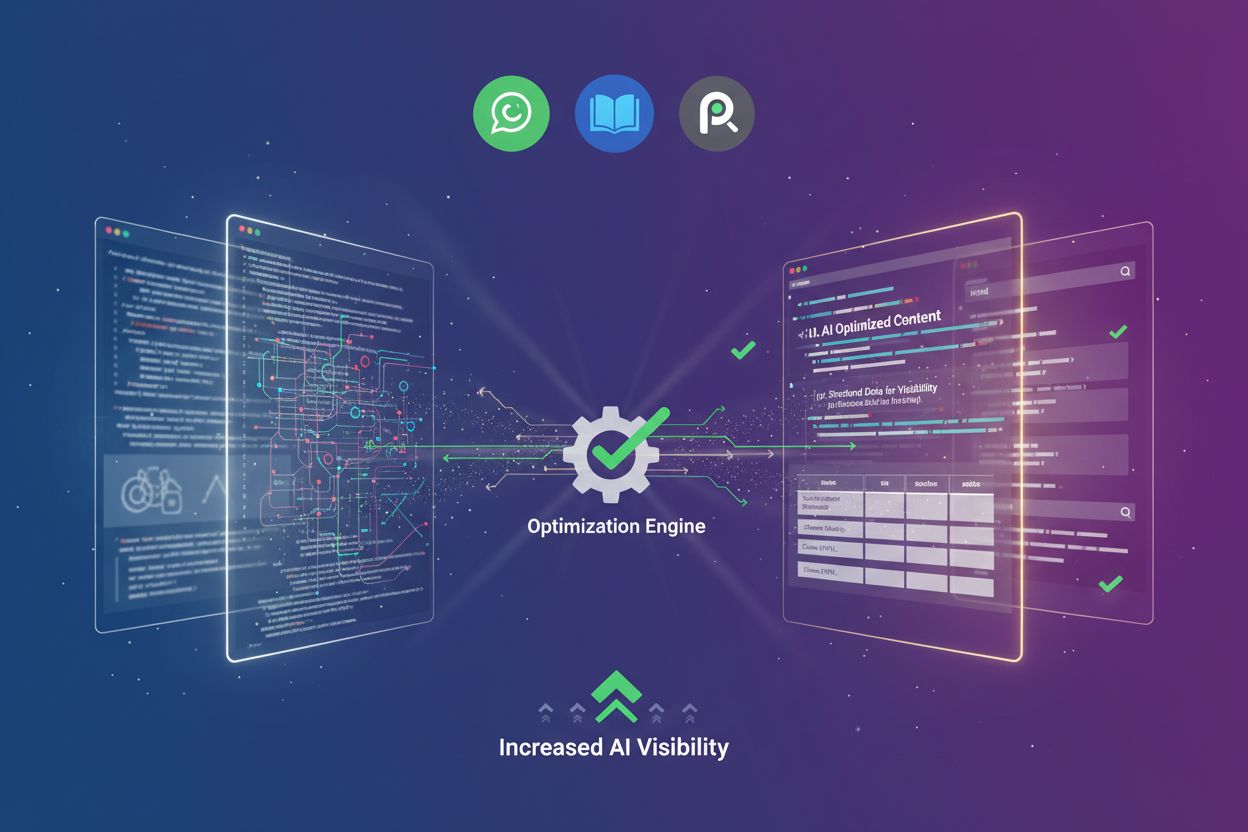
Learn how prerendering makes JavaScript content visible to AI crawlers like ChatGPT, Claude, and Perplexity. Discover the best technical solutions for AI search...