

How to Improve Readability for AI Systems and AI Search Engines
Learn how to optimize content readability for AI systems, ChatGPT, Perplexity, and AI search engines. Discover best practices for structure, formatting, and cla...
9 min read

Learn essential strategies to optimize your support content for AI systems like ChatGPT, Perplexity, and Google AI Overviews. Discover best practices for clarity, structure, and visibility.
Optimize support content for AI by using clear language, structured formatting with headings and lists, self-contained answers, detailed descriptions for visuals, fresh content, and comprehensive FAQ sections. Focus on clarity, brevity, and completeness so AI systems can easily parse and cite your content.
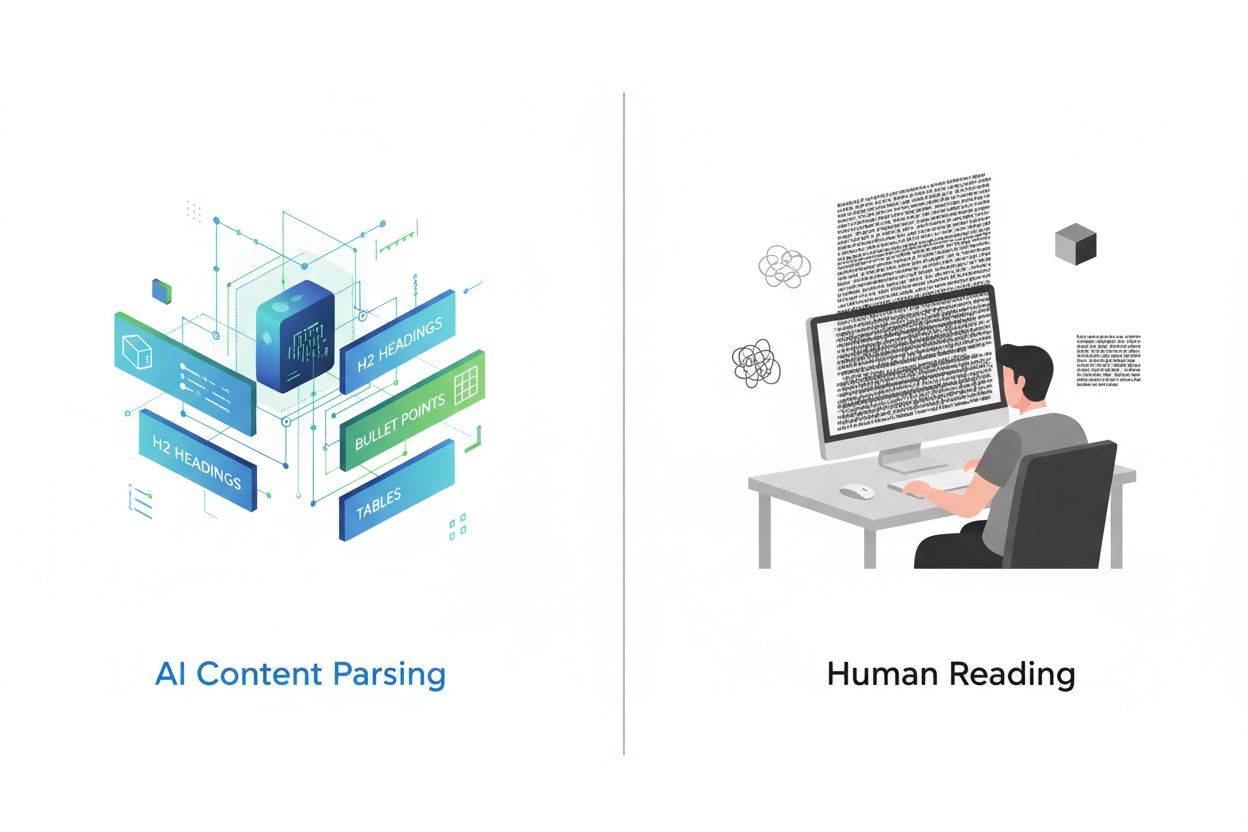
AI systems process content differently than humans. When you write support content, traditional readers scan pages from top to bottom, but artificial intelligence breaks your content into smaller, modular pieces through a process called parsing. These individual chunks are then evaluated for relevance, authority, and usefulness before being assembled into AI-generated answers. This fundamental difference means your content structure directly impacts whether AI systems can understand, extract, and cite your information. The goal is to make your content easily digestible for machine learning algorithms while maintaining quality and readability for human visitors.
AI systems have limited context windows, meaning they can only process a certain amount of information simultaneously. This constraint makes brevity and clarity essential for ensuring your content gets properly understood and included in AI responses. When content is unclear or poorly structured, AI systems may skip over it entirely, even if it contains valuable information. Understanding this processing limitation helps explain why traditional SEO practices alone aren’t sufficient for AI visibility.
Clear, direct language is fundamental to AI comprehension. AI systems struggle with ambiguous phrasing, complex sentence structures, and jargon-heavy explanations. When writing support content, use straightforward language that directly answers user questions without unnecessary complexity. Instead of saying “utilize the aforementioned functionality,” simply write “use this feature.” Avoid technical jargon unless absolutely necessary, and when specialized terms are required, define them in simple language immediately.
Simplifying your language serves dual purposes: it makes content more accessible to human readers while simultaneously improving AI system comprehension. Complex sentences with multiple clauses confuse both humans and machines. Break long sentences into shorter, more direct statements. For example, instead of “The system, which processes data through multiple algorithms and machine learning models, can analyze patterns,” write “The system analyzes patterns using machine learning.” Each sentence should convey one clear idea, making it easier for AI to extract and repurpose your content.
Avoid decorative language, marketing hyperbole, and vague descriptors. Phrases like “innovative,” “cutting-edge,” or “revolutionary” mean little without context. Instead, anchor claims in measurable facts. Rather than “This is a fast solution,” write “This solution processes requests in under 2 seconds.” Specificity helps AI systems understand exactly what you’re describing and increases the likelihood your content will be cited accurately in AI-generated responses.
Structured formatting is critical for AI parsing. Use clear heading hierarchies (H1, H2, H3) to define content sections and signal where new ideas begin. Your H1 should match your page title and clearly state the main topic. H2 headings should introduce major sections, while H3 headings break those sections into subsections. This hierarchical structure helps AI systems understand your content’s organization and extract relevant information more accurately.
Implement these formatting best practices:
Self-contained content is essential for AI systems. Each paragraph should make sense even when extracted from context. Don’t rely on readers remembering information from previous sections. If you mention a feature in one section, briefly reintroduce it if you reference it again later. This approach ensures that when AI systems pull snippets from your content, those snippets remain understandable and useful.
AI systems cannot “see” images the way humans do. They rely entirely on text descriptions to understand visual content. When you include screenshots, diagrams, charts, or photographs, provide detailed written descriptions that explain what the image shows and why it matters. Don’t assume the image speaks for itself—describe the image content, the steps shown, and the relevant details that users need to understand.
For instructional screenshots, describe each element: “The Settings menu is located in the top-right corner. Click the gear icon to open it. The menu displays five options: Account, Preferences, Security, Notifications, and Help.” This level of detail ensures AI systems can understand your visual content and include it in responses. For charts or graphs, explain what data is being displayed, what trends are visible, and what conclusions can be drawn.
Include alt text for all images, which serves both accessibility and AI comprehension purposes. Alt text should be descriptive but concise, typically 100-125 characters. Instead of “screenshot,” write “Settings menu showing Account, Preferences, Security, Notifications, and Help options.” This practice benefits both AI systems and users with visual impairments, making your content more inclusive and discoverable.
Frequently asked questions are particularly valuable for AI systems. FAQ sections using question-and-answer pairs directly mirror how people search and how AI systems generate responses. When you structure content as questions with clear, complete answers, AI systems can often lift these pairs directly into their responses. This format is highly effective because it matches natural language search patterns.
Create FAQ sections that address common user questions comprehensively. Instead of providing minimal answers, give complete information. For example:
| Question | Weak Answer | Strong Answer |
|---|---|---|
| Can I use this offline? | Yes | Yes, this product can be used offline. Once you download the necessary files, you can access all features without an internet connection. Offline mode syncs automatically when you reconnect to the internet. |
| What’s the maximum file size? | 100MB | The maximum file size is 100MB per upload. For files larger than 100MB, use the batch upload feature which allows you to split files into multiple uploads. Contact support if you need to upload files larger than 500MB. |
Each answer should be self-contained and comprehensive. Avoid referring readers to other sections or requiring them to piece together information from multiple places. When AI systems cite your FAQ, they want complete, standalone answers that fully address the question. This approach also improves user experience by reducing the need for follow-up searches.
AI systems prioritize fresh, current content. Regularly updating your support documentation signals to AI systems that your information is reliable and up-to-date. When you refresh content, add genuine value—don’t just change a few words. Update outdated information, add new features or capabilities, include recent examples, and incorporate user feedback.
Monitor discussions on platforms like Reddit, Quora, and industry forums to identify gaps in your content or emerging questions users are asking. Use these insights to update existing content or create new support articles. Content that addresses current user concerns is more likely to be cited by AI systems because it demonstrates relevance and authority.
Establish a content maintenance schedule. Review your support documentation quarterly to identify outdated information, broken links, or areas where technology has changed. When you update content, consider adding a “Last Updated” date to signal freshness to both users and AI systems. This practice is particularly important for technical documentation where features, processes, or best practices may change frequently.
AI systems evaluate content authority before citing it. Build authority through multiple strategies: publish original research or data-backed insights, include expert quotes and citations, secure high search rankings, generate positive reviews, and develop interactive tools or resources. When your content demonstrates expertise and trustworthiness, AI systems are more likely to reference it.
Include citations and references to credible sources within your content. When you cite research, studies, or expert opinions, you reinforce your content’s credibility. Link to authoritative sources and explain why they’re relevant. This practice shows that your content is well-researched and grounded in established knowledge.
Encourage customer reviews on platforms like Google Business Profile, G2, Yelp, and industry-specific review sites. Positive reviews build trust signals that AI systems recognize. Similarly, develop unique resources—calculators, templates, guides, or interactive tools—that provide genuine value. These assets are more likely to be referenced by AI systems because they offer something users can’t find elsewhere.
Schema markup helps AI systems understand your content structure. Implement JSON-LD schema on your support pages to explicitly define content types, questions, answers, and other structured data. Use FAQ schema for question-and-answer content, HowTo schema for instructional content, and Article schema for general support articles.
Schema markup acts as a machine-readable label that tells AI systems exactly what type of content you’re providing. For example, FAQ schema explicitly marks questions and answers, making it easier for AI systems to extract and use this content. Implement schema correctly using tools like Google’s Structured Data Testing Tool to verify your markup is valid.
Ensure your website is technically sound: pages should load quickly, be mobile-friendly, have clean URL structures, and be easily crawlable by search engines and AI systems. Technical SEO remains foundational for AI visibility because AI systems rely on search engine indexes to find and evaluate content.
Avoid long walls of text that blur ideas together and make parsing difficult for AI systems. Break content into smaller sections with clear headings. Don’t hide important information in tabs, accordions, or expandable menus because AI systems may not render or access hidden content. Keep critical information visible and accessible in the main content flow.
Avoid relying solely on PDFs for core information. While search engines can index text-based PDFs, they lack the structured signals (headings, metadata, semantic markup) that HTML provides. Use HTML for critical support content and reserve PDFs for supplementary materials. Never put key information only in images—always provide text descriptions or HTML alternatives.
Avoid inconsistent formatting, unclear headings, and poor organization. Don’t use decorative symbols, excessive punctuation, or unusual formatting that breaks parsing. Keep punctuation simple and consistent. Avoid em dashes when periods or semicolons would be clearer. These formatting choices may seem minor but significantly impact how AI systems process your content.
Track how your content appears in AI-generated responses using monitoring tools designed for this purpose. Monitor platforms like ChatGPT, Perplexity, Google AI Overviews, and other AI answer engines to see when and how your content is cited. This data helps you understand which content types, topics, and formats perform best with AI systems.
Analyze which of your support articles appear in AI responses and which don’t. Look for patterns: Do question-based articles perform better? Do articles with tables get cited more frequently? Does content freshness correlate with AI visibility? Use these insights to refine your content strategy and optimize future support documentation.
Track metrics like AI referral traffic, citation frequency, and the context in which your content appears. This information reveals whether your optimization efforts are working and where adjustments are needed. Regular monitoring ensures you stay aligned with how AI systems evaluate and cite content.
Track how your content appears in AI-generated responses across ChatGPT, Perplexity, Google AI Overviews, and other AI answer engines with AmICited's monitoring platform.
Learn how to optimize content readability for AI systems, ChatGPT, Perplexity, and AI search engines. Discover best practices for structure, formatting, and cla...
Learn how to restructure your content for AI systems with practical before and after examples. Discover techniques to improve AI citations and visibility across...
Learn how to structure your content to get cited by AI search engines like ChatGPT, Perplexity, and Google AI. Expert strategies for AI visibility and citations...