


Annotation Outcomes for SEO Work
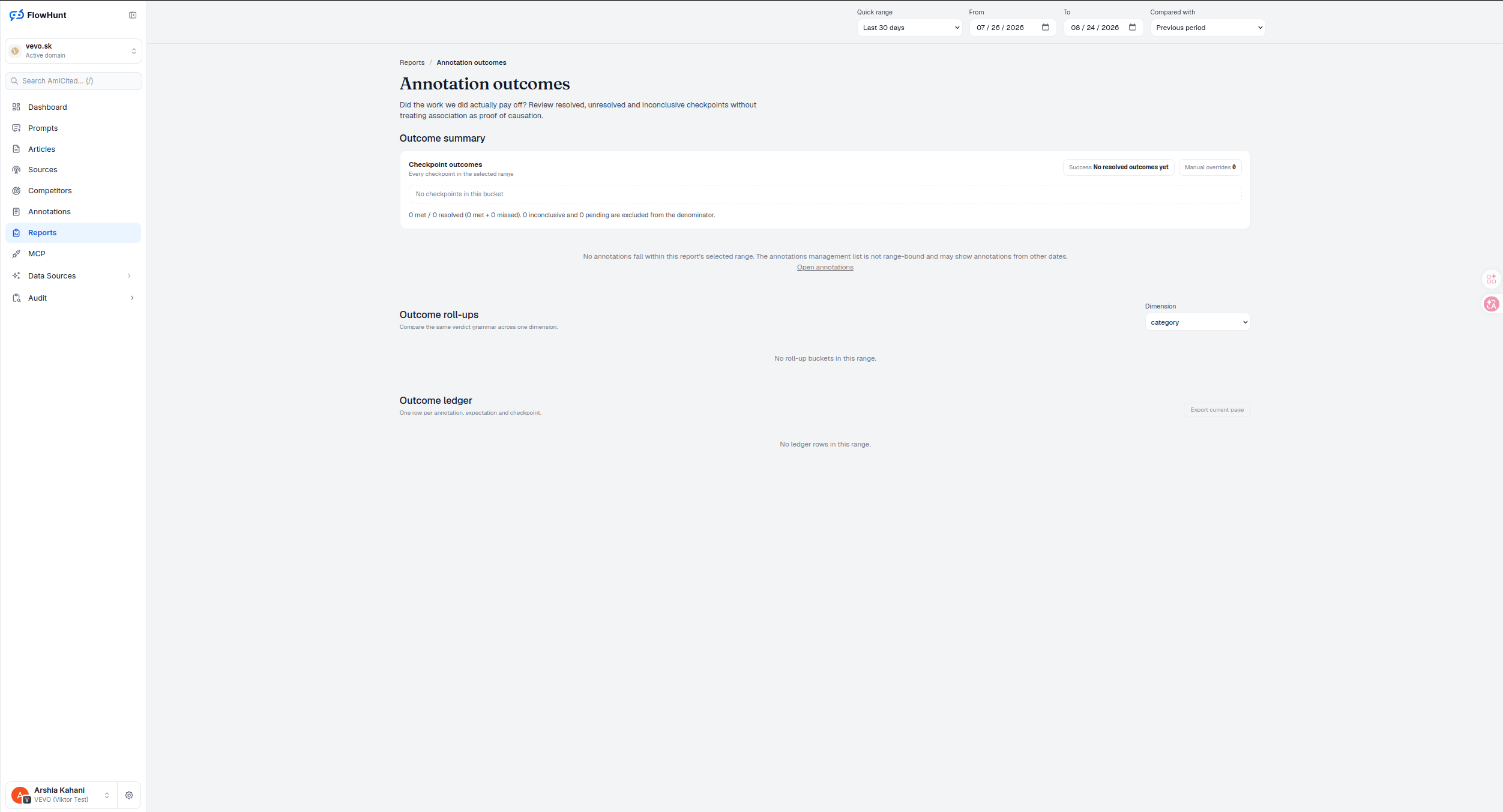
Every annotation you log against a report — a launch, a migration, a content push — gets a checkpoint: a date to check back and an expectation of what should move. Annotation Outcomes grades every checkpoint automatically — did the work pay off? — without treating association as proof of causation.
Annotation Outcome Status
Add an annotation from any report with the Add annotation button, attach an expectation, and AmICited checks it against the metric it was supposed to move once the checkpoint date arrives. Five states cover every checkpoint: Met and Missed are resolved verdicts, Inconclusive means the evidence wasn’t reliable enough to call, Due means the checkpoint date has passed but hasn’t been evaluated yet, and Pending means it simply hasn’t arrived. Inconclusive rows are excluded from the success rate instead of silently counting as a miss, and you can manually override any verdict when you know something the data doesn’t.
- Checkpoint outcomes — every checkpoint in the selected range, tallied as met versus resolved, with a running success rate and a proportional verdict bar sized by count per state.
- Manual overrides tracked separately — when you override an automatic verdict, that count shows next to the automatic one, never blended in silently.
- Outcome roll-ups by dimension — compare the same verdict grammar across category, channel, metric, directory, creator, period or checkpoint horizon.
- Outcome ledger — one row per annotation, expectation and checkpoint, the full audit trail behind every verdict, with an expandable impact strip charting baseline against post-checkpoint results.
- Not proof of causation — the report is explicit that a metric moving near a checkpoint is evidence to weigh, not a courtroom verdict.
Annotation Outcome Rates
The summary bar is proportional — each state’s width is its share of checkpoints in range — and the server states the success rate alongside its resolved denominator, so 18 of 23 resolved reads very differently from 18 of 90. A large Pending segment means wait, not underperformance; Due items are checkpoints that have arrived but haven’t been evaluated yet; Inconclusive is the report saying the evidence wasn’t reliable enough to call either way, which is why it’s dropped from the rate instead of silently counting as a loss. Roll-ups reuse this exact grammar across category, channel, metric, directory, creator, period or horizon — horizon buckets keep their natural numeric order, every other dimension sorts by resolved-checkpoint count so the one worth reading first is always on top.
- Met / Missed / Inconclusive / Due / Pending — five states, each with its own visual treatment, so a glance at the bar tells you the mix before you read a number.
- Success rate stated with its denominator — never a bare percentage, always paired with how many checkpoints it’s actually built on.
- Manual overrides counted, not hidden — the override count sits next to the automatic tally rather than replacing it silently.
- Repeated misses are a signal — a roll-up bucket with a pattern of Missed points at a hypothesis, tactic, directory or evaluation horizon worth revising, not just one bad checkpoint.
Annotation Evidence Ledger
Add annotation sits in the toolbar of every report in AmICited — Click Waterfall, Directory View, Unified Keywords, all of them. Log the change where you noticed it needed one, set what metric should move and by when, and the Outcome ledger later becomes the detail behind that verdict: scope, metric and condition, baseline and post-checkpoint values, the change and any reference series, automatic and final verdicts, override details, method, sample and cost — one row per annotation, expectation and checkpoint. Expanding a row opens an impact strip: a linear time axis from baseline start to post end, the subject as an accent line, an optional reference series in grey dotted, shaded baseline/gap/post windows, and a dashed baseline mean with a delta bracket — there’s no fixed zero line, since the scale fits whatever the subject, reference and window means actually are.
- Not range-bound on the source list — the annotations management list can show entries from any date; Outcomes only grades the ones whose checkpoint falls inside your selected window.
- Clicking a roll-up bucket updates the URL but the ledger below doesn’t filter to match yet — treat a bucket click as a bookmark, not a live filter, until it does.
- A positive delta isn’t automatically good — its meaning depends on the metric and the expectation’s condition, so check the automatic reason and sample size before acting on it.
- Export current page — take exactly what’s on screen, filters applied, into a report or a review.
- Read-only by design — adding, resolving, closing and reopening annotations happens on the separate Annotations management page; this report only grades outcomes.
resolved outcomes until your first checkpoint lands
The report starts empty by design — outcomes only exist once an annotation’s checkpoint date has passed. Log the work as you do it, and the grading happens automatically when the date arrives.
See the Click WaterfallEvaluate SEO Work Outcomes
Log an annotation, set an expectation and a checkpoint date, and let AmICited tell you — met, missed, or genuinely inconclusive — without pretending correlation is causation.
Ready to know if your work actually moved anything?
Free check · 7-day trial · card required