


Directory View for Organic Traffic
The directory view report reads your site top-down: every row is a section carrying the totals of every URL beneath it, so site section performance is visible before you ever open a single page.
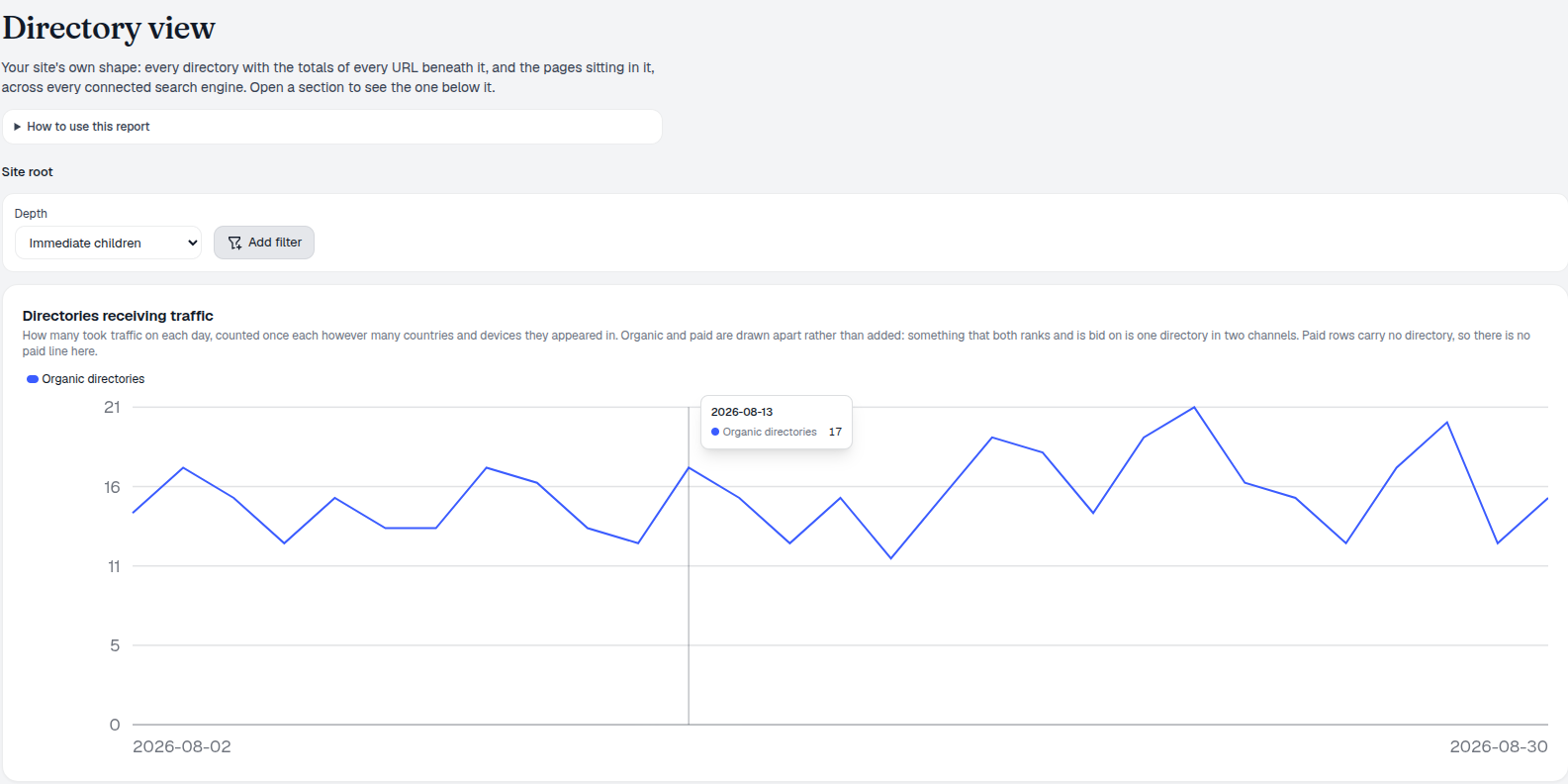
Directory Traffic Change Analysis
Use Depth to jump straight to a level, open a row to descend one, and the treemap to see which sections are large by clicks or impressions. A whole-directory decline is almost always one template, one internal-linking change or one migration — not many independent pages failing at once.
- Every URL beneath a section, totalled — clicks, impressions, paid figures and average position rolled up per directory.
- Directories receiving traffic, charted daily — organic directories counted once each regardless of how many countries or devices they appeared in; there’s deliberately no paid line here, since paid rows don’t carry a directory path.
- Treemap by size — each tile is a directory at the current depth, switchable between Clicks and Impressions, click a tile to descend into it. The 12 largest tiles render individually; everything else loaded gets combined into one grey Other tile, never dropped.
- Depth control — jump straight to Immediate children, a specific level up to depth 12, or full depth without clicking through one row at a time.
- Many URLs, few clicks flags consolidation — a section like that is a candidate to prune or merge; few URLs and high clicks marks where more pages would pay off.
- Compare against a year earlier — so seasonality isn’t mistaken for a trend before you plan any work.
- Pages, not fake directories — a trailing-slash URL with nothing beneath it is labelled Page and can’t be opened further, instead of pretending it’s a section.
Directory View Report Data
Every tile at the current depth is one directory, sized by whichever metric you’re tracking — Clicks or Impressions — and every row carries the totals of every URL beneath it: clicks, impressions, paid figures and average position rolled up per directory. A single click on any tile descends into it, replacing the view with that directory’s own children, while the totals above stay put so you never lose track of how you got there.
- Sized by Clicks or Impressions — toggle to see the site by demand instead of by realized traffic.
- Click to descend — a tile opens straight into its own children at the next depth, no separate navigation needed.
- Site root down to n/, c/ and beyond — every top-level section rendered proportionally in one view.
- Compare against a year earlier — so seasonality isn’t mistaken for a trend before you plan any work.
Open Directory Movers
Once Directory View shows you which section moved, the Click Waterfall at directory level shows exactly which pages inside it actually changed — split into New, Improved, Declined, Lost and Unattributed.
- Open Lost and Declined first — winning back what you used to have is cheaper than winning something new.
- Switch the breakdown — a change spread across hundreds of queries usually resolves into one page or directory when read that way.
- Use New and Improved as proof of work — if the pages you shipped last period aren’t there, they haven’t landed yet.
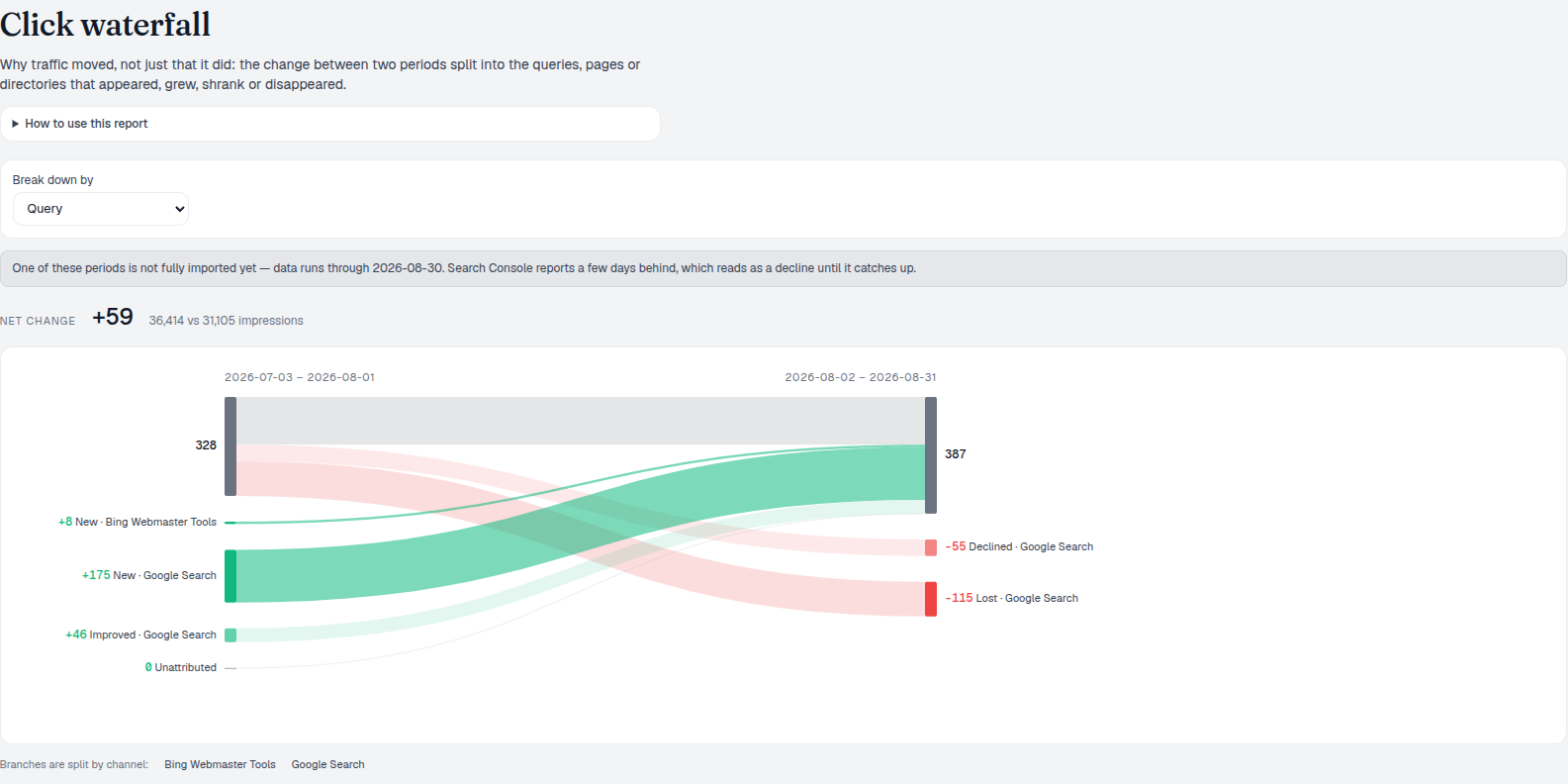
Directory Report Tiles
Rows at the current level are sorted descending by whichever metric you’re viewing, and only values above zero get a tile — nothing negative or empty is drawn in. The 12 largest directories each get their own tile; the rest of what’s loaded (up to 250 rows per request) is combined into a single grey Other tile instead of being dropped silently. If the level genuinely holds more than what was fetched, the report says so explicitly rather than implying the tree fits.
- Twelve tiles, then Other — the 12 largest directories at the current depth get their own tile; the remainder is one honest Other tile, not a rounding error.
- Zero and negative values omitted — a directory with nothing to show doesn’t get a tile at all.
- Up to 250 rows requested per level — if more exist, the report flags that what’s shown is partial.
- Re-root without losing context — click a tile, a directory name, or a breadcrumb to move up or down; the totals above the current level stay put.
click to descend a level, no page-by-page hunting
Depth controls how far down the tree you start; opening a row goes one level deeper without losing the totals above it.
See the Click WaterfallAnalyze Organic Traffic Directories
Every section with the totals of everything beneath it, a treemap by size, and a year-over-year comparison so seasonality doesn’t read as a trend.
Ready to see which section of your site is winning?
Free check · 7-day trial · card required