


Ecommerce Payment Method Revenue Classification
Payment methods is where your shop’s own payment method names get classified by kind — bank transfer, cash on delivery, card online. Paired with the order status, that kind decides whether an order earned money.
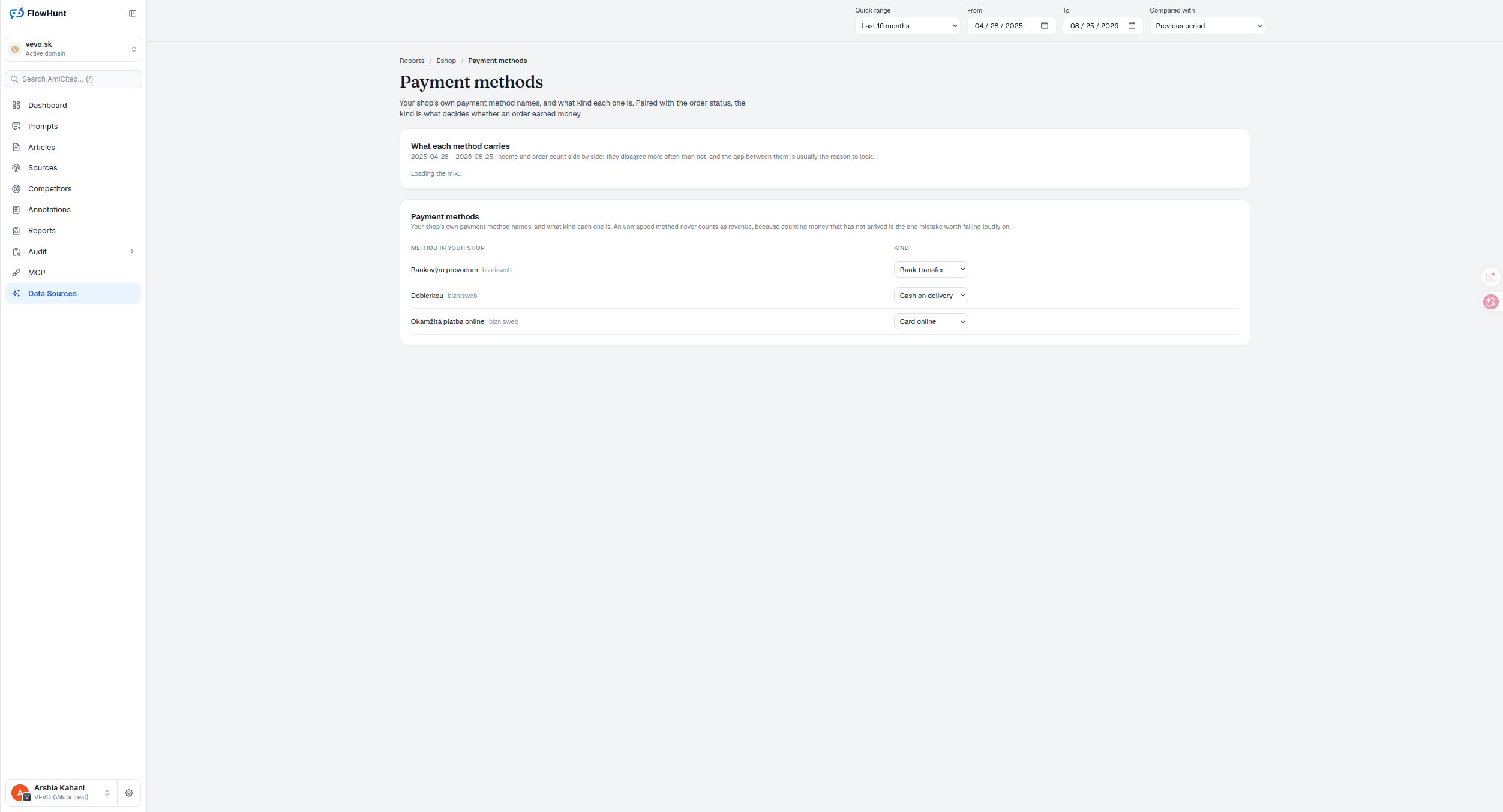
Payment and Status Revenue Rules
Order Statuses sets what a status means; Payment Methods handles payment method classification — what kind of payment each method is. Neither one decides revenue alone — an order counts only when the pairing of the two says it should. An unmapped method never counts, for the same reason an unmapped status does not: counting money that has not arrived is the one mistake worth failing loudly on.
- Income and order count, side by side — the two disagree more often than not, and the gap between them is usually the reason to look.
- Kind, not a raw label — Bank transfer, Cash on delivery, Card online and more, mapped from your shop’s own payment method names.
- Tagged with its source — e.g. bizniweb — for shops pulling payment data from more than one platform.
- Unmapped means zero, same as Order Statuses — a payment method left unclassified never counts as revenue, on purpose.
- Works with Order Statuses, not instead of it — the kind set here and the meaning set on Order Statuses combine to decide whether any given order earned money.
Revenue and Orders by Payment Method
Income and Orders each render as their own share-bar list, sorted highest to lowest value — income in the accent colour from net revenue, orders in green from a plain count. Each row shows the raw method name, its absolute value, and its percentage of the list, with bar length matching that percentage; any positive sliver still gets at least 1% width so it stays visible. There’s no axis, baseline or zero-line — width is purely share of the list total, and the whole split is hidden if that total isn’t positive. A method carrying a larger income share than order share is running higher-value orders than the shop average; the reverse means lower-value ones — that gap, not either number alone, is usually the reason to open the method and check its kind.
- Income — net revenue attributed to orders paid through this method, in the reporting currency.
- Order count — how many orders used it, independent of income.
- The gap between them — a bigger income share than order share flags a high-value method whose acceptance costs deserve a look; it’s an investigation signal, not an automatic good or bad score.
- Separate from the map — the mix groups deduplicated imported orders by raw payment name; it isn’t filtered or regrouped by the Kind you assign below.
Map Source Payment Method Values
Each row is a payment method exactly as your shop’s platform names it, tagged with its source, listed in order by platform then raw name. An alert counts how many rows are still a Not mapped draft. Pick its kind — Cash on delivery, Bank transfer, Card online, Wallet or Other — and it saves immediately, no Save button: the dropdown autosaves, the local draft stays visible while the request runs, and it shows ‘Saving…’ or the returned error. In the matrix that follows, cash on delivery, bank transfer, online card and wallet count at Paid, Fulfilled or Completed; Other counts only at Paid or Completed; Pending and anything unmapped never count. A cancellation always excludes an order first, and a per-status override on Order Statuses can take precedence after that. Leaving a method unmapped is therefore a deliberate, conservative default — those orders earn no realized revenue until it’s classified. This table is how you map payment method to revenue kind, cancellation aside.
- Method in your shop — the exact payment method string your platform sends, e.g. from bizniweb.
- Kind — Cash on delivery, Bank transfer, Card online, Wallet or Other, chosen from a dropdown that autosaves on change.
- Unmapped, zero revenue — the same fail-safe as Order Statuses, applied to the other half of the pairing.
- Who can edit — Owners, Admins and Editors can change the map; Members and Maintainers read it; Guests have no access.
- Completes the loop — status plus payment method kind is what finally decides whether an order counts, cancellation aside.
revenue counted from an unmapped payment method, by design
Counting money that has not arrived is the one mistake worth failing loudly on — so a payment method with no kind assigned contributes nothing until it is classified, exactly like an unmapped order status.
See CurrenciesCount Revenue From Valid Payments
Your shop’s own payment method names, classified by kind — paired with order status to decide, together, whether an order earned money.
Ready to see what is actually counting as revenue?
Free check · 7-day trial · card required