

302 Redirect
Learn what a 302 redirect is, how it works, when to use it, and its SEO implications. Understand the differences between 302 and 301 redirects for optimal websi...
12 min read

A 301 redirect is an HTTP status code that permanently redirects users and search engines from one URL to another, transferring approximately 90-99% of link equity and PageRank to the destination page. It signals to search engines that a page has permanently moved to a new location, preserving SEO rankings and organic traffic.
A 301 redirect is an HTTP status code that permanently redirects users and search engines from one URL to another, transferring approximately 90-99% of link equity and PageRank to the destination page. It signals to search engines that a page has permanently moved to a new location, preserving SEO rankings and organic traffic.
A 301 redirect is an HTTP status code that permanently redirects users and search engines from one URL to another, signaling that a page has moved to a new location. The official HTTP designation is 301 Moved Permanently, which tells both browsers and search engine crawlers that the redirect is permanent and should be treated as such. When a user or search engine attempts to access a URL with a 301 redirect in place, they are automatically sent to the destination URL without any manual intervention required. This mechanism is fundamental to technical SEO and plays a critical role in preserving search engine rankings, maintaining user experience, and protecting the accumulated authority of web pages during site migrations, restructuring, or content consolidation efforts.
The HTTP status code system is a standardized way for web servers to communicate with browsers and search engines about the status of a requested resource. The 301 status code belongs to the “3xx” category of redirection codes, which indicate that further action is needed to complete the request. Unlike error codes (4xx) or server errors (5xx), redirection codes are designed to guide users and crawlers to the correct resource. The 301 code specifically indicates permanence, distinguishing it from temporary redirects like the 302 status code. Understanding this distinction is essential because search engines treat permanent and temporary redirects differently when deciding which URL to display in search results and how to consolidate ranking signals. The HTTP specification, defined in RFC 7231, establishes that a 301 redirect should result in the client automatically following the redirect to the new location, making it transparent to end users while providing clear signals to search engines.
When a 301 redirect is implemented, the process unfolds in several distinct steps that involve both the server and the client (browser or search engine crawler). First, when a request is made to the old URL, the web server receives the request and checks its configuration for redirect rules. Upon finding a matching 301 redirect rule, the server responds with an HTTP 301 status code along with a “Location” header that specifies the new URL. The browser or search engine crawler then automatically follows this instruction and makes a new request to the destination URL. This entire process happens seamlessly from the user’s perspective—they simply see the content from the new URL without any manual action required. For search engines, the 301 status code serves as a strong signal that the content has permanently moved, prompting them to update their index to reflect the new URL as the canonical version. The link equity (also called PageRank or link juice) accumulated by the old URL through backlinks and internal links is then transferred to the new URL, preserving the SEO value that was built up over time.
One of the most significant advantages of 301 redirects is their ability to transfer link equity from the old URL to the new URL. Research and statements from Google representatives have confirmed that properly implemented 301 redirects can transfer approximately 90-99% of the original page’s link equity to the destination page. This is substantially higher than temporary redirects (302, 303, 307), which do not transfer link equity and are treated as weak signals by search engines. The transfer of link equity is crucial because it means that all the backlinks pointing to the old URL effectively contribute to the ranking power of the new URL. For example, if an old blog post has accumulated 50 high-quality backlinks over several years, implementing a 301 redirect to a new version of that post ensures that those 50 backlinks continue to benefit the new URL’s search visibility. This mechanism is why 301 redirects are considered one of the most important tools in technical SEO, particularly during website migrations, domain changes, or content consolidation projects. Without proper 301 redirects, organizations would lose years of accumulated SEO value, resulting in significant drops in organic traffic and search rankings.
| Redirect Type | HTTP Code | Permanence | Link Equity Transfer | Search Engine Behavior | Browser Caching | Best Use Case |
|---|---|---|---|---|---|---|
| 301 Redirect | 301 | Permanent | 90-99% | Updates index with new URL | Often cached | Permanent page moves, domain migrations |
| 302 Redirect | 302 | Temporary | Minimal/None | Maintains old URL in index | Rarely cached | Temporary maintenance, A/B testing |
| 303 Redirect | 303 | Temporary | Minimal/None | Maintains old URL in index | Rarely cached | Form submissions, temporary changes |
| 307 Redirect | 307 | Temporary | Minimal/None | Maintains old URL in index | Rarely cached | Temporary redirects (preserves method) |
| 308 Redirect | 308 | Permanent | 90-99% | Updates index with new URL | Often cached | Permanent moves (preserves method) |
| Meta Refresh (0s) | N/A | Permanent | 90-99% | Treated as permanent | Variable | Alternative when server-side unavailable |
| JavaScript Redirect | N/A | Variable | Unreliable | May not be followed | Variable | Last resort only |
301 redirects can be implemented through multiple methods, each with different technical requirements and levels of effectiveness. The most reliable and recommended method is server-side redirects, which are implemented at the web server level using configuration files or server-side scripts. On Apache servers, redirects are typically configured in the .htaccess file using the Redirect or RewriteRule directives. For example, a simple permanent redirect can be set up with: Redirect 301 /old-page/ https://www.example.com/new-page/. On NGINX servers, redirects are configured in the server configuration file using the return statement, such as: return 301 $scheme://www.example.com/new-location$request_uri;. Server-side redirects are preferred because they are processed before the page content is sent to the browser, making them the most efficient and reliable method for both users and search engines. For users of content management systems like WordPress, Shopify, Webflow, or HubSpot, built-in redirect management tools or plugins provide user-friendly interfaces for setting up 301 redirects without requiring direct server access. WordPress users can utilize plugins like Yoast SEO or Redirection to manage redirects through the admin dashboard. Meta refresh redirects offer an alternative when server-side implementation is not possible, using an HTML meta tag with a 0-second delay to trigger an instant redirect. While less ideal than server-side redirects, instant meta refresh redirects are still recognized by Google as permanent redirects. JavaScript redirects should be avoided whenever possible because search engines may not execute JavaScript reliably, potentially causing the redirect to not be recognized.
301 redirects are essential in numerous scenarios where URLs need to change permanently. Domain migrations represent one of the most critical use cases—when a company changes its domain name (e.g., from oldcompany.com to newcompany.com), implementing 301 redirects from every old URL to its corresponding new URL ensures that all organic traffic, rankings, and link equity transfer to the new domain. URL restructuring occurs when a website reorganizes its information architecture, moving pages to different paths or categories. For instance, if a product page moves from /products/old-category/product-name to /products/new-category/product-name, a 301 redirect preserves the page’s search visibility. Content consolidation involves combining multiple similar or duplicate pages into a single comprehensive page, with 301 redirects pointing from the old URLs to the consolidated page. This approach is particularly useful for addressing keyword cannibalization, where multiple pages compete for the same search terms. Protocol upgrades from HTTP to HTTPS require 301 redirects to ensure that all HTTP URLs redirect to their HTTPS equivalents, maintaining rankings during the security upgrade. URL slug corrections address typos or outdated naming conventions in URLs, allowing organizations to improve URL readability and SEO-friendliness while preserving rankings. Removing duplicate content through 301 redirects helps consolidate ranking signals when multiple URLs serve the same content (e.g., www and non-www versions, trailing slash variations, or session ID parameters).
Search engines like Google, Bing, and others treat 301 redirects as strong signals that a page has permanently moved. When Googlebot encounters a 301 redirect, it follows the redirect to the destination URL and updates its index accordingly. The search engine recognizes that the old URL and new URL represent the same content and consolidates their ranking signals. Over time, the old URL gradually disappears from search results as the new URL becomes the canonical version. This process typically takes several days to a few weeks, depending on the site’s crawl frequency and the number of backlinks pointing to the old URL. Google’s Search Console provides tools to monitor this transition, showing when redirects are recognized and when the old URLs are removed from the index. It’s important to note that search engines may occasionally display the old URL in search results as an “alternate name” of the canonical URL, particularly if the old URL had significant brand recognition or backlinks. This is normal behavior and typically resolves as users and search engines become accustomed to the new URL. The crawl budget implications of 301 redirects are also significant—while redirects themselves consume crawl resources, they are generally more efficient than maintaining duplicate content or broken links. However, excessive redirect chains or loops can waste crawl budget and potentially prevent pages from being indexed.
Successful 301 redirect implementation requires adherence to several critical best practices to maximize SEO benefits and user experience. Update internal links pointing to redirected URLs so they point directly to the destination URL instead. This reduces the number of redirect hops, improves page load times, and ensures that internal link equity flows directly to the target page. Remove redirected URLs from XML sitemaps to signal to search engines which pages should be indexed and crawled. The sitemap should only contain URLs you want to appear in search results. Avoid redirect chains by ensuring that each redirect points directly to the final destination URL rather than creating a chain of multiple redirects. Redirect chains waste crawl budget, slow down page load times, and may cause search engines to stop following the chain before reaching the final destination. Only redirect to canonical URLs to prevent confusion and ensure that link equity flows to the correct page. If the destination URL has a canonical tag pointing elsewhere or is itself redirected, you risk creating redirect loops or chains. Monitor redirects regularly using tools like Google Search Console, Semrush, or Ahrefs to identify redirect errors, chains, loops, or broken redirects. Test redirects thoroughly before going live to ensure they work correctly and don’t create unintended redirect chains or loops. Keep redirect records documenting which old URLs redirect to which new URLs, particularly during large-scale migrations, to facilitate troubleshooting and future reference.
While 301 redirects are the standard for permanent URL changes, understanding how they compare to other redirect methods is essential for making informed decisions. 302 temporary redirects are appropriate when you want to temporarily send users to a different page while maintaining the original URL in search results. Unlike 301 redirects, 302 redirects do not transfer link equity and are treated as weak signals by search engines. 303 redirects are specifically designed for form submissions and POST requests, redirecting users to a GET request after form processing. 307 redirects are similar to 302 redirects but preserve the HTTP method (POST remains POST), making them useful for temporary redirects that need to maintain the request method. 308 redirects are the permanent equivalent of 307 redirects, preserving the HTTP method while signaling permanence. Meta refresh redirects with a 0-second delay are treated by Google as permanent redirects and can serve as an alternative when server-side implementation is not possible. JavaScript redirects should be avoided because search engines may not execute JavaScript reliably, potentially causing the redirect to not be recognized. 404 errors should be used only when a page is permanently deleted with no suitable replacement, as they do not preserve any SEO value or user experience. The choice between these methods depends on the specific situation, the permanence of the change, and the technical capabilities of your hosting environment.
The importance of 301 redirects in the digital landscape continues to evolve as search engines refine their algorithms and web technologies advance. As artificial intelligence and large language models become increasingly integrated into search experiences—through platforms like Google AI Overviews, ChatGPT, Perplexity, and Claude—the role of proper URL management becomes even more critical. These AI systems rely on search engine indexes and web crawling to gather information, making it essential that websites maintain clean redirect structures and proper canonical URL management. The emergence of AI-powered content monitoring platforms like AmICited highlights the growing need for organizations to track how their content appears across multiple AI systems and search platforms. Proper 301 redirect implementation ensures that content consolidation and URL changes don’t negatively impact visibility across these diverse platforms. Looking forward, search engines are likely to continue improving their handling of redirects, potentially making the link equity transfer even more efficient. However, the fundamental principle of using 301 redirects for permanent URL changes will remain a cornerstone of technical SEO. Organizations that maintain clean redirect structures, avoid redirect chains, and properly implement 301 redirects will be better positioned to maintain and improve their search visibility as the digital landscape continues to evolve. The integration of 301 redirects with broader site architecture and information architecture strategies will become increasingly important as websites grow more complex and content management becomes more sophisticated.
A 301 redirect signals a permanent move and transfers approximately 90-99% of link equity to the destination page, while a 302 redirect indicates a temporary move and does not transfer link equity. Search engines treat 301 redirects as strong signals to update their index with the new URL, whereas 302 redirects maintain the original URL in search results. Use 301 redirects for permanent changes and 302 redirects for temporary situations like maintenance or A/B testing.
Modern 301 redirects can pass approximately 90-99% of the original page's link equity and PageRank to the destination URL when implemented correctly. Google has confirmed that properly implemented redirects can pass 100% of link equity, though historically there was a small percentage loss. The amount transferred depends on proper implementation, redirect chains, and the quality of the destination page.
Use a 301 redirect when you permanently delete a page, migrate to a new domain, change URL slugs, move pages to different paths, or consolidate duplicate content. 301 redirects are ideal for long-term changes where you want to preserve SEO value and rankings. Avoid using 301 redirects for temporary situations; use 302 redirects instead. Never use 301 redirects if you plan to restore the original page later.
Yes, improper 301 redirect implementation can negatively impact SEO. Common mistakes include creating redirect chains (Page A > Page B > Page C), redirect loops (Page A > Page B > Page A), redirecting to irrelevant pages, or leaving redirects in place for too long. These issues can confuse search engines, waste crawl budget, and slow down page load times. Always redirect to relevant, canonical URLs and monitor redirects regularly using tools like Google Search Console.
Google typically recognizes and processes 301 redirects within a few days to one week after implementation. The exact timeframe depends on your site's crawl frequency, the number of backlinks pointing to the old URL, and Google's crawl budget. You can monitor redirect processing in Google Search Console's Coverage report. If redirects aren't recognized after multiple weeks, verify that they're implemented correctly and check for redirect chains or loops.
Yes, you should remove redirecting URLs from your XML sitemap and only include URLs you want to appear in search results. Search engines use the sitemap to prioritize crawling and indexing, so including redirected URLs wastes crawl budget. Add the destination URLs to your sitemap instead. This signals to search engines which pages are canonical and should be indexed, improving crawl efficiency.
A redirect chain occurs when multiple redirects are chained together (e.g., Page A > Page B > Page C > Page D). Search engines may not follow long redirect chains, potentially losing link equity and causing pages to not be indexed. Redirect chains also slow down page load times and waste crawl budget. Always redirect directly to the final destination URL and update internal links to point directly to the new URL instead of the old one.
Start tracking how AI chatbots mention your brand across ChatGPT, Perplexity, and other platforms. Get actionable insights to improve your AI presence.
Learn what a 302 redirect is, how it works, when to use it, and its SEO implications. Understand the differences between 302 and 301 redirects for optimal websi...
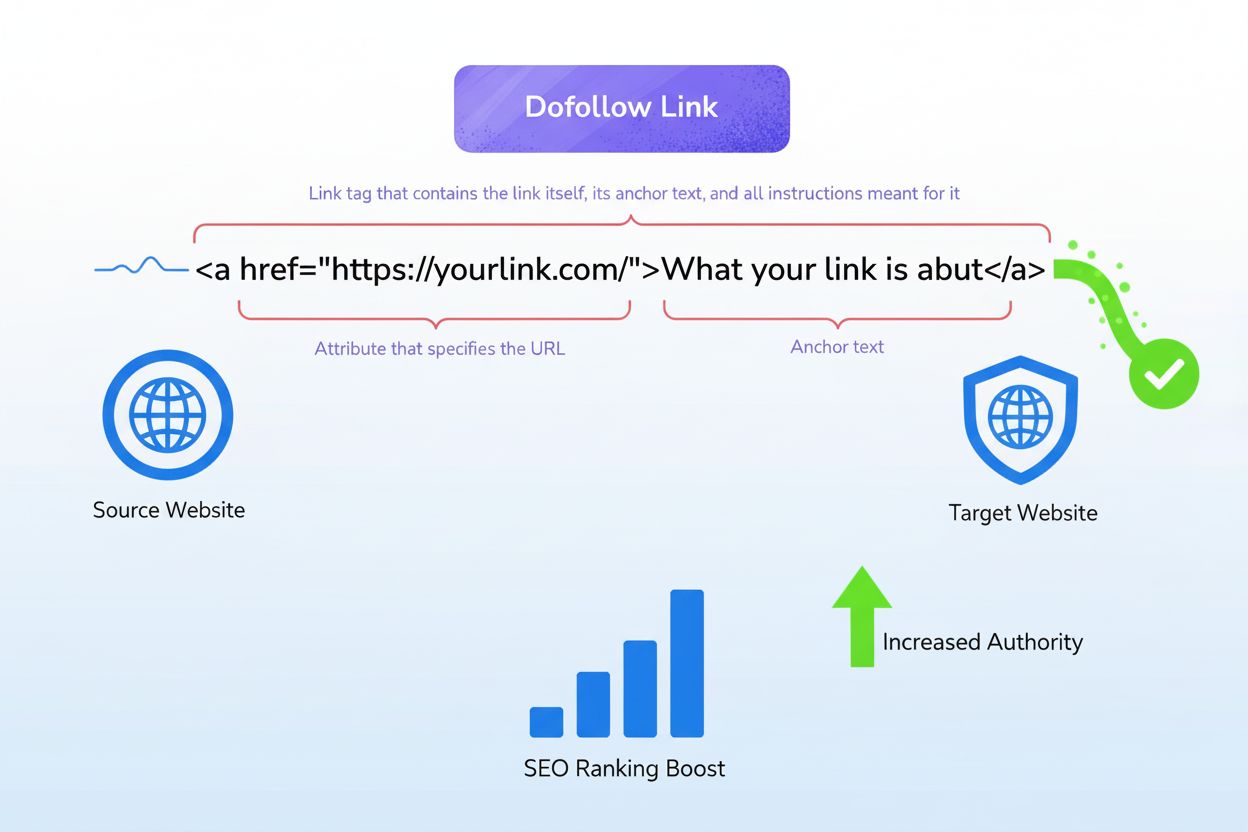
Learn what dofollow links are, how they pass ranking value and authority through link juice, and why they're critical for SEO success and AI search visibility.
Learn what a canonical URL is, how it prevents duplicate content issues, and why it's essential for SEO. Understand rel=canonical tags and best practices for pr...