

301 Redirect
Learn what a 301 redirect is, how it works, why it matters for SEO, and best practices for implementation. Understand link equity transfer and permanent URL red...
12 min read

A 302 redirect is an HTTP status code that temporarily redirects users and search engines from one URL to another, signaling that the original page will return in the future. Unlike permanent 301 redirects, 302 redirects preserve the original URL’s search engine indexing and do not transfer SEO authority to the destination page.
A 302 redirect is an HTTP status code that temporarily redirects users and search engines from one URL to another, signaling that the original page will return in the future. Unlike permanent 301 redirects, 302 redirects preserve the original URL's search engine indexing and do not transfer SEO authority to the destination page.
A 302 redirect is an HTTP status code that temporarily redirects users and search engines from one URL to another. The “302” designation comes from the HTTP protocol specification, where it indicates a “Found” status with a temporary redirection. When a web server sends a 302 response, it includes a Location header that specifies where the browser or search engine should navigate next. Unlike its permanent counterpart, the 301 redirect, a 302 explicitly signals that the original URL is expected to be restored in the future, making it ideal for short-term changes. The primary purpose of a 302 redirect is to maintain user experience while keeping the original URL active in search engine indexes, preserving its potential for future use without transferring ranking authority to the destination page.
The concept of HTTP redirects emerged from the need to manage URL changes gracefully as the web evolved. When websites restructure their content, migrate to new domains, or temporarily move resources, redirects ensure users and search engines can still find the content. The HTTP protocol, standardized by the Internet Engineering Task Force (IETF), defines multiple redirect status codes to handle different scenarios. According to research from major SEO platforms, approximately 65% of websites use some form of redirect, with 301 redirects being the most common for permanent changes. The 302 redirect was designed specifically for temporary situations, allowing developers to test new URLs, perform maintenance, or run A/B tests without permanently altering search engine indexing. Over the past decade, as AI-powered search systems like ChatGPT, Perplexity, and Google AI Overviews have become more prevalent, understanding how redirects affect URL visibility in these systems has become increasingly important for digital marketers and SEO professionals.
When a user or search engine bot requests a URL configured with a 302 redirect, the web server processes the request and responds with an HTTP status code of 302, along with a Location header containing the destination URL. The browser automatically follows this redirect and navigates to the new URL, while the address bar may or may not update depending on the browser implementation. The key technical distinction is that a 302 redirect is stateless and temporary, meaning the server doesn’t store information about the redirect beyond the current request. The HTTP response includes headers such as “HTTP/1.1 302 Found” followed by “Location: [new-url]”, which instructs the client where to go next. Search engine crawlers, when encountering a 302 redirect, treat it differently than a 301 by continuing to crawl and index the original URL while also noting the temporary destination. This dual-indexing approach means that both the original and destination URLs may appear in search results, though the original URL typically retains priority. The redirect happens server-side, making it faster and more reliable than client-side alternatives like meta refresh or JavaScript redirects, which can cause delays and are less favored by search engines.
| Aspect | 302 Redirect | 301 Redirect | 307 Redirect | 303 Redirect |
|---|---|---|---|---|
| Type | Temporary | Permanent | Temporary | Temporary |
| SEO Authority Transfer | No | Yes | No | No |
| Original URL Indexing | Preserved | Updated to new URL | Preserved | Preserved |
| Method Preservation | May change POST to GET | Preserves method | Preserves method | Changes to GET |
| Use Case | A/B testing, maintenance | Domain migration, URL restructuring | Temporary redirects with method preservation | POST to GET conversion |
| Search Engine Behavior | Continues indexing original | Transfers ranking power | Continues indexing original | Continues indexing original |
| Browser Caching | Not cached by default | Often cached | Not cached by default | Not cached by default |
| Recommended Duration | Days to weeks | Permanent | Days to weeks | Single request |
The SEO implications of 302 redirects are significant and often misunderstood by website managers. When Google encounters a 302 redirect, it treats the redirect as a weak signal that the destination URL should be canonical, but it does not automatically transfer the ranking power, backlinks, or domain authority from the original URL to the destination. According to Google’s official documentation and statements from John Mueller, a Google Search Advocate, 302 redirects do not pass link equity in the same way 301 redirects do. This means that if you have a page with strong backlinks and search rankings, redirecting it with a 302 will not benefit the destination page’s rankings. Instead, the original page retains its indexing priority, and search engines may show the original URL in search results even though users are redirected to a different page. This can create a confusing user experience where the SERP (Search Engine Results Page) shows one URL but users land on another. However, Google has stated that it can eventually figure out if a 302 redirect is actually permanent and may treat it accordingly over time. Research from 2024 shows that approximately 78% of enterprises use some form of redirect monitoring, recognizing the importance of proper redirect management for maintaining search visibility and user experience.
302 redirects should only be used for genuinely temporary situations where you plan to restore the original URL or remove the redirect within a reasonable timeframe. Common legitimate use cases include A/B testing and multivariate testing, where you want to send a percentage of traffic to a test version of a page while keeping the original URL intact for search engines. During website maintenance or redesigns, a 302 redirect can temporarily send users to a maintenance page or alternative content while you work on updates. Seasonal promotions and limited-time offers are ideal candidates for 302 redirects, allowing you to redirect traffic to special landing pages without permanently affecting the original page’s SEO value. Regional content redirection based on user location or language preferences can use 302 redirects to serve localized versions while maintaining the original URL’s indexing. If a product is temporarily out of stock, you can redirect users to a similar product page using a 302, then restore the original redirect once inventory returns. Live testing of new website flows before permanent deployment is another valid use case, allowing you to gather user feedback and performance data without committing to permanent URL changes. The critical principle is that the redirect should be reversible and temporary in nature, with a clear plan for removal or conversion to a permanent redirect if the change becomes permanent.
Server-side implementation is the preferred method for 302 redirects because it’s faster, more reliable, and better recognized by search engines than client-side alternatives. On Apache servers, you can implement 302 redirects using the .htaccess file with the RewriteEngine module, using syntax like RewriteRule ^old-page$ /new-page [R=302,L] to redirect a specific page or RewriteRule ^old-directory/(.*)$ /new-directory/$1 [R=302,L] to redirect entire directories. Nginx servers require configuration in the .conf file using the rewrite directive, such as rewrite ^/old-page$ /new-page redirect; for temporary redirects. Windows servers with IIS use the web.config file with XML-based redirect rules specifying the redirect type as “Found” for 302 status codes. WordPress users have multiple plugin options including Yoast SEO Premium, Redirection, and Rank Math, which provide user-friendly interfaces for creating and managing 302 redirects without touching server files. PHP-based implementations can use header functions like header("HTTP/1.1 302 Found"); header("Location: /new-page"); at the top of a file, though this method is less scalable for managing multiple redirects. Content Delivery Networks (CDNs) like Cloudflare also offer redirect management tools that allow you to configure 302 redirects at the edge, improving performance by reducing server load. Regardless of implementation method, it’s crucial to test redirects thoroughly using tools like browser developer tools, online redirect checkers, or SEO audit platforms to ensure they’re functioning correctly and not creating redirect chains or loops.
One of the most common mistakes is using a 302 redirect for what should be a permanent change, leaving the temporary redirect in place indefinitely. This creates confusion for search engines and can result in the wrong URL being indexed or both URLs competing for rankings. Redirect chains occur when one URL redirects to another URL, which then redirects to a third URL, creating unnecessary hops that slow down page load times and complicate search engine crawling. For example, if /page-1 redirects to /page-2, which redirects to /page-3, users and bots must follow multiple redirects to reach the final destination. Redirect loops happen when URLs redirect back to each other, creating an infinite loop that browsers detect and display as an “ERR_TOO_MANY_REDIRECTS” error. This typically results from misconfiguration, such as redirecting /page-1 to /page-2 and /page-2 back to /page-1. Losing URL parameters during redirects is another issue where query strings or tracking codes in the original URL don’t get passed to the destination, breaking analytics tracking or functionality. Forgetting to remove temporary 302 redirects after they’re no longer needed can lead search engines to eventually treat them as permanent, causing indexing inconsistencies. Conflicting redirects from multiple sources, such as redirects set at both the server level and through WordPress plugins, can create unexpected behavior. Not monitoring redirect performance means you may not notice when redirects are causing issues like increased bounce rates or slow page loads. According to Semrush’s 2024 research, approximately 34% of websites have redirect-related issues, highlighting how common these problems are across the web.
As AI-powered search systems like ChatGPT, Perplexity, Claude, and Google AI Overviews become more prevalent, understanding how 302 redirects affect URL visibility in these systems is increasingly important. AI systems crawl and index web content differently than traditional search engines, and the way they handle redirects can impact whether your content appears in AI-generated responses. When AI systems encounter a 302 redirect, they may index either the original URL or the destination URL, depending on their crawling behavior and how they interpret temporary redirects. This creates a unique challenge for brand monitoring and URL tracking across AI platforms, as your content might appear under different URLs in different AI systems. AmICited and similar AI monitoring platforms track where your URLs appear across multiple AI systems, helping you understand how redirects affect your visibility. If you’re running A/B tests or temporary campaigns with 302 redirects, you need to monitor whether AI systems are picking up the test version or the original version, as this affects how your brand appears in AI responses. Redirect chains and loops can prevent AI crawlers from properly indexing your content, potentially causing your URLs to disappear from AI search results entirely. The emerging practice of monitoring AI-hallucinated URLs (URLs that AI systems generate incorrectly) has made redirect management even more critical, as proper redirects can help recover traffic from misattributed URLs. Organizations managing multiple domains or complex URL structures should implement comprehensive redirect monitoring to ensure their content remains visible across all AI search platforms.
Establish a clear redirect policy that documents which redirects are temporary and when they should be removed or converted to permanent redirects. Set specific expiration dates for temporary 302 redirects and create calendar reminders to review and remove them when they’re no longer needed. Avoid redirect chains by always redirecting directly to the final destination URL rather than creating intermediate redirects. Use consistent redirect patterns across your website to make them easier to manage and monitor. Test all redirects thoroughly before deploying them to production, checking that they work correctly in multiple browsers and that they don’t create loops or chains. Monitor redirect performance using tools like Google Analytics, Semrush Site Audit, or Screaming Frog to identify issues like broken redirects, excessive redirect chains, or unexpected redirect behavior. Document all redirects in a spreadsheet or database, including the source URL, destination URL, redirect type, implementation date, and planned removal date. Use server-side redirects rather than client-side alternatives like meta refresh or JavaScript redirects, as they’re faster and better recognized by search engines. Implement proper HTTP headers to ensure redirects are correctly configured and include appropriate cache-control directives. Regularly audit your redirects to identify and remove redirects that are no longer needed, as accumulated redirects can slow down your website and confuse search engines. Communicate redirect changes to your team and stakeholders to ensure everyone understands which URLs are temporary and which are permanent.
The future of redirect management is being shaped by the rise of AI-powered search systems and the increasing complexity of multi-platform URL tracking. Search engines and AI systems are becoming more sophisticated at detecting and handling redirects, with some systems now able to determine whether a redirect is truly temporary or actually permanent based on behavioral signals. The emergence of new HTTP status codes and redirect mechanisms may eventually provide more granular control over how different systems handle redirects. Machine learning algorithms are being applied to redirect analysis, helping platforms automatically detect redirect chains, loops, and other issues that could impact performance. The integration of redirect monitoring into AI tracking platforms like AmICited represents a shift toward more comprehensive URL visibility management across multiple search and AI systems. Standards for redirect handling in AI systems are still evolving, with different platforms treating redirects differently, creating a need for more standardized approaches. The increasing importance of Core Web Vitals and page speed metrics means that redirect performance will become even more critical, as redirects add latency to page loads. Privacy-focused redirect handling is becoming more important as browsers implement stricter policies around tracking and data collection. The potential for AI systems to misinterpret or hallucinate URLs makes proper redirect management and monitoring even more essential for maintaining brand visibility. Future developments may include more sophisticated redirect caching strategies that balance performance with the need to keep redirects current and accurate. As the digital landscape continues to evolve, staying informed about redirect best practices and monitoring tools will remain essential for maintaining optimal website performance and visibility across all search and AI platforms.
A 302 redirect is temporary and does not transfer SEO authority or link equity to the new URL, while a 301 redirect is permanent and passes all ranking power and backlinks to the destination page. Search engines continue to index the original URL with a 302, but update their index to the new URL with a 301. Use 302 for temporary changes like A/B testing or maintenance, and 301 for permanent moves like domain changes or URL restructuring.
No, a 302 redirect does not pass link juice or SEO authority to the destination URL. Search engines treat 302 redirects as temporary, so they preserve the original page's ranking power and backlinks. This is a key distinction from 301 redirects, which transfer all SEO value. If you need to preserve SEO value during a move, use a 301 redirect instead.
Use a 302 redirect for temporary situations such as A/B testing, website maintenance, seasonal promotions, or temporary page unavailability. The key indicator is whether you plan to restore the original URL in the future. If the change is permanent, use a 301 redirect. For other scenarios like method changes in POST requests, consider 307 or 303 redirects.
Search engines treat 302 redirects as temporary signals and continue indexing the original URL rather than the destination. Google may eventually treat a long-standing 302 as a permanent redirect if it detects the change is actually permanent. With 301 redirects, search engines immediately update their index to the new URL and transfer all ranking signals.
Yes, using a 302 redirect for permanent changes can cause SEO issues because the original page retains indexing priority while the new page doesn't receive SEO authority. This can result in the wrong version being indexed and lower rankings for the new URL. Additionally, redirect chains or loops with 302s can slow page load times and confuse search engines about which URL is canonical.
A redirect chain occurs when one URL redirects to another URL, which then redirects to a third URL. With 302 redirects, chains can create performance issues and complicate search engine crawling. For example, /page-1 → /page-2 → /page-3 creates unnecessary hops. It's best practice to redirect directly to the final destination URL to minimize latency and improve user experience.
Use tools like Screaming Frog SEO Spider, Semrush Site Audit, or browser extensions like Redirect Path to identify 302 redirects across your site. Check HTTP response headers using browser developer tools or online redirect checkers. Monitor your redirects regularly to ensure they're functioning correctly and remove them once they're no longer needed to prevent long-term indexing issues.
If a 302 redirect remains in place for an extended period, search engines may eventually treat it as a permanent redirect and update their index accordingly. However, this creates uncertainty and can lead to indexing inconsistencies. Best practice is to convert temporary 302 redirects to 301 redirects if the change becomes permanent, or remove the redirect entirely once the temporary situation ends.
Start tracking how AI chatbots mention your brand across ChatGPT, Perplexity, and other platforms. Get actionable insights to improve your AI presence.
Learn what a 301 redirect is, how it works, why it matters for SEO, and best practices for implementation. Understand link equity transfer and permanent URL red...
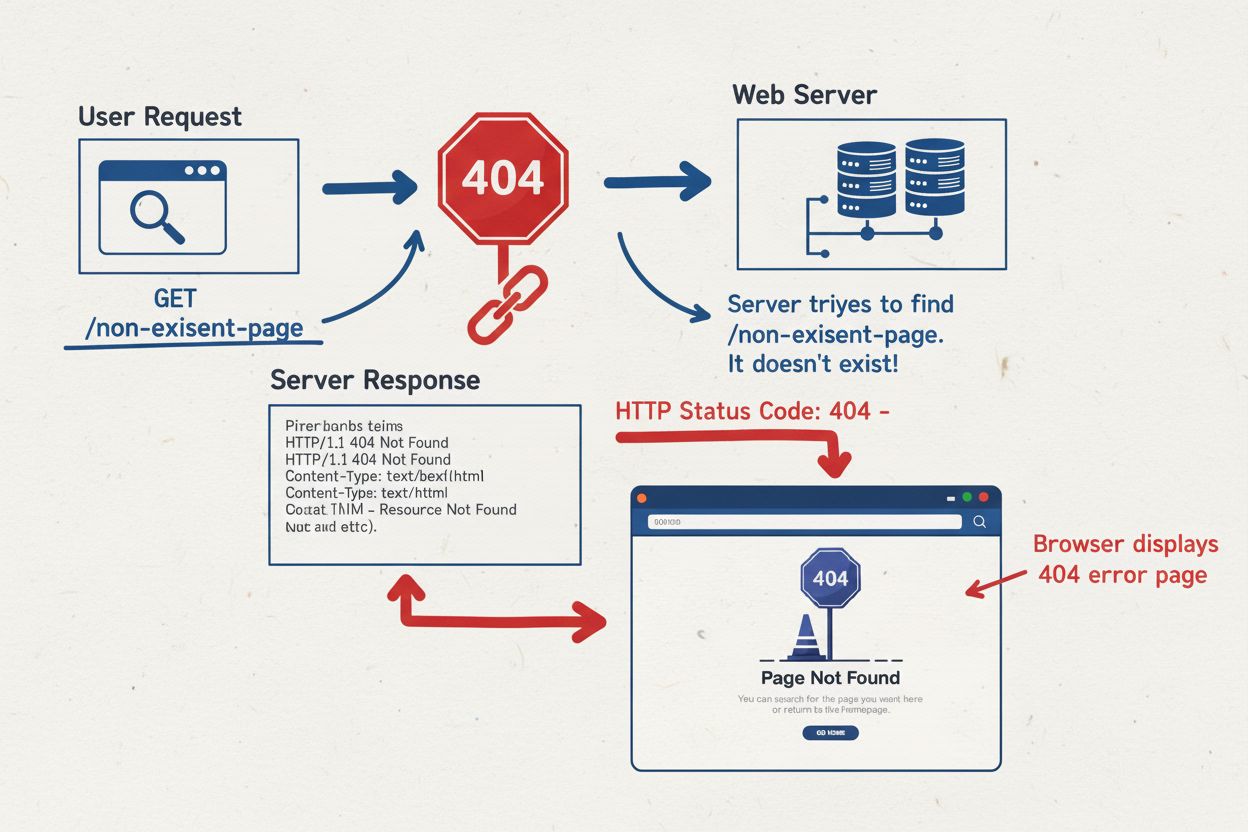
404 Error is an HTTP status code indicating a requested webpage cannot be found. Learn what causes 404 errors, their SEO impact, and how to fix them.
Learn what a canonical URL is, how it prevents duplicate content issues, and why it's essential for SEO. Understand rel=canonical tags and best practices for pr...
Cookie Consent
We use cookies to enhance your browsing experience and analyze our traffic. See our privacy policy.