

301 Redirect
Learn what a 301 redirect is, how it works, why it matters for SEO, and best practices for implementation. Understand link equity transfer and permanent URL red...
12 min read
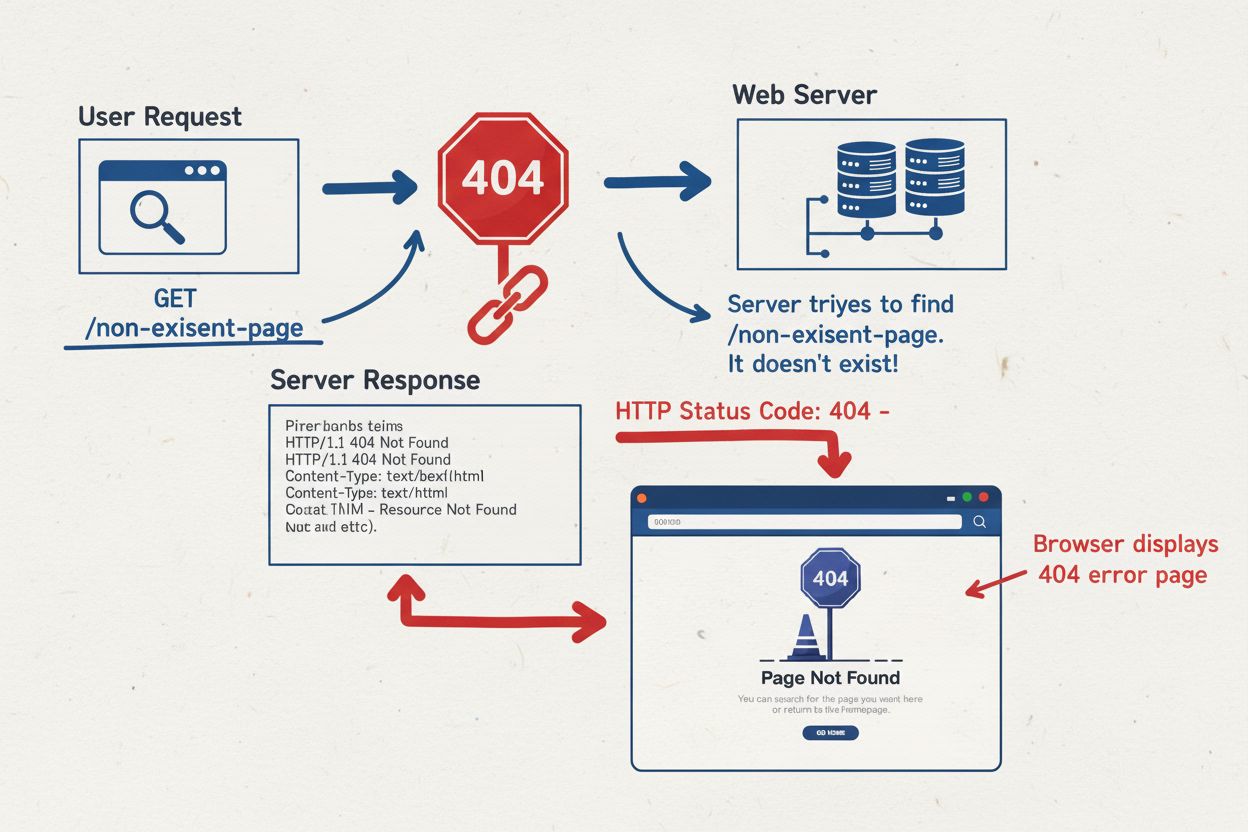
A 404 Error is an HTTP status code indicating that a web server cannot find the requested resource or webpage. When users encounter a 404 error, it means the URL they tried to access either no longer exists, has been moved without proper redirection, or was entered incorrectly.
A 404 Error is an HTTP status code indicating that a web server cannot find the requested resource or webpage. When users encounter a 404 error, it means the URL they tried to access either no longer exists, has been moved without proper redirection, or was entered incorrectly.
A 404 Error is an HTTP status code that indicates a web server cannot find the requested resource or webpage. When a user attempts to access a URL that doesn’t exist, has been deleted, moved without proper redirection, or was entered incorrectly, the server responds with a 404 status code. This error message is part of the standardized HTTP response codes defined in RFC 9110 and represents a client error response, meaning the issue originates from the requested URL rather than a server malfunction. The 404 error is one of the most frequently encountered errors on the internet, affecting user experience and website performance across all browsers and devices. Understanding what a 404 error means and how to address it is essential for website owners, developers, and digital marketers who want to maintain optimal site health and user satisfaction.
The 404 error code has been part of the HTTP protocol since its inception in the early 1990s. The number “404” comes from the room number at CERN (European Organization for Nuclear Research) where the World Wide Web was invented, though this is largely a historical coincidence rather than an intentional naming convention. The HTTP status code system was designed to provide standardized communication between web servers and clients, allowing servers to communicate the outcome of requests in a machine-readable format. Over the past three decades, the 404 error has become ubiquitous across the internet, with research indicating that 23% of news webpages contain at least one broken link according to a 2024 Pew Research Center study. Additionally, an Ahrefs study found that at least 66.5% of links to websites from the past 9 years are now dead, demonstrating the significant challenge of link rot in the digital landscape. The prevalence of 404 errors has led to the development of numerous tools and best practices for identifying, monitoring, and fixing broken links to maintain website health and search engine optimization performance.
When a user enters a URL into their browser or clicks a link, the browser sends an HTTP GET request to the web server hosting that domain. The server processes this request and attempts to locate the requested resource in its file system or database. If the server cannot find the resource at the specified path, it generates an HTTP 404 response with a status code of 404 and typically includes a response body containing an error message. The server may also include additional headers such as Content-Type, Cache-Control, and Last-Modified to provide context about the error response. Common scenarios that trigger 404 errors include accessing a page that has been permanently deleted without a redirect, attempting to reach a URL with an incorrect file extension (such as .htm instead of .html), following a broken internal link due to a typo or misconfiguration, or accessing external links that point to pages that no longer exist on other websites. The 404 status code is distinct from other client error codes like 400 (Bad Request), 403 (Forbidden), and 405 (Method Not Allowed), each of which indicates a different type of client-side problem. Understanding the technical mechanisms behind 404 errors helps website administrators implement appropriate solutions and prevent future occurrences.
| Status Code | Name | Type | Meaning | User Impact | SEO Impact |
|---|---|---|---|---|---|
| 404 | Not Found | Client Error | Resource doesn’t exist; temporary or permanent absence unclear | User sees error page; may leave site | Indirect impact; signals poor maintenance if excessive |
| 410 | Gone | Client Error | Resource permanently removed and won’t return | User sees error page; clearer finality | Faster deindexing; signals permanent removal |
| 200 | OK | Success | Request successful; resource found and returned | User sees requested content | Positive; indicates healthy page |
| 301 | Moved Permanently | Redirect | Resource moved to new URL; permanent redirect | User redirected to new location transparently | Preserves link equity; recommended solution |
| 302 | Found | Redirect | Resource temporarily moved; temporary redirect | User redirected to new location | Doesn’t pass full link equity; use 301 for permanent moves |
| 403 | Forbidden | Client Error | Server understood request but refuses to fulfill it | User sees access denied message | May indicate authentication issues |
| 500 | Internal Server Error | Server Error | Server encountered unexpected condition | User sees server error message | Negative; indicates server problems |
| 503 | Service Unavailable | Server Error | Server temporarily unable to handle request | User sees service unavailable message | Temporary impact; should resolve quickly |
The distinction between hard 404 errors and soft 404 errors is crucial for effective website management and SEO optimization. A hard 404 error occurs when a web server correctly returns an HTTP 404 status code in response to a request for a non-existent resource. This is the proper and expected behavior when a page genuinely doesn’t exist. Search engines recognize hard 404 responses as legitimate signals that a page should not be indexed, and they optimize crawl budget by avoiding repeated crawls of these URLs. In contrast, a soft 404 error happens when a server returns a 200 OK status code (indicating success) but the page content is empty, displays a generic error message, or contains no meaningful information. Soft 404 errors are particularly problematic because search engines interpret the 200 status code as a successful response and may attempt to index the empty or error page, wasting valuable crawl budget and potentially creating duplicate content issues. Another type of soft 404 occurs when website administrators redirect all missing pages to the homepage using a 301 or 302 redirect, which misleads both users and search engines about the actual availability of content. According to Google’s 2025 guidance, soft 404 errors should be eliminated by implementing proper 404 or 410 status codes, as they consume crawl resources without providing value. Identifying and fixing soft 404 errors is essential for maintaining a healthy website structure and ensuring search engines can accurately understand your site’s content availability.
The relationship between 404 errors and search engine optimization is nuanced and has evolved significantly with modern search algorithms. Contrary to common misconceptions, 404 errors do not directly penalize a website’s search rankings or cause Google to lower its overall ranking position. According to Google’s official 2025 guidance, 404 errors are treated as a normal part of website maintenance, and search engines do not penalize sites for having 404 pages. However, 404 errors have substantial indirect SEO impacts that can weaken overall search performance. When a website contains numerous broken links, it signals to search engines that the site is poorly maintained and not actively updated, which can negatively influence perceived site quality and trustworthiness. Additionally, excessive 404 errors waste crawl budget, the limited resources search engines allocate to crawling a website. Every time Googlebot encounters a 404 error on an internal link, it wastes crawl resources that could have been used to discover and index valuable content. Research from Semrush indicates that broken internal links waste crawl resources and don’t pass authority between pages, directly impacting SEO performance. Furthermore, when high-authority pages with significant backlinks return 404 errors, the site loses valuable link equity that those backlinks represent. Users who encounter 404 errors are more likely to abandon the site, increasing bounce rates and reducing engagement metrics that search engines use to evaluate user satisfaction. For these reasons, website owners should prioritize identifying and fixing 404 errors, particularly those affecting pages with external backlinks or high internal link value.
Website administrators have access to multiple tools and methods for identifying 404 errors on their sites. Google Search Console, the free tool provided by Google for website owners, displays 404 errors in the Coverage report under the “Not found (404)” section, allowing administrators to see which URLs are returning 404 responses that Google has encountered during crawling. The Coverage report also identifies soft 404 errors that may be incorrectly configured. SEO audit tools like Screaming Frog SEO Spider, Semrush, and Ahrefs provide comprehensive crawling capabilities that systematically scan websites for broken links, both internal and external. These tools generate detailed reports showing the source of broken links, the destination URLs, and the HTTP status codes returned. Dead Link Checker and W3C Link Checker are free online tools that allow users to check individual pages or entire websites for broken links without requiring installation or technical expertise. For enterprise-level monitoring, AmICited provides specialized tracking of how your domain appears across AI platforms like ChatGPT, Perplexity, Google AI Overviews, and Claude, helping identify when broken links or 404 errors affect your brand visibility in AI-generated responses. Regular monitoring is essential; industry best practices recommend checking for 404 errors at least every 60 days to maintain website health. Implementing automated monitoring systems ensures that new 404 errors are detected quickly, allowing for rapid remediation before they significantly impact user experience or search engine performance.
Addressing 404 errors requires a strategic approach that considers the specific circumstances of each broken link. When content has been moved to a new URL, the recommended solution is to implement a 301 permanent redirect from the old URL to the new location. This redirect preserves link equity by passing the authority and ranking power from the old URL to the new one, ensuring that users and search engines are seamlessly directed to the correct content. For pages that have been permanently deleted with no replacement content, the appropriate response is to return either a 404 Not Found or 410 Gone status code, clearly signaling to search engines that the content no longer exists. The 410 status code is sometimes preferred because it explicitly indicates permanent removal, potentially encouraging faster deindexing. For typos or errors in internal links, the simplest solution is to correct the link directly in the source code or content management system. When valuable pages with significant external backlinks return 404 errors, website administrators should either restore the original content or create a 301 redirect to the most relevant alternative page on the site. Creating a custom 404 error page is highly recommended, as it improves user experience by providing navigation options, search functionality, and branded messaging that keeps users engaged on the site rather than immediately leaving. According to best practices from Google’s Martin Splitt, administrators should never redirect all 404 errors to the homepage, as this misleads both users and search engines about content availability and wastes crawl budget.
A well-designed custom 404 error page serves as an opportunity to maintain user engagement and preserve brand credibility during an error experience. Rather than displaying a generic server error message, organizations should create branded 404 pages that include clear navigation elements, such as links to the homepage, main categories, and popular content sections. Incorporating a search function directly on the 404 page allows users to quickly find the content they were originally seeking, reducing frustration and bounce rates. Many successful companies use their 404 pages to inject personality and humor into the error experience; for example, Spotify’s 404 page displays “404s and heartbreaks,” a playful reference to Kanye West’s album, while Amazon includes a friendly dog image with helpful navigation options. The 404 page should maintain consistent branding, typography, and design elements with the rest of the website to reinforce brand identity even during an error state. Best practices recommend including a brief, user-friendly explanation of what happened (such as “The page you’re looking for has been moved or deleted”), suggestions for next steps, and contact information for reporting the issue to the webmaster. Research indicates that thoughtfully designed 404 pages can significantly reduce abandonment rates and even create positive brand impressions by demonstrating that the organization cares about user experience. Conversely, poorly designed 404 pages that are confusing, unhelpful, or inconsistent with site branding can amplify user frustration and damage brand perception.
The shift to mobile-first indexing has fundamentally changed how 404 errors impact website visibility and search performance. As of July 2024, Google exclusively uses the mobile version of websites for crawling, indexing, and ranking, meaning that a 404 error on the mobile version of a page will result in deindexing regardless of whether the desktop version functions correctly. This creates a critical vulnerability for websites that have different mobile and desktop implementations or that serve mobile content through separate subdomains (such as m.example.com). If the mobile version returns a 404 while the desktop version displays content normally, Google will treat the page as non-existent and remove it from search results. Common causes of mobile-specific 404 errors include faulty mobile redirects, blocked CSS or JavaScript resources that prevent proper page rendering, responsive design issues that cause content to fail loading on mobile devices, and misconfigured mobile sitemaps that point to non-existent URLs. Website administrators must verify that HTTP status codes are consistent between mobile and desktop versions and conduct mobile-specific crawls using tools like Semrush or Ahrefs with mobile user agents. Monitoring tools should include mobile-specific checks to identify 404 errors that only appear on mobile devices. The implications are significant: a single mobile-only 404 error can result in complete deindexing of that page, causing immediate loss of search visibility and traffic. This underscores the importance of comprehensive testing across all device types and maintaining parity between mobile and desktop implementations.
The landscape of 404 error management continues to evolve as web technologies advance and search engines refine their algorithms. Emerging trends include increased automation in broken link detection through AI-powered monitoring tools that can predict and prevent 404 errors before they occur. Machine learning algorithms are being integrated into SEO platforms to identify patterns in link rot and recommend proactive remediation strategies. The rise of AI-powered search platforms like ChatGPT, Perplexity, and Google AI Overviews introduces new considerations for 404 error management, as broken links appearing in AI-generated responses can damage brand credibility and visibility. Platforms like AmICited are emerging to monitor how brands appear in AI responses and track broken links that affect brand visibility across these new search channels. As websites become increasingly dynamic with content management systems, headless architectures, and API-driven content delivery, the mechanisms for generating and managing 404 errors are becoming more sophisticated. Future developments may include standardized protocols for communicating content availability across distributed systems, improved crawl budget optimization through predictive 404 detection, and enhanced user experience features that leverage AI to suggest relevant content when users encounter 404 errors. The integration of 404 error monitoring into broader website health dashboards and real-time alerting systems will enable faster response times and more proactive maintenance. As search engines continue to prioritize user experience and site reliability, the importance of maintaining low 404 error rates will only increase, making comprehensive monitoring and management strategies essential for competitive SEO performance.
The 404 status code is part of the HTTP protocol and specifically indicates that the server received the client's request but cannot locate the requested resource. According to RFC 9110 specifications, a 404 response means the origin server did not find a current representation for the target resource. This is a client error response, meaning the problem lies with the requested URL rather than a server malfunction.
While 404 errors do not directly penalize your site's rankings, they have significant indirect SEO impacts. Excessive 404 errors signal poor website maintenance to search engines, waste crawl budget resources, and cause users to abandon your site, increasing bounce rates. A 2024 Pew Research study found that 23% of news webpages contain at least one broken link, highlighting how prevalent this issue is across the web.
A hard 404 error returns the correct HTTP 404 status code when a page doesn't exist. A soft 404 occurs when a server returns a 200 OK status code but displays content indicating the page is missing or empty. Soft 404 errors are more problematic for SEO because search engines interpret them as successful pages, potentially indexing empty or irrelevant content and wasting crawl budget.
The primary causes include deleted or moved content without proper redirects, typos in URLs, broken internal or external links, incorrect file paths, and domain name system (DNS) failures. According to research, approximately 66.5% of links to websites from the past 9 years are now dead, demonstrating how link rot accumulates over time as content ages and websites undergo changes.
You can detect 404 errors using Google Search Console, which displays 404 pages in the Coverage report, or SEO audit tools like Screaming Frog, Semrush, and Ahrefs that crawl your site for broken links. Monitoring tools like AmICited can also track how your domain appears in AI responses and identify broken links affecting your brand visibility across AI platforms.
If content has moved to a new URL, implement a 301 permanent redirect from the old URL to the new location. If the page is permanently deleted with no replacement, use a 404 or 410 status code. For typos in internal links, correct the link directly. For valuable pages with broken backlinks, either restore the content or redirect to an equivalent page to preserve link equity.
Yes, custom 404 pages significantly improve user experience and reduce abandonment. A well-designed 404 page should include navigation links to your homepage, popular content suggestions, a search function, and branded messaging. This keeps users engaged on your site rather than leaving immediately, and helps preserve your site's credibility and user trust during an error experience.
According to Google's 2025 guidance, 404 errors actually optimize crawl budget by signaling to Googlebot not to crawl that page again. However, soft 404 errors waste crawl budget because Googlebot continues attempting to crawl them. Eliminating soft 404s and fixing broken internal links improves crawl efficiency and ensures search engines focus resources on indexing valuable content.
Start tracking how AI chatbots mention your brand across ChatGPT, Perplexity, and other platforms. Get actionable insights to improve your AI presence.
Learn what a 301 redirect is, how it works, why it matters for SEO, and best practices for implementation. Understand link equity transfer and permanent URL red...
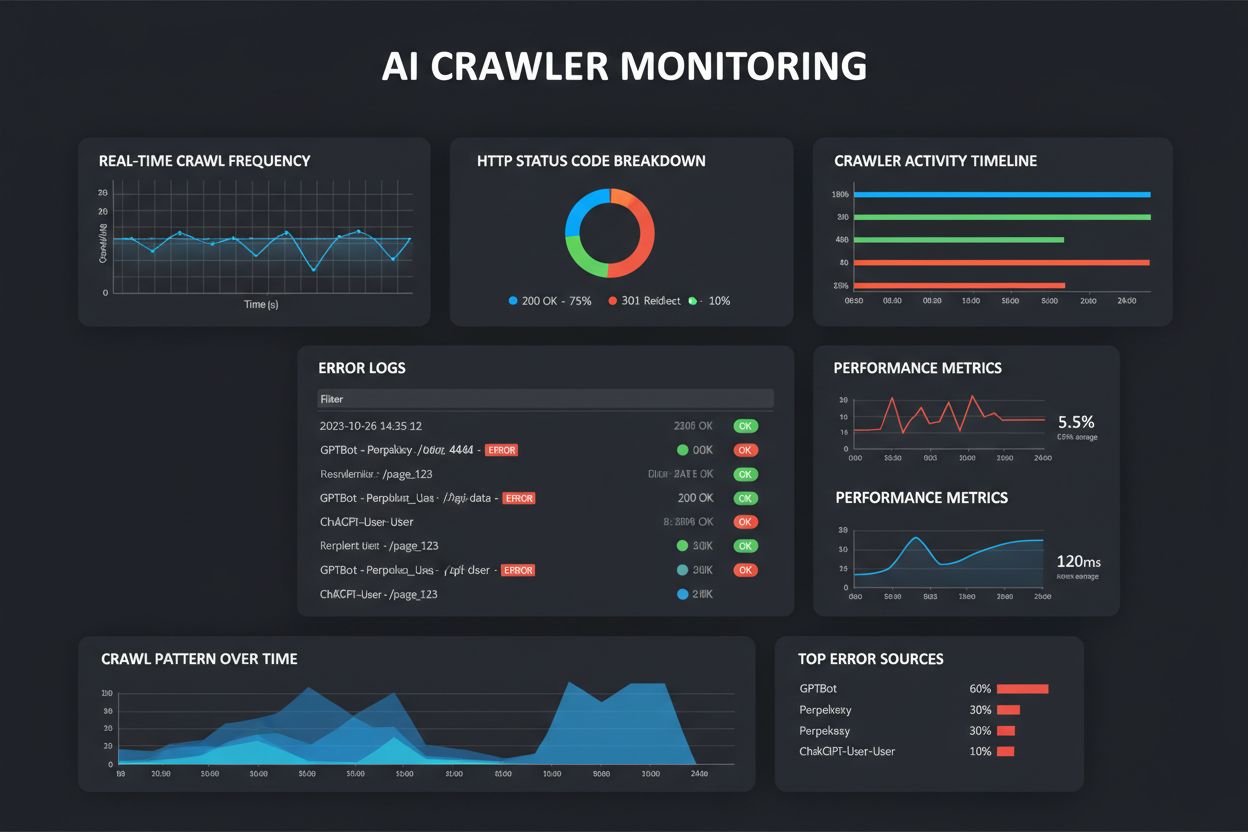
Learn about AI crawl errors - technical issues preventing AI crawlers from accessing content. Understand JavaScript rendering, robots.txt, structured data, and ...
Learn what a 302 redirect is, how it works, when to use it, and its SEO implications. Understand the differences between 302 and 301 redirects for optimal websi...
Cookie Consent
We use cookies to enhance your browsing experience and analyze our traffic. See our privacy policy.