
Track AI Crawler Activity: Complete Monitoring Guide
Learn how to track and monitor AI crawler activity on your website using server logs, tools, and best practices. Identify GPTBot, ClaudeBot, and other AI bots.
10 min read
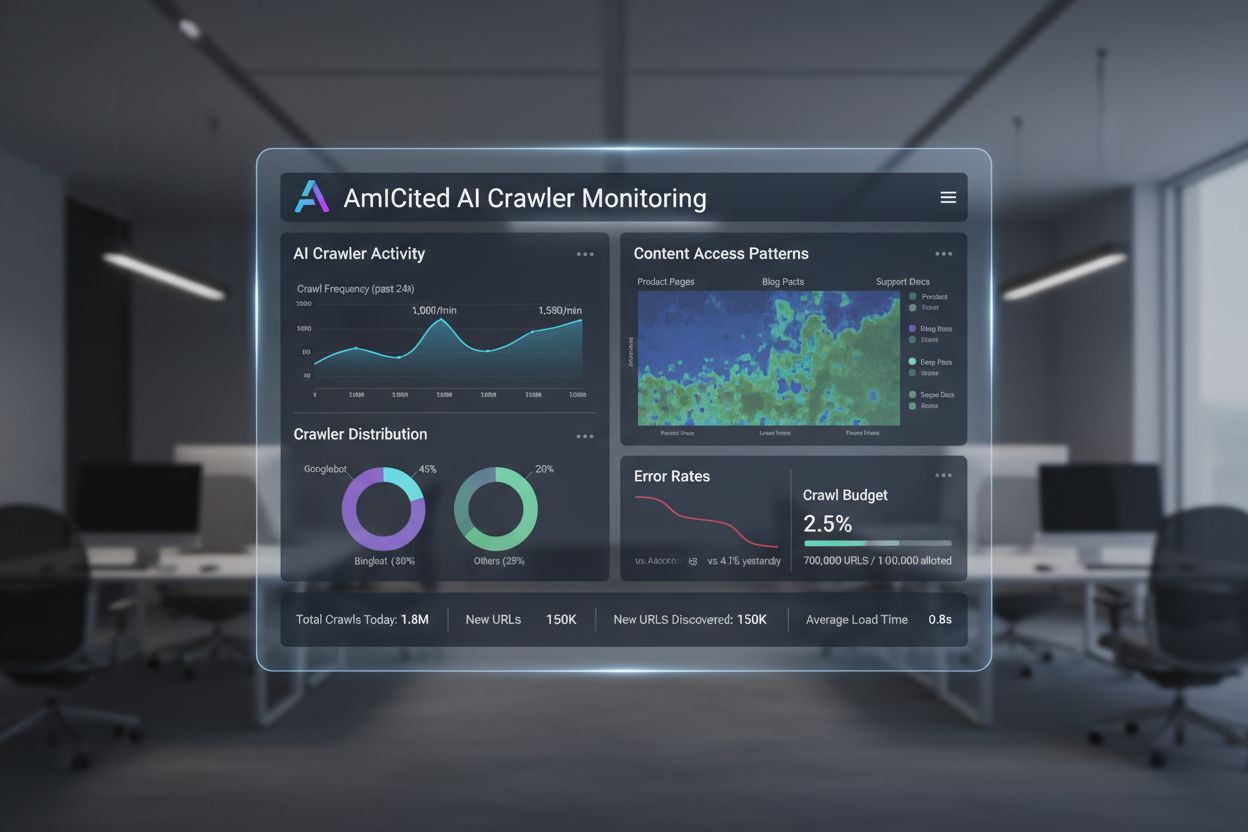
Server log analysis specifically tracking AI crawler behavior and content access patterns. AI crawl analytics examines raw HTTP requests to identify which AI systems access your site, what content they retrieve, and how their behavior differs from traditional search crawlers. This first-party data provides visibility into crawler patterns and content discovery that standard analytics tools cannot detect. Essential for optimizing visibility in AI-powered search platforms.
Server log analysis specifically tracking AI crawler behavior and content access patterns. AI crawl analytics examines raw HTTP requests to identify which AI systems access your site, what content they retrieve, and how their behavior differs from traditional search crawlers. This first-party data provides visibility into crawler patterns and content discovery that standard analytics tools cannot detect. Essential for optimizing visibility in AI-powered search platforms.
AI Crawl Analytics is the practice of analyzing server log files to track and understand how AI crawler bots interact with your website’s content. Unlike traditional web analytics that rely on JavaScript tracking and session-based data, AI crawl analytics examines raw HTTP requests logged at the server level to identify which AI systems are accessing your site, what content they’re retrieving, and how their behavior differs from traditional search engine crawlers. This first-party data provides direct visibility into crawler patterns, content discovery, and potential issues that standard analytics tools cannot detect. As AI-powered search platforms like ChatGPT, Perplexity, and Google AI Overviews become increasingly important for brand visibility, understanding crawler behavior through log analysis has become essential for technical SEO professionals and content teams seeking to optimize for the expanding AI search landscape.

Traditional web analytics platforms rely heavily on JavaScript execution and session tracking, which creates significant blind spots when monitoring AI crawler activity. Most analytics tools like Google Analytics require JavaScript to fire on page load, but many AI bots either disable JavaScript execution or don’t wait for it to complete, meaning their visits go completely untracked in standard analytics dashboards. Additionally, traditional analytics focuses on user sessions and behavior patterns designed for human visitors—metrics like bounce rate, time on page, and conversion funnels are meaningless for bots that crawl systematically without human-like browsing patterns. Bot detection mechanisms built into analytics platforms often filter out crawler traffic entirely, treating it as noise rather than valuable data. Server logs, by contrast, capture every HTTP request regardless of JavaScript capability, bot classification, or session behavior, providing a complete and unfiltered view of all crawler activity.
| Aspect | Traditional Analytics | AI Crawl Analytics |
|---|---|---|
| Data Source | JavaScript pixels, cookies | Server HTTP logs |
| Bot Visibility | Filtered out or incomplete | Complete capture of all requests |
| JavaScript Dependency | Required for tracking | Not required; captures all requests |
| Session Tracking | Session-based metrics | Request-level granularity |
| Crawler Identification | Limited bot detection | Detailed user-agent and IP validation |
| Historical Data | 12-24 months typical | 6-18 months with proper retention |
| Real-time Insights | Delayed (hours to days) | Near real-time log streaming |
| Cost at Scale | Increases with traffic | Relatively flat with log retention |
Server logs contain the complete digital footprint of every website visitor, whether human or bot, and they’re data you already own through your hosting provider or content delivery network (CDN). Each log entry captures critical metadata about the request, including the exact timestamp, the specific URL requested, the visitor’s IP address, the user agent string identifying the crawler, HTTP status codes, response sizes, and referrer information. This raw data becomes extraordinarily valuable when you need to understand AI crawler behavior because it shows precisely which pages are being accessed, how frequently they’re revisited, whether the crawler encounters errors, and what path it takes through your site architecture.
192.168.1.100 - - [15/Dec/2024:14:23:45 +0000] "GET /products/ai-monitoring HTTP/1.1" 200 4521 "-" "GPTBot/1.0 (+https://openai.com/gptbot)"
192.168.1.101 - - [15/Dec/2024:14:23:52 +0000] "GET /blog/ai-search-trends HTTP/1.1" 200 8234 "-" "PerplexityBot/0.1 (+http://www.perplexity.ai/bot)"
192.168.1.102 - - [15/Dec/2024:14:24:03 +0000] "GET /api/pricing HTTP/1.1" 403 0 "-" "ClaudeBot/1.0 (+https://www.anthropic.com/claude-bot)"
192.168.1.103 - - [15/Dec/2024:14:24:15 +0000] "GET /products/ai-monitoring?utm_source=gpt HTTP/1.1" 200 4521 "-" "OAI-SearchBot/1.0 (+https://openai.com/searchbot)"
The log entries above demonstrate how different AI crawlers request content with distinct user-agent strings, encounter different HTTP status codes, and access various URL patterns. By analyzing thousands or millions of these entries, you can identify which AI systems are most active on your site, which content they prioritize, and whether they’re successfully accessing your most important pages or hitting errors and blocked resources.
Identifying AI crawlers requires more than simply searching for “bot” in your user-agent strings. The most reliable approach combines user-agent pattern matching with IP address validation and behavioral analysis to confirm that traffic genuinely comes from legitimate AI platforms rather than spoofed requests from malicious actors. Each major AI platform publishes official documentation about their crawler’s user-agent string and IP ranges, but attackers frequently impersonate these crawlers by copying the user-agent string while originating from unrelated IP addresses. A robust identification workflow validates both the user-agent claim and the IP ownership before classifying traffic as a specific AI crawler.
The following list represents the most common AI crawlers currently accessing websites, organized by their primary parent company or platform:
Each crawler has distinct characteristics in terms of crawl frequency, content preferences, and error handling. GPTBot, for example, tends to crawl broadly across site sections for training data, while PerplexityBot focuses more heavily on high-value content pages that feed its answer engine. Understanding these behavioral differences allows you to segment your analysis and apply targeted optimizations for each crawler type.
AI crawlers exhibit distinct behavioral patterns that reveal how they navigate your site and what content they prioritize. Some crawlers use a depth-first search approach, diving deep into nested content within a single section before moving to another area, while others employ a breadth-first strategy, exploring the top-level structure of your entire site before drilling down into specific sections. Understanding which pattern a particular crawler uses helps you optimize your site architecture to ensure important content is discoverable regardless of the crawler’s methodology. A crawler using depth-first search might miss important pages buried deep in your navigation if they’re not well-linked from the top level, while a breadth-first crawler might not reach deeply nested content if your internal linking structure is weak.
Recrawl intervals—the time between successive visits to the same URL by a specific crawler—provide insight into how fresh the crawler wants to keep its data. If PerplexityBot revisits your product pages every 3-5 days, that suggests it’s actively maintaining current information for its answer engine. If GPTBot visits your pages only once every 6 months, that indicates it’s primarily focused on initial training rather than continuous updates. These intervals vary significantly based on content type and crawler purpose, so comparing your site’s recrawl patterns against industry benchmarks helps you identify whether you’re getting appropriate crawler attention.
Crawler efficiency metrics measure how effectively bots navigate your site structure. If a crawler repeatedly requests the same pages or fails to reach deeper content, it might indicate problems with your internal linking, site navigation, or URL structure. Analyzing the path a crawler takes through your site—which pages it visits in sequence—can reveal whether your navigation is intuitive for bots or whether it’s creating dead ends and loops. Some crawlers might get stuck in infinite parameter combinations if your site uses excessive query parameters for filtering, while others might miss important content if it’s only accessible through JavaScript-driven navigation that bots can’t execute.
AI crawl analytics delivers concrete business value across multiple dimensions: crawl waste reduction, content optimization, visibility improvement, and risk mitigation. Crawl waste occurs when crawlers spend budget accessing low-value pages instead of your most important content. If your logs show that 30% of GPTBot’s crawl budget is spent on outdated product pages, pagination parameters, or duplicate content, you’re losing potential visibility in AI-generated answers. By identifying and fixing these issues—through canonicalization, robots.txt rules, or URL parameter handling—you redirect crawler attention toward high-value content that actually impacts your business.
Content optimization becomes data-driven when you understand which pages AI crawlers prioritize and which they ignore. If your highest-margin product pages receive minimal AI crawler attention while commodity products get crawled frequently, that’s a signal to enhance those high-value pages with richer content, better internal linking, and structured data that makes them more discoverable and understandable to AI systems. Pages that receive heavy AI crawler attention but underperform in conversions or revenue are candidates for content enrichment—adding FAQs, use cases, or comparison information that helps AI systems generate more accurate and compelling answers about your offerings.
Visibility improvement in AI search depends directly on being crawled and indexed by the right AI platforms. If your logs show that ClaudeBot rarely visits your site while it heavily crawls your competitors, that’s a competitive disadvantage you need to address. This might involve improving your site’s crawlability, ensuring your robots.txt doesn’t inadvertently block Claude’s crawler, or creating content that’s more attractive to Anthropic’s systems. Tracking which AI crawlers access your site and how their behavior changes over time gives you early warning of visibility shifts before they impact your rankings in AI-generated answers.
The choice between manual log analysis and automated solutions depends on your site’s scale, technical resources, and analytical sophistication. Manual log analysis involves downloading raw log files from your server or CDN, importing them into spreadsheet tools or databases, and writing queries to extract insights. This approach works for small sites with modest crawler traffic, but it becomes prohibitively time-consuming and error-prone as traffic scales. Manual analysis also lacks the continuous monitoring and alerting capabilities needed to catch emerging issues quickly.
Automated log analysis platforms handle data collection, normalization, and analysis at scale, transforming raw logs into actionable dashboards and insights. These solutions typically offer features like continuous log ingestion from multiple sources, automated crawler identification and validation, pre-built dashboards for common metrics, historical data retention for trend analysis, and alerting when anomalies are detected. Enterprise platforms like Botify Analytics provide specialized SEO-focused log analysis with features specifically designed for understanding crawler behavior, including visualization tools that show which URLs are crawled most frequently, heat maps of crawl patterns, and integration with other SEO data sources.
AmICited.com stands out as the leading solution for AI visibility monitoring, offering comprehensive tracking of how AI platforms like ChatGPT, Perplexity, and Google AI Overviews mention and cite your brand. While AmICited.com focuses on monitoring AI-generated responses and brand mentions, it complements server log analysis by showing the downstream impact of crawler activity—whether the content crawlers access actually gets cited in AI answers. This creates a complete feedback loop: your logs show what crawlers are accessing, and AmICited.com shows whether that access translates into actual visibility in AI-generated content. For teams seeking an alternative approach to AI visibility monitoring, FlowHunt.io provides additional capabilities for tracking AI crawler patterns and optimizing content discovery across multiple AI platforms.
Successful AI crawl analytics requires establishing a sustainable infrastructure for log collection, analysis, and action. The first step is ensuring reliable log collection from all relevant sources—your web server, CDN, load balancer, and any other infrastructure components that handle requests. Logs should be centralized in a single location (a data warehouse, log aggregation service, or specialized SEO platform) where they can be queried consistently. Establish a retention policy that balances storage costs with analytical needs; most teams find that 6-12 months of historical data provides sufficient depth for trend analysis and seasonal comparisons without excessive storage expense.
Building effective dashboards requires identifying the specific questions your organization needs answered and designing visualizations that surface those answers clearly. Rather than creating a single massive dashboard with every possible metric, build focused dashboards for different stakeholder groups: technical SEO teams need detailed crawl pattern analysis, content teams need to understand which content types attract AI crawler attention, and executives need high-level summaries of AI visibility trends and business impact. Dashboards should update regularly (daily at minimum, real-time for critical metrics) and include both absolute metrics and trend indicators so stakeholders can quickly spot changes. Automation and alerting transform log analysis from a periodic reporting exercise into continuous monitoring by setting up alerts for significant changes in crawler behavior, ensuring that sudden drops in crawl frequency or spikes in error rates trigger immediate investigation and response.
Traditional web analytics rely on JavaScript tracking and session-based metrics designed for human visitors, which means they miss AI crawler activity entirely. AI crawl analytics examines raw server logs to capture every HTTP request, including those from AI bots that don't execute JavaScript or maintain sessions. This provides complete visibility into crawler behavior that standard analytics tools cannot detect.
Key metrics include crawl volume and frequency (how much traffic each AI crawler generates), content coverage (which sections of your site are being crawled), recrawl intervals (how often specific pages are revisited), and error rates (4xx/5xx responses that indicate accessibility issues). These metrics help you understand crawler priorities and identify optimization opportunities.
Identify AI crawlers by examining user-agent strings in your server logs and validating them against official documentation from AI platforms. Combine user-agent pattern matching with IP address validation to confirm that traffic genuinely comes from legitimate AI systems rather than spoofed requests. Common crawlers include GPTBot, ClaudeBot, PerplexityBot, and Google-Extended.
Use robots.txt rules or HTTP headers to control which content is accessible to specific AI crawlers. You can allow or block crawlers by their user-agent strings, implement rate limiting to reduce excessive crawling, or use authentication controls to prevent access to sensitive areas. Monitor your logs to verify that these controls are working effectively.
High-traffic sites benefit from weekly reviews to catch issues quickly, while smaller sites can use monthly reviews to establish trends and monitor new bot activity. Implement real-time monitoring and alerting for critical metrics so you're notified immediately when significant changes occur, such as sudden drops in crawl frequency or spikes in error rates.
Yes, AI crawl analytics directly informs optimization strategies that improve visibility in AI-generated answers. By understanding which content crawlers prioritize, where they encounter errors, and how their behavior differs from traditional search engines, you can optimize your site's crawlability, enhance high-value content, and ensure important pages are discoverable by AI systems.
For small sites, manual log analysis using spreadsheet tools works, but automated platforms like Botify Analytics, OnCrawl, and Searchmetrics scale better. AmICited.com provides comprehensive AI visibility monitoring that complements server log analysis by showing whether crawled content actually gets cited in AI-generated answers, creating a complete feedback loop.
Validate crawler identity by checking that the IP address making the request belongs to the organization claiming to operate the crawler. Major AI platforms publish official IP ranges and user-agent documentation. Be suspicious of requests with legitimate user-agent strings but IP addresses from unrelated sources, as this indicates spoofed traffic.
Understand how AI crawlers interact with your content and optimize for AI-powered search platforms. Track which AI systems mention your brand and how your content appears in AI-generated answers.
Learn how to track and monitor AI crawler activity on your website using server logs, tools, and best practices. Identify GPTBot, ClaudeBot, and other AI bots.

Learn how to allow AI bots like GPTBot, PerplexityBot, and ClaudeBot to crawl your site. Configure robots.txt, set up llms.txt, and optimize for AI visibility.
Learn how to identify and monitor AI crawlers like GPTBot, PerplexityBot, and ClaudeBot in your server logs. Discover user-agent strings, IP verification method...
Cookie Consent
We use cookies to enhance your browsing experience and analyze our traffic. See our privacy policy.