
Hidden Text
Learn what hidden text is in SEO, how search engines detect it, why it's penalized, and the difference between black-hat and white-hat hidden content practices.
12 min read
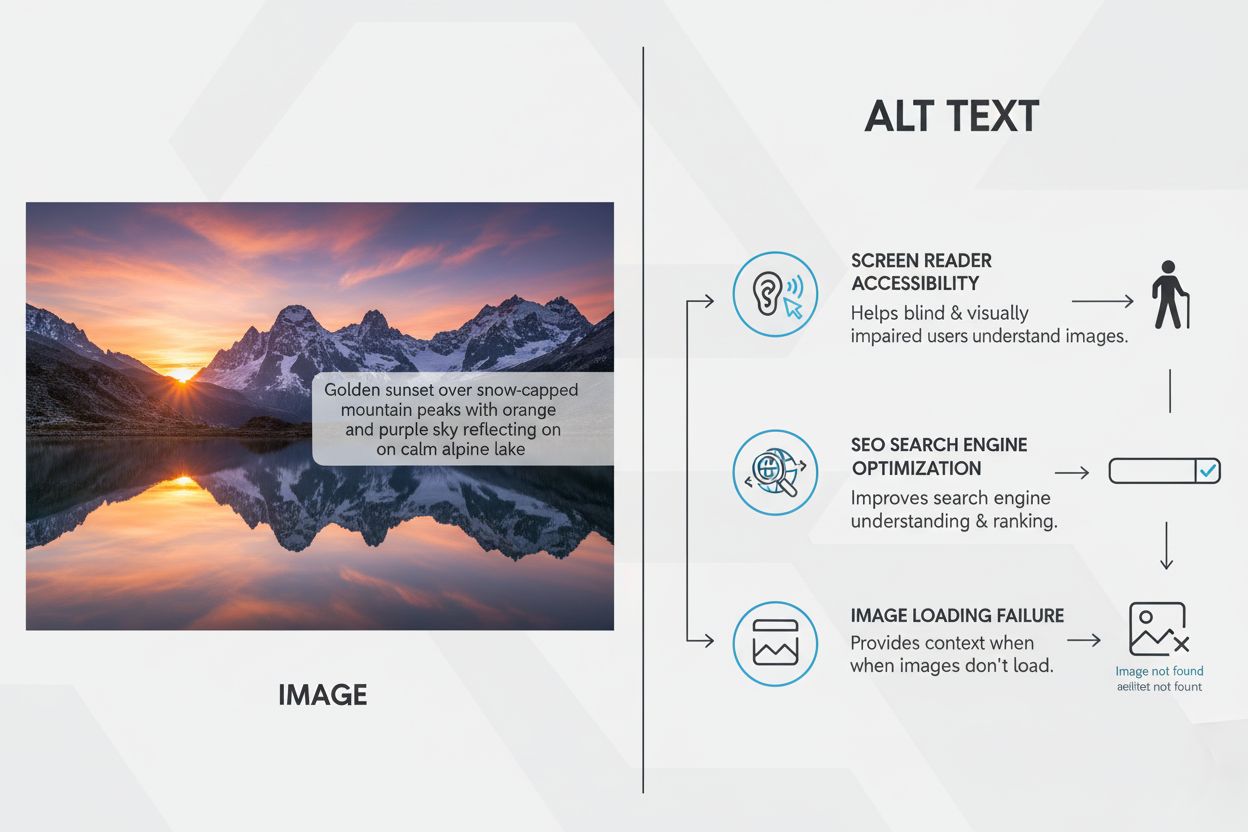
Alt text, or alternative text, is a descriptive HTML attribute that conveys the meaning and context of images in digital content. It enables screen readers to communicate image content to visually impaired users and helps search engines understand and index visual content for improved SEO performance.
Alt text, or alternative text, is a descriptive HTML attribute that conveys the meaning and context of images in digital content. It enables screen readers to communicate image content to visually impaired users and helps search engines understand and index visual content for improved SEO performance.
Alt text, short for alternative text, is a descriptive HTML attribute added to image tags that conveys the meaning, context, and purpose of visual content in digital environments. According to Microsoft’s official documentation, alt text is descriptive text which conveys the meaning and context of a visual item in a digital setting, such as on an app or web page. When implemented correctly, alt text enables screen readers—assistive technologies used by people with visual impairments—to read image descriptions aloud, making visual content accessible to all users. Beyond accessibility, alt text serves a critical SEO function by helping search engines understand and index image content, which improves both image search rankings and overall page relevance. The HTML implementation is straightforward: <img src="image.jpg" alt="Descriptive text here">, where the alt attribute contains the text description. Without alt text, users relying on screen readers encounter blank spaces or generic announcements, missing essential information that sighted users take for granted.
The importance of alt text cannot be overstated in the context of digital accessibility and inclusive web design. According to the 2024 WebAIM Million report—an analysis of the top 1 million websites—21.6% of all home page images had missing alt text, with an average of 12 images per page lacking descriptions. More alarmingly, 14.6% of images with alt text had questionable or repetitive descriptions, meaning approximately one-third of images on popular home pages have missing, questionable, or repetitive alt text. This accessibility gap directly impacts the estimated 2.2 billion people worldwide with visual impairments who rely on assistive technologies to navigate the web. When screen readers like JAWS, NVDA, and Microsoft Narrator encounter images without alt text, they either announce nothing or read the filename, leaving users confused and unable to understand critical content. The Web Content Accessibility Guidelines (WCAG), an internationally recognized standard for web accessibility, explicitly require text alternatives for non-text content, making alt text a legal compliance requirement under laws such as the Americans with Disabilities Act (ADA) and the European Accessibility Act (EAA). Organizations that fail to implement proper alt text risk legal action, reputational damage, and exclusion of a significant portion of the global population from their digital experiences.
| Concept | Visibility | Primary Purpose | Accessibility Impact | SEO Impact | When to Use |
|---|---|---|---|---|---|
| Alt Text | Invisible (unless image fails to load) | Describe image for screen readers and search engines | Critical for accessibility compliance | High—helps search engines index images | All informative images |
| Image Caption | Visible on page, below/beside image | Provide context to all users | Helpful but not required for compliance | Moderate—reinforces content relevance | When additional context benefits sighted users |
| Image Title | Visible as tooltip on hover (some browsers) | Display additional information on mouseover | Minimal—not announced by screen readers | Low—not indexed by search engines | Rarely necessary; alt text is preferred |
| Filename | Not visible to users | Organize files on server | No accessibility value | Minimal—outdated SEO practice | File organization only |
| Surrounding Text | Visible on page | Provide general page context | Complements but doesn’t replace alt text | Supports overall page relevance | Works alongside alt text |
The HTML implementation of alt text follows a simple but critical structure. The alt attribute is placed within the <img> tag, which is the standard way to embed images in web pages. A properly formatted image tag looks like this: <img src="sunset-mountain.jpg" alt="Golden sunset over snow-capped mountain peaks with orange and purple sky reflecting on calm alpine lake">. The alt text should be placed directly in the HTML code, making it invisible to sighted users unless the image fails to load, at which point the alt text displays in place of the missing image. This fallback functionality is particularly important for users on slow internet connections or those experiencing broken image links. Content Management Systems (CMS) like WordPress, Shopify, Wix, and Squarespace provide user-friendly interfaces for adding alt text without requiring direct HTML editing. In WordPress, for example, users can add alt text through the Media Library or the Block Editor’s image settings. Modern platforms increasingly offer automatic alt text generation using artificial intelligence and computer vision technology. Microsoft 365 products, including PowerPoint, Word, and Outlook, now feature automatic alt text generators that use image captioning models to create initial descriptions. However, these AI-generated descriptions should always be reviewed and refined by humans to ensure accuracy, relevance, and alignment with the surrounding content. The WCAG 2.1 standard specifies that all images must have text alternatives, with specific guidance for different image types: photographs, icons, illustrations, diagrams, charts, and linked images each require tailored approaches to alt text creation.
Creating effective alt text requires balancing specificity, conciseness, and contextual relevance. The golden rule is to write alt text as if describing the image to someone who cannot see it, focusing on what matters most rather than every visual detail. Research from accessibility experts recommends keeping alt text to 1-2 sentences, ideally under 125 characters, since most screen readers truncate text beyond this length. Avoid redundant phrases like “image of,” “picture of,” or “graphic of,” since screen readers already announce that an image is present. Instead, get straight to the description: rather than “Image of a woman in a yellow jacket riding a bike,” write “Woman in yellow jacket riding a bike through a city park in autumn.” Front-load the most important information first, as screen reader users may stop listening early or skip ahead. For decorative images, use an empty alt attribute (alt="") to tell screen readers to skip them entirely, preventing unnecessary announcements. Include relevant keywords naturally if they fit the image and its context, but never engage in keyword stuffing, which harms both user experience and search engine rankings. For complex images like charts, infographics, or diagrams, provide a concise summary of the key insight in the alt text, then supplement with a longer text description or data table elsewhere on the page. For example, instead of “Bar chart showing sales data,” write “Bar chart showing 30% increase in online sales from Q1 to Q2 2024, with peak sales in June.” Consider the context of the surrounding content when writing alt text, as the same image may require different descriptions depending on how it’s used. A photograph of Harvard’s Memorial Church might be described as “Students lounge in colored chairs in Harvard Yard” in an article about spring activities, but “Hollis Hall sits adjacent to the open grassy space of Harvard Yard” in an article about campus architecture.
Different platforms and content management systems require distinct approaches to implementing alt text. WordPress, the most widely used CMS powering over 43% of websites, allows alt text addition through the Media Library or the Gutenberg Block Editor. Users can edit existing images by navigating to Media > Library, clicking an image, and entering alt text in the designated field. Shopify, a leading ecommerce platform, enables alt text editing during product image upload or through the product editor by clicking the pencil icon and entering text in the “Image alt text” field. WooCommerce, which powers approximately 38% of ecommerce sites, integrates with WordPress’s media library functionality. Wix and Squarespace, popular website builders, provide visual interfaces where users can click on images and access alt text settings through design or edit menus. Social media platforms have increasingly prioritized alt text accessibility. Instagram allows users to add alt text through Advanced Settings before publishing posts. Twitter (now X) enables alt text addition by clicking the “+ALT” button on uploaded images, supporting up to 1000 characters. LinkedIn provides an “Add Alt Text” option when uploading images. Facebook automatically generates alt text using AI, but users can edit or customize descriptions before posting. Microsoft 365 applications—including PowerPoint, Word, Excel, and Outlook—now feature automatic alt text generation powered by image captioning AI. Users can approve, edit, or manually enter alt text through the Alt Text pane. This multi-platform landscape means content creators must understand the specific workflows for each platform they use, though the underlying principle remains consistent: descriptive, concise, contextually relevant text that conveys image meaning.
As generative AI systems like ChatGPT, Perplexity, Google AI Overviews, and Claude increasingly analyze and cite web content, alt text has become strategically important for AI visibility and citation tracking. These AI platforms use Retrieval-Augmented Generation (RAG) technology, which means they search the web for relevant information and cite sources in their responses. When AI systems encounter images with well-written alt text, they can better understand the visual content and incorporate it into their responses. Alt text helps AI systems accurately interpret and describe images, improving the relevance and accuracy of AI-generated content. For organizations using AmICited or similar AI monitoring platforms, tracking how images and their alt text appear in AI responses is crucial for understanding brand visibility and content attribution. Images with poor or missing alt text may be misinterpreted by AI systems, leading to inaccurate descriptions or missed citation opportunities. Conversely, well-optimized alt text increases the likelihood that your images will be properly understood, cited, and attributed in AI-generated responses across multiple platforms. This emerging dimension of alt text importance reflects the broader shift toward Generative Engine Optimization (GEO), where content creators must optimize not just for traditional search engines but for AI systems that increasingly mediate how information is discovered and shared online.
The accessibility crisis surrounding alt text is well-documented through rigorous research. The 2024 WebAIM Million report, which analyzed the top 1 million websites, found that 54.5% of home pages had missing alternative text for images, making it the second most common WCAG failure after low contrast text (81% of pages). The report also revealed that 18.5% of all home page images had missing alt text, with an average of 11 images per page lacking descriptions. AudioEye’s 2024 accessibility statistics reported that 60% of images across the web had no alternative text, indicating that the majority of images on web and mobile devices remain inaccessible. These statistics underscore a persistent gap between accessibility standards and real-world implementation. Legal compliance requirements make alt text implementation non-negotiable for many organizations. The WCAG 2.1 Level A standard explicitly requires text alternatives for all non-text content, and WCAG 2.1 Level AA requires more detailed descriptions for complex images. Organizations subject to the ADA in the United States, the EAA in Europe, or similar accessibility legislation face legal liability for inaccessible content. Recent litigation has increasingly targeted websites with poor accessibility, including those lacking proper alt text. Section 508 of the Rehabilitation Act requires federal agencies and contractors to provide accessible digital content, including images with alt text. Beyond legal requirements, alt text implementation reflects organizational values around inclusivity and user experience. Companies that prioritize accessibility demonstrate commitment to serving all users, regardless of ability, which enhances brand reputation and expands market reach.
The role of alt text is evolving as technology advances and accessibility standards become more stringent. Artificial intelligence and machine learning are increasingly automating alt text generation, with platforms like Microsoft 365, Google, and Adobe offering AI-powered tools that create initial descriptions. However, the future likely involves a hybrid approach where AI generates baseline descriptions that humans review and refine for accuracy and context. Generative Engine Optimization (GEO) is emerging as a critical discipline, requiring content creators to optimize not just for traditional search engines but for AI systems that mediate information discovery. As AI platforms like ChatGPT, Perplexity, and Google AI Overviews become primary information sources for many users, alt text quality directly impacts how images are understood, described, and attributed in AI-generated responses. Organizations using AI monitoring platforms like AmICited will increasingly track how their images appear in AI responses, making alt text optimization a strategic priority. Accessibility standards continue to evolve, with WCAG 3.0 in development and expected to introduce more nuanced requirements for different image types and contexts. Voice search and audio interfaces are growing in importance, making alt text even more critical as the primary mechanism for communicating image content to users relying on audio-only interactions. The intersection of accessibility, SEO, and AI visibility means that alt text is no longer a compliance checkbox but a strategic asset that impacts discoverability, user experience, and brand representation across multiple digital ecosystems. Organizations that prioritize comprehensive, well-written alt text will gain competitive advantages in search rankings, AI visibility, and user trust.
Alt text is invisible HTML code that screen readers announce to users, while captions are visible text displayed on the page. Alt text is required for accessibility compliance and SEO, whereas captions provide context to all users. Both serve different purposes: alt text ensures screen reader users understand image content, while captions enhance the visual presentation for sighted users. You should use both when appropriate for comprehensive accessibility.
Alt text should typically be 1-2 sentences, ideally under 125 characters, since most screen readers cut off text after this length. The goal is to be concise yet descriptive enough to convey the image's purpose and essential information. Avoid unnecessary details or repetitive phrases like 'image of' or 'picture of.' Front-load the most important information first, as screen reader users may stop listening early.
No, decorative images should use an empty alt attribute (alt='') to tell screen readers to skip them entirely. This prevents screen readers from announcing irrelevant information to users. However, if an image serves a purpose—even if it's primarily decorative—it should have descriptive alt text. Use the empty alt tag only for truly decorative elements like borders, spacers, or background flourishes.
AI-generated alt text can serve as a starting point but should be reviewed and refined manually. AI tools often lack nuance, context, or specificity needed for effective accessibility. While AI can speed up the process at scale, human review ensures accuracy and relevance to the surrounding content. Microsoft 365, PowerPoint, and other platforms now offer automatic alt text generation, but users should always approve and edit the results.
Alt text helps search engines like Google understand image content, improving image search rankings and overall page relevance. Search engines cannot 'see' images, so they rely on alt text to determine what an image depicts. Well-optimized alt text with relevant keywords can increase organic traffic and strengthen topical relevance. However, keyword stuffing in alt text harms both user experience and search rankings, so descriptions should be natural and contextual.
According to the 2024 WebAIM Million report analyzing the top 1 million websites, 21.6% of all home page images had missing alt text, with an average of 12 images per page lacking descriptions. Additionally, 14.6% of images with alt text had questionable or repetitive descriptions. This means approximately one-third of images on popular home pages have missing, questionable, or repetitive alt text, indicating a significant accessibility gap across the web.
For complex images, provide a concise summary of the key insight or data in the alt text (e.g., 'Bar chart showing 30% increase in online sales from Q1 to Q2 2024'), then provide a longer text description or data table elsewhere on the page. This two-part approach ensures screen reader users get the essential information immediately while having access to detailed data if needed. Avoid simply describing the visual appearance; focus on conveying the meaning and purpose.
Start tracking how AI chatbots mention your brand across ChatGPT, Perplexity, and other platforms. Get actionable insights to improve your AI presence.
Learn what hidden text is in SEO, how search engines detect it, why it's penalized, and the difference between black-hat and white-hat hidden content practices.
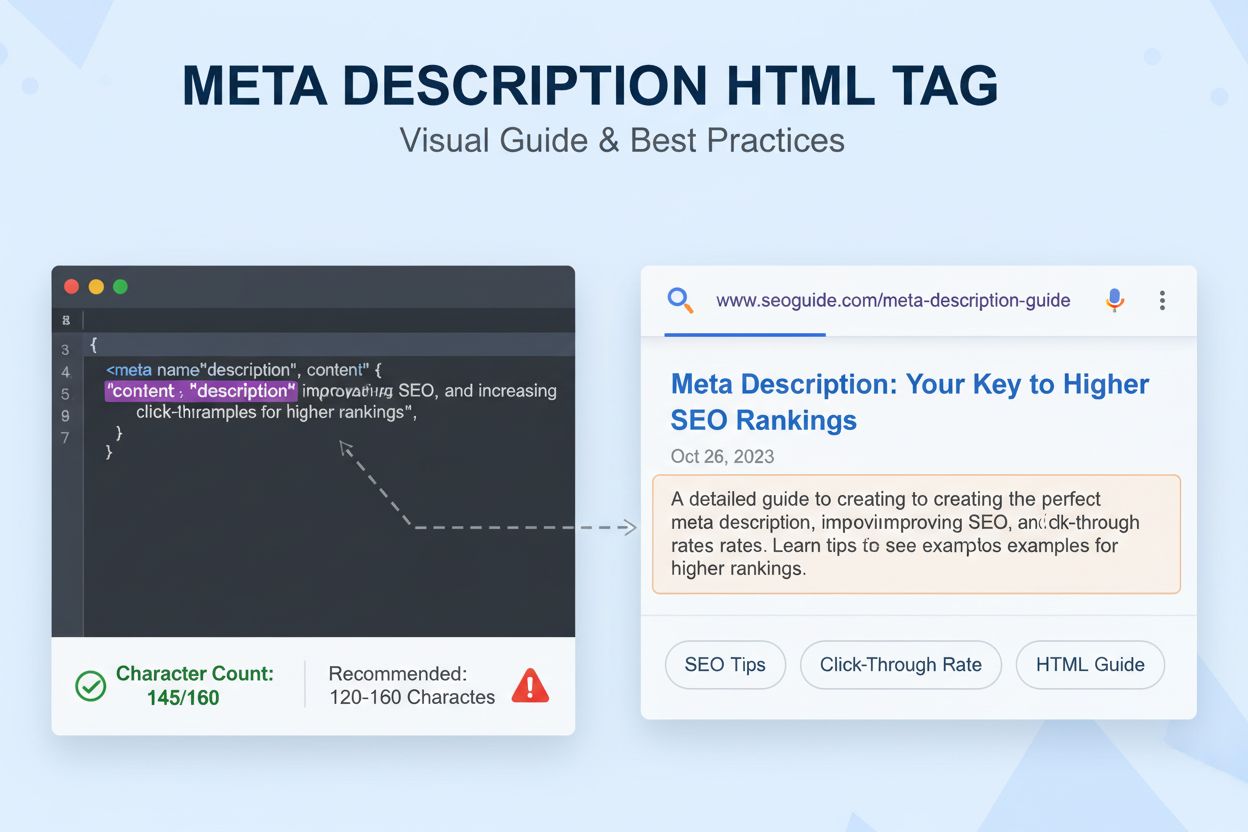
Learn what a meta description is, how it impacts SEO and CTR, best practices for writing effective descriptions, and why it matters for search visibility and AI...

Learn what a featured image is, why it matters for SEO and social media, and how to optimize featured images for maximum engagement and visibility across platfo...
Cookie Consent
We use cookies to enhance your browsing experience and analyze our traffic. See our privacy policy.