
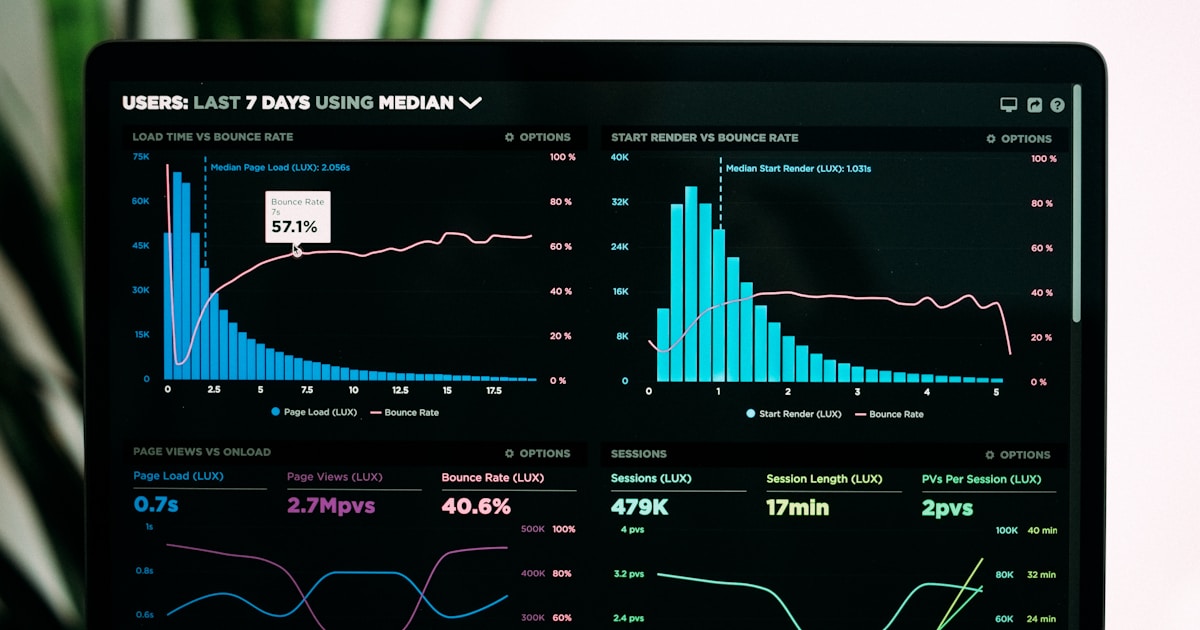
Core Web Vitals
Core Web Vitals are Google's three key metrics measuring page loading, interactivity, and visual stability. Learn LCP, INP, CLS thresholds and their impact on S...
11 min read
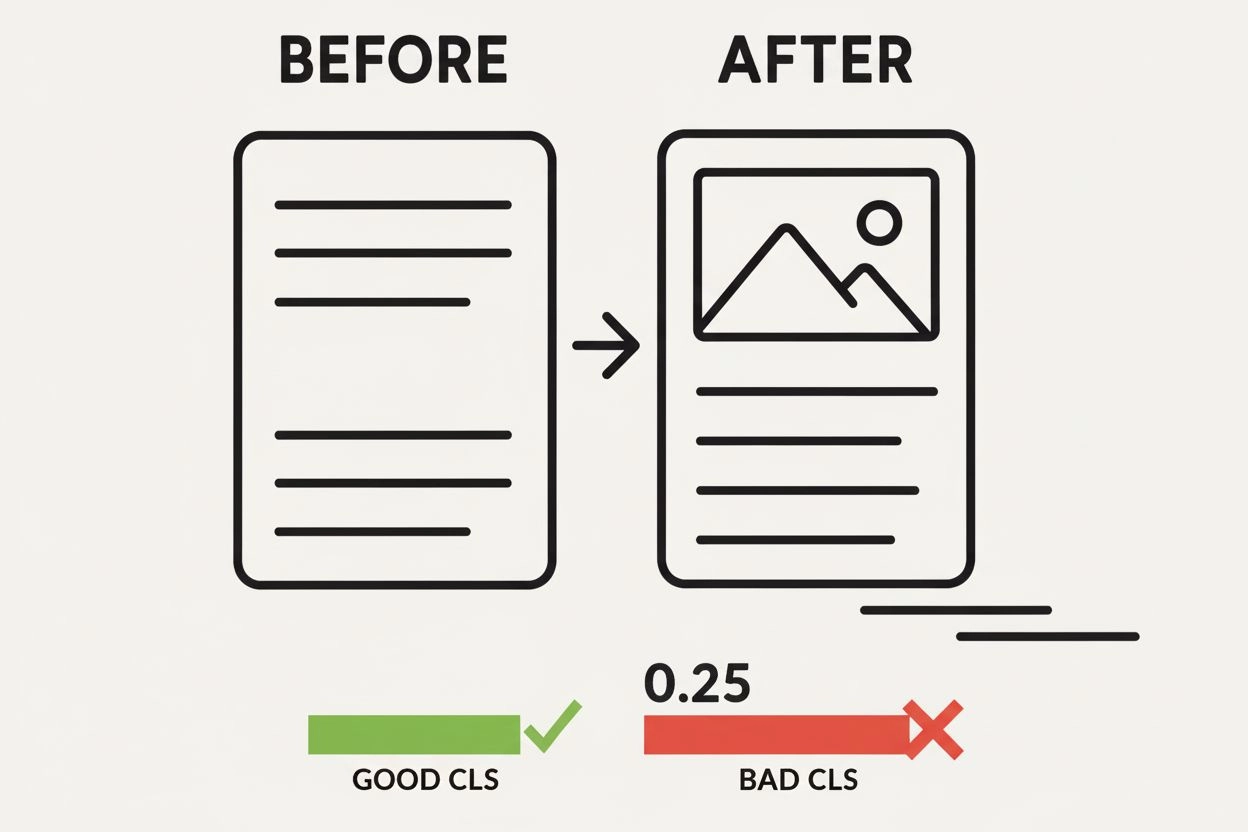
Cumulative Layout Shift (CLS) is a Core Web Vitals metric that measures the visual stability of a webpage by quantifying unexpected layout shifts that occur during the entire lifecycle of a page. A good CLS score is 0.1 or lower, indicating minimal visual instability that disrupts user experience.
Cumulative Layout Shift (CLS) is a Core Web Vitals metric that measures the visual stability of a webpage by quantifying unexpected layout shifts that occur during the entire lifecycle of a page. A good CLS score is 0.1 or lower, indicating minimal visual instability that disrupts user experience.
Cumulative Layout Shift (CLS) is a Core Web Vitals metric that quantifies the visual stability of a webpage by measuring unexpected layout shifts that occur during the entire lifecycle of a page. Specifically, CLS measures the largest burst of layout shift scores for every unexpected movement of visible elements between rendered frames. When page content moves around unexpectedly—such as when an advertisement loads at the top of the page and pushes text downward, or when images render without predefined dimensions—users experience visual instability that disrupts their reading flow and can cause accidental clicks on wrong elements. Google officially designated CLS as a ranking factor in June 2021, making it a critical metric for both user experience and search engine optimization. A good CLS score is 0.1 or lower, indicating minimal visual disruption, while scores between 0.1 and 0.25 need improvement, and scores above 0.25 are considered poor.
The introduction of Cumulative Layout Shift represents a significant shift in how the web performance community measures user experience. Prior to CLS, most performance metrics focused on loading speed and interactivity, overlooking the frustration caused by unexpected page element movement. Google’s research revealed that over 70% of users experience layout shifts regularly, and these shifts directly correlate with increased bounce rates and reduced engagement. The metric was developed by the Web Incubation Community Group (WICG) and formalized through the Layout Instability API, which provides browsers with a standardized way to detect and report layout shifts. When Google announced Core Web Vitals in May 2020, CLS became one of three primary metrics alongside Largest Contentful Paint (LCP) and Interaction to Next Paint (INP). The metric has evolved since its introduction—originally measuring total layout shift throughout a page’s entire lifespan, it was refined in May 2021 to use a session window approach, which better reflects real user experience by focusing on the worst burst of instability rather than penalizing pages with minor shifts spread throughout their lifecycle. This evolution demonstrates Google’s commitment to creating metrics that genuinely reflect user frustration rather than arbitrary technical measurements.
Cumulative Layout Shift operates through a sophisticated calculation system that combines two primary components: impact fraction and distance fraction. The impact fraction measures what percentage of the viewport area is affected by unstable elements—elements that change their start position between two rendered frames. For example, if an element occupies 50% of the viewport in one frame and then shifts, and the union of its previous and current positions covers 75% of the viewport, the impact fraction is 0.75. The distance fraction measures how far the unstable element has moved relative to the viewport’s largest dimension (width or height). If an element moves down by 25% of the viewport height, the distance fraction is 0.25. The final layout shift score is calculated by multiplying these two values: 0.75 × 0.25 = 0.1875. Individual layout shifts are then grouped into session windows—bursts of shifts occurring within 1 second of each other, with a maximum window duration of 5 seconds. The CLS metric reports the session window with the highest cumulative score, not the sum of all shifts. This windowed approach prevents pages with many small shifts from being unfairly penalized compared to pages with one large burst of instability.
Google has established clear CLS performance thresholds to help website owners understand their visual stability performance. A CLS score of 0.1 or lower is considered “Good” and represents the target that site owners should strive to achieve. Scores between 0.1 and 0.25 are classified as “Needs Improvement,” indicating that while the page is not failing, optimization efforts would significantly enhance user experience. Any CLS score above 0.25 is considered “Poor” and suggests substantial visual instability that likely frustrates users and negatively impacts engagement metrics. These thresholds are measured at the 75th percentile of page loads, segmented across both mobile and desktop devices, ensuring that the metric reflects the experience of most users rather than being skewed by outliers. Research supporting these thresholds involved analyzing millions of real user experiences and correlating layout shift severity with user satisfaction metrics. The Lighthouse performance score allocates 25% of its overall weight to CLS, making it a significant component of overall page performance evaluation. Understanding these thresholds is essential for prioritizing optimization efforts—pages with CLS scores above 0.25 should be addressed immediately, while those between 0.1 and 0.25 should be included in ongoing optimization roadmaps.
| Metric | Measures | Good Threshold | Focus Area | User Impact |
|---|---|---|---|---|
| Cumulative Layout Shift (CLS) | Visual stability and unexpected element movement | ≤ 0.1 | Page layout stability | Prevents accidental clicks and reading disruption |
| Largest Contentful Paint (LCP) | Loading performance of largest visible element | ≤ 2.5 seconds | Perceived load speed | Affects user perception of page responsiveness |
| Interaction to Next Paint (INP) | Responsiveness to user interactions | ≤ 200 milliseconds | Interactivity and responsiveness | Determines how quickly page responds to clicks/taps |
| First Contentful Paint (FCP) | Time until first content appears | ≤ 1.8 seconds | Initial rendering speed | Indicates when page begins to load |
| Time to First Byte (TTFB) | Server response time | ≤ 600 milliseconds | Backend performance | Affects all downstream performance metrics |
Images and videos without specified dimensions represent one of the most prevalent causes of layout shifts. When developers fail to include width and height attributes in HTML image tags, browsers cannot allocate space for these elements until they fully load. This causes surrounding content to shift unexpectedly as the image renders. Similarly, ads, embeds, and iframes without predefined dimensions frequently cause layout instability, particularly third-party advertisements where developers have limited control over final dimensions. Dynamically injected content—such as banners that appear after a certain time, related post widgets, or comment sections that expand—can push existing content around if space isn’t reserved beforehand. Web fonts causing FOIT (Flash of Invisible Text) or FOUT (Flash of Unstyled Text) occur when custom fonts load and render differently than fallback fonts, causing text reflow and layout shifts. Improperly implemented animations using CSS properties like top, left, bottom, right, or box-shadow trigger layout recalculations instead of using GPU-accelerated transforms. Third-party JavaScript loading asynchronously can inject visual elements unpredictably, and lazy loading without proper placeholders causes content to shift when images finally load as users scroll. Understanding these causes enables developers to implement targeted solutions rather than attempting broad, ineffective optimizations.
Specifying explicit dimensions for all media is the foundational CLS optimization strategy. Every image, video, and embedded content should include width and height attributes in the HTML, allowing browsers to reserve appropriate space before content loads. For responsive designs, CSS aspect ratio boxes maintain consistent width-to-height ratios across different screen sizes using either the aspect-ratio property or padding-bottom techniques. Reserving space for dynamic content through CSS placeholders ensures that ads, widgets, and other dynamically loaded elements don’t cause shifts when they appear. Using CSS transforms instead of layout properties for animations prevents layout recalculations—transform: translate() and transform: scale() should replace top, left, and dimension changes. Preloading critical web fonts and setting font-display: optional or font-display: fallback prevents text from being invisible or causing layout shifts during font loading. Avoiding content insertion above existing content prevents pushing down elements that users are actively reading or interacting with. Implementing proper lazy loading with placeholders ensures that images load into reserved space rather than causing shifts. Deferring third-party JavaScript to load below the fold or after user interaction prevents unexpected content injection in the primary viewport. These practices, when implemented systematically, typically reduce CLS scores from poor (>0.25) to good (≤0.1) ranges.
Layout shifts directly impact user satisfaction and business outcomes in measurable ways. Studies demonstrate that unexpected layout shifts cause users to lose their place while reading, leading to increased bounce rates and reduced time on page. In e-commerce contexts, layout shifts can cause users to accidentally click on wrong products or links, resulting in frustration and cart abandonment. Research from Relive showed that reducing layout shifts to virtually zero improved customer experience and increased conversion rates by 5%, while another case study demonstrated a 41% improvement in CLS leading to a 10% increase in conversion rates. The Layout Instability API research indicates that users experiencing significant layout shifts are 2-3 times more likely to abandon a page before completing their intended action. Beyond user experience, Google’s ranking algorithm explicitly rewards pages with good CLS scores, meaning that optimizing visual stability provides both immediate user experience benefits and long-term SEO advantages. Pages with poor CLS scores may see reduced visibility in search results, particularly for competitive keywords where multiple pages have good Core Web Vitals. The cumulative effect of CLS optimization—improved user experience, higher conversion rates, and better search rankings—makes it a high-ROI optimization target for most websites.
Lab data and field data often show significant differences in CLS measurements, creating confusion for developers attempting to optimize. Lab tools like Lighthouse and PageSpeed Insights measure CLS only during initial page load in a controlled synthetic environment, typically capturing only layout shifts visible in the first viewport. This approach misses layout shifts that occur as users scroll, interact with menus, or trigger dynamic content loading. Field data from Chrome User Experience Report (CrUX) captures real user experiences across all interactions throughout the page’s entire lifecycle, including shifts that occur during scrolling and after user interactions. This explains why a page might show a good CLS score in Lighthouse but a poor score in Search Console’s Core Web Vitals report—the field data includes shifts that the lab test never encountered. Real User Monitoring (RUM) solutions provide detailed insights into when and where layout shifts occur for actual visitors, including device-specific patterns and scroll-based shifts. Developers should prioritize field data when available, as it reflects genuine user experience, while using lab data to identify and debug specific issues. The discrepancy between lab and field data highlights the importance of continuous monitoring rather than one-time testing, ensuring that optimization efforts address real-world user experiences rather than synthetic test scenarios.
As AI systems like ChatGPT, Perplexity, Google AI Overviews, and Claude increasingly generate web content summaries and citations, the visual stability of cited websites becomes relevant to AI monitoring platforms. When AI systems cite or reference your website, users clicking through to your domain encounter your page’s CLS performance firsthand. Poor CLS scores can negatively impact user experience for AI-referred traffic, potentially increasing bounce rates and reducing the value of AI citations. Monitoring tools like AmICited track how your domain appears across AI platforms, and understanding CLS performance becomes part of comprehensive brand monitoring strategy. Websites with excellent CLS scores provide better user experience for all traffic sources, including AI-referred visitors, reinforcing the importance of visual stability optimization. As AI-generated content becomes more prevalent in search results, the connection between CLS performance and overall digital presence becomes increasingly important for maintaining brand reputation and user satisfaction across all traffic channels.
CLS continues to evolve as web standards and user expectations change. Google has indicated that the metric may be refined further as browser capabilities improve and new patterns of layout instability emerge. The introduction of the session window approach in 2021 demonstrated Google’s willingness to adjust metrics when better measurement methods become available. Emerging technologies like Web Components and modern JavaScript frameworks present new CLS challenges and opportunities, as developers increasingly use dynamic rendering patterns that require sophisticated optimization strategies. The Layout Instability API continues to receive updates and improvements, with browser vendors working to provide more granular data about layout shift causes. Industry adoption of CLS optimization has accelerated significantly since its introduction as a ranking factor, with most major CMS platforms and website builders now providing built-in CLS optimization features. Looking forward, CLS will likely remain a core metric for measuring user experience, though it may be supplemented by additional metrics capturing other aspects of visual stability. The metric’s evolution reflects the broader trend toward user-centric performance measurement, where metrics directly correlate with real user satisfaction rather than arbitrary technical benchmarks. Organizations that prioritize CLS optimization now will maintain competitive advantages as visual stability becomes an increasingly important differentiator in search rankings and user experience quality.
CLS measures visual stability, while Largest Contentful Paint (LCP) measures loading performance and Interaction to Next Paint (INP) measures responsiveness. All three are Core Web Vitals that Google uses as ranking factors. CLS specifically focuses on unexpected movement of page elements, whereas LCP tracks when the largest content element becomes visible, and INP measures how quickly a page responds to user interactions. Together, these three metrics provide a comprehensive view of user experience across loading, interactivity, and visual stability dimensions.
CLS is calculated by multiplying two components: impact fraction and distance fraction. Impact fraction measures what percentage of the viewport is affected by unstable elements, while distance fraction measures how far those elements moved relative to the viewport's largest dimension. The formula is: Layout Shift Score = Impact Fraction × Distance Fraction. Individual layout shifts are then grouped into session windows (up to 5 seconds with less than 1 second between shifts), and the largest burst is reported as the final CLS score.
Common CLS culprits include images and videos without specified dimensions, ads and embeds loading without reserved space, dynamically injected content like banners or related posts, web fonts causing Flash of Invisible Text (FOIT) or Flash of Unstyled Text (FOUT), and improperly implemented animations using CSS properties like top, left, or box-shadow. Third-party JavaScript, lazy loading without placeholders, and asynchronous CSS loading can also contribute to layout shifts. Understanding these causes is essential for optimization.
Google officially confirmed that Core Web Vitals, including CLS, are ranking factors in search results. Pages with poor CLS scores (above 0.25) may receive lower rankings compared to pages with good CLS scores (0.1 or below). This means optimizing CLS directly affects your website's visibility in search results. Additionally, studies show that improving CLS can increase conversion rates by up to 5-10%, making it important for both SEO and business metrics.
Multiple tools can measure CLS including Google PageSpeed Insights, Google Search Console's Core Web Vitals report, Chrome DevTools with Lighthouse, WebPageTest, and the web-vitals JavaScript library. Field tools like Chrome User Experience Report (CrUX) measure real user data, while lab tools like Lighthouse measure synthetic data during page load. For comprehensive monitoring, tools like DebugBear and Semrush Site Audit provide detailed CLS analysis across multiple pages and track improvements over time.
A session window is a burst of layout shifts that occur in rapid succession with less than 1 second between individual shifts, with a maximum total duration of 5 seconds. Google's CLS metric reports the largest burst (session window) with the highest cumulative score rather than summing all shifts throughout the page's entire lifetime. This windowed approach better reflects user experience by focusing on the worst burst of instability rather than penalizing pages that have minor shifts spread throughout their lifecycle.
Key optimization strategies include specifying width and height attributes for all images and videos, reserving space for ads and dynamic content with CSS aspect ratio boxes, using the CSS transform property for animations instead of changing layout properties, preloading web fonts and setting font-display to 'optional' or 'fallback', avoiding adding content above existing content, and ensuring third-party JavaScript loads below the fold. Testing with tools like Chrome DevTools and monitoring real user data through CrUX helps identify specific issues affecting your CLS score.
Start tracking how AI chatbots mention your brand across ChatGPT, Perplexity, and other platforms. Get actionable insights to improve your AI presence.
Core Web Vitals are Google's three key metrics measuring page loading, interactivity, and visual stability. Learn LCP, INP, CLS thresholds and their impact on S...

Page speed measures how quickly a webpage loads. Learn about Core Web Vitals metrics, why page speed matters for SEO and conversions, and how to optimize loadin...
Discover how Core Web Vitals affect your visibility in AI-powered search engines like ChatGPT, Perplexity, and Google Gemini. Learn the technical metrics that i...
Cookie Consent
We use cookies to enhance your browsing experience and analyze our traffic. See our privacy policy.