
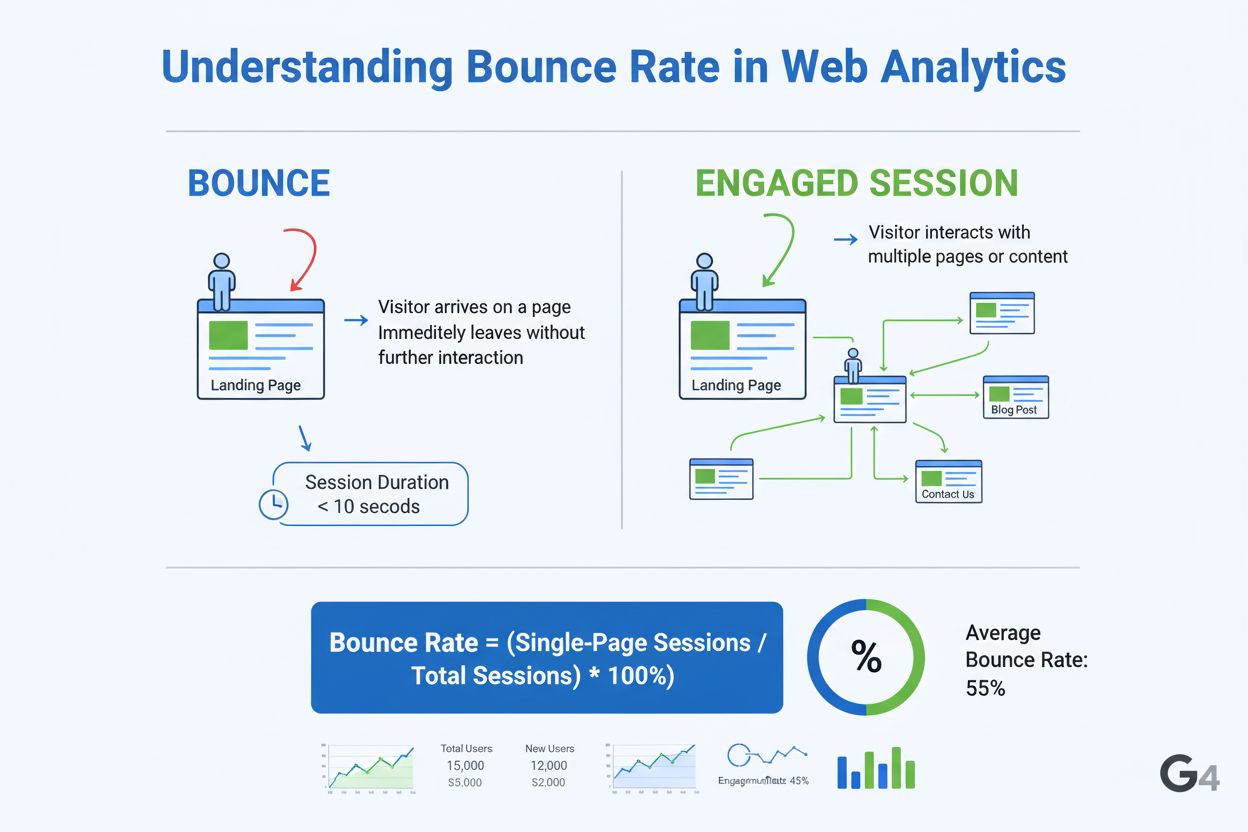
Bounce Rate
Bounce rate measures the percentage of visitors leaving after viewing one page. Learn how GA4 calculates it, industry benchmarks, and strategies to reduce bounc...
11 min read
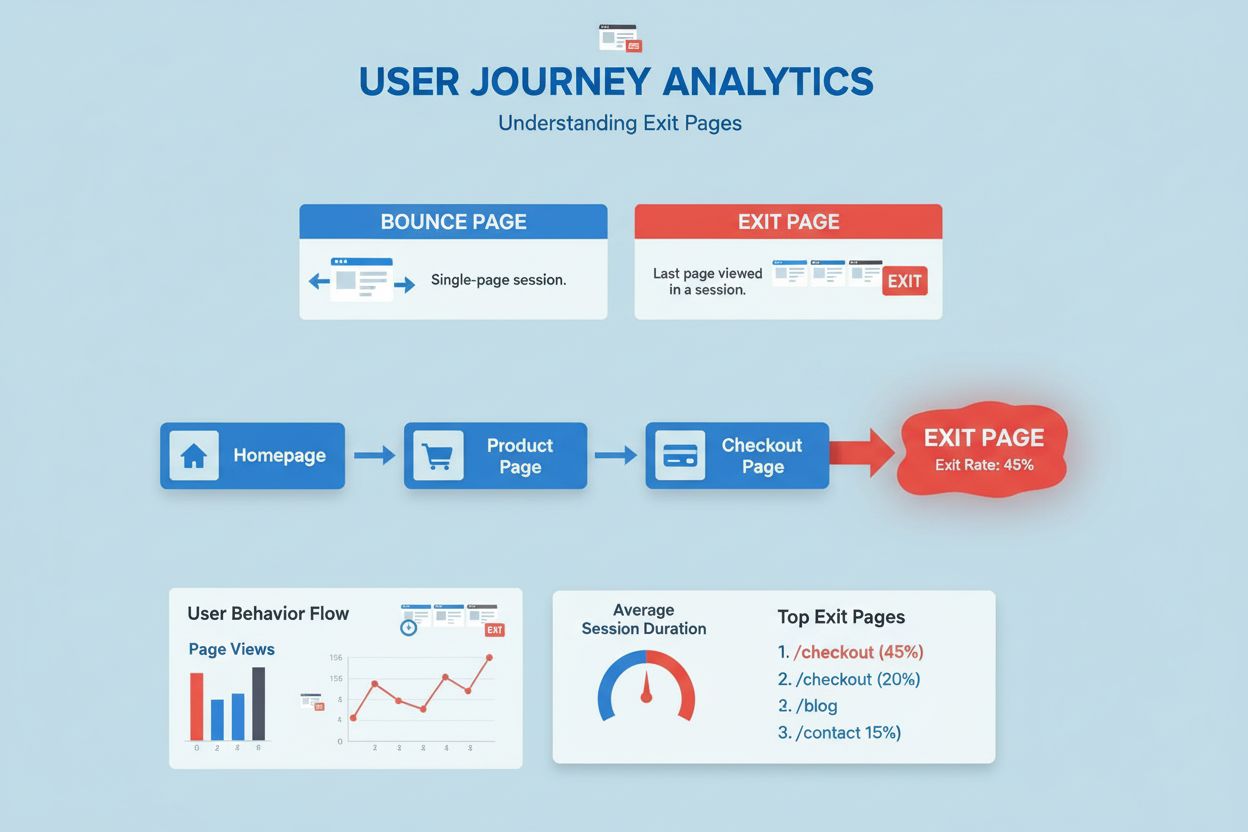
An exit page is the last page a user views before leaving a website during a session. It represents the final point of user interaction and is measured by the exit rate metric, which indicates the percentage of visits that ended on a specific page.
An exit page is the last page a user views before leaving a website during a session. It represents the final point of user interaction and is measured by the exit rate metric, which indicates the percentage of visits that ended on a specific page.
An exit page is the last page a user views before leaving a website during a session. It represents the final point of user interaction with your site and is a critical metric in web analytics for understanding user behavior and identifying optimization opportunities. Unlike a bounce page, which occurs when a user leaves after viewing only one page, an exit page can occur after a user has visited multiple pages within your site. The exit rate metric measures the percentage of all visits to a specific page that ended with the user leaving the website, providing actionable insights into which pages may need improvement or optimization to retain visitors and drive conversions.
The concept of exit pages emerged as web analytics platforms evolved to track user journeys more comprehensively. Early analytics tools focused primarily on traffic volume and bounce rates, but as digital marketing matured, the need to understand where users leave became increasingly important for conversion optimization. Exit page analysis has become a fundamental practice in digital marketing, with research showing that approximately 44% of marketing professionals report average exit rates between 26-40%, while 15% experience exit rates between 41-55%. The distinction between exit pages and bounce pages is crucial because they measure different user behaviors—a bounce indicates immediate departure from a single page, while an exit page represents the conclusion of a multi-page session.
Understanding exit pages is particularly important in the context of AI monitoring and brand visibility. As AI systems like ChatGPT, Perplexity, and Google AI Overviews become primary discovery channels, tracking where users exit your website helps you understand the complete user journey from AI search results through your site. This comprehensive view of user behavior—from initial AI citation to final exit point—enables organizations to optimize their content strategy for both traditional search and AI-driven discovery. The rise of AI-powered content monitoring platforms has made it possible to correlate exit page data with brand mentions in AI systems, creating a more complete picture of user engagement across the entire digital ecosystem.
| Metric | Exit Page | Bounce Page |
|---|---|---|
| Definition | Last page viewed before leaving a multi-page session | Only page viewed in a single-page session |
| Session Length | Occurs after visiting 2+ pages | Occurs on the first page only |
| User Behavior | User navigated through multiple pages then left | User left immediately without further interaction |
| Exit Rate Calculation | Exits ÷ Total Pageviews × 100 | Bounces ÷ Total Sessions × 100 |
| Typical Exit Rate | 26-40% is excellent; 56-70% is high | 26-40% is excellent; 70%+ is concerning |
| Optimization Focus | Improve content, CTAs, and next steps | Improve landing page relevance and design |
| Natural Occurrence | Expected on thank-you pages, final content pages | Expected on single-topic blog posts, news articles |
| Analytics Platform | Google Analytics: Behavior > Site Content > Exit Pages | Google Analytics: Behavior > Overview (Bounce Rate) |
Exit pages are tracked through web analytics code embedded on your website, typically using platforms like Google Analytics 4, Matomo, or Piwik PRO. When a user’s session ends—either through explicit exit, timeout, or browser closure—the analytics system records the last page they visited as an exit page. The exit rate is calculated by dividing the total number of exits from a specific page by the total number of pageviews for that page, then multiplying by 100 to get a percentage. This metric differs from bounce rate because it considers all visits to a page, not just single-page sessions.
In Google Analytics 4, the Exits metric is available through custom reports and Explorations, allowing marketers to create detailed exit page reports by combining dimensions like page path, traffic source, device type, and user demographics. The technical implementation requires proper tracking code configuration to ensure that session endings are accurately recorded. Exit page data becomes particularly valuable when cross-referenced with other metrics like average session duration, scroll depth, and engagement rate, which together reveal whether users are leaving because they found what they needed or because of friction points in the user experience.
The business impact of exit page analysis is substantial, particularly for e-commerce and SaaS companies where conversion optimization directly affects revenue. Research indicates that approximately 80% of marketing professionals agree that improving page readability significantly reduces unwanted exit rates, while 77% emphasize the importance of matching content with user intent. High exit rates on critical pages—such as product pages, checkout pages, or landing pages—represent lost revenue opportunities and wasted marketing spend. By identifying and optimizing these pages, companies can improve conversion rates, reduce customer acquisition costs, and increase lifetime value.
For example, an e-commerce company analyzing exit pages might discover that 60% of users exit from the checkout page, indicating a problem with the payment process, shipping costs, or form complexity. By simplifying the checkout flow, offering multiple payment options, or displaying trust signals, the company can reduce the exit rate and recover lost sales. Similarly, a SaaS company might find that users exit from a pricing page without converting, suggesting that the pricing model isn’t clearly communicated or competitive. These insights enable data-driven optimization that directly impacts business metrics like conversion rate, average order value, and customer acquisition cost.
Different analytics platforms handle exit page tracking and reporting with varying levels of sophistication. Google Analytics 4 requires custom report creation to access exit page data, as the metric is not available in standard reports—a limitation that has prompted many organizations to seek alternative solutions. Matomo and Piwik PRO provide dedicated exit page reports in their standard interface, making it easier for users to access this critical data without technical configuration. Looker Studio, Google’s data visualization tool, does not currently support the Exits metric, requiring users to export data or use alternative reporting solutions.
For organizations tracking brand visibility across AI platforms, understanding exit pages becomes even more critical. When users discover your brand through AI search results on platforms like ChatGPT or Perplexity, their subsequent behavior on your website—including where they exit—provides valuable feedback on content relevance and user experience. AmICited and similar AI monitoring platforms can correlate exit page data with AI citations, revealing whether users who discover your brand through AI search are finding what they need or exiting prematurely. This integration of exit page analytics with AI visibility tracking creates a comprehensive view of how your brand performs across the entire user journey.
Optimizing exit pages requires a systematic approach that combines data analysis with user experience improvements. The most effective strategies include: improving page load speed (cited by 75% of professionals as essential), enhancing mobile responsiveness, matching content with user intent, adding strategic call-to-action buttons, improving internal linking structure, and implementing exit-intent pop-ups. Research shows that 80% of professionals cross-reference exit rate reports with bounce rate reports to identify underperforming pages that require comprehensive optimization.
Content optimization is particularly important for reducing exit rates. Pages with high exit rates often suffer from outdated content, poor readability, or content that doesn’t address user intent. By conducting A/B testing on headlines, copy, and visual elements, you can identify which variations reduce exit rates. For product pages, adding detailed descriptions, high-quality images from multiple angles, and customer reviews can significantly improve engagement and reduce exits. For blog content, ensuring that articles thoroughly answer user questions, using conversational language, and adding internal links to related content helps keep users engaged and reduces unwanted exits.
The future of exit page analysis is evolving in response to changing user behavior and the rise of AI-driven discovery. As more users discover content through AI search engines rather than traditional Google search, understanding exit pages becomes increasingly important for measuring the effectiveness of AI visibility strategies. Organizations will need to integrate exit page data with AI monitoring metrics to understand the complete user journey from AI citation to conversion.
Privacy regulations like GDPR and the deprecation of third-party cookies are also reshaping how exit page data is collected and analyzed. First-party data collection through consent-based analytics is becoming the standard, requiring organizations to be more transparent about tracking and to focus on providing genuine value to users. Additionally, the rise of event-based analytics over pageview-based metrics means that future exit page analysis will likely incorporate more sophisticated event tracking to understand not just where users leave, but what actions they took before leaving.
The integration of AI-powered analytics tools will enable more predictive exit page analysis, where machine learning algorithms identify patterns in user behavior that precede exits and recommend specific optimizations. Furthermore, as AI monitoring platforms like AmICited become more sophisticated, organizations will be able to correlate exit page behavior with AI citation patterns, understanding whether users who discover their brand through AI search are more or less likely to exit at specific points. This convergence of exit page analytics and AI visibility tracking will provide unprecedented insights into how brands perform across the entire digital ecosystem, from AI discovery to final conversion or exit.
An exit page is the last page in a multi-page session where a user leaves your website, while a bounce page is the only page a user visits before leaving without any further interaction. A bounce occurs on the first page of a session, whereas an exit can occur on any page after multiple visits. Understanding this distinction is crucial for analyzing user behavior and optimizing different pages accordingly.
In Google Analytics, navigate to Behavior > Site Content > Exit Pages to view your exit pages report. This report displays the pages where users most frequently leave your site, along with metrics like the number of exits, pageviews, and exit rate percentage. You can also create custom reports in Google Analytics 4 using Explorations by adding the 'Exits' metric and 'Page path and screen name' dimension to analyze exit pages in greater detail.
Exit rates vary significantly by industry and page type. According to analytics research, an exit rate between 26-40% is considered excellent for most websites, 41-55% is average, and 56-70% is higher than average. However, context matters—a high exit rate on a thank-you page after purchase is natural and expected, while high exit rates on product pages or checkout pages may indicate optimization opportunities.
Monitoring exit pages helps you identify where users are leaving your site, which reveals potential issues with content, design, navigation, or user experience. By analyzing exit pages, you can discover optimization opportunities, improve conversion rates, enhance content relevance, and understand user behavior patterns. This data is essential for reducing unwanted exits and guiding visitors toward desired actions like conversions or sign-ups.
To reduce exit rates, optimize page load speed, improve mobile responsiveness, enhance content relevance and readability, add strategic call-to-action buttons, improve internal linking, and ensure clear navigation. You can also implement exit-intent pop-ups to capture leads, conduct A/B testing to refine messaging, and analyze user session recordings to identify friction points. Addressing these factors systematically can significantly decrease unwanted exits.
While exit pages don't directly impact SEO rankings, they provide valuable insights into user experience and engagement, which are factors Google considers. High exit rates on important pages may indicate poor content quality or user experience issues that could indirectly affect SEO performance. By optimizing exit pages to improve user engagement and reduce unwanted exits, you create a better overall user experience that supports SEO efforts.
Exit pages are critical for conversion rate optimization because they reveal where users abandon your conversion funnel. By identifying pages with high exit rates in your conversion path—such as product pages, checkout pages, or landing pages—you can implement targeted improvements like better CTAs, simplified forms, trust signals, and clearer value propositions. This data-driven approach helps increase conversion rates by addressing specific user drop-off points.
Yes, exit pages provide valuable insights for content strategy. If users exit after spending significant time on a page, it may indicate the content doesn't meet their needs or lacks clear next steps. By analyzing exit pages, you can identify which topics engage users, which content needs improvement, and where to add internal links to guide users toward relevant resources. This helps you create more targeted, user-focused content that keeps visitors engaged.
Start tracking how AI chatbots mention your brand across ChatGPT, Perplexity, and other platforms. Get actionable insights to improve your AI presence.
Bounce rate measures the percentage of visitors leaving after viewing one page. Learn how GA4 calculates it, industry benchmarks, and strategies to reduce bounc...
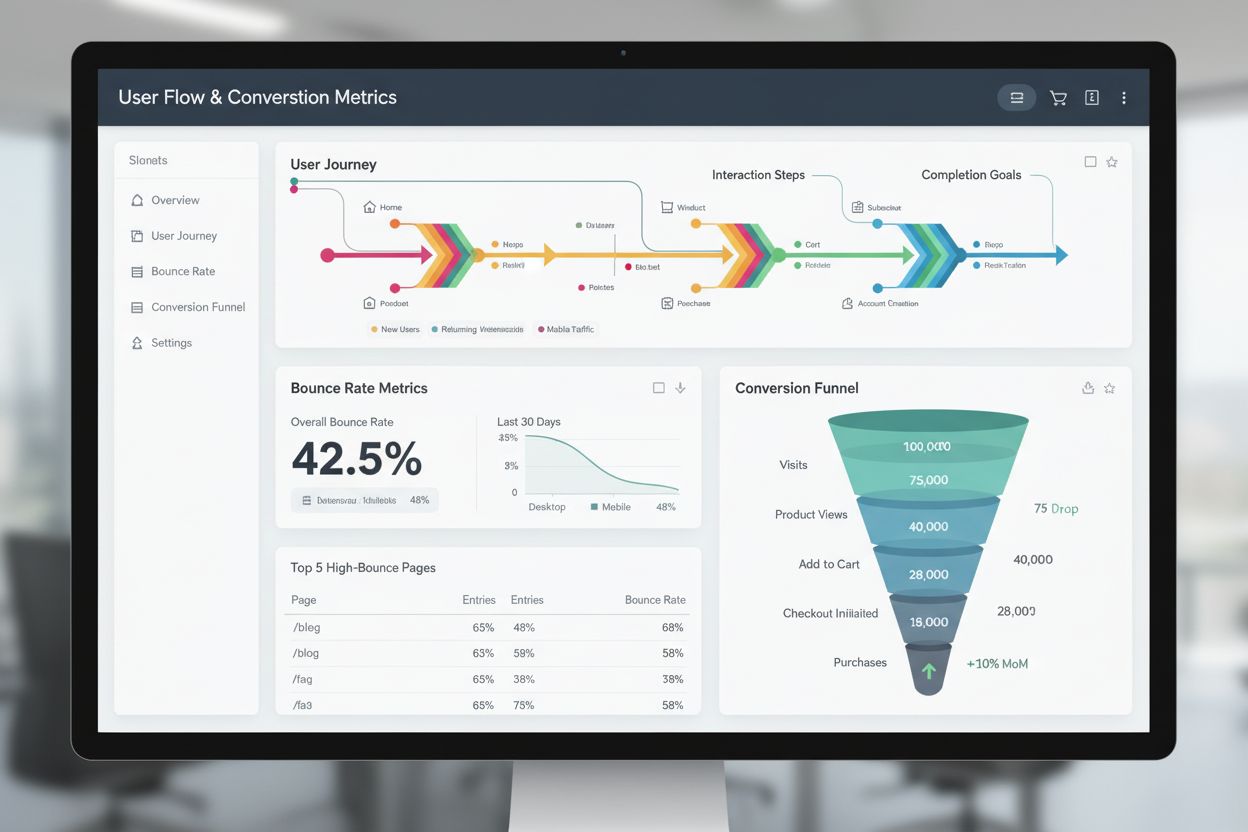
Learn what an entry page is, why it matters for user engagement and conversions, and how to optimize entry pages to reduce bounce rates and improve website perf...
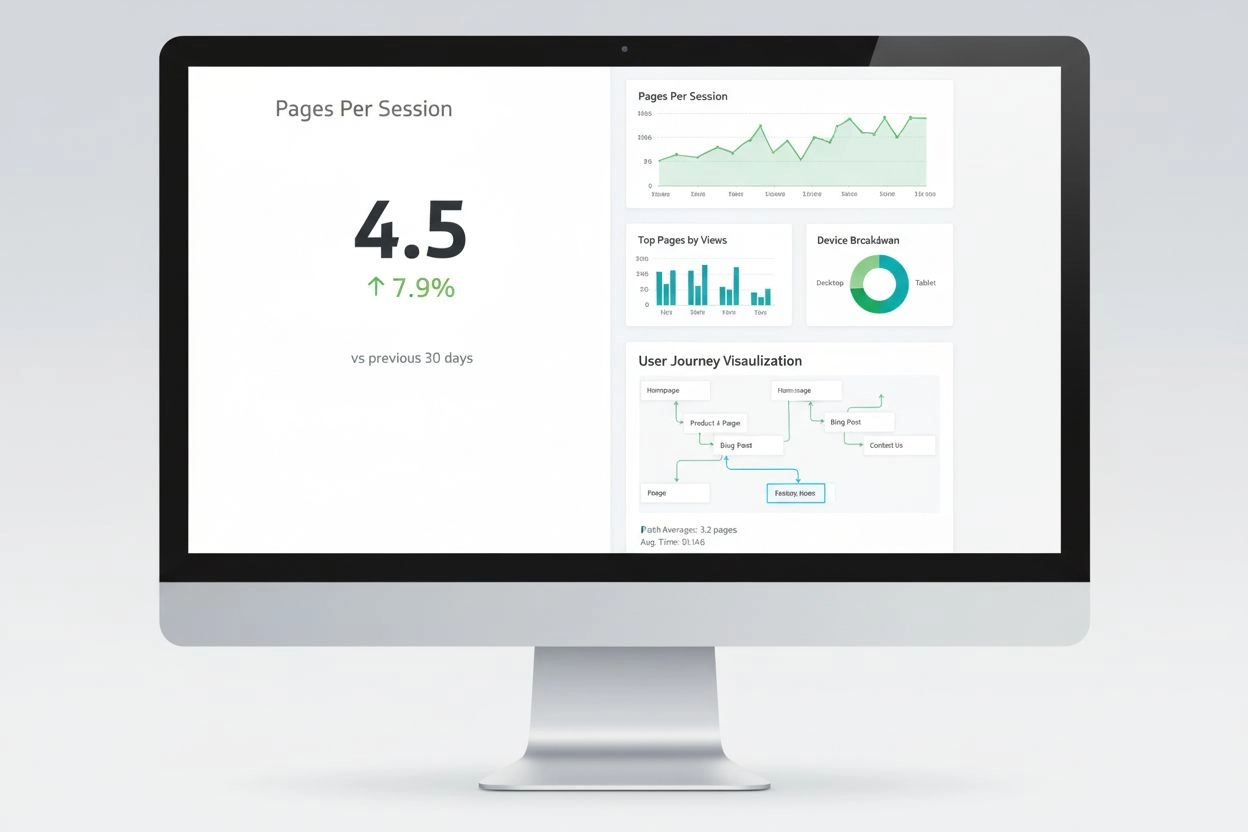
Pages Per Session measures average pages viewed per visit. Learn how this engagement metric impacts user behavior, conversion rates, and SEO performance with in...