
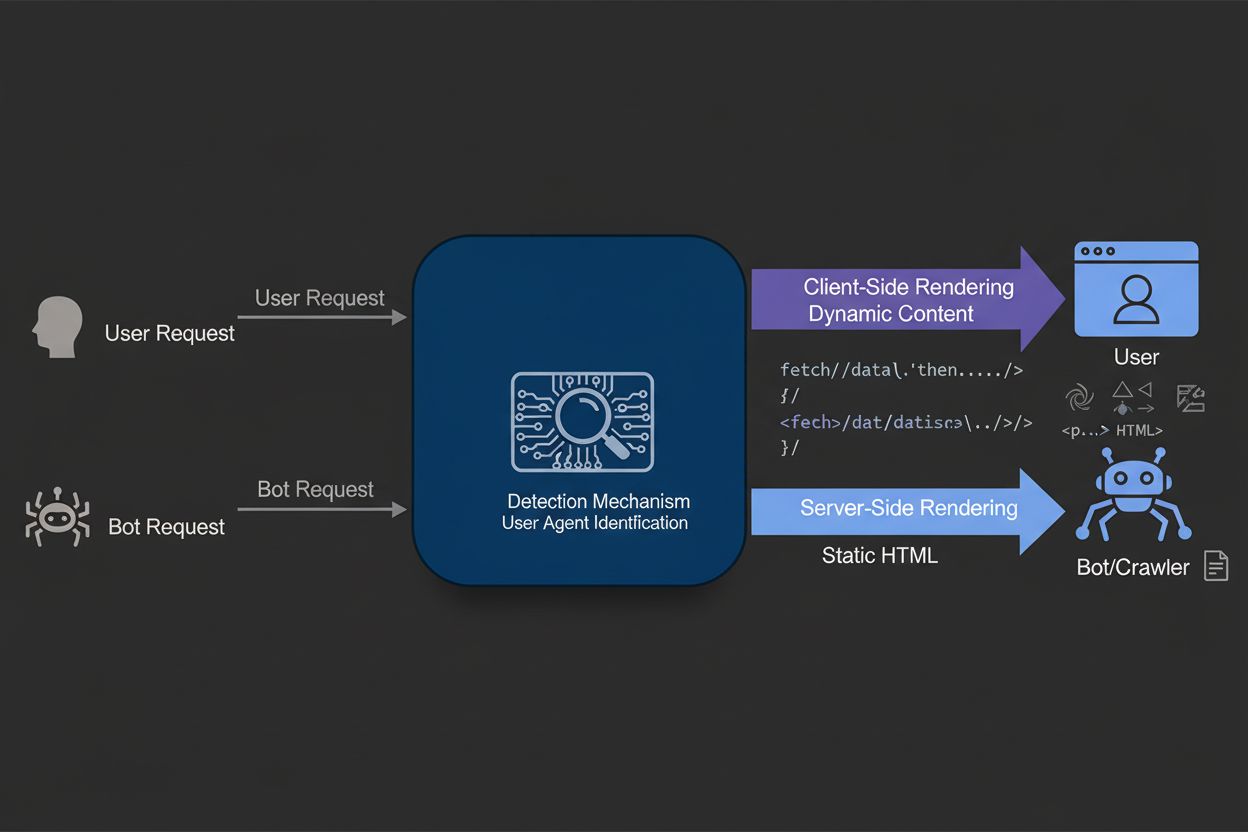
Dynamic Rendering
Dynamic rendering serves static HTML to search engine bots while delivering client-side rendered content to users. Learn how this technique improves SEO, crawl ...
11 min read
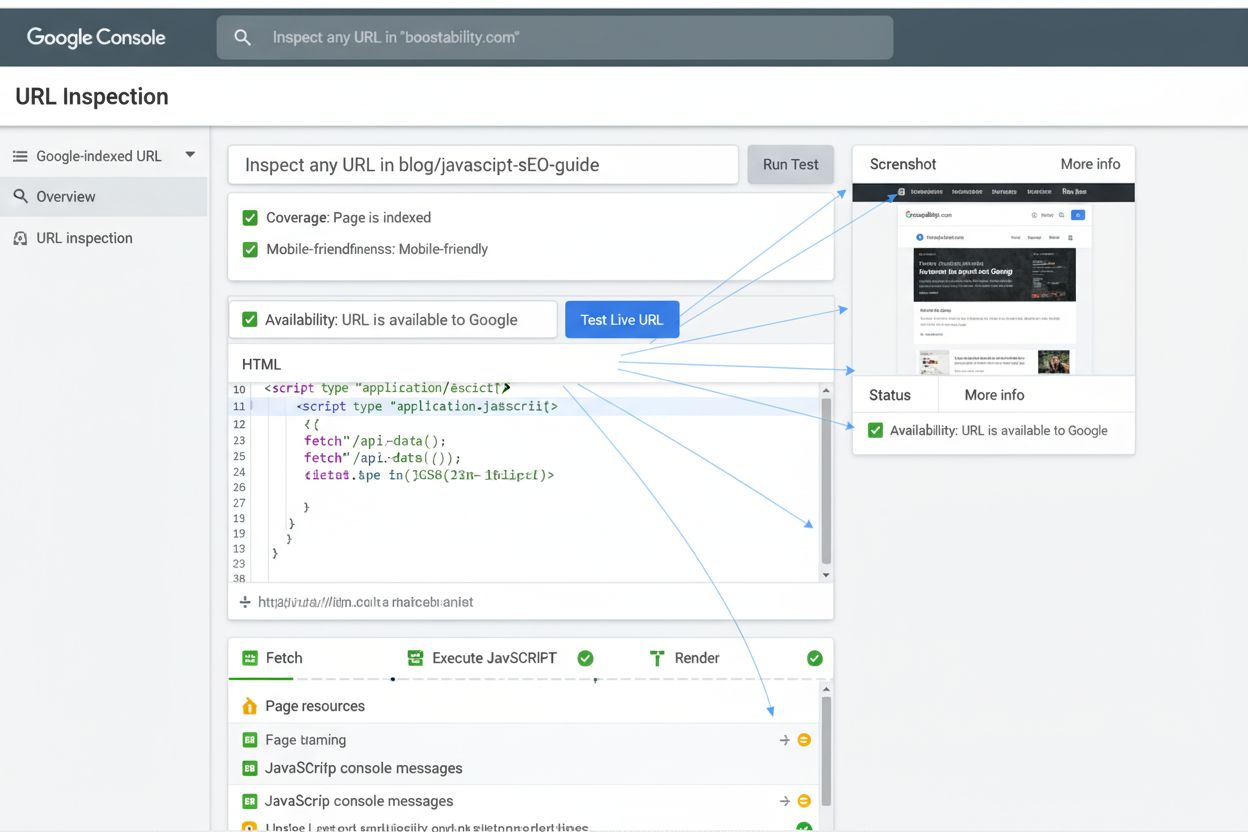
Fetch and Render is a testing feature in Google Search Console that allows webmasters to see how Googlebot crawls and visually renders a webpage, including how JavaScript is executed and resources are loaded. This tool helps diagnose technical SEO issues and ensures search engines can properly access and display page content.
Fetch and Render is a testing feature in Google Search Console that allows webmasters to see how Googlebot crawls and visually renders a webpage, including how JavaScript is executed and resources are loaded. This tool helps diagnose technical SEO issues and ensures search engines can properly access and display page content.
Fetch and Render is a diagnostic testing feature within Google Search Console (formerly known as the URL Inspection Tool) that enables webmasters and SEO professionals to observe exactly how Googlebot crawls, processes, and visually renders a webpage. This tool simulates the complete rendering pipeline that Google’s search engine uses, including fetching external resources like CSS files, JavaScript, and images, then executing the code to produce a final visual representation of how the page appears to search engines. By providing both the raw HTML source code and a rendered screenshot, Fetch and Render bridges the critical gap between how a page displays in a standard web browser and how it appears to search engine crawlers, making it an indispensable tool for diagnosing technical SEO issues and ensuring proper indexability.
The importance of Fetch and Render has grown exponentially as modern websites increasingly rely on client-side rendering and JavaScript frameworks to generate content dynamically. Without this tool, webmasters would have no reliable way to verify whether their content is actually accessible to search engines, potentially leading to indexing failures, reduced visibility in search results, and lost organic traffic. The tool represents Google’s commitment to transparency in how it processes web content, allowing site owners to take proactive measures to optimize their sites for search engine visibility.
The Fetch and Render feature has its roots in Google’s original Webmaster Tools, where it was initially called “Fetch as Googlebot.” This early version provided webmasters with two distinct options: the basic Fetch function, which simply retrieved and displayed the raw HTML response from a server, and the more advanced Fetch and Render option, which went further by executing JavaScript and displaying how the page would appear after full rendering. This dual approach recognized that many websites were beginning to use JavaScript to dynamically generate content, and Google needed to help webmasters understand whether their JavaScript-dependent content was actually being indexed.
When Google launched the redesigned Search Console in 2018, the company consolidated and enhanced these tools into what is now called the URL Inspection Tool. This evolution reflected Google’s recognition that the original Fetch and Render functionality needed to be more integrated with other diagnostic features. The new URL Inspection Tool retained the core rendering capabilities while adding enhanced features such as live testing, mobile-friendliness validation, structured data verification, and AMP error reporting. According to research from Sitebulb, only 10.6% of SEO professionals perfectly understand how Google crawls, renders, and indexes JavaScript, highlighting the continued importance of tools like Fetch and Render in demystifying this complex process.
When a webmaster submits a URL to the Fetch and Render tool, Google initiates a multi-stage process that closely mirrors how Googlebot actually processes web pages in production. First, the tool sends a request to the specified URL using the Googlebot user agent, which identifies the request as coming from Google’s crawler rather than a standard browser. The server responds with the initial HTML document, which Fetch and Render displays in its raw form so webmasters can inspect the source code and verify that the server is responding correctly with appropriate HTTP status codes.
Next, the tool enters the rendering phase, where it processes all external resources referenced in the HTML, including stylesheets, JavaScript files, images, fonts, and any other embedded content. This is where Fetch and Render becomes particularly valuable for modern websites. The tool executes all JavaScript code in the page, allowing dynamic content generation to occur just as it would in a user’s browser. This execution environment is crucial because many contemporary websites generate their visible content entirely through JavaScript, meaning that without proper rendering, the content would be invisible to search engines. The tool then captures a screenshot of the fully rendered page, providing a visual representation of what Googlebot actually sees after all processing is complete.
| Feature | Fetch and Render | URL Inspection Tool | Rich Results Test | Mobile-Friendly Test |
|---|---|---|---|---|
| Primary Purpose | View how Googlebot crawls and renders pages | Comprehensive URL indexing diagnostics | Validate structured data markup | Test mobile responsiveness |
| JavaScript Rendering | Yes, full execution | Yes, with live testing | Limited (structured data only) | No |
| Resource Fetching | Yes, all external resources | Yes, with blocking detection | No | No |
| Visual Screenshot | Yes, rendered preview | Yes, with live preview | No | Yes, mobile preview |
| HTML Source Display | Yes, raw code | Yes, crawled version | No | No |
| Mobile Testing | Yes, separate mobile view | Yes, mobile-specific data | No | Yes, dedicated |
| Structured Data Validation | Limited | Yes, comprehensive | Yes, detailed | No |
| AMP Validation | No | Yes, AMP-specific errors | No | No |
| Indexing Status | Indirect indication | Direct status reporting | No | No |
| Best For | Debugging rendering issues | Overall indexing health | Rich snippet optimization | Mobile UX verification |
One of the most critical aspects of Fetch and Render is its handling of blocked resources. When Googlebot attempts to fetch external files needed to render a page, it respects the rules defined in a website’s robots.txt file. If a website has configured robots.txt to disallow crawling of certain resources—such as CSS files, JavaScript libraries, or image directories—Fetch and Render will display these as unavailable in its report. This is a crucial diagnostic feature because many websites inadvertently block resources that are essential for proper rendering, causing Googlebot to see a broken or incomplete version of the page.
Additionally, if a server fails to respond to a resource request or returns an HTTP error code (such as 404 Not Found or 500 Internal Server Error), Fetch and Render will flag these issues. The tool provides detailed information about which resources failed to load and why, enabling webmasters to quickly identify and resolve problems. Google’s official guidance recommends ensuring that Googlebot can access any resources that meaningfully contribute to visible content or page layout, while noting that certain resources—such as analytics scripts, social media buttons, or advertising code—typically don’t need to be crawlable since they don’t affect the core content or layout.
The business implications of Fetch and Render extend far beyond simple technical diagnostics. In an era where JavaScript-heavy websites dominate the landscape—particularly in single-page applications (SPAs), progressive web apps (PWAs), and modern e-commerce platforms—the ability to verify that search engines can properly render your content is directly tied to revenue and visibility. Research indicates that over 78% of enterprises now use some form of AI-driven content monitoring or search engine optimization tools, and Fetch and Render is a foundational component of this toolkit.
When a website’s JavaScript fails to render properly for Googlebot, the consequences can be severe. Pages may not be indexed at all, or they may be indexed with incomplete content, resulting in poor search rankings and significantly reduced organic traffic. For e-commerce sites, this can translate directly to lost sales. For content publishers, it means reduced visibility and lower ad revenue. By using Fetch and Render to proactively identify and fix rendering issues, webmasters can ensure that their content is fully accessible to search engines, maximizing their organic search potential. The tool essentially provides insurance against the common pitfall of building websites that look great to users but are invisible to search engines.
While Fetch and Render is a Google-specific tool, the principles it demonstrates apply across all major search engines. Bing, Baidu, and other search engines also execute JavaScript and render pages, though their rendering engines and capabilities may differ slightly from Google’s. However, Google’s rendering engine is based on Chromium, the same technology that powers Google Chrome, making it one of the most advanced and standards-compliant rendering engines available. This means that if your site renders correctly for Google’s Fetch and Render tool, it will likely render correctly for most other search engines as well.
The rise of AI-powered search platforms like Perplexity, ChatGPT, and Google AI Overviews has added another layer of complexity to search engine optimization. These platforms also need to crawl and understand web content, and they often rely on similar rendering technologies. While these platforms may not use Fetch and Render directly, understanding how your pages render through Google’s tool provides valuable insights into how these AI systems will perceive your content. This is particularly relevant for AmICited users who are tracking their brand’s appearance across multiple AI search platforms—ensuring proper rendering for Google is a prerequisite for visibility across the broader AI search ecosystem.
To maximize the value of Fetch and Render, webmasters should follow a systematic approach to testing and optimization. First, identify critical pages that are essential for your business—typically your homepage, key landing pages, product pages, and high-value content pages. Submit these URLs to Fetch and Render and carefully review both the HTML source code and the rendered screenshot. Compare the rendered version to how the page appears in your browser to identify any discrepancies. If you notice missing content, broken layouts, or non-functional elements in the rendered version, this indicates a rendering issue that needs to be addressed.
Next, examine the resource loading section of the Fetch and Render report. Identify any resources that failed to load or were blocked by robots.txt. For resources that are essential to page functionality or appearance, update your robots.txt file to allow Googlebot to crawl them. Be cautious about allowing crawling of all resources indiscriminately, as this can waste crawl budget on non-essential files. Focus on resources that directly impact content visibility or layout. Additionally, review any HTTP errors reported by the tool and work with your development team to resolve them. Common issues include misconfigured CDN settings, incorrect file paths, or server configuration problems.
As the web continues to evolve, Fetch and Render and its successor tools will likely become even more sophisticated and essential. The increasing adoption of Core Web Vitals as a ranking factor means that rendering performance itself—not just whether content renders—is becoming a critical SEO consideration. Future versions of Fetch and Render may integrate more detailed performance metrics, showing not just whether a page renders but how quickly it renders and whether it meets Google’s performance thresholds.
The emergence of AI-powered search represents another frontier for Fetch and Render’s evolution. As AI systems become more prevalent in search, understanding how these systems perceive and process web content will become increasingly important. Google may expand Fetch and Render to provide insights into how AI systems specifically see your pages, or develop companion tools for testing compatibility with AI search platforms. Additionally, as Web Components, Shadow DOM, and other advanced web technologies become more common, Fetch and Render will need to continue evolving to properly handle these technologies and provide accurate representations of how modern web applications render.
The tool’s importance is also likely to increase as JavaScript frameworks continue to dominate web development. With frameworks like React, Vue, and Angular becoming standard in enterprise web development, the ability to verify that server-side rendering or hydration is working correctly will remain critical. Organizations that master Fetch and Render and use it as part of their regular SEO maintenance routine will maintain a competitive advantage in search visibility. For platforms like AmICited that monitor brand visibility across multiple search channels, understanding how pages render through tools like Fetch and Render provides essential context for interpreting visibility data and identifying root causes of ranking fluctuations.
The strategic value of Fetch and Render extends beyond immediate technical diagnostics to inform broader website architecture decisions. By regularly testing how pages render, webmasters can make informed decisions about technology choices, framework selection, and performance optimization strategies. This data-driven approach to web development ensures that technical decisions support rather than hinder search engine visibility, ultimately contributing to better business outcomes through improved organic search performance.
Fetch and Render was the original feature in Google Webmaster Tools that allowed webmasters to see how Googlebot crawled and rendered pages. When Google launched the new Search Console, this feature evolved into the URL Inspection Tool, which provides similar functionality with enhanced capabilities including live testing, mobile-friendliness checks, and structured data validation. The core principle remains the same: showing how Google sees your pages.
Fetch and Render is critical for SEO because it reveals discrepancies between how your page appears in a browser versus how Googlebot perceives it. This is especially important for JavaScript-heavy websites where rendering issues can prevent proper indexing. By identifying these problems early, you can ensure your content is fully accessible to search engines, improving crawlability, indexability, and ultimately your search rankings.
Fetch and Render simulates how Googlebot processes JavaScript by executing the code and rendering the final HTML output. It fetches all external resources including CSS, JavaScript files, and images needed to render the page. If resources are blocked by robots.txt or return errors, they won't be included in the rendered view, which is why ensuring Googlebot can access critical resources is essential for proper rendering.
If resources like CSS, JavaScript, or images are blocked by robots.txt or return server errors, Fetch and Render will display them as unavailable below the preview image. This can significantly impact how Googlebot sees your page since it may not be able to render styles or execute important functionality. Google recommends allowing Googlebot to access resources that meaningfully contribute to visible content or page layout.
No, Fetch and Render cannot guarantee indexing. While it shows how Googlebot crawls and renders your page, indexing depends on many other factors including content quality, duplicate content issues, manual actions, security problems, and compliance with Google's quality guidelines. A successful Fetch and Render result is necessary but not sufficient for indexing.
You should use Fetch and Render whenever you publish new content, make significant changes to existing pages, or troubleshoot indexing issues. It's particularly valuable after implementing technical changes like migrating to a new platform, updating JavaScript frameworks, or modifying your site structure. Regular testing helps catch rendering issues before they impact your search visibility.
Common issues include blocked resources (CSS, JavaScript, images), JavaScript errors preventing proper rendering, redirect chains, noindex directives, robots.txt blocking, server errors, and mobile-friendliness problems. These issues can prevent proper indexing or cause pages to appear differently in search results than intended. Identifying and fixing these problems is essential for maintaining strong SEO performance.
Start tracking how AI chatbots mention your brand across ChatGPT, Perplexity, and other platforms. Get actionable insights to improve your AI presence.
Dynamic rendering serves static HTML to search engine bots while delivering client-side rendered content to users. Learn how this technique improves SEO, crawl ...

Learn how JavaScript rendering impacts your website's visibility in AI search engines like ChatGPT, Perplexity, and Claude. Discover why AI crawlers struggle wi...
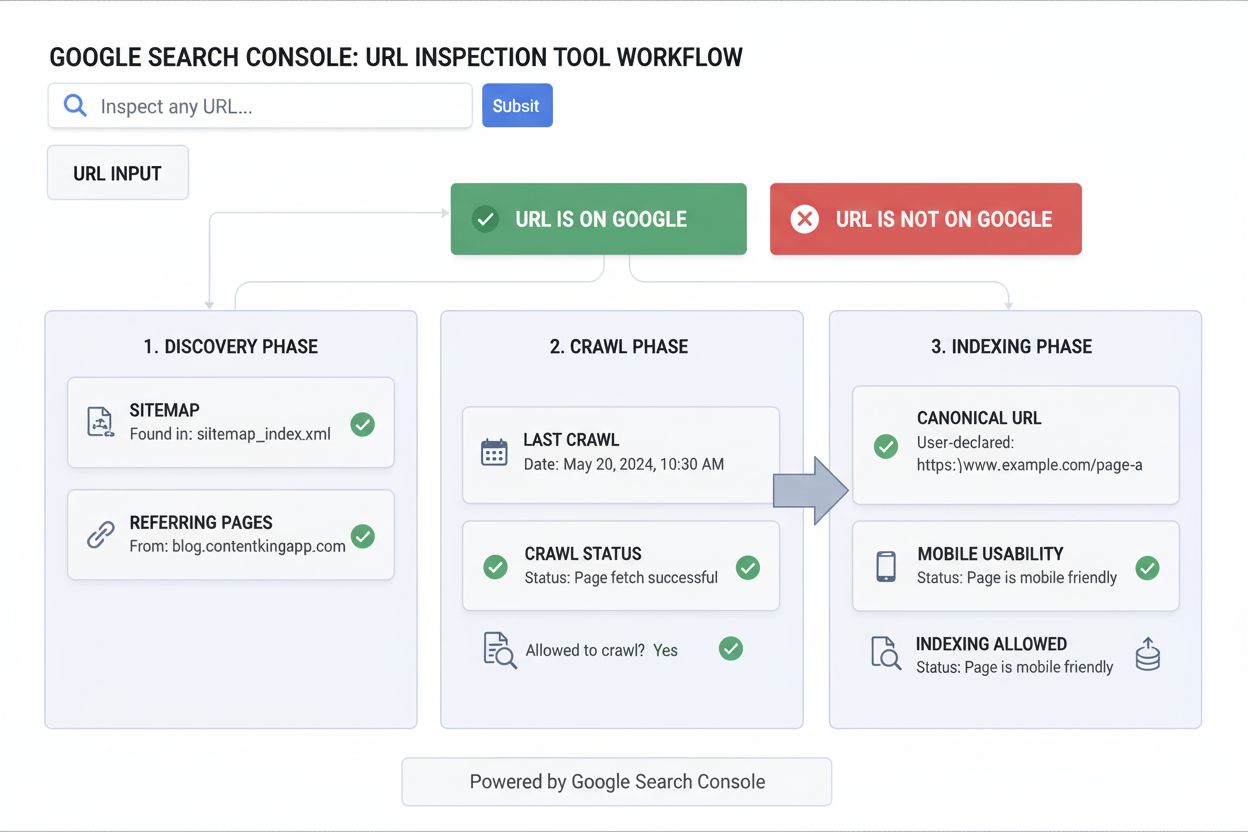
Learn what the URL Inspection Tool is, how it works, and why it's essential for monitoring page indexing status in Google Search Console. Includes live testing ...