
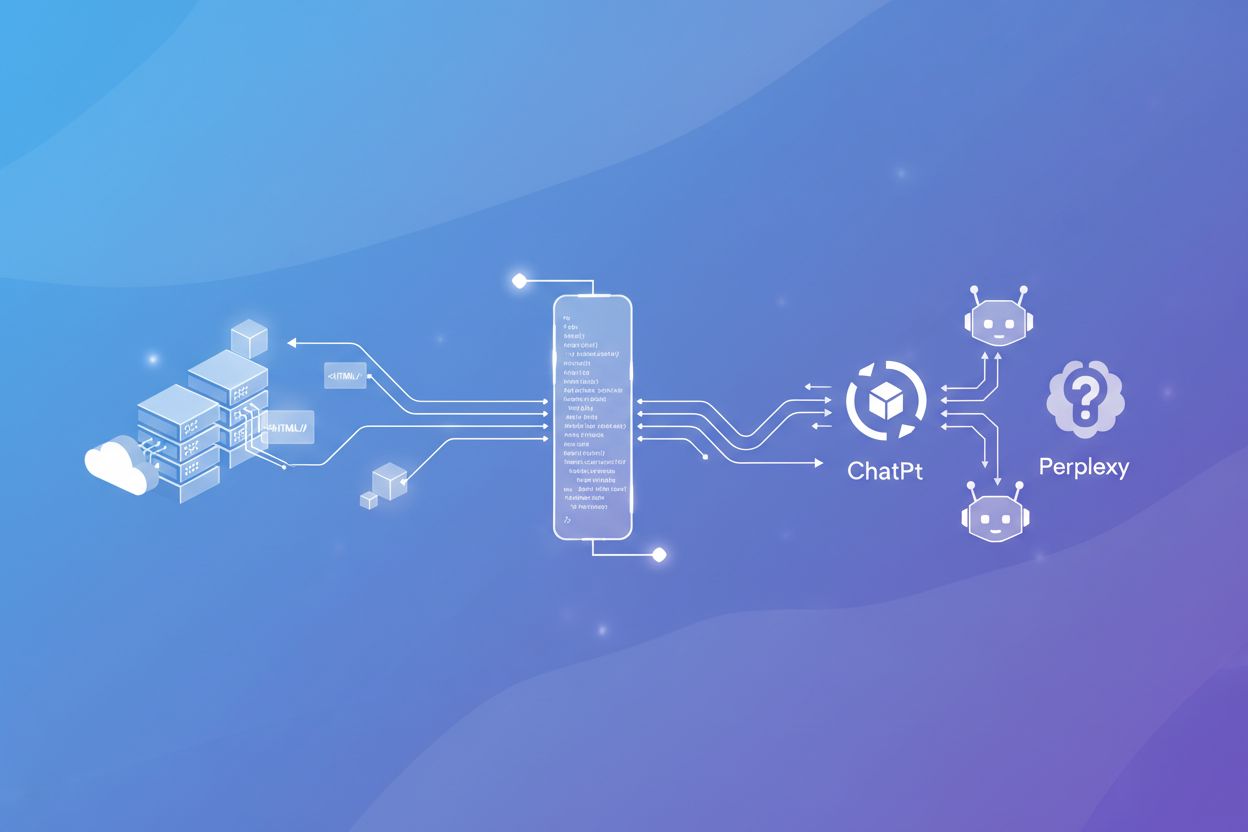
Server-Side Rendering vs CSR: Impact on AI Visibility
Discover how SSR and CSR rendering strategies affect AI crawler visibility, brand citations in ChatGPT and Perplexity, and your overall AI search presence.
8 min read

JavaScript rendering for AI refers to the process of ensuring that dynamically rendered content created by JavaScript is accessible to AI crawlers that cannot execute JavaScript code. Since major AI systems like ChatGPT, Perplexity, and Claude do not execute JavaScript, content must be served as static HTML to be visible in AI-generated answers. Solutions like prerendering convert JavaScript-heavy pages into static HTML snapshots that AI crawlers can immediately access and understand.
JavaScript rendering for AI refers to the process of ensuring that dynamically rendered content created by JavaScript is accessible to AI crawlers that cannot execute JavaScript code. Since major AI systems like ChatGPT, Perplexity, and Claude do not execute JavaScript, content must be served as static HTML to be visible in AI-generated answers. Solutions like prerendering convert JavaScript-heavy pages into static HTML snapshots that AI crawlers can immediately access and understand.
JavaScript is a programming language that enables dynamic, interactive web experiences by running code directly in users’ browsers. Websites use JavaScript to create responsive interfaces, load content on-demand, and deliver personalized user experiences. However, AI crawlers like GPTBot, ChatGPT-User, and OAI-SearchBot operate fundamentally differently from traditional web crawlers—they prioritize speed and efficiency over rendering capabilities. While Googlebot and other search engine crawlers can execute JavaScript (though with limitations), AI crawlers typically do not because rendering JavaScript requires significant computational resources and time. These AI systems operate under strict timeout constraints, often between 1-5 seconds per page, making full JavaScript execution impractical. Additionally, AI crawlers are designed to extract information quickly rather than simulate a complete browser environment, meaning they capture only the initial HTML served by your server, not the dynamically rendered content that appears after JavaScript execution.
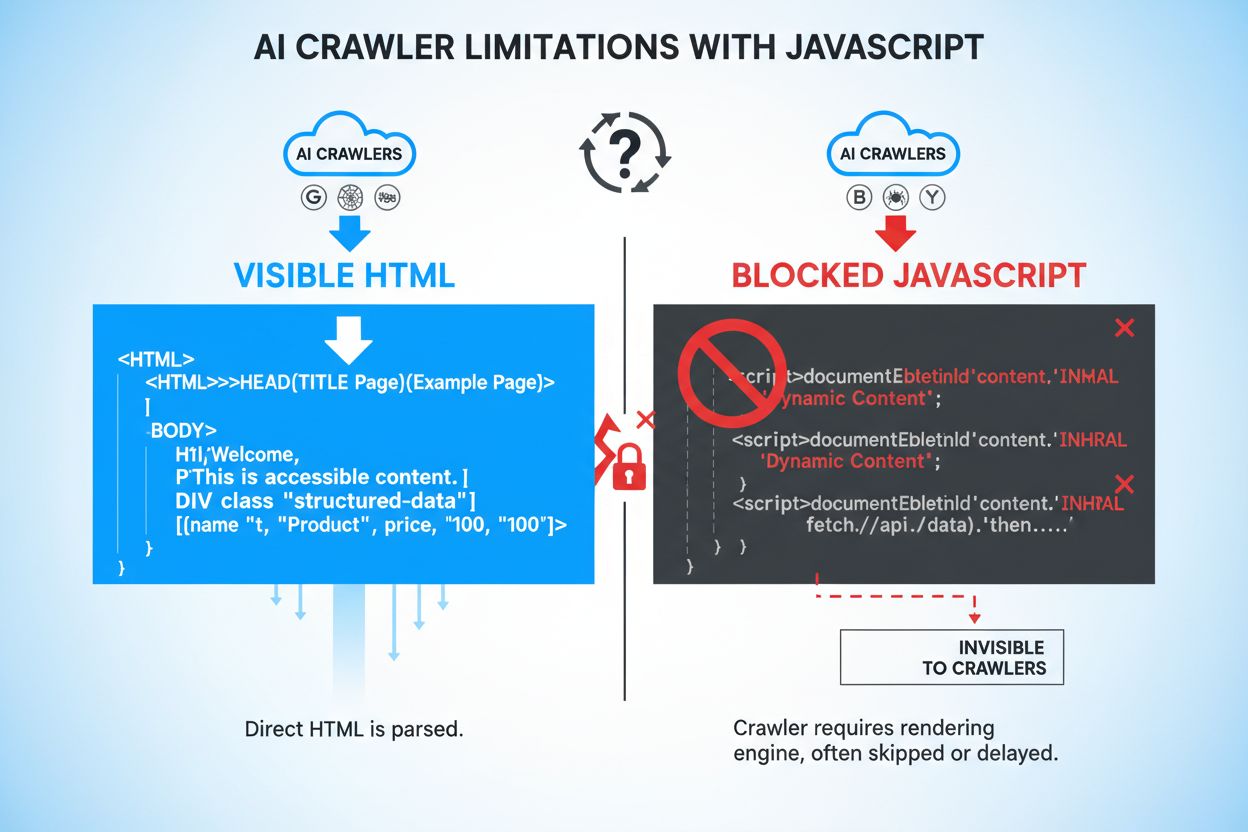
When AI crawlers access your website, they miss critical content that only appears after JavaScript execution. Product information such as prices, availability status, and variant options are frequently hidden behind JavaScript rendering, making them invisible to AI systems. Lazy-loaded content—images, customer reviews, comments, and additional product details that load as users scroll—remains completely inaccessible to AI crawlers that don’t execute JavaScript. Interactive elements like tabs, carousels, accordions, and modal windows contain valuable information that AI systems cannot access without rendering. Client-side rendered text and dynamically generated metadata are similarly invisible, creating significant gaps in what AI systems can understand about your content.
| Content Type | Visibility to AI Crawlers | Impact |
|---|---|---|
| Static HTML text | ✓ Visible | High accessibility |
| JavaScript-rendered text | ✗ Hidden | Completely missed |
| Lazy-loaded images | ✗ Hidden | Product visibility lost |
| Product prices/availability | ✗ Hidden (if JS-rendered) | Critical business data missing |
| Customer reviews | ✗ Hidden (if lazy-loaded) | Social proof unavailable |
| Tab content | ✗ Hidden | Important information inaccessible |
| Schema markup in HTML | ✓ Visible | Structured data captured |
| Dynamic meta descriptions | ✗ Hidden | SEO impact reduced |
The inability of AI crawlers to access JavaScript-rendered content creates substantial business consequences in an increasingly AI-driven search landscape. When your product information, pricing, and availability remain hidden from AI systems, you lose visibility in AI-generated search results and AI-powered answer engines like Perplexity, Google AI Overviews, and ChatGPT’s browsing feature. This invisibility directly translates to reduced traffic from AI platforms, which are rapidly becoming primary discovery channels for consumers. E-commerce businesses suffer particularly acute impacts—when product prices and availability don’t appear in AI responses, potential customers receive incomplete information and may purchase from competitors instead. SaaS companies face similar challenges, as feature descriptions, pricing tiers, and integration details hidden behind JavaScript never reach AI systems that could recommend their solutions. Beyond traffic loss, hidden content creates customer trust issues; when users see incomplete or outdated information in AI-generated answers, they question the reliability of both the AI system and your brand. The cumulative effect is a significant competitive disadvantage as AI-aware competitors ensure their content is fully accessible to these new discovery channels.
Prerendering is a server-side technique that solves the JavaScript visibility problem by generating static HTML snapshots of your pages before they’re requested by crawlers. Unlike Client-Side Rendering (CSR), where content is generated in the user’s browser, prerendering executes JavaScript on your server and captures the fully rendered HTML output. This static HTML is then served to AI crawlers, ensuring they receive complete, fully-rendered content without needing to execute JavaScript themselves. Prerender.io exemplifies this approach—it acts as a middleware service that intercepts requests from AI crawlers, serves them prerendered HTML versions of your pages, and simultaneously serves normal JavaScript-heavy pages to regular users. The key advantage for AI crawlers is that they receive content in the format they expect and can process—pure HTML with all dynamic content already resolved. This differs from Server-Side Rendering (SSR), which renders content on every request and requires more server resources, making it less efficient for high-traffic sites. Prerendering is particularly elegant because it requires minimal changes to your existing codebase while dramatically improving AI crawler accessibility.
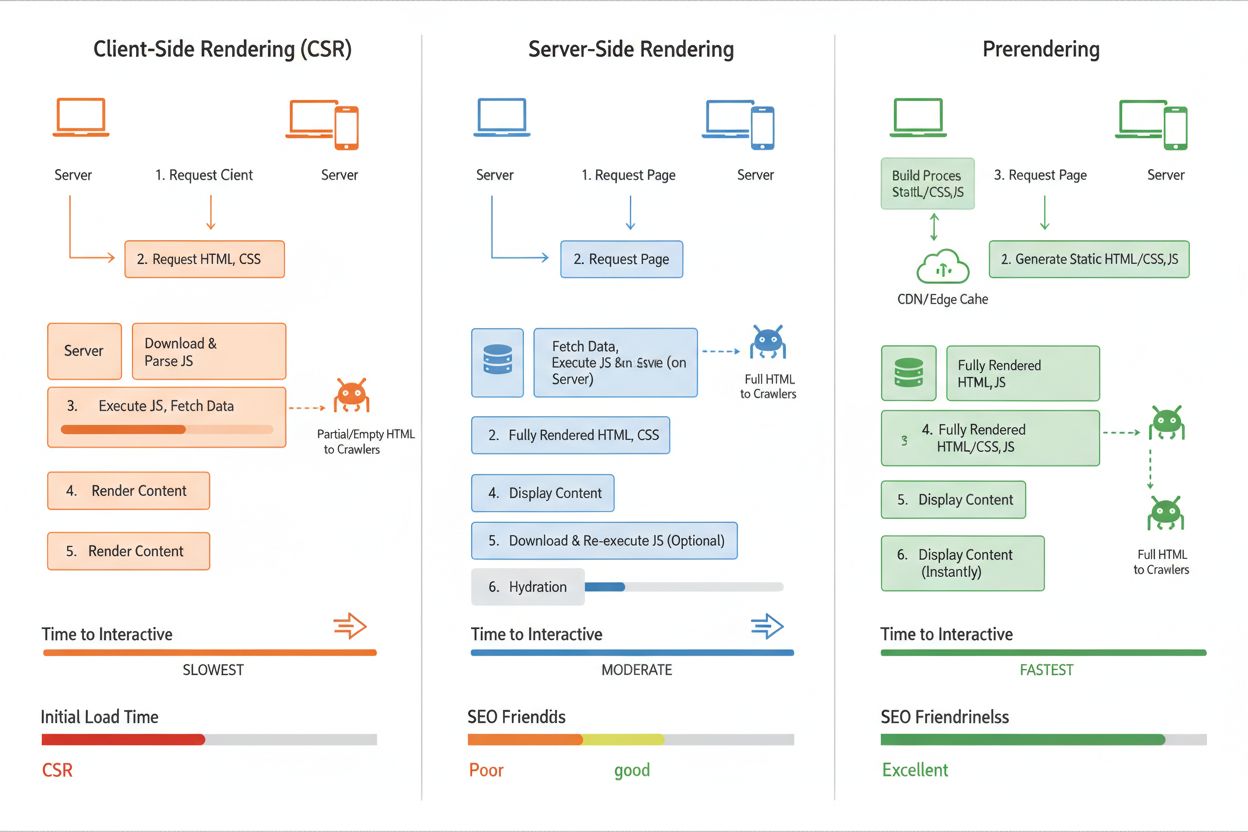
Client-Side Rendering (CSR) is the most common approach for modern web applications, where JavaScript runs in the browser to build the page dynamically. However, CSR creates the core problem: AI crawlers receive empty or minimal HTML and miss all JavaScript-rendered content, resulting in poor AI visibility. Server-Side Rendering (SSR) solves this by rendering pages on your server before sending them to clients, ensuring all content is in the initial HTML that AI crawlers receive. The trade-off is that SSR requires significant server resources, increases latency for every page request, and becomes expensive at scale—particularly problematic for high-traffic sites. Prerendering offers the best balance for AI visibility: it renders pages once and caches the static HTML, serving it to AI crawlers while still delivering dynamic JavaScript experiences to regular users. This approach minimizes server load, maintains fast page speeds for users, and ensures AI crawlers always receive complete, fully-rendered content. For most organizations, prerendering represents the optimal solution, balancing cost, performance, and AI accessibility without requiring fundamental architectural changes.
Prerender.io is the industry-leading prerendering service, offering middleware that automatically detects AI crawler requests and serves them prerendered HTML versions of your pages. AmICited.com provides comprehensive AI visibility monitoring, tracking how your brand appears in responses from ChatGPT, Perplexity, Google AI Overviews, and other major AI systems—making it essential for understanding the real-world impact of your JavaScript rendering strategy. Beyond prerendering, tools like Screaming Frog and Lighthouse can audit which JavaScript content remains hidden from crawlers, helping identify problem areas. When selecting a solution, consider your traffic volume, technical infrastructure, and specific AI platforms you want to reach; prerendering works best for content-heavy sites with moderate to high traffic, while SSR may suit smaller applications with simpler rendering needs. Integration is typically straightforward—most prerendering services work as transparent middleware requiring minimal code changes. For comprehensive AI visibility strategy, combining a prerendering solution with AmICited.com’s monitoring capabilities ensures you not only make content accessible to AI crawlers but also measure the actual business impact of those improvements.
Tracking the effectiveness of your JavaScript rendering strategy requires monitoring both crawler activity and business outcomes. AI crawler access logs reveal how frequently GPTBot, ChatGPT-User, and OAI-SearchBot visit your site and which pages they request—increasing frequency typically indicates improved accessibility. Content visibility metrics through tools like AmICited.com show whether your brand, products, and information actually appear in AI-generated answers, providing direct evidence of rendering success. Prerendering verification tools can confirm that AI crawlers are receiving fully-rendered HTML by comparing what they see versus what regular users see. Expected improvements include increased mentions in AI search results, more accurate product information appearing in AI responses, and higher click-through rates from AI platforms to your website. Traffic attribution from AI sources should increase measurably within 2-4 weeks of implementing prerendering, particularly for high-value keywords and product queries. ROI calculations should factor in increased AI-driven traffic, improved conversion rates from more complete product information in AI answers, and reduced customer support inquiries from information gaps. Regular monitoring through AmICited.com ensures you maintain visibility as AI systems evolve and helps identify new opportunities to optimize your content for AI accessibility.
AI crawlers like GPTBot and ChatGPT-User prioritize speed and efficiency over rendering capabilities. Executing JavaScript requires significant computational resources and time, which conflicts with their design to extract information quickly. These systems operate under strict timeout constraints (typically 1-5 seconds per page), making full JavaScript execution impractical. They're designed to capture only the initial HTML served by your server, not dynamically rendered content.
Product information (prices, availability, variants), lazy-loaded content (images, reviews, comments), interactive elements (tabs, carousels, modals), and client-side rendered text are most affected. E-commerce sites suffer particularly acute impacts since product details and pricing often rely on JavaScript. SaaS companies also face challenges when feature descriptions and pricing tiers are hidden behind JavaScript execution.
Client-Side Rendering (CSR) generates content in the user's browser using JavaScript, which AI crawlers can't access. Server-Side Rendering (SSR) renders pages on your server for every request, ensuring content is in initial HTML but requiring significant server resources. Prerendering generates static HTML snapshots once and caches them, serving them to AI crawlers while delivering dynamic experiences to users—offering the best balance of performance and AI accessibility.
Use monitoring tools like AmICited.com to track AI crawler activity and see how your content appears in AI-generated answers. You can also simulate AI crawler requests using browser developer tools or services that test with GPTBot and ChatGPT-User user agents. Prerendering services often include verification tools that show what AI crawlers actually receive compared to what regular users see.
Yes, JavaScript rendering affects both. While Googlebot can execute JavaScript (with limitations), it still takes longer to crawl and index JavaScript-heavy pages. Server-side rendering or prerendering improves both traditional SEO performance and AI visibility by ensuring content is immediately available in the initial HTML, reducing crawl time and improving indexing speed.
Prerendering services like Prerender.io typically charge based on the number of pages rendered, with pricing starting around $50-100/month for small sites. Server-Side Rendering requires more development resources but has no ongoing service costs. The ROI is typically positive within weeks through increased AI-driven traffic and improved conversion rates from more complete product information in AI answers.
AI crawlers can pick up newly prerendered content within 24 hours, with some systems visiting pages multiple times per day. You should see measurable increases in AI-driven traffic within 2-4 weeks of implementation. Using AmICited.com to monitor your visibility helps track these improvements in real-time as your content becomes accessible to AI systems.
Focus prerendering on high-value pages: product pages, service pages, important blog posts, FAQ pages, and location pages. These pages drive the most visibility and conversions when appearing in AI-generated answers. Avoid prerendering 404 pages or low-value content. This approach optimizes your prerendering budget while maximizing impact on pages most likely to drive AI-powered traffic and conversions.
Track how your brand appears in ChatGPT, Perplexity, Google AI Overviews, and other AI systems. Get real-time insights into your AI search visibility and optimize your content strategy.
Discover how SSR and CSR rendering strategies affect AI crawler visibility, brand citations in ChatGPT and Perplexity, and your overall AI search presence.
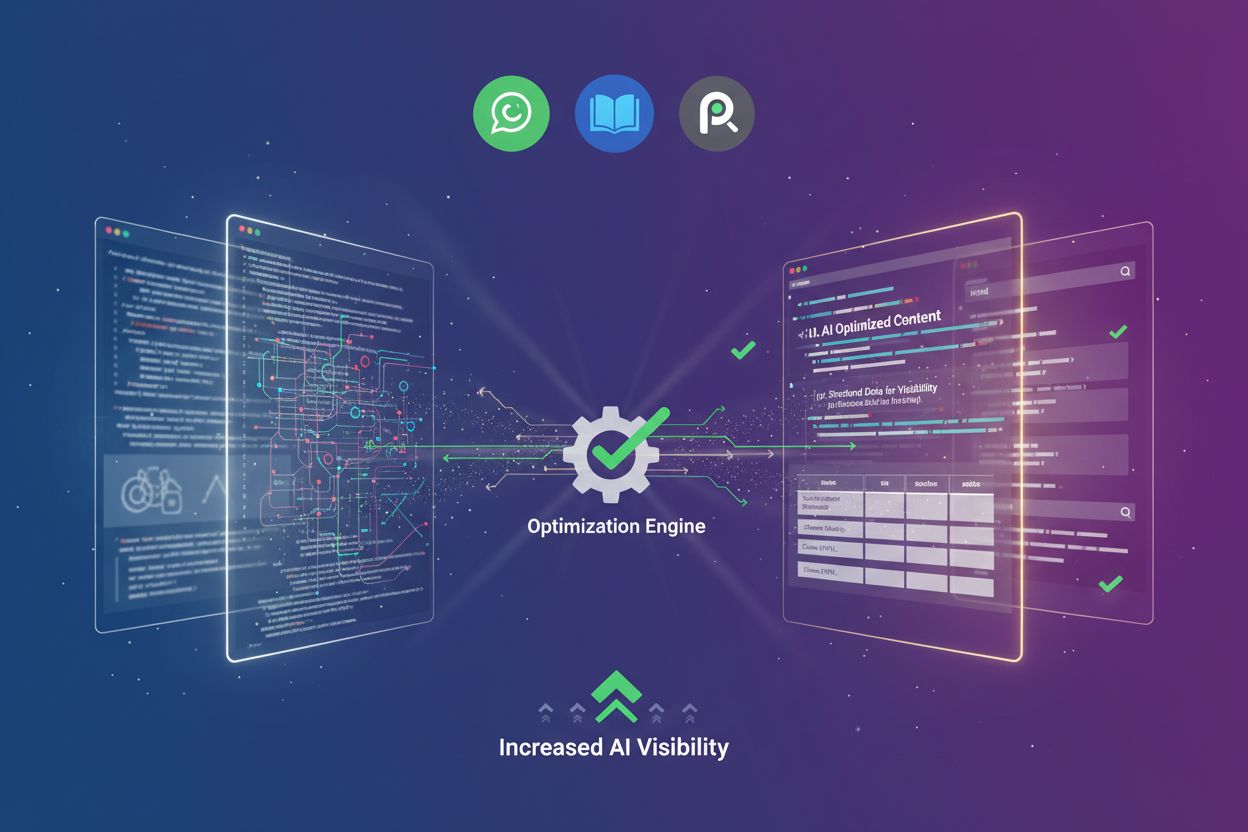
Learn how prerendering makes JavaScript content visible to AI crawlers like ChatGPT, Claude, and Perplexity. Discover the best technical solutions for AI search...

Learn how JavaScript rendering impacts your website's visibility in AI search engines like ChatGPT, Perplexity, and Claude. Discover why AI crawlers struggle wi...
Cookie Consent
We use cookies to enhance your browsing experience and analyze our traffic. See our privacy policy.