


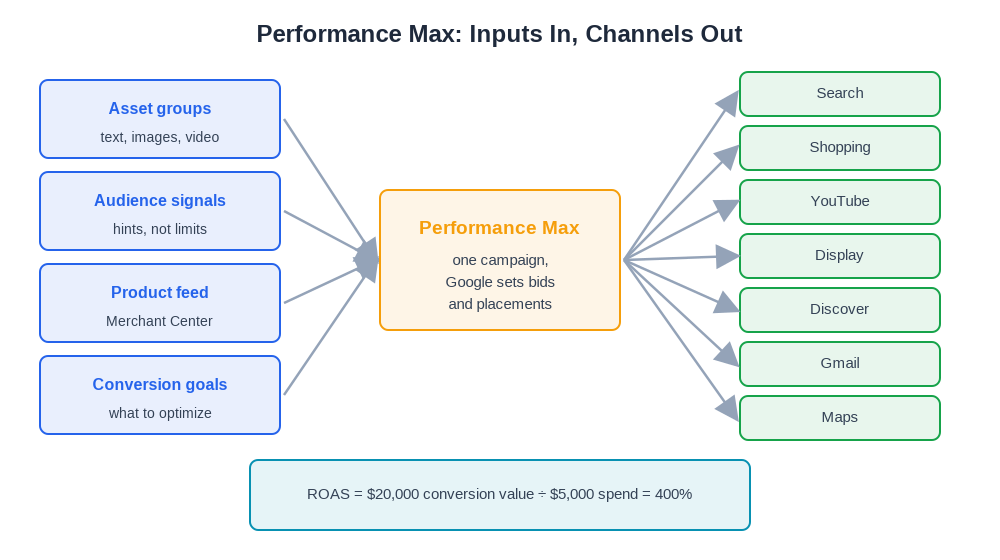
- Performance Max (PMax) is a Google Ads campaign type that runs on Search, Shopping, YouTube, Display, Discover, Gmail and Maps from one campaign and one budget, with automated bidding only.
- You supply asset groups, audience signals, a Merchant Center product feed and conversion goals. Audience signals are hints for the bidding, not hard targeting.
- It optimizes for whatever you count as a conversion, so fix tracking and import real purchase values before launch, or it will find cheap low-value conversions.
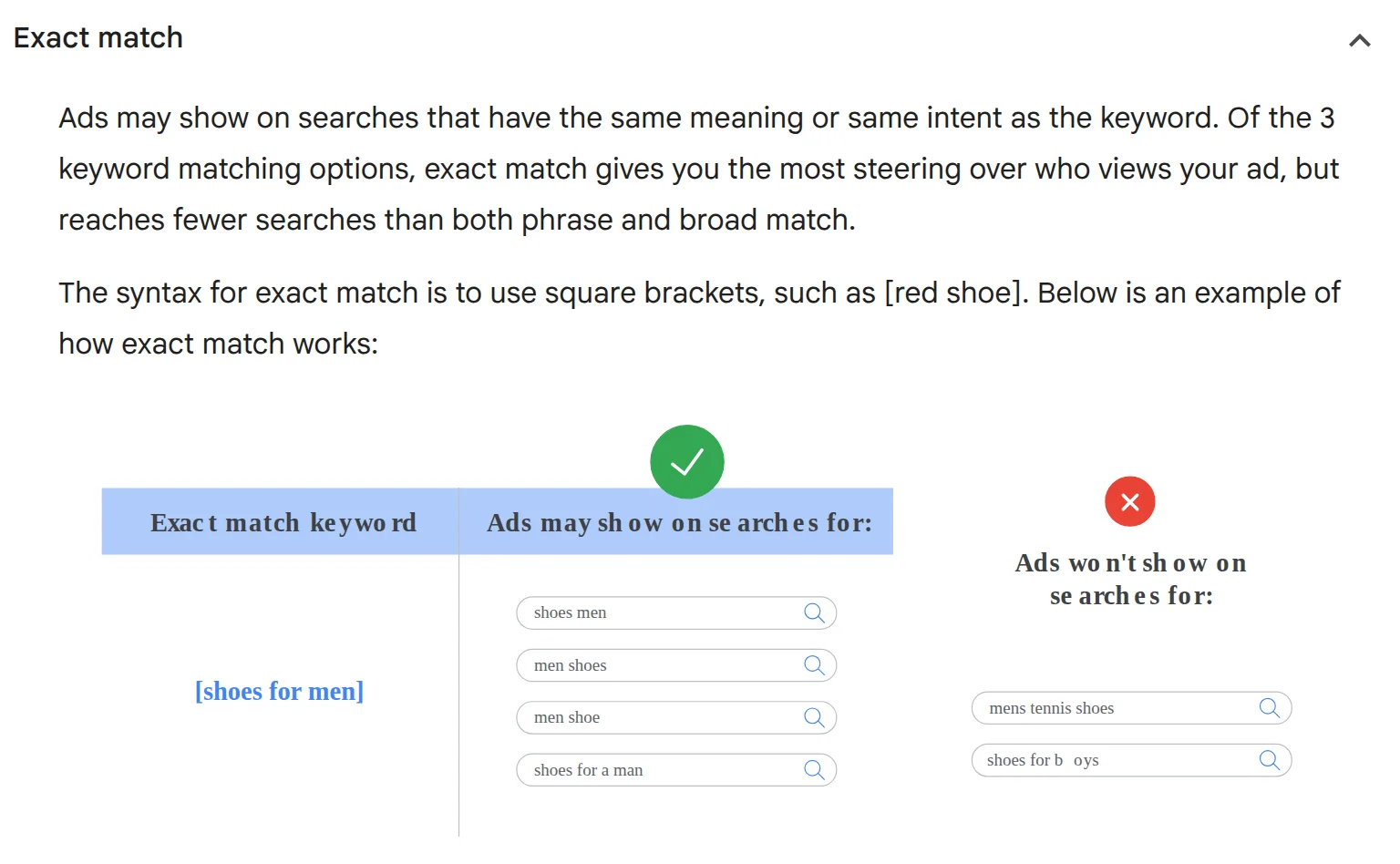
- When a search exactly matches an exact match keyword in a Search campaign, Google gives the Search campaign priority over PMax.
Where AmICited fits
AmICited’s Google Ads reports show spend, clicks, conversions and the search terms behind each campaign. Its prompt tracking records which brands and sources Google AI Overviews and AI Mode name for the same topics, so you can see where you pay for clicks next to an answer that already cites someone else.
See the search terms report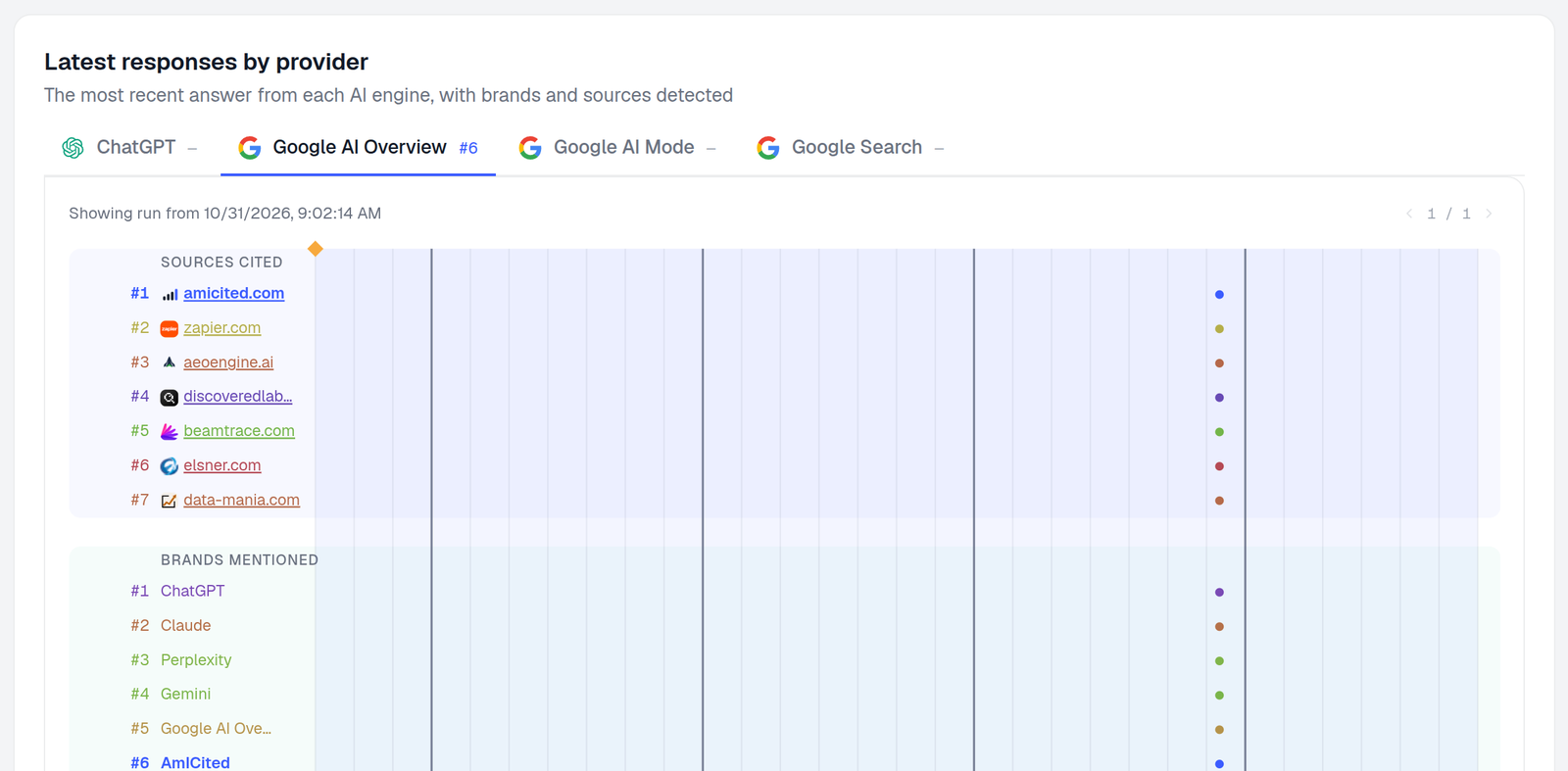
What Is Performance Max?
Performance Max (often shortened to PMax) is a Google Ads campaign type that runs across all of Google’s ad inventory from one campaign and one budget. Instead of building separate Search, Shopping, YouTube and Display campaigns, you give Google your creative assets, a product feed if you sell products, audience signals and a conversion goal. Google’s automated bidding then decides which channel, audience and ad combination to use in each auction.
Google made Performance Max broadly available in late 2021 and later moved Smart Shopping and Local campaigns into it. Today it’s the main automated option for ecommerce advertisers running Google Shopping ads, and many lead generation accounts use it too. Its features and reporting have changed a lot since launch, so treat any specific limit as something to confirm in Google’s Performance Max documentation.
How Performance Max Works
A Performance Max campaign has four inputs:
- Asset groups. Collections of headlines, descriptions, images, logos and videos. Google mixes them into ads that fit each placement, much like responsive search ads do on Search.
- Audience signals. Your customer lists, website visitors or custom segments. These are hints that help bidding start in the right place, not hard targeting limits.
- A product feed. For retail, PMax pulls products from Google Merchant Center, so feed quality directly shapes which products show and for which searches.
- Conversion goals. The actions the campaign should drive, ideally with real values, so it can bid for revenue rather than for cheap conversions.
You then choose a bid strategy: Maximize conversions (optionally with a target CPA) or Maximize conversion value (optionally with a target ROAS). From there, Google sets bids and placements per auction.
You can also add search themes to an asset group, which tell Google about searches you want to be considered for, and exclude brands or URLs you don’t want the campaign to serve on. Reporting has improved since launch: search term insights, asset performance labels and channel-level reporting show more of where the money went than early versions did, though still less than a Search or Standard Shopping campaign.
The main success metric for ecommerce PMax is usually return on ad spend:
ROAS = Conversion value ÷ Ad spend
If a campaign spends $5,000 in a month and records $20,000 in conversion value, ROAS is $20,000 ÷ $5,000 = 4.0, or 400%. If you set a target ROAS of 400%, Google will try to bid so that each dollar of spend returns about four dollars of tracked conversion value. Remember that conversion value is revenue, not profit: a 400% ROAS on a product with a 20% margin still loses money once costs are counted.
Performance Max vs Standard Shopping vs Search
| Performance Max | Standard Shopping | Search campaigns | |
|---|---|---|---|
| Where ads show | Search, Shopping, YouTube, Display, Discover, Gmail, Maps | Shopping placements and Search results | Search results and search partners |
| Targeting | Feed, assets and audience signals; Google chooses | Product groups from your feed | Keywords and match types |
| Bidding | Automated only | Manual CPC or automated | Manual CPC or automated |
| Control over placements | Low | Medium | High |
| Search term visibility | Partial (search term insights, reports) | Full search terms report | Full search terms report |
| Good fit for | Scaling with good feeds and tracking | Tight control over key products | Brand, high-intent and controlled keywords |
Running PMax alongside Search is common. Google says that when a search query exactly matches an exact match keyword in a Search campaign, the Search campaign gets priority, which gives you some control over your most important terms.
Performance Max and AI Search
Google has said that ads from Search, Shopping and Performance Max campaigns are eligible to appear in and around AI Overviews in supported markets. That means PMax can already put paid placements next to AI-generated answers on Google, but the organic answer itself, and which brands it names or cites, is not something any campaign controls.
If you run PMax, it helps to look at both sides: what the campaign bought, through reports like Google Ads search terms, and whether Google AI Overviews and AI Mode mention you organically for the same topics. Paying for clicks on a query where the AI answer already recommends a competitor is a different situation from paying where you’re already the cited source.

Stay Updated on AI Visibility Trends
Get the latest insights on AI mentions, brand monitoring, and optimization strategies.
Best Practices for Performance Max
- Fix conversion tracking first. Import real purchase values, remove soft conversions from the goal and deduplicate tags before you launch.
- Clean up the feed. Clear titles, correct GTINs, accurate prices and availability, and good images matter more than any campaign setting.
- Split by margin or role. Separate asset groups or campaigns for best sellers, low-margin products and new products let you set different ROAS targets.
- Add brand exclusions where needed. If you don’t want PMax taking credit for branded searches you’d win anyway, use brand exclusions and measure brand separately.
- Supply video. If you don’t upload video, Google may generate it from your images; uploading your own keeps YouTube placements on brand.
- Give it time and volume. Avoid large budget or target changes during learning, and change one thing at a time.
Common Performance Max Mistakes
The most common mistake is launching PMax on top of weak conversion tracking. If the goal includes page views or newsletter signups, PMax will happily find cheap versions of those and report a great CPA. Another is letting PMax absorb branded search and remarketing traffic, which makes ROAS look strong without bringing in many new customers.
Advertisers also tend to set a ROAS target far above what the account has achieved, which starves the campaign of volume, or to change targets every few days so the bidding never settles. Finally, many teams treat PMax as hands-off. It still needs feed work, asset refreshes, exclusions and a regular look at where the spend went.