


- The reorder point is the stock level that triggers a new purchase order, so new stock arrives just as the old stock runs low.
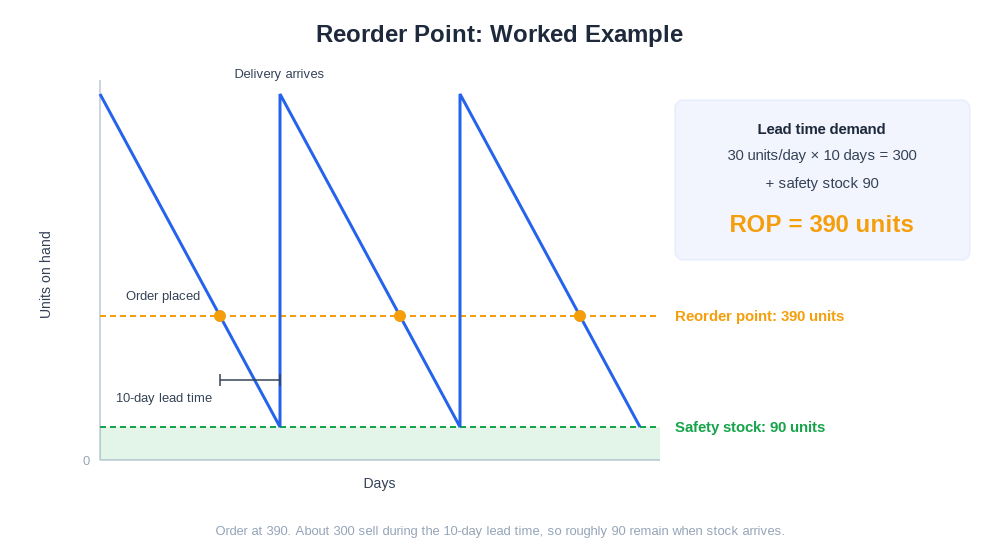
- Reorder point = average daily sales × lead time in days + safety stock. At 30 units a day, a 10-day lead time and 90 units of safety stock, you reorder at 390.
- Compare it with stock on hand plus stock already on order, or you may order twice for the same gap.
- Use the supplier’s real lead time, not the quoted one, and recalculate when sales speed or the season changes.
Where AmICited fits
A reorder point starts from how fast each product sells. AmICited’s Sales engine report charts your shop’s orders day by day, including how many earned revenue and how many were cancelled, and the Products report shows units sold per product.
See the sales engine report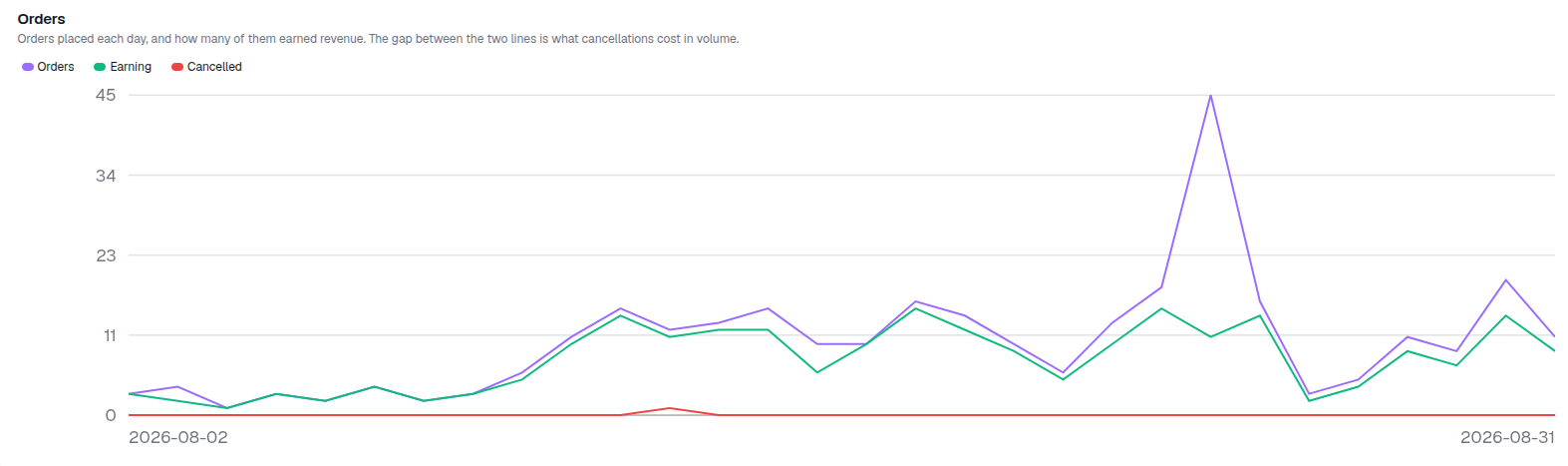
What Is a Reorder Point?
The reorder point (ROP) is the stock level that triggers a new purchase order. When inventory on hand drops to that number, you reorder, so the new stock arrives just as the old stock runs low. It answers one question for every product: when do I need to order again?
Ecommerce stores, retailers, wholesalers and manufacturers all use reorder points. Most inventory tools let you set one per SKU and send an alert or draft a purchase order when stock crosses it. That includes inventory management apps for Shopify, ERP systems, warehouse management systems and Amazon’s restock reports. A reorder point that’s too low causes a stockout; one that’s too high ties up cash in excess stock.
How to Calculate the Reorder Point
The reorder point formula:
Reorder Point = (Average Daily Sales × Lead Time in Days) + Safety Stock
The first part, lead time demand, is what you expect to sell while waiting for the delivery. The second part, safety stock, is the buffer that covers a demand spike or a late shipment.
Worked example. A product sells an average of 30 units a day. The supplier takes 10 days from order to delivery. You hold 90 units of safety stock.
- Lead time demand: 30 × 10 = 300 units.
- Reorder point: 300 + 90 = 390 units.
When stock on hand falls to 390, you place the order. Over the next 10 days you’d expect to sell about 300 units, leaving 90 when the delivery arrives. If demand runs hot or the supplier is a few days late, the 90-unit buffer absorbs it.
Use units on hand plus units already on order (minus units committed to orders not yet shipped) when you compare against the reorder point. Otherwise you might order twice for the same gap.
Reorder Point vs Related Inventory Terms
| Term | What it answers | Formula or rule | Example |
|---|---|---|---|
| Reorder point (ROP) | When do I order? | Lead time demand + safety stock | 390 units |
| Safety stock | How much buffer do I keep? | Based on demand and lead time variability | 90 units |
| Lead time demand | What will sell while I wait? | Average daily sales × lead time | 300 units |
| Reorder quantity / EOQ | How much do I order? | EOQ formula, days of cover or supplier rules | 900 units (30 days of cover) |
| Minimum order quantity | What’s the smallest order the supplier accepts? | Set by the supplier | 500 units |
Reorder Point vs Safety Stock
These two get confused because both protect against running out. Safety stock is a quantity you try never to touch, the cushion under normal operations. The reorder point is a trigger, and it sits above safety stock by exactly the amount you expect to sell during lead time. If you set the reorder point equal to safety stock, you’ll order too late every time: by the time the delivery arrives, you’ll have burned through the buffer. Calculate safety stock first, then add lead time demand to get the reorder point.

Stay Updated on AI Visibility Trends
Get the latest insights on AI mentions, brand monitoring, and optimization strategies.
Reorder Point With Variable Demand
The basic formula assumes steady daily sales. Real demand moves around, so many teams size the safety stock part statistically: safety stock = Z × σ × √(lead time), where Z is the service level factor (about 1.65 for a 95% service level) and σ is the standard deviation of daily sales. Take a different product whose daily sales vary with a standard deviation of 12 units and whose lead time is 9 days. Safety stock at 95% is 1.65 × 12 × √9 = 1.65 × 12 × 3 ≈ 59 units. Add lead time demand to get the reorder point, as before.
Reorder Point and AI Search
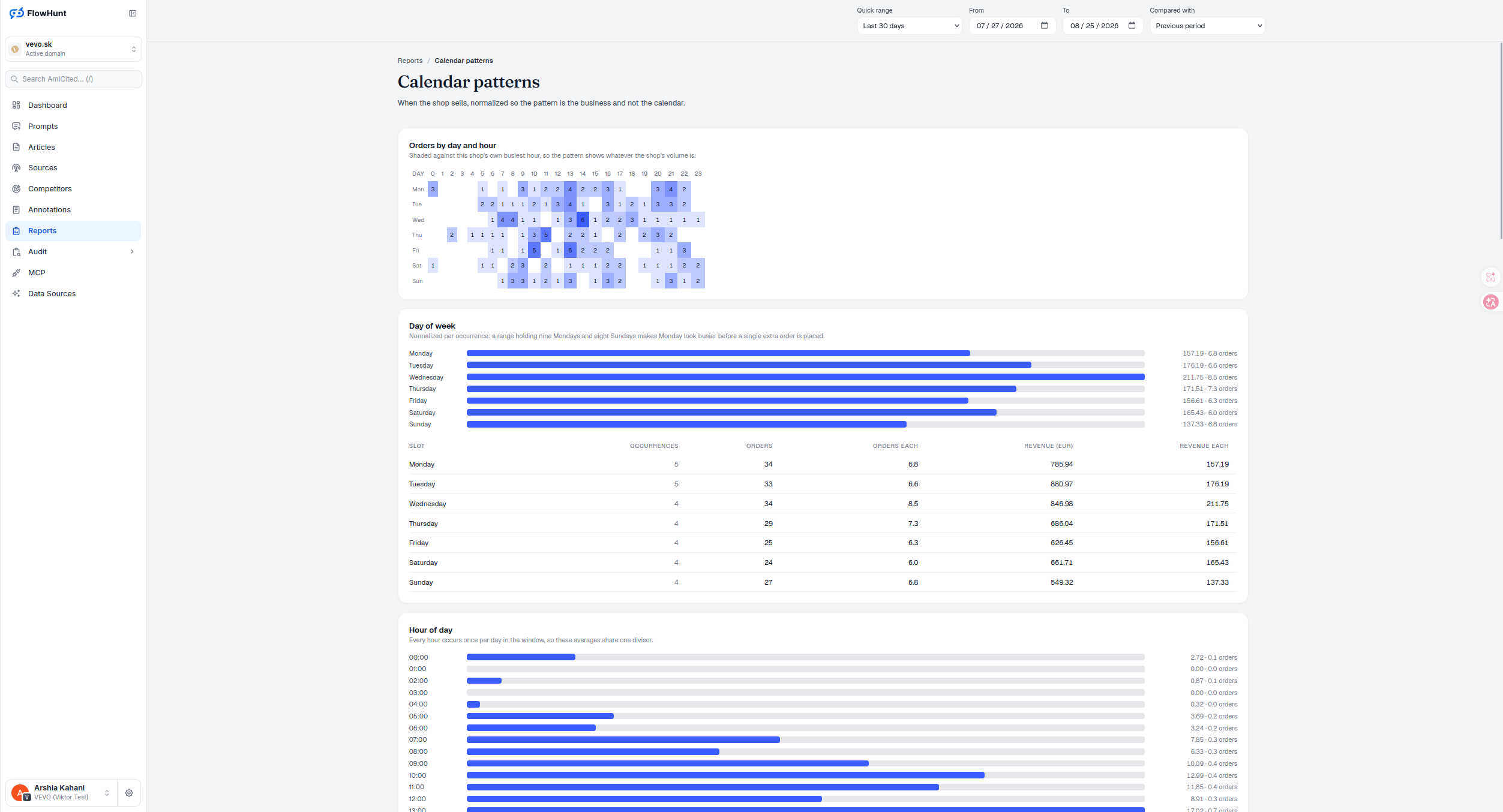
The link to AI search is about availability. Google’s shopping results and Merchant Center product data include stock status, and AI shopping features that draw on product feeds generally won’t present an out-of-stock item as something to buy now. A product that keeps running out loses visibility exactly when demand is highest. Getting the reorder point right is a quiet way to stay eligible for those surfaces. AmICited’s Products report shows what sold and in what volume, which is the sales data a reorder point should start from.
Best Practices for Reorder Points
- Set a reorder point per SKU, not one rule for the whole catalog.
- Use recent sales velocity, and adjust for seasonality and planned promotions with demand forecasting.
- Use the real lead time from order to receiving, including supplier production, transit and your own receiving time.
- Count stock on order as well as stock on hand, so you don’t double order.
- Review reorder points monthly for fast movers and at least quarterly for everything else.
- Flag items where the reorder quantity is below the supplier’s minimum order, and plan around it.
Common Reorder Point Mistakes
The most common mistake is using the supplier’s quoted lead time instead of the actual one. If the supplier says 10 days but deliveries average 14, your reorder point is 4 days of sales too low. Another is setting reorder points once and never updating them, so a product that doubled in sales keeps triggering orders at the old level and runs out.
Teams also forget seasonality: a reorder point set on January sales is far too low for November. Some ignore stock already in transit and order twice. And many set the same reorder point across a whole product line, though each variant sells at a different pace. The size that sells fastest runs out first.