


- Responsive search ads (RSAs) are Google Ads and Microsoft Advertising text ads built from up to 15 headlines and 4 descriptions. The platform assembles up to 3 headlines and 2 descriptions per search.
- They have been the standard Search text ad since June 30, 2022, when Google stopped allowing new expanded text ads.
- Write headlines that make sense in any order, cover different angles (keyword, benefit, proof, offer, call to action) and pin only when you must.
- Ad strength rates asset variety and is not part of Ad Rank. Judge RSAs by conversions and cost per conversion, using the asset reports.
Where AmICited fits
AmICited pulls your Google Ads and Microsoft Advertising data into reports by campaign, keyword and search term, with spend, clicks, CPC, conversions and impression share, and puts paid channels next to organic search in one channel table.
See the Google Ads reports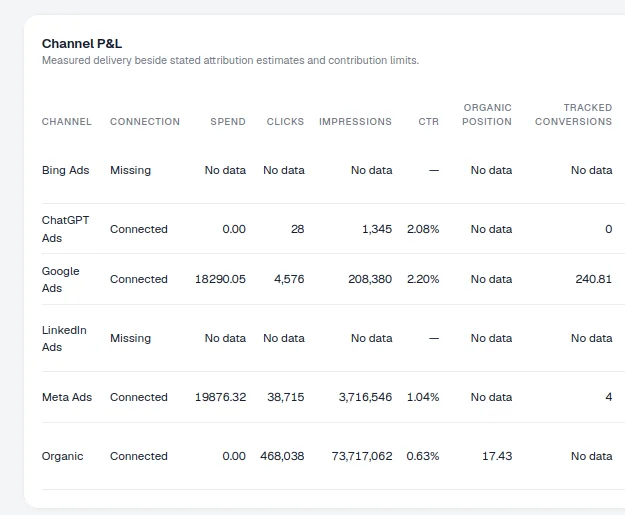
What Are Responsive Search Ads?
Responsive search ads (RSAs) are text ads in Google Ads and Microsoft Advertising that you build from a pool of headlines and descriptions rather than a single fixed version. For each search, the platform picks a combination from that pool, and over time it shows the combinations that get better results more often.
RSAs are now the standard text ad for Search campaigns. Google stopped allowing new expanded text ads on June 30, 2022, so every new text ad you write in Google Search is an RSA. The same asset-mixing idea also powers Performance Max asset groups. You’ll find RSA settings and their asset-level reports inside each ad group in Google Ads, and Google’s responsive search ads help page documents the current limits.
How Responsive Search Ads Work
You give Google the raw material:
- Headlines: 3 to 15, each up to 30 characters.
- Descriptions: 2 to 4, each up to 90 characters.
- Display URL paths: two optional path fields of up to 15 characters each.
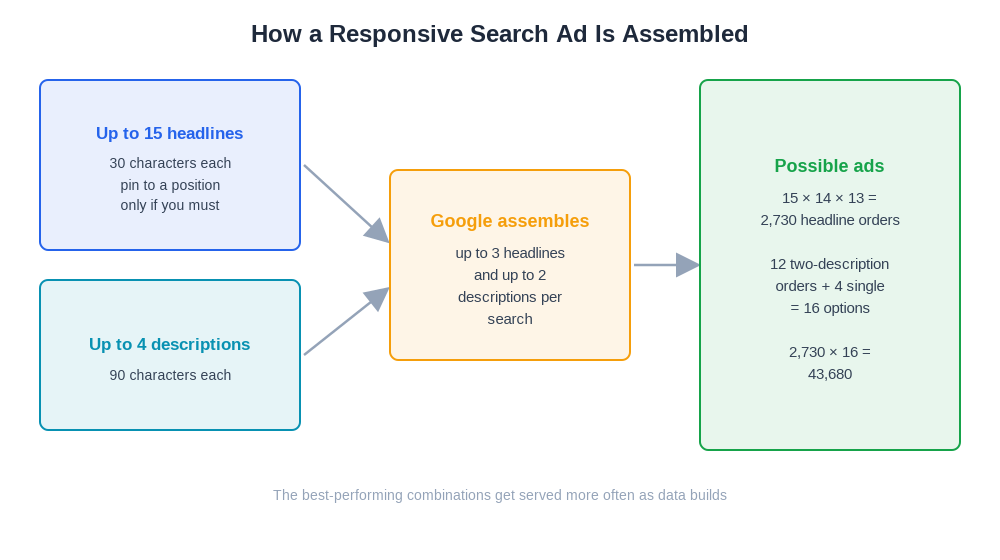
Google then assembles an ad from up to 3 headlines and up to 2 descriptions, in any order, unless you pin assets to positions. The combinations add up quickly. With all 15 headlines and 4 descriptions:
Headline orders = 15 × 14 × 13 = 2,730 (three distinct headlines in order)
Description options = 4 × 3 + 4 = 16 (12 ordered pairs plus 4 single descriptions)
Possible ads = 2,730 × 16 = 43,680
That figure ignores ads with only two headlines, so the true number is higher. You’ll never see all of them served. Google narrows down to the combinations its models expect to perform for each search, device and user context.
Each RSA gets an ad strength rating of Poor, Average, Good or Excellent, based on how many distinct assets you gave it and how relevant they are to your keywords. Ad strength is advice on asset variety. It isn’t part of Ad Rank and doesn’t directly change your cost per click, but ads with more varied assets tend to show for more searches.
Responsive Search Ads vs Expanded Text Ads vs Dynamic Search Ads
| Responsive search ads | Expanded text ads (legacy) | Dynamic search ads | |
|---|---|---|---|
| Who writes the headline | You write up to 15; Google picks | You wrote 3 fixed headlines | Google generates it from your site |
| Descriptions | Up to 4, Google picks up to 2 | 2 fixed | You write them |
| Targeting | Keywords | Keywords | Your website’s pages, no keywords |
| Can you create new ones? | Yes | No, since June 2022 | Yes |
| Best for | Standard keyword campaigns | Nothing new | Catching searches your keyword list misses |
How to Write Responsive Search Ad Assets
The common trap is writing 15 headlines that say the same thing. Treat the headline pool as several categories:
- Keyword headlines that echo the search: “Running Shoes for Flat Feet”.
- Benefit headlines: “Free Returns Within 60 Days”.
- Proof headlines: a review rating, an award or a customer count you can back up.
- Offer headlines: a price, a discount or free shipping.
- Call-to-action headlines: “Find Your Size Today”.
- Brand headlines: your brand name, possibly pinned.
Every headline should make sense next to any other headline, because you don’t control the order. Avoid writing headline 1 and headline 2 as halves of one sentence.
You can make headlines respond to the search with keyword insertion, written as {KeyWord:Running Shoes}, which swaps in the matched keyword and falls back to the default text when the keyword is too long. Ad customizers do the same for things like prices or countdowns to a sale end date. Use them in one or two headlines at most, and check that every keyword in the ad group reads naturally when inserted.

Stay Updated on AI Visibility Trends
Get the latest insights on AI mentions, brand monitoring, and optimization strategies.
Responsive Search Ads and AI Search
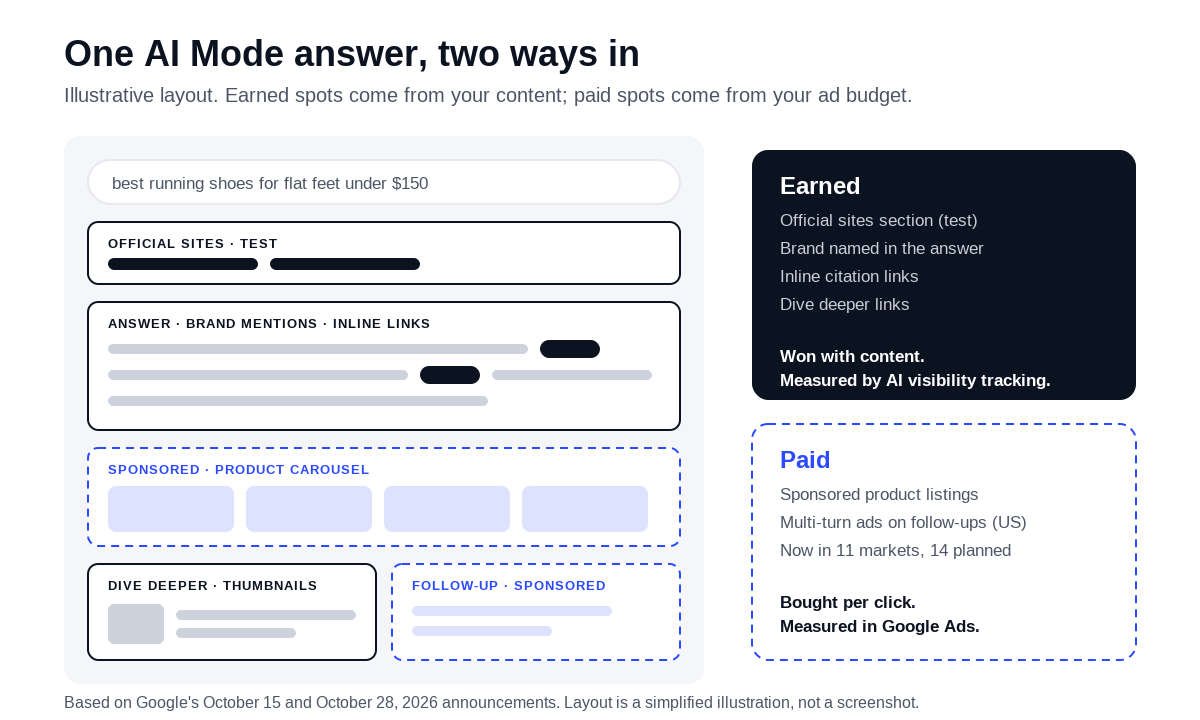
Google’s ad tools now suggest RSA headlines and descriptions with generative AI, and RSAs can appear above and below AI Overviews on Google. Both trends push the same way: your ad competes for attention with an AI-written summary that often answers the question directly. Headlines that add something the summary can’t, such as a specific offer, price or proof point, give searchers a reason to click.
The organic answer is a separate battle. Whether AI Overviews and AI Mode cite your pages depends on your content, not your ads, which is why some teams track AI rank for the same topics they bid on.
Best Practices for Responsive Search Ads
- Fill most of the slots. Aim for at least 8 to 10 distinct headlines and all 4 descriptions.
- Include keywords in a few headlines, not all of them. Variety is what lets Google match more searches.
- Pin sparingly. If you must pin, pin two or three options to the same position so testing continues.
- Check asset reports. Google labels assets by performance once they have enough data. Replace the weakest ones every few weeks.
- Use one or two RSAs per ad group, not many. Splitting impressions across several ads slows down learning.
- Measure by conversions, not ad strength. An “Average” ad that converts well beats an “Excellent” ad that doesn’t.
Common Responsive Search Ad Mistakes
The most common mistake is writing near-duplicate headlines, which gives Google nothing real to test and leaves you with one message shown in slightly different words. Another is pinning everything to keep control, which turns the RSA back into a fixed ad and limits where it can show. Some advertisers chase “Excellent” ad strength by stuffing keywords into every headline, which makes the ad read badly.
Advertisers also forget that any headline can appear with any other. A headline promising “From $49” next to one saying “Premium Collection” may create a combination you’d never have approved. Finally, many teams judge RSAs by click-through rate alone, when the useful test is conversions and cost per conversion, read alongside a keyword performance report so you know which searches each ad actually served.