


An AI marketing agent on your own Claude or ChatGPT
AmICited Desktop is an AI marketing agent that runs on the Claude or ChatGPT subscription you already pay for. Connect AmICited and it audits your website, ranks what to fix in AI search, plans your content and does the work, asking before it changes anything.
Free download for macOS (Apple silicon and Intel), Windows and Linux.
All downloads: macOS · Apple silicon macOS · Intel Windows Windows · Arm Linux · AppImage Linux · .deb
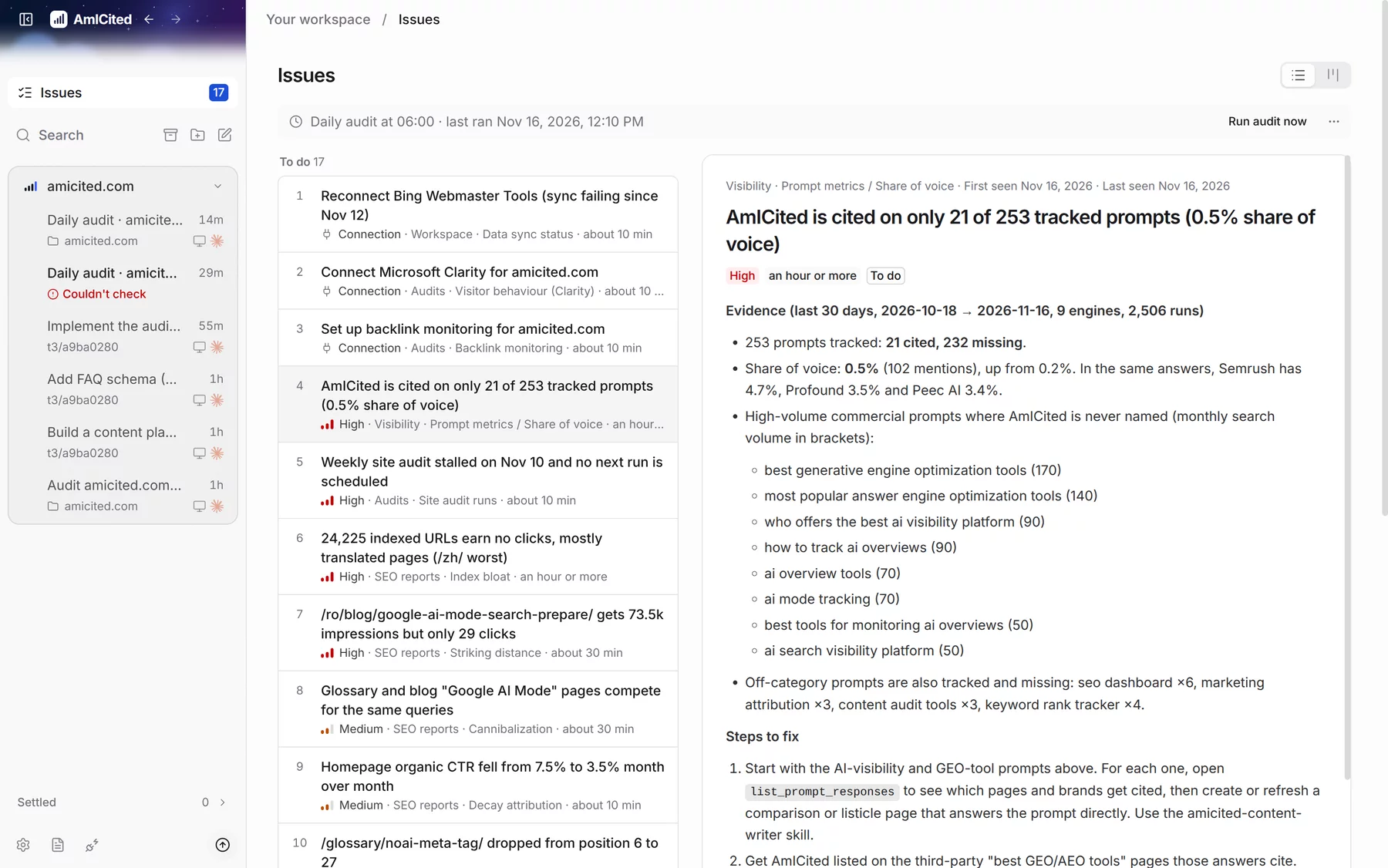
AmICited data, turned into ranked fixes
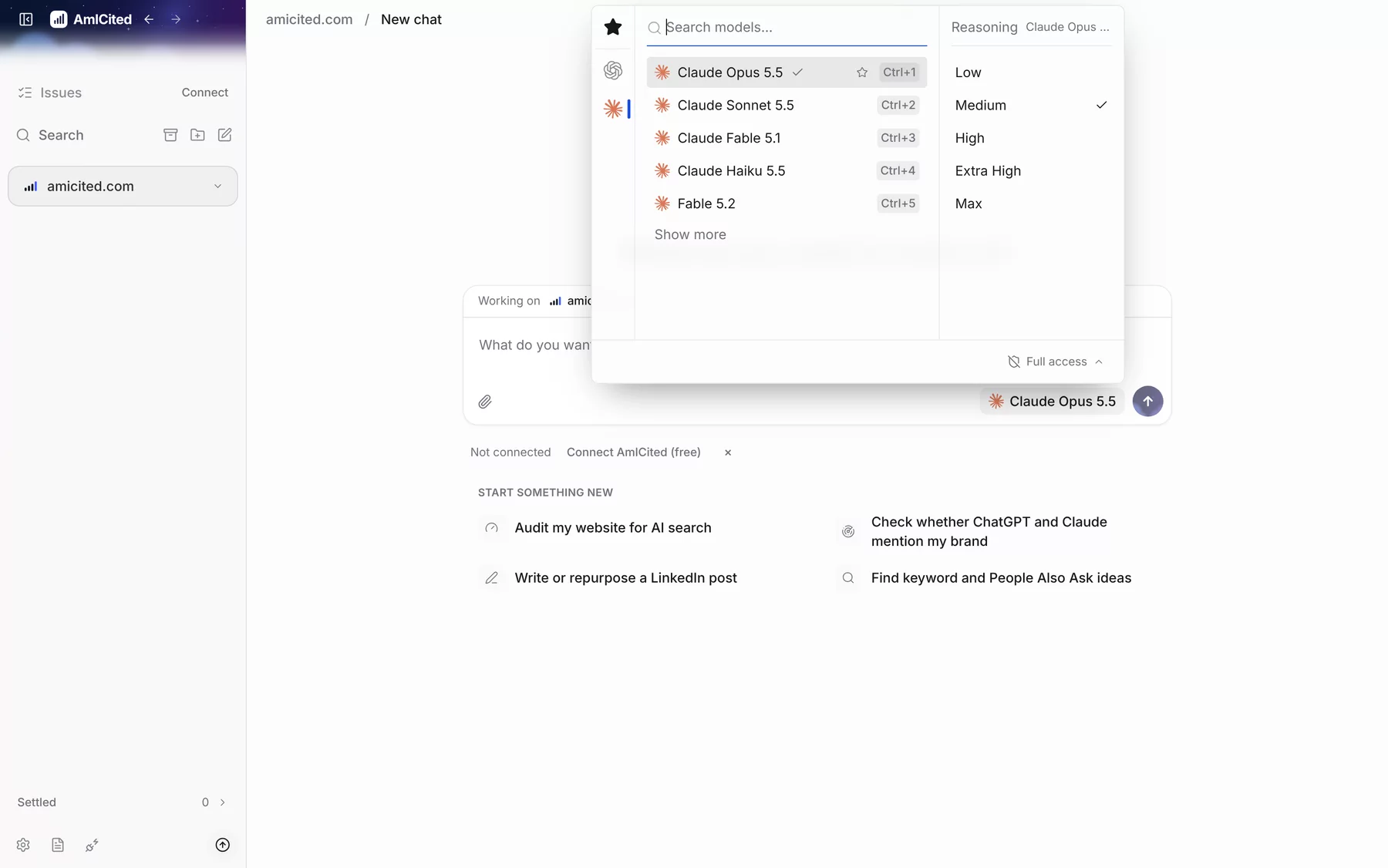
Claude or ChatGPT for marketing, on your plan
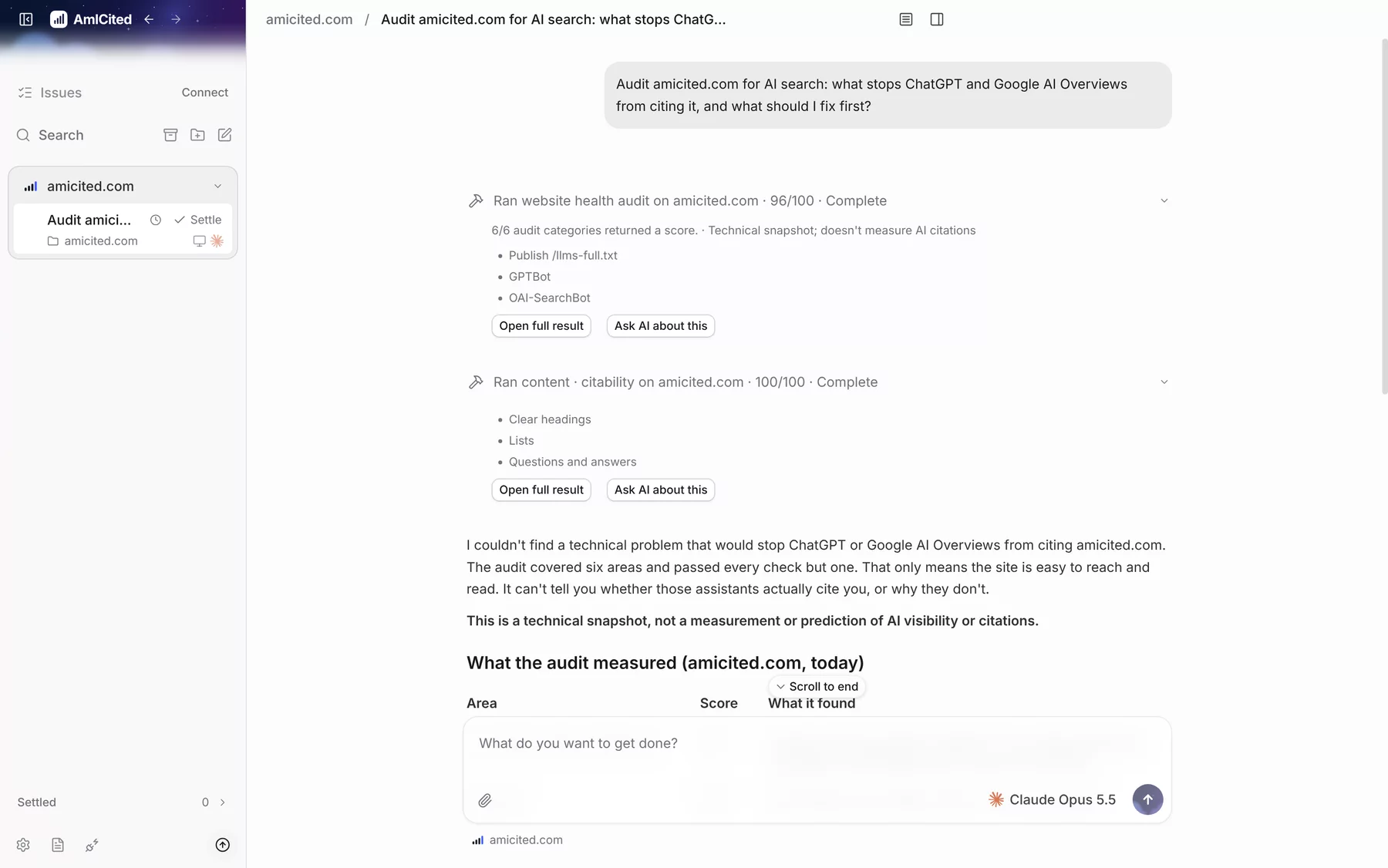
Claude SEO audits of your live site
A content plan from who AI cites instead
Agentic marketing, with your OK on each step
Set up your AI marketing agent in four steps
- 01
Download the app
Install AmICited Desktop on macOS, Windows or Linux. It is free to download.
- 02
Choose your AI assistant
Sign in to Claude or ChatGPT on this computer. Setup checks for both and opens the install or sign-in step if one is missing.
- 03
Add your website
Create a domain with its website and brand name. Point it at your site's folder or Git repository if you want the agent to edit files.
- 04
Connect AmICited
Sign in with a free AmICited account. The first audit starts right away and fills Issues with what to fix.
What this AI marketing agent does
AmICited Desktop is a free AI marketing agent for macOS, Windows and Linux. It turns the Claude or ChatGPT subscription you already pay for into an agent that works on your website from your own computer. You give it a website and connect AmICited. It audits the site, ranks what to fix in AI search, plans content from the prompts you are losing, and does the work when you say go.
Every screenshot and recording on this page comes from the real app, run on amicited.com on 16 November 2026 with Claude Opus 5.5.
Who it is for, and who it is not for
AmICited Desktop fits you if:
- You already pay for Claude or ChatGPT and use it for marketing work.
- You own one website or a handful of them, as a solo marketer, an in-house team or a small agency.
- You want AI search findings turned into concrete fixes and content, not exported into another spreadsheet.
It is not the right fit if you need a hosted tool your whole team logs into from the browser with no install, or if you cannot install apps on your work computer. It does not run local models, so you need a Claude, ChatGPT or other supported provider account. For portfolio-wide tracking across many clients, start with AmICited for agencies.
AmICited Desktop and the AmICited web app
The two work together. The AmICited web app tracks prompts, citations, share of voice and competitors across AI engines on a fixed daily schedule. AmICited Desktop is where an agent acts on that data on your computer. To track AI visibility at scale, start with prompt tracking. To get the fixes and the content done, add the desktop app.
AI marketing agent questions
What is an AI marketing agent?
An AI marketing agent is an AI model that does marketing work on its own: it reads your data, runs tools such as a website audit, decides what to do next and reports back. AmICited Desktop is an AI marketing agent built on Claude or ChatGPT. It works from your AmICited data and your website, ranks what to fix in AI search, writes content plans and makes site changes after you approve them.
Is AmICited Desktop free?
Yes, the app is free to download and use. You keep paying your AI provider as you do today. The local marketing tools work without an AmICited account. Connecting a free AmICited account adds AmICited tools that use workspace credits, and new accounts get welcome credits. A 7-day trial (card required) or a paid plan unlocks the full set; Pro is €120 a month.
Which AI subscriptions work with AmICited Desktop?
Claude and ChatGPT. The app runs Claude through Claude Code and ChatGPT through Codex, the providers' own tools, so using Claude Code for marketing needs no extra setup: you use the plan you already have. Settings also support Cursor, Grok Build, OpenCode, Google Antigravity, Pi and Muse Code, and you can add an API key or OpenRouter instead of a subscription. Local models are not supported.
What leaves my computer?
Your prompts and files go from your computer to your AI provider, such as Anthropic or OpenAI, not to AmICited. When the agent uses an AmICited tool, that tool sends what it needs to AmICited. The app also sends basic usage events, such as provider, model and token counts, with no prompts, responses or file contents. You can turn them off in Settings.
Which operating systems does AmICited Desktop support?
macOS on Apple silicon and Intel, Windows on x64 and Arm, and Linux as an AppImage or a .deb package. The macOS builds are signed and notarized. The Windows builds are not code-signed yet, so Windows SmartScreen may warn you the first time you open the installer.
Does AmICited Desktop need an AmICited account?
No. You can chat and run the local marketing tools without one. Issues and AI-search content plans need a free AmICited account, because they are built from your AmICited data. Reports also need an AmICited API key.
How does it differ from the AmICited web app?
The web app is where AmICited tracks your prompts, citations and competitors across AI engines. AmICited Desktop is where an agent acts on that data: it runs on your computer with your own AI subscription, works in your site's files and browser sessions, and turns the findings into fixes, plans and reports.
Can it edit my website?
Yes, if you give the domain your site's folder or Git repository. In Ask before acting mode the agent asks before each command and edit, and you can review the changed files afterwards. The app does not commit, push or publish on its own. Without site files, it gives you instructions for your CMS instead.
Put your AI subscription to work on your website
Install the app, sign in to Claude or ChatGPT, add your website and connect AmICited for free.
Download for macOS, Windows or LinuxFree download for macOS (Apple silicon and Intel), Windows and Linux.
All downloads: macOS · Apple silicon macOS · Intel Windows Windows · Arm Linux · AppImage Linux · .deb