
How to Identify AI Crawlers in Server Logs: Complete Detection Guide
Learn how to identify and monitor AI crawlers like GPTBot, PerplexityBot, and ClaudeBot in your server logs. Discover user-agent strings, IP verification method...
8 min read
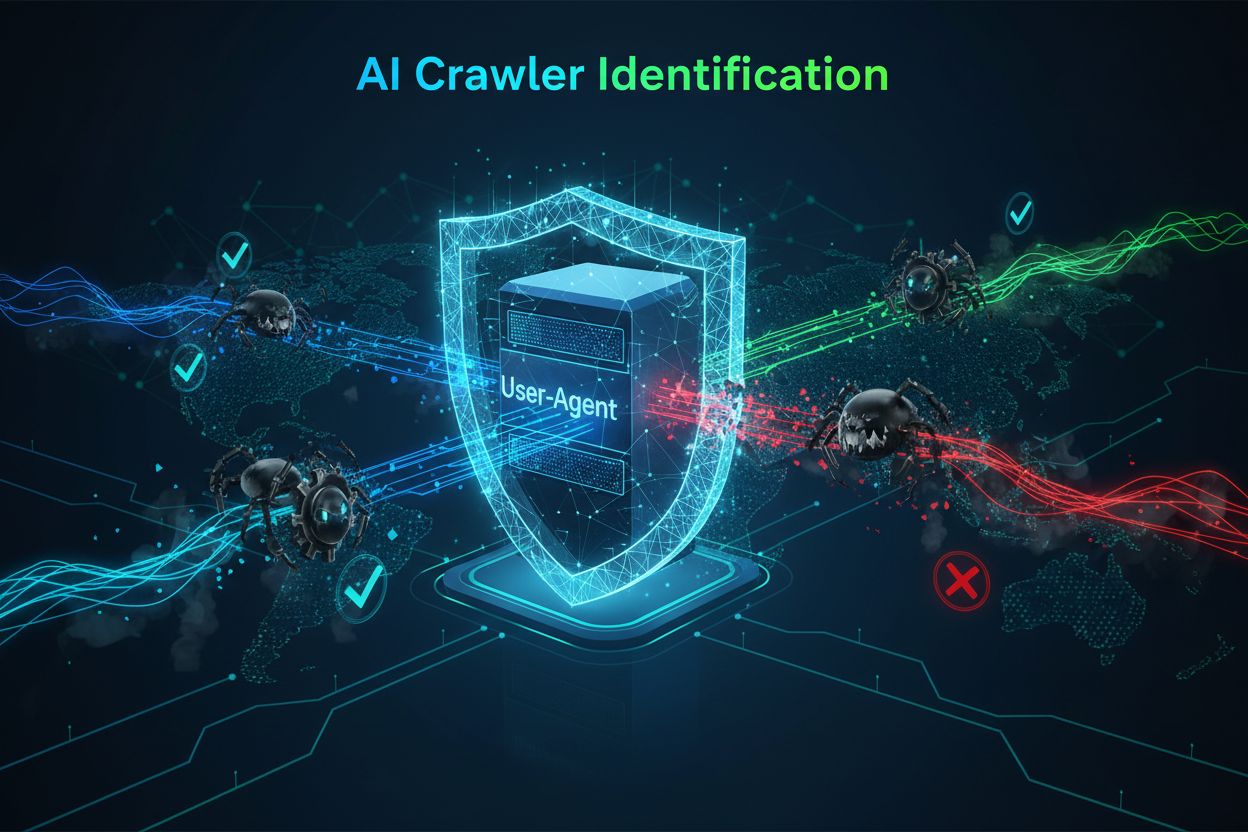
The identification string AI crawlers send to web servers in HTTP headers, used for access control, analytics tracking, and distinguishing legitimate AI bots from malicious scrapers. It identifies the crawler’s purpose, version, and origin.
The identification string AI crawlers send to web servers in HTTP headers, used for access control, analytics tracking, and distinguishing legitimate AI bots from malicious scrapers. It identifies the crawler's purpose, version, and origin.
An AI crawler user-agent is an HTTP header string that identifies automated bots accessing web content for artificial intelligence training, indexing, or research purposes. This string serves as the crawler’s digital identity, communicating to web servers who is making the request and what their intentions are. The user-agent is crucial for AI crawlers because it allows website owners to recognize, track, and control how their content is being accessed by different AI systems. Without proper user-agent identification, distinguishing between legitimate AI crawlers and malicious bots becomes significantly more difficult, making it an essential component of responsible web scraping and data collection practices.
The user-agent header is a critical component of HTTP requests, appearing in the request headers that every browser and bot sends when accessing a web resource. When a crawler makes a request to a web server, it includes metadata about itself in the HTTP headers, with the user-agent string being one of the most important identifiers. This string typically contains information about the crawler’s name, version, the organization operating it, and often a contact URL or email for verification purposes. The user-agent allows servers to identify the requesting client and make decisions about whether to serve content, rate-limit requests, or block access entirely. Below are examples of user-agent strings from major AI crawlers:
Mozilla/5.0 AppleWebKit/537.36 (KHTML, like Gecko; compatible; GPTBot/1.3; +https://openai.com/gptbot)
Mozilla/5.0 AppleWebKit/537.36 (KHTML, like Gecko; compatible; ClaudeBot/1.0; +claudebot@anthropic.com)
Mozilla/5.0 AppleWebKit/537.36 (KHTML, like Gecko; compatible; PerplexityBot/1.0; +https://perplexity.ai/perplexitybot)
Mozilla/5.0 AppleWebKit/537.36 (KHTML, like Gecko) Chrome/131.0.0.0 Safari/537.36; compatible; OAI-SearchBot/1.3; +https://openai.com/searchbot
| Crawler Name | Purpose | Example User-Agent | IP Verification |
|---|---|---|---|
| GPTBot | Training data collection | Mozilla/5.0…compatible; GPTBot/1.3 | OpenAI IP ranges |
| ClaudeBot | Model training | Mozilla/5.0…compatible; ClaudeBot/1.0 | Anthropic IP ranges |
| OAI-SearchBot | Search indexing | Mozilla/5.0…compatible; OAI-SearchBot/1.3 | OpenAI IP ranges |
| PerplexityBot | Search indexing | Mozilla/5.0…compatible; PerplexityBot/1.0 | Perplexity IP ranges |
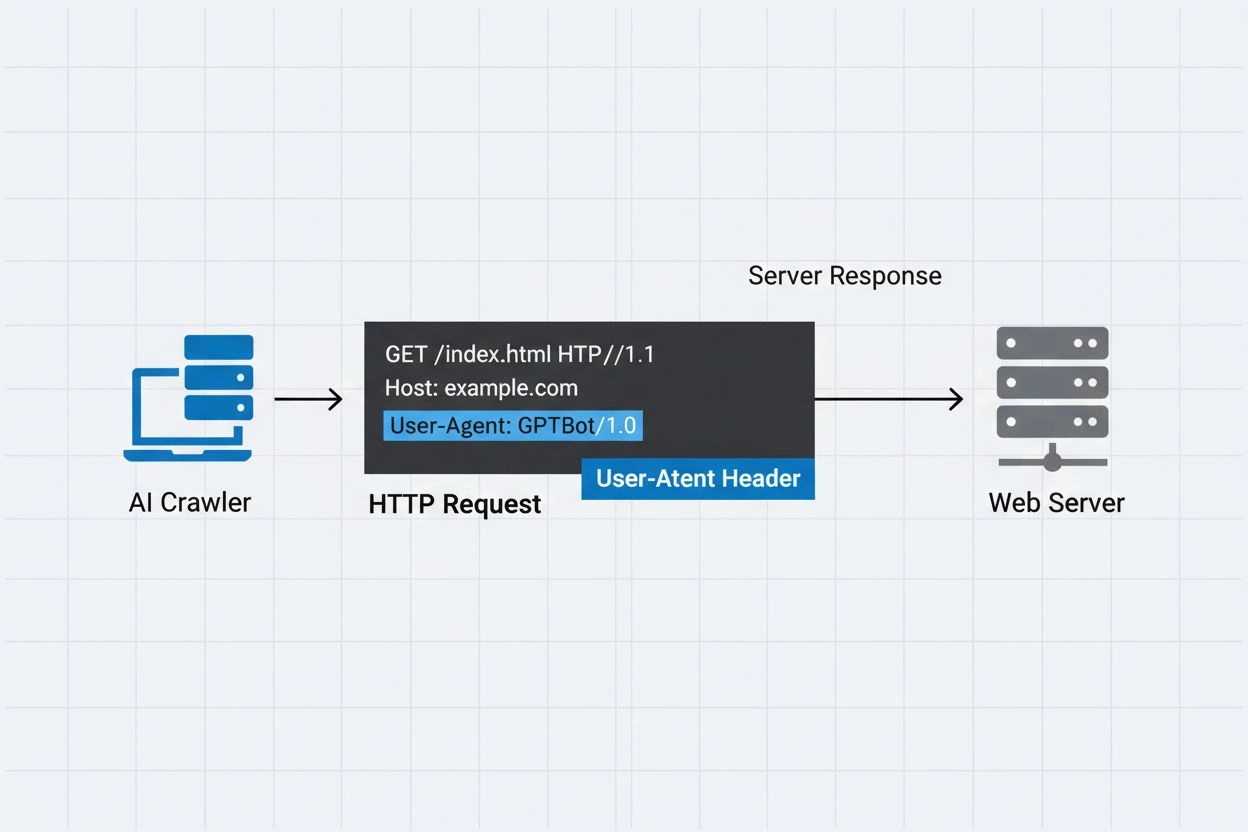
Several prominent AI companies operate their own crawlers with distinct user-agent identifiers and purposes. These crawlers represent different use cases within the AI ecosystem:
Each crawler has specific IP ranges and official documentation that website owners can reference to verify legitimacy and implement appropriate access controls.
User-agent strings can be easily faked by any client making an HTTP request, making them insufficient as a sole authentication mechanism for identifying legitimate AI crawlers. Malicious bots frequently spoof popular user-agent strings to disguise their true identity and bypass website security measures or robots.txt restrictions. To address this vulnerability, security experts recommend using IP verification as an additional layer of authentication, checking that requests originate from the official IP ranges published by AI companies. The emerging RFC 9421 HTTP Message Signatures standard provides cryptographic verification capabilities, allowing crawlers to digitally sign their requests so servers can cryptographically verify authenticity. However, distinguishing between real and fake crawlers remains challenging because determined attackers can spoof both user-agent strings and IP addresses through proxies or compromised infrastructure. This cat-and-mouse game between crawler operators and security-conscious website owners continues to evolve as new verification techniques are developed.
Website owners can control crawler access by specifying user-agent directives in their robots.txt file, allowing granular control over which crawlers can access which parts of their site. The robots.txt file uses user-agent identifiers to target specific crawlers with custom rules, enabling site owners to permit some crawlers while blocking others. Here is an example robots.txt configuration:
User-agent: GPTBot
Disallow: /private
Allow: /

User-agent: ClaudeBot
Disallow: /
While robots.txt provides a convenient mechanism for crawler control, it has important limitations:
Website owners can leverage server logs to track and analyze AI crawler activity, gaining visibility into which AI systems are accessing their content and how frequently. By examining HTTP request logs and filtering for known AI crawler user-agents, site administrators can understand the bandwidth impact and data collection patterns of different AI companies. Tools like log analysis platforms, web analytics services, and custom scripts can parse server logs to identify crawler traffic, measure request frequency, and calculate data transfer volumes. This visibility is particularly important for content creators and publishers who want to understand how their work is being used for AI training and whether they should implement access restrictions. Services like AmICited.com play a crucial role in this ecosystem by monitoring and tracking how AI systems cite and reference content from across the web, providing creators with transparency about their content’s use in AI training. Understanding crawler activity helps website owners make informed decisions about their content policies and negotiate with AI companies regarding data usage rights.
Implementing effective management of AI crawler access requires a multi-layered approach combining several verification and monitoring techniques:
By following these practices, website owners can maintain control over their content while supporting the responsible development of AI systems.
A user-agent is an HTTP header string that identifies the client making a web request. It contains information about the software, operating system, and version of the requesting application, whether it's a browser, crawler, or bot. This string allows web servers to identify and track different types of clients accessing their content.
User-agent strings allow web servers to identify which crawler is accessing their content, enabling website owners to control access, track crawler activity, and distinguish between different types of bots. This is essential for managing bandwidth, protecting content, and understanding how AI systems are using your data.
Yes, user-agent strings can be easily spoofed since they're just text values in HTTP headers. This is why IP verification and HTTP Message Signatures are important additional verification methods to confirm a crawler's true identity and prevent malicious bots from impersonating legitimate crawlers.
You can use robots.txt with user-agent directives to request crawlers not access your site, but this isn't enforceable. For stronger control, use server-side verification, IP allowlisting/blocklisting, or WAF rules that check both user-agent and IP address simultaneously.
GPTBot is OpenAI's crawler for collecting training data for AI models like ChatGPT, while OAI-SearchBot is designed for search indexing and powering search features in ChatGPT. They have different purposes, crawl rates, and IP ranges, requiring different access control strategies.
Check the crawler's IP address against the official IP list published by the crawler operator (e.g., openai.com/gptbot.json for GPTBot). Legitimate crawlers publish their IP ranges, and you can verify requests come from those ranges using firewall rules or WAF configurations.
HTTP Message Signatures (RFC 9421) is a cryptographic method where crawlers sign their requests with a private key. Servers can verify the signature using the crawler's public key from their .well-known directory, proving the request is authentic and hasn't been tampered with.
AmICited.com monitors how AI systems reference and cite your brand across GPTs, Perplexity, Google AI Overviews, and other AI platforms. It tracks crawler activity and AI mentions, helping you understand your visibility in AI-generated answers and how your content is being used.
Track how AI crawlers reference and cite your content across ChatGPT, Perplexity, Google AI Overviews, and other AI platforms with AmICited.
Learn how to identify and monitor AI crawlers like GPTBot, PerplexityBot, and ClaudeBot in your server logs. Discover user-agent strings, IP verification method...
Learn how to allow AI bots like GPTBot, PerplexityBot, and ClaudeBot to crawl your site. Configure robots.txt, set up llms.txt, and optimize for AI visibility.
Learn which AI crawlers to allow or block in your robots.txt. Comprehensive guide covering GPTBot, ClaudeBot, PerplexityBot, and 25+ AI crawlers with configurat...
Cookie Consent
We use cookies to enhance your browsing experience and analyze our traffic. See our privacy policy.