
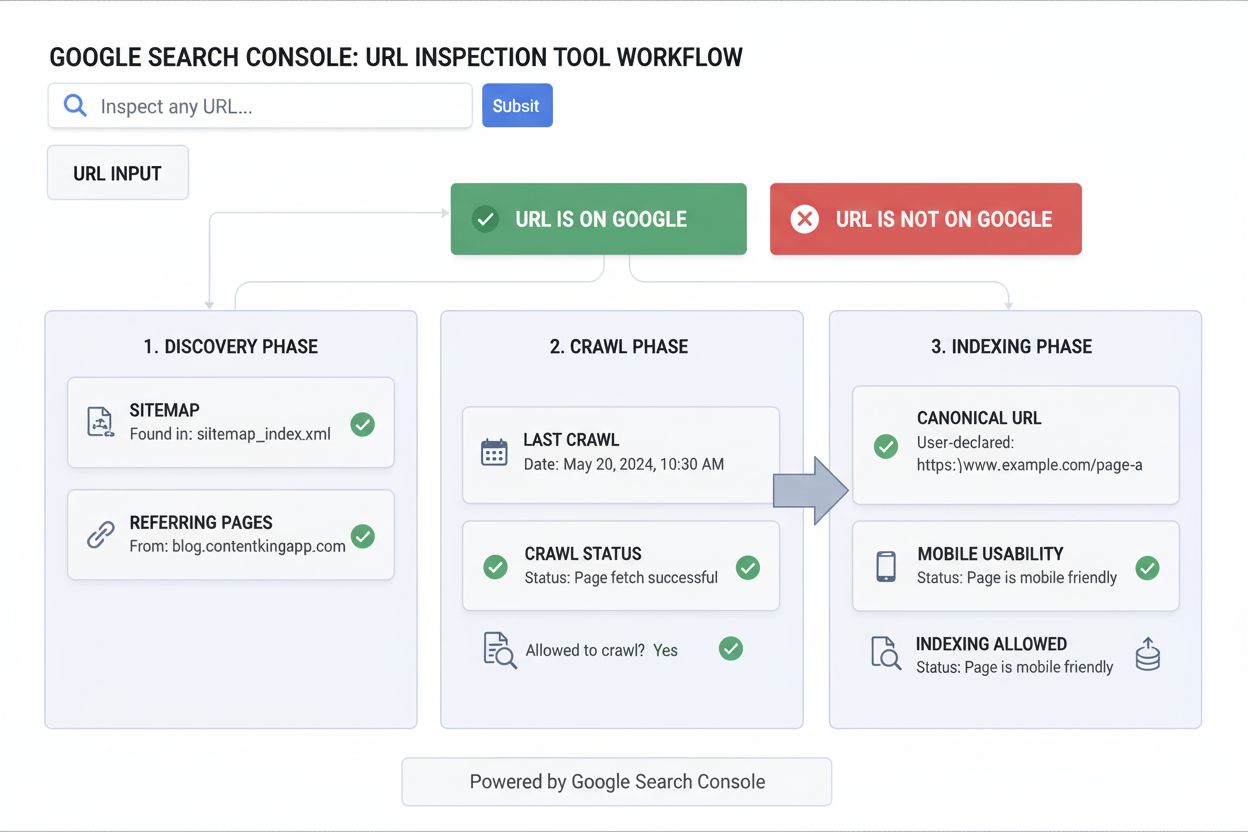
URL Inspection Tool
Learn what the URL Inspection Tool is, how it works, and why it's essential for monitoring page indexing status in Google Search Console. Includes live testing ...
10 min read
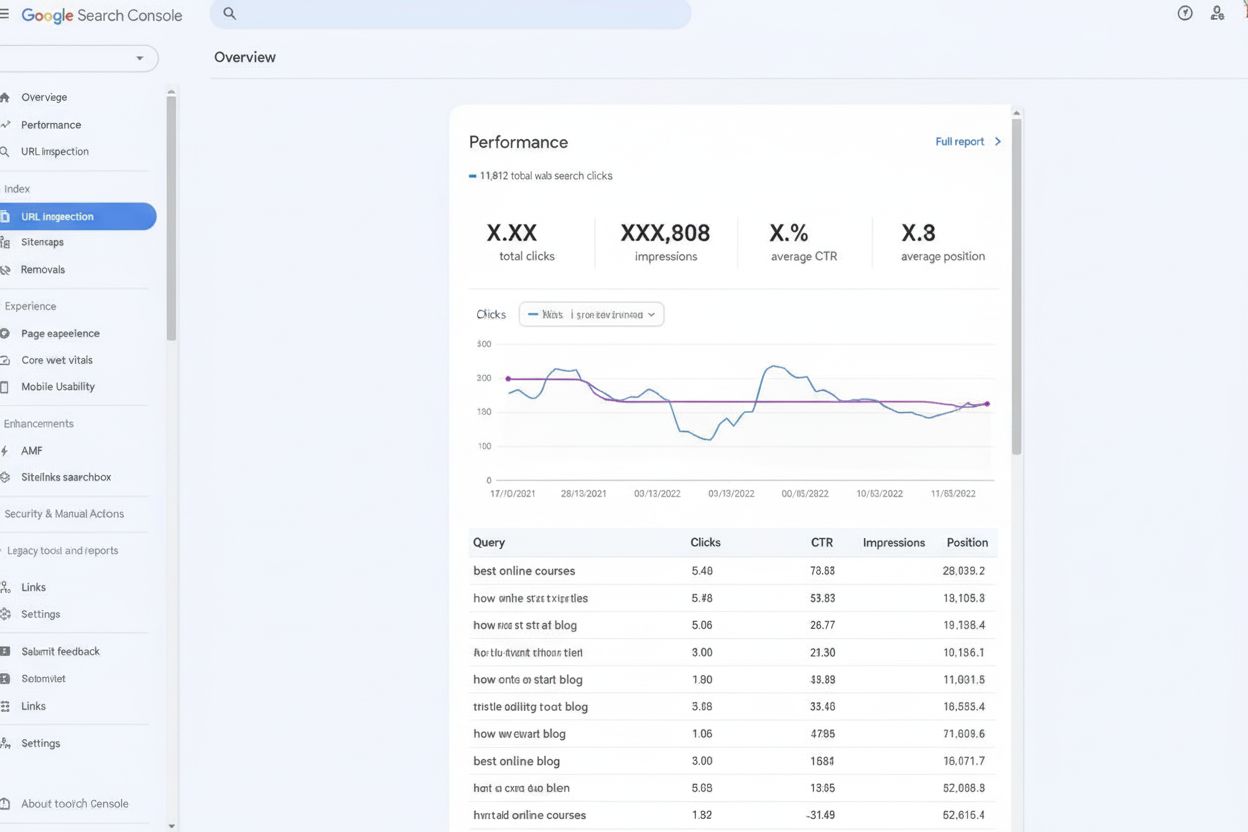
Google Search Console is Google’s free webmaster tools platform that enables website owners to monitor how their sites appear in Google Search results, track search performance metrics, and identify and fix indexing and crawling issues. Formerly known as Google Webmaster Tools, it provides essential data on impressions, clicks, search queries, and technical SEO health.
Google Search Console is Google's free webmaster tools platform that enables website owners to monitor how their sites appear in Google Search results, track search performance metrics, and identify and fix indexing and crawling issues. Formerly known as Google Webmaster Tools, it provides essential data on impressions, clicks, search queries, and technical SEO health.
Google Search Console (formerly known as Google Webmaster Tools) is a free web service provided by Google that allows website owners, developers, and digital marketers to monitor, maintain, and troubleshoot their website’s presence in Google Search results. Launched in its current form in 2015 after being rebranded from Webmaster Tools, Google Search Console serves as the primary communication channel between website owners and Google’s search infrastructure. The platform provides critical data on how Google crawls, indexes, and serves web pages, enabling users to understand their search performance and identify technical issues that may impact visibility. With Google Search Console, users can track search queries that drive traffic to their sites, monitor indexing status, submit sitemaps, request URL recrawling, and receive alerts about security issues or manual actions that could affect search rankings.
Google Search Console has evolved significantly since its inception as Google Webmaster Tools in 2006. The platform was originally designed to help webmasters understand how Google’s crawlers interacted with their websites, but it has expanded dramatically to become an essential SEO tool for businesses of all sizes. In January 2018, Google released a completely redesigned version of the platform with a modern interface and enhanced reporting capabilities. The old version was fully retired in September 2019, forcing all users to migrate to the new platform. This evolution reflects Google’s commitment to providing webmasters with increasingly sophisticated tools to optimize their search presence. Today, Google Search Console is used by hobbyists, small business owners, SEO experts, marketers, programmers, designers, app developers, and enterprise-level organizations. According to industry research, using Google Search Console correctly can increase organic traffic to a website by up to 28%, demonstrating its significant impact on search performance. The platform’s free nature has made it the de facto standard for website owners seeking to understand their Google Search performance, with adoption rates continuing to grow as more businesses recognize the importance of search engine optimization.
Google Search Console offers a comprehensive suite of tools designed to address different aspects of search engine optimization and website management. The Performance Report is one of the most critical features, displaying metrics such as impressions (how many times your site appears in search results), clicks (how many users clicked your link), click-through rate (CTR), and average position in search results. This data can be filtered by search query, page, country, device type, and search appearance, allowing granular analysis of search performance. The URL Inspection Tool provides page-level insights, showing whether specific URLs are indexed, when they were last crawled, mobile usability status, and structured data validation results. The Index Coverage Report offers a site-wide view of indexing status, categorizing pages into statuses such as “Submitted and indexed,” “Crawled but not indexed,” and various error categories that require attention. Core Web Vitals monitoring allows website owners to track real-world user experience metrics including Largest Contentful Paint (LCP), First Input Delay (FID), and Cumulative Layout Shift (CLS), which are ranking factors in Google’s algorithm. The Mobile Usability Report identifies mobile-specific issues that could impact search visibility, while the Rich Results section shows how structured data is being recognized and displayed in search results. Additional features include Sitemap submission, robots.txt testing, Security Issues alerts, Manual Actions reporting, and the Removals Tool for temporarily hiding content from search results.
| Feature | Google Search Console | Google Analytics | Third-Party SEO Tools (Semrush/Ahrefs) |
|---|---|---|---|
| Primary Focus | Search engine performance and indexing | User behavior and website analytics | Comprehensive SEO analysis and competitor research |
| Cost | Free | Free (GA4) / Premium (GA360) | Paid subscription required |
| Data Source | Google Search data only | Website traffic and user interactions | Multiple search engines and data sources |
| Indexing Insights | Detailed indexing status and errors | Limited indexing data | Estimated indexing and crawl data |
| Search Query Data | Actual search queries driving traffic | Limited query data | Keyword research and ranking data |
| URL-Level Inspection | Yes (URL Inspection Tool) | Limited | Yes (with more advanced features) |
| Core Web Vitals | Real-world field data | Limited | Lab and field data |
| Mobile Usability | Detailed mobile issues | Mobile traffic data | Mobile optimization analysis |
| Backlink Analysis | Internal and external links | No backlink data | Comprehensive backlink analysis |
| Competitor Analysis | Not available | Not available | Detailed competitor tracking |
| Setup Complexity | Simple (domain verification) | Moderate (tracking code) | Moderate to complex |
| Learning Curve | Beginner-friendly | Moderate | Steep for advanced features |
Google Search Console operates by collecting data directly from Google’s search infrastructure, making it uniquely authoritative for understanding how Google perceives and ranks your website. The platform uses multiple data collection methods to provide comprehensive insights. When you verify your website in Google Search Console, Google begins tracking how its crawlers interact with your site, recording metrics such as crawl frequency, crawl errors, and indexing decisions. The Performance Report data comes directly from Google’s search results, showing actual impressions and clicks from real users searching on Google. The URL Inspection Tool leverages Google’s index to provide real-time information about specific pages, including the last crawl date, HTTP response codes, and whether pages are indexed. Core Web Vitals data in Google Search Console comes from the Chrome User Experience Report, which aggregates real-world performance data from millions of Chrome users. This real-world data is more valuable than lab-based metrics because it reflects actual user experience across diverse devices, networks, and geographic locations. The platform also integrates with Google’s security systems to detect malware, hacking attempts, and phishing issues, alerting website owners immediately when threats are detected. Unlike third-party SEO tools that estimate data or use sampling, Google Search Console provides authoritative data directly from Google’s systems, making it the most reliable source for understanding your search performance.
The Performance Report in Google Search Console is the primary tool for understanding how your website performs in Google Search results. This report displays four key metrics: impressions (the number of times your site appeared in search results), clicks (the number of times users clicked your link), CTR (the percentage of impressions that resulted in clicks), and average position (your average ranking for the queries that drove traffic). These metrics can be analyzed across multiple dimensions including search query, landing page, country, device type, and search appearance type. The data reveals which search queries are driving the most traffic to your site, which pages are attracting the most impressions, and which queries have the highest click-through rates. By analyzing this data, website owners can identify opportunities to improve content, optimize title tags and meta descriptions to increase CTR, and prioritize efforts on high-value keywords. The report also shows trends over time, allowing you to track whether your search visibility is improving or declining. According to industry research, the top three search results on Google receive approximately 55.2% of all clicks, emphasizing the importance of monitoring your average position and working to improve rankings for high-value keywords. Google Search Console also allows you to filter data by date range, making it easy to compare performance across different time periods and identify seasonal trends or the impact of content updates.
Google Search Console provides essential tools for managing how Google crawls and indexes your website. The Index Coverage Report is the primary tool for understanding indexing status, showing how many pages are indexed, how many have errors, and how many are excluded from the index. Pages are categorized into statuses such as “Submitted and indexed” (pages that were submitted via sitemap and successfully indexed), “Crawled but not indexed” (pages Google crawled but chose not to index), and various error categories including “Submitted but not indexed,” “Crawl anomaly,” and “Soft 404.” Understanding these statuses is critical because pages that aren’t indexed cannot appear in search results, regardless of their content quality. The URL Inspection Tool allows you to check the indexing status of individual pages and request that Google recrawl and reindex them after you’ve made fixes. This tool shows whether a URL is on Google, whether it has issues, and provides detailed information about the crawl and indexing process. The Request Indexing feature allows you to submit up to 10-12 URLs per day for recrawling, which can significantly speed up the indexing process for new or updated content. Google Search Console also allows you to submit XML sitemaps, which help Google discover all pages on your website more efficiently. The robots.txt Tester allows you to verify that your robots.txt file is correctly configured and not accidentally blocking important pages from crawling. By actively managing crawling and indexing through Google Search Console, website owners can ensure that all important pages are discovered and indexed by Google.
Core Web Vitals have become increasingly important for SEO since Google announced they would be ranking factors. Google Search Console provides the most authoritative data on Core Web Vitals performance because it uses real-world data from actual users rather than lab-based metrics. The three Core Web Vitals metrics are Largest Contentful Paint (LCP), which measures loading performance; First Input Delay (FID), which measures interactivity; and Cumulative Layout Shift (CLS), which measures visual stability. The Core Web Vitals Report in Google Search Console shows how your pages perform on these metrics, broken down by device type (mobile and desktop) and URL. Pages are classified as “Good,” “Needs Improvement,” or “Poor” based on whether they meet Google’s thresholds for each metric. This data is aggregated from the Chrome User Experience Report, which means it reflects real-world performance across millions of users. By monitoring Core Web Vitals in Google Search Console, website owners can identify pages that need optimization and prioritize improvements based on impact. The report also shows trends over time, allowing you to track whether your page experience is improving. Pages with poor Core Web Vitals may experience lower rankings, making this data critical for maintaining search visibility. Google Search Console also provides the Mobile Usability Report, which identifies mobile-specific issues such as text that’s too small to read, clickable elements that are too close together, and viewport configuration problems.
Google Search Console includes critical security features that alert website owners to threats and issues that could impact search visibility. The Security Issues Report monitors for three types of threats: hacked content (content that third parties have added to your site), malware (malicious software that could harm visitors), and signs of social engineering (phishing attempts or deceptive content). When Google detects these issues, it sends immediate email alerts and displays warnings in Google Search Console, allowing you to respond quickly. The Manual Actions Report shows whether Google has taken manual action against your site for violating search quality guidelines. Manual actions can result in partial or complete removal from search results, making this report critical for understanding why your search visibility may have declined. Common reasons for manual actions include unnatural links, thin content, cloaking, and user-generated spam. If you receive a manual action, Google Search Console provides detailed information about the issue and guidance on how to fix it. The Removals Tool allows you to temporarily remove URLs from Google Search results, which is useful if you’ve published sensitive information or low-quality content that you want to hide while you work on a permanent solution. These security and quality features make Google Search Console essential for maintaining a healthy, trustworthy web presence.
Google Search Console integrates seamlessly with other Google products to provide a comprehensive view of your digital presence. Integration with Google Analytics allows you to see search query data directly in Google Analytics, providing context about how search traffic behaves on your website. You can see which search queries drive traffic, which landing pages receive the most search traffic, and how search traffic converts compared to other traffic sources. This integration is particularly valuable because it combines Google’s search data with user behavior data, allowing you to understand the full customer journey from search to conversion. Google Search Console also integrates with Google Ads, allowing you to see which search queries trigger your ads and how search console data correlates with paid search performance. Integration with Google Tag Manager allows you to verify your website ownership without adding code directly to your site. The platform also provides an API that allows developers to programmatically access Google Search Console data, enabling integration with custom dashboards, reporting tools, and SEO platforms. This API access is particularly valuable for agencies and enterprises that need to aggregate data across multiple properties or integrate Google Search Console data with other business intelligence tools. The ability to integrate Google Search Console with other platforms makes it a central hub for search performance data.
Understanding the key metrics in Google Search Console is essential for interpreting your search performance data. Impressions represent the number of times your website appeared in Google Search results, regardless of whether users clicked your link. High impressions with low clicks indicate that your title tags and meta descriptions may need optimization to improve click-through rate. Clicks represent the number of times users clicked your link in search results, which is the most direct indicator of search traffic. Click-Through Rate (CTR) is calculated by dividing clicks by impressions and represents the percentage of search impressions that resulted in clicks. Average CTR varies significantly by position, with the first result typically receiving 30-40% of clicks, the second result 15-20%, and the third result 10-15%. Average Position shows your average ranking for the search queries that drove traffic to your site. Improving your average position by even one or two spots can significantly increase clicks and traffic. Search Queries show the actual keywords that users searched for to find your site, providing invaluable insights into user intent and search behavior. By analyzing these metrics, website owners can identify opportunities to improve content, optimize for better rankings, and increase organic traffic. Google Search Console also provides data on Search Appearance, showing how your results appear in search results (web results, image results, video results, news results, etc.), which helps you understand which content types are driving traffic.
To maximize the value of Google Search Console, website owners should follow several best practices. First, verify your website using the Domain property type rather than URL Prefix, as this provides data for all subdomains and protocol variations (HTTP and HTTPS). Second, submit your XML sitemap to help Google discover all pages on your website more efficiently. Third, regularly monitor the Index Coverage Report for errors and fix any issues that prevent pages from being indexed. Fourth, use the URL Inspection Tool to verify that important pages are indexed and to request recrawling after making significant changes. Fifth, monitor Core Web Vitals and prioritize improvements for pages with poor performance, as these are ranking factors. Sixth, analyze the Performance Report to identify high-value keywords and pages that need optimization. Seventh, set up email alerts for critical issues so you’re notified immediately if Google detects security issues or manual actions. Eighth, integrate Google Search Console with Google Analytics to understand how search traffic behaves on your website. Ninth, use the Rich Results Report to ensure your structured data is being recognized correctly. Finally, regularly review the Mobile Usability Report to ensure your site provides a good experience on mobile devices. By following these best practices, website owners can ensure they’re getting maximum value from Google Search Console.
Google Search Console continues to evolve to meet the changing needs of website owners and the shifting landscape of search. Recent updates have included AI-powered features that help users analyze their data more efficiently, such as natural language query capabilities that allow users to ask questions about their search performance in plain English. As AI-powered search platforms like Google AI Overviews, Perplexity, ChatGPT, and Claude become increasingly important for content discovery, the role of Google Search Console is expanding beyond traditional search rankings. While Google Search Console primarily tracks traditional Google Search results, the technical SEO foundations it helps you establish—such as proper indexing, Core Web Vitals optimization, and structured data implementation—are increasingly important for visibility in AI-powered search systems. These AI systems often rely on Google’s index and crawl data to find and evaluate content, making Google Search Console data indirectly relevant to AI search visibility. Forward-thinking website owners are using Google Search Console as part of a broader strategy that includes monitoring their presence in AI search results through specialized tools. The platform is likely to continue evolving to provide more insights into how content performs across different search contexts, including AI-generated overviews and answer engines. As search continues to evolve, Google Search Console remains the foundational tool for understanding how Google perceives and ranks your website, making it essential for any organization serious about search visibility.
Google Search Console focuses on how your website appears in Google Search results and provides data on search queries, impressions, clicks, and indexing status. Google Analytics, by contrast, tracks user behavior on your website after they arrive, including bounce rates, session duration, and conversions. While GSC shows search engine performance, GA shows audience behavior. Both tools are complementary and can be integrated for comprehensive SEO insights.
To verify your site, log into Google Search Console and choose between 'Domain' or 'URL Prefix' property types. For Domain verification, you'll add a DNS record to your domain provider. For URL Prefix, you can verify via HTML tag, HTML file, Google Analytics, or Google Tag Manager. Verification typically takes up to 72 hours and grants you access to all GSC data and features for your property.
Key GSC features include the Performance Report (showing impressions, clicks, CTR, and average position), URL Inspection Tool (checking individual page indexing status), Index Coverage Report (identifying crawling and indexing errors), Core Web Vitals monitoring, Mobile Usability reports, Rich Results testing, Sitemap submission, and Security Issues alerts. These tools help webmasters diagnose SEO problems and optimize search visibility.
GSC provides actionable data to improve SEO by showing which search queries drive traffic, identifying pages with low click-through rates, revealing indexing errors that prevent ranking, monitoring Core Web Vitals performance, and detecting security issues. By analyzing this data and fixing reported issues, websites can increase organic traffic by up to 28% according to industry research.
The URL Inspection Tool provides detailed information about how Google sees individual pages, including indexing status, crawl date, mobile usability issues, and structured data validation. It allows you to test live URLs to see their current status and request Google to recrawl and reindex pages after making fixes, making it essential for diagnosing page-level SEO issues.
While GSC sends email alerts when critical issues are detected, Google recommends checking your account approximately once per month or whenever you make significant content changes. Regular monitoring helps you catch indexing problems early, track performance trends, and respond quickly to security issues or manual actions that could impact your search visibility.
While GSC primarily tracks traditional Google Search results, it provides foundational SEO data that impacts visibility across search ecosystems. By monitoring indexing status, Core Web Vitals, and content quality through GSC, you ensure your site meets the technical requirements that AI-powered search systems like Google AI Overviews and other answer engines use when deciding whether to cite your content.
The Index Coverage Report shows which pages Google has indexed, which have errors, and which are excluded from the index. It categorizes pages into statuses like 'Submitted and indexed,' 'Crawled but not indexed,' and various error categories. This report is critical for identifying technical SEO problems that prevent pages from ranking, such as noindex tags, robots.txt blocks, or server errors.
Start tracking how AI chatbots mention your brand across ChatGPT, Perplexity, and other platforms. Get actionable insights to improve your AI presence.
Learn what the URL Inspection Tool is, how it works, and why it's essential for monitoring page indexing status in Google Search Console. Includes live testing ...
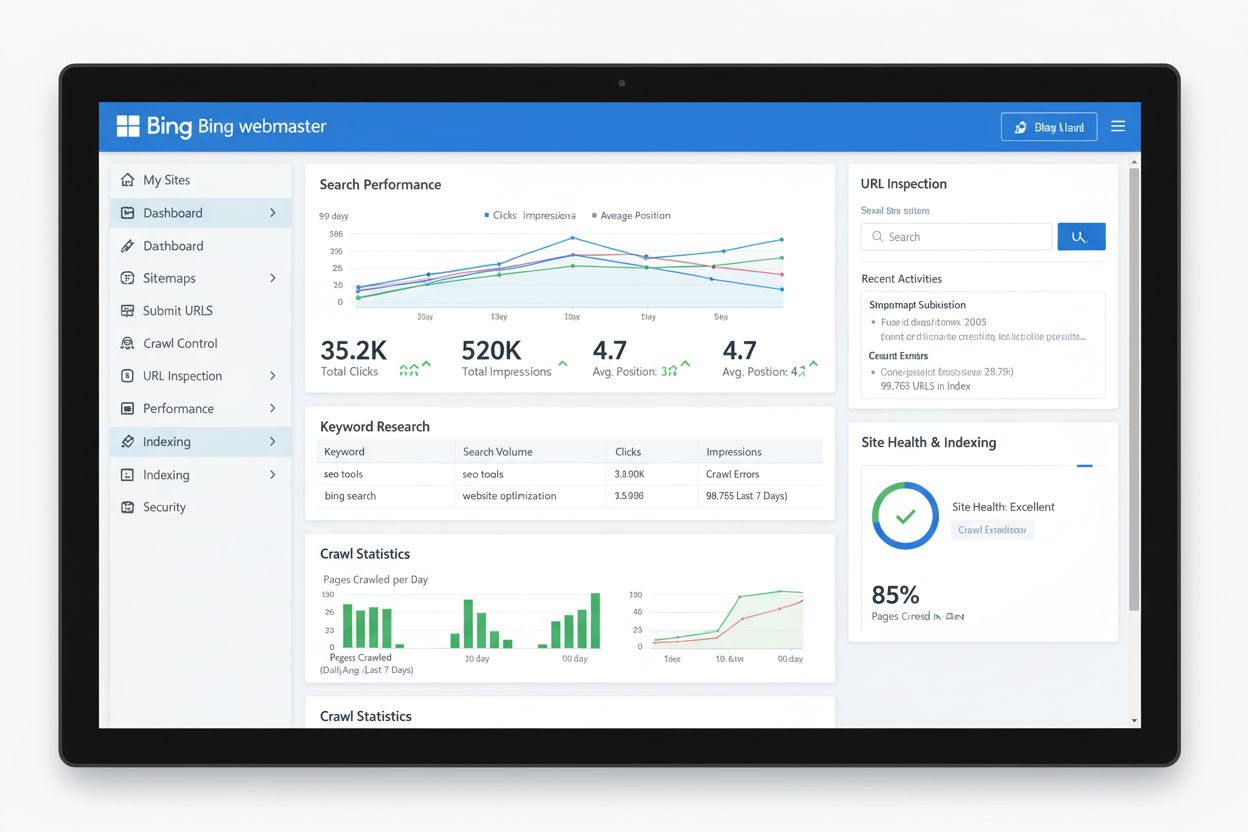
Bing Webmaster Tools is Microsoft's free SEO platform for monitoring website performance in Bing search. Learn how it compares to Google Search Console and why ...

Google Trends is a free analytics tool that measures search interest over time and location. Learn how it works, its applications in marketing, SEO, and AI moni...
Cookie Consent
We use cookies to enhance your browsing experience and analyze our traffic. See our privacy policy.