

Indexing vs Citation: Key Differences in Search and AI
Understand the critical difference between indexing and citation in search engines and AI systems. Learn how indexing stores content and how citations drive vis...
12 min read
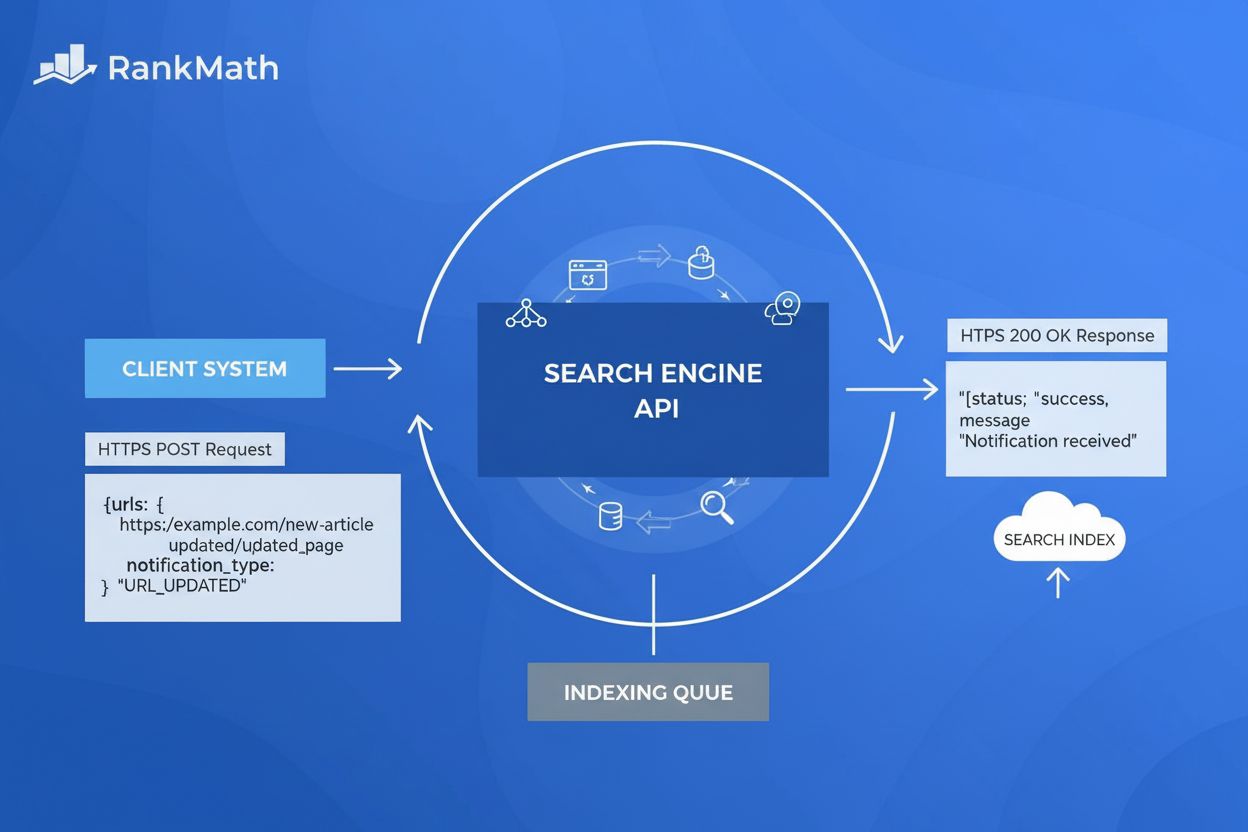
The Indexing API is a Google-provided tool that allows website owners to directly notify Google when URLs are added, updated, or deleted, enabling faster crawling and indexing of web pages. It supports direct submission of URLs for job postings and livestream events, with a default quota of 200 daily requests per project.
The Indexing API is a Google-provided tool that allows website owners to directly notify Google when URLs are added, updated, or deleted, enabling faster crawling and indexing of web pages. It supports direct submission of URLs for job postings and livestream events, with a default quota of 200 daily requests per project.
The Indexing API is a programmatic tool developed by Google that enables website owners to directly notify Google Search when URLs are added, updated, or removed from their websites. Rather than waiting for Google’s crawlers to discover new content through traditional crawling methods, the Indexing API allows you to send real-time notifications to Google’s indexing infrastructure, triggering immediate crawl scheduling for specified URLs. This direct submission mechanism represents a fundamental shift from passive discovery to active communication with search engines, significantly reducing the time between content publication and search engine indexing. The API operates through HTTP POST requests to Google’s endpoint at https://indexing.googleapis.com/v3/urlNotifications:publish, accepting JSON payloads that specify the URL and notification type.
The Indexing API was officially introduced by Google in June 2018, initially designed to address the unique indexing challenges faced by job posting websites and livestream event pages. These content types require frequent updates and time-sensitive indexing to maintain accuracy in search results—a job posting that remains indexed after being filled creates poor user experience, and livestream events need rapid indexing to appear in real-time search results. Before the API’s introduction, website owners relied entirely on XML sitemaps, internal linking structures, and Google’s organic crawl budget to get their content discovered. The API represented Google’s acknowledgment that certain content categories demanded faster, more predictable indexing mechanisms. Over the past six years, adoption has grown significantly, with major content management systems and hosting platforms integrating Indexing API support directly into their platforms. Industry data shows that approximately 80% of enterprises now use some form of API-driven content management, with the Indexing API becoming a standard component of technical SEO strategies for time-sensitive content publishers.
The Indexing API operates through a straightforward but powerful mechanism: you send an HTTP POST request containing a JSON payload to Google’s designated endpoint. The JSON body must include two required fields: the fully-qualified URL you want to notify Google about, and the notification type (URL_UPDATED or URL_DELETED). When Google receives your request with an HTTP 200 response code, it means your notification was successfully received and Google will schedule a crawl of that URL. The API supports batch processing, allowing you to combine up to 100 individual URL notifications into a single HTTP request, which reduces overhead and improves efficiency for sites with high-volume updates. Each batch request can contain a mix of update and deletion notifications, making it flexible for complex content management scenarios. The Indexing API also provides a metadata endpoint (/urlNotifications/metadata) that allows you to check the status of previously submitted notifications, showing the timestamp of the last update and deletion notifications Google received for a given URL.
The Indexing API operates under specific quota limitations designed to prevent abuse and ensure fair resource allocation across all users. The default quota provides 200 publish requests per day per project, which encompasses both URL_UPDATED and URL_DELETED notification types combined. This means if you submit 150 update notifications, you have only 50 deletion notifications remaining for that day. Additionally, there’s a 180 read-only requests per minute quota for metadata queries and a 380 requests per minute limit across all endpoints. These quotas reset at midnight Pacific Time, meaning new quota availability can take up to 24 hours to become effective. For websites requiring higher quotas, Google allows you to request approval through a formal application process, with quota increases determined based on document quality, legitimate use cases, and compliance with Google’s spam policies. Importantly, the Indexing API is completely free to use—Google does not charge any fees regardless of quota tier or request volume.
| Aspect | Indexing API | XML Sitemap | IndexNow Protocol |
|---|---|---|---|
| Mechanism | Push-based (active notification) | Pull-based (passive discovery) | Push-based (active notification) |
| Indexing Speed | Minutes to hours | Hours to days | Minutes to hours |
| Search Engine Support | Google only | Google, Bing, Yandex | Bing, Yandex, Naver, Seznam |
| Content Coverage | Specific URLs only | Complete URL inventory | Specific URLs only |
| Setup Complexity | Moderate (requires authentication) | Simple (one-time submission) | Simple (API key generation) |
| Cost | Free | Free | Free |
| Best For | Time-sensitive content, job postings, livestreams | Complete site coverage, SEO foundation | Multi-engine indexing, non-Google traffic |
| Quota Limits | 200 daily requests (default) | No limits | No limits |
| Guaranteed Indexing | No (crawl only) | No (crawl only) | No (crawl only) |
To use the Indexing API, you must establish proper authentication and authorization through Google’s OAuth 2.0 framework. First, you need a Google Cloud Project with the Indexing API enabled through the Google Cloud Console. Next, you must create a Service Account within that project and generate a JSON key file containing authentication credentials. This service account must then be added as an Owner to your website’s property in Google Search Console, establishing the trust relationship between your service account and your domain. The authentication process requires obtaining an OAuth 2.0 access token using your service account credentials, which you then include in the Authorization header of your API requests. All requests must use "application/json" as the Content-Type header. This multi-step authentication process, while more complex than simple API key submission, provides robust security by ensuring only authorized representatives of a domain can submit indexing requests for that domain.
Implementing the Indexing API involves several sequential steps that must be completed in order. First, navigate to the Google Cloud Platform console and create a new project specifically for indexing operations. Second, enable the Indexing API for that project through the API library. Third, create a Service Account and download its JSON credentials file—this file contains your authentication secrets and must be kept secure. Fourth, add the service account email address as an Owner in your website’s Google Search Console property settings. Fifth, configure your website’s backend or use a plugin (like Rank Math’s Instant Indexing) to automatically send notifications whenever content is published, updated, or deleted. Finally, test the integration by submitting a sample URL and verifying that Google responds with an HTTP 200 status code. Once operational, the system can automatically notify Google of content changes without manual intervention, creating a seamless indexing workflow.
The Indexing API officially supports only two content types: JobPosting and BroadcastEvent (embedded within VideoObject). For JobPosting pages, your HTML must include structured data using the JobPosting schema from schema.org, containing essential fields like job title, company name, job location, and employment type. For BroadcastEvent pages, the structured data must be embedded within a VideoObject schema, specifying the broadcast start and end times. Google’s official documentation emphasizes that pages submitted through the API must contain valid, properly formatted structured data for one of these two types. However, industry testing has shown that Google’s crawlers will process URLs submitted through the API regardless of structured data presence, though official compliance requires proper markup. This discrepancy between official requirements and observed behavior has led many SEO professionals to use the API more broadly, though Google recommends strict adherence to the official guidelines to avoid potential access revocation.
The Indexing API dramatically accelerates the time between content publication and search engine visibility. Traditional indexing through crawling and sitemap discovery can take anywhere from hours to weeks, depending on your site’s crawl budget and authority. With the Indexing API, pages are typically crawled within minutes of notification submission. Industry case studies demonstrate that news websites using the Indexing API achieve indexing within 30 minutes to 2 hours, compared to 15-48 hours for sitemap-only approaches. This speed advantage is particularly valuable for time-sensitive content like breaking news, product launches, job postings, and limited-time offers. Faster indexing translates directly to competitive advantage—your content can rank and capture search traffic before competitors’ similar content is even discovered. For e-commerce sites, rapid indexing of new product pages means faster visibility in product search results. For job boards, immediate indexing ensures job listings appear in Google Jobs results while they’re still actively being recruited for.
Most modern content management systems now offer built-in or plugin-based support for the Indexing API. WordPress users can leverage plugins like Rank Math’s Instant Indexing or standalone fast-indexing plugins that automatically submit URLs to the API whenever posts are published or updated. Shopify store owners can use third-party apps or custom scripts to integrate API submissions with product updates. Webflow developers can implement the API through custom code or automation platforms like Zapier. WooCommerce stores can use SEO plugins that support automatic API submissions. For custom-built websites and enterprise platforms, developers can integrate the API directly into the backend publishing workflow, ensuring every content update automatically triggers an indexing notification. This widespread integration means that many website owners benefit from the Indexing API without explicitly configuring it—their platform handles the technical implementation automatically.
The Indexing API represents Google’s broader shift toward more responsive, real-time indexing systems. While Google has not officially adopted the IndexNow protocol used by Bing and other search engines, the existence and success of the Indexing API demonstrates Google’s recognition that traditional crawl-based discovery is insufficient for modern web dynamics. Industry experts predict that Google may eventually expand the Indexing API beyond job postings and livestreams to support additional content types, or develop a more comprehensive real-time indexing protocol. The API’s importance will likely increase as search engines compete to provide fresher, more accurate results. For website owners and SEO professionals, mastering the Indexing API now positions them advantageously for future search engine evolution. Additionally, as AI systems like ChatGPT, Perplexity, and Google AI Overviews increasingly rely on indexed web content for training and response generation, faster indexing through the Indexing API becomes crucial for ensuring your brand and content appear in AI-generated responses. This connection between traditional search indexing and AI visibility makes the Indexing API increasingly relevant for comprehensive digital presence management.
For organizations using AI monitoring platforms like AmICited, the Indexing API plays a critical role in ensuring brand visibility across AI-generated search results. When your content is indexed faster through the Indexing API, it reaches Google’s index more quickly, which in turn makes it available for AI systems that crawl and train on indexed web content. Perplexity, ChatGPT, Google AI Overviews, and Claude all rely on indexed web content as source material for their responses. By accelerating your indexing through the Indexing API, you increase the likelihood that your domain, URLs, and brand mentions will be included in AI training datasets and appear in AI-generated responses. This creates a direct connection between technical SEO implementation and AI visibility—faster indexing leads to faster AI discovery. Organizations monitoring their appearance in AI responses benefit significantly from implementing the Indexing API for their most important content, ensuring that their brand voice and information reach AI systems before competitors’ content does.
+++
The Indexing API uses a push-based model where you actively notify Google of URL changes in real-time, while XML sitemaps use a pull-based model where Google discovers and crawls your sitemap at intervals. The Indexing API typically delivers faster indexing for time-sensitive content, often reducing indexing time from hours to minutes. However, XML sitemaps provide complete URL coverage and remain essential for Google's indexing strategy, making both tools complementary rather than competitive.
Google officially supports the Indexing API only for pages containing JobPosting or BroadcastEvent (embedded in VideoObject) structured data. These content types were prioritized because they require frequent updates and time-sensitive indexing. While some SEO professionals report success submitting other content types, Google's official guidelines restrict API usage to these two structured data formats to maintain quality and prevent abuse.
The default quota for the Indexing API is 200 publish requests per day per project, which includes both URL_UPDATED and URL_DELETED notification types. Additionally, there's a 180 read-only requests per minute quota for metadata queries and a 380 requests per minute limit for all endpoints combined. You can request higher quotas by submitting an approval form to Google, with increases based on document quality and legitimate use cases.
No, the Indexing API only prompts Google to crawl your pages; it does not guarantee indexation. Whether a page gets indexed depends on multiple factors including content quality, relevance, proper structured data implementation, and Google's ranking algorithms. The API essentially accelerates the crawling process, but Google's indexing decision remains independent and based on overall content quality and site authority.
For platforms like AmICited that monitor brand mentions across AI systems, the Indexing API is crucial because faster indexing means your content reaches AI training datasets and search indexes more quickly. This accelerates how soon your domain, URLs, and brand mentions appear in AI-generated responses from systems like ChatGPT, Perplexity, and Google AI Overviews, improving your visibility in AI-driven search results.
Yes, the Indexing API is completely free to use. Google does not charge any fees for API calls or quota usage. The only requirement is that you have a Google Cloud project, proper authentication credentials, and that your website is verified in Google Search Console with the service account added as an owner.
URL_UPDATED notifies Google that a page is new or has been modified and should be recrawled and re-indexed. URL_DELETED tells Google to remove a URL from its index after the page returns a 404/410 status code or contains a noindex meta tag. Using the correct notification type ensures Google handles your content appropriately and maintains accurate search results.
Start tracking how AI chatbots mention your brand across ChatGPT, Perplexity, and other platforms. Get actionable insights to improve your AI presence.
Understand the critical difference between indexing and citation in search engines and AI systems. Learn how indexing stores content and how citations drive vis...
Learn how AI search indexing converts data into searchable vectors, enabling AI systems like ChatGPT and Perplexity to retrieve and cite relevant information fr...
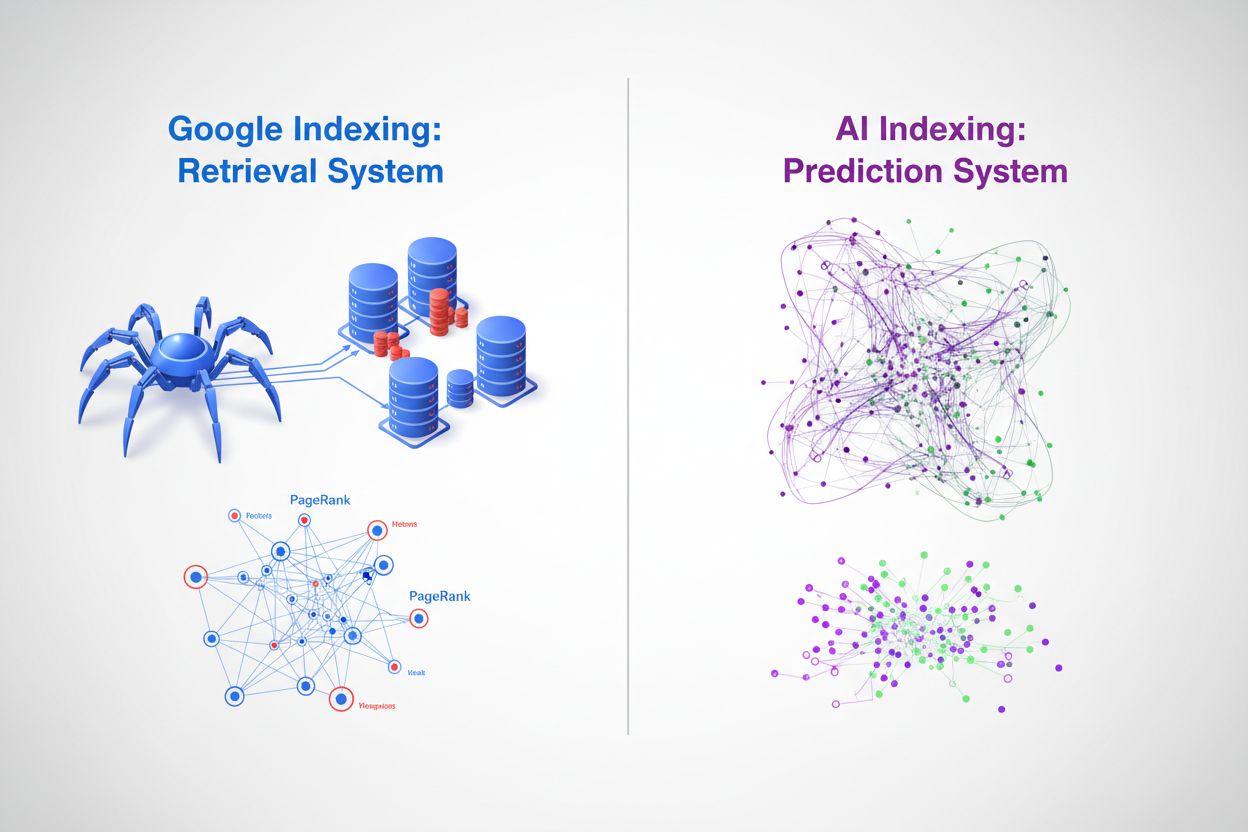
Discover the fundamental differences between AI indexing and Google indexing. Learn how LLMs, vector embeddings, and semantic search are reshaping information r...
Cookie Consent
We use cookies to enhance your browsing experience and analyze our traffic. See our privacy policy.