
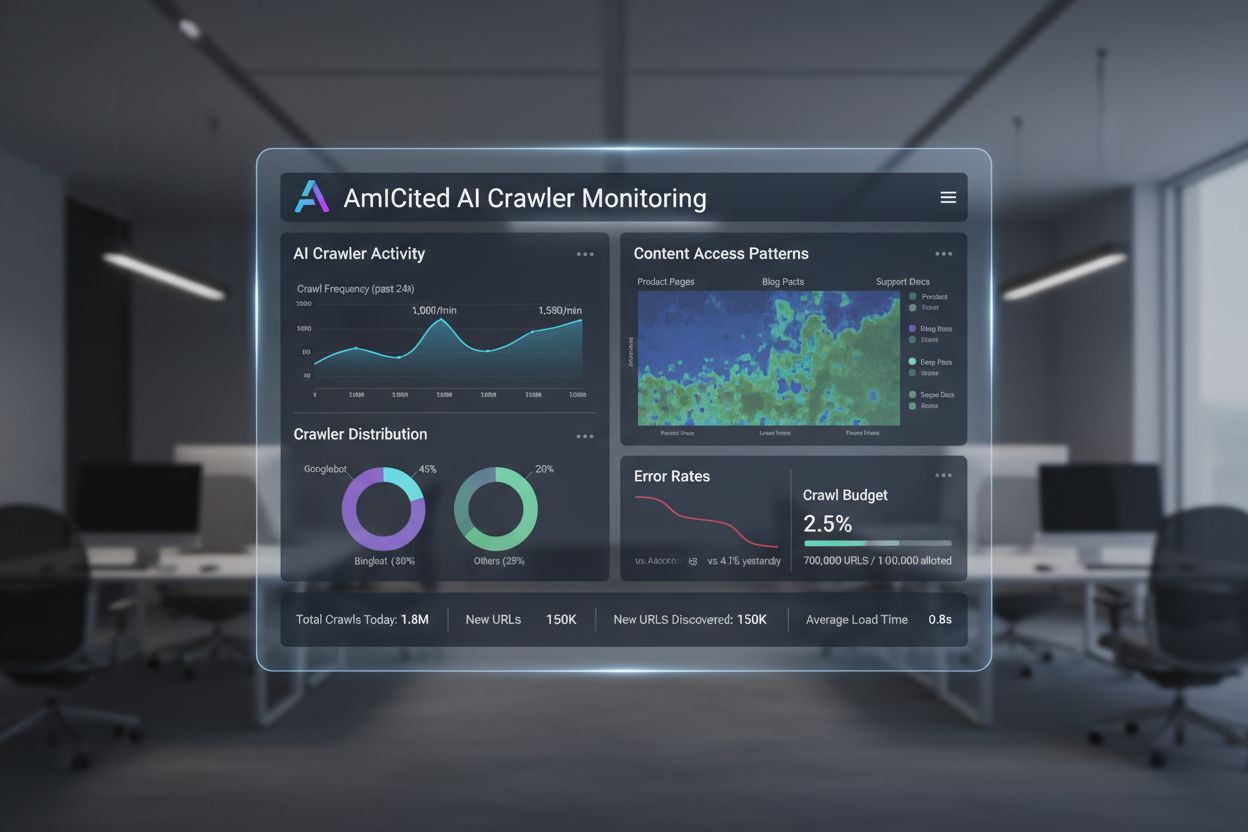
AI Crawl Analytics
Learn what AI crawl analytics is and how server log analysis tracks AI crawler behavior, content access patterns, and visibility in AI-powered search platforms ...
10 min read

Log file analysis is the process of examining server access logs to understand how search engine crawlers and AI bots interact with a website, revealing crawl patterns, technical issues, and optimization opportunities for SEO performance.
Log file analysis is the process of examining server access logs to understand how search engine crawlers and AI bots interact with a website, revealing crawl patterns, technical issues, and optimization opportunities for SEO performance.
Log file analysis is the systematic examination of server access logs to understand how search engine crawlers, AI bots, and users interact with a website. These logs are automatically generated by web servers and contain detailed records of every HTTP request made to your site, including the requester’s IP address, timestamp, requested URL, HTTP status code, and user-agent string. For SEO professionals, log file analysis serves as the definitive source of truth about crawler behavior, revealing patterns that surface-level tools like Google Search Console or traditional crawlers cannot capture. Unlike simulated crawls or aggregated analytics data, server logs provide unfiltered, first-party evidence of exactly what search engines and AI systems are doing on your website in real time.
The importance of log file analysis has grown exponentially as the digital landscape has evolved. With over 51% of global internet traffic now generated by bots (ACS, 2025), and AI crawlers like GPTBot, ClaudeBot, and PerplexityBot becoming regular visitors to websites, understanding crawler behavior is no longer optional—it’s essential for maintaining visibility across both traditional search and emerging AI-powered search platforms. Log file analysis bridges the gap between what you think is happening on your site and what’s actually happening, enabling data-driven decisions that directly impact search rankings, indexation speed, and overall organic performance.
Log file analysis has been a cornerstone of technical SEO for decades, but its relevance has intensified dramatically in recent years. Historically, SEO professionals relied primarily on Google Search Console and third-party crawlers to understand search engine behavior. However, these tools have significant limitations: Google Search Console provides only aggregated, sampled data from Google’s crawlers; third-party crawlers simulate crawler behavior rather than capturing actual interactions; and neither tool tracks non-Google search engines or AI bots effectively.
The emergence of AI-powered search platforms has fundamentally changed the landscape. According to Cloudflare’s 2024 research, Googlebot accounts for 39% of all AI and search crawler traffic, while AI-specific crawlers now represent the fastest-growing segment. Meta’s AI bots alone generate 52% of AI crawler traffic, more than double that of Google (23%) or OpenAI (20%). This shift means that websites now receive visits from dozens of different bot types, many of which don’t follow traditional SEO protocols or respect standard robots.txt rules. Log file analysis is the only method that captures this complete picture, making it indispensable for modern SEO strategy.
The global log management market is projected to grow from $3,228.5 million in 2025 to significantly higher valuations by 2029, expanding at a compound annual growth rate (CAGR) of 14.6%. This growth reflects increasing enterprise recognition that log analysis is critical for security, performance monitoring, and SEO optimization. Organizations are investing heavily in automated log analysis tools and AI-powered platforms that can process millions of log entries in real time, transforming raw data into actionable insights that drive business results.
When a user or bot requests a page on your website, the web server processes that request and logs detailed information about the interaction. This process happens automatically and continuously, creating a comprehensive audit trail of all server activity. Understanding how this works is essential for interpreting log file data correctly.
The typical flow begins when a crawler (whether Googlebot, an AI bot, or a user’s browser) sends an HTTP GET request to your server, including a user-agent string that identifies the requester. Your server receives this request, processes it, and returns an HTTP status code (200 for success, 404 for not found, 301 for permanent redirect, etc.) along with the requested content. Each of these interactions is recorded in your server’s access log file, creating a timestamped entry that captures the IP address, requested URL, HTTP method, status code, response size, referrer, and user-agent string.
HTTP status codes are particularly important for SEO analysis. A 200 status code indicates successful page delivery; 3xx codes indicate redirects; 4xx codes indicate client errors (like 404 Not Found); and 5xx codes indicate server errors. By analyzing the distribution of these status codes in your logs, you can identify technical problems that prevent crawlers from accessing your content. For example, if a crawler receives multiple 404 responses when trying to access important pages, it signals a broken link or missing content issue that needs immediate attention.
User-agent strings are equally critical for identifying which bots are visiting your site. Each crawler has a unique user-agent string that identifies it. Googlebot’s user-agent includes “Googlebot/2.1,” while GPTBot includes “GPTBot/1.0,” and ClaudeBot includes “ClaudeBot.” By parsing these strings, you can segment your log data to analyze behavior by specific crawler type, revealing which bots prioritize which content and how their crawl patterns differ. This granular analysis enables targeted optimization strategies for different search platforms and AI systems.
| Aspect | Log File Analysis | Google Search Console | Third-Party Crawlers | Analytics Tools |
|---|---|---|---|---|
| Data Source | Server logs (first-party) | Google’s crawl data | Simulated crawls | User behavior tracking |
| Completeness | 100% of all requests | Sampled, aggregated data | Simulated only | Human traffic only |
| Bot Coverage | All crawlers (Google, Bing, AI bots) | Google only | Simulated crawlers | No bot data |
| Historical Data | Full history (retention varies) | Limited timeframe | Single crawl snapshot | Historical available |
| Real-Time Insights | Yes (with automation) | Delayed reporting | No | Delayed reporting |
| Crawl Budget Visibility | Exact crawl patterns | High-level summary | Estimated | Not applicable |
| Technical Issues | Detailed (status codes, response times) | Limited visibility | Simulated issues | Not applicable |
| AI Bot Tracking | Yes (GPTBot, ClaudeBot, etc.) | No | No | No |
| Cost | Free (server logs) | Free | Paid tools | Free/Paid |
| Setup Complexity | Moderate to high | Simple | Simple | Simple |
Log file analysis has become indispensable for understanding how search engines and AI systems interact with your website. Unlike Google Search Console, which provides only Google’s perspective and aggregated data, log files capture the complete picture of all crawler activity. This comprehensive view is essential for identifying crawl budget waste, where search engines spend resources crawling low-value pages instead of important content. Research shows that large websites often waste 30-50% of their crawl budget on non-essential URLs like paginated archives, faceted navigation, or outdated content.
The rise of AI-powered search has made log file analysis even more critical. As AI bots like GPTBot, ClaudeBot, and PerplexityBot become regular visitors to websites, understanding their behavior is essential for optimizing visibility in AI-generated responses. These bots often behave differently from traditional search crawlers—they may ignore robots.txt rules, crawl more aggressively, or focus on specific content types. Log file analysis is the only method that reveals these patterns, enabling you to optimize your site for AI discovery while managing bot access through targeted rules.
Technical SEO issues that would otherwise go undetected can be identified through log analysis. Redirect chains, 5xx server errors, slow page load times, and JavaScript rendering problems all leave traces in server logs. By analyzing these patterns, you can prioritize fixes that directly impact search engine accessibility and indexation speed. For example, if logs show that Googlebot consistently receives 503 Service Unavailable errors when crawling a specific section of your site, you know exactly where to focus your technical efforts.
Obtaining your server logs is the first step in log file analysis, but the process varies depending on your hosting environment. For self-hosted servers running Apache or NGINX, logs are typically stored in /var/log/apache2/access.log or /var/log/nginx/access.log respectively. You can access these files directly via SSH or through your server’s file manager. For managed WordPress hosts like WP Engine or Kinsta, logs may be available through the hosting dashboard or via SFTP, though some providers restrict access to protect server performance.
Content Delivery Networks (CDNs) like Cloudflare, AWS CloudFront, and Akamai require special configuration to access logs. Cloudflare offers Logpush, which sends HTTP request logs to designated storage buckets (AWS S3, Google Cloud Storage, Azure Blob Storage) for retrieval and analysis. AWS CloudFront provides standard logging that can be configured to store logs in S3 buckets. These CDN logs are essential for understanding how bots interact with your site when content is served through a CDN, as they capture requests at the edge rather than at your origin server.
Shared hosting environments often have limited log access. Providers like Bluehost and GoDaddy may offer partial logs through cPanel, but these logs typically rotate frequently and may exclude critical fields. If you’re on shared hosting and need comprehensive log analysis, consider upgrading to a VPS or managed hosting solution that provides full log access.
Once you’ve obtained your logs, data preparation is essential. Raw log files contain requests from all sources—users, bots, scrapers, and malicious actors. For SEO analysis, you’ll want to filter out non-relevant traffic and focus on search engine and AI bot activity. This typically involves:
Log file analysis uncovers insights that are invisible to other SEO tools, providing a foundation for strategic optimization decisions. One of the most valuable insights is crawl pattern analysis, which shows exactly which pages search engines visit and how frequently. By tracking crawl frequency over time, you can identify whether Google is increasing or decreasing attention to specific sections of your site. Sudden drops in crawl frequency may indicate technical issues or changes in perceived page importance, while increases suggest Google is responding positively to your optimization efforts.
Crawl budget efficiency is another critical insight. By analyzing the ratio of successful (2xx) responses to error responses (4xx, 5xx), you can identify sections of your site where crawlers encounter problems. If a particular directory consistently returns 404 errors, it’s wasting crawl budget on broken links. Similarly, if crawlers are spending disproportionate time on paginated URLs or faceted navigation, you’re wasting budget on low-value content. Log analysis quantifies this waste, enabling you to calculate the potential impact of optimization efforts.
Orphaned page discovery is a unique advantage of log file analysis. Orphaned pages are URLs with no internal links that exist outside your site structure. Traditional crawlers often miss these pages because they can’t discover them through internal linking. However, log files reveal that search engines are still crawling them—often because they’re linked externally or exist in old sitemaps. By identifying these orphaned pages, you can decide whether to reintegrate them into your site structure, redirect them, or remove them entirely.
AI bot behavior analysis is increasingly important. By segmenting log data by AI bot user-agents, you can see which content these bots prioritize, how frequently they visit, and whether they encounter technical barriers. For example, if GPTBot consistently crawls your FAQ pages but rarely visits your blog, it suggests that AI systems find FAQ-style content more valuable for training data. This insight can inform your content strategy and help you optimize for AI visibility.
Successful log file analysis requires both the right tools and a strategic approach. Screaming Frog’s Log File Analyzer is one of the most popular dedicated tools, offering user-friendly interfaces for processing large log files, identifying bot patterns, and visualizing crawl data. Botify provides enterprise-grade log analysis integrated with SEO metrics, allowing you to correlate bot activity with rankings and traffic. seoClarity’s Bot Clarity integrates log analysis directly into the SEO platform, making it easy to connect crawl data with other SEO metrics.
For organizations with high-volume traffic or complex infrastructure, AI-powered log analysis platforms like Splunk, Sumo Logic, and Elastic Stack offer advanced capabilities including automated pattern recognition, anomaly detection, and predictive analytics. These platforms can process millions of log entries in real time, automatically identifying new bot types and flagging unusual activity that might indicate security threats or technical problems.
Best practices for log file analysis include:
As AI-powered search becomes increasingly important, AI bot monitoring through log file analysis has become a critical SEO function. By tracking which AI bots visit your site, what content they access, and how frequently they crawl, you can understand how your content feeds into AI-powered search tools and generative AI models. This data enables you to make informed decisions about whether to allow, block, or throttle specific AI bots through robots.txt rules or HTTP headers.
Crawl budget optimization is perhaps the most impactful application of log file analysis. For large websites with thousands or millions of pages, crawl budget is a finite resource. By analyzing log files, you can identify pages that are being over-crawled relative to their importance, and pages that should be crawled more frequently but aren’t. Common crawl budget waste scenarios include:
By addressing these issues—through robots.txt rules, canonicals, noindex tags, or technical fixes—you can redirect crawl budget to high-value content, improving indexation speed and search visibility for pages that matter most to your business.
The future of log file analysis is being shaped by the rapid evolution of AI-powered search. As more AI bots enter the ecosystem and their behavior becomes more sophisticated, log file analysis will become even more critical for understanding how your content is discovered, accessed, and used by AI systems. Emerging trends include:
Real-time log analysis powered by machine learning will enable SEOs to detect and respond to crawl issues within minutes rather than days. Automated systems will identify new bot types, flag unusual patterns, and suggest optimization actions without manual intervention. This shift from reactive to proactive analysis will allow SEOs to maintain optimal crawlability and indexation continuously.
Integration with AI visibility tracking will connect log file data with AI search performance metrics. Rather than analyzing logs in isolation, SEOs will correlate crawler behavior with actual visibility in AI-generated responses, understanding exactly how crawl patterns impact AI search rankings. This integration will provide unprecedented insight into how content flows from crawl to AI training data to user-facing AI responses.
Ethical bot management will become increasingly important as organizations grapple with questions about which AI bots should have access to their content. Log file analysis will enable granular control over bot access, allowing publishers to allow beneficial AI crawlers while blocking those that don’t provide value or attribution. Standards like the emerging LLMs.txt protocol will provide structured ways to communicate bot access policies, and log analysis will verify compliance.
Privacy-preserving analysis will evolve to balance the need for detailed crawl insights with privacy regulations like GDPR. Advanced anonymization techniques and privacy-focused analysis tools will enable organizations to extract valuable insights from logs without storing or exposing personally identifiable information. This will be particularly important as log analysis becomes more widespread and data protection regulations become stricter.
The convergence of traditional SEO and AI search optimization means that log file analysis will remain a cornerstone of technical SEO strategy for years to come. Organizations that master log file analysis today will be best positioned to maintain visibility and performance as search continues to evolve.
Log file analysis provides complete, unsampled data from your server capturing every request from all crawlers, while Google Search Console's crawl stats only show aggregated, sampled data from Google's crawlers. Log files offer granular historical data and insights into non-Google bot behavior, including AI crawlers like GPTBot and ClaudeBot, making them more comprehensive for understanding true crawler behavior and identifying technical issues that GSC may miss.
For high-traffic sites, weekly log file analysis is recommended to catch issues early and monitor crawl pattern changes. Smaller sites benefit from monthly reviews to establish trends and identify new bot activity. Regardless of site size, implementing continuous monitoring through automated tools helps detect anomalies in real-time, ensuring you can respond quickly to crawl budget waste or technical problems affecting search visibility.
Yes, log file analysis is one of the most effective ways to track AI bot traffic. By examining user-agent strings and IP addresses in your server logs, you can identify which AI bots visit your site, what content they access, and how frequently they crawl. This data is crucial for understanding how your content feeds into AI-powered search tools and generative AI models, allowing you to optimize for AI visibility and manage bot access through robots.txt rules.
Log file analysis reveals numerous technical SEO issues including crawl errors (4xx and 5xx status codes), redirect chains, slow page load times, orphaned pages not linked internally, crawl budget waste on low-value URLs, JavaScript rendering problems, and duplicate content issues. It also identifies spoofed bot activity and helps detect when legitimate crawlers encounter accessibility barriers, enabling you to prioritize fixes that directly impact search engine visibility and indexation.
Log file analysis shows exactly which pages search engines crawl and how frequently, revealing where crawl budget is being wasted on low-value content like paginated archives, faceted navigation, or outdated URLs. By identifying these inefficiencies, you can adjust your robots.txt file, improve internal linking to priority pages, and implement canonicals to redirect crawl attention to high-value content, ensuring search engines focus on pages that matter most to your business.
Server log files typically capture IP addresses (identifying request sources), timestamps (when requests occurred), HTTP methods (usually GET or POST), requested URLs (exact pages accessed), HTTP status codes (200, 404, 301, etc.), response sizes in bytes, referrer information, and user-agent strings (identifying the crawler or browser). This comprehensive data allows SEOs to reconstruct exactly what happened during each server interaction and identify patterns affecting crawlability and indexation.
Spoofed bots claim to be legitimate search engine crawlers but have IP addresses that don't match the search engine's published IP ranges. To identify them, cross-reference user-agent strings (like 'Googlebot') against official IP ranges published by Google, Bing, and other search engines. Tools like Screaming Frog's Log File Analyzer automatically validate bot authenticity. Spoofed bots waste crawl budget and can stress your server, so blocking them through robots.txt or firewall rules is recommended.
Start tracking how AI chatbots mention your brand across ChatGPT, Perplexity, and other platforms. Get actionable insights to improve your AI presence.
Learn what AI crawl analytics is and how server log analysis tracks AI crawler behavior, content access patterns, and visibility in AI-powered search platforms ...
SERP Analysis is the process of examining search engine results pages to understand ranking difficulty, search intent, and competitor strategies. Learn how to a...

Learn what robots.txt is, how it instructs search engine crawlers, and best practices for managing crawler access to your website content and protecting server ...
Cookie Consent
We use cookies to enhance your browsing experience and analyze our traffic. See our privacy policy.