

How to Configure robots.txt for AI Crawlers: Complete Guide
Learn how to configure robots.txt to control AI crawler access including GPTBot, ClaudeBot, and Perplexity. Manage your brand visibility in AI-generated answers...
8 min read

A robots.txt file is a plain text file placed in the root directory of a website that communicates instructions to web crawlers and search engine bots about which URLs they can or cannot access. It serves as a foundational element of the robots exclusion protocol, helping website owners manage crawler traffic, optimize crawl budget, and protect sensitive content from being indexed.
A robots.txt file is a plain text file placed in the root directory of a website that communicates instructions to web crawlers and search engine bots about which URLs they can or cannot access. It serves as a foundational element of the robots exclusion protocol, helping website owners manage crawler traffic, optimize crawl budget, and protect sensitive content from being indexed.
Robots.txt is a plain text file placed in the root directory of a website (e.g., www.example.com/robots.txt ) that communicates instructions to web crawlers and search engine bots about which URLs they can or cannot access. This file serves as a foundational element of the robots exclusion protocol, a standard that helps manage bot activity across websites. By specifying directives like “allow” and “disallow,” website owners can control how search engines and other crawlers interact with their content. According to Google Search Central, a robots.txt file tells search engine crawlers which URLs the crawler can access on your site, primarily to avoid overloading your site with requests and to optimize crawl budget allocation.
The importance of robots.txt extends beyond simple access control. It represents a critical communication mechanism between website owners and automated systems that index and analyze web content. The file must be named exactly “robots.txt” and placed in the root directory to be recognized by web crawlers. Without proper robots.txt configuration, search engines may waste valuable crawl budget on duplicate pages, temporary content, or non-essential resources, ultimately reducing the efficiency of indexing important pages. This makes robots.txt an essential component of technical SEO and website management strategy.
The robots exclusion protocol was first proposed in 1994 as a voluntary standard for web crawlers to respect website owner preferences. The original specification was simple but effective, allowing webmasters to communicate basic access rules without complex authentication systems. Over the decades, robots.txt has evolved to accommodate new types of crawlers, including search engine bots, social media crawlers, and more recently, AI training crawlers used by companies like OpenAI, Anthropic, and Perplexity. The protocol has remained largely backward-compatible, ensuring that websites created decades ago can still function with modern crawlers.
The adoption of robots.txt has grown significantly over time. According to the 2024 Web Almanac, successful requests for robots.txt files were made on 83.9% of websites when accessed as mobile and 83.5% as desktop, up from 82.4% and 81.5% in 2022. This upward trend reflects increasing awareness among website owners about the importance of managing crawler traffic. Research on misinformation websites showed an adoption rate of 96.4%, suggesting that robots.txt is now considered a standard practice across diverse website categories. The evolution of robots.txt continues today as website owners grapple with new challenges, such as blocking AI bots that may not respect traditional robots.txt directives or may use undeclared crawlers to evade restrictions.
When a web crawler visits a website, it first checks for the robots.txt file in the root directory before crawling any other pages. The crawler reads the file and interprets the directives to determine which URLs it can access. This process happens through an HTTP request to the root domain, and the server responds with the robots.txt file content. The crawler then parses the file according to its specific implementation of the robots exclusion protocol, which can vary slightly between different search engines and bot types. This initial check ensures that crawlers respect website owner preferences before consuming server resources.
The user-agent directive is the key to targeting specific crawlers. Each crawler has a unique identifier (user-agent string) such as “Googlebot” for Google’s crawler, “Bingbot” for Microsoft’s crawler, or “GPTbot” for OpenAI’s crawler. Website owners can create rules for specific user-agents or use the wildcard “*” to apply rules to all crawlers. The disallow directive specifies which URLs or URL patterns the crawler cannot access, while the allow directive can override disallow rules for specific pages. This hierarchical system provides granular control over crawler behavior, allowing website owners to create complex access patterns that optimize both server resources and search engine visibility.
| Aspect | Robots.txt | Meta Robots Tag | X-Robots-Tag Header | Password Protection |
|---|---|---|---|---|
| Scope | Site-wide or directory-level | Individual page level | Individual page or resource level | Server-level access control |
| Implementation | Plain text file in root directory | HTML meta tag in page head | HTTP response header | Server authentication |
| Primary Purpose | Manage crawl traffic and budget | Control indexation and crawling | Control indexation and crawling | Prevent all access |
| Enforceability | Voluntary (not legally binding) | Voluntary (not legally binding) | Voluntary (not legally binding) | Enforced by server |
| AI Bot Compliance | Variable (some bots ignore it) | Variable (some bots ignore it) | Variable (some bots ignore it) | Highly effective |
| Search Result Impact | Page may still appear without description | Page excluded from results | Page excluded from results | Page completely hidden |
| Best Use Case | Optimize crawl budget, manage server load | Prevent indexing of specific pages | Prevent indexing of resources | Protect sensitive data |
| Ease of Implementation | Easy (text file) | Easy (HTML tag) | Moderate (requires server config) | Moderate to complex |
A robots.txt file uses straightforward syntax that website owners can create and edit with any plain text editor. The basic structure consists of a user-agent line followed by one or more directive lines. The most commonly used directives are disallow (which prevents crawlers from accessing specific URLs), allow (which permits access to specific URLs even if a broader disallow rule exists), crawl-delay (which specifies how long a crawler should wait between requests), and sitemap (which directs crawlers to the XML sitemap location). Each directive must be on its own line, and the file must use proper formatting to be recognized correctly by crawlers.
For example, a basic robots.txt file might look like this:
User-agent: *
Disallow: /admin/
Disallow: /private/
Allow: /private/public-page.html
Sitemap: https://www.example.com/sitemap.xml
This configuration tells all crawlers to avoid the /admin/ and /private/ directories, but allows access to the specific page /private/public-page.html. The sitemap directive guides crawlers to the XML sitemap for efficient indexing. Website owners can create multiple user-agent blocks to apply different rules to different crawlers. For instance, a website might allow Googlebot to crawl all content but restrict other crawlers from accessing certain directories. The crawl-delay directive can slow down aggressive crawlers, though Google’s Googlebot does not acknowledge this command and instead uses the crawl rate settings in Google Search Console.
Crawl budget refers to the number of URLs a search engine will crawl on a website within a given timeframe. For large websites with millions of pages, crawl budget is a finite resource that must be managed strategically. Robots.txt plays a crucial role in optimizing crawl budget by preventing crawlers from wasting resources on low-value content such as duplicate pages, temporary files, or non-essential resources. By using robots.txt to block unnecessary URLs, website owners can ensure that search engines focus their crawl budget on important pages that should be indexed and ranked. This is particularly important for e-commerce sites, news publications, and other large-scale websites where crawl budget directly impacts search visibility.
Google’s official guidance emphasizes that robots.txt should be used to manage crawl traffic and avoid overloading your site with requests. For large sites, Google provides specific recommendations for managing crawl budget, including using robots.txt to block duplicate content, pagination parameters, and resource files that don’t significantly impact page rendering. Website owners should avoid blocking CSS, JavaScript, or image files that are essential for rendering pages, as this can prevent Google from properly understanding page content. The strategic use of robots.txt, combined with other technical SEO practices like XML sitemaps and internal linking, creates an efficient crawling environment that maximizes the value of available crawl budget.
While robots.txt is a valuable tool for managing crawler behavior, it has significant limitations that website owners must understand. First, robots.txt is not legally enforceable and operates as a voluntary protocol. While major search engines like Google, Bing, and Yahoo respect robots.txt directives, malicious bots and scrapers can choose to ignore the file entirely. This means robots.txt should not be relied upon as a security mechanism for protecting sensitive information. Second, different crawlers interpret robots.txt syntax differently, which can lead to inconsistent behavior across platforms. Some crawlers may not understand certain advanced directives or may interpret URL patterns differently than intended.
Third, and critically for modern web management, a page disallowed in robots.txt can still be indexed if linked from other websites. According to Google’s documentation, if external pages link to your disallowed URL with descriptive anchor text, Google may still index that URL and display it in search results without a description. This means robots.txt alone cannot prevent indexing; it only prevents crawling. To properly prevent indexing, website owners must use alternative methods such as the noindex meta tag, HTTP headers, or password protection. Additionally, recent research has revealed that some AI crawlers deliberately evade robots.txt restrictions by using undeclared user-agent strings, making robots.txt ineffective against certain AI training bots.
The rise of large language models and AI-powered search engines has created new challenges for robots.txt management. Companies like OpenAI (GPTbot), Anthropic (Claude), and Perplexity have deployed crawlers to train their models and power their search features. Many website owners have begun blocking these AI bots using robots.txt directives. Research by Moz’s Senior Search Scientist shows that GPTbot is the most blocked bot, with many news publications and content creators adding specific disallow rules for AI training crawlers. However, the effectiveness of robots.txt in blocking AI bots is questionable, as some AI companies have been caught using undeclared crawlers that don’t identify themselves properly.
Cloudflare reported that Perplexity was using stealth, undeclared crawlers to evade website no-crawl directives, demonstrating that not all AI bots respect robots.txt rules. This has led to ongoing discussions in the SEO and web development communities about whether robots.txt is sufficient for controlling AI bot access. Some website owners have implemented additional measures such as WAF (Web Application Firewall) rules to block specific IP addresses or user-agent strings. The situation highlights the importance of monitoring your website’s appearance in AI search results and understanding which bots are actually accessing your content. For websites concerned about AI training data usage, robots.txt should be combined with other technical measures and potentially legal agreements with AI companies.
Creating an effective robots.txt file requires careful planning and ongoing maintenance. First, place the robots.txt file in the root directory of your website (e.g., www.example.com/robots.txt ) and ensure it is named exactly “robots.txt” with proper UTF-8 encoding. Second, use clear and specific disallow rules that target only the content you want to block, avoiding overly restrictive rules that might prevent important pages from being crawled. Third, include a sitemap directive that points to your XML sitemap, helping crawlers discover and prioritize important pages. Fourth, test your robots.txt file using tools like Google’s Robots Testing Tool or Moz Pro’s Site Crawl feature to verify that your rules are working as intended.
Website owners should regularly review and update their robots.txt files as their site structure changes. Common mistakes include:
Regular monitoring through server logs, Google Search Console, and SEO tools helps identify issues early. If you notice that important pages are not being crawled or indexed, check your robots.txt file first to ensure it’s not accidentally blocking them. For CMS platforms like WordPress or Wix, many provide built-in interfaces for managing robots.txt without requiring direct file editing, making it easier for non-technical users to implement proper crawler management.
The future of robots.txt faces both challenges and opportunities as the web continues to evolve. The emergence of AI crawlers and training bots has prompted discussions about whether the current robots.txt standard is sufficient for modern needs. Some industry experts have proposed enhancements to the robots exclusion protocol to better address AI-specific concerns, such as distinguishing between crawlers used for search indexing versus those used for training data collection. The Web Almanac’s ongoing research shows that robots.txt adoption continues to grow, with more websites recognizing its importance for managing crawler traffic and optimizing server resources.
Another emerging trend is the integration of robots.txt management into broader SEO monitoring platforms and AI tracking tools. As companies like AmICited track brand and domain appearances across AI search engines, understanding robots.txt becomes increasingly important for controlling how content appears in AI-generated responses. Website owners may need to implement more sophisticated robots.txt strategies that account for multiple types of crawlers with different purposes and compliance levels. The potential standardization of AI crawler identification and behavior could lead to more effective robots.txt implementations in the future. Additionally, as privacy concerns and content ownership issues become more prominent, robots.txt may evolve to include more granular controls over how content can be used by different types of bots and AI systems.
For organizations using AmICited to monitor their brand and domain appearances in AI search engines, understanding robots.txt is essential. Your robots.txt configuration directly impacts which AI crawlers can access your content and how it appears in AI-generated responses across platforms like ChatGPT, Perplexity, Google AI Overviews, and Claude. If you block certain AI bots with robots.txt, you may reduce your visibility in their search results, which could be a strategic choice depending on your content and business goals. However, as noted earlier, some AI bots may not respect robots.txt directives, so monitoring your actual appearance in AI responses is crucial.
AmICited’s monitoring capabilities help you understand the real-world impact of your robots.txt configuration on AI search visibility. By tracking where your URLs appear in AI-generated responses, you can assess whether your crawler management strategy is achieving your desired outcomes. If you want to increase visibility in specific AI search engines, you may need to adjust your robots.txt to allow their crawlers. Conversely, if you want to limit your content’s use in AI training or responses, you can implement more restrictive robots.txt rules, though you should combine this with other technical measures for better effectiveness. The intersection of robots.txt management and AI search monitoring represents a new frontier in digital marketing and SEO strategy.
The primary purpose of a robots.txt file is to manage crawler traffic and communicate with search engine bots about which parts of a website they can access. According to Google Search Central, robots.txt is used mainly to avoid overloading your site with requests and to manage crawl budget allocation. It helps website owners direct crawlers to focus on valuable content while skipping duplicate or irrelevant pages, ultimately optimizing server resources and improving SEO efficiency.
No, robots.txt cannot reliably prevent pages from appearing in Google Search results. According to Google's official documentation, if other pages link to your page with descriptive text, Google could still index the URL without visiting the page. To properly prevent indexing, use alternative methods such as password protection, the noindex meta tag, or HTTP headers. A page blocked by robots.txt may still appear in search results without a description.
Robots.txt is a site-wide file that controls crawler access to entire directories or the whole site, while meta robots tags are HTML directives applied to individual pages. Robots.txt manages crawling behavior, whereas meta robots tags (like noindex) control indexation. Both serve different purposes: robots.txt prevents crawling to save server resources, while meta robots tags prevent indexing even if a page is crawled.
You can block AI bots by adding their specific user-agent names to your robots.txt file with disallow directives. For example, adding 'User-agent: GPTbot' followed by 'Disallow: /' blocks OpenAI's bot from crawling your site. Research shows GPTbot is the most blocked bot by websites. However, not all AI bots respect robots.txt directives, and some may use undeclared crawlers to evade restrictions, so robots.txt alone may not guarantee complete protection.
The five standard directives in robots.txt are: User-agent (specifies which bots the rule applies to), Disallow (prevents crawlers from accessing specific files or directories), Allow (overrides disallow rules for specific pages), Crawl-delay (introduces delays between requests), and Sitemap (directs crawlers to the sitemap location). Each directive serves a specific function in controlling bot behavior and optimizing crawl efficiency.
No, robots.txt is not legally enforceable. It operates as a voluntary protocol based on the robots exclusion standard. While most well-behaved bots like Googlebot and Bingbot honor robots.txt directives, malicious bots and scrapers can choose to ignore it entirely. For sensitive information that must be protected, use stronger security measures like password protection or server-level access controls rather than relying solely on robots.txt.
According to the 2024 Web Almanac, successful requests for robots.txt files were made on 83.9% of websites when accessed as mobile and 83.5% as desktop, up from 82.4% and 81.5% in 2022. Research on misinformation websites showed an adoption rate of 96.4%, indicating that robots.txt is a widely implemented standard across the web. This demonstrates the critical importance of robots.txt in modern web management.
Start tracking how AI chatbots mention your brand across ChatGPT, Perplexity, and other platforms. Get actionable insights to improve your AI presence.
Learn how to configure robots.txt to control AI crawler access including GPTBot, ClaudeBot, and Perplexity. Manage your brand visibility in AI-generated answers...
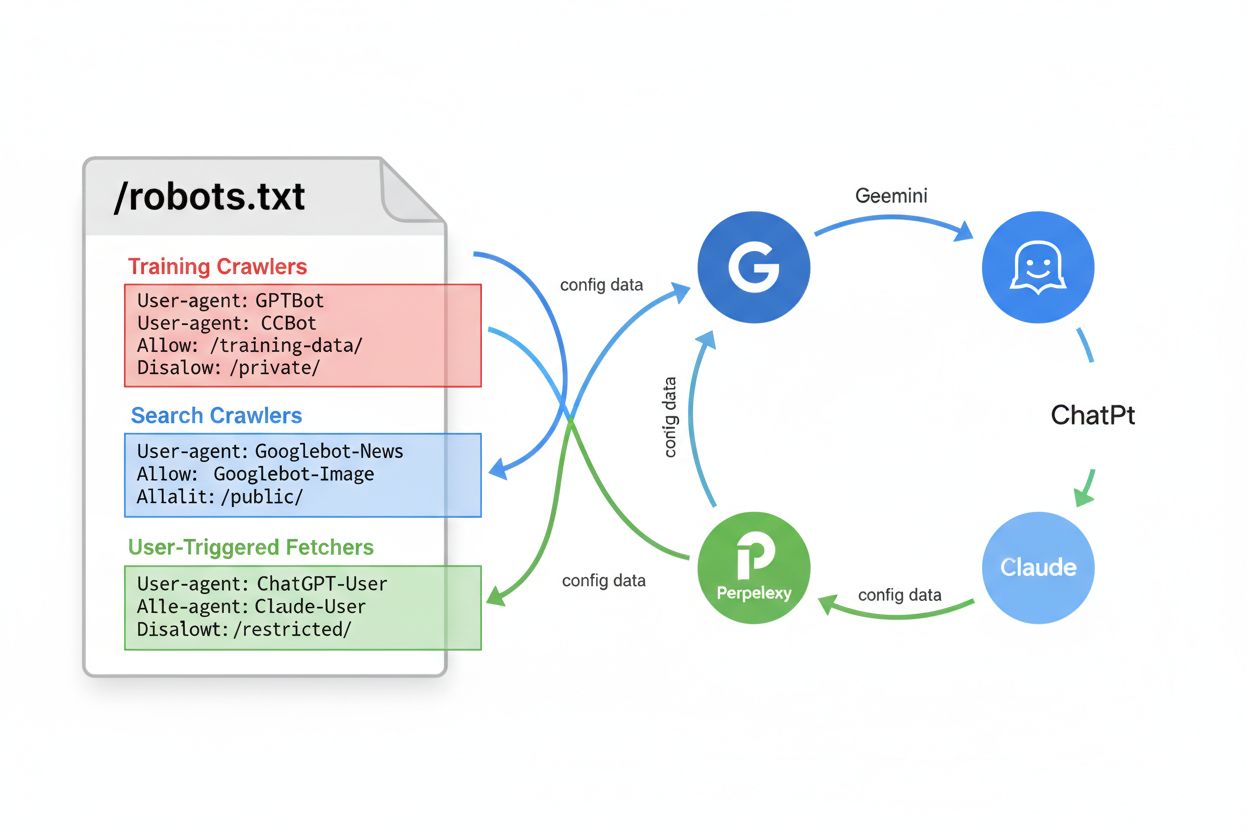
Learn how to configure robots.txt for AI crawlers including GPTBot, ClaudeBot, and PerplexityBot. Understand AI crawler categories, blocking strategies, and bes...

Learn what LLMs.txt is, whether it actually works, and if you should implement it on your website. Honest analysis of this emerging AI SEO standard.
Cookie Consent
We use cookies to enhance your browsing experience and analyze our traffic. See our privacy policy.