Google’s plugins that connect Gemini to other Google services (Gmail, Drive, Maps), expanding the context for AI responses. These specialized tools enable Gemini to access real-time data from connected applications, providing context-aware and personalized responses while maintaining user privacy through explicit permission controls.
Gemini Extensions
Google's plugins that connect Gemini to other Google services (Gmail, Drive, Maps), expanding the context for AI responses. These specialized tools enable Gemini to access real-time data from connected applications, providing context-aware and personalized responses while maintaining user privacy through explicit permission controls.
What Are Gemini Extensions?
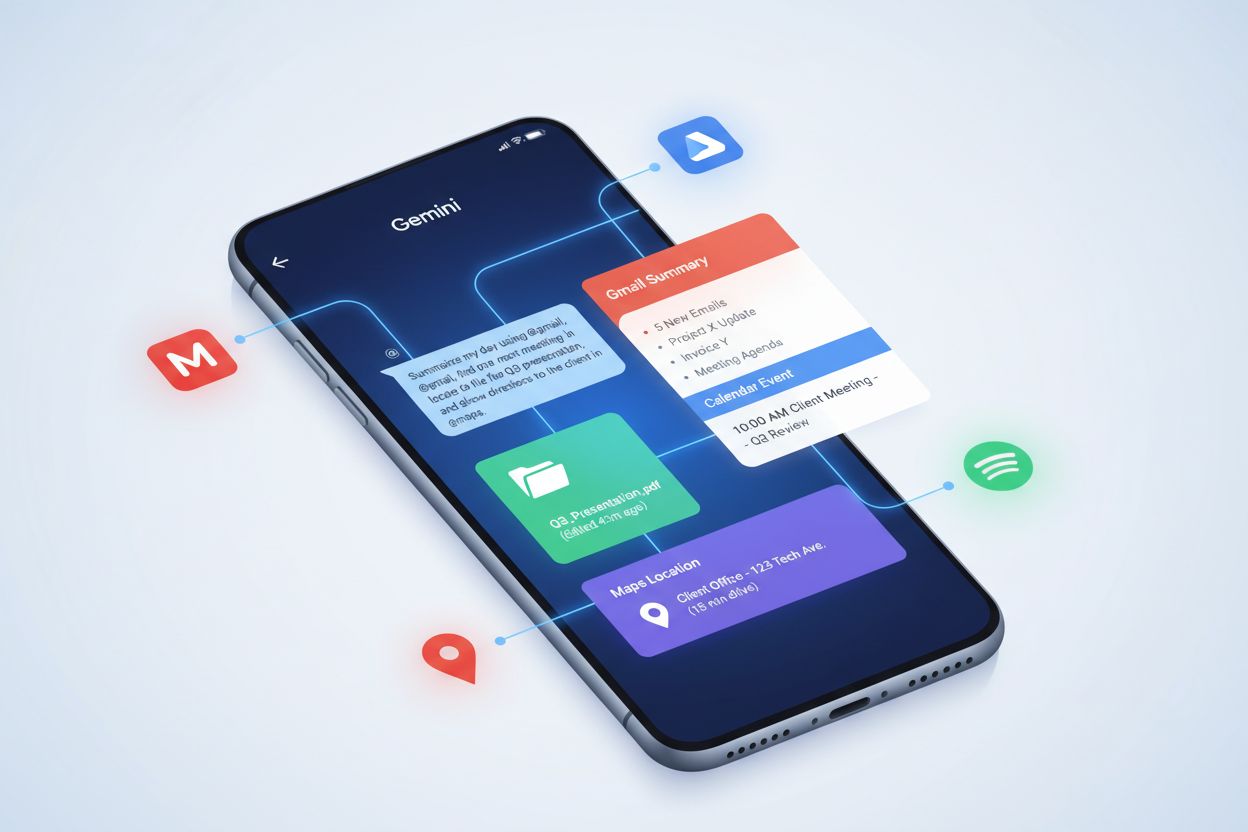
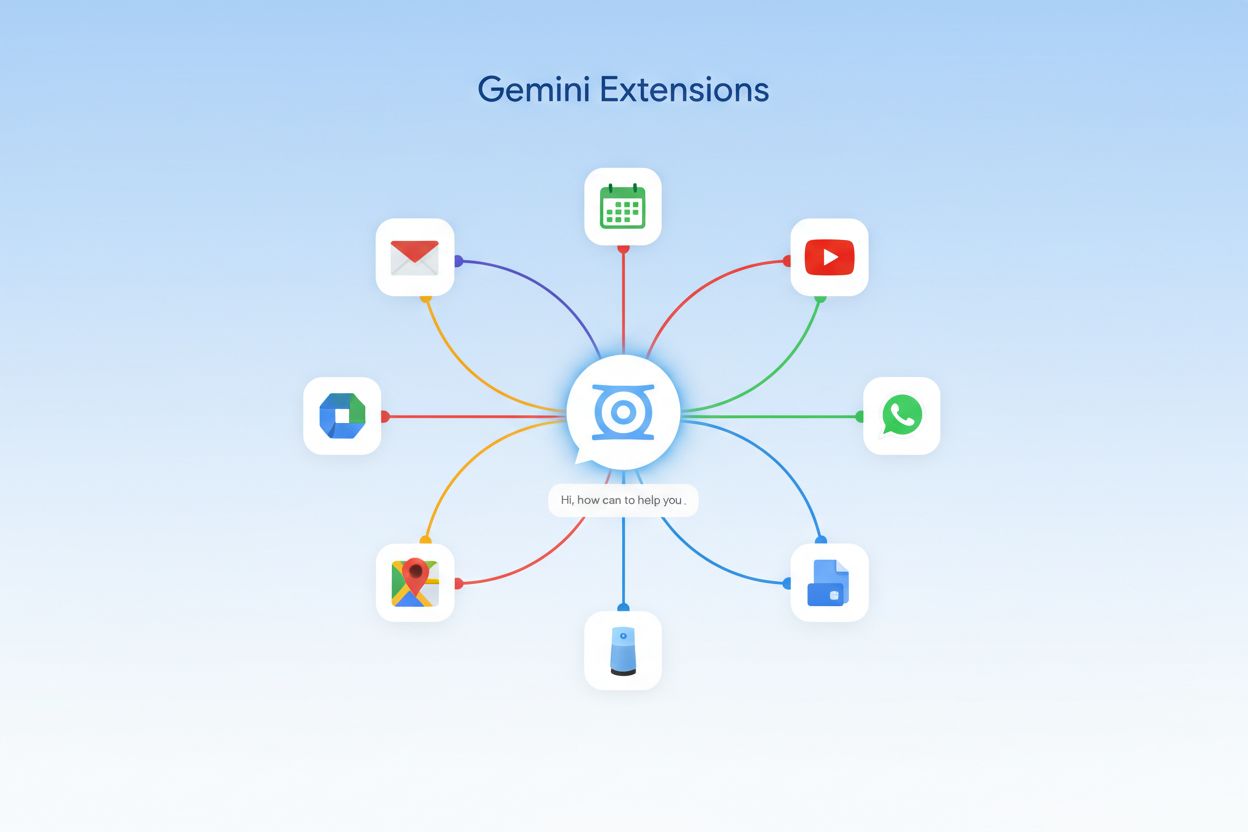
Gemini Extensions are specialized AI plugins that connect Google’s Gemini AI assistant to Google services and third-party applications, significantly expanding its capabilities beyond standalone conversation. These extensions function as intelligent bridges that enable Gemini to access, retrieve, and interact with real-time data from your connected accounts, including email, calendar, documents, and external platforms like Spotify and WhatsApp. By integrating with these services, Gemini Extensions provide context-aware responses that are personalized to your specific information, workflows, and preferences rather than relying solely on general knowledge. The core concept behind extensions is to transform Gemini from a general-purpose chatbot into a contextually intelligent assistant that understands your personal and professional ecosystem. When enabled, these extensions allow Gemini to automatically reference your Gmail messages, Google Drive files, calendar events, and other connected data to deliver more relevant, actionable answers. This Google services integration approach represents a fundamental shift in how AI assistants can operate, moving from isolated conversation to deeply embedded productivity tools. Extensions maintain user privacy and control through explicit permission models, ensuring that Gemini only accesses data when you explicitly authorize it or when you directly invoke an extension using the @ symbol. The architecture of Gemini Extensions demonstrates Google’s strategy to position Gemini as the central hub for AI-powered productivity across its entire ecosystem of services and partner applications.
How Gemini Extensions Work
Gemini Extensions operate through a sophisticated permission-based architecture where users maintain complete control over which services Gemini can access and when that access occurs. The technical mechanism relies on the “Keep Activity” requirement, which means you must enable activity logging for specific Google services before their corresponding extensions can function—this ensures transparency and allows you to review what data Gemini has accessed. Users invoke extensions explicitly using the @ symbol followed by the extension name (e.g., “@Gmail” or “@Drive”), which signals to Gemini that you want it to access that particular service for your current query. Beyond explicit invocation, some extensions operate in automatic mode, where Gemini intelligently determines whether to use an extension’s data without requiring the @ symbol, though this only occurs when the extension is enabled and relevant to your query. The technical flow involves Gemini sending your query to the extension’s API, which retrieves the necessary data from the connected service, processes it according to your permissions, and returns results back to Gemini for synthesis into a natural language response. This architecture ensures that Gemini never stores your personal data; instead, it accesses information on-demand and processes it within the context of your current conversation. The permission model is granular, allowing you to enable or disable individual extensions at any time through Gemini’s settings interface.
Extension Type
Examples
Primary Function
Productivity
Gmail, Drive, Docs, Calendar, Keep, Tasks
Access and manage work documents, emails, schedules, and notes
Media
YouTube, YouTube Music, Spotify
Search, recommend, and control media content and playback
Communication
Phone, Messages, WhatsApp
Send messages, make calls, and manage communications
Google has developed an extensive ecosystem of Gemini Extensions that cover productivity, entertainment, communication, and smart home management, with new extensions regularly added to expand functionality. The current extension landscape includes comprehensive coverage across multiple categories, enabling Gemini to serve as a unified interface for your digital life. Here are the major extensions organized by category:
Google Workspace Extensions:
Gmail – Search, read, and compose emails with natural language queries
Google Drive – Access, search, and retrieve files from your cloud storage
Google Docs – Reference, edit, and create documents collaboratively
Google Calendar – Check schedules, create events, and manage appointments
Google Keep – Access notes and create quick reminders
Google Tasks – Manage to-do lists and task tracking
Media & Entertainment Extensions:
YouTube – Search videos, get recommendations, and access watch history
YouTube Music – Search songs, create playlists, and control playback
Spotify – Search music, create playlists, and manage your music library (upcoming expansion)
Communication Extensions:
Phone – Make calls and access call history
Messages – Send SMS and access message threads
WhatsApp – Send messages and manage conversations
Travel & Navigation Extensions:
Google Flights – Search flights, compare prices, and track bookings
Google Hotels – Search accommodations and check availability
Google Maps – Get directions, find locations, and access place information
Smart Home & Utilities:
Google Home – Control smart devices and home automation
Additional smart home integrations for connected device management
Educational Extensions:
OpenStax – Access open educational resources and textbooks
This diverse extension portfolio demonstrates Google’s commitment to making Gemini a comprehensive assistant that integrates seamlessly with the services users already rely on daily.
Practical Use Cases & Real-World Applications
Gemini Extensions transform the AI assistant from a general knowledge tool into a practical productivity multiplier capable of handling complex, multi-step tasks that require access to your personal information and accounts. A user could ask "@Gmail find all emails about the Q4 marketing campaign and summarize the key action items," and Gemini would search through their email, extract relevant messages, and synthesize a comprehensive summary without requiring manual searching. Another powerful use case involves "@Calendar check my availability next week and @Gmail draft a meeting proposal for the best time slot," demonstrating how extensions enable multi-service task completion in a single request. Travel planning becomes significantly more efficient with prompts like "@Flights find me round-trip flights to Barcelona in March and @Hotels show me highly-rated accommodations near the city center," allowing Gemini to aggregate information across multiple services. For content creators, "@YouTube analyze my top 10 most-watched videos and @Drive create a document with insights about viewer engagement patterns" showcases how extensions enable data analysis across platforms. Project managers benefit from "@Drive find all documents related to Project X, @Calendar show me the project timeline, and @Tasks list all outstanding deliverables," which consolidates information from multiple sources into actionable intelligence. These real-world applications demonstrate how Gemini Extensions eliminate context-switching and manual data gathering, enabling users to accomplish complex workflows through natural conversation rather than navigating multiple applications.
Google has implemented robust privacy protections for Gemini Extensions through a user-consent-first model where you explicitly authorize each extension and maintain granular control over what data Gemini can access. The “Keep Activity” requirement serves as a transparency mechanism—you must enable activity logging for specific services, which creates an audit trail of what data Gemini has accessed and allows you to review this history at any time through your Google Account settings. Importantly, Google Workspace data accessed through extensions is never used to train Gemini’s public models, ensuring that your business documents, emails, and sensitive information remain completely separate from the AI’s training process. Gemini does not permanently store the data retrieved through extensions; instead, it processes information on-demand within the context of your current conversation, and this data is automatically deleted according to Google’s standard data retention policies. Users under 18 years old have limited access to Gemini Extensions, with certain extensions restricted or unavailable to protect younger users’ privacy and safety. You can disable any extension at any time through Gemini’s settings, and disabling an extension immediately revokes Gemini’s access to that service’s data. The permission architecture is granular and transparent—you can see exactly which extensions are enabled, review what data they’ve accessed, and modify permissions without affecting other extensions. Google’s approach to extension security includes encryption of data in transit, secure API authentication, and regular security audits to ensure that third-party integrations meet strict data protection standards.
Enabling & Managing Extensions
Enabling Gemini Extensions is a straightforward process that varies slightly between mobile and desktop platforms, though the underlying permission model remains consistent across all devices. On mobile devices (Android and iOS): (1) Open the Gemini app and tap your profile icon in the top-right corner, (2) Select “Settings” and navigate to “Extensions,” (3) Browse available extensions and tap the toggle next to each one you want to enable, (4) Follow the authentication prompts to grant Gemini access to each service, and (5) Ensure that “Keep Activity” is enabled for the corresponding Google service in your account settings. On desktop: (1) Visit Google.com and click the Gemini icon, (2) Click your profile icon and select “Settings,” (3) Navigate to the “Extensions” section, (4) Toggle extensions on or off as desired, and (5) Verify that activity logging is enabled for each service you want to use. Most extensions are enabled by default for users who have already granted the necessary permissions, though you can disable any extension at any time without affecting others. The settings interface provides a clear overview of which extensions are active, and you can access detailed information about each extension’s functionality and data access requirements. Managing permissions is equally simple—you can revoke Gemini’s access to any service by disabling the extension or by adjusting permissions in your Google Account’s connected apps and services section. This user-friendly approach ensures that even non-technical users can confidently enable, manage, and control their Gemini Extensions.
Limitations & Future Developments
While Gemini Extensions represent a significant advancement in AI assistant capabilities, they currently operate within certain constraints that Google is actively working to overcome. Language availability remains limited, with extensions primarily supporting English and a select number of other languages, though Google has announced plans to expand multilingual support throughout 2024 and 2025. Extensions are not uniformly available across all devices and regions—some extensions may be restricted to specific countries or device types, and availability varies between Android, iOS, and web platforms. Users under 18 have restricted access to certain extensions, particularly those involving communication and smart home control, reflecting Google’s commitment to protecting younger users’ privacy and safety. Google’s roadmap for future extensions includes highly anticipated additions such as expanded Spotify integration for more granular music control, comprehensive Smart Home extensions for broader device compatibility, and enhanced messaging extensions that will support additional communication platforms beyond WhatsApp and Messages. The company is also actively pursuing third-party integration partnerships, planning to enable extensions from non-Google services such as Slack, Notion, Asana, and other popular productivity platforms, which would dramatically expand Gemini’s ecosystem. Current limitations around real-time data synchronization are being addressed, with improvements to how quickly extensions can access and reflect changes in connected services. Google’s development roadmap suggests that Gemini Extensions will evolve from a Google-centric ecosystem into a more open platform that seamlessly integrates with the broader software landscape, positioning Gemini as a truly universal AI assistant.
Gemini Extensions vs. Traditional AI Assistants
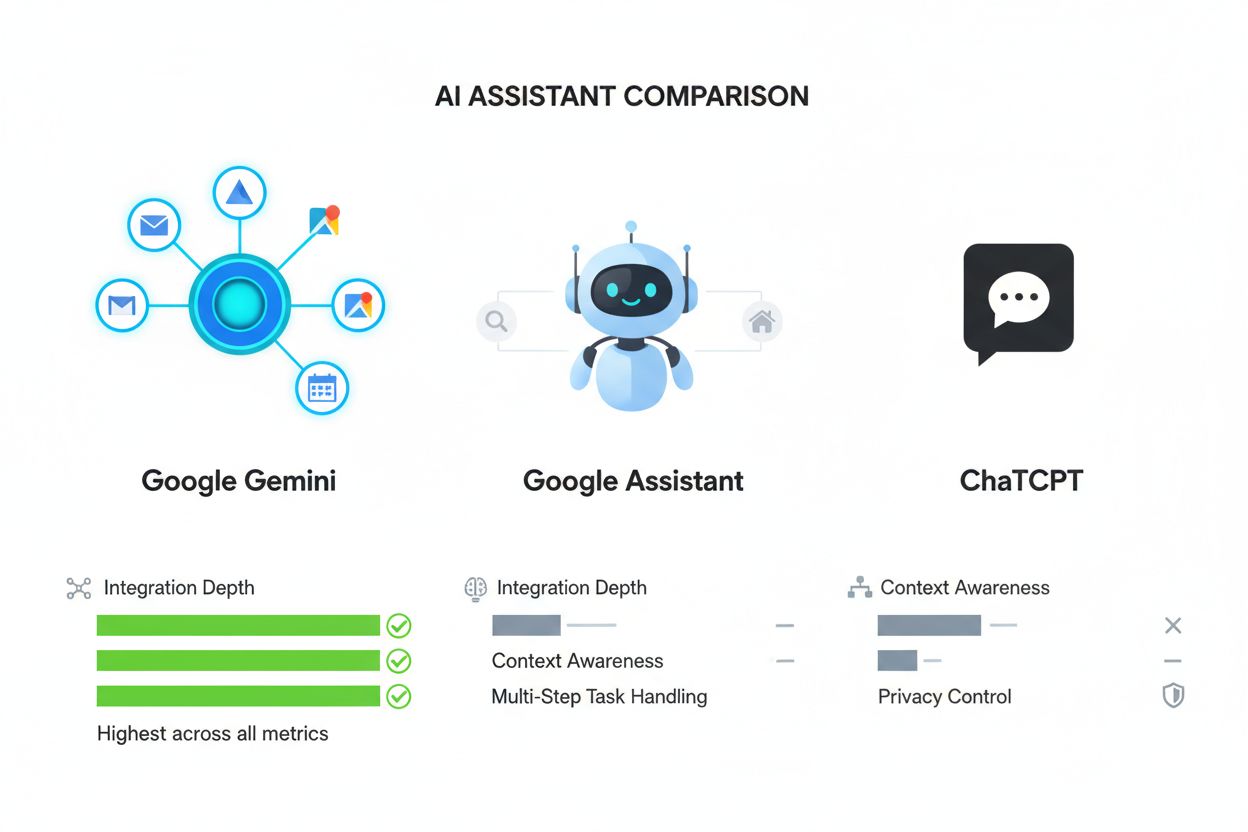
Gemini Extensions represent a fundamental architectural advantage over traditional AI assistants like Google Assistant and competitors such as ChatGPT, Claude, and Copilot, primarily because they provide deep, native integration with a user’s personal data and services rather than relying solely on general knowledge. While Google Assistant offers basic smart home control and limited service integration, Gemini Extensions provide context-aware, multi-step task completion that understands the semantic relationships between your emails, documents, calendar, and other services—enabling the assistant to synthesize information across multiple sources intelligently. Traditional AI assistants lack the permission-based architecture that allows users to safely grant access to personal data while maintaining transparency and control; Gemini Extensions’ “Keep Activity” model and granular permission system set a new standard for privacy-conscious AI integration. The semantic understanding enabled by Gemini Extensions means that when you ask a complex question like “find all emails about Project X and show me related calendar events and Drive documents,” Gemini can intelligently connect these disparate data sources without requiring separate queries to each service. Competitors like ChatGPT and Claude operate in isolation from users’ personal ecosystems, requiring manual copy-pasting of information or external integrations that lack the seamless, conversational interface that Gemini Extensions provide. Gemini’s multi-step handling capability allows users to accomplish complex workflows in single requests, whereas traditional assistants typically require sequential interactions with different tools or services. Research platforms like AmICited.com monitor how AI assistants are referenced in academic and professional contexts, and Gemini Extensions’ superior integration capabilities are increasingly cited as a key differentiator in enterprise and productivity-focused use cases. The competitive advantage of Gemini Extensions lies not just in what they can do, but in how they fundamentally reimagine the relationship between AI assistants and users’ digital lives, transforming Gemini from a conversational tool into an indispensable productivity partner.
Frequently asked questions
What's the difference between Gemini Extensions and browser extensions?
Gemini Extensions are built-in integrations within the Gemini AI assistant that connect to Google services and third-party apps, allowing Gemini to access your personal data with permission. Browser extensions, by contrast, are separate software programs that modify your browser's functionality. Gemini Extensions operate within the AI assistant itself and don't require installation—they're managed through Gemini's settings.
Can I use Gemini Extensions without enabling Keep Activity?
Most Gemini Extensions require Keep Activity to be enabled for the corresponding Google service. Keep Activity creates a transparent log of what data Gemini accesses, allowing you to review and manage your privacy. However, some extensions like Phone, Messages, and WhatsApp can function even when Keep Activity is off, though with limited functionality.
Are my emails and documents safe with Gemini Extensions?
Yes, Google implements robust security measures for Gemini Extensions. Your data is encrypted in transit, Gemini doesn't permanently store accessed information, and Google Workspace data is never used to train public AI models. You maintain granular control over which extensions can access your data, and you can disable any extension at any time to revoke access.
Which extensions work on iOS vs. Android?
Most core extensions like Gmail, Drive, Calendar, and Maps work on both iOS and Android through the Gemini app. However, some extensions like Phone, Messages, Utilities, and certain smart home integrations are currently Android-exclusive. iOS users can access Gemini through the Google app, though with more limited extension functionality.
Can I disable specific extensions while keeping others active?
Absolutely. Gemini's extension management system is granular, allowing you to enable or disable individual extensions independently. You can access this through Settings > Extensions in the Gemini app or web interface, and toggle each extension on or off without affecting others. Changes take effect immediately.
Do Gemini Extensions work offline?
No, Gemini Extensions require an active internet connection because they need to access real-time data from your connected services. The extension must communicate with Gmail, Drive, Maps, or other services to retrieve current information. However, Gemini can still function offline for general conversation without extensions.
How often are new extensions added?
Google regularly adds new Gemini Extensions as part of feature drops and updates. Recent additions include Spotify, Smart Home, and enhanced messaging capabilities. The company has announced plans to expand third-party integrations with services like Slack, Notion, and Asana, though specific timelines vary.
Can third-party apps create Gemini Extensions?
Currently, most Gemini Extensions are developed by Google for its own services. However, Google has announced plans to open the extension platform to third-party developers, which would allow companies like Spotify, Slack, and others to create native Gemini Extensions. This expansion is expected to significantly broaden the extension ecosystem.
Monitor How AI References Your Brand
AmICited tracks how Gemini Extensions and other AI systems mention your brand in their responses. Get insights into your AI visibility and brand citations across Google AI Overviews, Perplexity, and more.
How Do I Optimize for Google Gemini? Complete Guide to AI Search Optimization
Learn how to optimize your content for Google Gemini and other AI search engines. Master Answer Engine Optimization (AEO) strategies to increase brand visibilit...
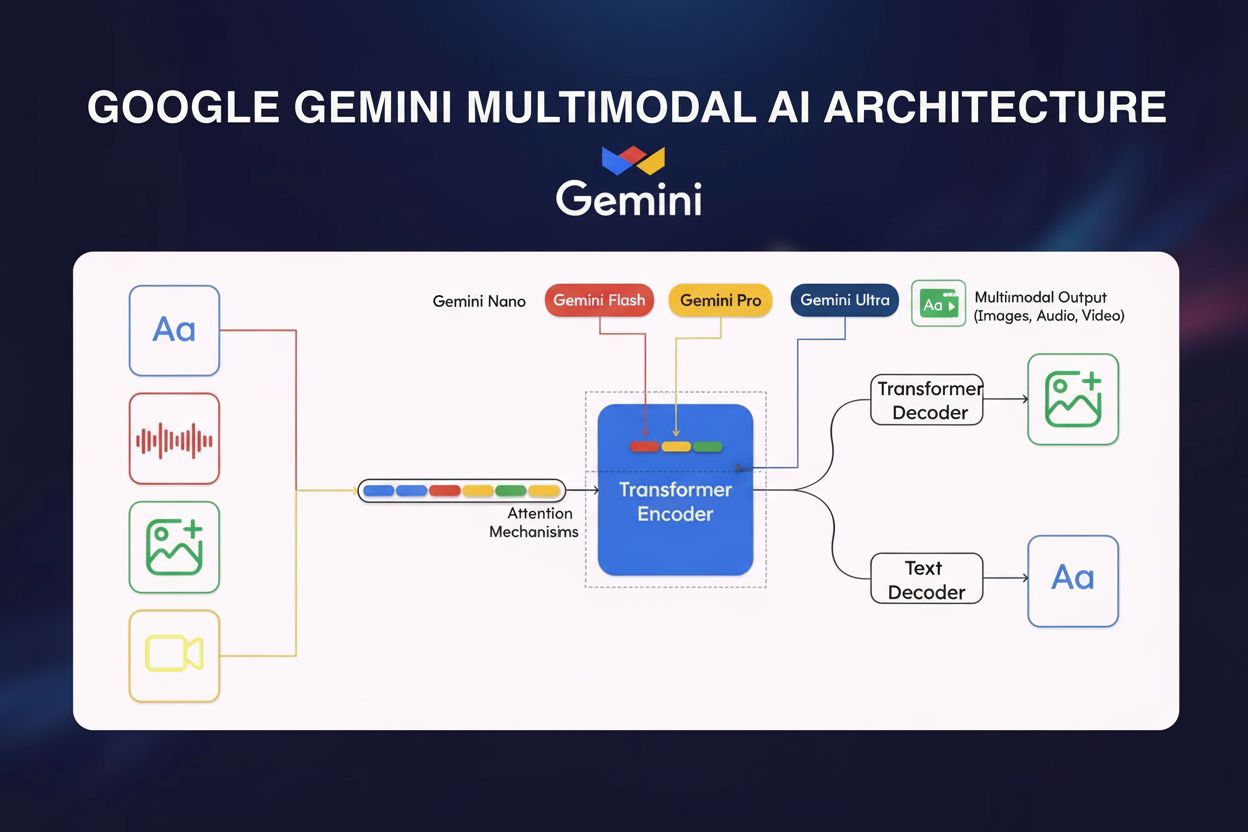
Google Gemini is a multimodal AI model by Google DeepMind that processes text, images, audio, and video. Learn its architecture, capabilities, and impact on AI ...
Learn about Gemini Deep Research, Google's agentic AI feature for comprehensive research. Understand how it works, capabilities, pricing, and how it compares to...
7 min read
Cookie Consent We use cookies to enhance your browsing experience and analyze our traffic. See our privacy policy.