


AI Visibility Service Pricing: What to Expect
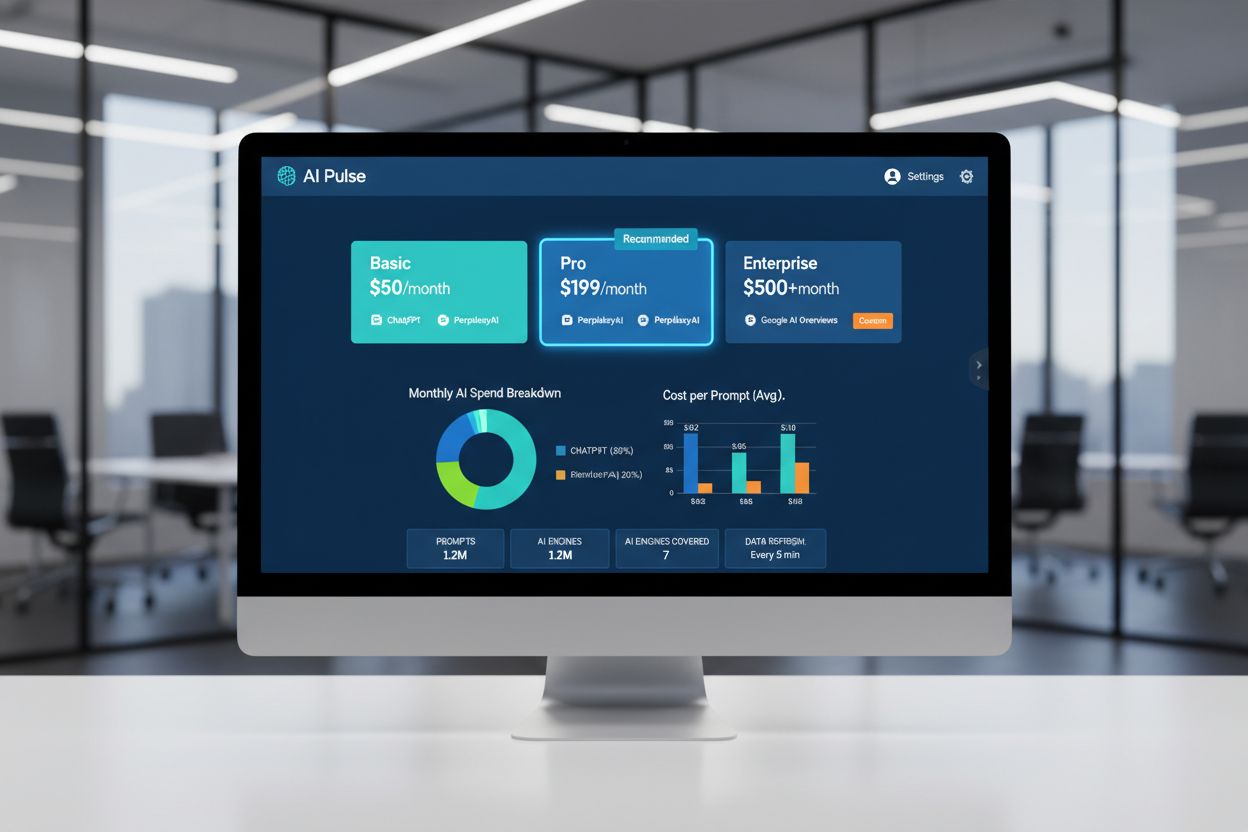
Complete guide to AI visibility pricing in 2025. Compare costs from budget-friendly tools ($50/month) to enterprise solutions ($500+). Understand GEO pricing, h...
9 min read

A budget-focused guide to AI search visibility for freelancers: a free manual tracking method, the genuinely affordable paid tools under $100/month, and how to price AI visibility as a client service.
Your brand now lives in two places: Google rankings AND AI-generated answers. When someone asks ChatGPT, Perplexity, or Gemini “who should I hire for [your service]?” or “what’s the best [tool you offer]?”, the model generates a short list of names. You’re either on that list or invisible. There’s no page two to scroll through.
The problem is that most AI visibility tools cost $200–$500+ per month, putting them out of reach for freelancers, solo consultants, and small agencies. The good news? You don’t need enterprise-level spending to track and improve your AI search visibility. This guide walks you through every option at every price point, from completely free methods to affordable paid tools, and shows you how to measure ROI and scale across multiple clients.
AI search visibility refers to how often and where your brand, website, or content appears when AI language models (ChatGPT, Perplexity, Gemini, Google AI Overviews) generate answers to user questions. This is fundamentally different from traditional SEO, and freelancers who understand the distinction have a competitive advantage.
Traditional SEO is about ranking your webpage for a keyword. A user types “best freelance copywriter,” Google returns a ranked list, and the user clicks your result. Your visibility is measured by position: #1, #5, #10.
AI visibility is about being cited as a source. When someone asks ChatGPT “who’s a good freelance copywriter?”, the model doesn’t return a ranked list: it generates an answer that might mention your name, link to your portfolio, or cite your content. You don’t get a position; you get a citation (or you don’t).
This distinction matters because:
Freelancers have advantages in the AI visibility game that larger agencies don’t:
Consider a freelance SEO consultant who specializes in e-commerce. A prospect asks Perplexity: “What’s the best way to improve my e-commerce site’s conversion rate?” The model cites three sources. Our consultant is not one of them.
Result: The prospect gets recommendations for other consultants, agencies, or blog posts. Our consultant lost a potential $5,000–$20,000 project because they were invisible in one AI answer.
Now multiply that by the fact that ChatGPT, Perplexity, and Gemini are growing rapidly. In Q1 2026, 25% of Google searches triggered an AI Overview. Traffic to AI answer engines grew 527% year-over-year. The opportunity cost of invisibility is real.
| Factor | Traditional SEO | Generative Engine Optimization (GEO) |
|---|---|---|
| Goal | Rank pages for keywords | Be cited as a source in AI answers |
| Visibility metric | Position (rank #1, #5, #10) | Citation frequency and share of voice |
| Key signals | Backlinks, keywords, technical SEO | Authority, freshness, content structure, extractability |
| User journey | Click a ranked result | Read an AI-generated answer |
| Scrolling | Users scroll to page 2, 3, etc. | No secondary visibility tier; top 3–5 citations dominate |
| Content type | Optimized for keywords | Authoritative, well-sourced, topically focused |
| Measurement | Rank tracking, organic traffic | Citation tracking, share of voice, mention rate |
| Skill required | Moderate (SEO knowledge) | Moderate (understanding AI sources) |
The critical insight: GEO and SEO are complementary, not competitive. Strong SEO signals (quality content, backlinks, topical authority) predict AI visibility. You’re not choosing between them; you’re layering GEO on top of a solid SEO foundation.

Track how AI chatbots mention your brand across ChatGPT, Perplexity, and other platforms.
Before diving into specific tools, let’s frame the landscape. AI visibility tools range from completely free to $5,000+ per month for enterprise platforms. For freelancers, the sweet spot is typically $0–$100 per month.
Manual tracking with Google Sheets
You can track AI visibility without spending a dime. Define 20–50 prompts related to your niche, test them monthly in ChatGPT, Perplexity, Gemini, and Google AI Overviews, and record whether you appear. Use a simple spreadsheet to track results over time.
Pros: Zero cost, complete control, works for testing and small-scale monitoring.
Cons: Labor-intensive, no automation, hard to scale beyond 1–2 clients, no competitive benchmarking.
Best for: Freelancers just starting to understand AI visibility, or those testing the concept before investing.
Otterly AI (Lite plan, $29/month)
Otterly is the most popular entry point for freelancers. You define 15 custom prompts, and Otterly tracks your brand’s appearance across ChatGPT, Perplexity, Google AI Overviews, Microsoft Copilot, and Gemini (the last two may require add-ons). It sends automated alerts when you’re mentioned and provides a simple dashboard showing trends over time.
Pros: Affordable, covers major AI engines, automated tracking, clean dashboard, integrates with Semrush.
Cons: Limited to 15 prompts on the Lite plan (more cost $189+/month), minimal optimization guidance.
Best for: Freelancers managing 1–2 clients or monitoring personal brand visibility.
LLMRankings.io (Free–$10/month)
LLMRankings offers a generous free tier with weekly monitoring of your prompts across major AI engines, plus competitive benchmarking. Paid plans start at $10/month for more advanced features.
Pros: Cheapest paid option, free tier is genuinely useful, includes competitor tracking.
Cons: Smaller platform, fewer features than Otterly, less polished UI.
Best for: Budget-conscious freelancers who want automation without the higher price tag.
Wellows (Free tier + $29+/month)
Wellows was built specifically for freelancers. The free tier lets you track your personal brand visibility; paid plans unlock advanced features like sentiment analysis and cross-client reporting.
Pros: Freelancer-first design, free entry point, strong feature set on paid plans.
Cons: Smaller community, less third-party validation than Otterly.
Best for: Freelancers building personal brand visibility or those who want a tool designed with their workflow in mind.
Ayzeo ($39–$149/month)
Ayzeo is designed for small businesses and freelancers scaling to multiple clients. The Starter plan ($39/month) includes basic tracking; the Pro plan ($149/month) adds white-label reporting and Google Analytics 4 integration, crucial if you’re offering AI visibility services to clients.
Pros: Multi-client support, white-label reporting, GA4 integration, strong competitive benchmarking.
Cons: Mid-tier pricing, may be overkill for solo freelancers.
Best for: Freelancers offering AI visibility as a service, or those managing 3+ clients.
Peec AI (~$89/month)
Peec AI offers foundational AI visibility tracking with sentiment analysis, competitive benchmarking, and unlimited seats. The UI is clean, and the feature set is well-balanced for growing teams.
Pros: Unlimited seats (good for agencies), sentiment tracking, competitive analysis.
Cons: Slightly higher price than Otterly, less name recognition.
Best for: Freelancers scaling to team-based workflows or offering services to multiple clients.
Rankability ($79/month)
Rankability combines AI visibility tracking with content workflow management. It monitors your visibility across Google, local search, AI engines, and YouTube, making it a good all-in-one tool if you’re managing multiple ranking surfaces.
Pros: Multi-surface tracking, content brief integration, workflow tools.
Cons: Broader scope than pure AI visibility tools, may include features you don’t need.
Best for: Freelancers managing comprehensive SEO + GEO strategies for clients.
Profound ($399+/month)
Profound is the enterprise standard. It provides access to 400M+ real user prompts, conversation explorer, and AI crawler analytics. If you’re managing Fortune 500 brands or need the deepest analytical insights, Profound is unmatched.
Pros: Unmatched data depth, real user prompts, advanced analytics.
Cons: Expensive, requires sales call, minimal out-of-the-box recommendations.
Best for: Enterprise teams, large agencies, or brands with serious GEO budgets.
| Tool | Price | Prompts | Engines | Competitive Benchmarking | Best For |
|---|---|---|---|---|---|
| Manual Tracking | Free | Unlimited | 4 | No | Testing, learning |
| LLMRankings.io | Free–$10 | Unlimited | 4–5 | Yes | Budget-conscious solo freelancers |
| Otterly AI | $29 | 15 | 5 | Yes | Freelancers, small teams |
| Wellows | Free–$29+ | Varies | 5 | Yes | Freelancer personal brand |
| Ayzeo | $39–$149 | Unlimited | 5 | Yes | Scaling to multiple clients |
| Peec AI | ~$89 | Unlimited | 5 | Yes | Growing agencies, teams |
| Rankability | $79 | Unlimited | 4+ | Yes | Multi-surface SEO + GEO |
| Profound | $399+ | Unlimited | 4+ | Yes | Enterprise teams |
Before you buy a tool, try manual tracking. It’s labor-intensive, but it gives you a clear sense of whether AI visibility is worth pursuing for your niche, and it costs nothing.
Think like your ideal client. What questions would they ask an AI engine to find someone like you?
Examples for a freelance SEO consultant:
Examples for a freelance copywriter:
Aim for 20–50 prompts that cover:
Once a month, manually test each prompt in each AI engine. Record:
Use the template below (or copy it into a Google Sheet).
Here’s a minimal tracking template:
| Date | Prompt | Engine | Mentioned | Cited | Citation Position | Notes |
|---|---|---|---|---|---|---|
| 2026-02-01 | How do I improve my website’s Google rankings? | ChatGPT | Yes | Yes | #2 | Linked to my SEO guide |
| 2026-02-01 | How do I improve my website’s Google rankings? | Perplexity | Yes | No | N/A | Name mentioned, no link |
| 2026-02-01 | How do I improve my website’s Google rankings? | Gemini | No | No | N/A | Competitor cited instead |
| 2026-02-01 | How do I improve my website’s Google rankings? | Google AI Overviews | Yes | Yes | #1 | Linked to homepage |
After one month, you’ll have a baseline. After three months, you’ll see trends: Are you getting cited more? In which engines? For which prompts?
Once you have data, the action is clear. If you’re appearing for “How do I improve my website’s Google rankings?” but not for “Who should I hire for technical SEO?”, you know what content to create.
Example action plan:
Let’s say you’re a freelance technical SEO specialist. Here’s how your workflow might look:
Week 1 (First Monday of the month):
Week 2:
Week 3–4:
Next month:
Time investment: ~1.5 hours per month for testing and analysis, plus time for content creation (which you’d do anyway).
Cost: Free.
Expected ROI: If you earn one client project per quarter because you’re now visible in AI answers, that’s $5,000–$20,000 in revenue for 6 hours of work per quarter. That’s a 833–3,333x ROI.
Get the latest insights on AI mentions, brand monitoring, and optimization strategies.
If manual tracking feels like too much overhead, or if you want to scale to multiple clients, paid tools are worth considering. Let’s dig into the best affordable options.
What you get:
Limitations:
Ideal use cases:
Setup time: 10–15 minutes (define prompts, connect account, verify email)
Verdict: Otterly is the sweet spot for freelancers just starting with AI visibility tracking. It’s affordable, reliable, and requires minimal setup.
What you get:
Limitations:
Ideal use cases:
Verdict: If cost is your primary concern and you don’t need hand-holding, LLMRankings.io is a solid option. The free tier is genuinely useful.
What you get:
Limitations:
Ideal use cases:
Verdict: Wellows is a good choice if you like the idea of a tool built for freelancers. The free tier is worth trying, and the paid plans offer solid features for scaling.
What you get:
Limitations:
Ideal use cases:
Setup time: 20–30 minutes (define client accounts, set up reporting templates)
Verdict: If you’re offering AI visibility as a service or managing multiple clients, Ayzeo’s investment is worth it. The white-label reporting alone justifies the cost if you’re charging clients for monitoring.
One of the biggest misconceptions about AI visibility is that it’s replacing traditional SEO. It’s not. GEO and SEO are complementary disciplines.
AI models like ChatGPT and Perplexity are trained on vast amounts of web data. They learn which websites are authoritative, which content is high-quality, and which sources are trustworthy. Those lessons come from traditional SEO signals: backlinks, domain authority, topical relevance, and content quality.
Research from Otterly’s 2026 AI Citations Report found that brand-owned domains account for 52.5% of all citations in ChatGPT, Perplexity, and Google AI Overviews. That means the other 47.5% goes to media, reference, and community sites. But which brand-owned domains get cited? The ones with strong SEO fundamentals.
In other words: If you have a website with poor SEO (thin content, no backlinks, low domain authority), you’re unlikely to be cited by AI models, no matter how much you optimize for GEO.
If you had to prioritize, here’s what drives AI visibility:
Notice that the top 40% is just “good SEO.” The next 30% is traditional link building. The remaining 30% is about making your content AI-friendly (clear structure) and keeping it fresh.
This is false. GEO complements SEO; it doesn’t replace it.
A freelancer who ignores traditional SEO and focuses only on GEO will struggle because:
The right approach: Build a strong SEO foundation (quality content, topical authority, backlinks), then layer GEO tactics on top (optimize content structure for AI extraction, monitor citations, create content addressing AI-relevant queries).
If you’re a freelance SEO consultant or agency offering AI visibility services, you face a scaling problem: How do you monitor multiple clients’ AI visibility without spending $500/month on tools?
Your first instinct might be to buy one Otterly AI account and monitor all your clients under one subscription. This works for a bit, but it breaks down quickly:
Let’s do the math. Say you want to offer AI visibility monitoring to clients at a sustainable price.
Scenario: You have 5 clients, each paying $500/month for AI visibility monitoring.
Your costs:
Total cost: $524/month
Total revenue: $2,500/month
Profit: $1,976/month (79% margin)
This is viable. You’re not paying per-client, so your unit economics improve as you add clients.
Scenario: You have 3 clients, each paying $300/month.
Your costs:
Total cost: $264/month
Total revenue: $900/month
Profit: $636/month (71% margin)
Also viable, though your absolute profit is lower.
Scenario: You use manual tracking (free tool) for 2 clients.
Your costs:
Total cost: $300/month
Total revenue: $600/month (2 clients × $300/month)
Profit: $300/month (50% margin)
This works if you’re just starting, but it’s labor-intensive and doesn’t scale.
Shared account approach (Otterly, Wellows):
Multi-client tool approach (Ayzeo, Peec AI):
For most freelancers offering AI visibility services, multi-client tools are worth the investment. The white-label reporting alone saves you hours per month in manual report creation.
Your monthly report should include:
Keep it visual. Use charts, tables, and clear language. Avoid jargon.
| Model | Price | Best For | Pros | Cons |
|---|---|---|---|---|
| Standalone service | $300–$500/month | Clients wanting dedicated monitoring | High margin, clear value | Requires client acquisition, ongoing support |
| Add-on to SEO service | $100–$200/month | Existing SEO clients | Easier to sell, leverages existing relationship | Lower price point, bundled support |
| Retainer with multiple services | $1,000–$3,000/month | Clients wanting comprehensive SEO + GEO | High revenue, stickier clients | More complex delivery, higher expectations |
| One-time audit | $500–$1,500 | Clients wanting a snapshot | Low commitment, quick revenue | No recurring revenue, harder to scale |
Even with the right tool, freelancers often make mistakes that undermine their results. Here are the most common ones.
Freelancers often start by defining 50+ prompts, thinking more data is better. Then they get overwhelmed by the dashboard and stop checking it.
The fix: Start with 15–20 prompts focused on high-intent questions: the ones that would actually lead to a client project. Examples:
Avoid vanity prompts like “What is [your name]?” unless you’re building personal brand visibility.
Your name appearing in an AI answer is nice, but a citation (a linked source) is what matters. Mentions show brand awareness; citations show authority.
The fix: When analyzing your data, separate mentions from citations. Track both, but prioritize citations. If you’re getting mentioned but not cited, the issue is usually that your content isn’t extractable or authoritative enough.
Many freelancers buy a tool, set it up, and then never act on the data. They see they’re missing from certain prompts but don’t create content to address those gaps.
The fix: Build a simple action workflow:
Without action, the data is just noise.
AI visibility tracking should inform your content calendar. If you’re missing from prompts about “how to [solve problem],” you should create content addressing that problem.
The fix: Quarterly, review your AI visibility data and create a content roadmap:
This turns AI visibility from a reporting metric into a strategic lever.
With so many options, how do you choose? Use this decision matrix.
Choose free manual tracking if:
Choose budget tier ($10–$30/month) if:
Choose growth tier ($30–$100/month) if:
Choose enterprise tier ($200+/month) if:
Be skeptical of tools that claim to:
Arshia is an AI Workflow Engineer at FlowHunt. With a background in computer science and a passion for AI, he specializes in creating efficient workflows that integrate AI tools into everyday tasks, enhancing productivity and creativity.

Am I Cited monitors how ChatGPT, Perplexity, and Google AI Overview cite your brand, and your clients', with plans that start where freelancers actually are, not at enterprise budgets.
Complete guide to AI visibility pricing in 2025. Compare costs from budget-friendly tools ($50/month) to enterprise solutions ($500+). Understand GEO pricing, h...

Compare free and paid AI visibility checkers by use case, plan limits, and verified 2026 pricing.
Compare 15 AI search visibility platforms by pricing, engine coverage, free plans, and ideal use case. See verified 2026 figures in this buyer’s matrix.
Cookie Consent
We use cookies to enhance your browsing experience and analyze our traffic. See our privacy policy.