


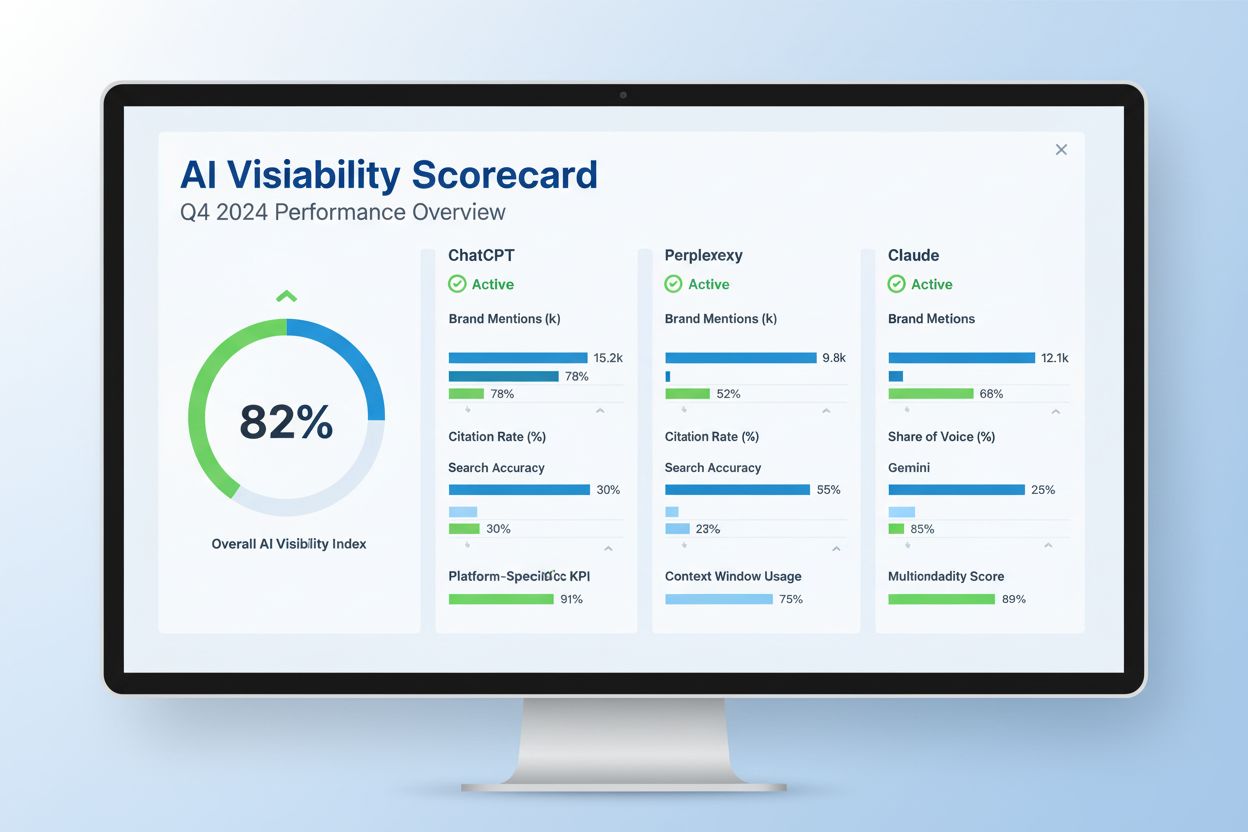
AI Visibility Score
Learn what an AI Visibility Score is and how it measures your brand's presence across ChatGPT, Perplexity, Claude, and other AI platforms. Essential metric for ...
13 min read
Track your brand’s ChatGPT visibility with key metrics, a DIY spreadsheet and guidance for assessing paid tools.
ChatGPT now handles over 2.5 billion queries daily, and research shows that 55% of searchers now prefer AI for answers over traditional search engines. Yet most brands have no visibility into whether ChatGPT is recommending them, mentioning their competitors instead, or ignoring them entirely.
Unlike Google, where you can log into Search Console and see your exact rankings, ChatGPT offers no official dashboard showing your brand’s visibility. This creates a critical blind spot: your customers are making decisions based on ChatGPT recommendations you can’t see or measure.
This guide shows you exactly how to track your AI visibility score in ChatGPT Search, whether you use automated tools or a free DIY spreadsheet method. You’ll learn what metrics matter, how to set up tracking, and how to turn visibility data into actionable improvements.
An AI visibility score measures how often and how prominently your brand appears in ChatGPT responses relative to competitors. It’s the AI-era equivalent of a Google ranking, but it works fundamentally differently.
ChatGPT’s brand recommendations come from four layers:
For most business-related prompts, layers 1 and 2 dominate. This means ChatGPT recommends brands whose names appear most frequently in authoritative comparison content, listicles, Reddit threads, G2 reviews, and trade publications.
| Aspect | Traditional SEO | AI Visibility |
|---|---|---|
| Ranking | Fixed position (#1, #2, #3) | Share of voice across responses |
| Metric | Click-through rate | Brand mentions + citations |
| Consistency | Same result every time | Varies by context and model updates |
| Traffic | Direct link clicks | Often satisfied within AI response (no click) |
| Measurement | Search Console dashboard | Third-party tools or manual testing |
The critical difference: You can have high AI visibility without driving traffic. When ChatGPT answers a user’s question using your content, the user may never click your link, but your brand still gained visibility and influence.

Track how AI chatbots mention your brand across ChatGPT, Perplexity, and other platforms.
Before setting up tracking, gather these essentials:
| Item | Purpose | Cost |
|---|---|---|
| ChatGPT account | Run test prompts | Free or $20/mo (Plus) |
| Google Analytics 4 (GA4) | Track ChatGPT referral traffic | Free |
| Spreadsheet (Google Sheets or Excel) | Log manual results or organize data | Free |
| Tracking tool (optional) | Automate monitoring across prompts | $0–$999/mo |
| List of 20–50 relevant prompts | Define what you’re measuring | Free (your research) |
Tracking Tool Options:
When you track your AI visibility, you’re measuring four core metrics:
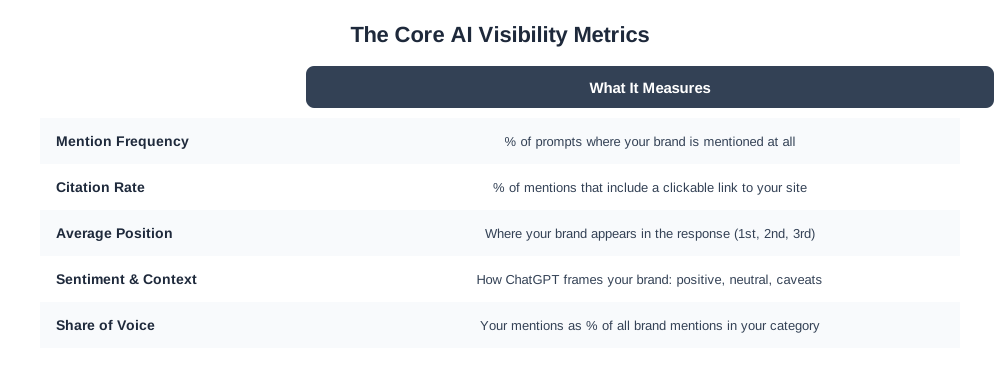
Definition: The percentage of prompts where your brand is mentioned at all.
Example: If you track 50 prompts and your brand appears in 15 of them, your mention frequency is 30%.
Why it matters: Shows how consistently ChatGPT associates your brand with relevant topics. Higher frequency = stronger presence.
Definition: The percentage of mentions that include a clickable link to your website.
Example: If your brand is mentioned in 15 prompts but only 5 include a link to your site, your citation rate is 33%.
Why it matters: Citations drive actual traffic. A mention without a link is visibility, but a citation is an opportunity for conversion.
Definition: Where your brand appears in the response (1st mention, 2nd, 3rd, etc.).
Example: If you’re mentioned first in some responses and fifth in others, your average position might be 2.8.
Why it matters: Mentions early in responses get more attention. Brands listed first are perceived as stronger recommendations.
Definition: How ChatGPT frames your brand (positive, neutral, or with caveats).
Example: “Best for enterprise” vs. “not ideal for small budgets” vs. neutral mention.
Why it matters: Positive framing influences buyer perception. Negative context can hurt even if you’re mentioned.
Definition: Your brand mentions as a percentage of all brand mentions in your category.
Example: If Competitor A gets 40 mentions, Competitor B gets 30, and you get 20 across the same prompts, your share of voice is 20/90 = 22%.
Why it matters: Shows competitive positioning. Growing share of voice indicates you’re gaining ground on rivals.
Get the latest insights on AI mentions, brand monitoring, and optimization strategies.
Best for: Agencies, enterprises, and brands wanting consistent, hands-off monitoring.
Advantages: Aggregates hundreds of prompts automatically, provides detailed dashboards, tracks trends over time, includes competitor analysis.
Disadvantages: Paid (starting $37–$55/mo), learning curve, may not match your exact prompts.
Step 1: Choose Your Tool
Select a tool based on your needs:
Step 2: Sign Up and Connect Your Domain
Step 3: Add Competitors
Step 4: Select AI Engines to Track
Step 5: Build or Import Your Prompt Universe
Step 6: Run Your Baseline Audit
Step 7: Set Up Recurring Reports
Step 8: Schedule Regular Reviews
Best for: Budget-conscious brands, small businesses, or anyone wanting full control.
Advantages: Completely free, no tool learning curve, control over exact prompts, immediate results.
Disadvantages: Time-intensive (30–60 minutes weekly), results vary due to non-deterministic ChatGPT responses, harder to track trends.
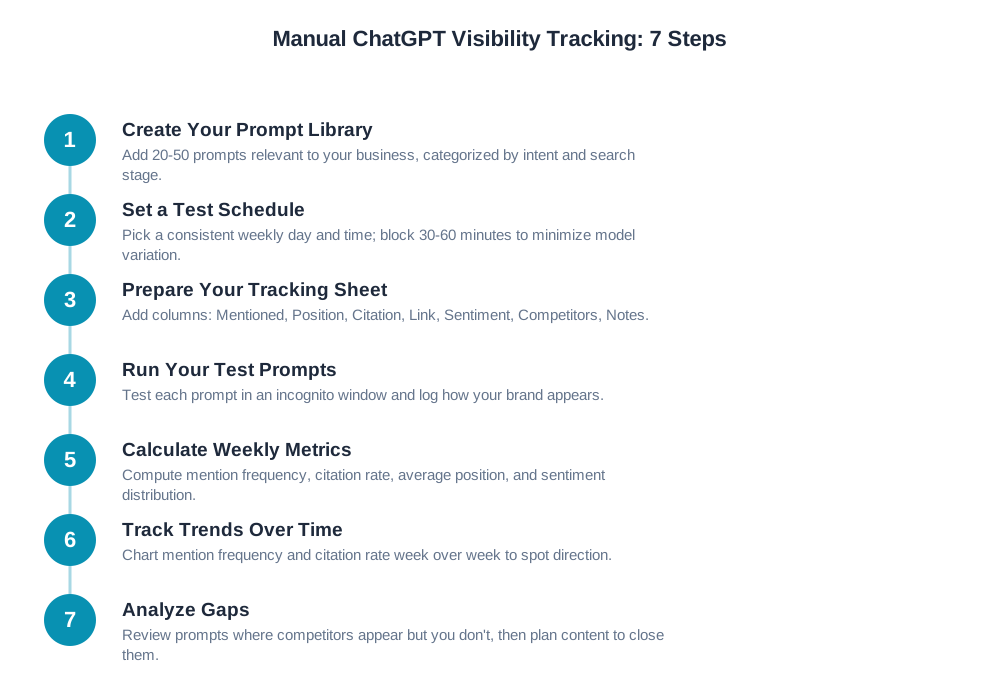
Step 1: Create Your Prompt Library
Example prompts:
Step 2: Set a Test Schedule
Step 3: Prepare Your Tracking Sheet
Create columns in your spreadsheet:
| Prompt | Category | Mentioned? | Position | Citation? | Link | Sentiment | Competitors Mentioned | Notes |
|---|---|---|---|---|---|---|---|---|
| “Best project management software for remote teams” | Comparison | Y/N | 1–10 | Y/N | URL | Positive/Neutral/Negative | List brands | Context |
Step 4: Run Your Test Prompts
Step 5: Calculate Weekly Metrics
After testing all prompts, calculate:
Mention Frequency: (# of prompts where you appeared) / (total prompts) × 100
Citation Rate: (# of prompts with your link) / (total prompts with mentions) × 100
Average Position: Sum all positions / number of mentions
Sentiment Distribution: Count positive, neutral, negative mentions
Step 6: Track Trends Over Time
Step 7: Analyze Gaps (Where Competitors Win)
Example:
Before you start tracking, ensure ChatGPT can actually find and cite your content. A GEO audit (Generative Engine Optimization audit) checks this.
Go to yoursite.com/robots.txt
Check if you’re blocking AI crawlers:
User-agent: GPTBot
Disallow: /
If you see this, change it to:
User-agent: GPTBot
Allow: /
Repeat for other AI crawlers:
Claude-WebPerplexity-botBingbot (for AI Overviews)If you don’t have a robots.txt file, create one with:
User-agent: *
Allow: /
ChatGPT prefers content that’s easy to parse. Review your key pages:
Red flags that hurt AI visibility:
Create a text file listing key pages you want AI to cite
Save as yoursite.com/llms.txt
Format:
# About Us
https://yoursite.com/about

# Product Guide
https://yoursite.com/product-guide

# Best Practices
https://yoursite.com/best-practices
This signals to ChatGPT which pages are most authoritative.
Once you have baseline data, here’s how to interpret it and act on it.
| Metric | Benchmark | Interpretation |
|---|---|---|
| Mention Frequency | 20–30% | You appear in roughly 1 of every 3–5 relevant prompts |
| Mention Frequency | 40%+ | Strong presence; competitors appear more often |
| Citation Rate | 30–50% | About 1 in 2–3 mentions include your link |
| Citation Rate | 60%+ | Excellent; ChatGPT trusts your site for citations |
| Average Position | 1–2 | You’re typically the first or second recommendation |
| Average Position | 3–4 | Middle-of-pack positioning; room to improve |
| Average Position | 5+ | You’re buried; low visibility even when mentioned |
| Share of Voice | 20%+ | Competitive positioning; you’re a top 3–4 brand |
| Share of Voice | 40%+ | Market leader; dominating AI recommendations |
Your biggest opportunity is finding prompts where competitors appear but you don’t.
ChatGPT cites the same domains repeatedly. Identify them:
Visibility is meaningless if it doesn’t drive business results. Here’s how to measure impact.
Open Google Analytics 4
Go to Admin → Data Streams → Web
Note your Measurement ID
Add UTM parameters to any ChatGPT-linked content:
https://yoursite.com/page?utm_source=chatgpt&utm_medium=referral&utm_campaign=ai_visibility
In GA4, go to Reports → Traffic Acquisition
Filter for utm_source=chatgpt
Monitor:
Example:
| Problem | Why It Happens | Solution |
|---|---|---|
| Results differ each time I test the same prompt | ChatGPT is non-deterministic; model updates change responses; context affects output | Run each prompt 5–10 times; average results; use automated tools that aggregate data |
| My brand never appears in ChatGPT | Content not optimized for AI; poor authority; not cited by authoritative sources | Conduct GEO audit; improve content clarity; build presence on G2, Reddit, industry publications |
| I can’t see traffic from ChatGPT in GA4 | GA4 not configured for ChatGPT tracking; referral source not recognized | Add UTM parameters to links; filter referral traffic by chatgpt.com; check Data Streams setup |
| Metrics from different tools don’t match | Tools use different prompt sets, sampling methods, and timing | Use one tool consistently; understand each tool’s methodology; don’t compare tools directly |
| Mention frequency dropped suddenly | ChatGPT model update; your content changed; competitor content improved; index refresh | Check for content changes; review competitor activity; wait 1–2 weeks for stabilization |
| I’m mentioned but never cited | Content not crawlable by ChatGPT; no direct links to your site; poor authority signals | Check robots.txt; verify content accessibility; add internal/external linking; build citations |
| Can’t identify what prompts to track | Unclear on buyer intent; only thinking about keywords | Ask customers how they found you; poll your sales team; use Profound or tool suggestions |
| Tool | Free Tier | Pricing | Setup Time | Best For | Engines |
|---|---|---|---|---|---|
| Manual (Spreadsheet) | Full | $0 | 1 hour | Budget-conscious, full control | Any |
| PromptRush | Limited | $99–$299/mo | 15 min | SMBs, conversational tracking | ChatGPT, Gemini, Perplexity |
| Profound | 14-day trial | Custom (est. $200–$500/mo) | 20 min | Detailed prompt research | ChatGPT, Gemini, Perplexity |
| SE Ranking | 5 free checks/day | $55–$499/mo | 10 min | Existing SEO users, all engines | 5+ engines |
| Sanbi.ai | 1-day trial | $37–$999/mo | 15 min | SMBs, agencies, GEO audit | ChatGPT, Gemini, Perplexity, Claude |
| Rankscale | Limited free | $99–$999/mo | 20 min | Enterprise, 17+ engines | 17+ engines |
| Semrush AI Visibility | Included trial | $120–$999/mo | 10 min | Large enterprises, integrated SEO | All major engines |
Recommendation: Start with the manual spreadsheet method for 2–4 weeks to understand your baseline. Once tracking becomes time-consuming or you need deeper, multi-platform insight, AmICited is the most straightforward upgrade: it covers ChatGPT, Perplexity, and Google AI Overview from one dashboard instead of juggling several point tools.
Arshia is an AI Workflow Engineer at FlowHunt. With a background in computer science and a passion for AI, he specializes in creating efficient workflows that integrate AI tools into everyday tasks, enhancing productivity and creativity.

Am I Cited automates AI visibility tracking across ChatGPT, Perplexity, and Google AI Overview, so you don't have to test prompts manually every week.
Learn what an AI Visibility Score is and how it measures your brand's presence across ChatGPT, Perplexity, Claude, and other AI platforms. Essential metric for ...
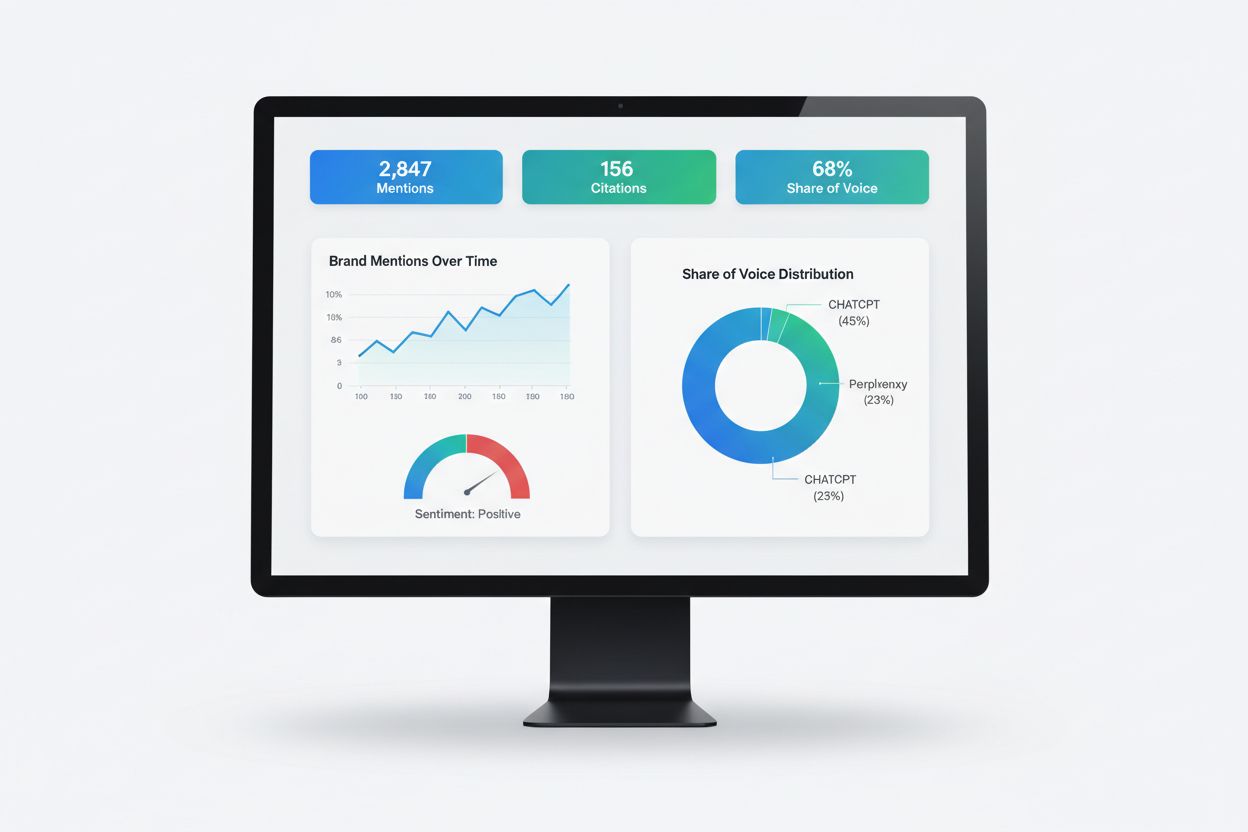
Learn what AI visibility reporting is, how it works, and why it's essential for monitoring your brand's presence in ChatGPT, Perplexity, Google AI Overviews, an...

Learn what metrics and data should be included in an AI visibility report to track brand presence across ChatGPT, Perplexity, Google AI Overviews, and Claude. C...
Cookie Consent
We use cookies to enhance your browsing experience and analyze our traffic. See our privacy policy.