


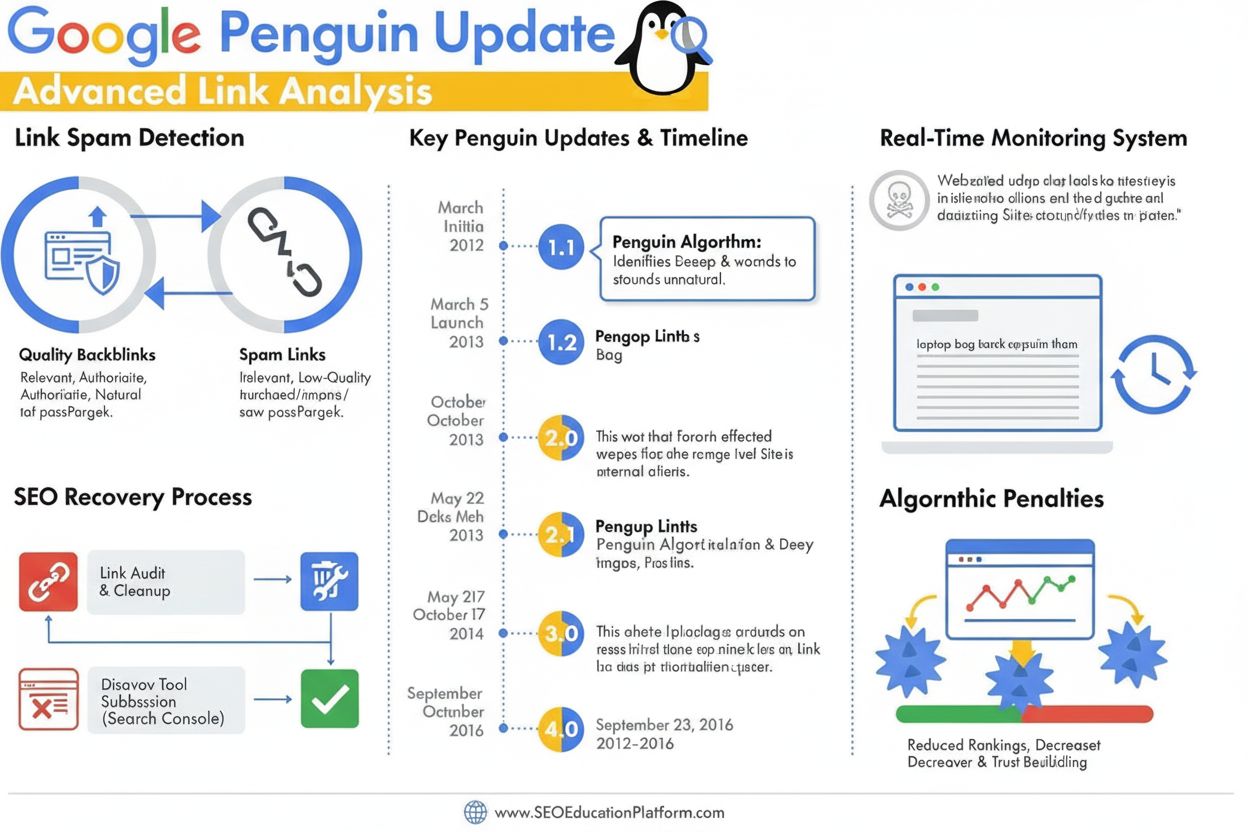
Penguin Update
Learn what the Google Penguin Update is, how it detects link spam, and strategies for recovery. Comprehensive guide to understanding Google's backlink quality a...
10 min read
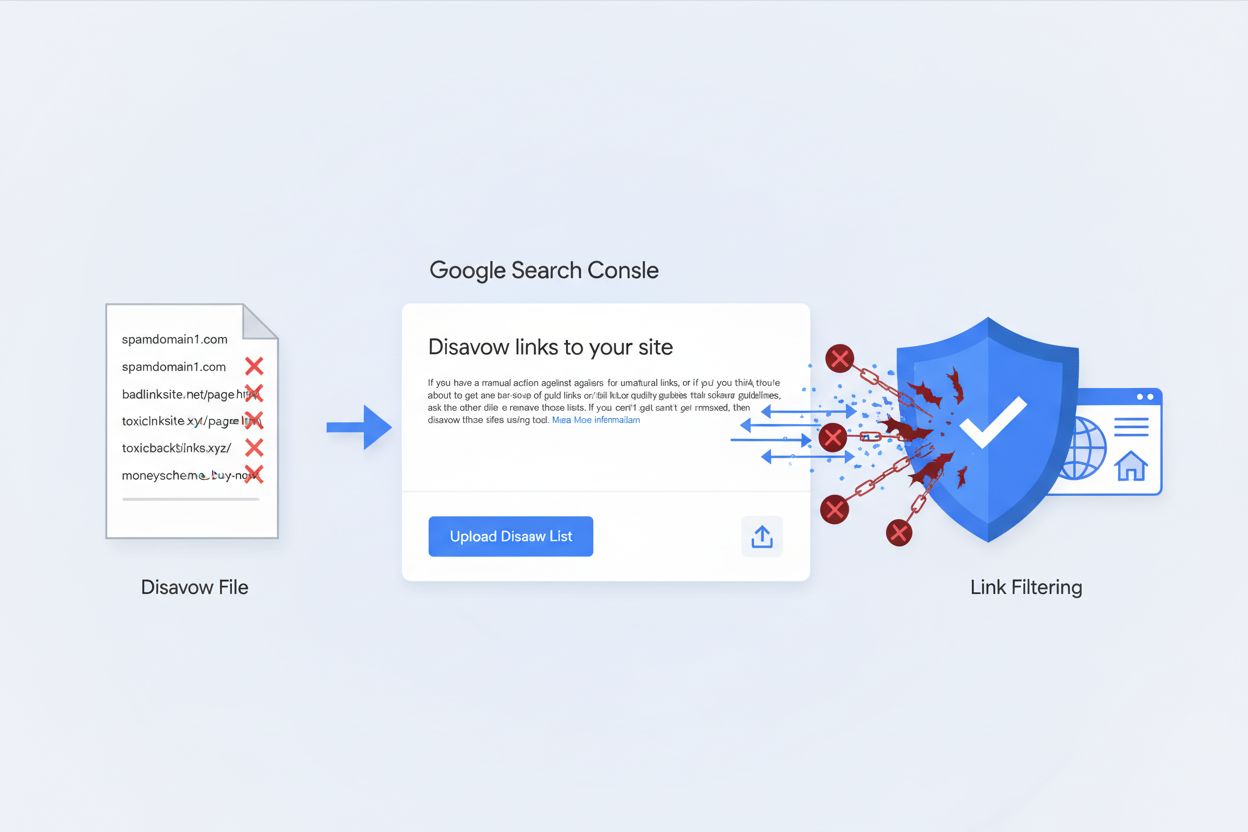
A disavow file is a text document submitted to Google Search Console that instructs Google to ignore specific backlinks pointing to a website, typically those that are spammy, low-quality, or potentially harmful to SEO performance. Website owners use disavow files as a defensive SEO measure to protect their sites from manual penalties or algorithmic devaluation caused by unnatural or manipulative backlinks.
A disavow file is a text document submitted to Google Search Console that instructs Google to ignore specific backlinks pointing to a website, typically those that are spammy, low-quality, or potentially harmful to SEO performance. Website owners use disavow files as a defensive SEO measure to protect their sites from manual penalties or algorithmic devaluation caused by unnatural or manipulative backlinks.
A disavow file is a text document that website owners submit to Google Search Console to instruct Google to ignore specific backlinks pointing to their website. The primary purpose of a disavow file is to protect a website from potential SEO penalties caused by spammy, low-quality, or manipulative backlinks that the site owner cannot remove directly. When you submit a disavow file, you are essentially telling Google: “Please do not count these links when evaluating my site’s authority and ranking.” It is important to understand that submitting a disavow file is a suggestion to Google, not a guarantee—Google may choose to ignore your request if it determines the links are not actually harmful. This tool was created by Google in October 2012 in response to the Penguin algorithm update, which penalized websites using unethical link-building tactics. The disavow file represents a critical defensive SEO mechanism for websites that have accumulated harmful backlinks through no fault of their own, such as victims of negative SEO attacks or sites that previously engaged in link schemes before understanding Google’s guidelines.
The disavow tool emerged from a specific need in the SEO industry following Google’s Penguin update in April 2012, which fundamentally changed how search engines evaluate backlinks. Before Penguin, many websites had built their rankings through aggressive link-building schemes, including purchasing links, participating in link exchanges, and using automated link-building software. When Penguin rolled out, thousands of websites received manual action penalties, causing dramatic traffic losses. Google recognized that some of these sites had been penalized unfairly or had inherited bad links from previous owners, so they introduced the disavow tool as a recovery mechanism. Over the past 12+ years, the tool’s perception has evolved significantly. Initially, it was seen as essential for SEO recovery, but modern guidance from Google—particularly statements from John Mueller, Google’s Search Advocate—suggests that most websites do not need to use it. According to recent data, approximately 69% of SEO professionals do not use the disavow tool regularly, indicating a significant shift in industry practice. This evolution reflects Google’s improving ability to automatically detect and ignore spammy links without manual intervention. However, the tool remains valuable for websites facing manual action penalties or those that have been victims of coordinated negative SEO attacks involving thousands of low-quality backlinks.

Track how AI chatbots mention your brand across ChatGPT, Perplexity, and other platforms.
Creating a properly formatted disavow file is essential for successful submission to Google Search Console. The file must be a plain text document with a .txt extension, encoded in either UTF-8 or 7-bit ASCII format. Google imposes strict technical requirements: the maximum file size is 2MB or 100,000 lines, whichever comes first, and each URL or domain must appear on a separate line. To disavow an individual page, you include the complete URL (e.g., https://spamsite.com/harmful-page). To disavow an entire domain, you prefix it with domain: (e.g., domain:spamsite.com). You can also disavow subdomains using the same format (e.g., domain:subdomain.spamsite.com). The file supports comments by starting a line with the # symbol, which Google ignores but helps you document your disavow decisions for future reference. An example disavow file might look like this:
# Disavow file created January 2025
# Spammy directory links
domain:lowqualitydirectory.com

# Hacked site backlinks
https://hacked-site.com/injected-page
https://hacked-site.com/malware-page

# Paid link scheme
domain:paidlinknetwork.com
The maximum URL length is 2,048 characters, which accommodates virtually all real-world URLs. Once uploaded to Google Search Console, the file applies to the specific property you select, plus any child properties (for example, if you upload to example.com, it also applies to m.example.com). If you have both HTTP and HTTPS versions of your site, you should upload separate disavow files for each property to ensure comprehensive coverage.
| Aspect | Disavow File | Robots.txt Disallow | Nofollow Links | Manual Link Removal |
|---|---|---|---|---|
| Purpose | Tells Google to ignore backlinks for ranking | Blocks crawlers from accessing pages | Tells crawlers not to follow a link | Directly removes links from source |
| Scope | Affects incoming links from other sites | Controls crawling of your own site | Applies to individual links | Removes link entirely from web |
| Implementation | Submitted via Google Search Console | Added to robots.txt file | Added as link attribute | Contact website owner |
| Processing Time | 2-3 weeks to several months | Immediate | Immediate | Varies by site owner |
| Effectiveness | Suggestion to Google, not guaranteed | Prevents crawling but not indexing | Prevents link equity transfer | Most effective if successful |
| Risk Level | Medium (can harm if misused) | Low (only affects crawling) | Low (standard practice) | Low (direct removal) |
| Best For | Large numbers of toxic backlinks | Duplicate content, private pages | Affiliate links, sponsored content | Individual harmful links |
| Reversibility | Can be updated or cancelled | Can be modified anytime | Can be removed from links | Depends on site owner cooperation |
Get the latest insights on AI mentions, brand monitoring, and optimization strategies.
Toxic backlinks are incoming links from external websites that can negatively impact your site’s search engine rankings and overall SEO performance. According to Google’s definition, a low-quality or toxic link is one “intended to manipulate PageRank or a site’s ranking in Google” or that “may be considered part of a link scheme and a violation of Google’s Webmaster Guidelines.” Common types of toxic backlinks include paid links (where website owners pay for backlinks in violation of Google’s policies), private blog networks (PBNs) (networks of expired domains used solely to pass link equity), low-quality directories (directories that provide no referral traffic and exist only to manipulate rankings), comment and forum spam (automated link placement in comments and forums), and negative SEO attacks (where competitors intentionally build spammy links to your site to harm your rankings). The critical question many SEO professionals face is whether disavowing these links is actually necessary. Research and expert opinions vary significantly on this topic. Some experts, including statements from Google’s John Mueller, suggest that Google’s algorithms are sophisticated enough to automatically ignore most spammy links without manual intervention. However, other respected SEO professionals argue that proactively disavowing clearly manipulative links—especially those from hacked sites or obvious link farms—can provide additional protection and demonstrate to Google that you are actively managing your link profile responsibly.
Submitting a disavow file through Google Search Console involves a straightforward but important process that requires careful attention to detail. First, you must have a URL prefix property in Google Search Console (not a Domain property, as the disavow tool only works with URL prefix properties). If you use a Domain property, you’ll need to create an additional URL prefix property specifically for disavow purposes. Once your property is verified, navigate to the Disavow Links tool at search.google.com/search-console/disavow-links. Select your property from the dropdown menu—this is critical because the disavow list applies only to the specific property you select. Click the upload button and choose your prepared .txt file from your computer. Google Search Console will immediately validate the file format and display any errors if the file is improperly formatted. If errors are found, your old disavow list will not be replaced, allowing you to fix the new list and resubmit. Upon successful upload, Google displays a summary showing the number of domains and URLs you’ve disavowed. It’s important to note that disavowed links continue to appear in your Links report in Google Search Console—disavowing them doesn’t remove them from the report, it simply tells Google not to count them in ranking calculations. The disavow file can take a few weeks for Google to fully incorporate into their index as they recrawl the web and reprocess affected pages.
One of the most misunderstood aspects of disavow files is their impact on domain authority and link equity. When you disavow a backlink, you are not removing it from the internet or from your backlink profile—you are simply requesting that Google ignore it when calculating your site’s authority and rankings. This distinction is crucial because it means disavowed links do not transfer any link equity to your site, but they also do not actively harm you once disavowed. However, the process of disavowing links can indirectly affect your domain authority if you accidentally disavow legitimate, high-quality backlinks. This is why many SEO professionals emphasize extreme caution when using the disavow tool. Research by SEO experts like Cyrus Shepard and Patrick Stox has shown mixed results regarding the effectiveness of disavow files. In one notable experiment, Shepard disavowed over 10,000 backlinks from 1,473 domains but saw no significant impact on traffic. Similarly, Stox’s experiment disavowing all “toxic” and “potentially toxic” backlinks resulted in a 7.1% traffic drop for some pages, suggesting that the tool may have inadvertently removed beneficial links. These findings support the conservative approach recommended by Google: only disavow links when you have clear evidence of manual action penalties or when you are certain the links are genuinely harmful. The relationship between disavow files and domain authority is therefore indirect—the tool’s value lies in preventing harm from toxic links rather than in actively boosting authority.
Before submitting a disavow file, you must accurately identify which backlinks are actually harmful and warrant disavowal. Several red flags indicate a backlink may be toxic and should be considered for disavowing. Low domain authority is a primary indicator—backlinks from sites with very low domain authority, particularly those below 20-30 DA, are often suspicious. Zero relevance to your website is another critical signal; if a link comes from a site in a completely unrelated industry or niche, it may be part of a link scheme. Redirection to spammy websites or link farms is a definitive warning sign—if clicking through the backlink leads to obvious spam or a link farm, the link is almost certainly toxic. Low organic traffic on the referring domain suggests it may not be a legitimate, established website. Content overloaded with links in the body text, particularly with exact-match anchor text, indicates the site may be a link farm or PBN. Unrelated anchor text that doesn’t match your site’s content or keywords is suspicious, especially if it uses commercial terms unrelated to your niche. Hacked site indicators such as malware warnings, unusual content, or obvious injection of links are definitive reasons to disavow. Dubious top-level domains like .tk, .gq, .top, or .ml are often associated with spam sites. Press release backlinks with commercial anchor text violate Google’s spam policies and should be disavowed. Using SEO tools like Semrush, Ahrefs, or Moz can help identify potentially toxic links, as these platforms classify backlinks into categories like “Toxic,” “Potentially Toxic,” and “Non-toxic” based on multiple factors. However, many SEO professionals recommend combining automated tool analysis with manual review, as truly harmful links are sometimes missed by automated systems.
Consider a mid-sized e-commerce site that notices a sudden 40% drop in organic traffic over three weeks, with no corresponding algorithm update announcement. A backlink audit reveals 3,200 new referring domains appeared in the past month, most with very low domain authority, many using exact-match commercial anchor text unrelated to the site’s actual products, and a cluster of them linking from sites flagged with malware warnings. This pattern — a sudden spike in low-quality, irrelevant, commercially-anchored links — is the classic signature of a negative SEO attack rather than organic link decay. Before touching the disavow tool, the site owner attempts direct outreach to the ten largest offending domains requesting removal; none respond within two weeks, which is typical for spam and hacked sites. The owner then compiles a disavow file, using the domain: prefix to disavow entire domains rather than individual URLs since the spam pattern is domain-wide, and adds comments documenting the audit date and reasoning for each entry as best practice recommends. After uploading the file through the URL-prefix property in Search Console, the owner monitors rankings weekly rather than expecting an immediate change, since Google states incorporation can take a few weeks and most SEO practitioners report visible effects closer to two to three months out. Traffic partially recovers within eight weeks, though the site never fully returns to its pre-attack baseline, illustrating why prevention — monitoring for suspicious link spikes — matters as much as the disavow response itself.
Start tracking how AI chatbots mention your brand across ChatGPT, Perplexity, and other platforms. Get actionable insights to improve your AI presence.
Learn what the Google Penguin Update is, how it detects link spam, and strategies for recovery. Comprehensive guide to understanding Google's backlink quality a...
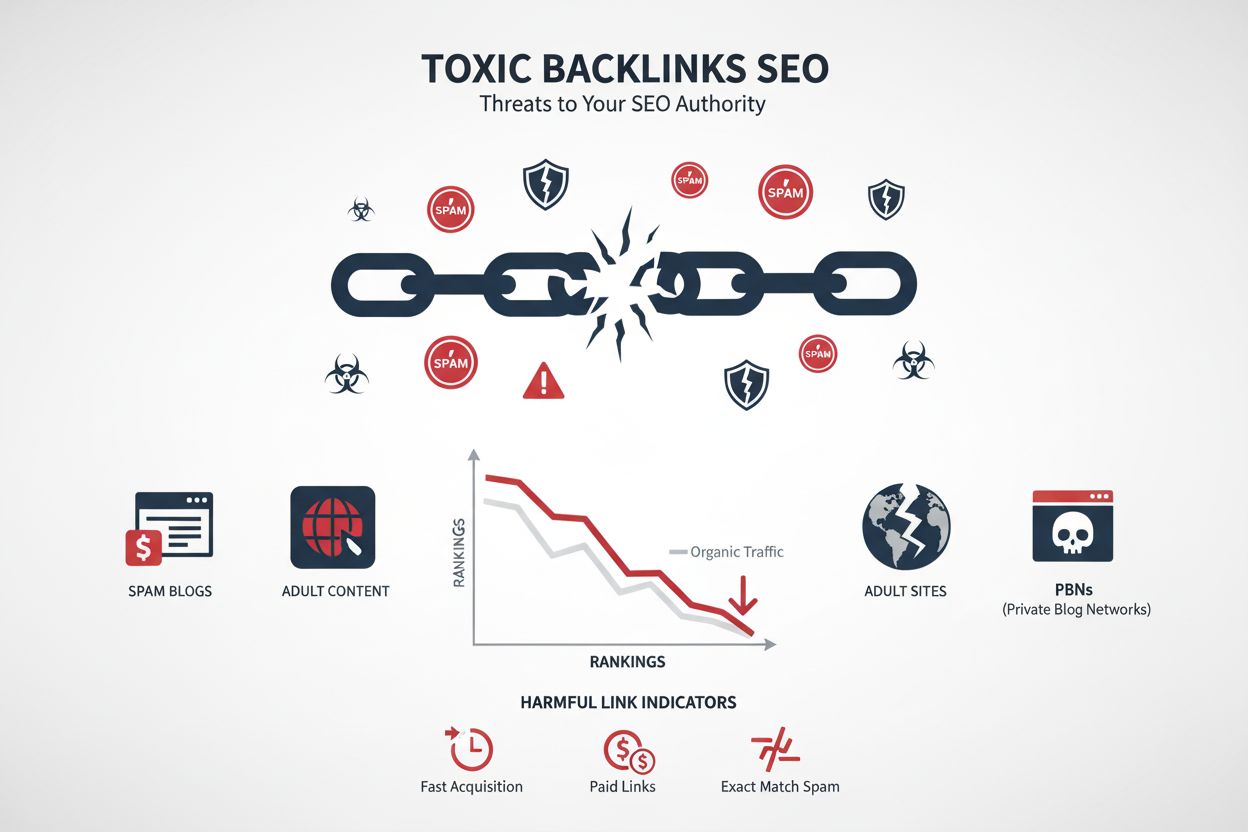
Learn what toxic links are, how they harm SEO rankings, and proven strategies to identify and remove harmful backlinks from your website's link profile.
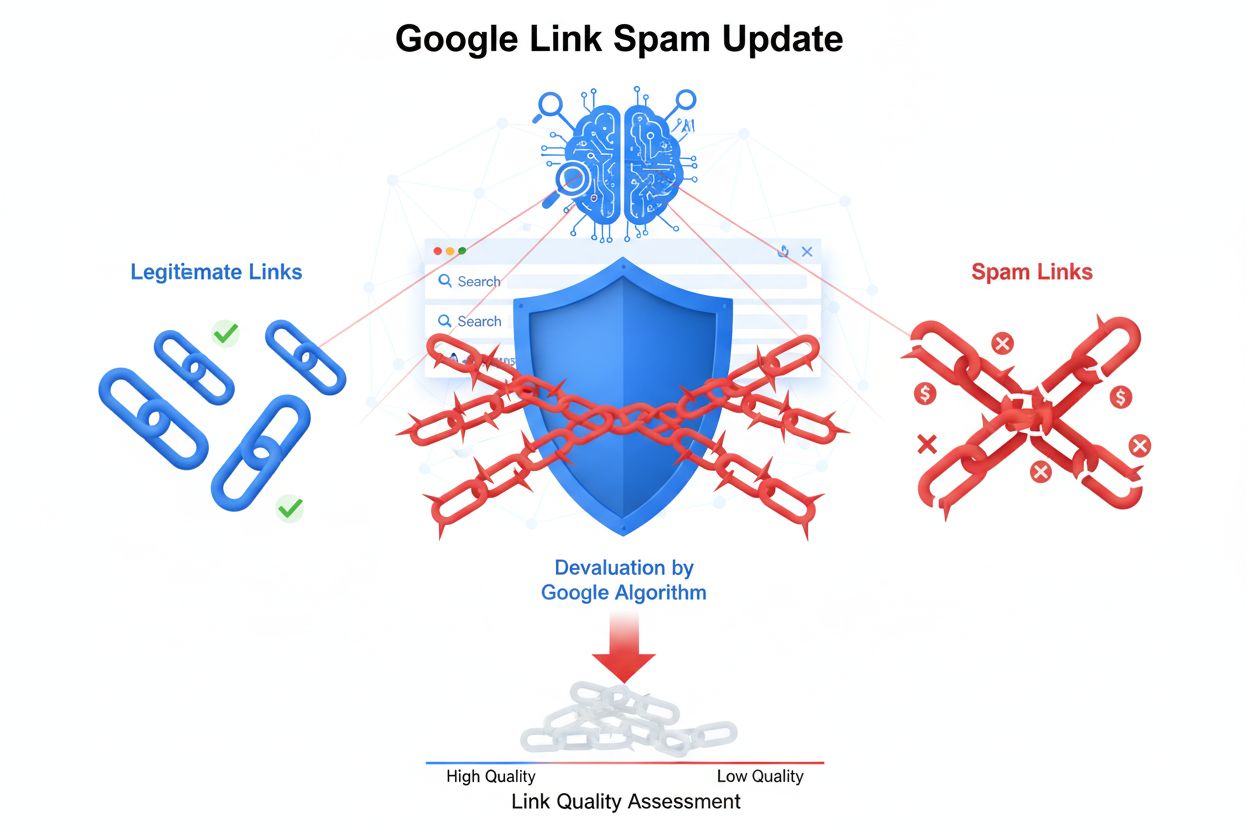
Learn about Google's Link Spam Update that devalues manipulative backlinks. Understand how SpamBrain detects link spam, impacts on SEO, and best practices for e...
Cookie Consent
We use cookies to enhance your browsing experience and analyze our traffic. See our privacy policy.