


Visual Search and AI Image Optimization: The Complete Metadata Guide
The complete, platform-agnostic guide to visual search: how AI systems interpret images through embeddings, the metadata and schema that drive discoverability, ...
9 min read

A deep dive into Google Lens itself: the CNN, OCR, and NLP technology behind it, how it differs from Circle to Search, and the concrete steps to prepare your product images for its 100+ billion annual searches.
Visual search has fundamentally transformed how people discover information online, shifting from text-based queries to camera-first interactions. Google Lens, the company’s flagship visual search technology, now powers nearly 20 billion visual searches every month, with over 100 billion visual searches occurring through Lens and Circle to Search in 2024 alone. This piece is a deep dive on Lens itself: the recognition technology under the hood, how it differs from Circle to Search, and what to actually do to prepare for it. For the broader picture — general image SEO, alt text, schema markup, and how visual search works across Pinterest, Amazon, and other platforms — see our complete guide to visual search and AI image optimization.
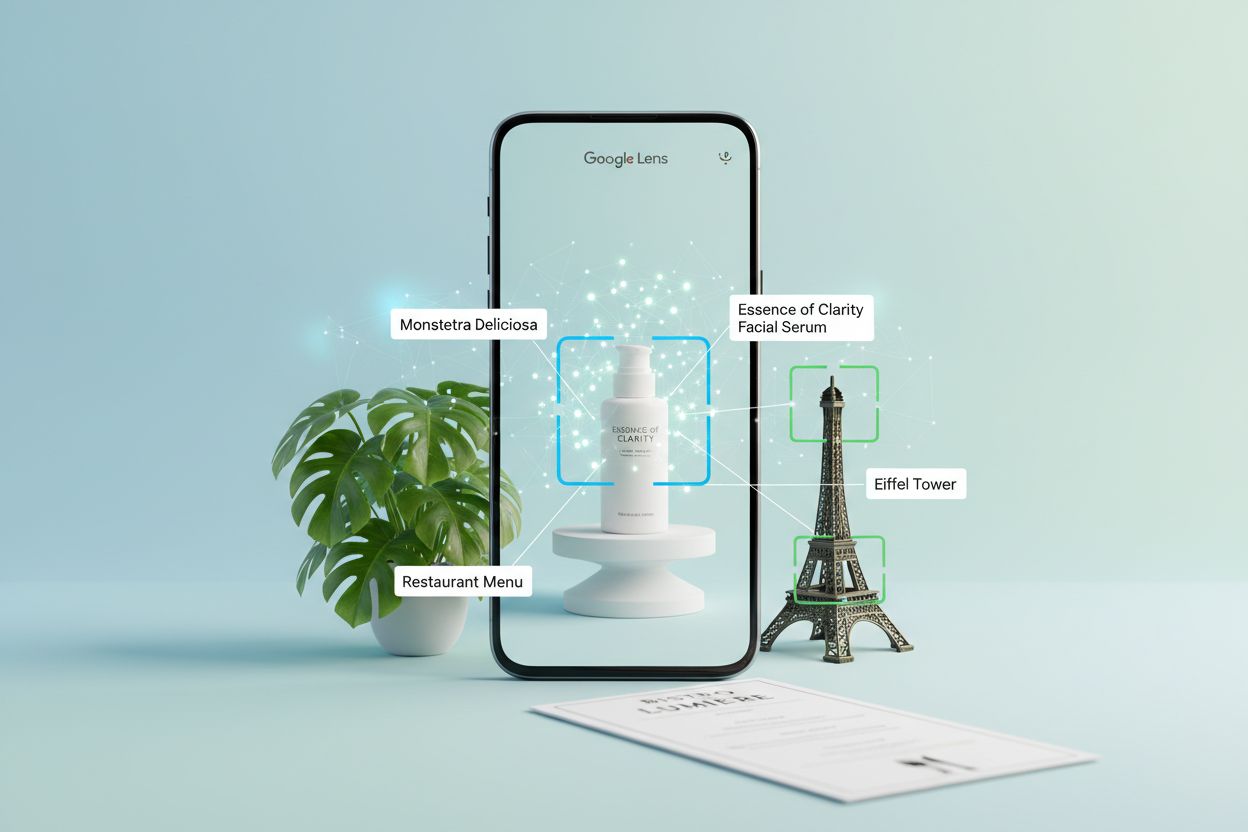
The platform’s reach is staggering: 1.5 billion people now use Google Lens monthly, with younger users aged 18-24 showing the highest engagement rates. What makes this particularly significant for brands is that one in five of these visual searches—approximately 20 billion searches—have direct shopping intent. These aren’t casual curiosity searches; they’re potential customers actively looking to purchase something they’ve seen in the real world, and that intent-rich traffic converts at meaningfully higher rates than ordinary search traffic.
At its core, Google Lens leverages three interconnected AI technologies to understand and respond to visual queries. Convolutional Neural Networks (CNNs) form the foundation, analyzing pixel patterns to identify objects, scenes, and visual relationships with remarkable accuracy. These deep learning models are trained on billions of labeled images, enabling them to recognize everything from common household items to rare plant species.
Optical Character Recognition (OCR) handles text detection and extraction, allowing Lens to read menus, signs, documents, and handwritten notes. When you point your camera at a foreign language menu or a street sign, OCR converts the visual text into digital data that can be processed and translated. Natural Language Processing (NLP) then interprets this text contextually, understanding not just what words are present but what they mean in relation to your query.
The real power emerges from multimodal AI—the ability to process multiple types of input simultaneously. You can now point your camera at a product, ask a voice question about it, and receive an AI-powered response that combines visual understanding with conversational context. This integration creates a search experience that feels natural and intuitive.
| Feature | Traditional Text Search | Google Lens |
|---|---|---|
| Input Method | Typed keywords | Image, video, or voice |
| Recognition Capability | Keywords only | Objects, text, context, relationships |
| Response Speed | Seconds | Instant |
| Context Understanding | Limited to query text | Comprehensive visual context |
| Real-time Capability | No | Yes, with live camera |
| Accuracy for Visual Items | Low (hard to describe) | High (direct visual match) |

Track how AI chatbots mention your brand across ChatGPT, Perplexity, and other platforms.
Lens and Circle to Search share the same underlying CNN, OCR, and NLP stack, but they’re two different entry points with different friction levels. Google Lens requires opening the app (or the camera icon in the search bar) and taking a photo or uploading an existing image — a deliberate action. Circle to Search is a gesture-based feature on supported Android devices that lets users circle, tap, or highlight anything already on their screen — a photo in a group chat, a product in a video, an outfit in an Instagram post — without leaving the app they’re in.
For brands, the practical distinction is where discovery happens. Lens captures intent generated in the physical world (a product spotted in a store or at a friend’s house). Circle to Search captures intent generated inside other apps and content, which means the same optimization work — clear product angles, scale references, descriptive imagery — pays off across both surfaces simultaneously, since they’re reading the same visual signals.
The practical applications of Google Lens extend far beyond casual curiosity. In shopping, users photograph products they see in stores, on social media, or in videos, then instantly find where to buy them and compare prices across retailers. A customer spots a piece of furniture at a friend’s house, takes a photo, and discovers the exact item available for purchase—all without leaving the moment.
Education represents another powerful use case, particularly in developing markets. Students photograph textbook problems or classroom materials in English and use Lens to translate them into their native language, then access homework help and explanations. This democratizes access to educational resources across language barriers.
Travel and exploration leverage Lens for landmark identification, restaurant discovery, and cultural learning. Tourists photograph unfamiliar architecture or signage and instantly receive historical context and information. Nature enthusiasts identify plants, animals, and insects during outdoor activities, turning casual observations into learning opportunities.
Product research and comparison has become seamless. Someone sees a handbag they like, photographs it, and Lens returns not just the exact product but similar items in different price ranges from nearby retailers. This capability has fundamentally changed how consumers move from discovery to purchase, and it’s the reason 20 billion of Lens’s annual searches carry direct shopping intent.
Get the latest insights on AI mentions, brand monitoring, and optimization strategies.
Optimizing specifically for Lens builds on general image SEO fundamentals but adds requirements tied to how its CNN infers scale, context, and real-world use:
These four are the Lens-specific additions. The underlying alt text, filenames, and Product schema markup that make any image discoverable to AI systems in the first place are the same fundamentals covered in our full image optimization guide — worth implementing first, since Lens’s recognition still relies on the metadata layer alongside the visual signal.
Static images are table stakes in Lens optimization; video is your competitive advantage. Google Lens extracts information from video frames, meaning a 30-second product demonstration video can generate dozens of discoverable moments that static photography cannot.
Video demonstrates scale in ways photographs cannot. When you show a nightstand positioned next to a queen-size bed with a person standing nearby, Lens can infer the exact dimensions through spatial relationships. When you demonstrate a product in use—a waterproof bag surviving a rainstorm, a standing desk supporting dual monitors, a tent withstanding heavy rain—you’re providing proof that transcends claims.
The conversion impact is measurable. Ecommerce sites that add product videos see conversion rate increases of 20-40% because customers can visualize products in their own spaces before purchasing. These same videos become discoverable in Lens searches, driving traffic from an entirely new channel.
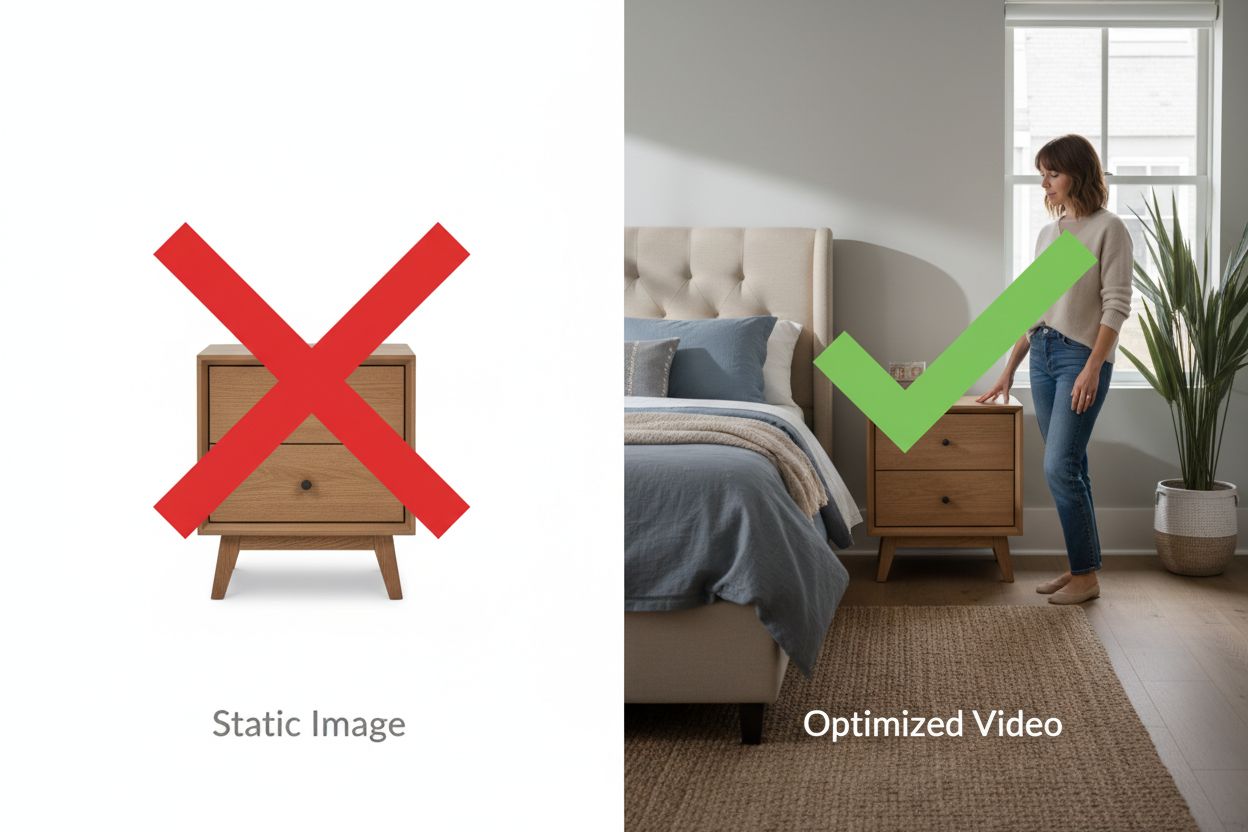
The technical requirements are straightforward: 15-45 second videos showing products from multiple angles with clear scale context, uploaded directly to your website (not YouTube embeds for product pages), with descriptive filenames and schema markup. You don’t need Hollywood production quality; authentic smartphone footage showing genuine context often outperforms sterile studio videos because the context is more valuable than the production value.
Implementing Lens-specific optimization requires a strategic approach. Start by auditing your current visual assets in Google Search Console’s Image section—most brands discover they’re receiving thousands of impressions but minimal clicks, indicating a massive optimization opportunity that competitors chasing text-based AI Overview placement are ignoring entirely.
Identify your top 50 products by traffic and revenue, then assess their current visual content against the checklist above. Which products have multiple angles? Which have videos? Which lack lifestyle photography? This rollout plan spans 60-90 days. Weeks 1-2 focus on planning and prioritization. Weeks 3-4 involve content creation—shooting product videos, lifestyle photography, and creating demonstration content. Weeks 5-6 handle technical optimization: renaming files, adding scale references, and uploading content. Weeks 7-8 focus on monitoring and iteration, tracking which products and content types generate the most Lens traffic.
Monitor Google Search Console’s Performance report filtered by “Image” search type to track progress. Expect 30-60 days before meaningful traffic increases appear, as Google needs time to re-crawl and index your new visual content. Track conversions from image search traffic specifically using UTM parameters or channel grouping in Google Analytics to measure ROI.
Google’s roadmap for Lens continues expanding in exciting directions. Search Live, rolling out in 2025, enables real-time conversation with Search—you can point your camera at a painting and ask “What style is this?” then follow up with “Who are famous artists in that style?” creating a seamless, conversational visual search experience.
Multimodal AI capabilities continue advancing, allowing Lens to understand increasingly complex visual queries. Rather than just identifying objects, Lens can now understand relationships, contexts, and nuanced questions about what you’re seeing. Circle to Search expansion brings gesture-based visual search to more devices and platforms, making visual discovery even more accessible.
Integration across Google’s ecosystem deepens the opportunity. Google Lens is now built into Chrome desktop, meaning visual search is available whenever inspiration strikes. As these capabilities expand globally and to more platforms, the competitive advantage of early optimization becomes even more pronounced.
The brands that prepare now—optimizing their visual content, creating demonstration videos, and getting their scale references right—will be the ones Lens surfaces as the channel continues its explosive growth. The question isn’t whether Google Lens will matter for your business; it’s whether you’ll be visible the moment a customer points their camera at what you sell.
Viktor Zeman is a co-owner of QualityUnit. Even after 20 years of leading the company, he remains primarily a software engineer, specializing in AI, programmatic SEO, and backend development. He has contributed to numerous projects, including LiveAgent, PostAffiliatePro, FlowHunt, UrlsLab, and many others.

AmICited tracks how Google Lens, Circle to Search, and other AI tools reference your brand in visual discovery results. Get insights into your AI visibility and optimize your visual content strategy.
The complete, platform-agnostic guide to visual search: how AI systems interpret images through embeddings, the metadata and schema that drive discoverability, ...

Learn what visual AI search is, how it works, and its applications in e-commerce and retail. Discover the technologies behind image-based search and how busines...
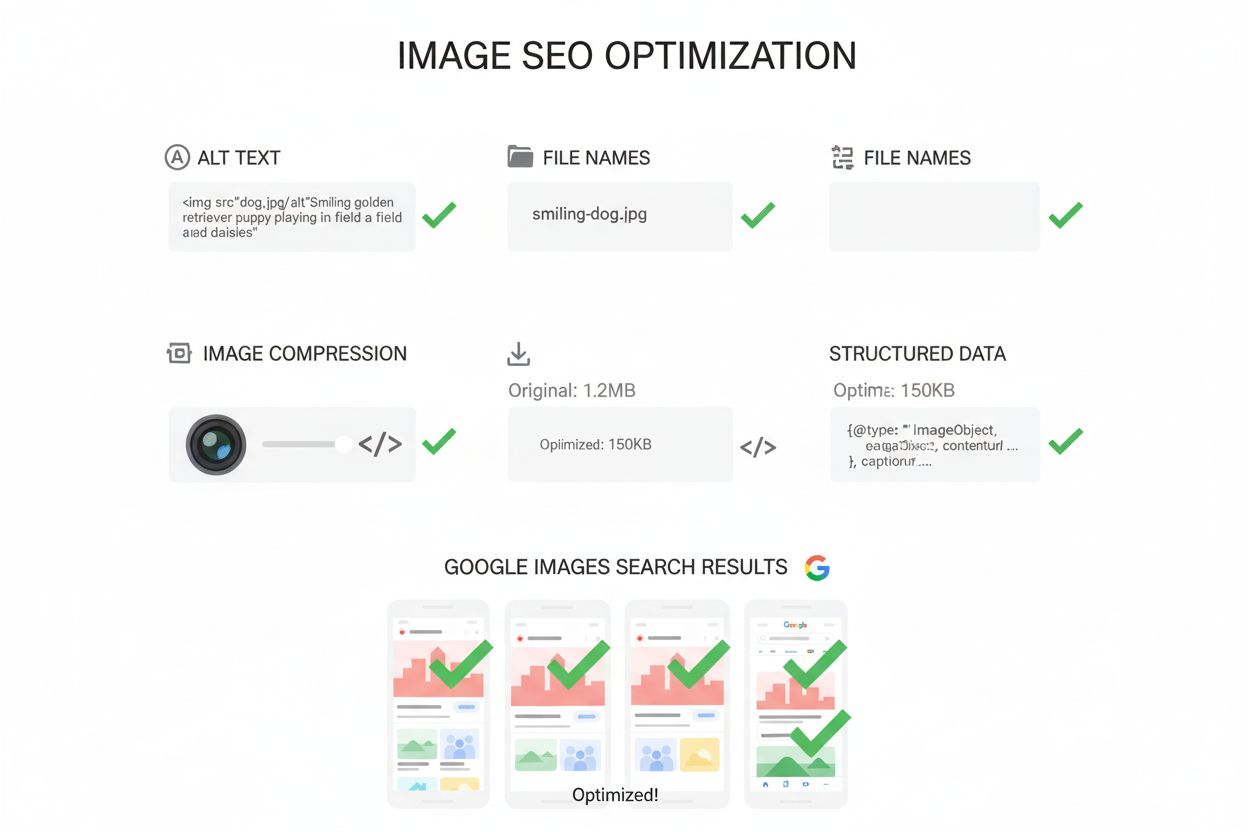
Image SEO optimizes images for search visibility through alt text, file names, compression, and structured data. Learn how to improve rankings in Google Images ...
Cookie Consent
We use cookies to enhance your browsing experience and analyze our traffic. See our privacy policy.