Key Takeaways
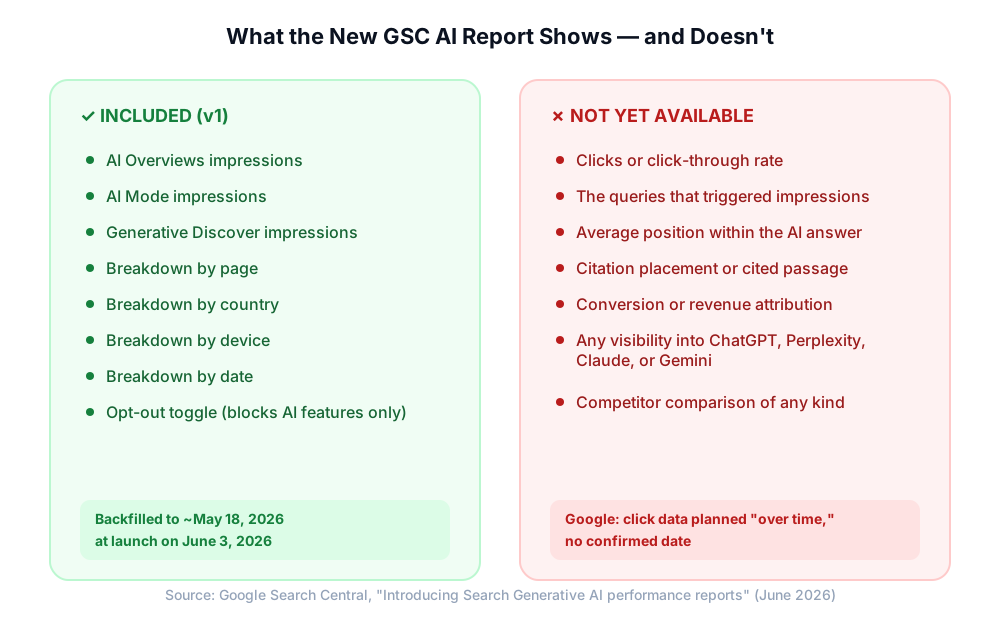
- Google Search Console now includes a dedicated AI performance report showing impressions for AI Overviews, AI Mode, and generative Discover, broken down by page, country, device, and date.
- The report is impressions-only for now: no clicks, no queries, no position within the answer, and no citation placement.
- Google shipped an opt-out toggle in the same release; if you’re deciding whether to use it, that’s a separate decision covered in detail here.
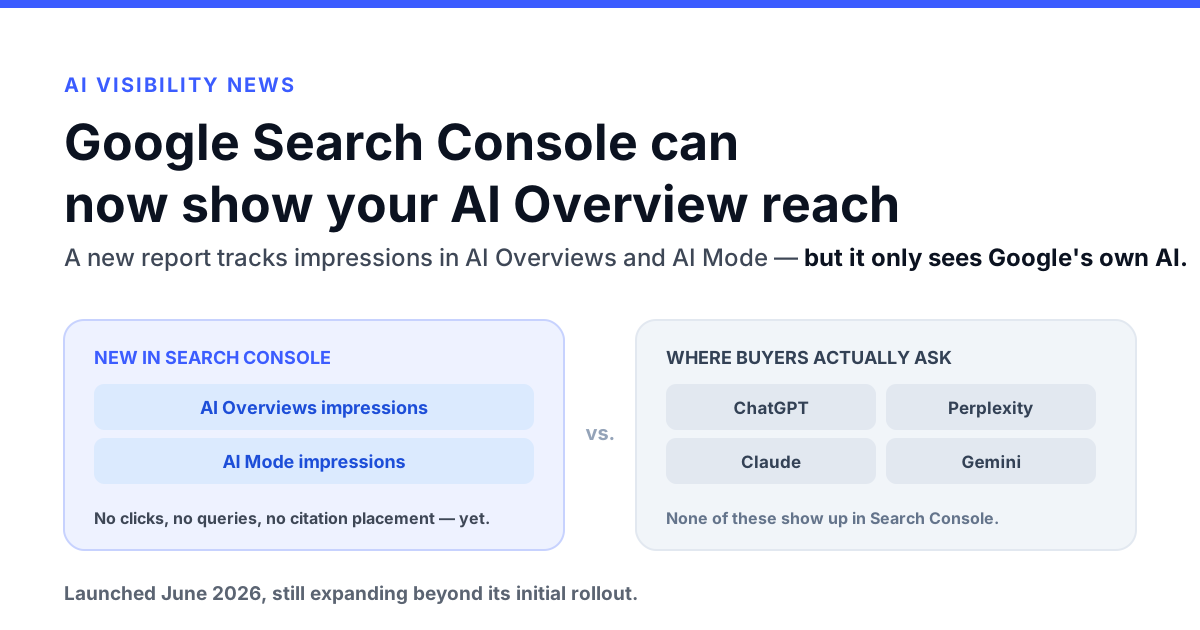
- The report only covers Google’s own AI surfaces. It has zero visibility into ChatGPT, Perplexity, Claude, or Gemini, which is a real blind spot for any brand being researched across multiple AI platforms.
- Bottom line: Use the new report as one input for understanding your Google AI Overview presence, but pair it with cross-platform tracking, such as Am I Cited, to see how your brand shows up everywhere buyers are actually asking questions.
Google Just Admitted AI Overviews Need Their Own Report
For the past two years, anyone trying to measure their presence in AI Overviews has been stuck guessing from indirect signals: organic rankings, anecdotal ChatGPT screenshots, or a drop in click-through rate that might or might not be AI-related. That changed on June 3, 2026, when Google shipped a dedicated Search Generative AI performance report inside Search Console. In the same release, Google also gave publishers a toggle to opt out of AI Overviews and AI Mode entirely; that’s a distinct, mostly unrelated decision, and we’ve covered it separately since who should actually flip it deserves its own answer. This post is about the measurement side: what the new report shows you if you leave AI Overviews on, which is what most sites will do.
It’s a meaningful admission: Google is treating generative AI results as different enough from ten blue links that they need their own first-party measurement tool. For anyone running an AI visibility program, that’s worth understanding in detail: both what it finally makes visible, and what it still leaves you blind to.

Ready to Monitor Your AI Visibility?
Track how AI chatbots mention your brand across ChatGPT, Perplexity, and other platforms.
What the Report Actually Shows
The new report tracks impressions, Google’s term for an instance where a link to your site was shown to a user inside a generative AI feature, across two surfaces:
- AI Overviews and AI Mode impressions within regular Search
- A separate report for generative features inside Discover
Each is segmented by page, country, device, and date, and the data backfills to roughly May 18, 2026 for properties that have access. That’s a real upgrade from having nothing.
The segmentation is where the report actually earns its keep day to day. Page-level breakdowns let you see which URLs or templates are getting pulled into AI answers at all, which is more than you could infer from organic rankings alone. Country segmentation matters for any multi-region site, since AI Overviews and AI Mode roll out unevenly by market and a page that shows heavy impressions in one country can show almost none in another. Device segmentation is a smaller signal today given how new the report is, but it’s the dimension most likely to become more useful once enough history accumulates to compare against your existing device-level Search Console data. None of these dimensions replace query-level insight, but stacked together they’re enough to spot patterns: a product category, a content template, or a region where AI visibility is clearly lagging organic visibility.
But “impression” is doing a lot of work here, and it doesn’t mean what it means on a normal results page. A traditional search impression implies your listing appeared in a roughly stable position. An AI impression can mean your link was the headline citation in an AI Overview, a source buried behind a “show more” expansion, or something that only surfaced after a user asked a follow-up question inside AI Mode. Google itself notes these are “not interchangeable units” with conventional impressions, and property-level totals won’t even match the sum of page-level numbers, since multiple URLs frequently appear inside a single AI response.
The Gaps That Matter More Than the Feature
Read the fine print and the limitations outnumber the additions. As of launch, the report does not include:
- Clicks or click-through rate: so you can measure that you were shown, not whether anyone acted on it
- The queries that triggered the impression: the single most useful thing for content strategy, and it’s absent
- Average position within the AI answer: a citation at the top and one buried three expansions deep report identically
- Citation placement or the specific passage used: no way to see what part of your page the model actually pulled from
- Conversion or revenue attribution: no connection from impression to business outcome
Google has said click data is coming “over time,” with no confirmed date. Until then, this is a reach signal, not a performance signal: useful for spotting which pages and templates get pulled into AI answers at all, not for judging whether that presence is doing anything for you. For the overwhelming majority of sites, that’s still a reason to keep AI Overviews switched on and lean on this report to understand the presence you already have, rather than reach for the opt-out toggle Google shipped in the same release.
Stay Updated on AI Visibility Trends
Get the latest insights on AI mentions, brand monitoring, and optimization strategies.
The Real Limitation: This Is Google’s View of Google
Here’s the part that matters most for anyone building a serious generative engine optimization program: this report only sees Google’s own AI surfaces. It has zero visibility into ChatGPT, Perplexity, Claude, or Gemini, the platforms an increasing share of B2B and consumer research now happens on.
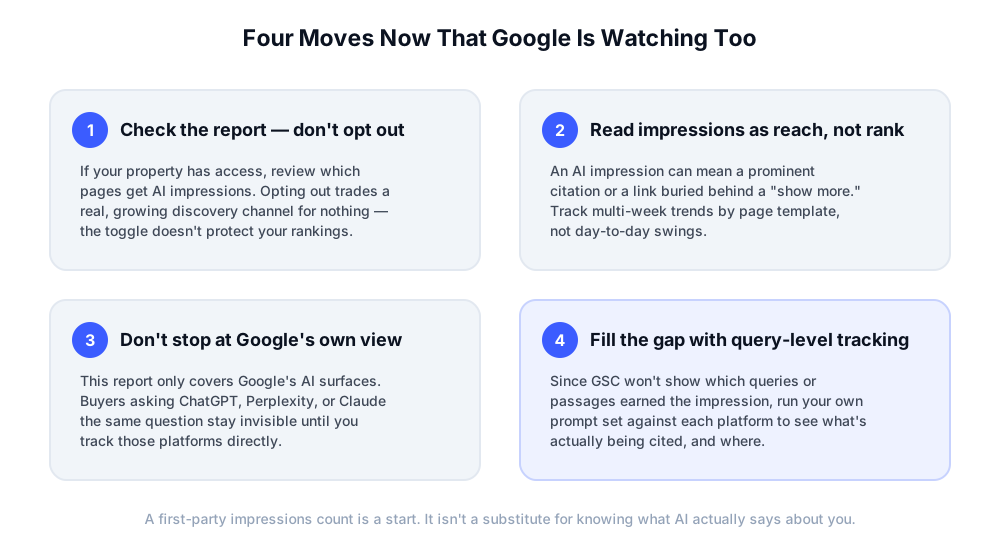
That’s not a flaw in what Google built. It’s simply the boundary of what any single platform’s own analytics can ever tell you. Search Console has always only reported on Google Search; it was never going to start reporting on a competitor’s chatbot. But it does mean a report that finally answers “how does Google’s AI see me?” can create a false sense of completeness if you stop there. If a buyer asks Perplexity or Claude the exact same question that triggers an AI Overview for you today, that interaction, and whether you were even mentioned, is completely invisible in Search Console, no matter how thoroughly you read the new report.
What to Actually Do With This
A few practical moves, in order:
- Check the report if you have it, but don’t treat impressions as a finish line. Look for pages that rank well organically but rarely surface in AI answers: those are your biggest structural gaps, and a good starting point for a technical AEO audit.
- Track trends over weeks, not days. Given the aggregation quirks and the coarse “impression” definition, day-to-day swings are mostly noise. Look at directional change by page template after you make substantive content revisions, and remember that property-level totals won’t reconcile cleanly with the sum of your page-level numbers.
- Build your own share of voice view across every platform that matters, not just Google’s. That means running a consistent prompt set against ChatGPT, Perplexity, Claude, and Gemini on a schedule, the same discipline behind any solid AI visibility KPI framework, rather than waiting for each platform to eventually ship its own version of this report.
- Connect the dots via API rather than five different dashboards. If you’re already pulling GSC data into your reporting stack, extend that same automated monitoring workflow to cover the platforms Google can’t see, so “AI visibility” means all of it in one place, not a cross-platform patchwork of native tools.
The Bottom Line
Google validating that AI Overview visibility deserves its own measurement is good news: it means the rest of the industry was right to treat this as a distinct discipline, not a footnote to classic SEO. But a first-party impressions count from one company, covering only that company’s own AI surfaces, was never going to be the whole story.
The brands that get real value from this launch will be the ones who use it as one input among several, not the ones who mistake “Google finally built a dashboard for this” for “I now know how AI represents my brand.” Knowing that full picture, across every platform where the question actually gets asked, is what Am I Cited is built to show you.
 LinkedIn