


- The Buy Box is the box on an Amazon product page with the price, Add to Cart and Buy Now buttons. Amazon now calls it the Featured Offer, and when several sellers share one listing, only one offer holds it at a time.
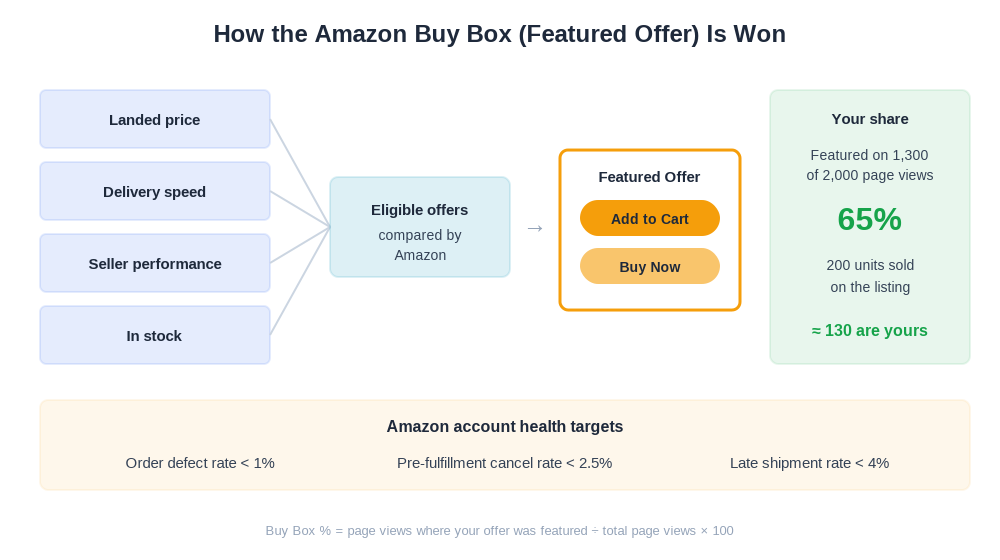
- To compete you need a Professional account, an in-stock new-condition offer and healthy metrics, such as an order defect rate under 1% and a late shipment rate under 4%.
- Among eligible offers Amazon weighs landed price, delivery speed, seller performance and stock, and often rotates the box between close offers.
- Track Buy Box percentage: page views where your offer was featured divided by total page views. 1,300 of 2,000 views is 65%.
Where AmICited fits
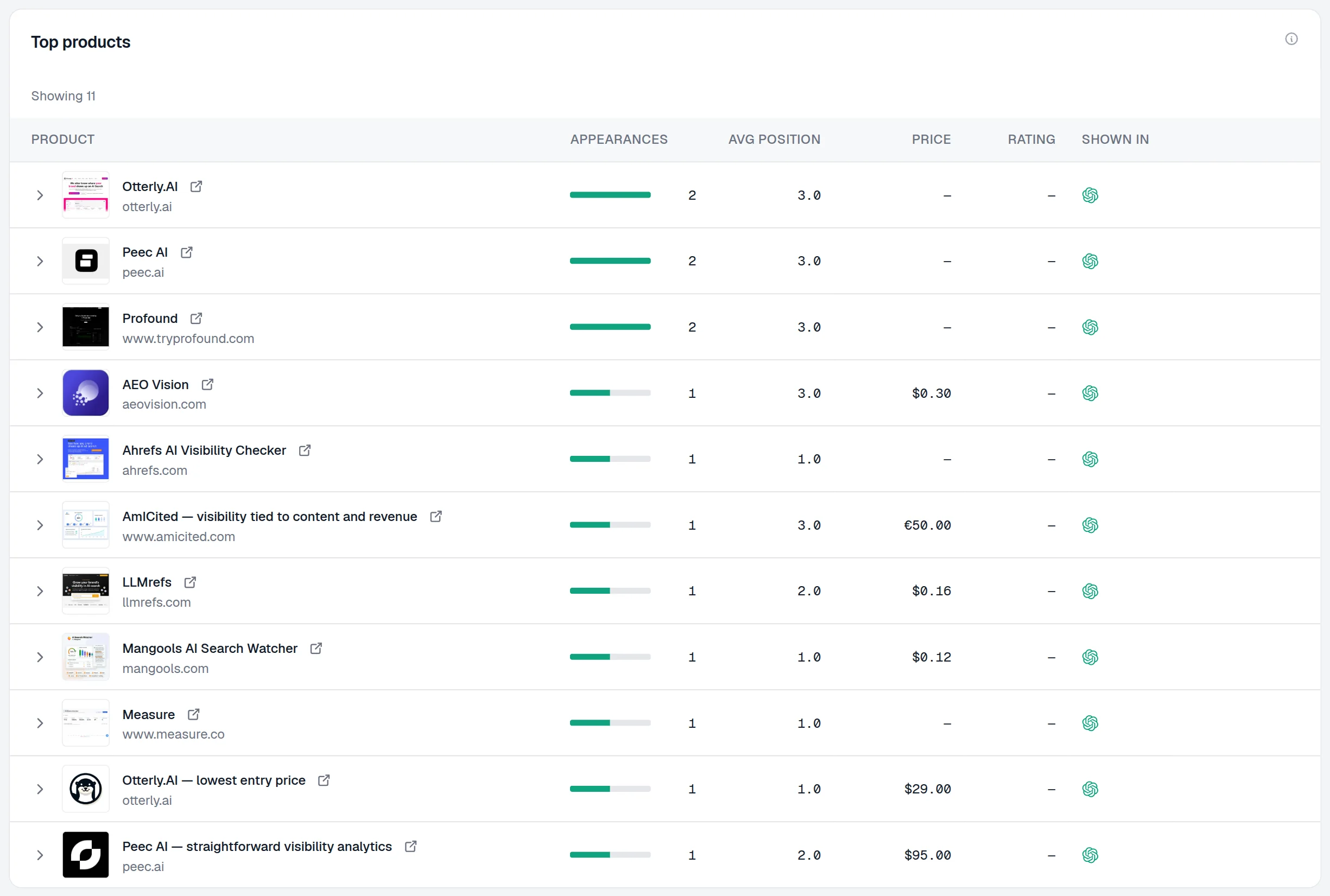
AmICited’s Shopping report shows which products and sellers ChatGPT and other AI engines put on product cards for the prompts you track, with appearances, position and price. That is the step before the Buy Box: getting the product recommended at all.
See ChatGPT visibility tracking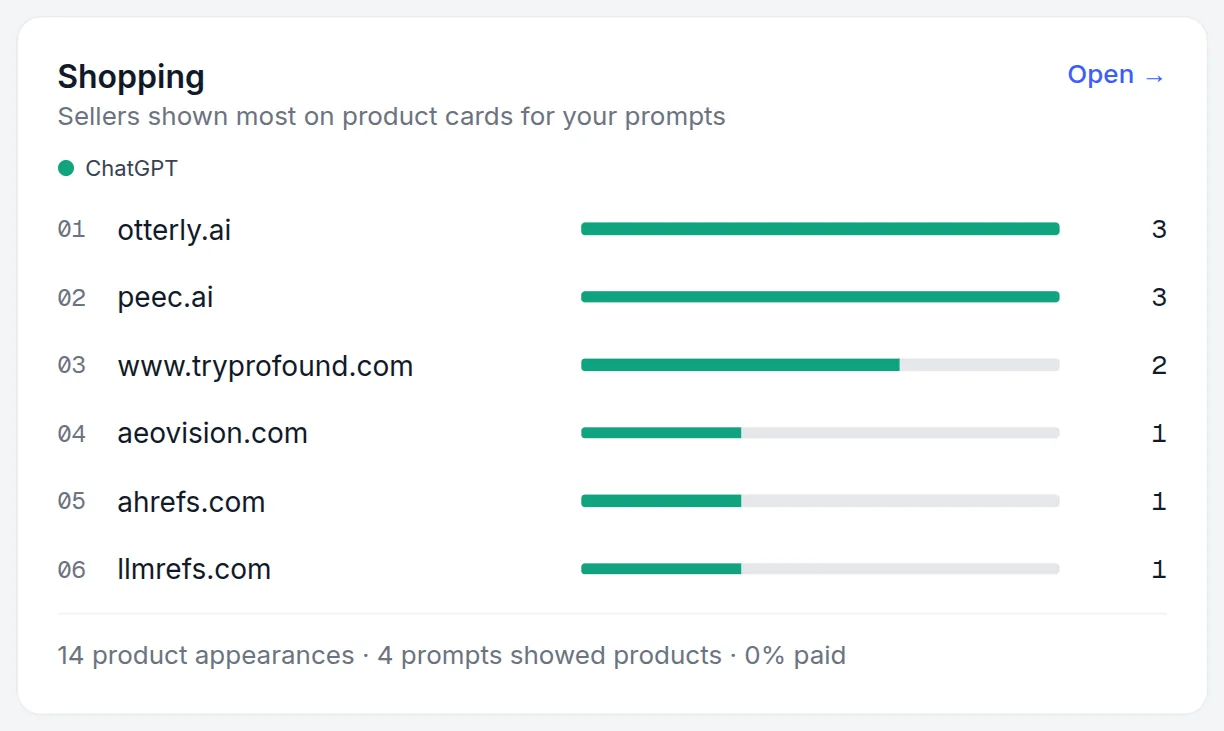
What Is the Buy Box?
The Buy Box is the white box on the right side of an Amazon product page (or below the images on mobile) that holds the price, delivery estimate, Add to Cart and Buy Now buttons. Amazon’s official name for it is now the Featured Offer. On Amazon, many sellers can sell the exact same product on one shared listing, identified by one ASIN. Only one of those offers gets the Buy Box at any moment, and that seller gets the sale when a shopper clicks the button.
Because most shoppers buy straight from that box, winning it is the main goal for resellers and wholesalers on Amazon. Brands care too, since other sellers can win the Buy Box on the brand’s own listing. Walmart Marketplace uses a similar mechanism. Sellers track their share in Amazon Seller Central’s Business Reports and in repricing tools.
How the Amazon Buy Box Works
To compete at all, a seller must be Buy Box eligible. That generally requires a Professional selling account, an in-stock offer in new condition and performance metrics that meet Amazon’s standards. Amazon’s account health targets include an order defect rate under 1%, a pre-fulfillment cancel rate under 2.5% and a late shipment rate under 4%.
Among eligible offers, Amazon weighs factors it describes in general terms:
- Landed price. Item price plus shipping, compared with other offers and with prices elsewhere.
- Delivery speed and method. Fast, reliable delivery. FBA and Seller Fulfilled Prime offers often have an edge.
- Seller performance. Order defects, cancellations, late shipments, valid tracking and customer feedback.
- Stock availability. Offers that run out of stock lose the Buy Box.
When several offers are close, Amazon often rotates the Buy Box among them, so each wins a share of the time. That share is the metric to watch:
Buy Box percentage = page views where your offer was featured ÷ total page views × 100
Worked example: a listing gets 2,000 page views in a month. Your offer is featured on 1,300 of them. Your Buy Box percentage is 1,300 ÷ 2,000 × 100 = 65%. If the listing sells 200 units and you capture roughly your share, you’d expect about 130 of those sales. Raise your share to 80% and, all else equal, that’s about 160.
Buy Box Factors and What You Control
| Factor | What Amazon looks at | What you can do |
|---|---|---|
| Eligibility | Professional account, condition, performance history | Keep a Professional plan, meet account health targets |
| Landed price | Price plus shipping against other offers and outside prices | Price competitively, avoid prices well above recent levels |
| Fulfillment | Delivery speed and reliability | Use FBA or meet Seller Fulfilled Prime standards; keep FBM handling times short |
| Order defect rate | Negative feedback, A-to-z claims, chargebacks | Fast service, accurate listings, resolve issues before claims |
| Cancellations and late shipments | Pre-fulfillment cancels, late ship rate | Sync inventory, ship on time |
| Stock | In-stock offers only | Keep stock and use FBM as backup when FBA runs out |
Buy Box vs Featured Offer vs “Other Sellers”
The Buy Box and the Featured Offer are the same thing; Amazon simply changed the name. Offers that don’t win appear in “Other sellers on Amazon” or the “See all buying options” panel, which far fewer shoppers open. There’s also a state with no Featured Offer at all. In that case, every seller sits behind the “See all buying options” button, and conversion on the listing usually drops sharply. That often signals a pricing problem.

Stay Updated on AI Visibility Trends
Get the latest insights on AI mentions, brand monitoring, and optimization strategies.
The Buy Box and AI Search
Amazon’s own shopping assistant, Amazon Rufus, answers questions inside the Amazon app using listing content and reviews, and points shoppers to products. The Buy Box then decides which seller gets the sale once the shopper picks that product. Outside Amazon, AI assistants such as ChatGPT and Perplexity recommend products from reviews and comparison content, then often link to Amazon.
So there are now two contests: getting the product recommended, and getting the sale on the listing. For brands, AmICited’s AI visibility tracking shows whether AI engines name your product, and competitor analysis shows which brands they put beside you. For listing quality, see Amazon SEO.
Best Practices for Winning the Buy Box
- Keep account health well inside Amazon’s targets, and check it weekly.
- Price on landed cost (item plus shipping), and use a repricer with a floor price so you never sell at a loss.
- Use FBA for fast movers, or meet Seller Fulfilled Prime standards if you ship yourself.
- Never run out of stock. Keep an FBM backup offer for FBA items.
- Avoid pricing far above your recent price history or other retailers, which can remove the Featured Offer.
- For brands, use Brand Registry and control distribution to limit unauthorized sellers on your listings.
Common Buy Box Mistakes
The most common mistake is racing to the lowest price. Aggressive repricers drive every seller’s margin to zero, and price is only one factor anyway. Another is ignoring account metrics until Buy Box share drops, when the real cause was a few late shipments or a spike in negative feedback weeks earlier.
Sellers also let FBA stock run out without an FBM backup, losing the Buy Box at the worst time. And brands often don’t notice resellers winning the Buy Box on their own listings until revenue falls, because they weren’t tracking Buy Box percentage per ASIN.