


- An ASIN (Amazon Standard Identification Number) is the 10-character code Amazon gives each product in its catalog. Every seller of the same item lists against one ASIN.
- You can find it in the product URL after /dp/ or in the product details section. Books usually use their ISBN-10 as the ASIN.
- Products with sizes or colors use a parent ASIN that groups the family and child ASINs for each buyable variation.
- An ASIN exists only on Amazon. Your SKU is your own code, a UPC or EAN comes from GS1, and an FNSKU labels your units in FBA warehouses.
Where AmICited fits
AI assistants that recommend products often link straight to an Amazon page. AmICited’s Shopping report shows which products and sellers ChatGPT and other engines put on product cards for your tracked prompts, with position, price and rating.
See AI visibility tracking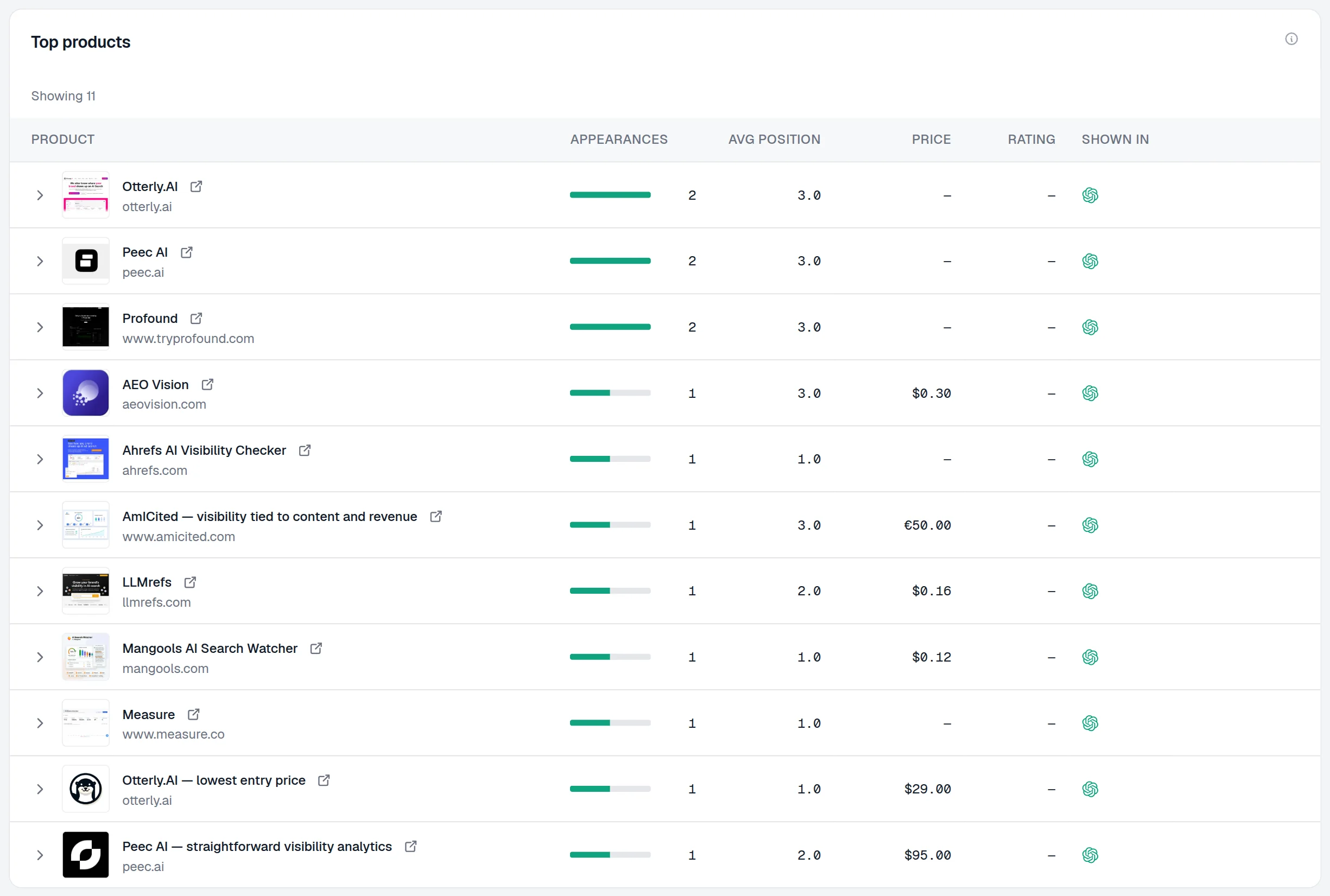
What Is an ASIN?
An ASIN (Amazon Standard Identification Number) is the 10-character code Amazon assigns to each product in its catalog. It’s how Amazon knows that two sellers offering the same blender are offering the same product. Both sellers list against one ASIN, share one product page, and compete for the Buy Box on it.
You’ll run into ASINs everywhere in Amazon selling: in Seller Central inventory, in
Sponsored Products targeting, in Brand Analytics reports and in FBA shipment paperwork. For books, the ASIN is normally the same as the book’s ISBN-10. For almost everything else, ASINs start with “B0” followed by eight letters and digits, for example B0EXAMPLE1.
How ASINs Work
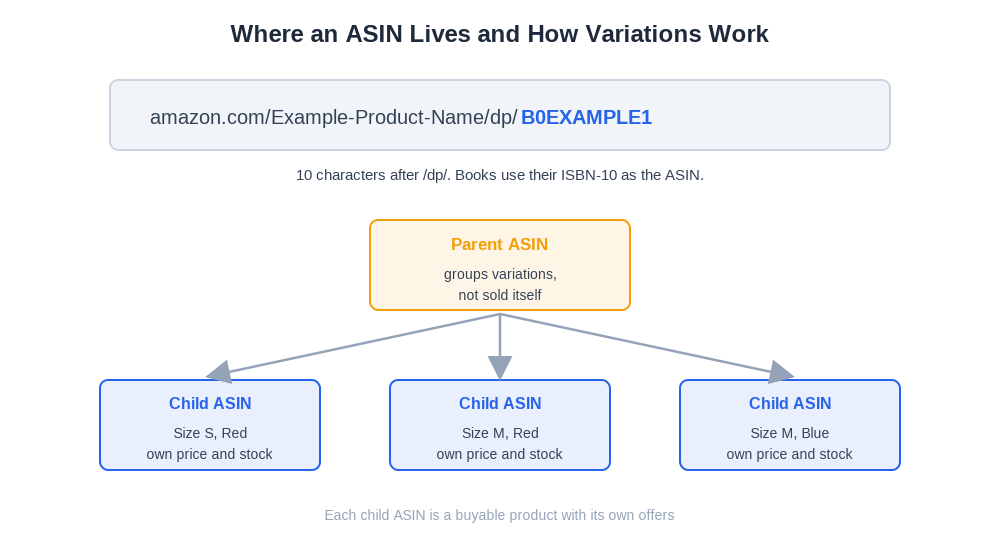
Where to find an ASIN. The easiest place is the product page URL. In amazon.com/Example-Product-Name/dp/B0EXAMPLE1, the ASIN is the 10 characters after /dp/. It’s also listed in the product details section further down the page, and in your Manage Inventory view if you sell the item.
How an ASIN is created. When a seller adds a product that isn’t in the catalog yet, Amazon creates a new ASIN. To do that, you usually need a valid GTIN (UPC, EAN, ISBN) or an approved GTIN exemption. If the product already exists, you must list against the existing ASIN instead of creating a duplicate. Duplicate listings break Amazon’s policies and can be merged or removed.
Parent and child ASINs. Products that come in sizes, colors or other variations use a parent-child structure:
- The parent ASIN groups the variations. It isn’t a buyable product on its own.
- Each child ASIN is one specific variation, such as Size M in Red, with its own price, stock and offers.
So a T-shirt in three sizes and two colors has one parent and up to six child ASINs. Reviews are typically shared across the family, which is one reason sellers care about building variations correctly.
Where ASINs are used. Once you know an ASIN, you’ll use it constantly. In Amazon Ads, product targeting lets you bid to show your ads on specific ASINs, such as a competitor’s product page or a complementary item. In Brand Analytics, search and market basket reports list results by ASIN. In Seller Central, you can add a new offer by searching the catalog for an existing ASIN by its UPC, EAN or title. And when you report a listing problem to Seller Support, the ASIN is the first thing they ask for.
An ASIN never moves between products. If a product is discontinued, its ASIN stays tied to that product’s page and history; a new model gets a new ASIN, though Amazon may link the two as successor and predecessor.
ASIN vs SKU vs UPC vs FNSKU
These identifiers all show up on the same product, and they do different jobs.
| Identifier | Who assigns it | Length and format | What it identifies | Where it’s used |
|---|---|---|---|---|
| ASIN | Amazon | 10 characters, usually starting B0 | A product in Amazon’s catalog | Product pages, ads, Amazon reports |
| ISBN-10 | ISBN agencies | 10 digits (last can be X) | A book edition | Books; doubles as the ASIN |
| SKU | You, the seller | Any format you choose | Your own inventory item | Your inventory and order systems |
| UPC / EAN (GTIN) | GS1 | 12 digits (UPC) or 13 digits (EAN) | A product across all retailers | Barcodes, feeds, creating new ASINs |
| FNSKU | Amazon | 10 characters, often starting X00 | Your specific units in FBA | FBA labels in Amazon warehouses |
The SKU is yours to design and can stay the same across Shopify, Amazon and other channels. The ASIN only exists on Amazon. The FNSKU matters if you use Amazon FBA, because it tells Amazon’s warehouse whose units are whose when several sellers stock the same ASIN.
ASIN and AI Search
When AI assistants recommend a product sold on Amazon, they often link to its Amazon page, and that link contains the ASIN. Amazon’s own shopping assistant, Rufus, works from catalog content and reviews tied to each ASIN. For you, that means the listing behind the ASIN (title, bullet points, images, reviews) is what AI tools read when they describe the product.
There’s no special ASIN signal for ChatGPT or Perplexity. What helps is a complete, accurate listing and consistent product information across your own site and other retailers, so AI answers describe the same product the same way wherever they look.

Stay Updated on AI Visibility Trends
Get the latest insights on AI mentions, brand monitoring, and optimization strategies.
Best Practices for Managing ASINs
- Search before you create. Check the catalog by UPC and title so you don’t create a duplicate ASIN.
- Use real GTINs. Buy barcodes from GS1 rather than from resellers, since Amazon checks GTIN ownership against GS1 data.
- Build variations properly. Group true variations (size, color) under one parent; don’t combine different products to share reviews.
- Map ASINs to your SKUs. Keep a clear table of which SKU sells under which ASIN in each marketplace.
- Monitor listing changes. Other sellers and Amazon can suggest edits to shared ASINs. Brand Registry gives brand owners more control.
- Use ASINs in ad targeting. Product targeting by ASIN lets you show ads on competitor or complementary product pages.
Common ASIN Mistakes
The most common mistake is creating a new ASIN for a product that already exists, often to avoid competing on an existing listing. Amazon treats this as a duplicate listing and can remove it. Another is building variation families from unrelated products, which can get the listing suppressed and reviews separated.
Sellers also confuse ASINs and FNSKUs when labeling FBA shipments, which can send units into the wrong inventory pool. And many assume an ASIN is the same in every marketplace, then build cross-border ad campaigns or reports that quietly point at the wrong products. Good Amazon SEO work always starts by confirming you’re optimizing the right ASIN.