


Data Sources and Integrations
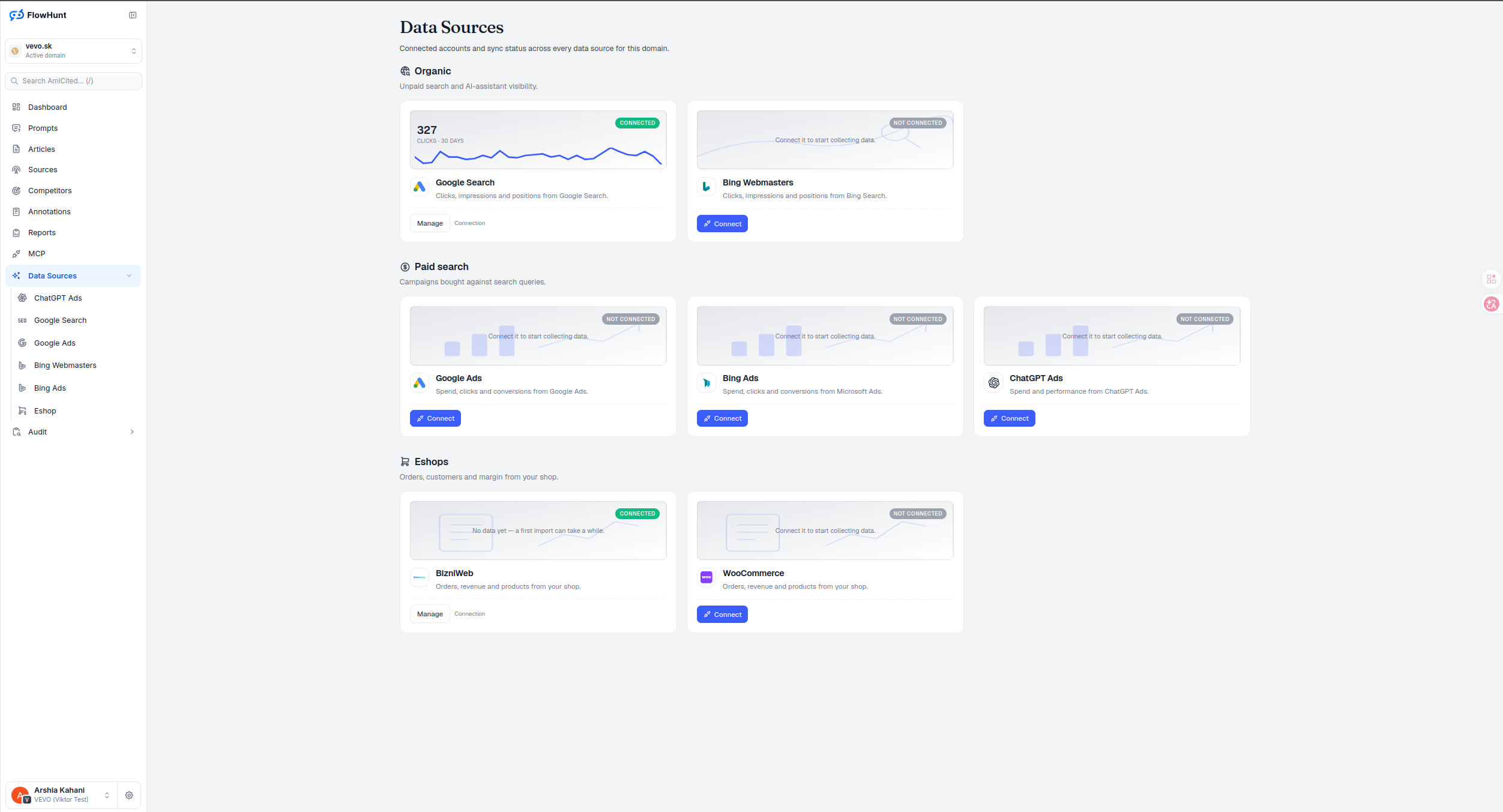
Data Sources lists every connected account for a domain — Google Search Console, Bing Webmaster Tools, Google Ads, Bing Ads, ChatGPT Ads, and ecommerce platforms — grouped by what they measure, with live status so you always know what’s actually powering a report before you read it.
Organic Paid Ecommerce Sources
Every source sits in exactly one group: Organic for unpaid search and AI-assistant visibility, Paid search for campaigns bought against search queries, and Eshops for orders, customers and margin from your store. A source’s group is also how every report in AmICited decides whether a number is organic or paid — nothing gets blended by accident.
- Organic — connect Google Search Console and Bing Webmasters for clicks, impressions and positions from unpaid search.
- Paid search — Google Ads, Bing Ads and ChatGPT Ads: spend, clicks and conversions from campaigns bought against search queries.
- Eshops — BizniWeb and WooCommerce today: orders, revenue and products from your store, feeding revenue attribution.
- Live status per card — Connected with a real metric and sparkline, Not connected with a one-click Connect, or mid-import with an honest ’no data yet’ note.
- A sync ribbon per card — not imported yet, import running, up to date, import failed, reconnect required, paused for credits, or not supported, so you know before opening whether a report’s data is fresh.
- Manage without leaving the page — a connected source opens straight into its connection settings from the same card.
Data Source Connection Status
A Connected card carries a live metric — 30-day clicks for Google Search, for example, or 30-day net revenue for BizniWeb and WooCommerce — with a sparkline, so you can confirm a source is not just linked but actually reporting fresh data. Meta and ChatGPT Ads have no daily card series yet, so their cards show connection and sync status honestly rather than drawing a chart that doesn’t exist. A Not connected card shows a Connect button and a plain description of what that source measures, so adding a new one is a single click from this page, not a hunt through a settings menu.
- Real number, not a checkmark — Connected cards show an actual recent metric, proof the pipe is flowing.
- ‘No data yet’ is its own state — a freshly connected source that’s still importing says so, instead of looking broken or looking done.
- Read the ribbon before the sparkline — ‘import running’ or ’no data yet’ can be a normal first backfill; ‘reconnect required’ means daily imports have stopped and need a new authorization, not just a wait.
- One-click Connect — every Not connected card starts the OAuth or API-key flow for that exact source immediately.
- Manage and Connection links — a connected source exposes its settings inline, so re-authenticating or checking scope never means leaving Data Sources.
Source Resource and Backfill
Some providers expose more than one property, account or resource. After connecting, choose the resource that belongs to this domain, then read the import quote before confirming it. The quote states its window, estimated rows, backfill credits and monthly storage credits; it can also show whether the estimate is measured, extrapolated or a lower bound.
- Resource selection is explicit — a connected account is not automatically mapped to a domain.
- Backfill follows provider retention — the available window is source-specific rather than a universal history picker.
- Credit and storage lifecycle is visible — confirmation spends the quoted import work and activates the mapping’s daily storage charge; a credit pause is shown as status, not disguised as a finished import.
Report Data Source Groups
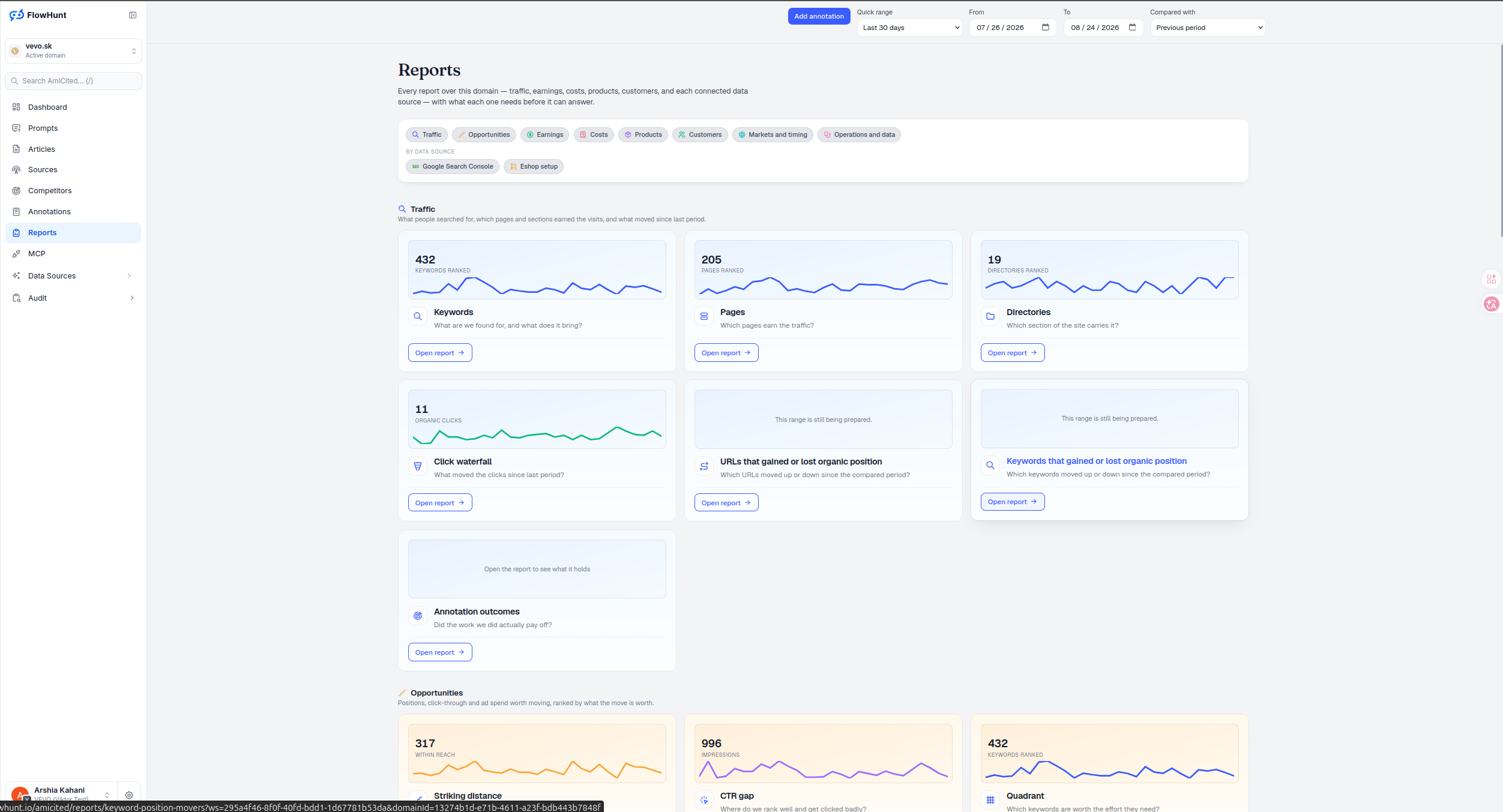
Directory View, Unified Keywords, Organic vs Paid Pages and Revenue Attribution all pull their organic, paid and ecommerce numbers from exactly the sources connected here — the grouping isn’t cosmetic, it’s the same Organic / Paid search / Eshops split every other report in AmICited uses to keep channels from blending into one misleading number.
- Organic feeds rank and click reports — Search Console and Bing Webmasters are what make position and click data possible at all.
- Paid search feeds spend and conversion columns — connect Google Ads, Bing Ads or ChatGPT Ads to fill in the paid side of Unified Keywords and Organic vs Paid Pages.
- Eshops feed Revenue Attribution — BizniWeb or WooCommerce is what turns a citation or a click into an actual order.
- Nothing connected, nothing shown — a report’s paid or ecommerce columns stay honestly empty until the matching source here is connected, rather than guessing.
- Disconnect is explicit and irreversible — it stops future imports and billing immediately and queues stored data for deletion; reconnecting later starts a fresh import that can only recover what the provider still retains, and only users with manage permission see the control.
sources across 3 groups, one screen
Google Search, Bing Webmasters, Google Ads, Bing Ads, ChatGPT Ads, BizniWeb and WooCommerce — every account this domain can connect, and whether it’s connected yet, without opening a single one.
See the Reports HubConnect Report Data Sources
Organic search, paid search and your ecommerce platform, grouped and status-checked in one screen — connect what’s missing without hunting through settings.
Ready to see what’s actually connected?
Free check · 7-day trial · card required