


- A noindex tag tells search engines not to show a page in their results. It is a robots meta tag in the page head or an X-Robots-Tag HTTP header.
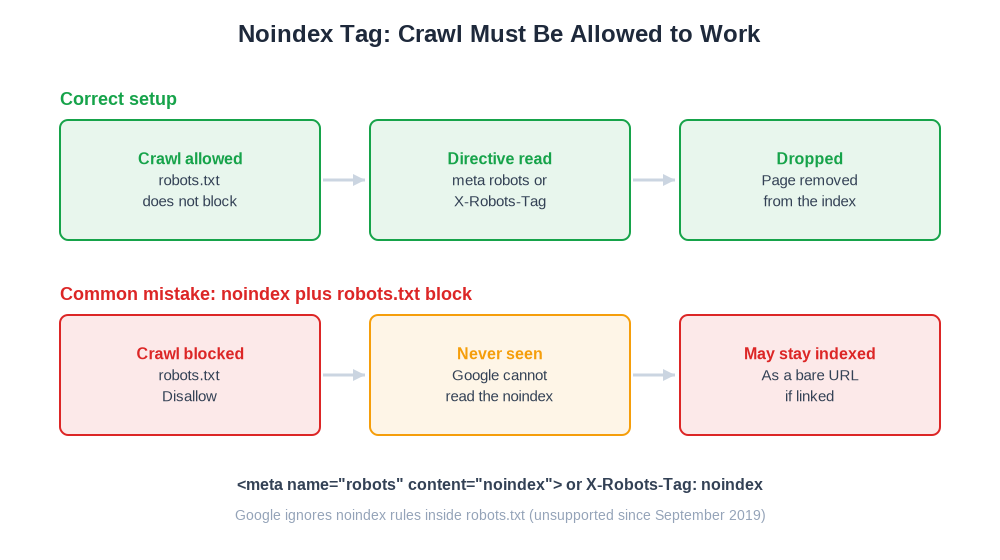
- Google has to crawl the page to see the directive, so do not block the same URL in robots.txt.
- Use it for pages people need but search does not: internal search results, cart, account, thank-you and thin archive pages. Gone pages need a 404 or 410, and duplicates a canonical.
- Google AI Overviews and AI Mode draw on Google’s index, so a noindexed page is not used as a source there.
Where AmICited fits
AmICited’s Index bloat report lists the URLs search engines show that earn no clicks, grouped by site section, which are the usual candidates to improve, merge or noindex. Its URL Inspection report shows Google’s index status per page, so an accidental noindex is quick to spot.
See the index bloat report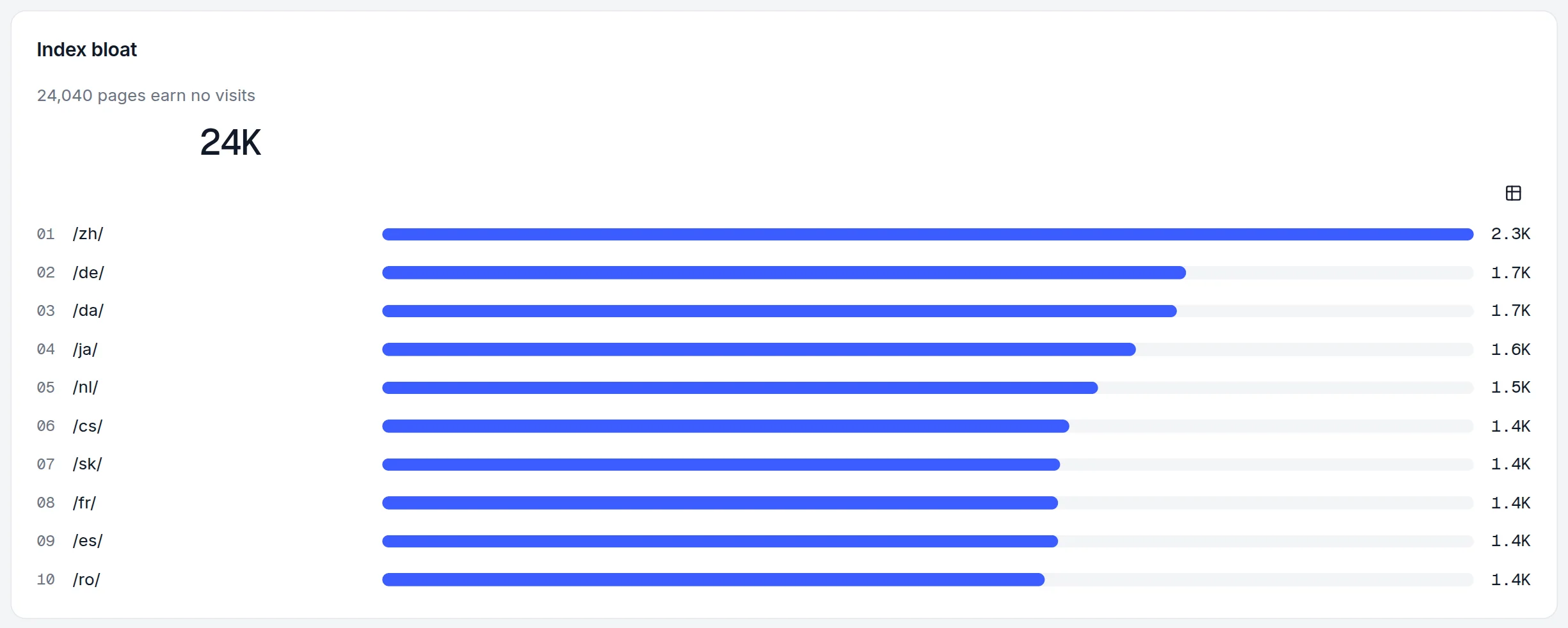
What Is a Noindex Tag?
A noindex tag is an instruction that tells search engines not to show a page in their results. It’s a robots directive, usually written as a meta tag in the page’s <head>, though it can also be sent as an HTTP header. Google, Bing and other major engines respect it.
Site owners use noindex for pages that need to exist for users but add nothing in search: thank-you pages, internal search results, login pages, thin tag archives, staging sites and duplicate print versions. In WordPress, the “Discourage search engines” setting adds a noindex sitewide, and SEO plugins let you set it per page. In Google Search Console, noindexed pages appear in the Pages report as “Excluded by ’noindex’ tag”.
How the Noindex Tag Works
The most common form is the robots meta tag:
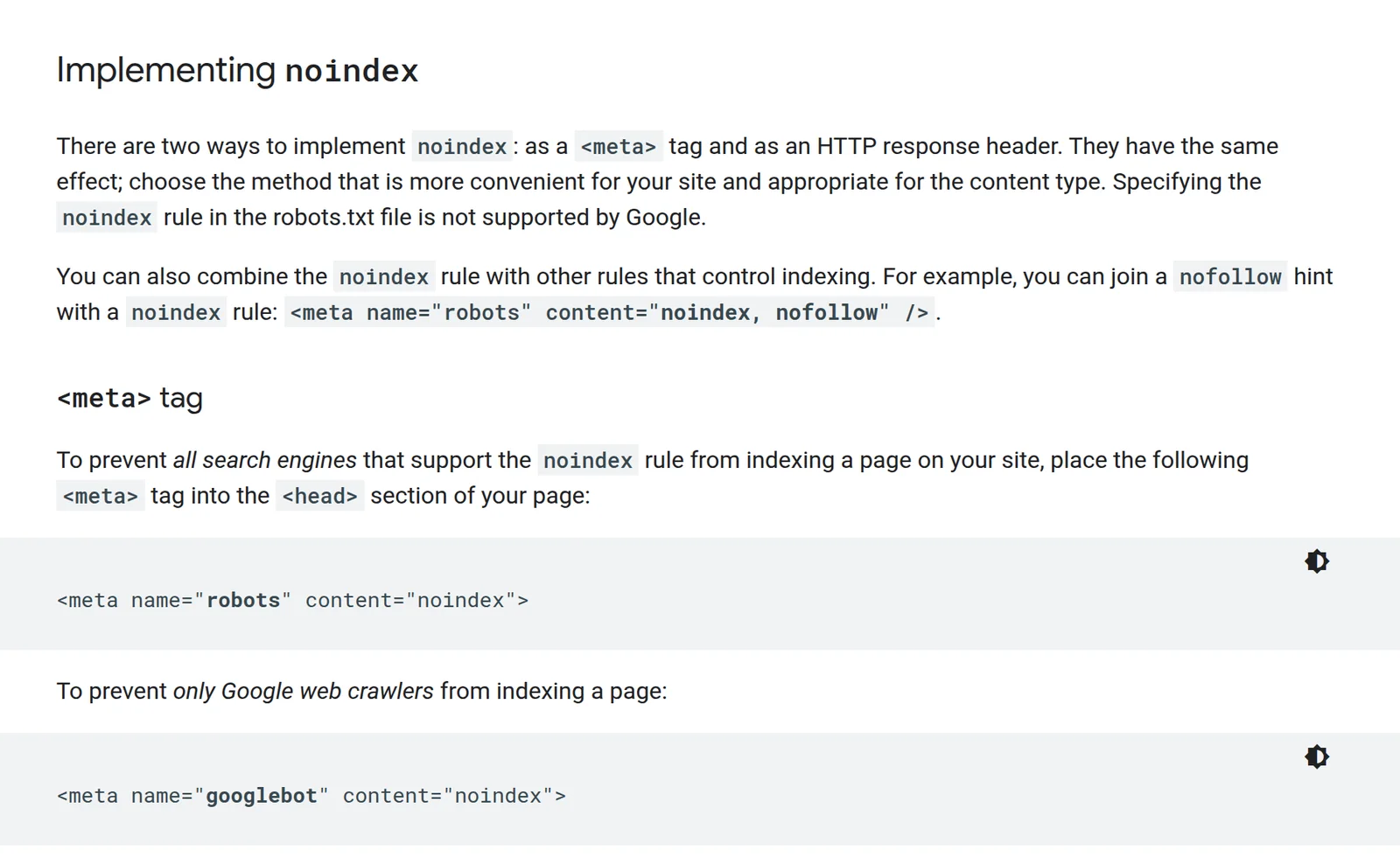
<meta name="robots" content="noindex">
To target only Google, use name="googlebot". For PDFs, images and other files that have no HTML head, send the HTTP header instead:
X-Robots-Tag: noindex
Here is what happens next:
- Googlebot crawls the URL. It must be able to fetch the page, so the URL must not be blocked in robots.txt.
- Google reads the noindex directive in the HTML or header.
- Google drops the page from its index, or never adds it if it’s new.
- Google keeps crawling the page, though usually less often over time.
Noindex and nofollow are separate. noindex keeps the page out of results. nofollow asks the crawler not to follow the links on it. content="noindex, follow" was the classic way to say “don’t index this, but use its links”. Google has said that a page left on noindex for a long time is eventually crawled less and its links may stop being followed, so don’t rely on noindexed pages to pass link signals.
Noindex vs Robots.txt vs Canonical
These three are often confused because they all affect what shows in search.
| Method | What it controls | Page crawled? | Page indexed? | Use it for |
|---|---|---|---|---|
| Noindex tag | Indexing | Yes | No | Pages users need but search doesn’t: thank-you, login, filters |
| Robots.txt disallow | Crawling | No | Possibly, as a bare URL if linked | Saving crawl budget on infinite spaces, private tools |
| Canonical tag | Which duplicate is preferred | Yes | Usually the canonical only (it’s a hint) | Near-duplicate pages, URL parameters |
| Password protection | Access | No content | No | Staging sites and private content |
| 404 or 410 status | Existence | Yes | No | Pages that are gone for good |
The common trap: adding noindex and a robots.txt block to the same page. The robots.txt block stops Google from crawling, so it never sees the noindex. If other sites link to that URL, it can stay indexed as a URL with no description.
When to Use Noindex (and When Not To)
Noindex is the right tool when a page should stay reachable for users but has no search value. Good candidates:
- Internal site search result pages, which can generate endless thin URLs.
- Cart, checkout, account, login and order confirmation pages.
- Thin tag archives and author archives on small blogs.
- Campaign landing pages that duplicate an existing page for paid traffic.
It is the wrong tool for pages that are gone (return a 404 or 410), for duplicate URLs where one version should take the credit (use a canonical tag), and for private content (use authentication). It also won’t fix index bloat on its own if your site keeps generating new low-value URLs faster than you can tag them. Fix the source of those URLs as well.

Stay Updated on AI Visibility Trends
Get the latest insights on AI mentions, brand monitoring, and optimization strategies.
Noindex Tag and AI Search
Google AI Overviews and Google AI Mode draw on Google’s index, so a noindexed page won’t be used as a source there. Bing’s index feeds Microsoft’s products and several other AI tools. Other AI crawlers decide for themselves. If you want to keep content out of AI training or answers, look at robots.txt rules for specific bots and at Google-Extended, which controls use in Gemini models without affecting Search.
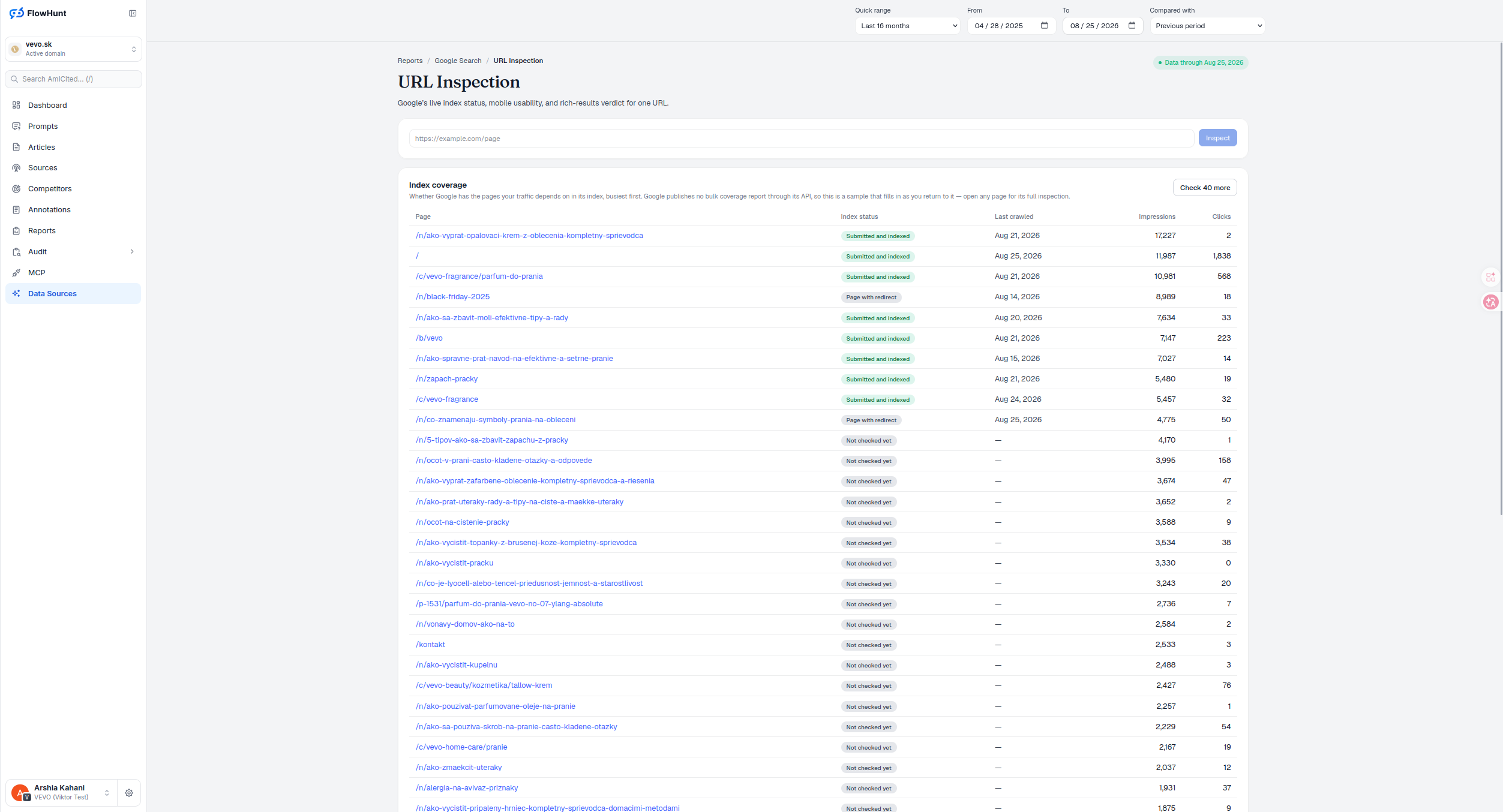
Noindex is also a common cause of lost AI visibility by accident. A template change that noindexes a product directory removes those pages from search and from AI answers that depend on search. AmICited’s URL Inspection shows index status per URL so you can catch this quickly.
Best Practices for the Noindex Tag
- Use noindex for pages that should exist but not rank: internal search results, cart, account, thank-you and thin archive pages.
- Make sure noindexed URLs are crawlable. Don’t also block them in robots.txt.
- Remove noindexed URLs from your XML sitemap. A sitemap should list only pages you want indexed.
- Check production after every deployment for a stray staging noindex, especially after migrations.
- Use the X-Robots-Tag header for PDFs and other non-HTML files.
- Review the “Excluded by ’noindex’ tag” list in Search Console monthly for pages that shouldn’t be there.
Common Noindex Tag Mistakes
The worst noindex mistake is shipping a staging site’s sitewide noindex to production. It happens on WordPress launches, on JavaScript frameworks where an environment variable controls the tag, and during migrations. Traffic falls off over the following days as Google recrawls pages and drops them, which makes the cause easy to miss.
Other mistakes: noindexing paginated category pages that are the only path to deep products, combining noindex with a canonical pointing to a different URL (mixed signals), relying on JavaScript to add noindex after rendering, and trying to put noindex in robots.txt, which Google ignores.