


- An SEO title is a page’s HTML title tag written for search. It usually becomes the headline of the search result and shows in the browser tab.
- Google builds the title link mainly from the title element, but also uses the H1, other headings, anchor text and page text, and may rewrite stuffed, vague or duplicate titles.
- Desktop results show about 600 pixels, roughly 50 to 60 characters. Put the main keyword and the promise first and the brand last.
- AI answers often show a page’s title next to the link, so a title that matches the question helps both people and engines pick the right page.
Where AmICited fits
AmICited’s article editor previews how a draft’s title and meta description will look in search, with a length check. Its CTR Gap report finds pages and queries that earn fewer clicks than their position predicts, which often points to a weak title.
See the CTR gap report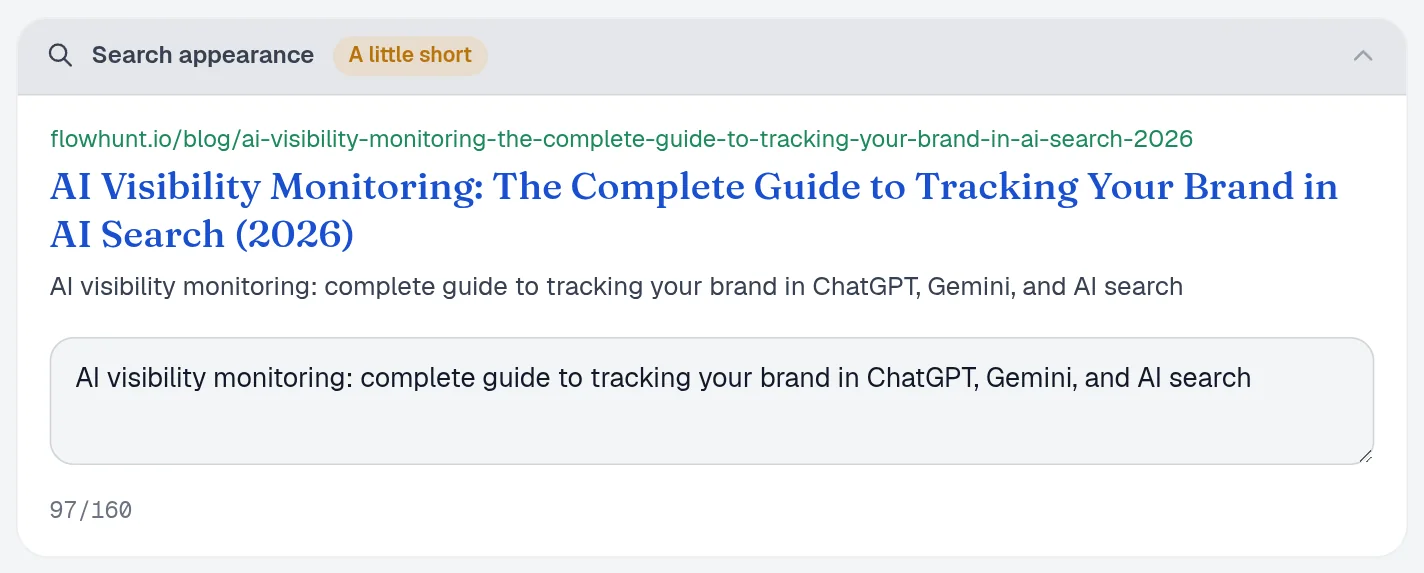
What Is an SEO Title?
An SEO title is a page’s HTML
title tag, written with search in mind. It sits in the page’s <head> and does three jobs: it tells search engines what the page is about, it usually becomes the blue headline of your search result, and it shows in the browser tab. The “SEO” part is about writing it deliberately: the right keyword, a clear promise and a length that fits.
You set it in your CMS. WordPress SEO plugins such as Yoast and Rank Math call it the “SEO title”. Shopify calls it the “page title” in the search engine listing section. In the HTML it looks like this:
<title>Bounce Rate: Definition, Formula and GA4 | Example Site</title>
How Google Uses the SEO Title
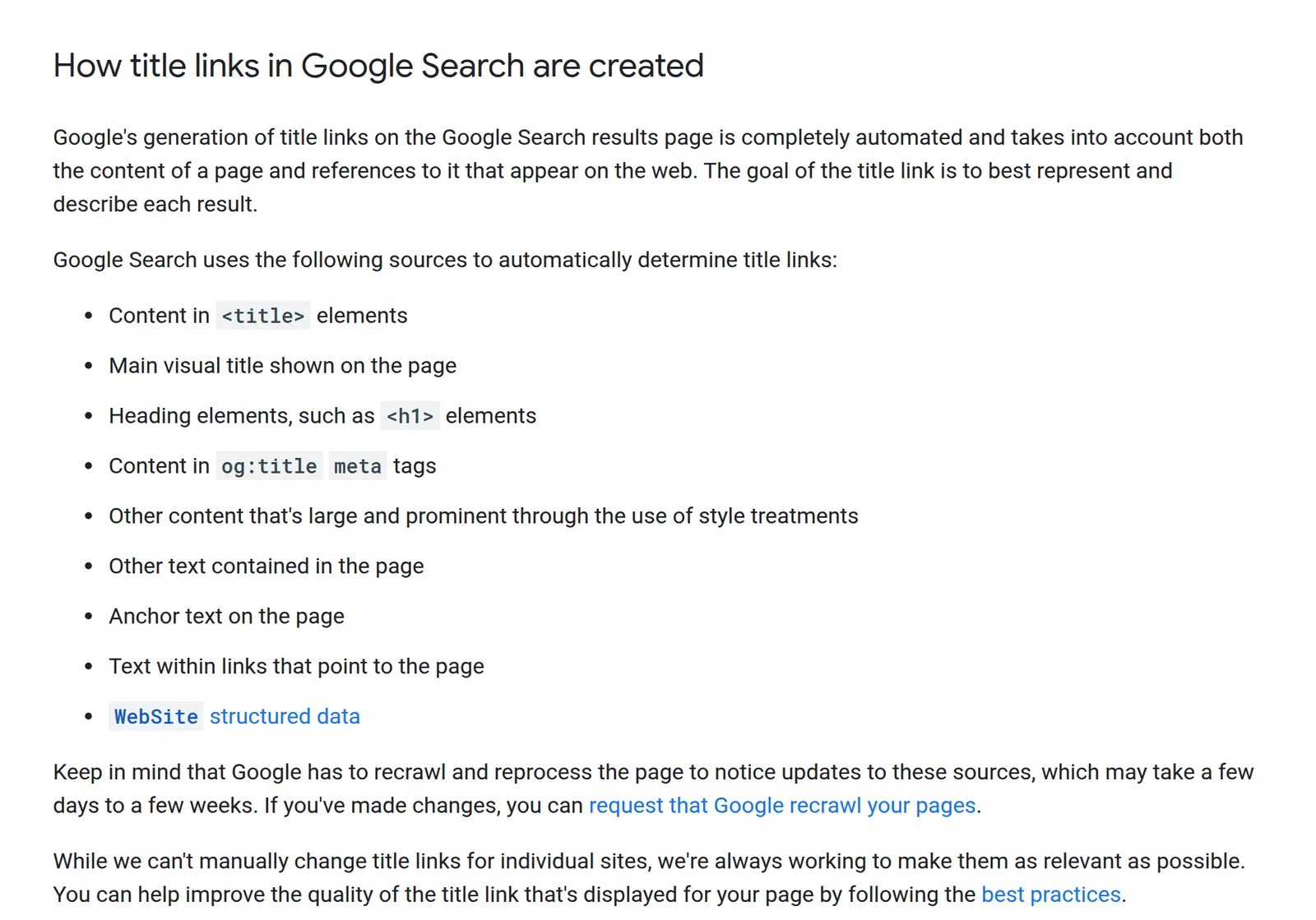
Google calls the headline of a search result a “title link”. According to
Google’s title link documentation, it generates it automatically from several sources, and the <title> element is the main one. Others include the main visible heading, other headings, anchor text of links pointing to the page, and text on the page.
In practice:
- Google reads your title tag and uses it as a signal of what the page is about.
- If the title describes the page well, Google usually shows it as written.
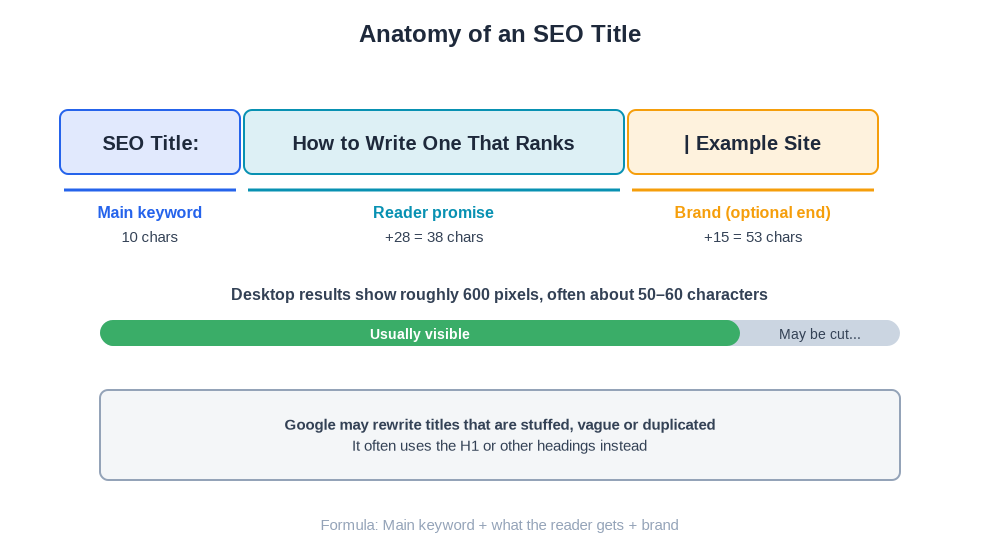
- If it is too long, Google truncates it with an ellipsis. Desktop results have room for roughly 600 pixels, which tends to be about 50–60 characters.
- If it is stuffed, generic, duplicated across pages or misleading, Google may rewrite it, often using the H1.
A strong SEO title follows a simple structure: Main keyword + what the reader gets + (brand). Take “SEO Title: How to Write One That Ranks | Example Site”:
- “SEO Title” is the keyword, at the start.
- “How to Write One That Ranks” is the promise.
- “Example Site” is the brand, at the end, where it can be cut without losing meaning.
The first two parts are 38 characters. With the brand, the whole title is 53 characters, inside the visible range.
SEO Title vs H1 vs Meta Description vs Open Graph Title
These four are easy to mix up because they often contain similar words.
| Element | Where it appears | Main job | Typical length |
|---|---|---|---|
SEO title (<title>) | Search result headline, browser tab | Ranking signal and click | About 50–60 characters |
| H1 | Visible main heading on the page | Tells readers what the page covers | No fixed limit; keep it clear |
| Meta description | Snippet text under the result (often) | Persuades the searcher to click | About 120–160 characters |
Open Graph title (og:title) | Link previews on social media and chat apps | Click from social shares | Short enough for preview cards |
The title and H1 can match, and on many pages they do. A common pattern is a short, keyword-first SEO title and a slightly longer, more natural H1.
SEO Title Examples by Page Type
Different pages call for different patterns:
- Product page: “Women’s Trail Running Shoes, Waterproof | Brand”. Product type and key attribute first.
- Category page: “Standing Desks for Small Spaces | Brand”. The category as people search it.
- Blog post: “How to Fix a 404 Error in WordPress”. The question or task in the reader’s words.
- Local service page: “Emergency Plumber in Austin, TX | Brand”. Service plus location.
- Homepage: “Brand: What You Do in a Few Words”. The brand leads, followed by a plain description.
SEO Title and AI Search
AI engines read your title too. When ChatGPT, Perplexity or Google AI Overviews cite a page, they often show its title next to the link, and a clear title helps them pick the right page for a question. A title that matches the question people ask, such as “What Is Bounce Rate?”, is easy to match to a prompt. Clever or vague titles give AI systems less to work with.
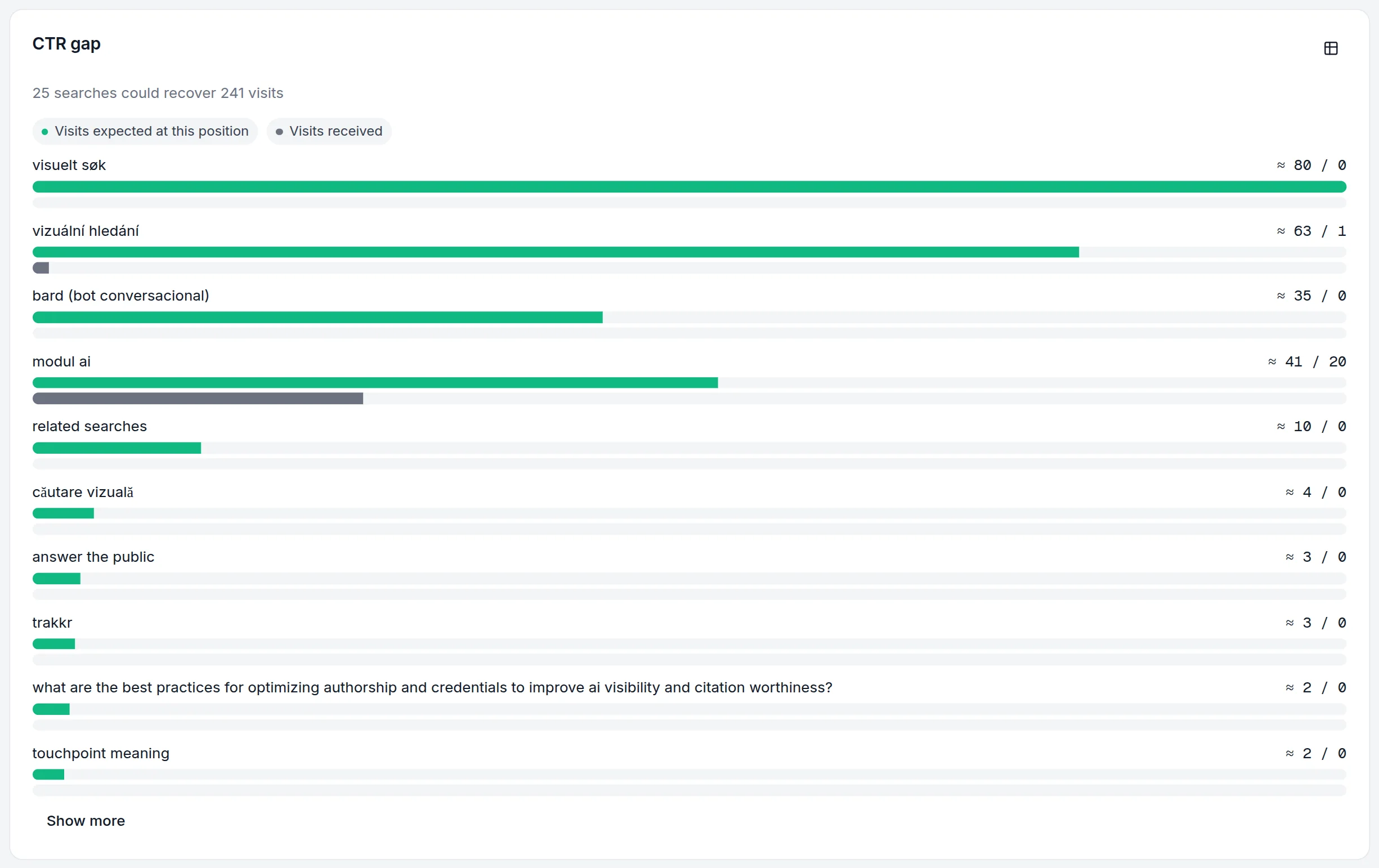
The same title also has to earn clicks from people. If a page ranks well but gets few clicks, the title is often the first thing to test. The CTR Gap report finds pages earning fewer clicks than their position predicts.

Stay Updated on AI Visibility Trends
Get the latest insights on AI mentions, brand monitoring, and optimization strategies.
Best Practices for SEO Titles
- Put the main keyword near the start, ideally in the first few words.
- Keep it to about 50–60 characters so the important part is not cut off.
- Write a unique title for every page. Duplicate titles across many pages invite rewrites.
- Match the search intent: “How to”, “Best”, “vs”, “Price” or “Examples” where the query calls for it.
- Put the brand at the end, separated by a pipe or dash, unless it is the homepage.
- Use numbers or a year only when they are accurate and you will keep them updated.
- Recheck titles that Google rewrites. The rewrite tells you what Google thinks the page is about.
Common SEO Title Mistakes
The most frequent mistake is keyword stuffing: “Running Shoes, Best Running Shoes, Cheap Running Shoes | Shoes”. It reads badly and Google often rewrites it. Close behind are default titles like “Home” or “Product Page”, and the same template title across hundreds of pages with only one word changed.
Other mistakes include titles that promise something the page does not deliver, which may get a click once but sends readers straight back, and outdated years left in titles. Very long titles also lose their point when Google cuts them off mid-phrase. Writing an SEO title is part of SEO copywriting: it should be as specific and honest as the page itself.