


- Trust badges are small icons and seals that tell shoppers a store is safe to buy from: payment logos, secure checkout seals, guarantees, free returns and third-party review ratings.
- Put them where doubt happens: next to the price and add-to-cart button, and beside the card fields at checkout. A footer row of seals does little.
- Badges you can check carry more weight than generic padlocks: a review score linked to a real profile, payment brands shoppers already use, a guarantee with specific terms.
- AI assistants don’t see your badges. When asked whether a store is legit, they answer from review sites, forums, news and your policy pages.
Where AmICited fits
AmICited’s Sentiment report scores how favorably ChatGPT, Perplexity, Gemini and Google’s AI answers describe your brand next to competitors, and its Sources report lists the off-site pages those answers cite, so you can see where your reputation in AI search comes from.
See AI visibility tracking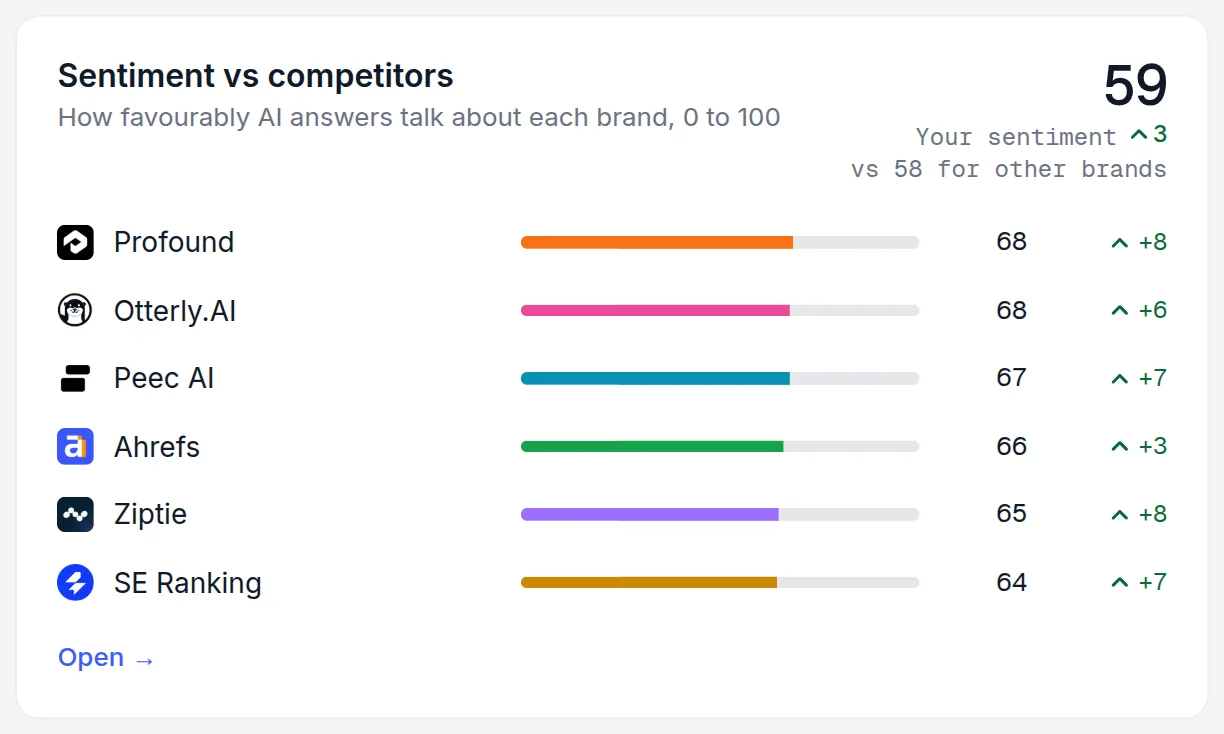
What Are Trust Badges?
Trust badges are visual signals on a website that tell shoppers it is safe to buy. They include logos of accepted payment methods, “secure checkout” seals, money-back guarantee icons, free shipping and returns badges, and ratings from third-party review platforms. Their job is to answer unspoken questions at the moment of purchase: Is this store real? Is my card safe? What if I don’t like it?
They matter most for stores shoppers don’t know. A first-time visitor arriving from an ad or AI recommendation has no history with you, so small cues carry weight. Platforms like Shopify, WooCommerce and BigCommerce support trust badges through theme settings or apps. They are one form of social proof and sit alongside reviews, clear policies and a professional design as part of conversion rate optimization.
How Trust Badges Work
Trust badges work by reducing perceived risk at specific points in the buying journey:
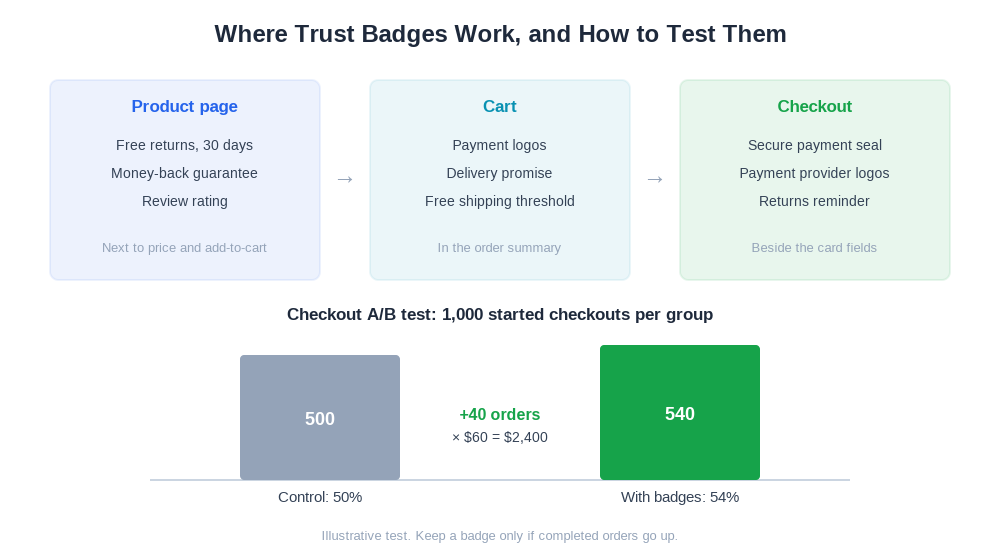
- Product page. Near the price and add-to-cart: free shipping threshold, returns window, guarantee, review rating.
- Cart. Payment logos and delivery promise, so shoppers know what’s coming before checkout.
- Checkout. Beside the card fields: secure payment badge and payment provider logos. This is where hesitation peaks.
- Site-wide. Header or footer: review platform score, guarantee, contact details.
Because effects differ by store, test them. Say your checkout completes 1,000 of 2,000 started checkouts (50%). You add a secure payment badge and payment logos beside the card fields for half your traffic. If the test group completes 540 of 1,000 (54%) and the control 500 of 1,000 (50%), you’ve got 40 extra orders per 1,000 checkouts. At a $60 order value, that’s $2,400 per 1,000 checkouts started. Run the test until you have enough orders for the difference to be reliable, and check it didn’t come at the cost of something else, like slower page load.
Types of Trust Badges
| Type | Examples | What it reassures | Best placement |
|---|---|---|---|
| Payment logos | Visa, Mastercard, PayPal, Apple Pay, Shop Pay | “I can pay the way I want” | Product page, cart, checkout |
| Secure checkout seal | SSL or security provider seal, “Secure checkout” icon | “My card details are safe” | Next to payment fields |
| Guarantee badges | Money-back guarantee, satisfaction guarantee | “I won’t lose my money” | Near price and add-to-cart |
| Shipping and returns | Free shipping over $X, 30-day free returns | “No surprise costs, easy to undo” | Product page, cart |
| Third-party review badges | Trustpilot rating, other review platform widgets | “Other people trust this store” | Header, product page, checkout |
| Certifications | Industry, organic or safety certifications | “The product meets a standard” | Product page |
Trust Badges vs Trust Signals
Trust badges are one kind of trust signal: the small icons and seals. Trust signals in general are anything that makes a store credible, including detailed product pages, real customer reviews, a clear refund policy, visible contact details, fast load times, a physical address and consistent branding. Badges can’t make up for weak signals elsewhere. A store with a guarantee badge but no visible returns process, or a review badge with ten reviews, can look less trustworthy, not more.
Badges also lose value when they’re everywhere. Shoppers have seen “100% secure” icons on thousands of sites, including dubious ones, so a generic padlock graphic adds little on its own. What carries more weight is something that can be checked: a review score that links to a real profile on an independent platform, a payment method like PayPal or Apple Pay that shoppers already trust with their details, or a guarantee with specific terms. Because every legitimate checkout runs on HTTPS today, a security seal says less than it once did.

Stay Updated on AI Visibility Trends
Get the latest insights on AI mentions, brand monitoring, and optimization strategies.
Trust Badges and AI Search
AI assistants don’t see your badges the way a shopper does. When someone asks ChatGPT or Perplexity “is this store legit?”, the answer comes from review platforms, forum discussions, news and your own policy pages. So the parts of trust that travel are the ones in text: real reviews on independent platforms, clear return and shipping policies, and accurate company information.
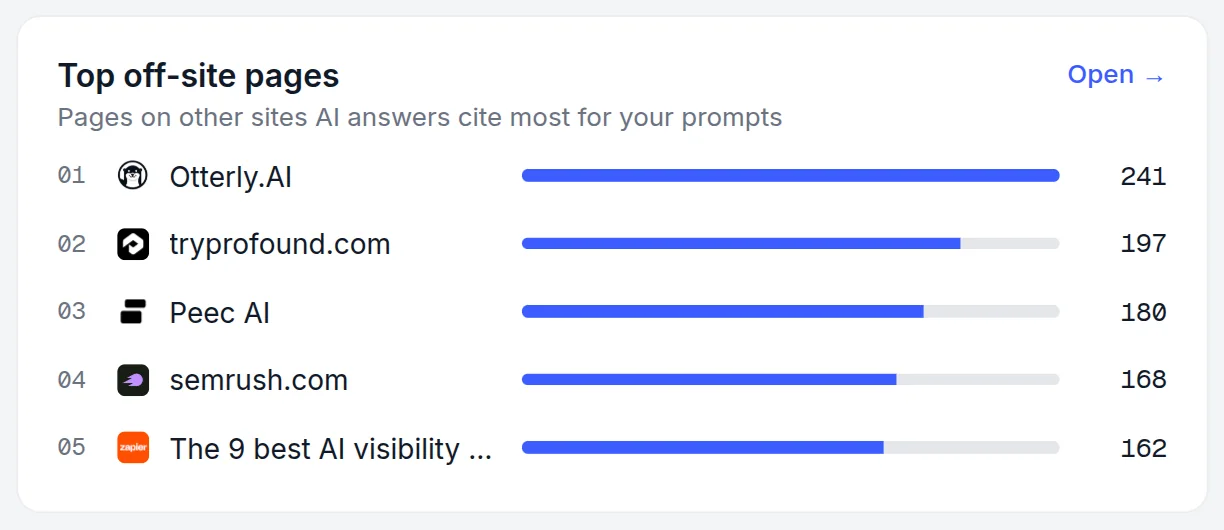
AmICited’s AI visibility tracking shows how AI engines describe your brand, including sentiment, and Source and Citation Intelligence shows which sources they rely on, which tells you where your reputation is being formed.
Best Practices for Trust Badges
- Use badges that match real policies and services, and link guarantee badges to the full policy.
- Place them where doubt happens: next to add-to-cart and beside payment fields.
- Prefer badges shoppers recognize (major payment brands, well-known review platforms) over obscure seals.
- Keep it to a few. Three relevant badges beat a row of twelve.
- Show the payment methods you actually accept, including wallets like Apple Pay or PayPal.
- A/B test badge placement and type, and measure completed orders, not clicks.
Common Trust Badge Mistakes
The most damaging mistake is showing badges you haven’t earned: fake security seals, certifications you don’t hold or review scores copied from elsewhere. It’s misleading, can break consumer protection rules and destroys trust if anyone checks. Another is clutter: so many seals and icons that the page looks like a low-quality store.
Stores also put all badges in the footer, where few people look at the moment of doubt. And many add badges in place of fixing the real issue, such as hidden shipping costs, an unclear returns process or too few reviews. Badges support a trustworthy store; they don’t create one.