


- WordPress SEO is setting up a WordPress site so search engines can crawl, index and rank it: permalinks, the indexing setting, theme, one SEO plugin and the usual on-page work.
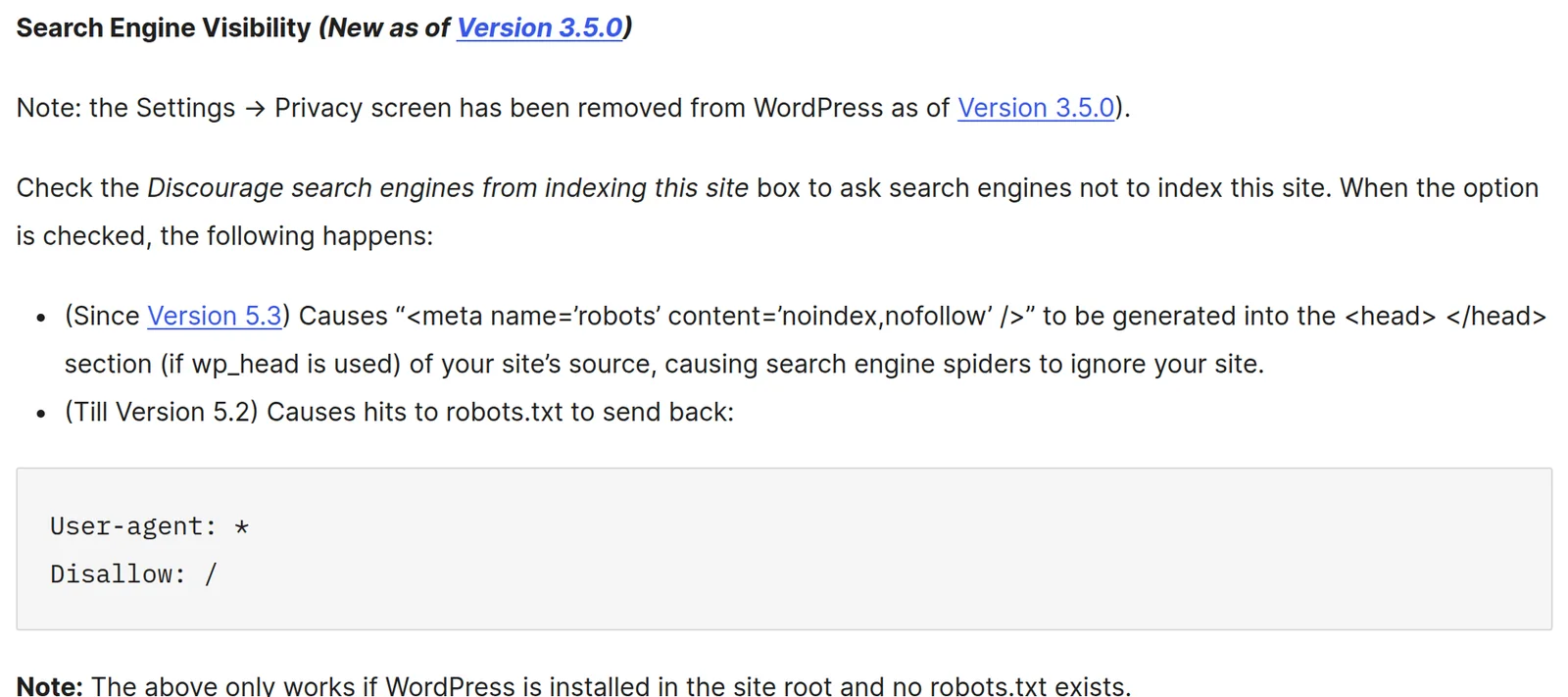
- The Discourage search engines box under Settings > Reading adds a sitewide noindex. It is meant for staging sites and is often left on after launch.
- One SEO plugin is enough. Yoast SEO, Rank Math and AIOSEO all handle titles, meta descriptions, sitemaps and canonicals. Two plugins create duplicate tags.
- Ranking in Google doesn’t guarantee an AI citation. Clear H2s, short definitions and tables make posts easier for AI engines to quote.
Where AmICited fits
AmICited’s Citation-Ranking Gap report finds queries where your pages rank well in Google but AI engines cite other sites, which gives you a list of WordPress posts to restructure first.
See the citation-ranking gap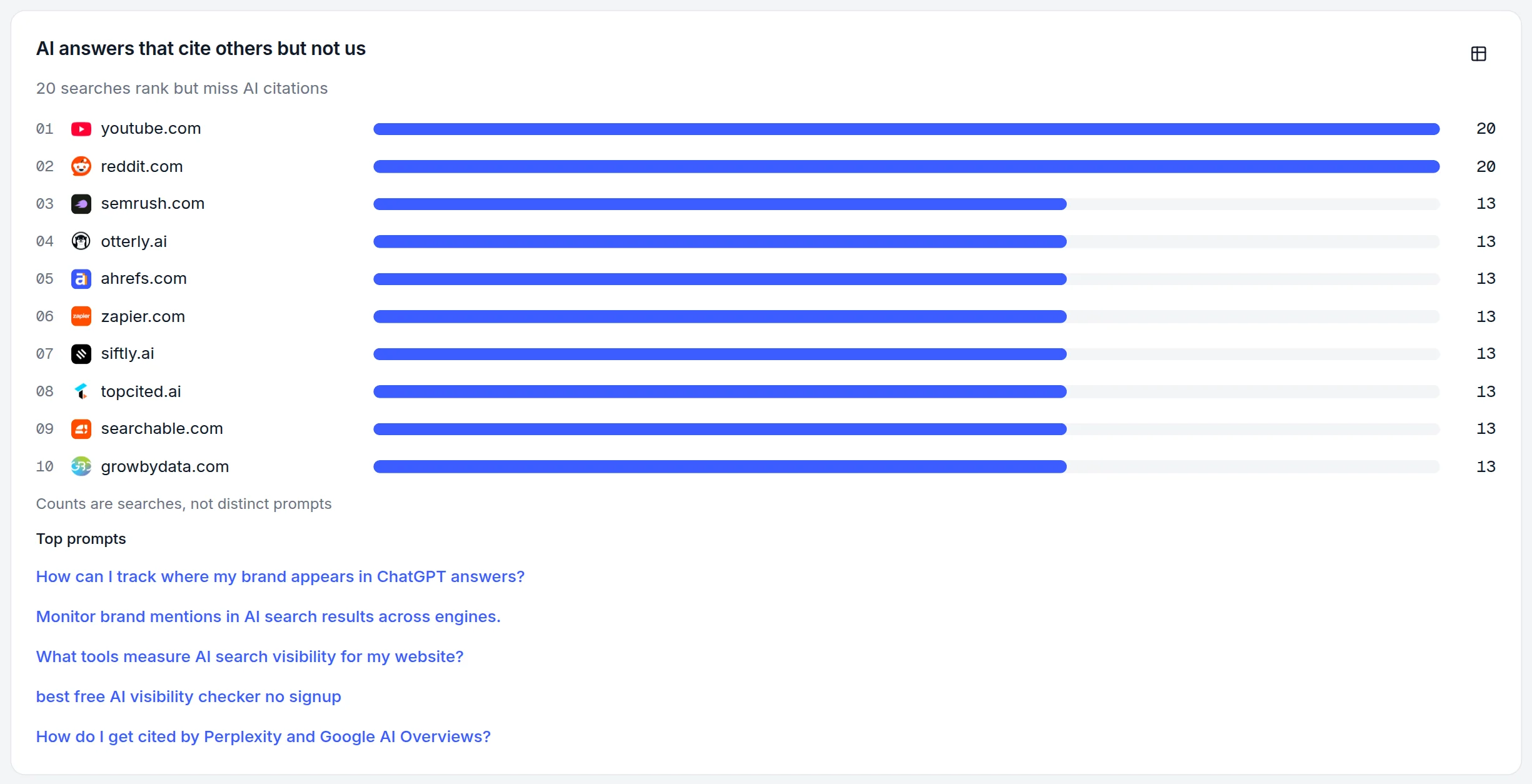
What Is WordPress SEO?
WordPress SEO is the work of setting up a WordPress site so search engines can find, understand and rank it. Part of it is platform-specific: permalink settings, the indexing checkbox, theme code, plugin choice. The rest is ordinary SEO done inside WordPress: writing good title tags and meta descriptions, structuring posts, linking them together and keeping the site fast.
WordPress powers a large share of the web, from personal blogs to news publishers and WooCommerce stores, so “WordPress SEO” is one of the most common SEO questions people ask. The good news is that WordPress gives you most of what you need out of the box. The bad news is that a single wrong setting, theme or plugin can quietly undo it.
How WordPress SEO Works
A WordPress page goes through the same pipeline as any other page: Googlebot discovers the URL, crawls it, renders the HTML, decides whether to index it and then ranks it against other pages. WordPress controls several points in that pipeline.
- Discovery. WordPress core generates an XML sitemap at
/wp-sitemap.xml(since version 5.5). SEO plugins usually replace it with their own, such as/sitemap_index.xml. Submit whichever one is live in Google Search Console. - Crawling. WordPress serves a virtual robots.txt file. Plugins let you edit it. Don’t block
/wp-content/or theme CSS and JavaScript, because Google needs them to render the page. - Indexing. The “Discourage search engines from indexing this site” option under Settings > Reading adds a noindex directive sitewide. It is meant for staging sites and is often left on by mistake after launch.
- URLs. Settings > Permalinks controls your
URL structure. “Post name” (
/%postname%/) produces short, readable URL slugs. The “Plain” setting (/?p=123) gives URLs with no keywords in them. - On-page signals. An SEO plugin adds a field for the SEO title and meta description on each post, writes canonical tags, and outputs schema markup such as Article and BreadcrumbList.
- Rendering speed. The theme and plugins decide how much CSS and JavaScript loads on each page. That affects Core Web Vitals.
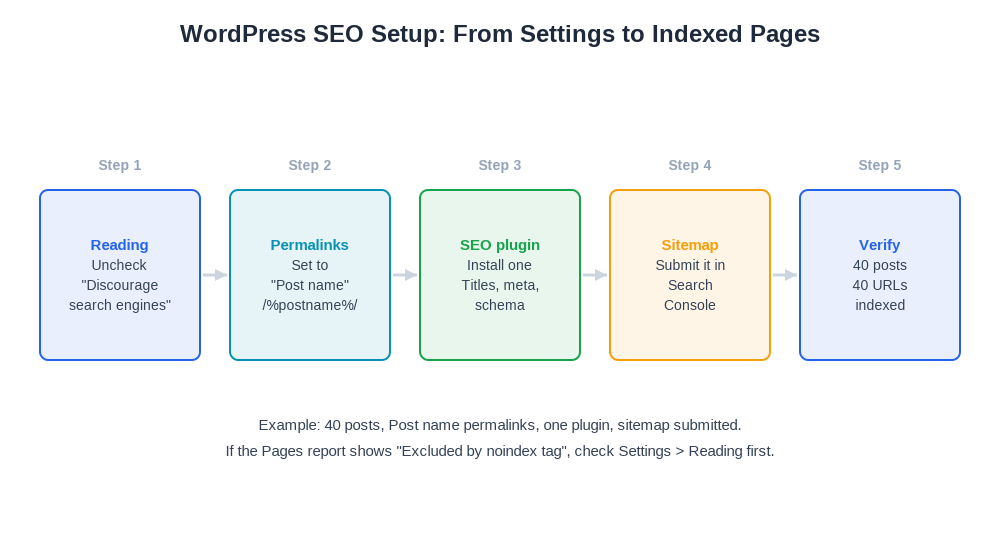
As a quick example: a new site with 40 posts, “Post name” permalinks, one SEO plugin and its sitemap submitted to Search Console should show those 40 URLs as discovered within days. If the Pages report shows 40 URLs as “Excluded by ’noindex’ tag”, check the Reading setting first.
WordPress SEO Plugins Compared
You only need one SEO plugin. These are the three most widely used, and all three cover the basics.
| Plugin | Free version covers | Notable extras | Good fit for |
|---|---|---|---|
| Yoast SEO | Titles, meta descriptions, XML sitemap, canonicals, basic schema, breadcrumbs | Readability analysis, long track record | Teams who want a simple, familiar setup |
| Rank Math | Titles, meta descriptions, sitemap, schema builder, redirects, 404 monitor | Many features included in the free tier | Sites that want redirects and schema in one plugin |
| All in One SEO (AIOSEO) | Titles, meta descriptions, sitemap, schema, social previews | Setup wizard, local SEO add-ons in paid tiers | Small businesses and beginners |
Feature lists change between versions, so check each plugin’s current documentation before you choose. Whatever you pick, the plugin is a tool. It doesn’t write your content or earn your links.
WordPress SEO vs General SEO
General SEO is platform-agnostic: keyword research, search intent, content quality, links and technical health. WordPress SEO is the subset of decisions that WordPress makes you take, plus its typical failure points:
- Taxonomies. Category and tag archives create extra URLs. Hundreds of thin tag pages add little and can be set to noindex.
- Attachment pages. WordPress can create a separate page for each uploaded image. Recent versions and the main SEO plugins redirect these to the file or parent post, but older sites may still have them indexed.
- Plugin bloat. Every plugin can add scripts to every page. Ten plugins that each add a little can push a page past “good” thresholds for Largest Contentful Paint.
- Duplicate output. Two SEO plugins, or a theme that writes its own meta tags alongside a plugin, produce duplicate titles and canonicals.

Stay Updated on AI Visibility Trends
Get the latest insights on AI mentions, brand monitoring, and optimization strategies.
WordPress SEO and AI Search
AI engines read your WordPress pages the same way search crawlers do. ChatGPT search, Perplexity and Google AI Overviews prefer pages that load fast, render without heavy JavaScript and answer a question near the top. A clean WordPress setup gets you there. Clear H2s, short definitions and tables also make it easier for an engine to lift a passage and cite it.
Ranking in Google does not guarantee a citation. AmICited’s Citation-Ranking Gap report shows queries where you rank well but AI engines cite someone else, which is a useful list of WordPress posts to restructure first.
Best Practices for WordPress SEO
- Set permalinks to “Post name” before you publish. Changing them later means redirecting every old URL.
- Uncheck “Discourage search engines from indexing this site” on launch day, then confirm in Search Console that pages are getting indexed.
- Install one SEO plugin, write a unique SEO title and meta description for important posts, and submit the plugin’s sitemap.
- Pick a lightweight theme and audit plugins every quarter. Remove anything that loads scripts sitewide for a feature used on one page.
- Noindex thin tag archives, internal search results and other low-value pages. Keep category pages indexable if they have real content.
- Link new posts to older related posts and back, so no post is an orphan. Internal linking is where WordPress sites most often underperform.
- Add alt text to images and compress them before upload, or use an image optimization plugin.
Common WordPress SEO Mistakes
The most expensive mistake is leaving the “Discourage search engines” box checked after moving a site from staging to production. The whole site drops out of Google, and it often takes days for anyone to notice. Close behind is changing the permalink structure on an established site without 301 redirects, which breaks every inbound link at once.
Other frequent problems: running two SEO plugins at the same time, letting hundreds of tag archives with one post each get indexed, installing a heavy page builder theme that loads megabytes of scripts on simple blog posts, and relying on the plugin’s green traffic light as proof a post is optimized. That score checks whether a keyword appears in certain places. It says nothing about whether the post answers the query better than what already ranks.