


Canonical Strategy for AI Search: Optimize Your Content for AI Engines
Learn how canonical tags help your content rank in AI search engines. Discover canonical strategy best practices for ChatGPT, Perplexity, and Google AI Overview...
13 min read
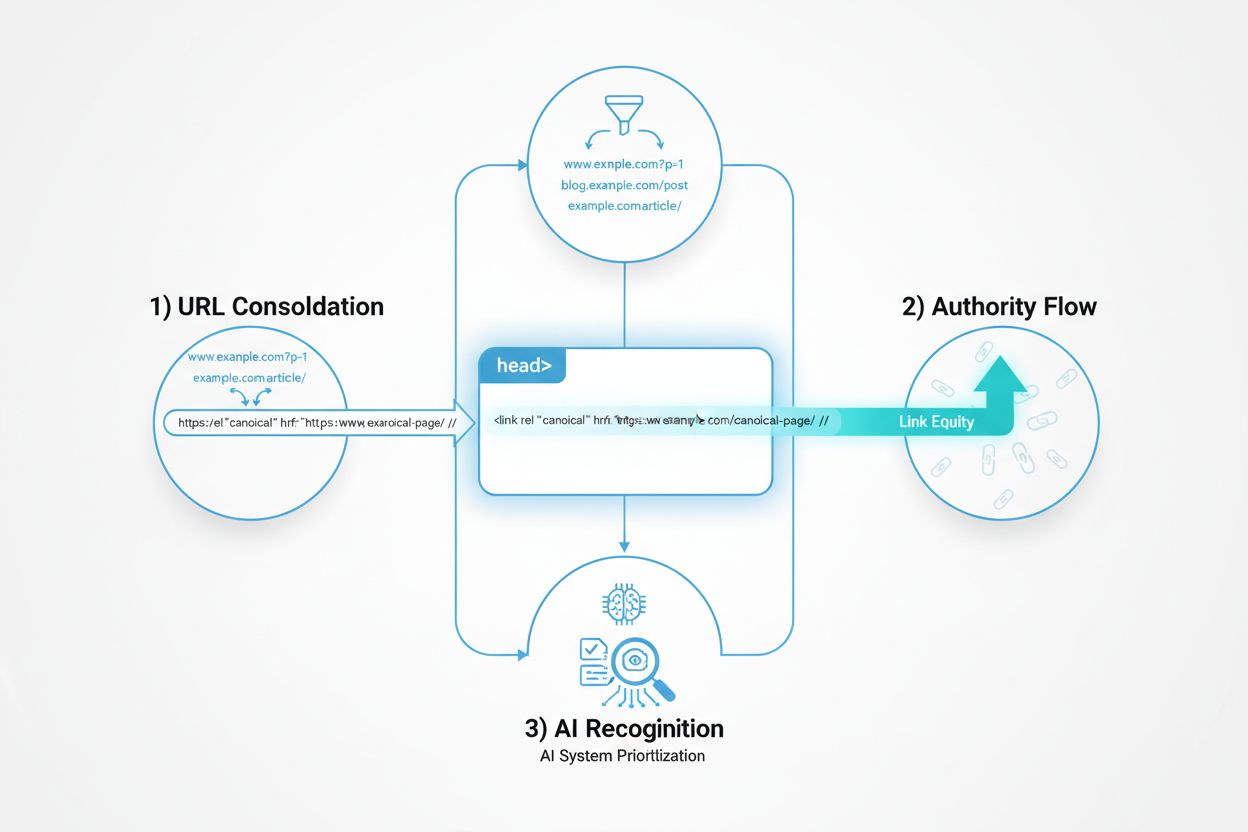
A technical guide to implementing canonical URLs for AI search: correct HTML and HTTP header syntax, cross-domain and hreflang setups, the mistakes that break attribution, and how to audit your implementation.
Large language models and AI search systems employ sophisticated clustering algorithms to identify and group near-duplicate URLs, treating multiple versions of the same content as a single entity for ranking and citation purposes. When AI systems encounter duplicate content, they must select which version to prioritize—a decision that directly impacts which URL receives visibility, authority signals, and user attribution. The critical problem emerges when AI selects the wrong version: if your canonical URL points to the preferred page but the AI system clusters and ranks a lower-quality duplicate instead, your content loses visibility and citation credit. This guide covers the technical side of fixing that—correct canonical syntax, cross-domain setups, and the mistakes that quietly break attribution. If your duplicates come from syndicating or republishing content on other platforms, the content-strategy questions of when and how to do that safely are covered in our companion guide on duplicate content management for republished content.
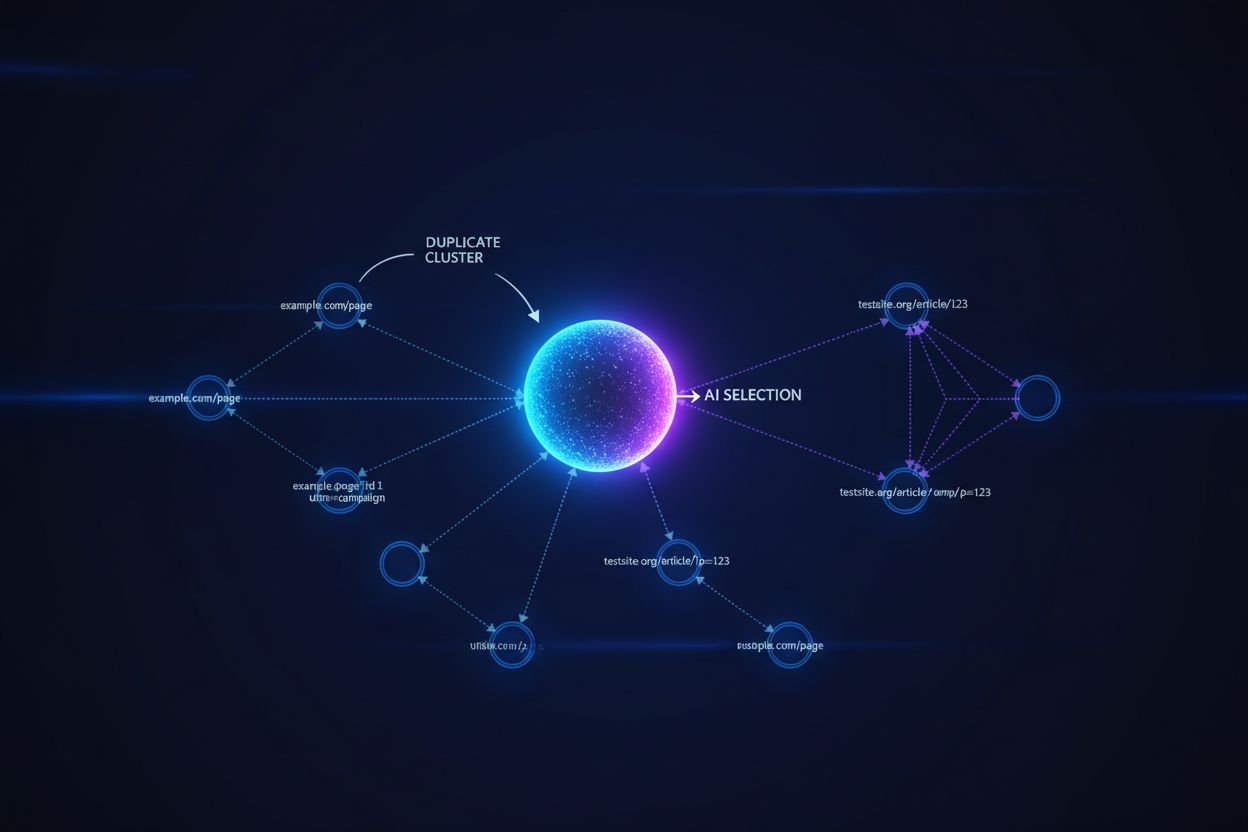
Canonical tags serve as explicit signals to AI systems about which version of duplicate content should be considered authoritative, directly influencing whether your preferred URL appears in AI-generated answers and receives proper attribution, while keeping every version live and crawlable. Redirects (301 for permanent, 302 for temporary) are a stronger signal because they consolidate all authority into a single URL and eliminate the duplicate from the web entirely—use them when you’re permanently retiring a URL or consolidating domains, not when a secondary version still needs to exist. Noindex sits at the opposite end: it removes a page from indexing entirely, so it can never be selected as the representative version, which is the right tool when a duplicate should have zero visibility rather than reduced visibility.
| Scenario | Canonical Tag | Redirect | Noindex |
|---|---|---|---|
| Both versions must stay live | Yes—keeps URLs accessible while signaling preference | No—eliminates the secondary URL | No—removes it from indexing but leaves it live |
| Authority Consolidation | Distributes authority but signals preference | Fully consolidates authority into one URL | Removes the page from the authority pool entirely |
| Best For | Tracking parameters, legacy URLs, syndicated copies you don’t control | Permanent domain moves, retired pages, parameter cleanup | Internal duplicates, test versions, pages that should never be cited |
| Reversibility | Easy to change | Permanent, harder to reverse | Easy to change |
Key differences worth remembering: redirects send users to a single URL while canonicals keep users on their original URL; redirects reduce crawl waste by eliminating duplicate crawling while canonicals still require crawling both versions; and canonicals require HTML/header implementation while redirects require server configuration.

Track how AI chatbots mention your brand across ChatGPT, Perplexity, and other platforms.
Always use absolute URLs in your canonical tags rather than relative URLs, ensuring AI systems and search engines can unambiguously identify the target URL regardless of where the tag appears. Getting the URLs in your canonical tags exactly right—absolute, not relative, and pointing to a live, indexable page—is the single most common implementation detail teams get wrong. Include self-referencing canonicals on your preferred pages—even pages without duplicates should reference themselves as canonical, preventing AI systems from inferring canonicals based on link patterns or content similarity. Place canonical tags in the <head> section of your HTML document, and for non-HTML content (PDFs, images), implement canonicals via HTTP headers to ensure AI crawlers recognize your preference regardless of content type.
<!-- Correct canonical implementation in HTML head -->
<link rel="canonical" href="https://example.com/article/canonical-urls-ai" />
# HTTP header implementation for non-HTML content (e.g., PDFs)
Link: <https://example.com/whitepaper.pdf>; rel="canonical"
Include canonical URLs in your XML sitemaps to reinforce which versions are authoritative. Canonical tags are strong signals, not directives—AI systems can still override your preference if they judge a different version more authoritative based on content quality, link patterns, or freshness, which is exactly why clean, unambiguous implementation matters.
Cross-domain canonicals come up whenever the same content legitimately needs to exist on more than one domain: a franchise or partner site republishing your article, a syndication platform hosting a copy, or a regional domain serving a localized variant. Pointing a cross-domain canonical from the secondary domain back to your preferred domain tells AI systems which version to treat as authoritative, even when both pages are fully live and indexable.
Localized content needs a different pattern. Regional variants (example.com, example.co.uk, example.de) aren’t true duplicates—they’re intentional variations serving different audiences—so a single canonical pointing everything to one domain would suppress pages that should legitimately rank for their own region. Instead, pair a self-referencing canonical on each regional page with reciprocal hreflang tags and an x-default fallback:
<!-- On the US version (example.com/article) -->
<link rel="canonical" href="https://example.com/article/canonical-urls-ai" />
<link rel="alternate" hreflang="en-GB" href="https://example.co.uk/article/canonical-urls-ai" />
<link rel="alternate" hreflang="de" href="https://example.de/artikel/canonical-urls-ai" />
<link rel="alternate" hreflang="x-default" href="https://example.com/article/canonical-urls-ai" />
Each regional page canonicalizes to itself while hreflang declares the family relationship, so AI systems and search engines understand these are intentional variants competing for different queries rather than duplicates competing for the same cluster slot. The effectiveness of hreflang as a clustering signal in AI search is still less established than in traditional search, so pair it with genuinely differentiated regional content (pricing, terminology, examples) rather than relying on the tag alone.
Get the latest insights on AI mentions, brand monitoring, and optimization strategies.
Canonical chains (A→B→C) are the most frequent implementation error—when page A canonicalizes to B, and B canonicalizes to C instead of directly to the final destination, crawlers and AI systems may fail to resolve the chain correctly, leaving authority stranded on an intermediate page. Canonicalizing to a noindexed page creates a contradiction: you’re telling AI systems a page is authoritative while simultaneously telling them not to index it, which typically results in neither page being trusted. Using canonicals to manipulate rankings—pointing a canonical at unrelated content to try to inherit its authority—doesn’t work and risks the entire domain’s credibility if detected. Missing self-referencing canonicals leave AI systems to infer canonical preference from link patterns and content similarity instead of an explicit signal, which is exactly the ambiguity canonical tags exist to remove. Relative rather than absolute URLs in the canonical tag can resolve incorrectly depending on how the page is served, silently breaking the signal without any visible error.
Audit your canonical URLs by crawling your entire site with tools like Screaming Frog, SEMrush, or Ahrefs to identify pages with missing canonicals, broken canonical chains, or canonicals pointing to noindexed pages—these issues prevent AI systems from properly consolidating authority. Use Google Search Console’s Coverage report to identify pages with duplicate content issues and verify that Google recognizes your canonical preferences, then cross-reference with Bing Webmaster Tools to see how those same search engines interpret your canonical signals for AI-powered results. Implement IndexNow to notify search engines and AI crawlers immediately when you add, update, or remove canonical tags, rather than waiting for natural crawl cycles—this accelerates the discovery of your canonical preferences and reduces the time duplicates appear in AI answers. Finally, monitor AI citations directly using tools like AmICited.com and manual searches in ChatGPT, Claude, and Perplexity to verify that your preferred URLs are receiving attribution in AI-generated answers—if duplicates are being cited instead, revisit your implementation and confirm tags are correctly formatted, absolute, and placed in the HTML head.
Yasha is a talented software developer specializing in Python, Java, and machine learning. Yasha writes technical articles on AI, prompt engineering, and chatbot development.

Track how AI systems like ChatGPT, Claude, and Perplexity cite your content. Ensure your canonical URLs are properly recognized and your brand receives proper attribution in AI-generated answers.
Learn how canonical tags help your content rank in AI search engines. Discover canonical strategy best practices for ChatGPT, Perplexity, and Google AI Overview...
Community discussion on how AI systems handle duplicate content differently from traditional search engines. SEO professionals share insights on content uniquen...
Learn how to manage and prevent duplicate content when using AI tools. Discover canonical tags, redirects, detection tools, and best practices for maintaining u...
Cookie Consent
We use cookies to enhance your browsing experience and analyze our traffic. See our privacy policy.