



Meta Ads Manager reports more conversions than your Shopify store because the two count different things. Shopify records orders. Meta credits purchases to its ads under its attribution setting, which Meta’s API documentation lists by default as 7-day click and 1-day view, so a purchase made the day after someone only saw an ad can count. Meta may also add modeled conversions, and a misconfigured Pixel and Conversions API setup can count one order twice.
Some of the gap is expected and some is a bug. Attribution windows, view-through credit, modeling and several platforms claiming the same order are by design. Duplicate events, mismatched time zones and refunds that never reach Meta are fixable. Meta also changed its attribution rules twice in 2026, which moves the gap even when nothing in your store changed.
This guide explains each cause with Meta’s and Shopify’s own documentation, gives a reconciliation checklist, and lists what a Facebook ads reporting tool needs to do to show what your ads actually earned.
Key Takeaways
- Meta credits purchases within its attribution window; the default in its API documentation is 7-day click and 1-day view. Shopify’s marketing reports credit the last non-direct click by default.
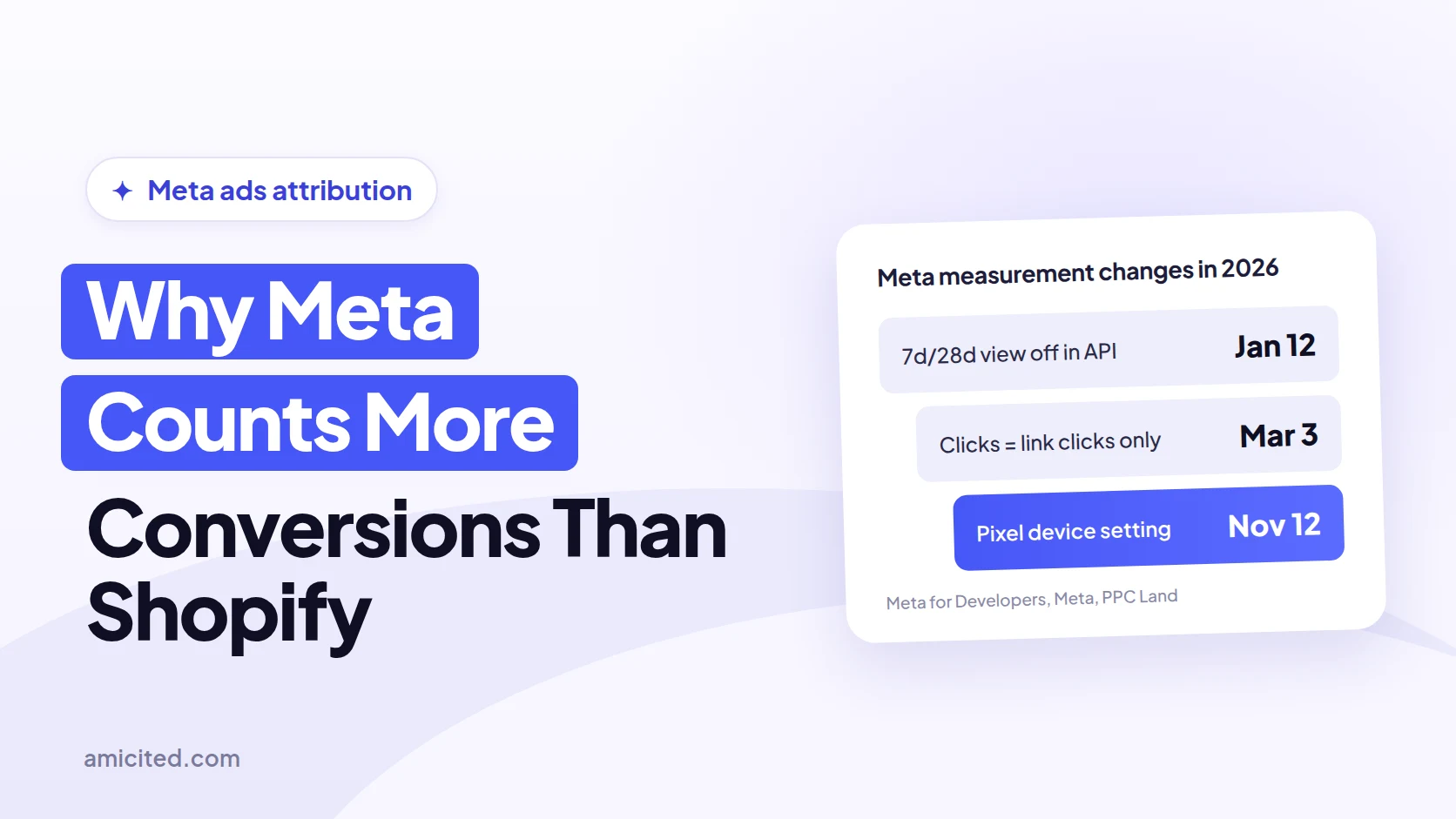
- Since March 2026, Meta’s click-through attribution counts only link clicks, engaged-view is renamed engage-through, and a video engaged view takes 5 seconds instead of 10, per Meta’s announcement.
- Since January 12, 2026, Meta’s Ads Insights API no longer returns 7-day view and 28-day view windows.
- Meta deduplicates Pixel and Conversions API purchases only when both carry the same event_id and event_name and arrive within 48 hours.
- Meta’s standard events include Purchase but no refund or cancellation event, so refunds never reduce Meta’s reported value.
- Neither Meta nor Shopify publishes a “normal” gap. Track Meta-claimed purchases ÷ realized orders weekly and treat a stable ratio as your baseline.
Why the two numbers differ
Meta Ads Manager and Shopify are two ledgers, not two copies of one ledger. Shopify’s order book records every order and its value, whatever brought the buyer. Meta’s attribution system records purchases it links to an ad impression or click within a window, whatever else the buyer did. The same order can be in both, in only one, or counted in Meta more than once.
Shopify says so in its marketing attribution documentation: “Each platform credits sales by using its own rules,” so the same sale can be counted by more than one platform. Shopify’s own default, last non-direct click, “gives 100% of attribution credit to the last channel that the customer interacts with before making a purchase,” excluding direct visits. Meta gets no credit in Shopify for a buyer who saw an ad and then came back through Google, and full credit in Ads Manager for the same buyer.
| Cause | Inflates Meta vs Shopify? | Fixable? |
|---|---|---|
| Attribution windows and view-through credit | Yes | No, by design; compare settings instead |
| 2026 attribution changes | Shifts the numbers | No; mark the dates |
| Modeled conversions | Yes | No, by design |
| Report date and time zone | Shifts days | Yes, align settings |
| Cross-device matching | Yes | No, by design |
| Other platforms claiming the same order | Yes, across platforms | No; use store totals |
| Duplicate Pixel and Conversions API events | Yes | Yes |
| Refunds, cancellations, tax and currency | Yes, on value | Partly |

Ready to Monitor Your AI Visibility?
Track how AI chatbots mention your brand across ChatGPT, Perplexity, and other platforms.
Attribution windows and view-through
An attribution window is the number of days after an ad click or view during which Meta credits a purchase to that ad. Meta’s API documentation lists the default as 7-day click and 1-day view. A view-through conversion is a purchase within the view window by someone who saw the ad but didn’t click, and it’s usually the largest by-design part of the gap.
Your store has no record of an impression, so a view-through purchase shows in Shopify under whatever channel the buyer used, often direct, email or branded search. In Ads Manager, Compare attribution settings lets you add columns for each window side by side. If the 7-day click column is much closer to Shopify’s Meta-credited orders than the default column, the difference is attribution, not missing or phantom orders.
Meta changed these rules twice in 2026:
- Narrower click-through, March 2026. Meta’s March 3, 2026 announcement said it is “changing the definition of click-through attribution for website and in-store conversions to exclusively include link clicks.” Conversions after likes, shares, saves and other non-link clicks moved out of click-through. Meta also renamed engaged-view attribution “engage-through attribution” and shortened a video engaged view from 10 seconds to 5. Click-through numbers drop and engage-through numbers rise without any change in sales.
- Fewer view windows in the API, January 2026. Meta’s developer blog announced that from January 12, 2026, the Ads Insights API no longer returns the 7-day view and 28-day view windows. 1-day click, 7-day click, 28-day click, 1-day engaged view and 1-day view stay available. Dashboards and reporting tools that pulled 7-day view numbers changed on that date.
A third change is recent. PPC Land reported on October 27, 2026 that a Meta Pixel setting called “Measure conversions on customer devices” switches on by default from November 12, 2026, with an opt-out per dataset in Events Manager. We couldn’t load Meta’s own help article, so treat the details as reported. If Meta’s purchase count rose after November 12 with no change in your orders, check that setting first.
Modeled conversions and iOS
Modeled conversions are purchases Meta estimates rather than observes, used when tracking data is missing because of privacy choices such as Apple’s App Tracking Transparency on iOS 14.5 and later. Meta’s pixel documentation for the Marketing API says statistical modeling “may be used and is designed to provide a more complete view of results when data is missing or partial.”
Meta describes Aggregated Event Measurement as “a protocol that allows for measurement of web and app events from people using iOS 14.5 or later devices.” Modeled purchases appear in Ads Manager but don’t match one-to-one to orders in your store, so you can’t find them by order ID. Modeling can fill in purchases Meta missed, which is why it can raise Meta’s total without any duplicate events.
Stay Updated on AI Visibility Trends
Get the latest insights on AI mentions, brand monitoring, and optimization strategies.
Report date and time zone
Meta can report a conversion on the day of the ad impression or on the day of the purchase, and Shopify reports orders on the order date in the store’s time zone. Meta’s API has a parameter, action_report_time, that switches between the two. Its documentation gives the example of a person who saw the ad on January 1 and converted on January 2: with impression time, the conversion shows on January 1.
This doesn’t change totals over a long window, but it moves conversions between days and between the edges of a date range. If your ad account and your store use different time zones, purchases near midnight land on different days too. Compare weeks or months, not single days, and set both reports to the same time zone where you can.
Cross-device and other platforms
Cross-device matching and other platforms’ claims both add Meta conversions that your store credits elsewhere. Meta can link an ad seen on a phone to a purchase on a laptop through the person’s logged-in account, and its cross-device reporting is built around that example. Shopify sees a separate session and credits whatever brought the laptop visit.
Every ad platform runs its own attribution. Google Ads, TikTok, Pinterest and email tools can each credit the same order in full. Shopify’s documentation notes that even its own “any click” model “allocates more credit than orders received.” Add up every platform’s claimed purchases and you’ll often get more than your store’s total orders, so judge total paid performance on store revenue, using blended ROAS rather than a sum of platform ROAS figures.
Duplicate Pixel and CAPI events
Duplicate events are the main fixable cause: the same purchase reaches Meta twice and is counted twice. The Conversions API (CAPI) is Meta’s server-to-server channel for sending events, used next to the browser-based Meta Pixel. Meta’s deduplication rules need a match on both the event_id and the event_name, and “events are only deduplicated if they are received within 48 hours.”
Duplicates usually come from two integrations sending the same Purchase: Shopify’s Facebook and Instagram channel plus a tracking app, a Google Tag Manager tag, or a pixel hard-coded in the theme. Shopify’s data-sharing settings send the Pixel alone at Standard, and the Pixel plus the Conversions API at Enhanced and Maximum. Pick one source of Purchase events, make sure it sends a shared event_id from browser and server, and remove the rest.
The quick test: in Events Manager, compare Purchase events received with Shopify’s order count for the same days. Events well above orders mean duplicates; events close to orders but Ads Manager results far above them mean the gap is attribution or modeling.
Refunds, currency and tax
Meta’s reported purchase value is fixed at checkout, while your store’s realized revenue falls with every refund and cancellation. Meta’s standard pixel events list Purchase but no refund or cancellation event, so a refunded order stays in Meta’s value. High-return categories feel this most.
Value can differ even when counts match. Check whether the purchase value your integration sends includes tax and shipping, whether it’s before or after discounts, and whether Meta and Shopify report in the same currency. A store reporting net sales without tax will always show less value than a pixel sending order totals with tax.
Reconciliation checklist
Reconciling Meta and Shopify means lining up both ledgers on the same basis, then explaining what’s left. Work through these steps in order; the early ones remove differences that are just settings, so the later ones show real gaps. Use a window of at least four weeks so purchases that land days after an ad don’t distort it.
- Align the window. Use the same date range, time zone and currency in Ads Manager and Shopify.
- Compare counts before value. Put Meta’s reported purchases next to Shopify’s orders for the same days.
- Check Purchase events received. In Events Manager, compare Purchase events received with Shopify orders. More events than orders means duplicates.
- Fix deduplication. Keep one Purchase source, and send the same event_id and event_name from Pixel and Conversions API.
- Compare attribution settings. Add columns for 1-day click, 7-day click, 1-day view and, where offered, engage-through. Note which window explains most of the gap.
- Mark the change dates. Note March 2026 (link-click-only click-through), January 12, 2026 (API view windows) and November 12, 2026 (device measurement setting) before comparing periods across them.
- Match the value basis. Make sure Meta’s purchase value and your store figure both include or both exclude tax, shipping and discounts.
- Subtract refunds and cancellations. Compare Meta’s value with realized net revenue, not gross sales.
- Add up every platform. Sum Meta, Google and other platforms’ claimed purchases and compare with total store orders.
- Check Shopify’s own view. In Shopify’s attribution report, compare Meta’s credited orders under last non-direct click with any click.
- Track the ratio weekly. Divide Meta-claimed purchases by realized orders every week and keep the series.
If Meta’s claimed purchases still run far above realized orders after steps 1 to 8, the remainder is attribution and modeling. That’s not an error to fix; it’s the difference between “orders Meta saw a role in” and “orders that happened.”
How big a gap is normal?
There’s no standard. Neither Meta nor Shopify publishes an expected gap, and the percentages quoted in blog posts and AI answers rarely name a source. The gap depends on your attribution setting, how much of your spend drives views rather than clicks, how many other channels you run, your return rate and your tracking setup.
What you can set is your own baseline. Divide Meta-claimed purchases by realized store orders each week, with the attribution setting fixed. A ratio that holds steady over four or more weeks is your normal. A step change is the signal: a jump after a theme or app change suggests duplicate events, and a jump after November 12, 2026 or March 2026 suggests a Meta setting. AmICited’s Meta Attribution Reality report calculates this ratio as conversion divergence, Meta-claimed conversions divided by realized orders, and compares it with a previous window.
What a reporting tool should do
A Facebook ads reporting tool for ecommerce should show Meta’s claims next to your store’s orders, not just display Meta’s numbers in nicer charts. It should compare against realized revenue after refunds, include product and order costs, separate new from returning customers, and keep each source labelled so nobody mistakes an attribution claim for a sale.
Five criteria to check, whatever tool you choose:
- Store orders as the reference. It reads orders and revenue from your store, after refunds and cancellations.
- Margins and costs. It calculates ROAS on contribution, not only revenue: product cost, shipping, fees and returns, as in our breakeven ROAS guide.
- New vs returning. It shows new-customer CAC or new-customer ROAS, so retargeting existing buyers doesn’t pass as growth.
- Clear sources. It says which numbers are platform-attributed, which are its own attribution, and which are store-recorded.
- Honest gaps. It shows missing cost data or missing days as missing, not as zero.
Here’s how the tools AI engines most often name for this question compare on those criteria, from each vendor’s own pages:
| Tool | What it is | Store orders vs Meta claims | Margins and profit | New vs returning | Price, as of November 2026 |
|---|---|---|---|---|---|
| Meta Ads Manager | Meta’s native reporting | Meta-attributed only | No | No | Included with ads |
| Triple Whale | Ecommerce analytics and attribution | Blended ROAS on store “Sales Before Refunds” | COGS imported from the sales platform; POAS = gross profit ÷ spend | New Customer ROAS | Not verified (site blocked our check) |
| Northbeam | Multi-touch attribution, MMM, incrementality | First-party multi-touch attribution | “Profit Benchmarks”; no cost details on the page | Mentions returning-customer overtargeting | Starter listed at $1,500; Professional $3,500/month |
| Polar Analytics | Ecommerce BI with first-party pixel | Says its figures match Shopify on the same settings | Profit after product, shipping and ad costs; custom contribution margin | New customers tracked against plan | Priced by annual GMV; no public price |
| Supermetrics | Data connector to Sheets, Looker Studio, BI | You build the comparison | You build it | You build it | Starter €39/month billed yearly |
| Madgicx | Meta-focused ads tool with reporting | One-Click Report includes Shopify as a source | Not stated on pricing page | Not stated on pricing page | From $45/month under $1K ad spend; Tracking Pro add-on $49/month |
| Admetrics | Profit-focused attribution | Order-level journeys and P&L | Contribution margin 2 | Cohort and lifetime value reports; no new-customer metric named on pricing page | Growth €339/month incl. €20,000 ad spend |
| AmICited | Analytics on connected ad and store data | Meta claims vs realized orders and net revenue, daily | Revenue, CM2 and CM3 ROAS | New-customer CAC on first-ever buyers | See pricing |
Method: checked on each vendor’s own pricing, product or documentation page on November 17, 2026. “Not stated” means the page we checked didn’t say; it doesn’t mean the feature is missing. Triple Whale’s website blocked automated access, so its row uses its public metric documentation only.
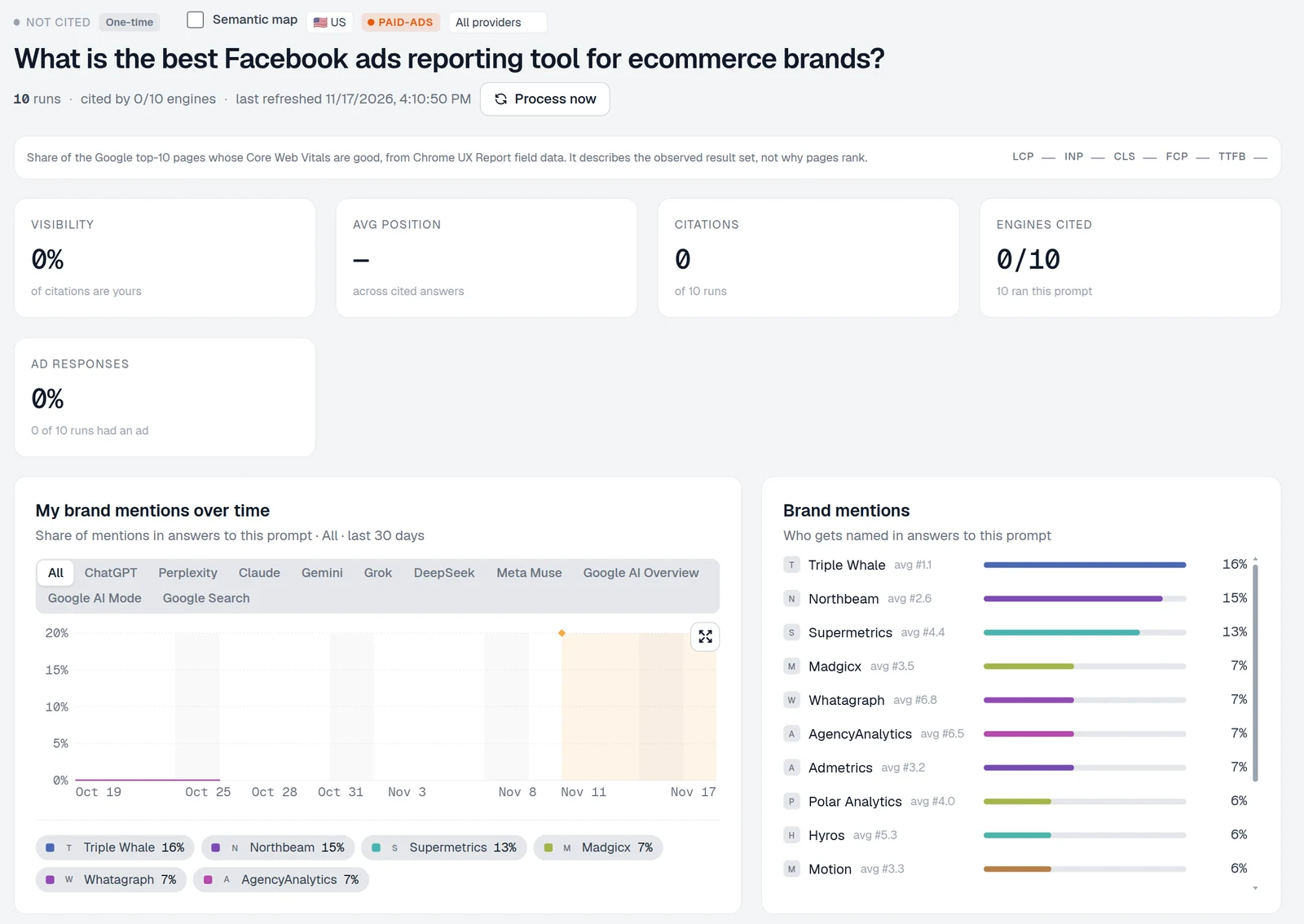
AmICited is our product. Three of its Meta reports cover the criteria above: Meta Attribution Reality compares Meta spend, claimed conversions and claimed value with realized orders and net revenue by day; Profit-true ROAS shows revenue ROAS, CM2 ROAS and CM3 ROAS on realized revenue; New-customer CAC divides Meta spend by first-ever store customers over a window. Its limits: it needs a connected Meta Ads account and a connected store, ad integrations start on the Pro plan, it has no pixel of its own and doesn’t assign individual orders to ads, and its reports describe what happened, not what Meta caused.
What to do now
- Run the checklist once. Align dates, time zones and currency, then compare Purchase events received with store orders.
- Fix duplicates first. One Purchase source, a shared event_id, matching event names.
- Record your attribution setting. Keep it fixed for reporting, and log the 2026 Meta change dates next to your numbers.
- Report on store revenue. Judge total paid performance with true ROAS or blended ROAS on realized revenue, and use Meta’s numbers to compare campaigns inside Meta.
- Track the ratio. Meta-claimed purchases ÷ realized orders, weekly, so a jump is visible within days.
- Test what Meta causes. For incremental impact, use a holdout test or a marketing mix model, since no attribution report can answer it.
The takeaway
Meta reports more conversions than Shopify because it credits purchases by its own rules, and some of the gap is by design. Fix what’s fixable, duplicates, time zones and value basis, then measure the rest as a stable ratio rather than arguing about which number is true. Use Shopify for what you sold and kept, Meta for comparing campaigns inside Meta, and a test or model for what the ads actually caused.
 LinkedIn