


Abandoned Cart Recovery
Learn what abandoned cart recovery is, which tactics actually recover lost sales, and how to measure and improve your recovery rate.
6 min read
A cart recovery email is an automated message sent to a shopper who added items to their online shopping cart but left without completing checkout. It aims to bring the shopper back to finish the purchase, typically by reminding them of the items left behind and sometimes including an incentive to complete the order.
A cart recovery email is an automated message sent to a shopper who added items to their online shopping cart but left without completing checkout. It aims to bring the shopper back to finish the purchase, typically by reminding them of the items left behind and sometimes including an incentive to complete the order.
A cart recovery email, also called an abandoned cart email, is an automated message triggered when a shopper adds items to their online cart but leaves without completing checkout. The email typically reminds the shopper what they left behind, often with product images and a direct link back to their cart, and may include an incentive such as free shipping or a small discount to encourage them to return and finish the purchase.
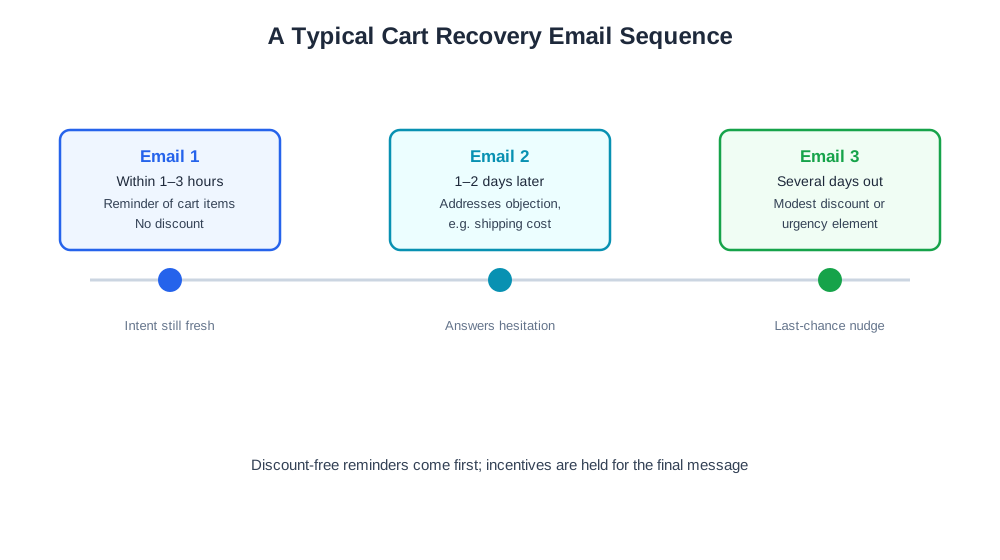
Recovery emails require the shopper’s email address to have been captured before they left, usually through an early checkout step, a newsletter signup, or an account login, since a fully anonymous abandoner can’t be reached. Once captured, the email platform triggers a sequence based on a set delay after abandonment. A typical sequence sends the first email within one to a few hours, reminding the shopper of their cart contents while intent is still fresh. A second email, sent a day or two later, might address a likely objection such as shipping cost or product questions. A third and final email, sent several days out, sometimes includes a modest discount or urgency element like limited stock, aimed at shoppers who haven’t responded to the earlier, discount-free reminders.

Track how AI chatbots mention your brand across ChatGPT, Perplexity, and other platforms.
Because an abandoned cart represents demonstrated purchase intent rather than a cold lead, recovery emails tend to convert at a meaningfully higher rate than typical marketing emails, making them one of the highest-return automations a store can set up. They also let a brand recover revenue without additional acquisition spend, since the shopper already found the product and reached the cart on their own. Getting the sequence right, however, requires balancing timely follow-up against feeling intrusive, and reserving discounts for later messages so shoppers aren’t trained to abandon carts expecting a deal.
As more shoppers research and compare products through AI shopping assistants before returning to a store to buy, a cart abandonment may sometimes reflect a shopper stepping away to continue that comparison elsewhere rather than a checkout failure — a well-timed recovery email can still be the deciding factor that brings them back to complete the purchase at the original store rather than a competitor. On the analytics side, AmICited’s eshop_get_order_mix report gives merchants visibility into completed order patterns, useful context for evaluating how recovered purchases fit into overall sales alongside a store’s own email platform data.
Get the latest insights on AI mentions, brand monitoring, and optimization strategies.
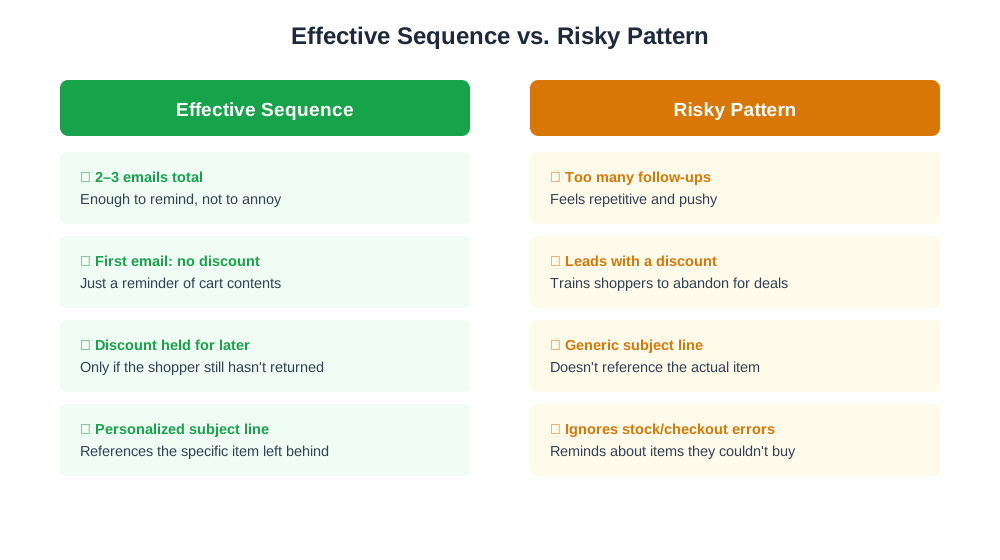
A common issue is low open or click rates on recovery emails, which often traces back to a generic subject line rather than one referencing the specific item left in the cart — personalizing the subject line typically improves engagement. Another frequent problem is offering a discount in the very first recovery email, which can inadvertently teach customers to abandon carts on purpose expecting a follow-up deal; moving any discount to the second or third message in the sequence usually corrects this pattern over time. A third issue is sending recovery emails to shoppers who abandoned because an item was actually out of stock or a checkout error occurred, rather than genuine hesitation — reminding them of an item they couldn’t have bought anyway wastes the message and can frustrate the recipient, so checking for stock or technical errors before triggering the sequence is worth the extra step. Finally, some stores never stop the sequence once the shopper completes the purchase through another channel, such as returning directly to the site later without clicking the email link, which sends an awkward follow-up for an order that’s already been placed; syncing the recovery trigger against completed-order data closes this gap.
Start tracking how AI chatbots mention your brand across ChatGPT, Perplexity, and other platforms. Get actionable insights to improve your AI presence.
Learn what abandoned cart recovery is, which tactics actually recover lost sales, and how to measure and improve your recovery rate.
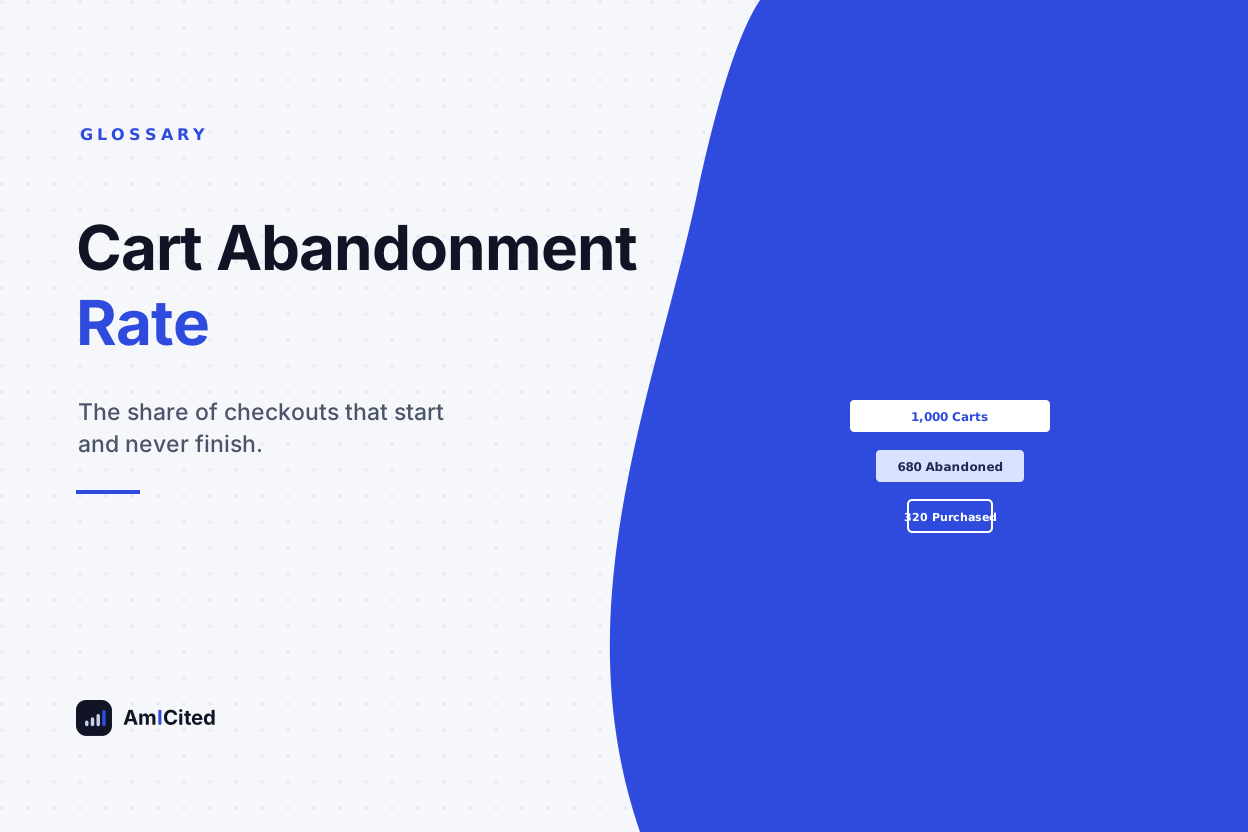
Learn what cart abandonment rate is, how to calculate it, common causes, and proven strategies e-commerce stores use to recover abandoned carts.
Learn what basket abandonment is, how to calculate the abandonment rate, why shoppers abandon carts, and proven strategies to recover lost sales.
Cookie Consent
We use cookies to enhance your browsing experience and analyze our traffic. See our privacy policy.