


- SERP features are the parts of a results page that are not plain blue links: featured snippets, People Also Ask, local packs, knowledge panels, carousels, shopping ads and AI Overviews.
- Google picks features by intent, so local, shopping, question and brand searches each get a different mix.
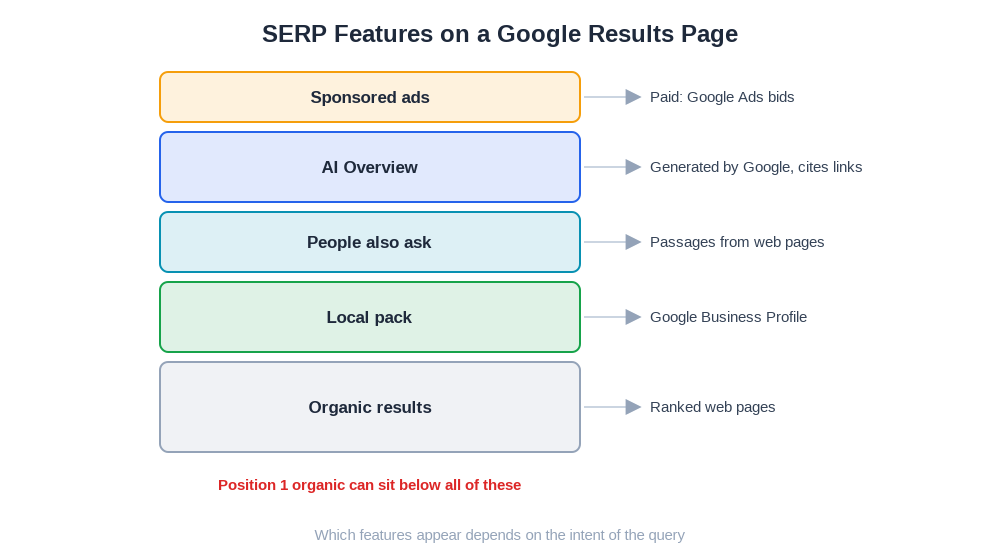
- Features change what a ranking is worth. Position 3 under an AI Overview, ads and a PAA box gets far less attention than position 3 on a plain page.
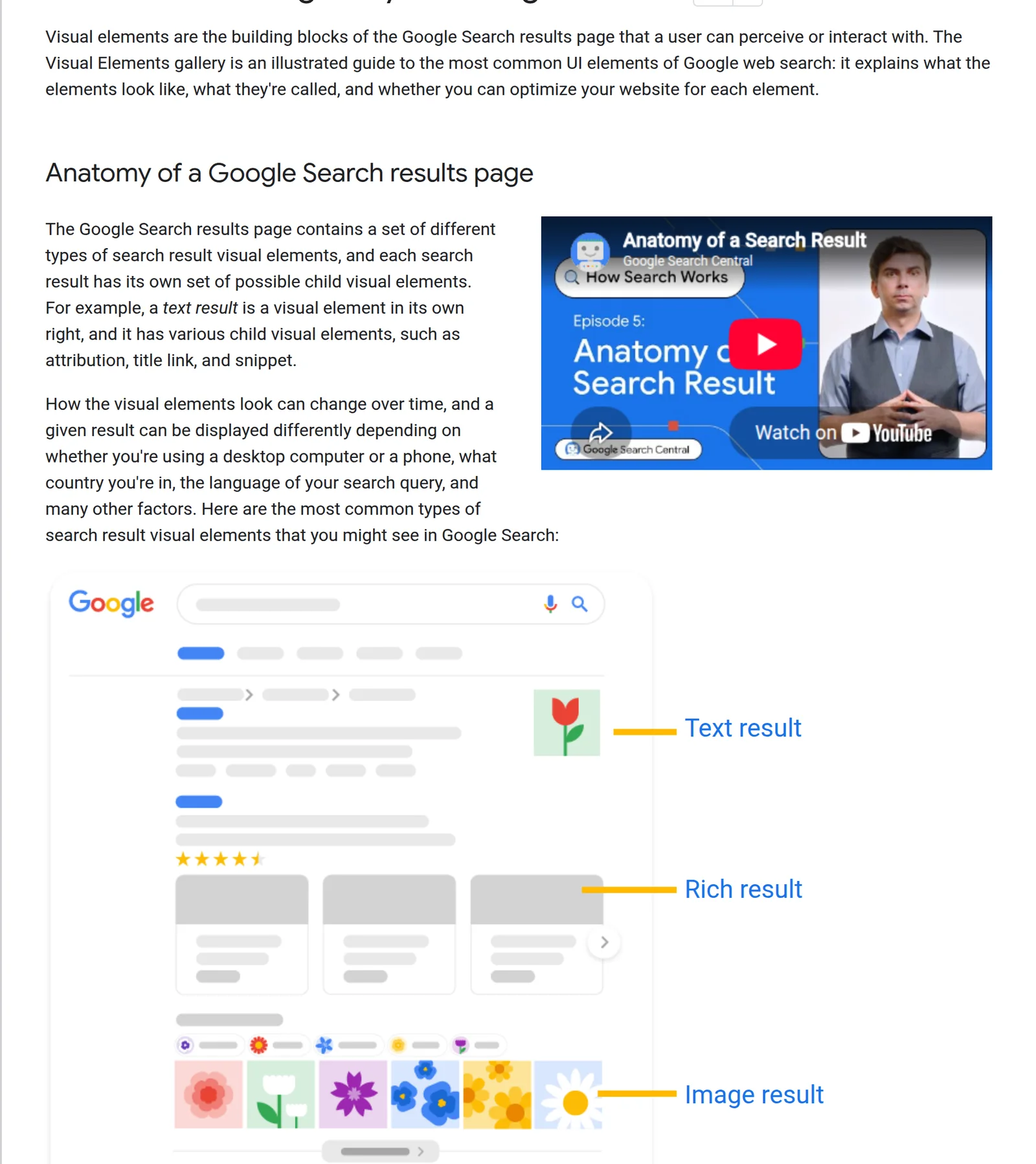
- Structured data makes a page eligible for rich results, but Google decides whether to show them.
Where AmICited fits
AmICited tracks Google AI Overviews and AI Mode alongside ChatGPT, Perplexity and Gemini on every plan. Its Ranked but not clicked report lists queries in the top 10 that earn fewer clicks than their position should, a common sign of a feature above your result.
See the CTR gap report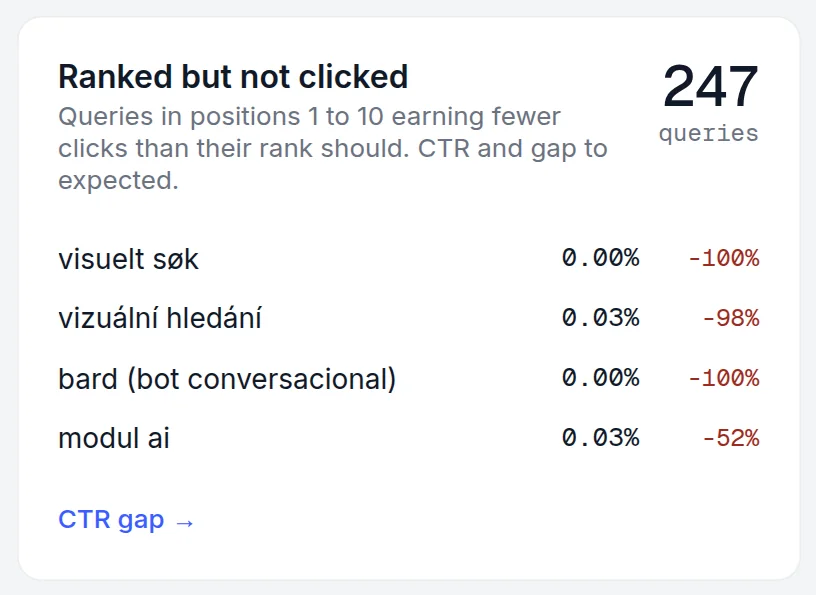
What Are SERP Features?
SERP features are the parts of a search engine results page (SERP) that are not a plain organic listing with a blue title, URL and description. Featured snippets, People Also Ask boxes, map results, image and video carousels, shopping ads, knowledge panels and AI Overviews are all SERP features. On many queries today, the classic ten blue links share the page with several of them.
The term matters to anyone who looks at rankings. A page in position 1 can still sit halfway down the screen if a shopping carousel, an AI Overview and a local pack appear above it. SEO teams track SERP features in rank tracking tools, analyze them during SERP analysis, and try to win the features that fit their content.
How SERP Features Work
Google picks features for each query based on what it thinks the searcher wants. The logic follows intent:
- Local intent (“dentist near me”) triggers a local pack with a map and three businesses.
- Shopping intent (“buy trail running shoes”) triggers shopping ads and product grids.
- Question intent (“what is keyword difficulty”) triggers featured snippets, People Also Ask and often an AI Overview.
- Entity searches (“Patagonia”) trigger a knowledge panel and sitelinks.
- News intent triggers top stories.
- Visual intent (“living room ideas”) triggers image packs and video results.
Features fall into a few groups by where their content comes from. Some are built from web pages (featured snippets, PAA). Some come from structured data (review stars, product prices, which are called rich results). Some come from Google’s own data (knowledge panels, local packs from Google Business Profile). Some are paid (shopping ads, text ads). And AI Overviews are generated by Google’s model from several sources.
Types of SERP Features
The table lists the main SERP features on Google and what you can do to appear in each.
| SERP feature | Typical trigger | Content source | How to target it |
|---|---|---|---|
| Featured snippet | Questions, definitions, how-tos | A web page that ranks on page one | Short direct answer under a matching heading |
| People Also Ask | Most informational queries | Passages from web pages | Question headings with concise answers |
| AI Overview | Many informational queries | Several pages, summarized by Google’s model | Clear, quotable facts; strong rankings |
| Local pack | “Near me” and local service searches | Google Business Profile | Complete, accurate profile, reviews, NAP consistency |
| Knowledge panel | Brands, people, places | Knowledge Graph | Consistent entity data, Wikipedia or Wikidata where relevant |
| Rich results (stars, prices) | Products, recipes, events | Schema markup on the page | Valid structured data that matches visible content |
| Image pack | Visual queries | Indexed images | Descriptive file names, alt text, original images |
| Video results | How-to and entertainment queries | YouTube and other video pages | Video with clear titles, chapters and descriptions |
| Shopping ads | Product searches | Google Merchant Center feed | Paid; product feed quality and bids |
| Sitelinks | Brand and navigational queries | Site structure | Clear navigation and internal linking |
SERP Features and Rankings
SERP features change what a ranking is worth. Position 3 on a page with only organic results gets far more attention than position 3 under an AI Overview, four ads and a PAA box. That is why two keywords with the same volume and the same rank can send very different traffic.
Some tools report “position 0” for featured snippets. Google Search Console instead counts a featured snippet as position 1, and reports the topmost position you held on the page for each query. When you compare tools, check how each one counts features.

Stay Updated on AI Visibility Trends
Get the latest insights on AI mentions, brand monitoring, and optimization strategies.
SERP Features and AI Search
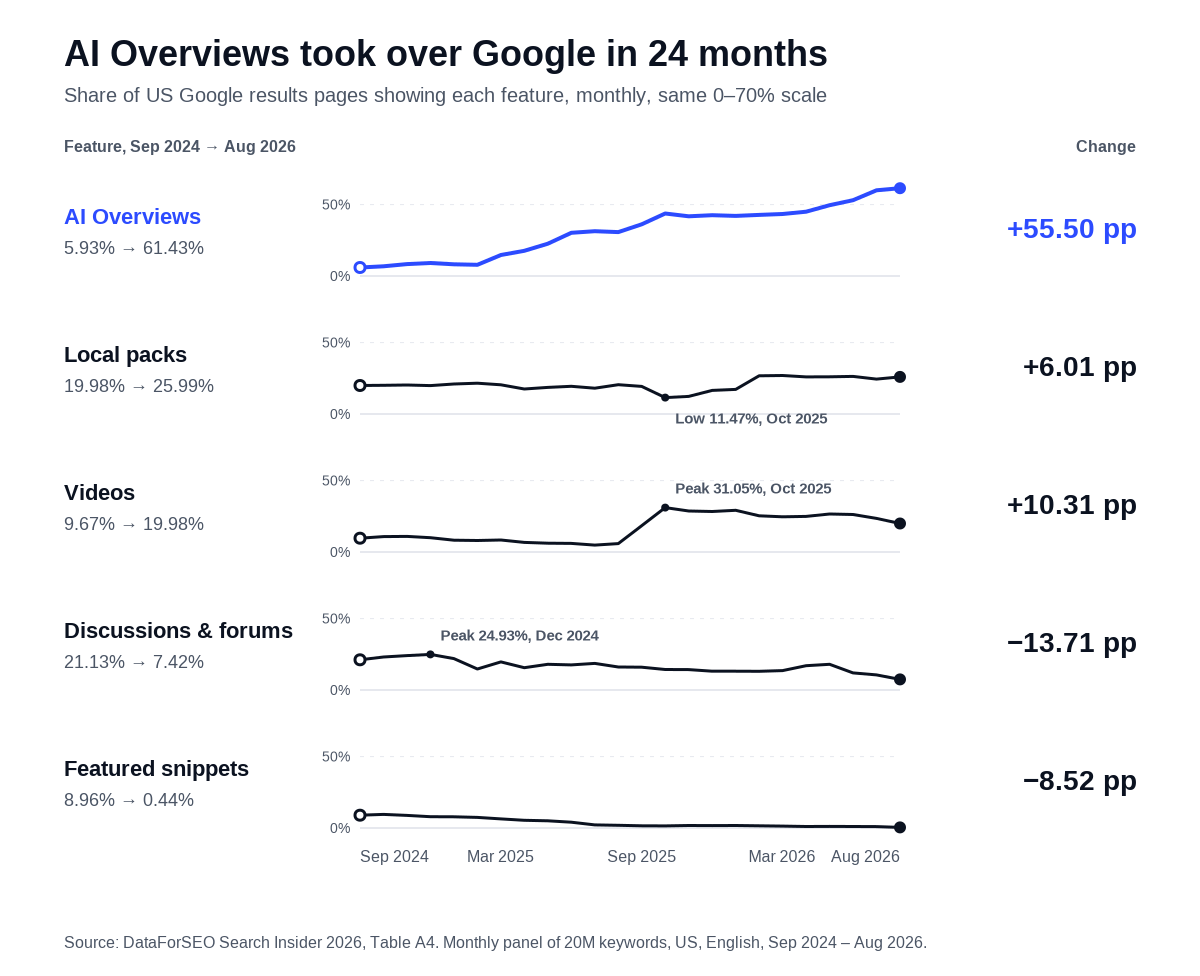
AI Overviews are now one of the most prominent SERP features on informational searches. They answer the question at the top of the page and cite a handful of links. A page can rank on page one and not be cited in the Overview, or be cited while ranking lower. That makes AI citations a separate thing to measure from rankings.
AmICited tracks Google AI Overviews and Google AI Mode alongside ChatGPT, Perplexity and Gemini on every plan. AI visibility reports show whether each engine cites your brand.
Best Practices for SERP Features
- Check which features appear for each target keyword before planning content, and match the format.
- Add valid structured data for products, reviews, recipes or events where it applies, and keep it in sync with the page.
- Answer common questions in short, direct paragraphs under question headings.
- Keep your Google Business Profile complete if you serve local customers.
- Publish original images and, for how-to topics, video with clear chapter titles.
- Compare expected and actual clicks for each query. A large gap often means a feature is pushing your result down.
Common SERP Features Mistakes
A frequent mistake is judging performance by average position alone. A stable position with falling clicks usually means a new feature appeared above you, and position tracking without feature tracking will miss it. Another mistake is expecting structured data to force rich results. Markup makes a page eligible, but Google decides what to show.
Teams also chase features that do not fit their business, such as a featured snippet for a definition that sends no buyers. And some forget that features change. Google adds, removes and redesigns them regularly, so a strategy built around one feature needs a regular check.