Key Takeaways
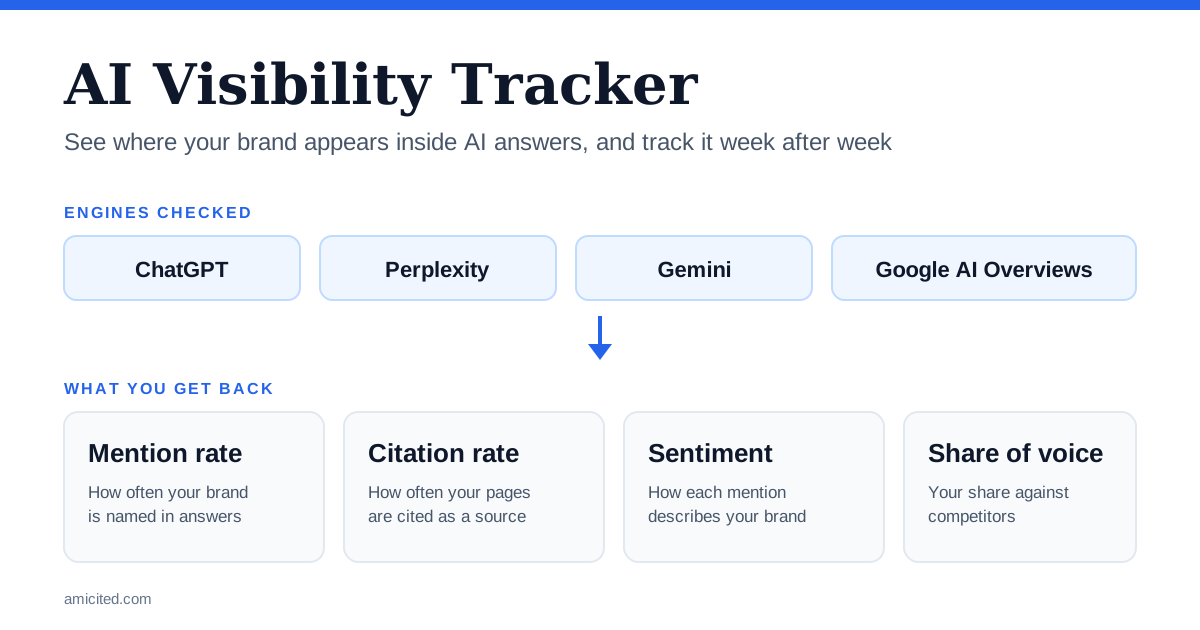
- An AI visibility tracker measures presence inside AI answers: whether your brand is mentioned, whether your pages are cited, how the mention reads, and who appears instead of you.
- It works by running the same prompts on a schedule and reporting rates over time, because one AI answer is a sample, not a ranking.
- The metrics that matter most are mention rate, citation rate, share of voice and sentiment, read per engine and per topic.
- Choose a tracker on engine coverage, prompt control, history, competitor tracking and export options, not on the headline score.
- Start from a baseline you can measure for free, then move to a paid tracker when manual runs stop scaling.
What Is an AI Visibility Tracker?
An AI visibility tracker is a tool that checks, repeatedly and in a consistent way, how AI answer engines talk about your brand. It takes a list of prompts that your customers might type into ChatGPT, Perplexity, Gemini or Google AI Overviews, runs them, and stores the answers. From those answers it extracts a small number of facts: was your brand named, was your site cited as a source, what was said, and which other brands or sources showed up.
You will also see the same idea called AI visibility tracking, AI search monitoring or GEO tracking. The label changes, the job does not: turn unpredictable AI answers into a measurement you can compare week to week.

Ready to Monitor Your AI Visibility?
Track how AI chatbots mention your brand across ChatGPT, Perplexity, and other platforms.
AI Visibility Tracker vs Rank Tracker
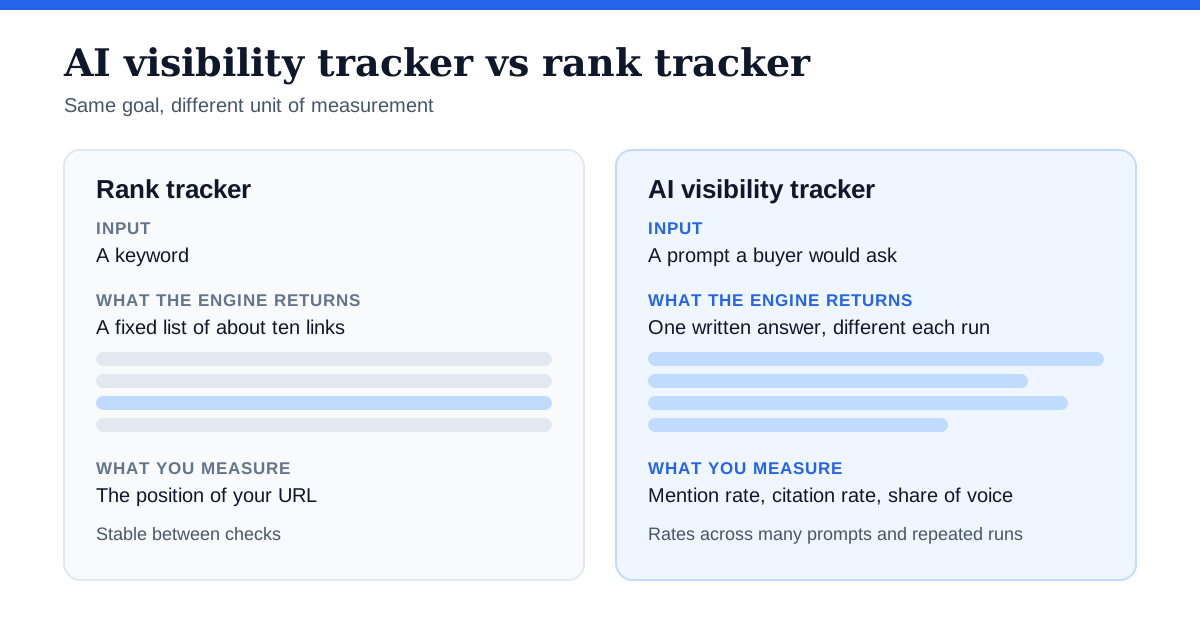
Classic rank tracking assumes a results page with an ordered list. You check a keyword, find your URL at position 4, and track whether it moves.
AI answers break that model in three ways:
- There is no fixed list. An answer may name three brands, cite five sources, or name none.
- The answer changes between runs. The same prompt can return different brands on different days, so a single check proves little.
- The unit that matters is the mention or the citation, not the position.
That is why a tracker reports rates across many prompts and repeated runs instead of one rank. If you want the full measurement system around this, see our AI search visibility tracking framework and cadence .
What Does an AI Visibility Tracker Measure?
Most trackers report some version of the same core metrics:
| Metric | What it tells you |
|---|---|
| Mention rate | The share of tracked prompts where your brand is named in the answer. |
| Citation rate | The share of answers that link to or cite one of your pages as a source. |
| Share of voice | Your mentions or citations as a share of all brands or sources appearing for the same prompts. |
| Sentiment | Whether the mention is positive, neutral or negative, and in what context. |
| Competitor presence | Which competitors are named in the prompts where you are absent. |
| Source mix | Which domains the engines cite, which shows where influence actually sits. |
Read these per engine and per topic. A blended average hides the fact that you may be strong in Perplexity and invisible in ChatGPT, or strong on one product line and absent on another. For how the main scores are defined, see AI visibility score and the explainer on how an AI visibility score is calculated .
Stay Updated on AI Visibility Trends
Get the latest insights on AI mentions, brand monitoring, and optimization strategies.
How AI Visibility Tracking Works
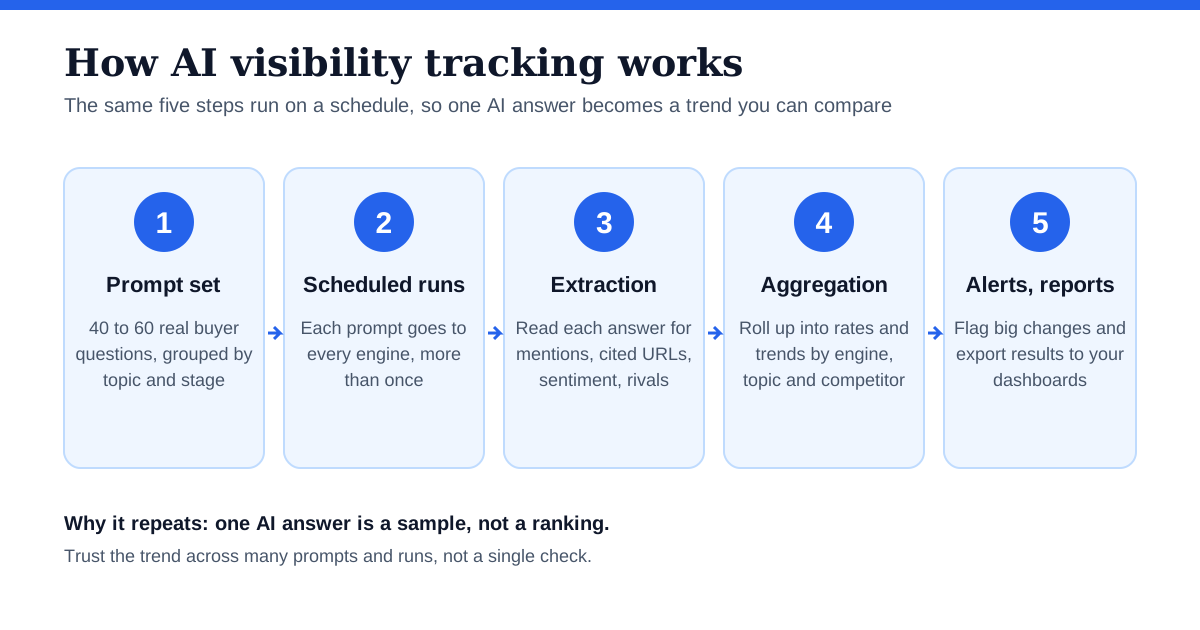
Under the hood, almost every tracker follows the same loop:
- Prompt set. You define, or the tool suggests, the questions to track.
- Scheduled runs. The tool sends each prompt to each engine on a schedule, often more than once, to account for answer variation.
- Extraction. It reads each answer and records mentions, cited URLs, sentiment and competitors.
- Aggregation. Results roll up into rates, trends and comparisons by engine, topic or competitor.
- Alerts and reports. Changes beyond a threshold are flagged, and results are exported or shown in a dashboard.
Two practical consequences follow. First, results depend on your prompt set, so a tracker is only as relevant as the prompts you give it. Second, because answers vary, trust trends over single data points.
How to Choose an AI Visibility Tracker
Use these criteria to compare options:
- Engine coverage. Does it cover the engines your customers use, such as ChatGPT, Perplexity, Gemini and Google AI Overviews? Does it show results per engine?
- Prompt control. Can you write and edit your own prompts, group them by topic, and keep the set stable over time?
- Repeat sampling. Does it run prompts more than once so that a single odd answer does not distort the rate?
- History. Can you see the trend over months, not just the latest run?
- Competitor tracking. Can you add competitors and see where they replace you?
- Citation detail. Does it show the exact URLs and domains cited, not just whether you were mentioned?
- Sentiment and context. Does it show how you are described, not only that you were named?
- Export and integrations. Can you get the data out, or send it to your analytics and reporting tools?
- Transparency. Does it explain how scores are calculated, so you can defend the numbers internally?
For a side-by-side look at specific products, see our guides to the best AI visibility tools in 2026 and AI visibility tools pricing .
Free vs Paid AI Visibility Trackers
You do not need to pay to start. There are two free routes:
- A manual prompt library. Run your prompts by hand and log the results in a spreadsheet. It is slow but it teaches you what to look for. See the DIY AI visibility tracking guide .
- Free checkers. One-off tools that score a single domain. They are good for a baseline snapshot. See the best free AI visibility checkers .
Move to a paid tracker when the manual work stops scaling: more prompts than you can run by hand, more engines, a need for scheduled history, or several competitors to follow. The comparison in free vs paid AI visibility tools covers the trade-offs in more detail.
How to Set Up AI Visibility Tracking
- List your real questions. Collect the questions customers ask in sales calls, support tickets and search queries. Group them by topic and funnel stage.
- Pick 40 to 60 prompts. Cover each topic, include a few comparison and “best tool for” prompts, and freeze the set.
- Add competitors. Choose the three to five brands you most often lose to.
- Take a baseline. Run everything once across your chosen engines and record mention rate, citation rate and share of voice.
- Review on a cadence. Collect weekly, analyze monthly, reset priorities quarterly.
How to Use AI Visibility Data
A tracker only matters if the data changes what you do. Three common moves:
- Absent on a topic. Publish or strengthen a page that answers the prompt directly, and make sure it is crawlable.
- Mentioned but not cited. Improve the page you want cited, adding clear answers, sources and structure.
- A competitor keeps appearing. Look at which sources the engines cite for that prompt, and decide whether to earn a place on those sources or out-answer them.
Then connect the result to outcomes by comparing it with AI referral traffic and conversions. Our guide to setting up AI traffic tracking in GA4 shows how.
AI Visibility Tracking Mistakes to Avoid
- Changing the prompt set every week. It makes any trend unreadable.
- Judging on one run. Answers vary, so use rates over repeated runs.
- Reading a single blended score. Break results out by engine and topic.
- Tracking only your brand name. Include the category and comparison questions where buyers decide.
- Treating visibility as revenue. Visibility is a leading indicator. Test its link to traffic and sales with your own data.
AmICited AI Visibility Tracker
AmICited is an AI visibility tracker built for this workflow. It runs your prompts on a schedule and tracks mentions, citations, sentiment and share of voice across ChatGPT, Perplexity, Google AI Overviews and other AI platforms, so you can see the trend instead of a single snapshot. If you want a baseline first, the free AI brand visibility report scores your domain before you commit to anything.