


- Dayparting is scheduling ads or changing bids by hour of day and day of week, so you spend more when ads convert and less, or nothing, when they don’t. Google Ads calls it ad scheduling.
- Group hours into blocks of four to six hours, compare each block’s CPA or ROAS with the campaign average over at least four weeks, and change bids in small steps.
- Google Ads ad schedule bid adjustments run from -90% to +900%, but Smart Bidding ignores them. With Smart Bidding, a schedule can only switch ads on or off.
- Night clicks often convert the next morning. Credit purchases to the hour of the click before you cut a time block.
Where AmICited fits
AmICited’s Meta Ads Dayparting report compares when Meta delivers your ads with when realized shop orders land, by hour, weekday-hour and day of month, with spend share, cost and realized ROAS. Its Calendar Patterns report shows your shop’s orders by day and hour.
See Meta Ads dayparting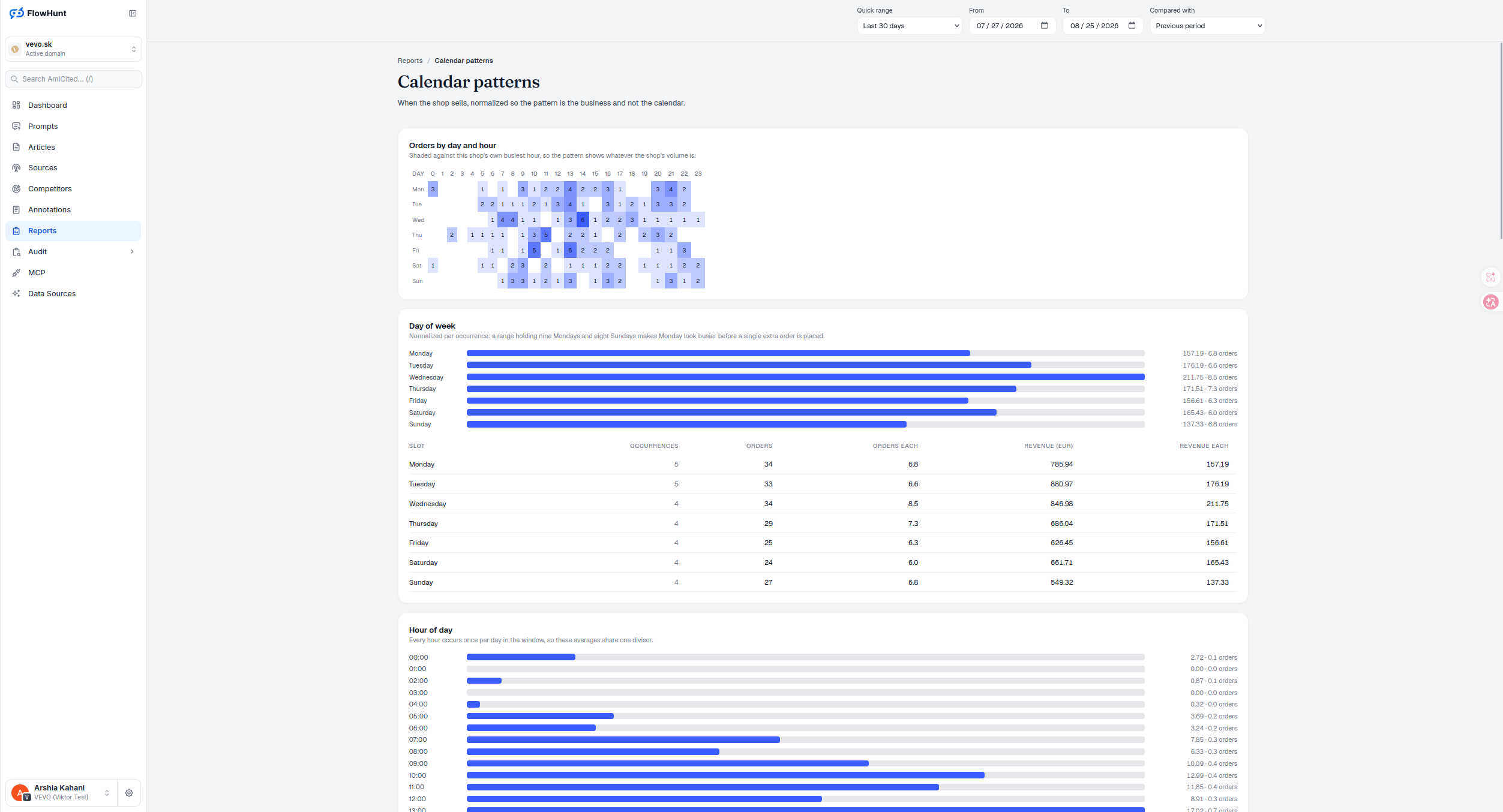
What Is Dayparting?
Dayparting is scheduling your ads, or changing your bids, by time of day and day of week. If your ads convert well on weekday evenings and badly at 3 a.m., dayparting lets you spend more in the evening and less, or nothing, overnight.
The idea comes from broadcast media, where TV and radio sold airtime in dayparts such as morning drive and prime time. In digital advertising it shows up as ad scheduling in Google Ads and Microsoft Advertising, as scheduled delivery on lifetime-budget ad sets in Meta Ads Manager, and as schedule-based budget or bid rules in tools like Amazon Ads and most demand side platforms. It’s a standard lever in PPC management, especially for businesses whose customers buy or call at predictable times.
How Dayparting Works
The process is the same on most platforms:
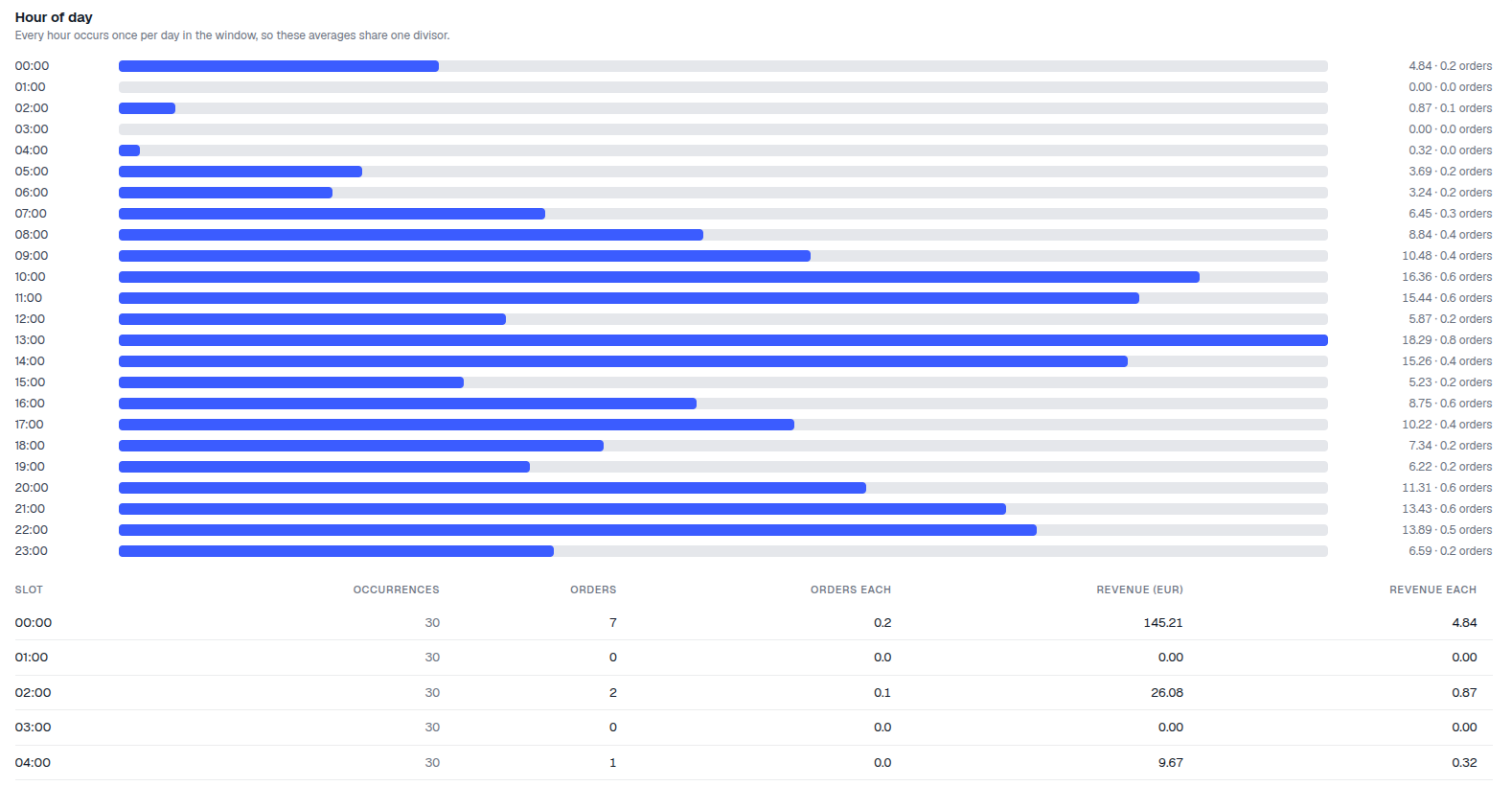
- Pull performance by hour and weekday. In Google Ads, the “When and where ads showed” area gives you day and hour reports. For Meta, use the hourly breakdown, keeping in mind it’s reported in the ad account’s time zone.
- Group hours into blocks. Single hours are noisy. Four- or six-hour blocks, or “weekday business hours vs evenings vs weekends”, give you enough conversions per block to compare.
- Compare each block’s cost per acquisition or ROAS with the campaign average.
- Set the schedule. Pause blocks that never convert, and apply bid adjustments where the difference is large and consistent.
In Google Ads, ad schedule bid adjustments can range from −90% to +900%, and you can set up to six schedule blocks per day. A common starting rule is to adjust bids in proportion to how far a block’s CPA sits from the average:
Bid adjustment ≈ (Average CPA ÷ Block CPA) − 1
Take a campaign with an average CPA of $30, split into four six-hour blocks:
- 00:00–06:00: CPA $42. $30 ÷ $42 − 1 ≈ −29%, so roughly −30%.
- 06:00–12:00: CPA $31. Close to average, no change.
- 12:00–18:00: CPA $28. Close to average, no change.
- 18:00–24:00: CPA $18. $30 ÷ $18 − 1 ≈ +67% in theory; a cautious +20% first step is safer, then review.
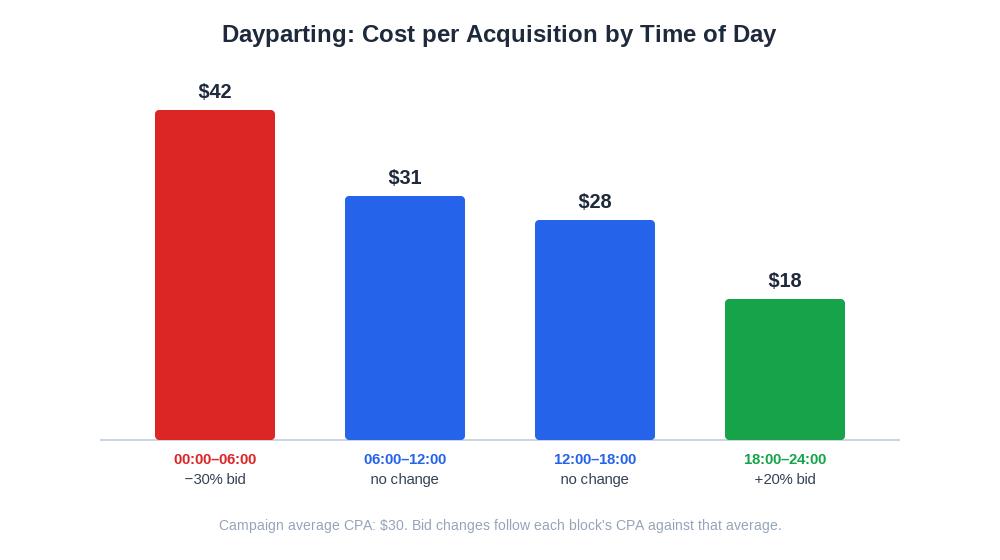
Small differences, like $31 vs $28, aren’t worth acting on. They’re within normal week-to-week noise.
It also helps to look at hour and weekday together, not separately. A block like 18:00–24:00 may be strong on weekdays and weak on Saturdays, when people are out. Google Ads lets you set different schedules for each day of the week, so you can raise bids on weekday evenings without paying the same premium on Saturday night. Check conversion lag too: if most purchases happen a day or two after the click, attribute them back to the hour of the click before you judge a block.
Dayparting by Platform
| Platform | Where to set it | Bid changes by time? | Notes |
|---|---|---|---|
| Google Ads | Campaign ad schedule | Yes, −90% to +900% with manual or enhanced bidding | Smart Bidding ignores schedule bid adjustments; schedules use account time zone |
| Microsoft Advertising | Campaign ad schedule | Yes | Similar to Google Ads; can import Google schedules |
| Meta Ads | Ad set schedule | No direct bid change | Traditionally needs a lifetime budget; automated rules can shift budgets |
| Amazon Ads | Budget and bid rules | Through rules | Native options have expanded; many sellers use third-party tools |
| DSPs | Line item settings | Usually yes | Often supports time zone of the viewer, not just the account |
Dayparting vs Smart Bidding
On Google, the bigger question is often whether to daypart at all. Smart Bidding strategies (target CPA, target ROAS, Maximize conversions, Maximize conversion value) already use time of day as a signal in every auction, alongside device, location and audience. Your manual ad schedule bid adjustments are ignored by these strategies.
So with Smart Bidding, dayparting becomes on or off: you can still stop ads from running during hours you can’t serve (for example, a call-only campaign when your phone line is closed), but you leave the bid shaping to Google. With manual CPC, dayparting is one of the most useful levers you have.

Stay Updated on AI Visibility Trends
Get the latest insights on AI mentions, brand monitoring, and optimization strategies.
Dayparting and AI Search
There is no dayparting for AI answers. ChatGPT, Perplexity, Gemini and Google AI Overviews don’t sell placements by hour, and an AI answer that cites your brand at 9 a.m. will generally cite it at 9 p.m. too, unless the underlying sources change. Time-of-day thinking still applies to paid placements around AI answers, and to when your own buyers do their research, which your calendar patterns of orders can show.
Best Practices for Dayparting
- Use enough data. Look at at least four weeks, and ideally longer, before setting bid adjustments.
- Analyze by conversion time, not just click time. For longer sales cycles, the hour of the click and the hour of the purchase may differ.
- Check your time zone. Ad schedules run in the account time zone. If you sell nationally across U.S. time zones, “8 p.m.” means different things to different customers.
- Change bids gradually. Start with adjustments of 10–20% and review after a couple of weeks.
- Respect operational limits. Pause call or lead ads when nobody can answer, rather than paying for leads that go cold.
- Re-check after seasonality. Holiday periods and promotions can shift the best hours.
Common Dayparting Mistakes
The most frequent mistake is cutting hours based on too little data. A block with a high CPA from three conversions may look bad by chance, and turning it off can remove sales that would have come the following week. A related mistake is shutting down overnight hours when the clicks at night are research visits that convert the next morning, so the purchase gets credited to the morning block.
Advertisers also set ad schedule bid adjustments on Smart Bidding campaigns and assume they’re working, when Google ignores them. Finally, many teams set a schedule once and never revisit it, even after changing products, prices or markets.