


Unified Keywords Across Search Channels
Google Search Console, Bing Webmaster Tools, Google Ads and ChatGPT Ads all measure keywords differently. AmICited’s unified keywords report puts them in one row per keyword — organic clicks and position beside paid impressions, spend and conversions.
Compare Organic and Paid Keywords
Filter organic and paid keywords together: set the window once, then narrow with filters — keyword text, country, device, or a floor on impressions, clicks, spend or conversions. Metric floors narrow the table only; the traffic-by-channel chart still reflects dimension filters, since it reports whole-window totals a floor can’t meaningfully slice. Sort by whichever column answers your question: spend to hunt waste, organic clicks to see what already works.
- A keyword rank tracker for organic and paid, one row — clicks and position per search engine beside impressions, spend and conversions per ads network.
- Traffic by channel chart — daily organic and paid traffic across connected platforms, switchable between clicks and impressions, axis rounded up to a clean multiple of four so the scale never looks arbitrary.
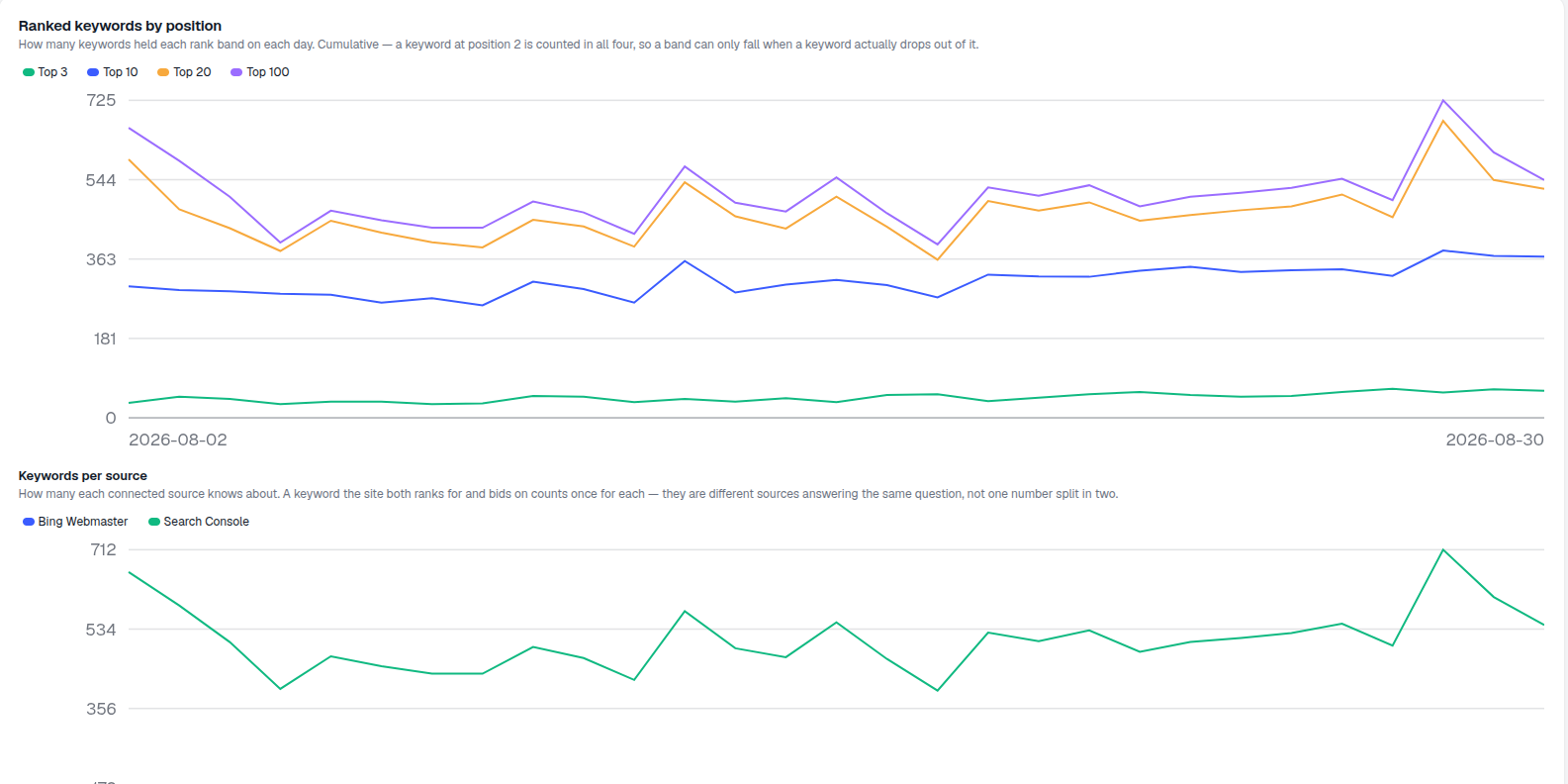
- Ranked keywords by position — a cumulative daily count of keywords holding Top 3, Top 10, Top 20 and Top 100, so a band can only shrink when a keyword actually drops out of it; a platform’s missing day stays absent rather than reading as a false zero.
- Keywords per source — how many keywords each connected platform knows about, since a keyword the site both ranks for and bids on counts once per source, not split in two.
- Filter by what matters — keyword text, country, device, or a floor on any metric, applied across every channel at once.
- Compare periods — turn on Compare and set an earlier window to fill in the change column for every row; it’s off by default because it costs another warehouse scan.
- Exclude brand terms — pull brand keywords out before drawing any conclusion about growth; brand demand moves for reasons no page change explains.
- Track a keyword from its row — start prompt tracking straight from the table instead of copying the term elsewhere first.
Unified Keyword Report Metrics
Each row carries one keyword’s whole story: organic clicks and average position from every connected search engine, next to paid clicks from every connected ads network. Above the table, Ranked keywords by position tracks Top 3, Top 10, Top 20 and Top 100 as cumulative daily bands — a keyword at position 2 counts in all four, so a band can only fall when a keyword truly drops out of it, not when it shuffles between adjacent ranks.
- Cumulative position bands — Top 3 inside Top 10 inside Top 20 inside Top 100, reading erosion instead of reshuffling noise.
- Keywords per source — a shared keyword counts once per platform that reports on it, never merged into one blended number.
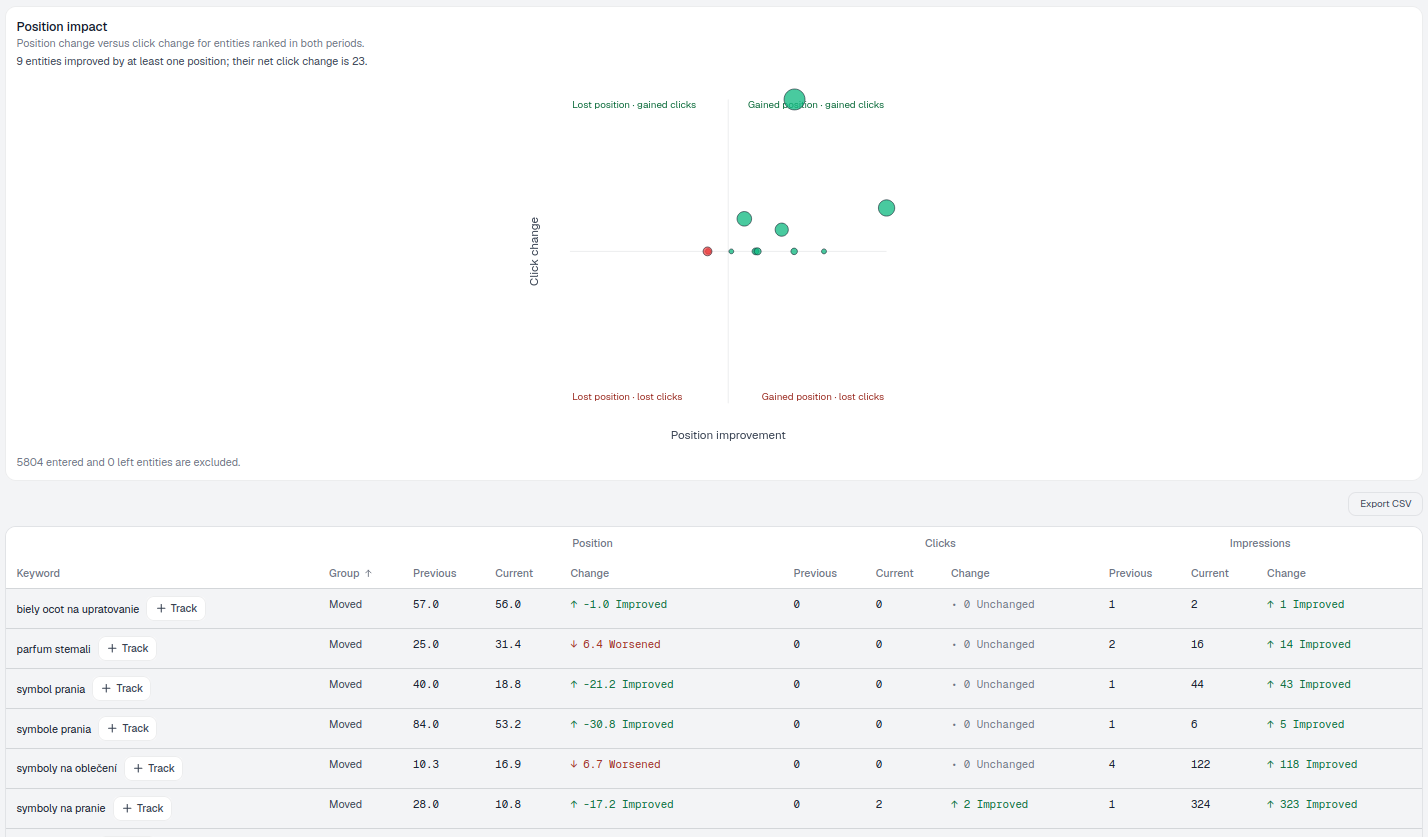
- Sorted by whichever column matters — spend to hunt waste, organic clicks to see what already works, position change to see what moved.
- Read the pattern, not just the row — heavy paid spend next to strong organic clicks is worth a bidding test: pull the spend back and watch whether total clicks hold. Strong paid response with no organic presence is the opposite signal — a content gap worth writing for.
Find High-Demand Keyword Opportunities
A keyword sitting outside the top ten with real demand behind it belongs in Striking Distance, grouped by the page that would have to change to move it — not chased one row at a time.
- Grouped by page — the exact page that owns every in-band query.
- Modelled upside — what the page would earn at your target position, from this site’s own click-through curve.
- Work top-down — one edit that lifts a cluster of queries beats chasing keywords individually.
Unified Keyword Data Limits
A handful of guardrails run under every render: paid cost is kept separate by currency and never summed across ad accounts, a platform’s missing day is left absent instead of drawn in as zero, and the response names any connected platform that had no data in the selected window rather than silently omitting it. Read the source chart as coverage, not market share — the same term can be reported by more than one platform at once.
- Currency never blended — paid cost stays split by currency; nothing gets silently converted or summed.
- Missing days stay missing — a platform that didn’t report on a given day is left out of that day’s line, not rendered as a false zero.
- Empty platforms named explicitly — a connected source with nothing in the window is called out, not just left blank.
- Coverage, not share — the same keyword can appear in more than one source’s count, so read Keywords per source as reach, not a market-share split.
row per keyword, not one per platform
Every connected search engine and ads network reports into the same table, so a keyword’s whole story reads left to right instead of across four browser tabs.
See Search & Citation gapAnalyze Keywords Across Channels
Organic clicks and position per search engine, paid spend and conversions per ads network — one row per keyword, refreshed daily.
Ready to see organic and paid in one place?
Free check · 7-day trial · card required